1
nada Documentation, Release 4.0
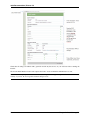
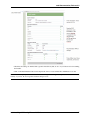
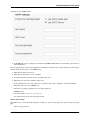
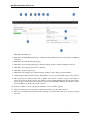
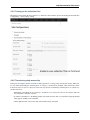
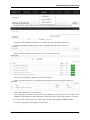
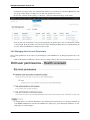
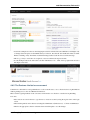
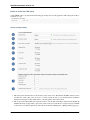
3. Select the vocabulary to use for the topic filter. By default this is set to the CESSDA classification as recommended in the IHSN templates supplied at IHSN.org for the Nesstar Metadata Publisher.
4. Enable or disable the Country filter on the user interface search page here. If the catalog only contains studies
for one country then turning this filter off is recommended.
5. Enable or disable the Topic filter on the user interface search page here. If no topics have been defined in the
DDI’s being uploaded then it is recommended to turn this filter off (disable).
6. Enable or disable the Year filter on the user interface search page here.
7. Enable or disable the Collection filter on the user interface search page here. If no collections have been defined
then it is recommended to disable this filter.
8. Enable or disable the Data access filter on the user interface search page here. This filter is not needed if there
are very few studies in the catalog or if all studies hare set to the same access type.
9. This section controls the order in which the filters appear on the search page. Enter numbers here that rank the
order of the filters in the order they should be displayed.
10. This setting determines how many studies are displayed by default to the user on the search page – catalog view.
Site Login settings
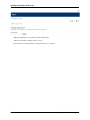
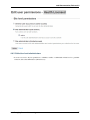
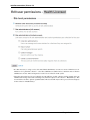
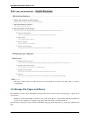
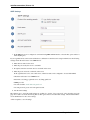
1. To require that users login before being able to access the website set this option to Requires all users to login
to access the website.
2. Determined how long a user will stay logged in. After this time the user will be automatically logged out.
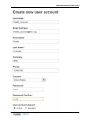
3. Sets the minimum length for passwords created by the users at registration or for manual user creation.
4.10. The Site Settings Page
65