1
Led Lenser®*
5. Operation
A
1x
1
2x
2
3x
3
8x
+
„Click“
+
„Click“
B
8x
1x
3
2x
2
3x
1
5.4
Using the Lighting Functions
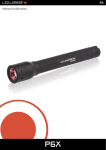
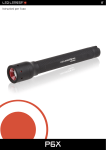
The flashlight offers 3 lighting functions:
1 = High Power
2 = Power (normal) and
3 = Low Power (dimmed).
1. In order to use the lighting functions, either press and engage the On/
Off pushbutton ②
-- multiple times or
-- gently press several times and when the desired program has been
located, press firmly to engage.
→→ Each time you press the switch, you activate the next lighting
function.
→→ After more than 3 gentle button pushes, the cycle returns to the
beginning.
Press the push button
Light function
1x
High Power
2x
Power (normal)
3x
dimmed light
5.5
Activating Lighting Programs
The flashlight has 2 lighting programs that can be used to determine
the sequence of the lighting functions. In the delivered state, program A
EN Operating instructions P6X_V.01 | 7/31/2014 13