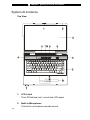
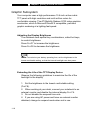
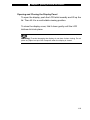
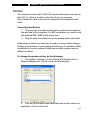
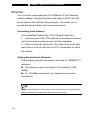
1
i -1 Notice The information in this user’s manual is subject to change without notice. THE MANUFACTURER OR RESELLER SHALL NOT BE LIABLE FOR ERRORS OR OMISSIONS CONTAINED IN THIS MANUAL AND SHALL NOT BE LIABLE FOR ANY CONSEQUENTIAL DAMAGES, WHICH MAY RESULT FROM THE PERFORMANCE OR USE OF THIS MANUAL. The information in this user’s manual is protected by copyright laws. No part of this manual may be photocopied or reproduced in any form without prior written authorization from the copyright owners. Copyright August, 2004 All rights reserved. Microsoft and Windows are registered trademarks of Microsoft Corporation. DOS, Windows 95/98/ME/2000/NT/XP are trademarks of Microsoft Corporation. Product names mentioned herein may be trademarks and/or registered trademarks of their respective owners/companies. The software described in this manual is delivered under a license agreement. The software may be used or copied only in accordance with the terms of the agreement. This product incorporates copyright protection technology that is protected by U.S. patents and other intellectual property rights. Use of this copyright protection technology must be authorized by Macrovision, and is intended for home and other limited viewing uses only unless otherwise authorized by Macrovision. Reverse engineering or disassembly is prohibited. . Rev 1.0 i -2 TABLE OF CONTENTS PREFACE Symbols and Conventions Protecting Your Computer - Avoid Abusive Handling and Adverse Environment Chapter Summaries 1. GETTING TO KNOW THE BASICS Performance Features (1-2,3) System at a Glance (1-4) Top View (1-4,5,6) Front and Rear Views (1-7,8) Side Views (1-9,10) Bottom View (1-11,12) AC Adapter (1-13) LED Status Indicators (1-14) Keyboard Features (1-15) Function (Quick) Keys (1-15) Windows Keys (1-16) Embedded Numeric Keypad (1-16) Touch Pad (1-17) Graphic Subsystem (1-18) Adjusting the Display Brightness (1-18) Extending the Life of the TFT Display Panel (1-18) Opening and Closing the Display Panel (1-19) Audio Subsystem (1-20) Adjusting the Volume in Windows (1-20) Voice Recording (1-20) Modem and Modem Setting (1-21) Ethernet Adapter (1-22) 2. BIOS SETUP AND SECURITY Entering the BIOS Setup Screen (2-3) Leaving the BIOS Setup Screen (2-3) BIOS Action Keys (2-3) i -3 Modifying the BIOS Settings (2-4) Main Setup (2-4) Advance Setup (2-4,5) Security Setup (2-5,6) Power Setup (2-7) Boot Setup (2-8) Exit Setup (2-9) 3. BATTERY POWER & POWER MANAGEMENT The Battery Pack (3-2) Lithium-Ion Battery Technology (3-2) Battery Low-Power Warning (3-3) Installing and Removing the Battery Pack (3-4,5) Charging the Battery and Charging Time (3-5) Checking the Battery Level (3-6) Prolonging the Battery’s Life and Usage Cycles (3-6) Using Windows Power Options (3-7) Windows’ Power Schemes (3-7,8) Suspend Modes (3-9,10) Power Button Action (3-11) Low Battery Warning (3-12) Power Manual Quick Access (3-13) 4. UPGRADING YOUR COMPUTER Upgrading the Hard Disk Drive (4-2,3,4,5) Upgrading the System Memory (4-6,7,8,9) Installing a Mini PCI Card to the System (4-10,11,12) 5. TROUBLE-SHOOTING First Step (5-2,3) Audio Problems (5-4) Hard Disk Problems (5-5,6) Optical Drive Problems (5-7) Display Problems (5-8) Keyboard and Mouse Problems (5-9) CMOS Battery Problems (5-10) Memory Problems (5-11) i -4 Modem Problems (5-12) Network Adapter / Ethernet Problems (5-13) PC Card / PCMCIA Problems (5-14) Performance Problems (5-15) Firewire (IEEE1394) and USB2.0 Problems (5-16) APPENDIX A Product Specification APPENDIX B Agency Regulatory Notices i -5 Preface Using This Manual This User’s Manual contains general information about the hardware and software setup, troubleshooting, and technical specifications of the notebook computer. Symbols and Conventions The following conventions and symbols are used in this manual: When keys are to be pressed at the same time, a plus (+) symbol is used. For instance, Fn+F7 means holding Fn and F7 keys at the same time. When a series of clicking actions is needed in Windows O/S, [ ] and > symbols are used. For instance, [Start > Settings > Control Panel > Display] means clicking the Start icon first, then the Settings, then the Control Panel, then the Display icon. When you need to make a selection with the touch pad (or mouse), you will be asked to ’select’ or ‘click’ or ‘double-click’, ‘right-click’ the item. Note: Text in this format and symbol means specific instructions, commentary, sidelights, or any additional information or notes that you should be aware of. Warning: Text in this format and symbol means that failures to comply with the given instructions or information could result in damage to your computer or could cause bodily harm or loss of life. i -6 Protecting Your Computer - Avoid Abusive Handling and Adverse Environment Follow the advice below will help ensure that you get the most out of your Investment. Your computer will serve you well if you take good care of it. Do not expose the computer to direct sunlight or place it near sources of heat. Do not subject it to temperatures below 0oC (32oF) or above 30oC (86oF). Do not expose the computer to magnetic fields. Do not expose the computer to moisture or rain. Do not spill water or liquid on the computer. Do not subject the computer to adverse shock and vibration. Do not expose the computer to dust and dirt. Do not place objects on top of the computer to avoid damaging the computer. Do not place the computer on rocky surfaces. Here are some ways of taking care of your AC adapter. Do not connect the adapter to any devices other than your computer. Do not let water get into the adapter. Do not block the ventilation airway of the adapter. Keep the adapter in a cool and ventilated place. Do not step on the power cord or place heavy objects on top of it. Carefully tuck away the power cord and any cables away from pedestrian traffic. When unplugging the power cord, do not pull on the cord itself but pull on the plug. i -7 Keep the adapter away from children. The total ampere ratings of the equipment plugged in should not exceed the ampere rating of the cord if you are using an extension cord. The total current rating of all equipment plugged into a single wall outlet should not exceed the fuse rating. Do not connect other AC adapter to your notebook. This Notebook uses exclusively the AC adapter LITE-ON PA-1900-05 (90W), PA-1900-06 (90W); Lishin 0202A2090 (90W), 0202B2090 (90W). When cleaning the computer, observe these steps: 1. Power off the computer and remove the battery pack. 2. Disconnect the AC adapter. 3. Use a soft cloth dampened with water. Do not use liquid or aerosol cleaners. Contact your dealer or see your service technician if any of the following occurs: Computer has been dropped or the body has been damaged. Liquid has been spilled into the product. The computer does not operate normally. Cleaning the Ventilation Grills: It is suggested that you clean the ventilation grills regularly to maintain optimal thermal regulation of the notebook. To do this, you may use a soft brush or a vacuum cleaner (with appropriate head adapter) to remove the dust buildup on the ventilation grills. i -8 Chapter Summaries The following is a summary of the available chapters and appendices in this manual. Chapter 1: Getting to Know the Basics In this chapter, you will learn the basic operations and features of your computer. It gives you a general understanding of the components of your computer. Chapter 2: BIOS Setup / Security In this chapter, you will learn how to change various firmware settings and what the settings mean. Also, you will learn how to take advantage of the built-in security feature provided by the BIOS. Chapter 3: Battery Power & Power Management In this chapter, you will learn the fundamentals of power management and how to use them to achieve longer battery life. Chapter 4: Upgrading Your Computer In this chapter, you will learn how to upgrade the system memory, the hard disk drive, and to install wireless mini PCI card. Chapter 5: Trouble-Shooting In this chapter, you will learn how to solve common hardware and software problems. Appendix A: Product Specification In this section, you will find a list of the computer’s system specifications. Appendix B: Agency Regulatory Notices In this section, you will find the general electro-magnetic and safety regulatory information. i -9 ■ chapter 1 getting to know the basics C H A P T E R ▼ O N E GETTING TO KNOW THE BASICS This chapter introduces the features and components of the computer. 1-1 ■ chapter 1 getting to know the basics Performance Features High Performance Processor The notebook PC is equipped with a powerful Mobile Intel Pentium M processor of the latest sub-micron process, processor technologies, and high bus bandwidths. Advanced Graphic Engine The system is built with ATI Mobility Radeon 9700 with 256MB DDR dedicated frame buffer. The high-end graphic engine offers excellent graphic performance for the most demanding professionals or gamers. The advanced graphic chip also incorporates a hardware-based motion-compensation engine, which gives you smooth MPEG video playback. 3D graphics capability also adds realism to PC games. LCD Display The computer is equipped either with a 15.4-inch TFT high-resolution display panel for clear text and brilliant colors. Expandability The system offers upgradeable hard disk drive and 2 DDR SDRAM sockets for expansion, allowing the user to easily increase the storage and system capacities as the need arises. Built-in Multiple Card Reader There is built-in 4-in-1 card reader to access many of the portable media formats (SD Card, MS Card, MMC Card, and MS-Pro Card). Ethernet Port 1-2 ■ chapter 1 getting to know the basics The system provides built-in Ethernet network adapter for high bandwidth network connection. Firewire (IEEE1394 / 1394a) and USB2.0 ports In addition to a full array of built-in I/O ports, the computer offers IEEE1394 for ultra high-speed connection to high bandwidth digital video devices and USB2.0 ports to connect to any USB-based peripheral devices. Wireless LAN (Optional) The optional internal Wireless LAN module allows your notebook to connect wirelessly to other 802.11-enabled systems, devices, or network. Internal USB slot for integrated USB Devices The optional USB device gives you added function to the notebook. Built-in Audio Subwoofer (Optional) The optional subwoofer gives you enhanced low-frequency response for audio enjoyment. 1-3 ■ chapter 1 getting to know the basics System At A Glance Top View 1. LCD Latch The LCD latches lock / unlock the LCD panel. 2. Built-in Microphone The built-in microphone records sound. 1-4 ■ chapter 1 getting to know the basics 3. LCD Display The panel is where the system content is displayed. 4. Built-in Stereo Speakers The built-in speakers output the sound in stereo. 5. Keyboard The keyboard is used to enter data. It has an embedded numeric keypad and cursor control keys. (See Keyboard Section for details.) 6. Touch Pad The touch pad is a built-in pointing device with functions similar to a mouse. 7. LED Status Indicator The LED Status indicators reveal the status of these functions: Numeric keypad, cap lock, scroll lock, WLAN module enabling and disabling and also the ODD, HDD activities. (See the LED Status Indicator Section for details.) The LED Status indicators also reveal the status of the system power state and battery-charging state. See the LED Status Indicator Section for details. 8. Power / Suspend Button The power/suspend button turns the notebook on and off and it also acts as a system suspend key. Press momentarily to turn on the system. Press and hold for at least 1~3 seconds to turn off the system. How this key behaves can be defined in [Start > Settings > Control Panel > Power Options > Advanced] menu. Press the power / suspend button again to return from the suspend mode. (See Chapter 3 for more details on system 1-5 ■ chapter 1 getting to know the basics suspend function.) Note: When the system power is initially turned on, the Scroll-lock, Cap-lock, and Numeric keypad LED indicators will light up momentarily to indicate the start of the Power-On sequence. 9. Silent Mode Button Pressing the key enables the system to lower its power usage; therefore the fan speed is reduced to achieve lowest operating noise. You may need to go to BIOS Setup to enable Silent Mode for this button. See Chapter 2 for details. 10. “Instant-On” Multimedia Player Launch Key The key allows you to watch movies files in the optical drive or hard disk drive without having to boot to Windows. Note: The way the InterVideo InstantON software works is that when the Instant-On quick key is pressed (when the system is in Power-Off mode), the system boots to a Linux-based O/S and media player application in a separate hard drive partition. 11. Internet Explorer Quick Key Pressing the button launches Internet Explorer in Windows. 1-6 ■ chapter 1 getting to know the basics Front and Rear Views 1 2 3 4 5 6 7 8 Warning: Do not place any heavy objects on the top of notebook. This may damage the display 1. External VGA Port The 15-pin VGA analog port is for connecting the external CRT monitor or projector. 2. Battery Pack The battery pack is a built-in power source for the notebook. 3. Kensington Lock Key Hole A Kensington-type security lock latches to this keyhole for anti-theft purpose. 4. 4-in-1 Card Reader The 4-in-1 Card Reader supports SD Card, MS Card, MMC Card, and MS-Pro Card. 5. Microphone Jack 1-7 ■ chapter 1 getting to know the basics The microphone jack (3.5-mm diameter) is where you connect a microphone. 6. Audio Line-in Jack The Audio Line-in jack (3.5-mm diameter) is where you connect an external audio input source such as a CD Player. 7. Stereo Headphone / SPDIF-out Jack The stereo headphone jack (3.5-mm diameter) is where you connect the headphones or external speakers. Alternatively, you may connect the SPDIF output to an external DTS, AC3, or PCM sound processor / decoder in your home stereo system. 8. Wireless On/Off Switch Use the Switch to disable or enable Wireless function. 1-8 ■ chapter 1 getting to know the basics Side Views 1 2 3 7 6 4 8 9 5 Warning: Do not place any heavy objects on the top of notebook. This may damage the display 1. Ethernet / LAN Port The port connects to a network hub via the RJ-45 cable and also conforms to 10/100Base-TX transmission protocol. 2. Modem Port This is where you plug the phone jack (RJ-11) for fax/modem functions. 3. Optical Drive and Disk Eject Button and Manual Eject Key Hole If your computer comes with the Combo drive, DVD-RW, DVD+RW, or DVD-Dual drive, you may save data onto a CD-R / CD-RW or DVD RW disc. Press the eject button to eject the disk tray. The manual eject keyhole allows you to manually eject a jammed disk. 1-9 ■ chapter 1 getting to know the basics 4. PC Card Slot (Type II PCMCIA) and Card Eject Button The slot is where PC Card (Type II PCMCIA) is inserted. Press the eject button to release the PC Card. Note: For safety consideration, please insert the PCMCIA dummy card when not using the PCMCIA card. 5. Ventilation Grill The fan grill is where air is exchanged to dissipate the internal heat. Do not block this airway completely. 6. Firewire / IEEE1394 / 1394a Port This is a high-speed serial data port. You may connect any Fire-wire-ready device to this port. 7. USB2.0 Port (x3) The Universal Serial Bus (USB2.0-compliant) port allows you to connect a wide variety of devices to your computer at a rate of up to 480 Mbps. This port conforms to the latest USB2.0 plug-and-play standards. 8. Power Jack (DC-in) The DC-out jack of the AC Adapter connects here and powers the computer. 9. TV (S-Video) Port The S-Video port permits you to redirect the screen output to a television set or any analog video playback device. This TV Port is copyright protected; when DVD movie is played, the output is scrambled to prevent analog recording. 1-10 ■ chapter 1 getting to know the basics Bottom View 1 6 4 2 5 3 1. Battery Pack and Battery Latch The battery pack is a built-in power source for the notebook. Slide the battery latch to release the battery pack. 2 1 1-11 ■ chapter 1 getting to know the basics 2. USB Device Cover (Optional) Underneath the cover, there is a USB connector. You may install the optional USB device into this slot. 3. Hard Disk Drive Cover The system’s hard disk drive is located under the cover. The HDD can be upgraded to a larger capacity. (See Chapter 4 for instructions on a HDD upgrade.) 4. Audio Subwoofer The built-in audio subwoofer gives you enhanced bass response. 5. System Device Cover The system’s processor with cooler assembly, Wireless LAN module, and DDR memory module are located under the case cover. The system memory can be upgraded to a larger capacity. (See Chapter 4 for instructions on a memory upgrade.) 6. Ventilation Grill The fan grill is where air is exchanged to dissipate the internal heat. Do not block this airway completely. Warning: Do not block the Fan Grill outlet. Place the machine on hard surface only. The bottom case may get very hot. 1-12 ■ chapter 1 getting to know the basics AC Adapter 1. DC-out Connector The DC-out connector docks to the power jack (DC-in) on the computer. 2. Adapter The adapter converts alternating current into constant DC voltage for the computer. 3. AC Plug The AC plug plugs to the AC wall outlet. Warning: Make sure you are using a standard 3-prong AC wall socket with a ground pin. If not, you may feel a slight tingling sensation on any of the computer’s metal parts such as the I/O ports. This is caused by leakage current when the AC adapter is not properly grounded (via the ground pin). However, the amount of leakage current is within the safety regulation and is not harmful to human body. 1-13 ■ chapter 1 getting to know the basics LED Status Indicator The LED Status Indicator displays the operating status of your notebook. When a certain function is enabled, an LED will light up. The following section describes its indication. System & Power Status Indicators LED Graphic Symbol Indication Green light indicates the WLAN module is active. Blinking green light indicates the notebook is in suspend mode. Persistent green light indicates the system is in Silent Mode. Blinking orange light indicates the battery is being charged. Blinking green light indicates the battery power is low when the system is turned ON. Persistent green light indicates the battery is Full. Green light indicates the hard drive and/or optical drive is being accessed. Green light indicates the numeric keypad is activated. Green light indicates the cap-lock is activated. Green light indicates the scroll-lock is activated. Note: When the system power is initially turned on, the Scroll-lock, Cap-lock, and Numeric keypad LED indicators will light up momentarily to indicate the start of the Power-On sequence. 1-14 ■ chapter 1 getting to know the basics Keyboard Features Function Keys (Quick Keys) Graphic Symbol Action System Control Fn + F1 Enters Suspend Mode. Fn + F3 Turns of the battery warning beep off or on. Fn + F4 Changes Display Mode: LCD-only, CRT-only and LCD&CRT. Fn + F5 Turns Speaker Volume up. Fn + F6 Turns Speaker Volume down. Fn + F7 Increases Display Brightness. Fn + F8 Decreases Display Brightness. Fn+Num Lk Enables the embedded keypad to work in numeric mode. The keys act like numeric keypads in a calculator. Use this mode when you need to do a lot of numeric data entry. An alternative would be to connect an external numeric keypad. Fn + Scr Lk Press the Scroll Lock key and then press ↑or ↓to move one line up or down. For various system controls, press the Fn (Function) key and the Fx key simultaneously. 1-15 ■ chapter 1 getting to know the basics Windows Keys Your keyboard also has two Windows keys: 1. Start Key This key allows you to pull up the Windows Start Menu at the bottom of the taskbar. 2. Application Menu Key This key brings up the popup menu for the application, similar to a click of the right mouse button. Embedded Numeric Keypad Press Fn+NumLk to enable the embedded numeric keypad. The numbers are printed in upper right corner of a key, in a color different from the alphabets. This key pad is complete with arithmetic operators (+, -, * , /). Press Fn+NumLk to revert to normal character keys. Num Lk 7 8 9 4 5 1 2 0 1-16 * - 6 + 3 . Enter / ■ chapter 1 getting to know the basics Touch Pad The built-in touch pad, which is a PS/2-compatible pointing device, senses movement on its surface. As you move your fingertip on the surface of the pad, the cursor responds accordingly. The following items teach you how to use the touch pad: 1. Move your finger across the touch pad to move the cursor. 2. Press buttons to select or execute functions. These two buttons are similar to the left and right buttons on a mouse. Tapping on the touch pad twice produces is similar to clicking the left button of a mouse. Function Left Button Execution Click twice quickly Selection Drag Click once Click and hold to drag the cursor Access Context Menu Move One Page Up or Down Right Button Equivalent Tapping Action Tap twice (at the same speed as double-clicking the mouse button) Tap once Tap twice quickly and on the second tap hold finger to the touch pad to drag the cursor Click once Tips on Using the Touch Pad: 1. The double-click speed is timed. If you double-click too slowly, your notebook responds as if you single-clicked twice. 2. Keep your fingers dry and clean when using the touch pad. Also keep the surface of touch pad clean and dry to prolong its life. 3. The touch pad is sensitive to finger movements. Hence, the lighter the touch, the better the response. Heavy touch does not produce better response. 1-17 ■ chapter 1 getting to know the basics Graphic Subsystem Your computer uses a high performance 15.4-inch active matrix TFT panel with high resolution and multi-million colors for comfortable viewing. The ATI Mobility Radeon 9700 video graphics accelerator, which is Microsoft DirectX 9 compatible, performs graphic rendering at a lighting-fast speed. Adjusting the Display Brightness The notebook uses special key combinations, called hot keys, to control brightness. Press Fn+F7 to increase the brightness. Press Fn+F8 to decrease the brightness. Note: To maximize your battery operating time, set the brightness to the lowest comfortable setting, so that the internal backlight uses less power. Extending the Life of the TFT Display Device Observe the following guidelines to maximize the life of the backlight in the display. 1. Set the brightness to the lowest comfortable setting (Fn+F8). 2. When working at your desk, connect your notebook to an external monitor and disable the internal display Fn+ F4. 3. Do not disable the suspend time-outs. 4. If you are using AC power and have no external monitor attached, change to suspend mode when not in use. 1-18 ■ chapter 1 getting to know the basics Opening and Closing the Display Panel To open the display, push the LCD latch inwardly and lift up the lid. Then tilt it to a comfortable viewing position. To close the display cover, fold it down gently until the LCD latches click into place. Warning: To avoid damaging the display, do not slam it when closing. Do not place any object on top of the computer when the display is closed 1-19 ■ chapter 1 getting to know the basics Audio Subsystem Your computer’s audio subsystem is Sound Blaster Pro-compatible. Adjusting the Volume Manually To increase the volume, press Fn+F5. To decrease the volume, press Fn+F6. Adjusting the Audio Volume in Windows 1. Click the speaker symbol in the task tray in Windows. 2. Drag the volume control bar up or down to adjust the volume. 3. To temporarily silence the speaker without changing the volume setting, click Mute. Voice Recording A built-in microphone allows you to record sound. You will need to use audio processing software to enable the built-in microphone. For example, you may use Microsoft Sound Recorder. 1-20 ■ chapter 1 getting to know the basics Modem Your computer comes with a 56K V.92 internal fax/modem and a phone jack (RJ-11), which is located on the left side of your computer. Use a telephone cable to connect the computer to the telephone wall outlet. Connecting the Modem 1. Plug one end of the phone line into the modem port located on the rear side of the computer. (For EMI compliance, you need to clip the included EMI CORE to the phone line.) 2. Plug the other end of the line into the analog phone wall outlet. Depending on where your computer is used, you may need to change settings in the modem. Correct setting will allow you to maintain a stable connection in a country where its telecommunication system may be different to others. To change the modem setting, do the following: 1. Go to [Start > Settings > Control Panel] and double-click on Modem Settings icon. You will see a similar dialog box. 2. Click on the pull-down menu and select the country where it is applicable. Click on OK to exit. 1-21 ■ chapter 1 getting to know the basics Ethernet Your computer is equipped with a 10/100Base-TX Fast Ethernet network adapter. Connect the active LAN cable to the RJ-45 LAN port located on the left side of the computer. This allows you to access and transmit data in the local area network. Connecting to the Network Use Unshielded Twisted Pair (UTP) Ethernet cable only. 1. Insert one end of the UTP cable into the network connector until the connector snaps securely into the receptacle. 2. Either connect the other end of the cable to an RJ-45 jack wall outlet or to an RJ-45 port on a UTP concentrator or hub in the network. Cabling Restriction for Networks The following restrictions should be observed for 100BASE-TX networks: The maximum cable run length is 100 meters(m) (328 feet[ft]). For 100-Mbps operations, use Category 5 wiring and connections. Note: Consult Windows manual and / or Novell Netware user’s guide for the software installation, configuration, operation of the network. 1-22 ■ chapter 2 bios setup and security feature C H A P T E R ▼ T W O BIOS SETUP AND SECURITY FEATURE In this chapter, you will learn how to enter the BIOS Setup Menu and manipulate various hardware control settings. You will also learn how to use the built-in security features. 2-1 ■ chapter 2 bios setup and security feature The Setup Utility is a hardware configuration program built into your computer’s BIOS (Basic Input/Output System). It runs and maintains a variety of hardware functions. It is a menu-driven software, which allows you to easily configure and change the settings. The BIOS contains manufacture’s default settings for the computer’s standard operations. However, there are occasions when you may be required to modify the default settings in the BIOS. For example, you may need to configure the BIOS power management (APM) settings if you are using DOS, or non-Windows operating system. The BIOS allows you to set up passwords to limit access to users. This is an important feature because a great deal of vital information is carried within the computer nowadays. Unauthorized access can be prevented. Later in this chapter, you will learn how to use this security feature. 2-2 ■ chapter 2 bios setup and security feature Entering the BIOS Setup Screen First turn on the power. When the BIOS performs the POST (Power-On Self Test), press F2 key quickly to activate the AMI BIOS Setup Utility. Note: You may need to press F2 key fairly quickly. Once the system begins to load Windows, you may have to retry by cycle-power on again Leaving the BIOS Setup Screen When you have finished modifying the BIOS settings, exit the BIOS. It takes a few seconds to record changes in the CMOS. BIOS Action Keys Function Key Command Description ESC Exit Leaves a sub-menu to return to the previous menu OR exits the BIOS setup while saving changes. Enter Go to Sub Screen Shows the Sub Menu F1 General Help Shows the Help Screen F10 Save and Exit Saves changes and reboots the computer. <Tab> Select a field Selects the next field. ↑ Select an item Selects the next upper item. ↓ Select an item Selects the next lower item. - Lower value Selects the next value within a field. + Higher value Selects the next value within a field. 2-3 ■ chapter 2 bios setup and security feature Modifying the BIOS Settings The AMIBIOS setup main menu is subdivided into sub-menus. Each menu item is described in this section. Main Setup Under this menu, you may change time/date and view basic processor and system memory information. Item Date Selections / Sub-menu N/A Time N/A Description Type in the current date, in MM/DD/YY format. Type in the current date, in HH:MM:SS format. Advanced Setup ►IDE Configuration Item Selections / Sub-menu Hard Disk Primary IDE Master Secondary ATAPI CDROM IDE Master Description Primary Master is where BIOS tries to boot from first. The primary master controls the hard drive. The secondary master controls the ATAPI CD-ROM drive. Note: The sub-menu is not selectable. Press enter to view information of the 2-4 ■ chapter 2 bios setup and security feature storage device. Item Selections / Sub-menu TouchPad Enable Support Disable Description Enable or disable the built-in touch pad. Normally, Auto is selected. Security Setup ►Boot Settings Configuration Item Selections / Sub-menu N/A Change Supervisor Password Change N/A User Password Clear User N/A Password Description Install or Change the Password Install or Change the Password Install or Change the Password Using Password Protection Two Levels of Password Protection are available. The BIOS provides both a Supervisor and a User password. If you try to activate both passwords, the Supervisor password must be set first. The passwords activate two different levels of protection: 1. System always asks for password every time it is powered on. 2. System asks for password only when you attempt to enter 2-5 ■ chapter 2 bios setup and security feature BIOS utility. The passwords are encrypted and stored in NVRAM. Make sure you write them down or memorize them. If you lost the passwords, the computer may need to be sent back to the factory or to an authorized service dealer to reset the passwords. Power Setup Item Selections / Sub-menu Description Power Button Mode On/Off Suspend [On/Off]: When the power button is pressed, the system is turned off. [Suspend]: When the power button is pressed, the system enters the suspend mode. Note: The Suspend Mode selection in BIOS only applies to older Windows version (such as Windows 3.1 or Windows 95 or NT4) or non-Windows operating system. In Windows ME / 98SE / 2000 / XP, suspend mode and settings are determined by settings in the Power Options Properties (Start > Control Panel > Power Options). 2-6 ■ chapter 2 bios setup and security feature Boot Setup Item Selections / Sub-menu Quiet Boot Disabled Enabled Description When Enabled, the system will display OEM logo instead of the POST messages. When Disabled, the system will display POST messages (i.e. devices information.) ►Boot Device Priority Item 1st Boot Device Selections / Sub-menu Removable Dev. CD/DVD Hard Drive Realtek Boot Agent Disabled Description Set the type of device for the 1st drive BIOS attempts to boot from. If Realtek Boot Agent is selected, system will attempt to load boot sector from the Ethernet port. 2nd Boot Device Set the type of device for the 2nd drive BIOS attempts to boot from. 3rd Boot Device Set the type of device for the 3rd drive BIOS attempts to boot from. 4th Boot Device Set the type of device for the 4th drive BIOS attempts to boot from. Note: If you select Realtek Boot Agent, the system will attempt to boot from the network. Note: When the BIOS performs POST, you may also press F12 Key to enable the Boot Device selection menu. You may choose CD/DVD, Hard Drive, or Realtek Boot Agent as the first storage device to boot from. If you have already connected a USB Floppy Disk Drive before powering up, it will appear as a Removable Device in the Boot Device selection menu 2-7 ■ chapter 2 bios setup and security feature Exit Setup Item Selections / Sub-menu Description Saves Changes and Exit N/A After you have completed the BIOS settings, select this item to save all settings, exit BIOS Setup utility, and reboot. New system settings will take effect on next power-up. F10 key can be used for this operation. Discard Changes N/A Discards changes done so far to any of the setup questions. Load Optimal Defaults N/A Load Optimal Default value for all the setup questions. F9 key can be used for this operation. 2-8 ■ chapter 3 battery power & power management C H A P T E R ▼ T H R E E BATTERY POWER & POWER MANAGEMENT In this chapter, you will learn the fundamentals of power management and how to use it to achieve longer battery life. 3-1 ■ chapter 3 battery power & power management In this chapter, you will learn how to operate your notebook on battery power, how to handle and maintain the battery pack, and learn about the system’s power saving features. TFT display, central processor, hard disk drive are the major hardware subsystems that consume the most power. Power management deals how these key components should behave to conserve power. For example, you can have the system turn off its display after 2 minutes of inactivity to save power. Efficient power management can help you work longer sessions before having to recharge the battery. The Battery Pack Lithium-Ion Battery Your notebook uses a six-cell Lithium-Ion battery pack that provides power when you don’t have access to an AC outlet. Note: It is necessary that you charge the battery pack for at least 6 hours before using it for the first time. Note: In the Standby Suspend mode, a fully charged battery loses its power in roughly 1/2 day or less. When not being used, the battery’s power will deplete in 1-2 month. 3-2 ■ chapter 3 battery power & power management Battery Low-Power Warning 1. Low Battery Warning Low battery condition occurs when battery power is reduced to 6%. The red battery status LED indicator blinks and the system beeps once every 16 seconds or so. 2. Very Low Battery Warning Very Low battery condition occurs at 3 % power remaining. The red battery status LED indicator blinks and the system beeps at 4-second interval. When the notebook warns you of its low battery condition, you will have about 3-5 minutes to save your current work. Warning: Do not expose battery packs to temperatures below 0 degree Celsius (32 degree F) or above 60 degree C (140F). This may adversely affect the battery pack. Note: Press Fn+F3 to turn off the battery warning beep. 3-3 ■ chapter 3 battery power & power management Installing and Removing the Battery Pack To Remove the Battery Pack: 1. Place the notebook bottom-side up on a flat and secured surface. 2. Push the latch and pull the battery’s hard case away from the notebook. 3-4 ■ chapter 3 battery power & power management To Install the Battery Pack: 1. Place the notebook bottom-side up on a flat and secured surface. 2. Carefully insert the battery pack into the battery compartment of the notebook. Charging the Battery and Charging Time To charge the battery, while the battery pack is in the notebook, plug the AC adapter into the notebook and an electrical outlet. The charging time is approximately 4-6 hours when the notebook is turned off and approximately 6-10 hours when the notebook is turned on. When the battery is fully charged, the battery charge indicator becomes green. Note: If system runs at heavy loading or in a high temperature environment, the battery may not be fully charged. You need to continue to charge it with the AC adapter plugged in until the charging LED turns green. 3-5 ■ chapter 3 battery power & power management Checking the Battery Level You can check the remaining battery power in the Windows battery status indicator, which is located at the lower right-hand corner of the task bar. (If you do not see a battery or AC-in icon on the task tray, go to Power Options Properties box and click on the Advanced tab. Check off ``Always show icon on the task bar``.) Alternatively, you can access the power meter by clicking the Power Options icon in the Windows Control Panel. Prolonging the Battery’s Life and Usage Cycles There are ways you can do to prolong the use of battery. Use the AC adapter wherever AC wall outlet is available. This will ensure uninterrupted computing. Purchase additional battery pack. Store the battery pack in room temperature. Higher temperature tends to deplete the battery’s power faster. Make good use of the power management function. Save To Disk (Hibernate) saves the most energy by storing current system contents in a hard disk space reserved for this function. The life expectancy of the battery is approximately 300 recharges. See the notices section in the beginning of the user manual on how to care for the battery pack. Note: Read Section Protecting Your Notebook in the beginning of this manual for tips about how to maintain the battery pack. Note: To achieve optimal battery performance, you may need to do a battery calibration at a 3-month interval. To do this: 1. Fully charge the battery. 2. Then discharge the battery by entering the BIOS setup screen. (Press F2 key as soon as you turn on the computer. And let it remain at the setup screen until the battery runs out. 3. 3-6 Fully charge the battery again. ■ chapter 3 battery power & power management Using Windows Power Options Windows Power Management provides basic power saving features. In the Windows Power Options Properties [Start > Settings > Control Panel > Power Options] dialogue box, you may enter time-out values for display and hard disk drive. Windows power manager saves power by turning off hard drive after 1 minute of inactivity, for example. Windows’ Power Schemes The power management control panel in Windows XP, known as Power Schemes, is designed to provide the user with an easy-to-use interface. The Power Schemes tab can be found in the Power Options Properties panel that is accessible via the control panel window. Schemes are easy to understand, based on notebook usage scenarios, and control not only processor power usage but other system peripherals as well. Go to [Start > Settings > Control Panel] and double-click the Power Options icon. Always on mode puts the processor into maximum performance mode, which provides no power saving. The other schemes control processor performance based on demand. For example, Max Battery mode lowers the processor’s speed and voltage to conserve power as much as possible. 3-7 ■ chapter 3 battery power & power management In this dialog box, you can manually set the LCD and hard drive’s time-out values in the Plugged in column and in the Running on batteries column. Lower time-out values will save more battery power. Note: Also consult Windows user guide for more information on how to use Windows power management functions. Note: Actual dialogue box shown above may appear slightly different. 3-8 ■ chapter 3 battery power & power management Suspend Mode Standby Suspend The system automatically enters this mode after a period of inactivity, which is set in the Power Schemes dialog box. In Standby mode, hardware devices, such as display panel and hard disk, are turned off to conserve energy. Hibernate Suspend In this mode, all system data are saved in the hard disk before powering down. When this mode is activated, all system state and contents are saved to the hard disk drive after a period of inactivity defined by the user. No power or very little power is drawn from the battery module under this mode. However, depending on how much RAM that have been installed on your computer, the amount of time the system requires to restore all its previous contents can range from 5 to 20 seconds. For Windows 2000 / XP users, hibernation is handled by the operating system; therefore, no special disk partition or disk file is necessary. If you wish to activate Hibernate mode, you need enable Hibernate Support in the Hibernate tab of the Power Options menu. 3-9 ■ chapter 3 battery power & power management Note: Do not install or remove the memory module when the system is in the suspend mode. Note: Actual dialogue box shown above may appear slightly different. 3-10 ■ chapter 3 battery power & power management Power Button Action The notebook PC’s power button can be set to turn off the system or activate the suspend mode. Go to [Start > Settings > Control Panel > Power Options] and click on the Advanced tab. In the pull-down menu, select how you wish the power button to work as. Note: Actual dialogue box shown above may appear slightly different. Warning: In the When I close the lid of my portable computer pull-down menu, DO NOT select Do nothing – otherwise the system will still run at high speed while the processor’s fan grill is fully blocked by the closed LCD panel. The heat will damage the LCD panel. 3-11 ■ chapter 3 battery power & power management Low Battery Warning You can define when and how the system warns you of its battery-low condition. Go to the Alarms tab in the Power Options Properties box. If you wish to hear audible beeps, click on the Alarm Action button and put a check on Sound Alarm. Note: Consult Windows user guide for more information on how to use Windows power management functions. Note: Actual dialogue box shown above may appear slightly different. 3-12 ■ chapter 3 battery power & power management Power Menu Quick Access Instead of making specific selections in the Power Options Properties box, you can quickly and easily specify which pre-set power saving function you desire by clicking on the Battery icon at the lower right-hand corner of the task bar. (If you do not see a battery or AC-in icon, go to Power Options Properties box and click on the Advanced tab. Check off ``Always show icon on the task bar``.) Select Max Battery if you want the system to enter suspend mode more often. Or, select Always On if your notebook PC is plugged into an AC power source. Note: Actual dialogue box shown above may appear slightly different. 3-13 ■ chapter 4 upgrading your computer C H A P T E R ▼ F O U R UPGRADING YOUR COMPUTER In this chapter, you will learn how to upgrade the DRAM, hard disk drive, and to install the optional wireless LAN mini PCI. 4-1 ■ chapter 4 upgrading your computer Upgrading the Hard Disk Drive Replacing the original drive with one of larger capacity can increase the hard drive capacity of your computer. The computer uses a 9.5 mm (height), 2.5-inch Ultra ATA-66 / 100 / 133 type hard disk. Be sure to make a backup copy of all your data before attempting this operation. Warning: Hard drive upgrade is a delicate process. Please observe the following instructions carefully or have a qualified technician install it for you. Damages due to mishandling of this procedure are NOT covered by the manufacture’s warranty. Warning: Apply care when handling the hard disk. Do not drop or apply any shock. Do not press on the cover. Do not touch the connector with your fingertips. Mishandling of the hard drive can result in permanent loss of data. Make a backup copy of the drive s content before you remove it. Note: Certain models that come with the IBM-brand hard drive emit a clattering sound when it is being rattled. This is a normal condition. 4-2 ■ chapter 4 upgrading your computer Upgrading the Hard Disk Drive To replace the hard disk drive, do the following: 1. Turn OFF the computer. Unhook the AC cord and all cables/devices attached to the notebook. Remove the battery. 2. Place your hand on a large metal object momentarily to discharge any static electricity. 3. Locate and remove Screw A. 4. Remove HDD Cover. HD DC ov e r S crew A 5. Life the HDD module away from the bay and carefully separate the module from the HDD connector. 4-3 ■ chapter 4 upgrading your computer HDD Connector HDD Module 6. Locate and remove 4 Screw B’s from the HDD module. Remove the metal case. Screw B x2 Screw B x2 7. Re-attach the metal cover to the new hard drive and tighten 4 Screw B’s. Note the green PC board of the hard disk drive is facing against the metal case. 8. Re-attach the HDD module to the HDD connector. 9. Put the HDD cover back and re-attach Screw A. Congratulations! You have now completed the hard drive 4-4 ■ chapter 4 upgrading your computer upgrade. When you boot up the PC, you may need to create a primary HDD partition and reformat the new drive and re-install O/S, drivers, and all the necessary applications. 4-5 ■ chapter 4 upgrading your computer Upgrading the System Memory Many applications will generally run faster when the computer’s dynamic memory capacity is increased. The computer provides two DDR memory sockets, located underneath the System Device Cover. You can increase the amount of memory by replacing the existing one with a dual inline memory module (commonly known as SO-DIMM) of a higher capacity. The SO-DIMM can be 128MB, 256MB, or 512MB in capacity. The SO-DIMM is of type DDR SDRAM, has 200 pins and runs on 2.5V. The SO-DIMM should be PC2700 compliant. Warning: Memory upgrade is a delicate process. Please observe the following instructions carefully or have a qualified technician install it for you. Damages due to mishandling of this procedure are NOT covered by the manufacture’s warranty. Warning: Changing memory while your computer is in suspend or power-saving mode may cause permanent damage to the hardware. Make sure you turn off the power and unplug the AC cord before proceeding with a memory upgrade. Warning: You should only use the DIMM module that is approved by the reseller or the manufacturer; otherwise the system may become unstable. 4-6 ■ chapter 4 upgrading your computer Installing a memory module (DIMM) into the system To install the DIMM, do the following: 1. Power OFF the notebook. Unplug the AC cord and all cables/devices attached to the notebook. Remove the battery. 2. Place your hand on a large metal object momentarily to discharge any static electricity. Place the notebook on a flat surface and fully close the LCD lid. 3. Locate and remove 6 Screw C’s on the System Device Cover. Screw C x4 System D evic e Cover S crew C x 2 4. Remove the System Device Cover. The DIMM socket is now seen as shown below. 4-7 ■ chapter 4 upgrading your computer Dual DDR DIMM Sock ets 5. If you need to remove an old DIMM from the socket, press out on the latches located on both edges of the socket at the same time. The DIMM should pop up to an angle of 30 degree (see diagram below). Pull the DIMM module out of the memory socket. Store away the DIMM for the future use. 6. Install the new DIMM module into the memory socket. The DIMM will only fit in one orientation. Insert the DIMM at an angle of approximately 30 degrees into the empty memory socket. Then press it firmly so that the contact edge is driven into the receiving socket. 4-8 ■ chapter 4 upgrading your computer Notch 7. Pivot the DIMM until the latches on both sides of the socket snap into place. Note: Notice the notch on the DIMM. The notches should fit nicely with the socket. 8. Put the System Device Cover back and tighten 6 Screw C’s. Congratulations! You have just completed the memory upgrade. When you boot up the computer, you should expect to see an increase in DRAM capacity. Note: Your computer has been tested with a wide range of DIMM on the market. However, not all memory modules are compatible. Check with your system vendor for a list of compatible DIMM for your computer. 4-9 ■ chapter 4 upgrading your computer Adding a Mini-PCI Type Wireless LAN Card (Optional Device) Your computer comes with a unique Mini PCI Card socket, which is located next to the DRAM socket and underneath the WLAN Module Cover. The socket allows the computer to add unique features such as wireless LAN (IEEE802.11x). Ask your dealer on the availability of the mini PCI card. Warning: Installing a mini PCI card is a delicate process. Please observe the following instructions carefully or have a qualified technician install it for you. Damages due to mishandling of this procedure are NOT covered by the manufacture’s warranty. Warning: Installing the mini PCI card while your computer is in suspend or power-saving mode may cause permanent damage to the hardware. Make sure you turn off the power and unplug the AC cord before proceeding with a memory upgrade. 4-10 ■ chapter 4 upgrading your computer Installing a Mini PCI Card into the System To install a new Mini PCI card, do the following: 1. Follow steps in the previous section, Installing a memory module (DIMM) into the system, to access the Mini PCI Socket. Mini PCI Soc ket A nt enna Cable with Connec tor 2. The mini PCI card will only fit in one direction. Align the small notch in the module with the socket on the connector and insert the card at an angle of approximately 30 degrees into the empty socket. Then press it firmly so that the contact edge is driven into the receiving socket. Pivot the mini PCI card until the latches on both sides of the socket snap into place. 4-11 ■ chapter 4 upgrading your computer Note: If you want to remove a mini PCI card from the socket, press out on the latches located on both edges of the socket at the same time. The card should pop up to an angle of 30 degree. 3. Locate 2 antenna cables with connectors. Snap the cable onto the golden connector on the Mini PCI Wireless LAN card. (Note: The connectors are fairly small! This may take some maneuvering. You may want to connect the antenna cables before inserting the wireless card into the socket. ) Mini PCI Wireless Card Mini PCI Soc ket Connec tors 4. Replace the System Device Cover and 6 Screw C’s. Congratulations! You have now completed the mini PCI card installation. During the next time the system boots to Windows, the system will prompt for driver location. Insert the Factory CD-ROM and point to the directory where the Wireless LAN driver can be found. In addition to installing the driver, you may also need to run a Setup.exe program to install the card’s utility applications before it is fully operational. 4-12 ■ chapter 5 trouble shooting C H A P T E R ▼ F I V E TROUBLE SHOOTING In this chapter, you will learn how to solve common hardware and software problems. 5-1 ■ chapter 5 trouble shooting Your computer has been fully tested and complies with the system specifications before shipping. However, incorrect operations and/or mishandling may cause problems. This chapter provides a reference for identifying and correcting common hardware and software problems that you may encounter. When you encounter a problem, you should first try to go through the recommendations in this chapter. Instead of returning the computer and waiting for repair, you may easily solve the problems by considering the following scenarios and possible solutions. If the error continues, contact your reseller for service information. Before taking further actions, consider the following suggestions: Check to see if the problem persists when all the external devices are removed. Check to see that the green light indicator on the AC adapter is lit. Check to see the power cord is properly plugged to the wall outlet and to the computer. Check to see the power indicator of the computer is on. Check to see if your keyboard is operational by pressing and holding any key. Check for any incorrect or loose cable connections. Make sure the latches on the connectors latch securely on to the receptor end. 5-2 Be sure you have not performed an incorrect setting on the ■ chapter 5 trouble shooting hardware devices in the BIOS Setup utility. A faulty setting may cause the system to misbehave. If you are not sure of the changes you made, try to restore all the settings to factory defaults. Be sure all the device drivers are installed properly. For example, without the audio driver properly installed, the speakers and microphone will not work. If external devices such as USB camera, scanner, printer do not function correctly when connected to the system, it is usually the device’s own problem. Consult the device’s manufacturer first. Some software programs, which have not gone through rigorous coding and testing, may cause problems during your routine use. Consult the software vendor for problem solving. Legacy peripheral are not plug-and-play capable. You need to restart the system with these devices powered up and connected first. Be sure to go to BIOS SETUP and load DEFAULT SETTING after BIOS re-flash. Be sure the Quick Key Lockout Switch on the bottom of the computer is not engaged; otherwise the quick keys will not work. 5-3 ■ chapter 5 trouble shooting Audio Problems No speaker output Turn up the volume dial located at the right edge of the computer. See Chapter 1 for its location. Software volume control is turned down in Microsoft Sound System or is muted. Double-click the speaker icon on the lower right corner of the taskbar to see if the speaker has been muted or turned down all the way. Most audio problems are software-related. If your computer worked before, chances are software may have been set incorrectly. Go to [Start > Settings > Control Panel] and double-click the Sounds and Audio Devices icon. In the Audio page, make sure that Vinyl AC’97 Audio (WAVE) is the default playback device. Sound cannot be recorded Double-click the speaker icon on the lower right corner of the taskbar to see if the microphone has been muted. 1. Click Options and select Properties. 2. Select Recording and click the OK button. 3. After Click OK button, the recording volume control panel will appear. Go to [Start > Settings > Control Panel] and double-click the Multimedia icon (or Sounds and Audio Devices icon). In the Volume or Audio page, make sure that Vinyl AC’97 Audio (WAVE) is the default recording device. 5-4 ■ chapter 5 trouble shooting Hard Disk Problems The hard disk drive does not work or is not recognizable If you had just performed a hard disk upgrade, make sure the hard drive connector is not loose and the hard disk drive is also correctly seated. Remove it and reinsert it firmly, and restart your PC. (Refer to Chapter 4 for details.) The new HDD may need to be partitioned and reformatted. O/S and drivers will need to be re-installed as well. Check the hard disk indicator LED. When you access a file, the LED lamp should light up momentarily. The new HDD may be defective or is not compatible. If your computer has been subjected to static electricity or physical shock, you may have damaged the disk drive. The hard drive is making abnormal whining noises You should back up your files as soon as possible. Make sure the source of noise is indeed from the hard drive and not the fan or other devices. The hard disk drive has reached its capacity Run Disk Cleanup utility in Windows. [Start > All Programs > Accessories > System Tools > Disk Cleanup] The system will prompt you for what to do. Archive files or programs that you had no longer used by moving them to an alternative storage medium (floppy disk, optical record-able disk, etc.) or uninstall programs that no longer use. Many browsers store files in the hard drive as a cache to speed up the performance. Check the program’s Online Help 5-5 ■ chapter 5 trouble shooting for instructions on decreasing the cache size or on removing temporary Internet files. Empty the Recycle Bin to create more disk space. When you delete files, Windows saves them to the Recycle Bin. The hard disk takes longer to read a file If you have been using the drive for a period, the files may be fragmented. Go to [Start > Programs > Accessories > System Tools > Disk Defragmenter] to perform a disk defragmentation. This operation may take a while. Interrupt requests or problems with other hardware devices may have occupied the CPU and therefore slows down the system performance. The files are corrupted Run the Error-checking utility in Windows to check the HDD. Double-click My Computer. Right-click C: and select Properties. Click Check Now in Error-checking in Tools. 5-6 ■ chapter 5 trouble shooting Optical Drive Problems The optical drive does not work Try rebooting the system. The disk is damaged or files are not readable. After you have inserted a CD-ROM disk, it may take a moment before you can access its content. The drive dose not read any disks The CD may not be properly seated in the tray. Make sure the disk is firmly seated onto the spindle. The disk is damaged or not readable. The disk cannot be ejected Normally, it takes a few seconds to eject the disk. If the disk cannot be ejected, it may be mechanically jammed. Straighten out a paper clip and insert it to a tiny hole next to the eject button. This should reject the disk tray. If not, return the unit for repair. Do not forcefully pull on the disk tray. The Combo or DVD RW drive (optional device) cannot record You need to purchase and install a burner utility program to record files to a blank media. 5-7 ■ chapter 5 trouble shooting Display Problems The display panel is blank when the system is turned on Make sure the computer is not in the Standby or Hibernate suspend modes. The display is turned off to conserve energy in these modes. The screen is difficult to read The display resolution should at least be set to at least1024x768 for optimal viewing. 1. Go to [Start > Settings > Control Panel] and double-click the Display icon. 2. Under the Settings page, set screen resolution to at least 1024x768 and choose at least 256 colors. The screen flickers It is normal if the display flickers a few times during shutting down or powering up. 5-8 ■ chapter 5 trouble shooting Keyboard and Mouse Problems The built-in touch pad performs erratically Make sure there is no excess perspiration or humidity on your hand when using the touch pad. Keep the surface of the touch pad clean and dry. Do not rest your palm or wrist on the surface of the touch pad while typing or using the touch pad. The built-in keyboard accepts no input If you are connecting an external keyboard to the system, the built-in keyboard may not work. Try restarting the system. The characters on the screen repeat while I type. You may be holding the keys down too long while you’re typing. Keep the keyboard clean. Dust and dirt under the keys could cause them to stick. Configure the keyboard to wait longer before the auto repeat feature starts. To adjust this feature, Go to [Start > Settings > Control Panel], and double-click the Keyboard icon. A dialogue box shows up with the adjustable settings for the keyboard. 5-9 ■ chapter 5 trouble shooting CMOS Battery Problem A message “CMOS Checksum Failure” displays during the booting process or the time (clock) resets when booting Try to reboot the system. If the message “CMOS Checksum Failure” appears during the booting procedure even after rebooting, it may indicate failure of the CMOS battery. If so, you need to replace the battery. This battery normally lasts two to five years. The battery is of type CR2032 (3V). You may replace it by yourself. The battery is located under the System Device Cover on the bottom of the notebook. See Chapter 4 for more details. 5-10 ■ chapter 5 trouble shooting Memory Problems The POST does not show an increased memory capacity when you have already installed additional memory Certain brands of memory module may not be compatible with your system. You should ask your vendor for a list of compatible DIMM. The memory module may not be installed properly. Go back to Chapter 4 to review the details of this operation. The memory module may be defective. The O/S issues an insufficient memory error message during operation This is often a software or Windows-related problem. A program is draining the memory resources. Close the application programs you’re not using and restart the system. You need to install additional memory module. For instructions, go to Chapter 4 Upgrading Your Computer. 5-11 ■ chapter 5 trouble shooting Modem Problems The built-in modem does not respond Make sure the modem driver is loaded properly. Go to [Start > Settings > Control Panel > Phone and Modem Options] and go to Modems tab. Make sure SmartLink 56K Voice Modem or Uniwill V.92 Modem is listed. Otherwise, click the Add button to add the modem drive, which is located in the factory CD-ROM (or floppy diskette). Go to [Start > Settings > Control Panel > System] and click Device Manager button in the Hardware page to check for possible resource or driver conflict. See Windows on-line help or manual for how to handle such problems. Make sure the phone line, which the computer is connected to, is working. Connection difficulties Be sure to disable Call Waiting on the phone line. Be sure to have the correct country setting where your computer is used. [Start > Settings > Control Panel > Modem Settings > Configuration] In the Country/Area pull-down menu, select the appropriate country setting. Excessive line noise might cause the connection to be dropped. To check this, put the regular phone handset on the line and placing a phone call. If you do hear abnormal noise, try to make the modem connection with a different line or contact your local telephony company for service. Make sure the cable connection is firm. Try a different receiver number and see if the problem persists. 5-12 ■ chapter 5 trouble shooting Network Adapter / Ethernet Problems The Ethernet adapter does not work Go to [Start > Settings > Control Panel > System > Hardware > Device Manager]. Double-click on Network Adapters and check if Realtek RTL8139/810x Family Fast Ethernet NIC appears as one of the adapters. If it does not exist, Windows has not detected the Realtek RTL8139/810x Family Fast Ethernet NIC or the device driver has not been installed properly. If there is a yellow mark or red-cross on the network adapter, it may be a device or resource conflict. Replace or update the device driver from the factory CD-ROM disk or consult Windows manual on how to solve the resource conflict problem. Make sure the physical connections on both ends of the cable are good. The hub or concentrator may not be working properly. Check to see if other workstations connected to the same hub or concentrator is working. The Ethernet adapter does not appear to operate in the 100Mbps transmission mode Make sure the hub you are using supports 100Mbps operation. Make sure that your RJ-45 cable meets the 100Base-TX requirements. Make sure the Ethernet cable is connected to the hub socket that supports 100Base-TX mode. The hub may have both 100Base-TX and 100Base-T sockets. 5-13 ■ chapter 5 trouble shooting PC Card / PCMCIA Problems Note: Some system may not have the PC Card Slot option. PC Cards do not function Make sure you have properly installed the driver for the card. Consult the card’s manual or contact the vendor for trouble-shooting. The PC card cannot be recognized Windows NT4.0 does not support PCMCIA (PC Card) function. You may need an external program for this. Make sure the card is fully inserted; the outer end of the card should be even with the edge of the computer. Remove and insert the PC card again. Make sure there is no IRQ conflict with the card. See Windows on-line help for solving IRQ conflicts. Reboot the computer and see if the problem persists. The card may be defective. Try the card on another system, if possible. Windows crashes or freezes when you remove the PC card Make sure you have <Stop> the PC card before removing it. Double-click the Safely Remove Hardware icon at the lower right corner of the task bar and select the card you wish to stop. When you click <Close>, in few seconds Windows will prompt you to remove the card. 5-14 ■ chapter 5 trouble shooting Performance Problems The computer becomes hot In a 35oC environment, the certain areas of the computer’s back case are expected to reach 50 degrees. Make sure the air vents are not blocked. If the fan does not seem to be working at high temperature (50 degrees Celsius and up), contact the service center. Certain programs that are processor-intensive may increase the computer temperature to a degree where the computer automatically slows down its CPU clock to protect itself from thermal damage. The program appears stopped or runs very slowly Press CTRL+ALT+DEL to see if an application is still responding. Restart the computer. This may be normal for Windows when it is processing other CPU-intensive programs in the background or when the system is accessing slow-speed devices such the floppy disk drive. You may be running too many applications. Try to close some applications or increase system memory for higher performance. The processor may have been overheated due to the system’s inability to regulate its internal heat. Make sure the computer’s ventilation grills are not blocked. 5-15 ■ chapter 5 trouble shooting Firewire (IEEE1394) and USB2.0 Problems The USB device does not work Windows NT 4.0 does not support USB protocols Check the settings in the Windows Control Panel. Make sure you have installed the necessary device drivers. Contact the device vendor for additional support. The IEEE1394 port does not work Go to [Start > Settings > Control Panel > System > Hardware > Device Manager]. You should see an entry which reads “Texas Instrument OHCI Compliant IEEE 1394 Host Controllers”. If it does not exist, Windows has not detected the host controller or the device driver has not been installed properly. If there is a yellow mark or red-cross on the 1394 host controller, it may be a device or resource conflict. Replace or update the device driver from the factory CD-ROM disk or consult Windows manual on how to solve the resource conflict problem. Make sure the cable is fully connected. Make sure you have installed the necessary device drivers. Contact the device vendor for additional support. 5-16 ■ appendix A product specification A P P E N D I X ▼ A PRODUCT SPECIFICATION A-1 ■ appendix A product specification Processor Core Logic ▼ Processor and Core Logic Mobile Intel Penium M (Banias), 1.5GHz-1.6GHz, 1 MB L2 or Mobile Intel Pentium M (Dothan), 1.6GHz-2.0GHz, 2 MB L2 Intel 855PM + ICH4M (FW82801DBM) chipset with audio, modem, and USB2.0 controllers integrated 400 MHz Front Side Bus 266/333 MHz DDR interface ▼ System Memory Memory Type Default Memory Expansion LCD Panel Graphic Accelerator AGP Bus Motion Playback Frame Buffer Other Features S-Video TV-out Encoder A-2 DDR SDRAM 266 / 333, PC2700 compatible 128 / 256 / 512, 2.5-Volt 64-bit bus Two 200-pin DIMM sockets, Max 1 GB ▼ Display 15.4-inch (1680x1050) WSXGA+ or 15.4-inch (1280x800) WXGA active-matrix TFT display with 24-bit colors ATI Mobility Radeon 9700 2D / 3D graphics accelerator 4X AGP architecture graphics capability Hardware Motion Compensation and IDCT Supported for MPEG1/2 Playback 256MB DDR Direct3D compatible, DirectX compatible CH7011 ■ appendix A product specification Chipset Audio Codec Sound Capabilities Chipset Transmission Rate Module Transmission Protocol Chipset PnP Function Flow Control Speed Selection Other Features ▼ Audio Intel (ICH4M) integrated audio controller VT1612A DirectSound 3D, EAX 1.0 & 2.0 compatible A3D, I3DL2 compatible AC97 V2.3 compatible 2 Stereo Speakers with 1 Subwoofer ▼ Modem Intel (ICH4M) integrated Modem Controller with MDC card, AC97 V2.2 Modem support V.92 / V.90 / K56flex for download data speed up to 56Kbps. V.34, V.17, V.29 protocol supported ▼ Wireless LAN Intel PRO/Wireless 2200, MiniPCI Interface IEEE802.11 B & G ▼ LAN / Ethernet Realtek RTL8100CL Ethernet function for 10/100Base-TX network standards Windows 2000 / XP Plug and Play compatible Automatic Jam and auto-negotiation for flow control Auto Negotiation and Parallel detection for automatic speed selection (IEEE 802.3u) High performance 32-bit PCI bus master architecture with integrated DMA controller for low CPU and bus utilization Remote Wake-up Scheme supported Hot Insertion supported A-3 ■ appendix A product specification Chipset Capabilities Hard Drive Combo Drive DVD±R/±RW or DVD-Dual or DVD-Multi Standards Keyboard Touch pad Chipset PC Card 4-in-1 Card Reader Format Support A-4 ▼ Firewire IEEE1394(a) TI TSB43AB22A IEEE1394 OHCI Host Controller and Up to 400 Mbps Expandable up to 63 devices in chains ▼ Storage 2.5-inch format hard disk drive 5.25-inch format (12.7mm height) fixed module (Optional Purchase) 5.25-inch format (12.7mm height) fixed module (Optional Purchase) ▼ Keyboard & Touch pad 86-key QWERTY keyboard with embedded numeric keypad and Windows keys, 19.05mm Pitch Built-in Touch Pad ▼ PC Card & Multiple Card Reader OZ711MC1 (PC Card), OZ711MC1 (Card Reader) Single Slot TYPE II, Hot insertion and removal supported Multimedia Card (MMC), Secure Digital Card (SD), Memory Stick (MS), and MS Pro Card ■ appendix A product specification Mic-In Port Audio-Out / SPDIF Audio-in Port Firewire USB2.0 Port Ethernet Modem S-Video Power-In VGA Port Card Reader PC Card Slot Primary Battery Pack Feature Adapter AC-Input / DC-Output ▼ Ports and Connectors One Microphone-in jack One Headphone / SPDIF jack One Line-in jack One Firewire (IEEE1394) host connector Three USB2.0-compliant connectors + One for Built-in for Bluetooth or other USB integrated device One standard network Ethernet connector (RJ-45) One modem / phone connector (RJ11) One S-video (TV-out) output connector One DC-in connector One 15-pin VGA connector One 4-in-1 Card Reader slot One PC Card Slot (type II) ▼ Battery Pack / AC Adapter Li-ion 6-Cell pack, 11.1V/10.8V x 4400 mAh or Li-ion 9-Cell pack, 11.1V/10.8V x 6600 mAh Low battery state with low battery warning beep Uniwill SmartPower Power Management Smart Battery Compliant; low battery warning beep Autosensing AC-in 100~240V, DC-out 20V, 90W A-5 ■ appendix A product specification Power Management Security Other Features ▼ BIOS AMI PnP BIOS Power On Self Test DRAM auto-detection, auto-sizing L2 Cache auto-detection Hard disk type auto-detection APM 1.2 (Advanced Power Management) & ACPI 2.0 (Advanced Configuration Power Interface) Two Level Password Protections 32bit access, Ultra DMA, PIO5 Mode support Multi-boot capability O/S Compatible with Microsoft Windows 2000 / XP / DOS PnP Function Self Test Auto Detection Dimension Weight Environmental Limits A-6 ▼ Physical Specification 358 (W) x 272 (D) x 25.3-33.1 (H) mm 6.6 lbs / 3 KG (with 15.4”LCD, DVD-ROM Drive, and 6-cell battery pack) Operating Temperature: 5 to 30oC (41 to 86oF) Operating Humidity: 20 to 80 percent RH (5 to 35oC) Storage Temperature: -15 to 50oC (-5 to 122oF) ■ appendix B agency regulatory notices A P P E N D I X ▼ B AGENCY REGULATORY NOTICES B-1 ■ appendix B agency regulatory notices Federal Communications Commission Notice This equipment has been tested and found to comply with the limits for a Class B digital device, pursuant to Part 15 of the FCC Rules. These limits are designed to provide reasonable protection against harmful interference in a residential installation. This equipment generates, uses, and can radiate radio frequency energy and, if not installed and used in accordance with the instructions, may cause harmful interference to radio communications. However, there is no guarantee that interference will not occur in a particular installation. If this equipment does cause harmful interference to radio or television reception, which can be determined by turning the equipment off and on, the user is encouraged to try to correct the interference by one or more of the following measures: Reorient or relocate the receiving antenna. Increase the separation between the equipment and the receiver. Connect the equipment into an outlet on a circuit different from that to which the receiver is connected. Consult the dealer or an experienced radio or television technician for help. This device complies with Part 15 of the FCC Rules. Operation is subject to the following two conditions: (1) This device may not cause harmful interference, and (2) this device must accept any interference received, including interference that may cause undesired operation. FCC Caution: Any changes or modifications not expressly approved by the party responsible for compliance could void the user's authority to operate this equipment. IMPORTANT NOTE: FCC Radiation Exposure Statement: This equipment complies with FCC radiation exposure limits set forth for an uncontrolled environment. End users must follow the specific operating instructions for satisfying RF exposure compliance. This transmitter must not be co-located or operating in conjunction with any other antenna or transmitter. "Uniwill declare that 259IAx (with wireless card: Intel WM3B2200BG) is limited in CH1~CH11 by specified firmware controlled in USA." This device is intended only for OEM integrators under the following conditions: 1) B-2 The transmitter module may not be co-located with any other ■ appendix B agency regulatory notices transmitter or antenna. As long as conduction above is met, further transmitter test will not be required. However, the OEM integrator is still responsible for testing their end-product for any additional compliance requirements required with this module installed (for Notebook). IMPORTANT NOTE: In the event that these conditions can not be met (for example certain laptop configurations or co-location with another transmitter), then the FCC authorization is no longer considered valid and the FCC ID can not be used on the final product. In these circumstances, the OEM integrator will be responsible for re-evaluating the end product (including the transmitter) and obtaining a separate FCC authorization. End Product Labeling The final end product must be labeled in a visible area with the following: “Contains TX FCC ID:”.SAZ-2200BG Manual Information That Must be Included The OEM integrator has to be aware not to provide information to the end user regarding how to install or remove this RF module in the users manual of the end product which integrate this module. The users manual for OEM integrators must include the following information in a prominent location “ IMPORTANT NOTE: To comply with FCC RF exposure compliance requirements. The antenna must not be co-located or operating in conjunction with any other antenna or transmitter. Modifications The FCC requires the user to be notified that any changes or modifications made to this device that are not expressly approved by the Manufacture may void the user’s authority to operate the equipment. Connections to Peripheral Devices Connections to this device must be made with shielded cables with metallic RFI/EMI connector hoods to maintain compliance with FCC Rules and Regulations. B-3 ■ appendix B agency regulatory notices Declaration of Conformity This device complies with Part 15( CLASS B)/68 the FCC Rules. Operation is subject to the following two conditions: (1) this device may not cause harmful interference, and (2) this device must accept any interference received, including interference that may cause undesired operation. European Notice Products with the CE Marking comply with both the EMC Directive (89/336/EEC) and the Low Voltage Directive (73/23/EEC) and R&TTE Directive (1999/5/EC) issued by the Commission of the European Community. Compliance with these directives implies conformity to the following European Norms: EN55022 : 1998+A1: 2000+A2: 2003, CLASS B EN61000-3-2 : 2000 EN61000-3-3 : 1995+A1: 2001 EN55024 : 1998+A1 : 2001+A1: 2003 IEC61000-4-2: 2001 IEC61000-4-3:2002+A1:2002 IEC61000-4-4:1995+A1:2000+A2:2001 IEC61000-4-5:2001 IEC61000-4-6:2001 IEC61000-4-8:2001 IEC61000-4-11:2001 EN50082 (IEC801-2, IEC801-3, IEC801-4) Electro-magnetic Immunity EN 300 328-2, EN 300 328-1, EN 301 489-1, EN 301 489-17 (ETSI 300 328, ETSI 301 489) Electro-magnetic Compatibility and Radio Spectrum Matter. TBR21 ( ETSI TBR21) Terminal Equipment. EN60950 (IEC950) I.T.E. Product Safety Canadian Notice This digital apparatus does not exceed the Class B limits for radio noise emissions from digital apparatus as set out in the radio interference regulations of the Canadian Department of Communications. Le present appareil numerique nemet pas de bruits radioelectriques depassant les limites applicables aux appareils numeriques de Classe B prescrites dans le reglement sur le brouillage radioelectrique edicte par le Ministere des Communications du Canada. B-4 ■ appendix B agency regulatory notices Power Cord Requirement The power cord supplied with the AC adapter should match the plug and voltage requirements for your local area. Regulatory approval for the AC adapter has been obtained using the power cord for the local area. However, if you travel to a different area and need to connect to a different outlet or voltage, you should use one of the power cords listed below. To purchase a power cord (including one for a country not listed below) or a replacement ac adapter, contact your local dealer. U.S. and Canada The cord set must be UL-Listed and CSA-Certified or C-UL Listed. The minimum specifications for the flexible cord are (1) No. 18 AWG, (2) Type SJ, and (3) 3-conductor. The cord set must have a rated current capacity of at least 10 A. The attachment plug must be an earth-grounding type with a NEMA 5-15P (15A, 125V) or NEMA 6-15P (15 A, 250V) configuration. Japan All components of the cord set (cord, connector, and plug) must bear a `PSE` mark and registration number in accordance with the Japanese Dentori Law. 2 The minimum specification for the flexible cord are: (1) 0.75 mm conductors, (2) Type VCT or VCTF, and (3) 3-conductor. The cord set must have minimum rated current capacity of 7 A. The attachment plug must be a two-pole, grounded type with a Japanese Industrial Standard C8303 (15 A, 125 VAC) configuration. Other Countries The cord set fittings must bear the certification mark of the agency responsible for evaluation in a specific country. Acceptable agencies are: BSI (UK) OVE (Australia) CEBEC (Belgium) SEMKO (Sweden) FIMKO (Finland) DEMKO (Denmark) NEMKO (Norway) SETI (Finland) EANSW (Australia) SEV (Switzerland) IMQ (Italy) UTE (France) B-5 ■ appendix B agency regulatory notices CCC (China) PSB (Singapore) PSE (Japan) BSMI (Taiwan) B (Polish) VDE (Germany) SASO (Saudi Arabia) The flexible cord must be of a HAR (harmonized) type HO5VV-F 3-conductor cord with a minimum conductor size of 0.03 square inches. The minimum specification for the flexible cord for Class II product 2 are: (1) 2X0.75 mm conductors, (2) 2-conductor cord. The cord set must have a current capacity of at least 10 A and a nominal voltage rating of 125 / 250 VAC. CAUTION: MODEL 259IAx IS DESIGNED TO USE WITH THE FLLOWING AC ADAPTER MODEL ONLY Manufacture: LITE-ON ELECTRONICS, INC.; LI SHIN INTERNATIONAL ENTERPRISE CORP. Model:PA-1900-05(90W),PA-1900-06(90W),0202A2090(90W),0202B2090 (90W) Telephone lines requirement The appropriate utilization of 26AWG telephone line cord on unit. CAUTION: Always disconnect all telephone lines from the wall outlet before servicing or disassembling this equipment. CAUTION: To reduce the risk of fire, use only No. 26AWG or larger telecommunication line cord. Battery Pack Safety The battery pack is intended to use only with this notebook. Do not disassemble the pack. Do not dispose of the battery pack in fire or water. To avoid risk of fire, burns, or damage to your battery pack, do not allow a metal object to touch the battery contacts. Handle a damaged or leaking battery with extreme care. If you come in contact with the electrolyte, wash the exposed area with soap and water. If it contacts the eye, flush the eye with water for 15 minutes and seek medical attention. Do not charge the battery pack if the ambient temperature exceeds 45℃ (113℉). B-6 ■ appendix B agency regulatory notices To obtain a replacement battery, contact your local dealer. Do not expose the battery pack to high storage temperatures (above 60℃, 140℉). When discarding a battery pack, contact your local waste disposal provider regarding local restrictions on the disposal or recycling of batteries. Use only supplied AC Adapter for charging. CAUTION: Danger of explosion if battery is incorrectly replaced. Replace only with same or equivalent type recommended by the manufacturer. Discard used batteries according to the manufacturer’s instructions or local laws. VORSICHT! Explisionsgefahr bei unsachgernazen Austausch der Batterie. Ersatz nur durch denselben oder einem vom Hersteller empfohlenem ahnlichen Typ. Entsorgung gebrauchter Batterien navh Angaben des Herstellers. Laser Safety The optical drive used with this computer is certified as a Class 1 laser device according to the U.S. Department of Health and Human Services (DHHS) Radiation Performance Standard and International Standards IEC 825 / IEC 825-1 (EN60825 / EN60825-1). The device is not considered harmful, but the following precautions are recommended: Do not open the unit. Avoid direct exposure to the laser beam. If the unit requires service, contact an authorized service center. Ensure proper use by reading and following the instructions carefully. Do not attempt to make any adjustment of the unit. CLASS 1 LASER PRODUCT APPAREIL A LASER DE CLASSE 1 LASERSCHUTZKLASSE 1 PRODUKT Warning! Do not attempt to disassemble the cabinet containing the laser. The laser beam used in this product is harmful to the eyes. The use of optical instruments, such as magnifying lenses, with this product increase the potential hazard to your eyes. For your safety, have this equipment B-7 ■ appendix B agency regulatory notices serviced only by an authorized service provider. Lithium battery warning / Bridge battery warning This computer contains a lithium battery to power the clock and calendar circuitry. CAUTION: Danger of explosion if battery is replaced incorrectly. Replace only with the same or equivalent type recommended by the manufacturer. Discard used batteries according to the manufacturer’s instructions. ATTENTION: Il y a danger d’xplosion s’il y a remplacement incorrect de la batterie. Remplacer uniquement avcc unc batterie du meme type ou d’un type recommande par le constructer. Mettre au rebut les batteries usagees conformement aux instructions du fabricant. VORSICHT! Explosionsgefahr bei unsachgemBen Austausch der Batterie Ersatz nur durch denselben oder einem vom Hersteller empfohlenem ahnlichen Typ. Entsorgung gebrauchter Batterien nach Angaben des Herstellers. Der Arbeitsplatzbezogene Schalldruckpegel nach DIN 45 635 betragt 70dB (A) oder weniger. Zum Netzanschlua dieses Gerates ist eine geprufte Leitung zu verwenden. Fur einen Nennstrom bis 6A und einem Gerategewicht groBer 3kg ist eine 2 2 Leitung nicht leichter als (1)H05VV-F, 3G, 0.75mm (2)2X0.75 mm conductors einzusetzen. Die Steckdose muB nahe dem Gerat angebracht und leicht zuganglich sein. C AUTION! This p a rt is h ot. Be C are ful. VORSICHT! Di e se Fla c h e wird se hr he iss. When you see this symbol, be careful as this spot may be very hot. B-8