1
PT-7728 User’s Manual
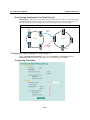
Featured Functions
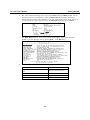
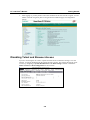
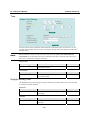
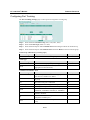
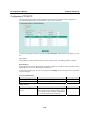
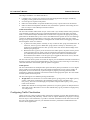
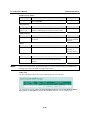
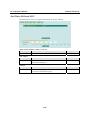
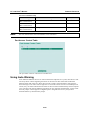
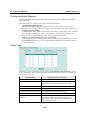
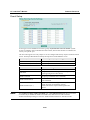
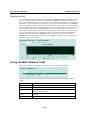
"Current Status" Items
Now Active
This shows which communication protocol is in use: Turbo Ring, Turbo Ring V2, RSTP, or
none.
Ring 1/2—Status
This shows Healthy if the ring is operating normally, and shows Break if the ring’s backup link is
active.
Ring 1/2—Master/Slave
This indicates whether or not the PT-7728 is the master of the Turbo Ring. This field appears only
when selected to operate in Turbo Ring or Turbo Ring V2 mode.
NOTE
The user does not need to assign the master to use Turbo Ring or Turbo Ring V2. If no master is
assigned, the Turbo Ring protocol will automatically assign master status to one of the PT series
Ethernet switches in the ring. The master is only used to determine which segment serves as the
backup path.
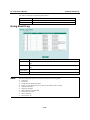
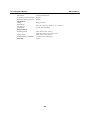
Ring 1/2—1st Ring Port Status
Ring 1/2—2nd Ring Port Status
The Ports Status indicators show Forwarding for normal transmission, Blocking if this port is
connected to a backup path and the path is blocked, and Link down if there is no connection.
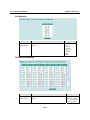
Coupling—Mode
This indicates either None, Dual Homing, or Ring Coupling.
Coupling—Coupling Port status
This indicates either Primary, or Backup.
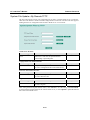
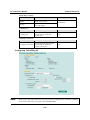
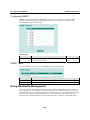
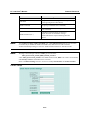
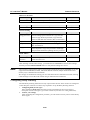
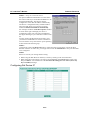
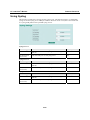
"Settings" Items
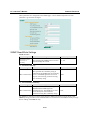
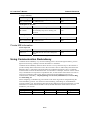
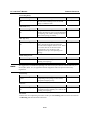
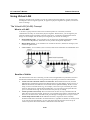
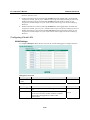
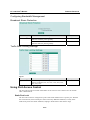
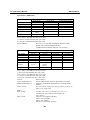
Redundancy Protocol
Setting
Turbo Ring
Turbo Ring V2
RSTP (IEEE
802.1W/1D)
None
Description
This selects the Turbo Ring
protocol.
This selects the Turbo Ring V2
protocol.
Factory Default
None
This selects the RSTP protocol.
This disables ring redundancy.
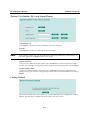
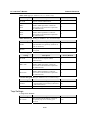
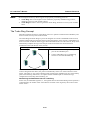
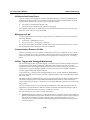
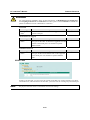
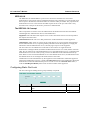
Enable Ring 1
Setting
Enabled
Disabled
Description
This enables Ring 1.
This disables Ring 1.
Factory Default
Not checked
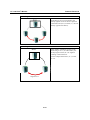
Enable Ring 2*
Setting
Enabled
Disabled
Description
This enables Ring 2.
This disables Ring 2.
3-25
Factory Default
Not checked