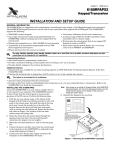
1
WIRING TABLE
Control Panel
Data In
− Aux Pwr (GND)
+ Aux Pwr
Data Out
Wire Color
Green
Black
Red
Yellow
Note: NO (normally Open) and C (common) are the
connections for the relay output
Y
+
Keypad
▲G
−
+
▼Y
G
NO C
6150RF-003-V2
Figure 2 - 6150RF Wiring Connections
APPLICATION GUIDELINES
Use the following guidelines when planning an installation:
• Local wireless keys (wireless keys programmed directly into the 6150RF) may be used regardless of whether the
RF receiver in the 6150RF is enabled or disabled.
• If using bi-directional devices, be sure to enable the transmitter module in the 6150RF.
• If transmitters are programmed into the control panel, be sure to enable the receiver. (Make sure you do not
exceed the number of receivers supported by the control panel.)
• If a local wireless key is programmed to arm/disarm or to trigger a relay on the control panel, a user code must be
entered into the 6150RF. This user code must also be programmed into the control panel.
• You must set the House ID only if you are using RF keypads and/or bi-directional devices; AND the House ID
Source is the 6150RF (Local).
6150RF Application Guide
The following guide outlines how to program the wireless keys, RF receiver, and the House ID in the 6150RF for your
installation.
Are you using
Program
Wireless Keys
Into
6150RF Programming Options
RF keys
beyond
system’s
capacity?
RF receivers
beyond
system’s
capacity?
RF keypads and/or
Bi-directional
devices on more
than 1 partition?
N/A
N/A
N/A
6150RF
OFF
Local [0]
NO
YES
YES
NO
NO
YES
N/A
N/A
N/A
System
6150RF
6150RF
ON [1]
ON [1]
OFF [0]
System [1]
System [1]
Local [0]
VISTA-20SE, VISTA-20P
NO
YES
YES
NO
YES
NO
NO
YES
YES
YES
NO
NO
NO
YES*
YES*
System
6150RF
6150RF
System
6150RF
ON [1]
ON [1]
OFF [0]
OFF [0]
OFF [0]
System [1]
System [1]
Local [0]
Local [0]
Local [0]
VISTA-40, VISTA-50P, VISTA128B, VISTA-128BP
NO
YES
YES
NO
YES
NO
NO
YES
YES
YES
NO**
NO**
NO**
YES
YES
System
6150RF
6150RF
System
6150RF
ON [1]
ON [1]
OFF [0]
OFF [0]
OFF [0]
System [1]
System [1]
Local [0]
Local [0]
Local [0]
System Control Panel
4110DL, 4110XM, 4140XMP,
VISTA-20HWSE
VISTA-10P, VISTA-10SE, VISTA15, VISTA-15P, VIA-30PSE
Receiver
Enable
House ID
Source***
* Two 6150RFs are needed for this application: one assigned to partition 1 and one assigned to partition 2.
** If using an RF keypad on only one partition, the 6150RF’s partition assignment in panel programming must match the partition.
*** If set for Local on a partition control, the 6150RF’s partition assignment must match the one programmed in the BD device.
-2-