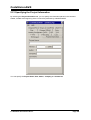
1
CodeVisionAVR
VERSION 1.25.3
User Manual
CodeVisionAVR
CodeVisionAVR V1.25.3 User Manual
Revision 38/1.2007
Copyright © 1998-2007 Pavel Haiduc and HP InfoTech S.R.L. All rights reserved.
No part of this document may be reproduced in any form except by written permission of the
author.
All rights of translation reserved.
© 1998-2007 HP InfoTech S.R.L.
Page 1
CodeVisionAVR
Table of Contents
Table of Contents .................................................................................................................................. 2
1. Introduction........................................................................................................................................ 8
2. CodeVisionAVR Integrated Development Environment................................................................ 9
2.1 Working with Files ........................................................................................................................ 9
2.1.1 Creating a New File .............................................................................................................. 9
2.1.2 Opening an Existing File..................................................................................................... 10
2.1.3 Files History ........................................................................................................................ 10
2.1.4 Editing a File ....................................................................................................................... 11
2.1.5 Saving a File ....................................................................................................................... 12
2.1.6 Renaming a File.................................................................................................................. 12
2.1.7 Printing a File...................................................................................................................... 13
2.1.8 Closing a File ...................................................................................................................... 14
2.1.9 Using the Navigator ............................................................................................................ 15
2.1.10 Using Code Templates ..................................................................................................... 16
2.1.11 Using Clipboard History .................................................................................................... 17
2.2 Working with Projects ................................................................................................................. 18
2.2.1 Creating a New Project....................................................................................................... 18
2.2.2 Opening an Existing Project ............................................................................................... 20
2.2.3 Adding Notes or Comments to the Project ......................................................................... 21
2.2.4 Configuring the Project ....................................................................................................... 22
2.2.4.1 Adding or removing a File from the Project ................................................................ 22
2.2.4.2 Setting the C Compiler Options .................................................................................. 24
2.2.4.3 Executing an User Specified Program before Make .................................................. 33
2.2.4.4 Transferring the Compiled Program to the AVR Chip after Make .............................. 34
2.2.4.5 Executing an User Specified Program after Make...................................................... 36
2.2.5 Obtaining an Executable Program...................................................................................... 38
© 1998-2007 HP InfoTech S.R.L.
Page 2
CodeVisionAVR
2.2.5.1 Checking the Project for Syntax Errors ...................................................................... 38
2.2.5.2 Compiling the Project.................................................................................................. 39
2.2.5.3 Making the Project ...................................................................................................... 41
2.2.6 Closing a Project................................................................................................................. 45
2.3 Tools ........................................................................................................................................... 46
2.3.1 The AVR Studio Debugger ................................................................................................. 46
2.3.2 The AVR Chip Programmer................................................................................................ 47
2.3.3 The Serial Communication Terminal .................................................................................. 51
2.3.4 Executing User Programs................................................................................................... 52
2.3.4.1 Configuring the Tools Menu........................................................................................ 52
2.4 IDE Settings................................................................................................................................ 54
2.4.1 The View Menu................................................................................................................... 54
2.4.2 Configuring the Editor ......................................................................................................... 55
2.4.3 Configuring the Assembler ................................................................................................. 56
2.4.4 Setting the Debugger Path ................................................................................................. 57
2.4.5 AVR Chip Programmer Setup ............................................................................................ 58
2.4.6 Serial Communication Terminal Setup ............................................................................... 60
2.5 Accessing the Help..................................................................................................................... 61
2.6 Transferring the License to another computer ........................................................................... 61
2.7 Connecting to HP InfoTech's Web Site ...................................................................................... 64
2.8 Contacting HP InfoTech by E-Mail ............................................................................................. 64
2.9 Quitting the CodeVisionAVR IDE ............................................................................................... 64
3. CodeVisionAVR C Compiler Reference ........................................................................................ 65
3.1 The Preprocessor ....................................................................................................................... 65
3.2 Comments .................................................................................................................................. 70
3.3 Reserved Keywords ................................................................................................................... 71
3.4 Identifiers .................................................................................................................................... 72
3.5 Data Types ................................................................................................................................. 72
© 1998-2007 HP InfoTech S.R.L.
Page 3
CodeVisionAVR
3.6 Constants.................................................................................................................................... 73
3.7 Variables..................................................................................................................................... 74
3.7.1 Specifying the SRAM Storage Address for Global Variables ............................................. 76
3.7.2 Bit Variables........................................................................................................................ 76
3.7.3 Allocation of Variables to Registers.................................................................................... 78
3.7.4 Structures ........................................................................................................................... 79
3.7.5 Unions................................................................................................................................. 82
3.7.6 Enumerations...................................................................................................................... 84
3.7.7 Global Variables Memory Map File .................................................................................... 85
3.8 Defining Data Types ................................................................................................................... 85
3.9 Type Conversions....................................................................................................................... 86
3.10 Operators.................................................................................................................................. 87
3.11 Functions .................................................................................................................................. 88
3.12 Pointers..................................................................................................................................... 89
3.13 Accessing the I/O Registers ..................................................................................................... 92
3.13.1 Bit level access to the I/O Registers................................................................................. 94
3.14 Accessing the EEPROM........................................................................................................... 95
3.15 Using Interrupts ........................................................................................................................ 96
3.16 SRAM Memory Organization.................................................................................................... 98
3.17 Using an External Startup File................................................................................................ 100
3.18 Including Assembly Language in Your Program .................................................................... 102
3.18.1 Calling Assembly Functions from C................................................................................ 103
3.19 Creating Libraries ................................................................................................................... 104
3.20 Using the AVR Studio Debugger ............................................................................................ 107
3.20.1 Using the AVR Studio Debugger version 3 .................................................................... 107
3.20.2 Using the AVR Studio Debugger version 4.06 or later ................................................... 108
3.21 Hints........................................................................................................................................ 109
3.22 Limitations............................................................................................................................... 109
© 1998-2007 HP InfoTech S.R.L.
Page 4
CodeVisionAVR
4. Library Functions Reference........................................................................................................ 110
4.1 Character Type Functions ........................................................................................................ 111
4.2 Standard C Input/Output Functions.......................................................................................... 112
4.3 Standard Library Functions ...................................................................................................... 117
4.4 Mathematical Functions............................................................................................................ 119
4.5 String Functions........................................................................................................................ 122
4.6 Variable Length Argument Lists Macros .................................................................................. 127
4.7 Non-local Jump Functions ........................................................................................................ 128
4.8 BCD Conversion Functions ...................................................................................................... 129
4.9 Gray Code Conversion Functions ............................................................................................ 129
4.10 Memory Access Functions ..................................................................................................... 130
4.11 LCD Functions ........................................................................................................................ 131
4.11.1 LCD Functions for displays with up to 2x40 characters ................................................. 131
4.11.2 LCD Functions for displays with 4x40 characters .......................................................... 134
4.11.3 LCD Functions for displays connected in 8 bit memory mapped mode ......................... 136
4.12 I2C Bus Functions ................................................................................................................... 138
4.12.1 National Semiconductor LM75 Temperature Sensor Functions .................................... 140
4.12.2 Maxim/Dallas Semiconductor DS1621 Thermometer/Thermostat Functions ................ 142
4.12.3 Philips PCF8563 Real Time Clock Functions................................................................. 145
4.12.4 Philips PCF8583 Real Time Clock Functions................................................................. 148
4.12.5 Maxim/Dallas Semiconductor DS1307 Real Time Clock Functions............................... 151
4.13 Maxim/Dallas Semiconductor DS1302 Real Time Clock Functions....................................... 153
4.14 1 Wire Protocol Functions ...................................................................................................... 155
4.14.1 Maxim/Dallas Semiconductor DS1820/DS18S20 Temperature Sensors Functions...... 157
4.14.2 Maxim/Dallas Semiconductor DS18B20 Temperature Sensor Functions...................... 161
4.14.3 Maxim/Dallas Semiconductor DS2430 EEPROM Functions.......................................... 164
4.14.4 Maxim/Dallas Semiconductor DS2433 EEPROM Functions.......................................... 167
4.15 SPI Functions ......................................................................................................................... 170
© 1998-2007 HP InfoTech S.R.L.
Page 5
CodeVisionAVR
4.16 Power Management Functions............................................................................................... 173
4.17 Delay Functions...................................................................................................................... 174
5. CodeWizardAVR Automatic Program Generator ....................................................................... 175
5.1 Setting the AVR Chip Options .................................................................................................. 178
5.2 Setting the External SRAM....................................................................................................... 180
5.3 Setting the Input/Output Ports .................................................................................................. 182
5.4 Setting the External Interrupts .................................................................................................. 183
5.5 Setting the Timers/Counters..................................................................................................... 185
5.6 Setting the UART or USART .................................................................................................... 190
5.7 Setting the Analog Comparator ................................................................................................ 193
5.8 Setting the Analog-Digital Converter ........................................................................................ 194
5.9 Setting the ATmega406 Voltage Reference............................................................................. 197
5.10 Setting the ATmega406 Coulomb Counter ............................................................................ 198
5.11 Setting the SPI Interface......................................................................................................... 199
5.12 Setting the Universal Serial Interface - USI............................................................................ 200
5.13 Setting the I2C Bus ................................................................................................................. 202
5.13.1 Setting the LM75 devices ............................................................................................... 203
5.13.2 Setting the DS1621 devices ........................................................................................... 204
5.13.3 Setting the PCF8563 devices ......................................................................................... 205
5.13.4 Setting the PCF8583 devices ......................................................................................... 206
5.13.5 Setting the DS1307 devices ........................................................................................... 207
5.14 Setting the 1 Wire Bus............................................................................................................ 209
5.15 Setting the 2 Wire Bus............................................................................................................ 211
5.16 Setting the CAN Controller ..................................................................................................... 212
5.17 Setting the ATmega169/329/3290/649/6490 LCD Controller................................................. 214
5.18 Setting the LCD ...................................................................................................................... 215
5.19 Setting the USB Controller ..................................................................................................... 216
5.20 Setting Bit-Banged Peripherals .............................................................................................. 217
© 1998-2007 HP InfoTech S.R.L.
Page 6
CodeVisionAVR
5.21 Specifying the Project Information.......................................................................................... 218
6. License Agreement ....................................................................................................................... 219
6.1 Software License ...................................................................................................................... 219
6.2 Liability Disclaimer .................................................................................................................... 219
6.3 Restrictions ............................................................................................................................... 219
6.4 Operating License .................................................................................................................... 219
6.5 Back-up and Transfer ............................................................................................................... 220
6.6 Terms........................................................................................................................................ 221
6.7 Other Rights and Restrictions................................................................................................... 221
7. Technical Support ......................................................................................................................... 222
8. Contact Information ...................................................................................................................... 223
© 1998-2007 HP InfoTech S.R.L.
Page 7
CodeVisionAVR
1. Introduction
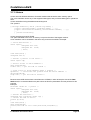
CodeVisionAVR is a C cross-compiler, Integrated Development Environment and Automatic Program
Generator designed for the Atmel AVR family of microcontrollers.
The program is designed to run under the Windows 95, 98, Me, NT 4, 2000 and XP operating
systems.
The C cross-compiler implements nearly all the elements of the ANSI C language, as allowed by the
AVR architecture, with some features added to take advantage of specificity of the AVR architecture
and the embedded system needs.
The compiled COFF object files can be C source level debugged, with variable watching, using the
Atmel AVR Studio debugger.
The Integrated Development Environment (IDE) has built-in AVR Chip In-System Programmer
software that enables the automatical transfer of the program to the microcontroller chip after
successful compilation/assembly. The In-System Programmer software is designed to work in
conjunction with the Atmel STK500, AVRISP, AVRISP MkII, AVRProg (AVR910 application note),
Kanda Systems STK200+, STK300, Dontronics DT006, Vogel Elektronik VTEC-ISP, Futurlec JRAVR
and MicroTronics' ATCPU, Mega2000 development boards.
For debugging embedded systems, which employ serial communication, the IDE has a built-in
Terminal.
Besides the standard C libraries, the CodeVisionAVR C compiler has dedicated libraries for:
• Alphanumeric LCD modules
• Philips I2C bus
• National Semiconductor LM75 Temperature Sensor
• Philips PCF8563, PCF8583, Maxim/Dallas Semiconductor DS1302 and DS1307 Real Time
Clocks
• Maxim/Dallas Semiconductor 1 Wire protocol
• Maxim/Dallas Semiconductor DS1820, DS18S20 and DS18B20 Temperature Sensors
• Maxim/Dallas Semiconductor DS1621 Thermometer/Thermostat
• Maxim/Dallas Semiconductor DS2430 and DS2433 EEPROMs
• SPI
• Power management
• Delays
• Gray code conversion.
CodeVisionAVR also contains the CodeWizardAVR Automatic Program Generator, that allows you to
write, in a matter of minutes, all the code needed for implementing the following functions:
• External memory access setup
• Chip reset source identification
• Input/Output Port initialization
• External Interrupts initialization
• Timers/Counters initialization
• Watchdog Timer initialization
• UART (USART) initialization and interrupt driven buffered serial communication
• Analog Comparator initialization
• ADC initialization
• SPI Interface initialization
• Two Wire Interface initialization
• CAN Interface initialization
• I2C Bus, LM75 Temperature Sensor, DS1621 Thermometer/Thermostat and PCF8563, PCF8583,
DS1302, DS1307 Real Time Clocks initialization
• 1 Wire Bus and DS1820/DS18S20 Temperature Sensors initialization
• LCD module initialization.
This product is © Copyright 1998-2005 Pavel Haiduc and HP InfoTech S.R.L., all rights reserved.
The author of the program wishes to thank Mr. Jack Tidwell for his great help in the implementation of
floating point routines and to Mr. Yuri G. Salov for his excellent work in improving the Mathematical
Functions Library and beta testing CodeVisionAVR.
© 1998-2007 HP InfoTech S.R.L.
Page 8
CodeVisionAVR
2. CodeVisionAVR Integrated Development Environment
2.1 Working with Files
Using the CodeVisionAVR IDE you can view and edit any text file used or produced by the C compiler
or assembler.
2.1.1 Creating a New File
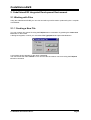
You can create a new source file using the File|New menu command or by pressing the Create new
file button on the toolbar.
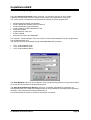
A dialog box appears, in which you must select File Type|Source and press the Ok button.
A new editor window appears for the newly created file.
The new file has the name untitled.c. You can save this file under a new name using the File|Save
As menu command.
© 1998-2007 HP InfoTech S.R.L.
Page 9
CodeVisionAVR
2.1.2 Opening an Existing File
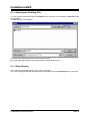
You can open an existing file using the File|Open menu command or by pressing the Open file button
on the toolbar.
An Open dialog window appears.
You must select the name and type of file you wish to open.
By pressing the Open button you will open the file in a new editor window.
2.1.3 Files History
The CodeVisionAVR IDE keeps a history of the opened files.
The most recent eight files that where used can be reopened using the File|Reopen menu command.
© 1998-2007 HP InfoTech S.R.L.
Page 10
CodeVisionAVR
2.1.4 Editing a File
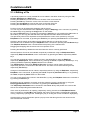
A previously opened or a newly created file can be edited in the editor window by using the Tab,
Arrows, Backspace and Delete keys.
Pressing the Home key moves the cursor to the start of the current text line.
Pressing the End key moves the cursor to the end of the current text line.
Pressing the Ctrl+Home keys moves the cursor to the start of the file.
Pressing the Ctrl+End keys moves the cursor to the end of the file.
Portions of text can be selected by dragging with the mouse.
You can copy the selected text to the clipboard by using the Edit|Copy menu command, by pressing
the Ctrl+C keys or by pressing the Copy button on the toolbar.
By using the Edit|Cut menu command, by pressing the Ctrl+X keys or by pressing the Cut button on
the toolbar, you can copy the selected text to the clipboard and then delete it from the file.
Text previously saved in the clipboard can be placed at the current cursor position by using the
Edit|Paste menu command, by pressing the Ctrl+V keys or pressing the Paste button on the toolbar.
Clicking in the left margin of the editor window allows selection of a whole line of text.
Selected text can be deleted using the Edit|Delete menu command or pressing the Ctrl+Delete keys.
The Edit|Print Selection menu command allows the printing of the selected text.
Dragging and dropping with the mouse can move portions of text.
Pressing the Ctrl+Y keys deletes the text line where the caret is currently positioned.
Selected portions of text can be indented, respectively unindented, using the Edit|Indent Block,
respectively Edit|Unindent Block, menu commands or by pressing the Ctrl+I, respectively Ctrl+U
keys.
You can find, respectively replace, portions of text in the edited file by using the Edit|Find,
respectively Edit|Replace, menu commands, by pressing the Ctrl+F, respectively Ctrl+R keys, or by
pressing the Find, respectively Replace buttons on the toolbar.
The Edit|Find Next, respectively Edit|Find Previous, functions can be used to find the next,
respectively previous, occurrences of the search text. The same can be achieved using the F3,
respectively Ctr+F3 keys.
Changes in the edited text can be undone, respectively redone, by using the Edit|Undo, respectively
Edit|Redo, menu commands, by pressing the Ctrl+Z, respectively Shift+Ctrl+Z keys, or by pressing
the Undo, respectively Redo buttons on the toolbar.
You can go to a specific line number in the edited file, by using the Edit|Goto Line menu command or
by pressing the Alt+G keys.
Bookmarks can be inserted or removed, at the line where the cursor is positioned, by using the
Edit|Toggle Bookmark menu command or by pressing the Shift+Ctrl+0...9 keys.
The Edit|Jump to Bookmark menu command or the Ctrl+0...9 keys will position the cursor at the
start of the corresponding bookmarked text line.
If the cursor is positioned on an opening, respectively closing, brace then the Edit|Match Braces
menu command or the Ctrl+M key will highlight, the portion of text until the corresponding matching
closing, respectively opening brace. Pressing any key or clicking the mouse will hide the highlighting.
Clicking with the mouse right button opens a pop-up menu that also gives the user access to the
above mentioned functions.
© 1998-2007 HP InfoTech S.R.L.
Page 11
CodeVisionAVR
2.1.5 Saving a File
The currently edited file can be saved by using the File|Save menu command, by pressing the Ctrl+S
keys or by pressing the Save button on the toolbar.
When saving, the Editor will create a backup file with an ~ character appended to the extension.
All currently opened files can be saved using the File|Save All menu command.
2.1.6 Renaming a File
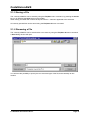
The currently edited file can be saved under a new name by using the File|Save As menu command.
A Save dialog window will open.
You will have the possibility to specify the new name and type of the file, and eventually its new
location.
© 1998-2007 HP InfoTech S.R.L.
Page 12
CodeVisionAVR
2.1.7 Printing a File
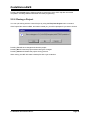
You can print the current file using the File|Print menu command or by pressing the Print button on
the toolbar.
The contents of the file will be printed to the Windows default printer.
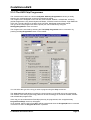
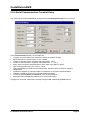
The paper margins used when printing can be set using the File|Page Setup menu command, which
opens the Page Setup dialog window.
The units used when setting the paper margins are specified using the Units list box.
The printer can be configured by pressing the Printer button in this dialog window.
Changes can be saved, respectively canceled, using the OK, respectively Cancel buttons.
© 1998-2007 HP InfoTech S.R.L.
Page 13
CodeVisionAVR
2.1.8 Closing a File
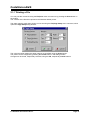
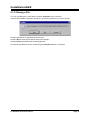
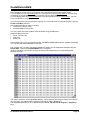
You can quit editing the current file by using the File|Close menu command.
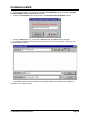
If the file was modified, and wasn’t saved yet, you will be prompted if you want to do that.
Pressing Yes will save changes and close the file.
Pressing No will close the file without saving the changes.
Pressing Cancel will disable the file closing process.
All currently opened files can be closed using the File|Close All menu command.
© 1998-2007 HP InfoTech S.R.L.
Page 14
CodeVisionAVR
2.1.9 Using the Navigator
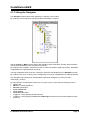
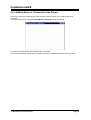
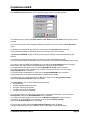
The Navigator window allows easy displaying or opening of source files.
By clicking on the file name the appropriate file is maximized or opened.
After a Compile or Make process there is also displayed a list of #include –ed files, global variables
and functions declared in each compiled C source file.
By clicking on the variable’s, respective function’s, name the variable, respective function, declaration
is highlighted in the appropriate C source file.
If during compilation there are errors or warnings, these are also displayed in the Navigator window.
By clicking on the error or warning, the corresponding source line is highlighted in the appropriate file.
The Navigator tree branches can be expanded, respectively collapsed, by clicking on the +,
respectively -, buttons.
By right clicking in the Navigator window you can open a pop-up menu with the following choices:
• Open a file
• Save the currently edited file
• Save All opened files
• Close Current File
• Close Project
• Close All opened files
• Toggle on or off expanding the file branches
• Toggle on or off expanding the Errors and Warnings branches for the file whose Editor window
has focus.
© 1998-2007 HP InfoTech S.R.L.
Page 15
CodeVisionAVR
2.1.10 Using Code Templates
The Code Templates window allows easy adding most often used code sequences to the currently
edited file.
This is achieved by clicking on the desired code sequence in the Code Templates window and then
dragging and dropping it to the appropriate position in the Editor window.
New code templates can be added to the list by dragging and dropping a text selection from the Editor
window to the Code Templates window.
By right clicking in the Code Templates window you can open a pop-up menu with the following
choices:
• Copy to the Edit Window the currently selected code template
• Paste a text fragment from the clipboard to the Code Templates window
• Move Up in the list the currently selected code template
• Move Down in the list the currently selected code template
• Delete the currently selected code template from the list.
© 1998-2007 HP InfoTech S.R.L.
Page 16
CodeVisionAVR
2.1.11 Using Clipboard History
The Clipboard History window allows viewing and accessing text fragments that were recently copied
to the clipboard.
By right clicking in the Clipboard History window you can open a pop-up menu with the following
choices:
• Copy to the Edit Window the currently selected text fragment from the Clipboard History window
• Delete the currently selected text fragment from the list
• Delete All the text fragments from the list.
© 1998-2007 HP InfoTech S.R.L.
Page 17
CodeVisionAVR
2.2 Working with Projects
The Project groups the source file(s) and compiler settings that you use for building a particular
program.
2.2.1 Creating a New Project
You can create a new Project using the File|New menu command or by pressing the Create new file
button on the toolbar.
A dialog box appears, in which you must select File Type|Project and press the OK button.
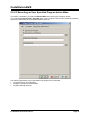
A dialog will open asking you to confirm if you would like to use the CodeWizardAVR to create the new
project.
If you select No then the Create New Project dialog window will open.
© 1998-2007 HP InfoTech S.R.L.
Page 18
CodeVisionAVR
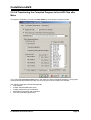
You must specify the new Project file name and its location.
The Project file will have the .prj extension.
You can configure the Project by using the Project|Configure menu command.
© 1998-2007 HP InfoTech S.R.L.
Page 19
CodeVisionAVR
2.2.2 Opening an Existing Project
You can open an existing Project file using the File|Open menu command or by pressing the Open
file button on the toolbar.
An Open dialog window appears.
You must select the file name of the Project you wish to open.
By pressing the Open button you will open the Project file and its source file(s).
You can configure the Project by using the Project|Configure menu command.
© 1998-2007 HP InfoTech S.R.L.
Page 20
CodeVisionAVR
2.2.3 Adding Notes or Comments to the Project
With every Project the CodeVisionAVR IDE creates a text file where you can place notes and
comments.
You can access this file using the Project|Notes or Windows menu commands.
This file can be edited using the standard Editor commands.
The file is automatically saved when you Close the Project or Quit the CodeVisionAVR program.
© 1998-2007 HP InfoTech S.R.L.
Page 21
CodeVisionAVR
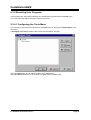
2.2.4 Configuring the Project
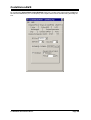
The Project can be configured using the Project|Configure menu command or the Project Configure
toolbar button.
2.2.4.1 Adding or removing a File from the Project
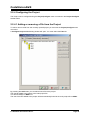
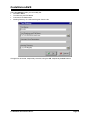
To add or remove a file from the currently opened project you must use the Project|Configure menu
command.
A Configure Project tabbed dialog window will open. You must select the Files tab.
By pressing the Add button you can add a source file to the project.
The first file added to the project is the main project file.
This file will always be Make -ed.
The rest of the files added to the project will be automatically linked to the main project file on Make.
© 1998-2007 HP InfoTech S.R.L.
Page 22
CodeVisionAVR
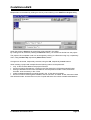
Multiple files can be added by holding the Ctrl key when selecting in the Add File to Project dialog.
When the project is Open-ed all project files will be opened in the editor.
By clicking on a file, and then pressing the Remove button, you will remove this file from the project.
The project’s file compilation order can be changed by clicking on a file and moving it up, respectively
down, using the Move Up, respectively Move Down, buttons.
Changes can be saved, respectively canceled, using the OK, respectively Cancel buttons.
When creating a project with multiple files the following rules must be preserved:
• only .C files must be added to the project's Files list
• there's no need to #include the .C files from the Files list as they will be automatically linked
• data type definitions and function declarations must be placed in header .H files, that will be
#include -ed as necessary in the .C files
• global variables declarations must be placed in the .C files where necessary
• there's no need to declare global variables, that are not static, in header .H files, because if these
files will be #include -ed more than once, the compiler will issue errors about variable redeclarations.
© 1998-2007 HP InfoTech S.R.L.
Page 23
CodeVisionAVR
2.2.4.2 Setting the C Compiler Options
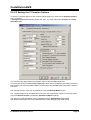
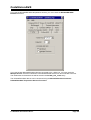
To set the C compiler options for the currently opened project you must use the Project|Configure
menu command.
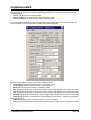
A Configure Project tabbed dialog window will open. You must select the C Compiler and Code
Generation tabs.
You can select the target AVR microcontroller chip by using the Chip combo box.
You must also specify the CPU Clock Frequency in MHz, which is needed by the Delay Functions, 1
Wire Protocol Functions and Maxim/Dallas Semiconductor DS1820/DS18S20 Temperature Sensors
Functions.
The required memory model can be selected by using the Memory Model list box.
The compiled program can be optimized for minimum size, respectively maximum execution speed,
using the Optimize for|Size, respectively Optimize for|Speed, settings.
The amount of code optimization can be specified using the Optimization Level setting.
The Maximal optimization level may make difficult the code debugging with AVR Studio.
© 1998-2007 HP InfoTech S.R.L.
Page 24
CodeVisionAVR
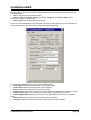
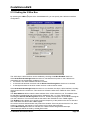
For devices that allow self-programming the Program Type can be selected as:
• Application
• Boot Loader
If the Boot Loader program type was selected, a supplementary Boot Loader Debugging in AVR
Studio option is available.
If this option is enabled, the compiler will generate supplementary code that allows the Boot Loader to
be source level debugged in the AVR Studio simulator/emulator.
When programming the chip with the final Boot Loader code, the Boot Loader Debugging option must
be disabled.
© 1998-2007 HP InfoTech S.R.L.
Page 25
CodeVisionAVR
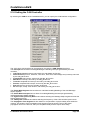
The (s)printf features option allows to select which versions of the printf and sprintf Standard C
Input/Oputput Functions will be linked in your project:
• int - the following conversion type characters are supported: 'c', 's', 'p', 'i', 'd', 'u', 'x', 'X', '%', no
width or precision specifiers are supported, only the '+' and ' ' flags are supported, no input size
modifiers are supported
• int, width - the following conversion type characters are supported: 'c', 's', 'p', 'i', 'd', 'u', 'x', 'X', '%',
the width specifier is supported, the precision specifier is not supported, only the '+', '-', '0' and ' ' flags
are supported, no input size modifiers are supported
• long, width - the following conversion type characters are supported: 'c', 's', 'p', 'i', 'd', 'u', 'x', 'X',
'%' the width specifier is supported, the precision specifier is not supported, only the '+', '-', '0' and ' '
flags are supported, only the 'l' input size modifier is supported
• long, width, precision - the following conversion type characters are supported: 'c', 's', 'p', 'i', 'd',
'u', 'x', 'X', '%', the width and precision specifiers are supported, only the '+', '-', '0' and ' ' flags are
supported, only the 'l' input size modifier is supported
• float, width, precision - the following conversion type characters are supported: 'c', 's', 'p', 'i', 'd',
'u', 'e', 'E', 'f', 'x', 'X', '%', the width and precision specifiers are supported, only the '+', '-', '0' and ' ' flags
are supported, only the 'l' input size modifier is supported.
The more features are selected, the larger is the code size generated for the printf and sprintf
functions.
The (s)scanf features option allows to select which versions of the scanf and sscanf Standard C
Input/Oputput Functions will be linked in your project:
• int, width - the following conversion type characters are supported: 'c', 's', 'i', 'd', 'u', 'x', '%', the
width specifier is supported, no input size modifiers are supported
• long, width - the following conversion type characters are supported: 'c', 's', 'i', 'd', 'u', 'x', '%' the
width specifier is supported, only the 'l' input size modifier is supported.
The more features are selected, the larger is the code size generated for the printf and sprintf
functions.
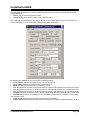
The Data Stack Size must be also specified.
If the dynamic memory allocation functions from the Standard Library are to be used, the Heap size
must be also specified.
It can be calculated using the following formulae:
n
heap _ size = ( n + 1) ⋅ 4 + ∑ block _ sizei
i =1
where: n is the number of memory blocks that will be allocated in the heap
block _ sizei is the size of the memory block i
If the memory allocation functions will not be used, then the Heap size must be specified as zero.
Eventually you may also specify the External SRAM Size (in case the microcontroller have external
SRAM memory connected).
The External SRAM Wait State option enables the insertion of wait states during access to the
external SRAM. This is useful when using slow memory devices.
© 1998-2007 HP InfoTech S.R.L.
Page 26
CodeVisionAVR
If an Atmel AT94K05, AT94K10, AT94K20 or AT94K40 FPSLIC device will be used, than there will be
the possibility to specify the Program SRAM size in Kwords.
The maximu size of the global bit variables, which are placed in registers R2 to R14, can be specified
using the Bit Variables size list box.
Checking the Promote char to int check box enables the ANSI promotion of char operands to int.
This option can also be specified using the #pragma promotechar compiler directive.
Promoting char to int leads to increased code size and lower speed for an 8 bit chip microcontroller
like the AVR.
If the char is unsigned check box is checked, the compiler treats by default the char data type as an
unsigned 8 bit in the range 0…255.
If the check box is not checked the char data type is by default a signed 8 bit in the range –128…127.
This option can also be specified using the #pragma uchar compiler directive.
Treating char as unsigned leads to better code size and speed.
If the 8 bit enums check box is checked, the compiler treats the enumerations as being of 8 bit char
data type, leading to improved code size and execution speed of the compiled program. If the check
box is not checked the enumerations are considered as 16 bit int data type as required by ANSI.
The Enhanced Instructions check box allows enabling or disabling the generation of Enhanced Core
instructions for the new ATmega and AT94K FPSLIC devices.
© 1998-2007 HP InfoTech S.R.L.
Page 27
CodeVisionAVR
The Smart Register Allocation check box enables allocation of registers R2 to R14 (not used for bit
variables) and R16 to R21 in such a way that 16bit variables will be preferably located in even register
pairs, thus favouring the usage of the enhanced core MOVW instruction for their access. This option is
effective only if the Enhanced Instructions check box is also checked.
If Smart Register Allocation is not enabled, the registers will be allocated in the order of variable
declaration.
The Smart Register Allocation option should be disabled if the program was developed using
CodeVisionAVR prior to V1.25.3 and it contains inline assembly code that accesses the variables
located in registers R2 to R14 and R16 to R21.
The registers in the range R2 to R14, not used for bit variables, can be automatically allocated to char
and int global variables and global pointers by checking the Automatic Register Allocation check
box.
Checking the Word Align FLASH Struct Members option enables aligning of the members of
structures located in FLASH memory to an even (word) address.
This option is present only for compatibility with projects created with CodeVisionAVR prior to
V1.24.4a.
For new projects this option must be left unchecked, leading to smaller code size.
An external startup file can be used by checking the Compilation|Use an External Startup File
check box.
For debugging purposes you have the option Stack End Markers. If you select it, the compiler will
place the strings DSTACKEND, respectively HSTACKEND, at the end of the Data Stack, respectively
Hardware Stack areas.
When you debug the program with the AVR Studio debugger you may see if these strings are
overwritten, and consequently modify the Data Stack Size.
When your program runs correctly you may disable the placement of the strings in order to reduce
code size.
Using the File Output Format(s) list box you can select the following formats for the files generated
by the compiler:
• COFF (required by the Atmel AVR Studio debugger), ROM, Intel HEX and EEP (required by the
In-System Programmer) ;
• Atmel generic OBJ, ROM, Intel HEX and EEP (required by the In-System Programmer).
If the COFF file format is selected and the Use the Terminal I/O in AVR Studio 3 check box is
checked, special debugging information is generated in order to use the AVR Studio 3 Terminal I/O
window for communication with the simulated AVR chip’s UART.
AVR Studio 4 does not yet support this option.
If the Use the Terminal I/O in AVR Studio 3 option is enabled, the UART or USART code will not run
correctly on the real AVR chip. This option is only for debugging purposes.
© 1998-2007 HP InfoTech S.R.L.
Page 28
CodeVisionAVR
The Advanced tab, which is present only in the Professional version of the compiler, enables more
detailed custom configuration like the number and jump type of the interrupt vectors and memory
usage:
© 1998-2007 HP InfoTech S.R.L.
Page 29
CodeVisionAVR
The Messages tab allows to individually enable or disable various compiler warnings:
The generation of warning messages during compilation can be globaly enabled or disabled by using
the Enable Warnings check box.
© 1998-2007 HP InfoTech S.R.L.
Page 30
CodeVisionAVR
The Globally #define tab allows to #define macros that will be visible in all the project files.
For example:
will be equivalent with placing the definition:
#define ABC 1234
in each project file.
© 1998-2007 HP InfoTech S.R.L.
Page 31
CodeVisionAVR
The Paths tabs allows to specify additional paths for #include and library files.
These paths must be entered one per line in the appropriate edit controls.
Changes can be saved, respectively canceled, using the OK, respectively Cancel buttons.
© 1998-2007 HP InfoTech S.R.L.
Page 32
CodeVisionAVR
2.2.4.3 Executing an User Specified Program before Make
This option is available if you select the Before Make tab in the Project Configure window.
If you check the Execute User’s Program option, then a program, that you have previously specified,
will be executed before the compilation/assembly process.
The following parameters can be specified for the program to be executed:
• Program Directory and File Name
• Program Command Line Parameters
• Program Working Directory.
© 1998-2007 HP InfoTech S.R.L.
Page 33
CodeVisionAVR
2.2.4.4 Transferring the Compiled Program to the AVR Chip after
Make
This option is available if you select the After Make tab in the Project Configure window.
If you check the Program the Chip option, then after successful compilation/assembly your program
will be automatically transferred to the AVR chip using the built-in Programmer software.
The following steps are executed automatically:
• Chip erasure
• FLASH and EEPROM blank check
• FLASH programming and verification
• EEPROM programming and verification
• Fuse and Lock Bits programming
© 1998-2007 HP InfoTech S.R.L.
Page 34
CodeVisionAVR
The Merge data from a .ROM File for FLASH Programming option, if checked, will merge in the
FLASH programming buffer the contents of the .ROM file, created by the compiler after Make, with the
data from the .ROM file specified in .ROM File Path.
This is useful, for example, when adding a boot loader executable compiled in another project, to an
application program that will be programmed in the FLASH memory.
You can select the type of the chip you wish to program using the Chip combo box.
If the chip you have selected has Fuse Bit(s) that may be programmed, then a supplementary
Program Fuse Bit(s) check box will appear.
If it is checked, than the chip’s Fuse Bit(s) will be programmed after Make.
The Fuse Bit(s) can set various chip options, which are described in the Atmel data sheets.
If a Fuse Bit(s) check box is checked, then the corresponding fuse bit will be set to 0, the fuse being
considered as programmed (as per the convention from the Atmel data sheets).
If a Fuse Bits(s) check box is not checked, then the corresponding fuse bit will be set to 1, the fuse
being considered as not programmed.
If you wish to protect your program from copying, you must select the corresponding option using the
FLASH Lock Bits radio box.
If you wish to check the chip's signature before programming you must use the Check Signature
option.
To speed up the programming process you can uncheck the Check Erasure check box.
In this case there will be no verification of the correctness of the FLASH erasure.
The Preserve EEPROM checkbox allows preserving the contents of the EEPROM during chip
erasure.
To speed up the programming process you can uncheck the Verify check box.
In this case there will be no verification of the correctness of the FLASH and EEPROM programming.
Changes can be saved, respectively canceled, using the OK, respectively Cancel buttons.
© 1998-2007 HP InfoTech S.R.L.
Page 35
CodeVisionAVR
2.2.4.5 Executing an User Specified Program after Make
This option is available if you select the After Make tab in the Project Configure window.
If you check the Execute User’s Program option, then a program, that you have previously specified,
will be executed after the compilation/assembly process.
© 1998-2007 HP InfoTech S.R.L.
Page 36
CodeVisionAVR
Using the Program Settings button you can modify the:
• Program Directory and File Name
• Program Command Line Parameters
• Program Working Directory
Changes can be saved, respectively canceled, using the OK, respectively Cancel buttons.
© 1998-2007 HP InfoTech S.R.L.
Page 37
CodeVisionAVR
2.2.5 Obtaining an Executable Program
Obtaining an executable program requires the following steps:
1. Compiling the Project’s C source files, using the CodeVisionAVR C Compiler, and obtaining an
assembler source file
2. Assembling the assembler source file, using the Atmel AVR assembler AVRASM32.
Compiling, executes step 1.
Making, executes step 1 and 2.
For large projects Compiling make take a considerable amount of time.
In this case it is advisable to first Check the Project for Syntax Errors, which is much faster as no
files are created during this process.
2.2.5.1 Checking the Project for Syntax Errors
To check all the Project’s files for syntax errors you must use the Project|Check Syntax menu
command or press the Check Syntax button of the toolbar.
The checking process can be stopped using the Project|Stop Compilation menu command or by
pressing the Stop Compilation button on the toolbar.
Eventual compilation errors and/or warnings will be listed in the Message window located under the
Editor window, or in the Navigator window.
By double clicking on the error or warning message, the line with the problem will be highlighted.
The size of the Message window can be modified using the horizontal slider bar placed between it
and the Editor window.
© 1998-2007 HP InfoTech S.R.L.
Page 38
CodeVisionAVR
2.2.5.2 Compiling the Project
To compile the Project you must use the Project|Compile File menu command, press the F9 key or
press the Compile button of the toolbar. The CodeVisionAVR C Compiler will be executed, producing
an assembler source file with the .asm extension. This file can be examined and modified by opening
it with the Editor.
The compilation process can be stopped using the Project|Stop Compilation menu command or by
pressing the Stop Compilation button on the toolbar.
After the compilation is complete, an Information window will open showing the compilation results.
© 1998-2007 HP InfoTech S.R.L.
Page 39
CodeVisionAVR
Eventual compilation errors and/or warnings will be listed in the Message window located under the
Editor window, or in the Navigator window.
By double clicking on the error or warning message, the line with the problem will be highlighted.
The size of the Message window can be modified using the horizontal slider bar placed between it
and the Editor window.
© 1998-2007 HP InfoTech S.R.L.
Page 40
CodeVisionAVR
2.2.5.3 Making the Project
To make the Project you must use the Project|Make menu command, press the Shift+F9 keys or
press the Make button of the toolbar. The CodeVisionAVR C Compiler will be executed, producing an
assembler source file with the .asm extension.
The compilation process can be stopped using the Project|Stop Compilation menu command or by
pressing the Stop Compilation button on the toolbar.
Eventual compilation errors and/or warnings will be listed in the Message window located under the
Editor window, or in the Navigator window.
By double clicking on the error or warning message, the line with the problem will be highlighted.
If no errors were encountered, then the Atmel AVR assembler AVRASM32 will be executed, obtaining
the output file type specified in Project|Configure|C Compiler|Code Generation.
© 1998-2007 HP InfoTech S.R.L.
Page 41
CodeVisionAVR
After the make process is completed, an Information window will open showing the compilation
results.
Pressing the Compiler tab will display compilation results.
© 1998-2007 HP InfoTech S.R.L.
Page 42
CodeVisionAVR
Pressing the Assembler tab will display assembly results.
© 1998-2007 HP InfoTech S.R.L.
Page 43
CodeVisionAVR
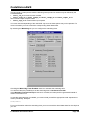
Pressing the Programmer tab will display the Chip Programming Counter, which shows how many
times was the AVR chip programmed so far.
Pressing the Set Counter button will open the Set Programming Counter window:
This dialog window allows setting the new Chip Programming Counter value.
© 1998-2007 HP InfoTech S.R.L.
Page 44
CodeVisionAVR
Pressing the Program button allows automatic programming of the AVR chip after successful
compilation. Pressing Cancel will disable automatic programming.
2.2.6 Closing a Project
You can quit working with the current Project by using the File|Close Project menu command.
If the Project files were modified, and weren’t saved yet, you will be prompted if you want to do that.
Pressing Yes will save changes and close the project.
Pressing No will close the project without saving the changes.
Pressing Cancel will disable the project closing process.
When saving, the IDE will create a backup file with a .pr~ extension.
© 1998-2007 HP InfoTech S.R.L.
Page 45
CodeVisionAVR
2.3 Tools
Using the Tools menu you can execute other programs without exiting the CodeVisionAVR IDE.
2.3.1 The AVR Studio Debugger
The CodeVisionAVR C Compiler is designed to work in conjunction with the Atmel AVR Studio
debugger version 3 and 4.06 (or later).
For the AVR Studio debugger version 4.06 (or later) the compiler will generate an extended
COFF object file that allows watching structures and unions. So it is highly recommended to
use AVR Studio version 4.06 (or later) instead of version 3, which doesn’t support this feature.
AVR Studio 4 prior to version 4.06 does not support the extended COFF object file format, so it
can’t be used with CodeVisionAVR.
Before you can invoke the debugger, you must first specify its location and file name using the
Settings|Debugger menu command.
The AVR Studio version must be specified in the Debugger list box.
Changes can be saved, respectively canceled, using the OK, respectively Cancel buttons.
The debugger is executed by selecting the Tools|Debugger menu command or by pressing the
Debugger button on the toolbar.
© 1998-2007 HP InfoTech S.R.L.
Page 46
CodeVisionAVR
2.3.2 The AVR Chip Programmer
The CodeVisionAVR IDE has a built-in In-System AVR Chip Programmer that lets you easily
transfer your compiled program to the microcontroller for testing.
The Programmer is designed to work with the Atmel STK500, AVRISP, AVRISP MkII, AVRProg
(AVR910 application note), Kanda Systems STK200+, STK300, Dontronics DT006, Vogel Elektronik
VTEC-ISP, Futurlec JRAVR or the MicroTronics ATCPU, Mega2000 development boards.
The type of the used programmer and the printer port can be selected by using the
Settings|Programmer menu command.
The Programmer is executed by selecting the Tools|Chip Programmer menu command or by
pressing the Chip Programmer button on the toolbar.
You can select the type of the chip you wish to program using the Chip combo box.
The Chip Clock spin edit allows to specify the clock frequency of the AVR chip to be programmed.
The duration of the SCK programming pulses will be set accordingly for the Atmel STK500, AVRISP
and AVRISP MkII programmers.
If the chip you have selected has Fuse Bit(s) that may be programmed, then a supplementary
Program Fuse Bit(s) check box will appear.
If it is checked, than the chip’s Fuse Bit(s) will be programmed when the Program|All menu command
is executed or when the Program All button is pressed.
© 1998-2007 HP InfoTech S.R.L.
Page 47
CodeVisionAVR
The Fuse Bit(s) can set various chip options, which are described in the Atmel data sheets.
If a Fuse Bit(s) check box is checked, then the corresponding fuse bit will be set to 0, the fuse being
considered as programmed (as per the convention from the Atmel data sheets).
If a Fuse Bits(s) check box is not checked, then the corresponding fuse bit will be set to 1, the fuse
being considered as not programmed.
If you wish to protect your program from copying, you must select the corresponding option using the
FLASH Lock Bits radio box.
The Programmer has two memory buffers:
• The FLASH memory buffer
• The EEPROM memory buffer.
You can Load or Save the contents of these buffers using the File menu.
Supported file formats are:
• Atmel .rom and .eep
• Intel HEX
• Binary .bin
After loading a file in the corresponding buffer, the Start and End addresses are updated accordingly.
You may also edit these addresses if you wish.
The contents of the FLASH, respectively EEPROM, buffers can be displayed and edited using the
Edit|FLASH , respectively Edit|EEPROM menu commands.
When one of these commands is invoked, an Edit window displaying the corresponding buffer
contents will open:
The buffer's contents, at the highlighted address, can be edited by pressing the F2 key and typing in
the new value. The edited value is saved by pressing the Tab or arrow keys.
The highlighted address can be modified using the arrow, Tab, Shift+Tab, PageUp or PageDown
keys.
© 1998-2007 HP InfoTech S.R.L.
Page 48
CodeVisionAVR
The Fill Memory Block window can be opened by right clicking in the Edit window:
This window lets you specify the Start Address, End Address and Fill Value of the memory area to
be filled.
If you wish to check the chip's signature before any operation you must use the Check Signature
option.
To speed up the programming process you can uncheck the Check Erasure check box.
In this case there will be no verification of the correctness of the FLASH erasure.
The Preserve EEPROM checkbox allows preserving the contents of the EEPROM during chip
erasure.
To speed up the programming process you also can uncheck the Verify check box.
In this case there will be no verification of the correctness of the FLASH and EEPROM programming.
For erasing a chip's FLASH and EEPROM you must select the Program|Erase menu command.
After erasure the chip's FLASH and EEPROM are automatically blank checked.
For simple blank checking you must use the Program|Blank Check menu command.
If you wish to program the FLASH with the contents of the FLASH buffer you must use the
Program|FLASH menu command.
For programming the EEPROM you must use the Program|EEPROM menu command.
After programming the FLASH and EEPROM are automatically verified.
To program the Lock, respectively the Fuse Bit(s) you must use the Program|Fuse Bit(s),
respectively Program|Lock Bits menu commands.
The Program|All menu command allows to automatically:
• Erase the chip
• FLASH and EEPROM blank check
• Program and verify the FLASH
• Program and verify the EEPROM
• Program the Fuse and Lock Bits.
If you wish to read the contents of the chip's FLASH, respectively EEPROM, you must use the
Read|FLASH, respectively Read|EEPROM menu commands.
For reading the chip's signature you must use the Read|Chip Signature menu command.
To read the Lock, respectively the Fuse Bits you must use the Read|Lock Bits,
respectively Read|Fuse Bits menu commands.
For some devices there's also the Read|Calibration Byte(s) option available.
It allows reading the value of the calibration bytes of the chip's internal RC oscillator.
© 1998-2007 HP InfoTech S.R.L.
Page 49
CodeVisionAVR
If the programmer is an Atmel STK500, AVRISP, AVRISP MkII or AVRProg (AVR910 application
note), then an additional menu command is present: Read|Programmer's Firmware Version. It
allows reading the major and minor versions of the above mentioned programmers’ firmware.
For comparing the contents of the chip's FLASH, respectively EEPROM, with the corresponding
memory buffer, you must use the Compare|FLASH, respectively Compare|EEPROM menu
commands.
For exiting the Programmer and returning to the CodeVisionAVR IDE you must use the File|Close
menu command.
© 1998-2007 HP InfoTech S.R.L.
Page 50
CodeVisionAVR
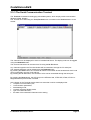
2.3.3 The Serial Communication Terminal
The Terminal is intended for debugging embedded systems, which employ serial communication
(RS232, RS422, RS485).
The Terminal is invoked using the Tools|Terminal menu command or the Terminal button on the
toolbar.
The characters can be displayed in ASCII or hexadecimal format. The display mode can be toggled
using the Hex/ASCII button.
The received characters can be saved to a file using the Rx File button.
Any characters typed in the Terminal window will be transmitted through the PC serial port.
The entered characters can be deleted using the Backspace key.
By pressing the Send button, the Terminal will transmit a character whose hexadecimal ASCII code
value is specified in the Hex Code edit box.
By pressing the Tx File button, the contents of a file can be transmitted through the serial port.
By pressing the Reset button, the AVR chip on the STK200+/300, VTEC-ISP, DT006, ATCPU or
Mega2000 development board is reseted.
At the bottom of the Terminal window there is a status bar in which are displayed the:
• computer's communication port;
• communication parameters;
• handshaking mode;
• received characters display mode;
• type of emulated terminal;
• the state of the transmitted characters echo setting.
© 1998-2007 HP InfoTech S.R.L.
Page 51
CodeVisionAVR
2.3.4 Executing User Programs
User programs are executed by selecting the corresponding command from the Tools menu.
You must previously add the Program’s name to the menu.
2.3.4.1 Configuring the Tools Menu
You can add or remove User Programs from the Tools menu by using the Tools|Configure menu
command.
A Configure Tools dialog window, with a list of User Programs, will open.
Using the Add button you can add a Program to the Tools menu.
Using the Remove button you can remove a Program from the Tools menu.
© 1998-2007 HP InfoTech S.R.L.
Page 52
CodeVisionAVR
Using the Settings button you can modify the:
• Tool Menu Name
• Tool Directory and File Name
• Command Line Parameters
• Working Directory of a selected Program from the list.
Changes can be saved, respectively canceled, using the OK, respectively Cancel buttons.
© 1998-2007 HP InfoTech S.R.L.
Page 53
CodeVisionAVR
2.4 IDE Settings
The CodeVisionAVR IDE is configured using the View and Settings menus.
2.4.1 The View Menu
The folowing settings can be configured using the View menu command:
• If the View|Toolbar option is checked the command buttons toolbar will be displayed;
• If the View|Navigator/Code Templates/Clipboard History option is checked the Navigator,
Code Templates and Clipboard History window is displayed at the left of the Editor window;
• If the View|Messages option is checked, the Message window located under the Editor
window will be displayed;
• If the View|Information Window after Compile/Make option is checked, there will be an
Information window displayed after Compiling or Making.
© 1998-2007 HP InfoTech S.R.L.
Page 54
CodeVisionAVR
2.4.2 Configuring the Editor
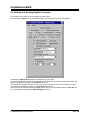
The Editor can be configured using the Settings|Editor menu command.
The Show Line Numbers check box, allows enabling or disabling the displaying of line numbers in
the Editor windows.
The Autoindent check box, allows enabling or disabling the text autoindenting during file editing.
The Auto Load Modified Files check box, allows enabling or disabling the automatic loading of files
that are opened in the Editor and that were modified by an external program.
The Convert Tabs to Spaces check box, allows enabling or disabling the replacement of the tab
character with the appropriate number of spaces while typing. The number of spaces, inserted when
pressing the Tab key, can be specified using the Tab Size spin edit.
The Auto Collapsible Blocks Enabled check box allows enabling or disabling the automatic display
of the vertical bar which delimits the collapsible blocks in the left of the Editor window
The Automatic Collapsible Blocks|Bar Color list box specifies the color of the collapsible blocks
vertical bar.
The font, used by the text Editor and the Terminal, can be specified using the Font button.
By checking or unchecking the Syntax Highlighting Enabled check box, you can enable or disable
the C syntax color highlighting of the files displayed in the Editor windows.
The different colors, respectively attributes (Bold and Italic), used for displaying the text in the Editor
windows and for C syntax highlighting, can be specified in the appropriate listboxes,
respectively B and I check boxes, in the Syntax Highlighting group.
The Background and Text color settings are the same for both the EditorEdit File and the
TerminalTerminal.
The User Defined Keywords List can contain additional keywords for which syntax highlighting is
necessary. Their text color, respectively attributes (Bold and Italic), can be specified using the User
Defined Keywords list box, respectively B and I check boxes.
© 1998-2007 HP InfoTech S.R.L.
Page 55
CodeVisionAVR
The Editor configuration changes can be saved, respectively canceled, using the OK, respectively
Cancel buttons.
By pressing the Default button the default Editor settings are restored.
2.4.3 Configuring the Assembler
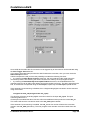
The Assembler can be configured using the Settings|Assembler menu command.
The On Assembler Error options allow to select which file will be automatically opened by the Editor
in the case of an assembly error.
The Assembler configuration changes can be saved, respectively canceled, using the OK,
respectively Cancel buttons.
© 1998-2007 HP InfoTech S.R.L.
Page 56
CodeVisionAVR
2.4.4 Setting the Debugger Path
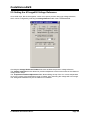
The CodeVisionAVR C Compiler is designed to work in conjunction with the Atmel AVR Studio
debugger version 3 and 4.06 (or later).
Before you can invoke the debugger, you must first specify its location and file name using the
Settings|Debugger menu command.
The AVR Studio version must be specified in the Debugger list box.
Changes can be saved, respectively canceled, using the OK, respectively Cancel buttons.
Pressing the Browse button opens a dialog window that allows selecting the debugger's directory and
filename.
© 1998-2007 HP InfoTech S.R.L.
Page 57
CodeVisionAVR
2.4.5 AVR Chip Programmer Setup
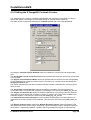
Using the Settings|Programmer menu command, you can select the type of the in-system
programmer that is used, and the computer's port to which the programmer is connected.
The current version of CodeVisionAVR supports the following in-system programmers:
•
•
•
•
•
•
•
•
Kanda Systems STK200+ and STK300
Atmel STK500 and AVRISP (serial connection)
Atmel AVRISP MkII (USB connection)
Atmel AVRProg (AVR910 application note)
Dontronics DT006
Vogel Elektronik VTEC-ISP
Futurlec JRAVR
MicroTronics ATCPU and Mega2000
The STK200+, STK300, DT006, VTEC-ISP, JRAVR, ATCPU and Mega2000 in-system programmers
use the parallel printer port.
The following choices are available through the Printer Port radio group box:
•
•
•
LPT1, at base address 378h;
LPT2, at base address 278h;
LPT3, at base address 3BCh.
The Delay Multiplier value can be increased in case of programming problems on very fast machines.
Of course this will increase overall programming time.
The Atmega169 CKDIV8 Fuse Warning check box, if checked, will enable the generation of a
warning that further low voltage serial programming will be impossible for the Atmega169 Engineering
Samples, if the CKDIV8 fuse will be programmed to 0.
For usual Atmega169 chips this check box must be left unchecked.
© 1998-2007 HP InfoTech S.R.L.
Page 58
CodeVisionAVR
The STK500, AVRISP and AVRProg programmers use the RS232C serial communication port, which
can be specified using the Communication Port list box.
The Atmel AVRISP MkII uses the USB connection for communication with the PC.
Usage of this programmer requires the Atmel’s AVR Studio V4.12 or later software to be installed on
the PC.
Changes can be saved, respectively canceled, using the OK, respectively Cancel buttons.
© 1998-2007 HP InfoTech S.R.L.
Page 59
CodeVisionAVR
2.4.6 Serial Communication Terminal Setup
The serial communication Terminal is configured using the Settings|Terminal menu command.
In the Terminal Setup window you can select the:
• computer's communication port used by the Terminal: COM1 to COM6;
• Baud rate used for communication: 110 to 115200;
• number of data bits used in reception and transmission: 5 to 8;
• number of stop bits used in reception and transmission: 1, 1.5 or 2;
• parity used in reception and transmission: None, Odd, Even, Mark or Space;
• type of emulated terminal: TTY, VT52 or VT100;
• type of handshaking used in communication: None, Hardware (CTS or DTR) or Software
(XON/XOFF);
• possibility to append LF characters after CR characters on reception and transmission;
• enabling or disabling the echoing of the transmitted characters
• number of character Rows and Columns in the Terminal window
• Font type used for displaying characters in the Terminal window.
Changes can be saved, respectively canceled, using the OK, respectively Cancel buttons.
© 1998-2007 HP InfoTech S.R.L.
Page 60
CodeVisionAVR
2.5 Accessing the Help
CodeVisionAVR help system is accessed by invoking the Help|Help menu command or by pressing
the Help toolbar button.
2.6 Transferring the License to another computer
The CodeVisionAVR C compiler features a computer locked licensing system.
This means that, the first time after purchase, you will receive from the author a license file that is
specific to your particular computer.
This prevents you from using the software on another computer, until you will Export the license to
this computer.
After the license Export, the compiler on the first computer will be disabled and you will only be able
to run the compiler on the second one.
You can always Export the license back to the first computer, but the license on the second one will
be disabled after that.
By this procedure only one person can use the compiler at a time.
To Export the license from the computer #1 to the computer #2 you must proceed like this:
• install the CodeVisionAVR C compiler on the computer #2
• execute the compiler on computer #2, it will display a specific serial number
© 1998-2007 HP InfoTech S.R.L.
Page 61
CodeVisionAVR
• execute the compiler on computer #1 and select the Help|Export menu command, an Export
CodeVisionAVR License dialog window will open
• enter the serial number from computer #2 in the Destination Serial Number edit box
• press the Export button, if you press the Cancel button the Export will be canceled
• you will be prompted where to place the new license file for the computer #2, usually you can
chose a diskette in drive A:
• press Save. After the new license file is successfully copied to the diskette, the compiler on
computer #1 will cease running
© 1998-2007 HP InfoTech S.R.L.
Page 62
CodeVisionAVR
• place the diskette with the license file in drive A: of computer #2 and press the Import button.
After that the license transfer is completed and the compiler will run only on computer #2.
Please note that after the Export procedure, the serial number of the computer #1 will change.
In this situation when you will try to Import a license back to this computer, you must enter this new
serial number, not the old one.
© 1998-2007 HP InfoTech S.R.L.
Page 63
CodeVisionAVR
2.7 Connecting to HP InfoTech's Web Site
The Help|HP InfoTech on the Web menu command opens the default web browser and connects to
HP InfoTech's web site http://www.hpinfotech.com
Here you can check for the latest HP InfoTech's products and updates to CodeVisionAVR.
2.8 Contacting HP InfoTech by E-Mail
The Help|E-Mail HP InfoTech menu command opens the default e-mail program and allows you to
send an e-mail to: [email protected]
2.9 Quitting the CodeVisionAVR IDE
To quit working with the CodeVisionAVR IDE you must select the File|Exit menu command.
If some source files were modified and were not saved yet, you will be prompted if you want to do that.
© 1998-2007 HP InfoTech S.R.L.
Page 64
CodeVisionAVR
3. CodeVisionAVR C Compiler Reference
This section describes the general syntax rules for the CodeVisionAVR C compiler.
Only specific aspects regarding the implementation of the C language by this compiler are exposed.
This help is not intended to teach you the C language; you can use any good programming book to do
that.
You must also consult the appropriate AVR data sheets from Atmel.
3.1 The Preprocessor
The Preprocessor directives allows you to:
•
include text from other files, such as header files containing library and user function prototypes
•
define macros that reduce programming effort and improve the legibility of the source code
•
set up conditional compilation for debugging purposes and to improve program portability
•
issue compiler specific directives
The Preprocessor output is saved in a text file with the same name as the source, but with the .i
extension.
The #include directive may be used to include another file in your source.
You may nest as many as 16 #include files.
Example:
/* File will be looked for in the /inc directory of the compiler. */
#include <file_name>
or
/* File will be looked for in the current project directory.
If it's not located there, then it will be included from
the /inc directory of the compiler. */
#include "file_name"
The #define directive may be used to define a macro.
Example:
#define ALFA 0xff
This statement defines the symbol ‘ALFA’ to the value 0xff.
The C preprocessor will replace 'ALFA' with 0xff in the source text before compiling.
Macros can also have parameters. The preprocessor will replace the macro with it's expansion and
the formal parameters with the real ones.
Example:
#define SUM(a,b) a+b
/* the following code sequence will be replaced with int i=2+3; */
int i=SUM(2,3);
© 1998-2007 HP InfoTech S.R.L.
Page 65
CodeVisionAVR
When defining macros you can use the # operator to convert the macro parameter to a character
string.
Example:
#define PRINT_MESSAGE(t)
printf(#t)
/* ...... */
/* the following code sequence will be replaced with printf("Hello"); */
PRINT_MESSAGE(Hello);
Two parameters can be concatenated using the ## operator.
Example:
#define ALFA(a,b) a ## b
/* the following code sequence will be replaced with char xy=1; */
char ALFA(x,y)=1;
A macro definition can be extended to a new line by using \ .
Example:
#define MESSAGE "This is a very \
long text..."
A macro can be undefined using the #undef directive.
Example:
#undef ALFA
The #ifdef, #ifndef, #else and #endif directives may be used for conditional compilation.
The syntax is:
#ifdef macro_name
[set of statements 1]
#else
[set of statements 2]
#endif
If 'alfa' is a defined macro name, then the #ifdef expression evaluates to true and the set of
statements 1 will be compiled.
Otherwise the set of statements 2 will be compiled.
The #else and set of statements 2 are optional.
If 'alfa' is not defined, the #ifndef expression evaluates to true.
The rest of the syntax is the same as that for #ifdef.
The #if, #elif, #else and #endif directives may be also used for conditional compilation.
#if expression1
[set of statements 1]
#elif expression2
[set of statements 2]
#else
[set of statements 3]
#endif
If expression1 evaluates to true, the set of statements 1 will be compiled.
If expression2 evaluates to true, the set of statements 2 will be compiled.
Otherwise the set of statements 3 will be compiled.
The #else and set of statements 3 are optional.
© 1998-2007 HP InfoTech S.R.L.
Page 66
CodeVisionAVR
There are the following predefined macros:
__CODEVISIONAVR__ the version and revision of the compiler represented as an integer,
example for V1.24.0 this will be 1240
__LINE__ the current line number of the compiled file
__FILE__ the current compiled file
__TIME__ the current time in hh:mm:ss format
__DATE__ the current date in mmm dd yyyy format
__BUILD__ the build number
_CHIP_ATXXXXX_ where ATXXXXX is the chip type, in uppercase letters, specified in the
Project|Configure|C Compiler|Code Generation|Chip option
_MCU_CLOCK_FREQUENCY_ the AVR clock frequency specified in the Project|Configure|C
Compiler|Code Generation|Clock option, expressed as an integer in Hz
_MODEL_TINY_ if the program is compiled using the TINY memory model
_MODEL_SMALL_ if the program is compiled using the SMALL memory model
_OPTIMIZE_SIZE_ if the program is compiled with optimization for size
_OPTIMIZE_SPEED_ if the program is compiled with optimization for speed
_ENHANCED_CORE_ if the program is compiled using the enhanced core instructions available
in the new ATmega chips
_HEAP_START_ the heap starting address
_HEAP_SIZE_ the heap size specified in the Project|Configure|C Compiler|Code
Generation|Heap size option
_UNSIGNED_CHAR_ if the Project|Configure|C Compiler|Code Generation|char is unsigned
compiler option is enabled or #pragma uchar+ is used
_8BIT_ENUMS_ if the Project|Configure|C Compiler|Code Generation|8 bit enums compiler
option is enabled or #pragma 8bit_enums+ is used.
The #line directive can be used to modify the predefined __LINE__ and __FILE__ macros.
The syntax is:
#line integer_constant ["file_name"]
Example:
/* This will set __LINE__ to 50 and
__FILE__ to "file2.c" */
#line 50 "file2.c"
/* This will set __LINE__ to 100 */
#line 100
The #error directive can be used to stop compilation and display an error message.
The syntax is:
#error error_message
Example:
#error This is an error!
The #warning directive can be used to display a warning message.
The syntax is:
#warning warning_message
Example:
#warning This is a warning!
© 1998-2007 HP InfoTech S.R.L.
Page 67
CodeVisionAVR
The #pragma directive allows compiler specific directives.
You can use the #pragma warn directive to enable or disable compiler warnings.
Example:
/* Warnings are disabled */
#pragma warn/* Write some code here */
/* Warnings are enabled */
#pragma warn+
The compiler’s code optimizer can be turned on or off using the #pragma opt directive. This directive
must be placed at the start of the source file.
The default is optimization turned on.
Example:
/* Turn optimization off, for testing purposes */
#pragma optor
/* Turn optimization on */
#pragma opt+
If the code optimization is enabled, you can optimize some portions or all the program for size or
speed using the #pragma optsize directive.
The default state is determined by the Project|Configure|C Compiler|Code
Generation|Optimization menu setting. Example:
/* The program will be optimized for minimum size */
#pragma optsize+
/* Place your program functions here */
/* Now the program will be optimized for maximum execution speed */
#pragma optsize/* Place your program functions here */
The automatic saving and restoring of registers affected by the interrupt handler, can be turned on or
off using the #pragma savereg directive.
Example:
/* Turn registers saving off */
#pragma savereg/* interrupt handler */
interrupt [1] void my_irq(void) {
/* now save only the registers that are affected by the routines in the
interrupt handler, for example R30, R31 and SREG */
#asm
push r30
push r31
in
r30,SREG
push r30
#endasm
© 1998-2007 HP InfoTech S.R.L.
Page 68
CodeVisionAVR
/* place the C code here */
/* .... */
/* now restore SREG, R31 and R30 */
#asm
pop r30
out SREG,r30
pop r31
pop r30
#endasm
}
/* re-enable register saving for the other interrupts */
#pragma savereg+
The default state is automatic saving of registers during interrupts.
The #pragma savereg directive is maintained only for compatibility with versions of the compiler prior
to V1.24.1. This directive is not recommended for new projects.
The automatic allocation of global variables to registers can be turned on or off using the #pragma
regalloc directive.
The default state is determined by the Project|Configure|C Compiler|Code Generation|Automatic
Register Allocation check box.
Example:
/* the following global variable will be automatically
allocated to a register */
#pragma regalloc+
unsigned char alfa;
/* the following global variable will not be automatically
allocated to a register and will be placed in normal SRAM */
#pragma regallocunsigned char beta;
The ANSI char to int operands promotion can be turned on or off using the #pragma promotechar
directive.
Example:
/* turn on the ANSI char to int promotion */
#pragma promotechar+
/* turn off the ANSI char to int promotion */
#pragma promotecharThis option can also be specified in the Project|Configure|C Compiler|Code Generation|Promote
char to int menu.
Treating char by default as an unsigned 8 bit can be turned on or off using the #pragma uchar
directive.
Example:
/* char will be unsigned by default */
#pragma uchar+
/* char will be signed by default */
#pragma ucharThis option can also be specified in the Project|Configure|C Compiler|Code Generation|char is
unsigned menu.
© 1998-2007 HP InfoTech S.R.L.
Page 69
CodeVisionAVR
The #pragma library directive is used for specifying the necessity to compile/link a specific library file.
Example:
#pragma library mylib.lib
The #pragma glbdef+ directive is used for compatibility with projects, created with versions of
CodeVisionAVR prior to V1.0.2.2, where the Project|Configure|C Compiler|Global #define option
was enabled.
It signals the compiler that macros are globally visible in all the program modules of a project.
This directive must be placed in beginning of the first source file of the project.
By default this directive is not active, so macros are visible only in the program module where they are
defined.
3.2 Comments
The character string "/*" marks the beginning of a comment.
The end of the comment is marked with "*/".
Example:
/* This is a comment */
/* This is a
multiple line comment */
One-line comments may be also defined by using the string "//".
Example:
// This is also a comment
Nested comments are not allowed.
© 1998-2007 HP InfoTech S.R.L.
Page 70
CodeVisionAVR
3.3 Reserved Keywords
Following is a list of keywords reserved by the compiler.
These can not be used as identifier names.
break
bit
case
char
const
continue
default
defined
do
double
eeprom
else
enum
extern
flash
float
for
funcused
goto
if
inline
int
interrupt
long
register
return
short
signed
sizeof
sfrb
sfrw
static
struct
switch
typedef
union
unsigned
void
volatile
while
© 1998-2007 HP InfoTech S.R.L.
Page 71
CodeVisionAVR
3.4 Identifiers
An identifier is the name you give to a variable, function, label or other object.
An identifier can contain letters (A...Z, a...z) and digits (0...9), as well as the underscore character (_).
However an identifier can only start with a letter or an underscore.
Case is significant; i.e. variable1 is not the same as Variable1.
Identifiers can have up to 32 characters.
3.5 Data Types
The following table lists all the data types supported by the CodeVisionAVR C compiler, their range of
possible values and their size:
Type
bit
char
unsigned char
signed char
int
short int
unsigned int
signed int
long int
unsigned long int
signed long int
float
double
Size (Bits)
1
8
8
8
16
16
16
16
32
32
32
32
32
Range
0,1
-128 to 127
0 to 255
-128 to 127
-32768 to 32767
-32768 to 32767
0 to 65535
-32768 to 32767
-2147483648 to 2147483647
0 to 4294967295
-2147483648 to 2147483647
±1.175e-38 to ±3.402e38
±1.175e-38 to ±3.402e38
The bit data type is supported only for global variables.
If the Project|Configure|C Compiler|Code Generation|char is unsigned option is checked or
#pragma uchar+ is used, then char has by default the range 0..255.
© 1998-2007 HP InfoTech S.R.L.
Page 72
CodeVisionAVR
3.6 Constants
Integer or long integer constants may be written in decimal form (e.g. 1234), in binary form with 0b
prefix (e.g. 0b101001), in hexadecimal form with 0x prefix (e.g. 0xff) or in octal form with 0-prefix (e.g.
0777).
Unsigned integer constants may have the suffix U (e.g. 10000U).
Long integer constants may have the suffix L (e.g. 99L).
Unsigned long integer constants may have the suffix UL (e.g. 99UL).
Floating point constants may have the suffix F (e.g. 1.234F).
Character constants must be enclosed in single quotation marks. E.g. 'a'.
String constants must be enclosed in double quotation marks. E.g. "Hello world".
If you place a string between quotes as a function parameter, this string will automatically be
considered as constant and will be placed in FLASH memory.
Example:
/ * this function displays a string located in SRAM */
void display_ram(char *s) {
/* .......
*/
}
/ * this function displays a string located in FLASH */
void display_flash(char flash *s) {
/* .......
*/
}
void main(void) {
/* this will not work !!! */
/* because the function addresses the string as */
/* it is located in SRAM, but the string "Hello world" */
/* is constant and is placed in FLASH */
display_ram("Hello world");
/* this will work !!! */
/* the function addresses the string as it is located in FLASH */
display_flash("Hello world");
}
Constant can be grouped in arrays, which can have up to 8 dimensions.
Constants are stored in FLASH memory, to specify this you must use the flash or const keywords.
Constant expressions are automatically evaluated during compilation.
Example:
flash int integer_constant=1234+5;
flash char char_constant=’a’;
flash long long_int_constant1=99L;
flash long long_int_constant2=0x10000000;
flash int integer_array1[]={1,2,3};
/* The first two elements will be 1 and 2,
the rest will be 0 */
flash int integer_array2[10]={1,2};
flash int multidim_array[2][3]={{1,2,3},{4,5,6}};
flash char string_constant1[]=”This is a string constant”;
const char string_constant2[]=”This is also a string constant”;
Constants can’t be declared inside functions.
© 1998-2007 HP InfoTech S.R.L.
Page 73
CodeVisionAVR
3.7 Variables
Program variables can be global (accessible to all the functions in the program) or local (accessible
only inside the function they are declared).
If not specifically initialized, the global variables are automatically set to 0 at program startup.
The local variables are not automatically initialized on function call.
The syntax is:
[<storage modifier>] <type definition> <identifier>;
Example:
/* Global variables declaration */
char a;
int b;
/* and initialization */
long c=1111111;
void main(void) {
/* Local variables declaration */
char d;
int e;
/* and initialization */
long f=22222222;
}
Variables can be grouped in arrays, which can have up to 8 dimensions.
The first element of the array has always the index 0.
If not specifically initialized, the elements of global variable arrays are automatically set to 0 at
program startup.
Example:
/* All the elements of the array will be 0 */
int global_array1[32];
/* Array is automatically initialized */
int global_array2[]={1,2,3};
int global_array3[4]={1,2,3,4};
char global_array4[]=”This is a string”;
/* Only the first 3 elements of the array are
initialized, the rest 29 will be 0 */
int global_array5[32]={1,2,3};
/* Multidimensional array */
int multidim_array[2][3]={{1,2,3},{4,5,6}};
void main(void) {
/* local array declaration */
int local_array1[10];
/* local array declaration and initialization */
int local_array2[3]={11,22,33};
char local_array3[7]="Hello";
}
© 1998-2007 HP InfoTech S.R.L.
Page 74
CodeVisionAVR
Local variables that must conserve their values during different calls to a function must be declared as
static. Example:
int alfa(void) {
/* declare and initialize the static variable */
static int n=1;
return n++;
}
void main(void) {
int i;
/* the function will return the value 1 */
i=alfa();
/* the function will return the value 2 */
i=alfa();
}
If not specifically initialized, static variables are automatically set to 0 at program startup.
Variables that are declared in other files must be preceded by the extern keyword.
Example:
extern int xyz;
/* now include the file which contains
the variable xyz definition */
#include <file_xyz.h>
To instruct the compiler to allocate a variable to registers, the register modifier must be used.
Example:
register int abc;
The compiler may automatically allocate a variable to registers, even if this modifier is not used.
The volatile modifier must be used in order to prevent a variable to be allocated to registers and to
warn the compiler that it may be subject to outside change during evaluation.
Example:
volatile int abc;
All the global variables, not allocated to registers, are stored in the Global Variables area of SRAM.
All the local variables, not allocated to registers, are stored in dynamically allocated space in the Data
Stack area of SRAM.
© 1998-2007 HP InfoTech S.R.L.
Page 75
CodeVisionAVR
3.7.1 Specifying the SRAM Storage Address for Global Variables
Global variables can be stored at specific SRAM locations at design-time using the @ operator.
Example:
/* the integer variable "a" is stored
in SRAM at address 80h */
int a @0x80;
/* the structure "alfa" is stored
in SRAM at address 90h */
struct x {
int a;
char c;
} alfa @0x90;
3.7.2 Bit Variables
The global bit variables located in the GPIOR register(s) and R2 to R14 memory space.
These variables are declared using the bit keyword.
The syntax is:
bit <identifier>;
Example:
/* declaration and initialization for an ATtiny2313 chip
which has GPIOR0, GPIOR1 and GPIOR2 registers */
bit alfa=1; /* bit0 of GPIOR0 */
bit beta; /* bit1 of GPIOR0 */
void main(void)
{
if (alfa) beta=!beta;
/* ........ */
}
Memory allocation for the global bit variables is done, in the order of declaration, starting with bit 0 of
GPIOR0, then bit 1 of GPIOR0 and so on, in ascending order.
After all the GPIOR registers are allocated, further bit variables are allocated in R2 up to R14.
If the chip does not have GPIOR registers, the allocation begins directly from register R2.
The size of the global bit variables allocated to the program can be specified in the
Project|Configure|C Compiler|Code Generation|Bit Variables Size list box.
This size should be as low as possible, in order to free registers for allocation to other global variables.
If not specifically initialized, the global bit variables are automatically set to 0 at program startup.
© 1998-2007 HP InfoTech S.R.L.
Page 76
CodeVisionAVR
The compiler allows also to declare up to 8 local bit variables which will be allocated in register R15.
Example:
void main(void)
{
bit alfa; /* bit 0 of R15 */
bit beta; /* bit 1 of R15 */
/* ........ */
}
In expression evaluation bit variables are automatically promoted to unsigned char.
© 1998-2007 HP InfoTech S.R.L.
Page 77
CodeVisionAVR
3.7.3 Allocation of Variables to Registers
In order to fully take advantage of the AVR architecture and instruction set, the compiler allocates
some of the program variables to chip registers.
The registers from R2 up to R14 can be allocated for global bit variables.
The register R15 can be allocated to local bit variables.
You may specify how many registers in the R2 to R14 range are allocated for global bit variables
using the Project|Configure|C Compiler|Code Generation|Bit Variables Size list box. This value
must be as low as required by the program.
If the Project|Configure|C Compiler|Code Generation|Automatic Register Allocation option is
checked or the #pragma regalloc+ compiler directive is used, the rest of registers in the R2 to R14
range, that aren’t used for global bit variables, are allocated to char and int global variables and
global pointers.
If the Project|Configure|C Compiler|Code Generation|Smart Register Allocation option is
checked, the allocation of registers R2 to R14 (not used for bit variables) is performed in such a way
that 16bit variables will be preferably located in even register pairs, thus favouring the usage of the
enhanced core MOVW instruction for their access.
Otherwise the allocation is performed in order of variable declaration until the R14 register is allocated.
If the automatic register allocation is disabled, you can use the register keyword to specify which
global variable to be allocated to registers.
Example:
/* disable automatic register allocation */
#pragma regalloc/* allocate the variable ‘alfa’ to a register */
register int alfa;
/* allocate the variable ‘beta’ to the register pair R10, R11 */
register int beta @10;
Local char, int and pointer local variables are allocated to registers R16 to R21.
If the Project|Configure|C Compiler|Code Generation|Smart Register Allocation option is
checked, the allocation of these registers for local variables is performed in such a way that 16bit
variables will be preferably located in even register pairs, thus favouring the usage of the enhanced
core MOVW instruction for their access.
Otherwise the local variables are automatically allocated to registers in the order of declaration.
The Project|Configure|C Compiler|Code Generation|Smart Register Allocation option should be
disabled if the program was developed using CodeVisionAVR prior to V1.25.3 and it contains inline
assembly code that accesses the variables located in registers R2 to R14 and R16 to R21.
© 1998-2007 HP InfoTech S.R.L.
Page 78
CodeVisionAVR
3.7.4 Structures
Structures are user-defined collections of named members.
The structure members can be any of the supported data types, arrays of these data types or pointers
to them.
Structures are defined using the struct reserved keyword.
The syntax is:
[<storage modifier>] struct [<structure tag-name>] {
[<type> <variable-name>[,<variable-name>, ...]];
[<type> [<bitfield-id>]:<width>[,[<bitfield-id>]:<width>, ...]];
...
} [<structure variables>];
Example:
/* Global structure located in SRAM */
struct ram_structure {
char a,b;
int c;
char d[30],e[10];
char *pp;
} sr;
/* Global constant structure located in FLASH */
flash struct flash_structure {
int a;
char b[30], c[10];
} sf;
/* Global structure located in EEPROM */
eeprom struct eeprom_structure {
char a;
int b;
char c[15];
} se;
void main(void) {
/* Local structure */
struct local_structure {
char a;
int b;
long c;
} sl;
/* ............. */
}
The space allocated to the structure in memory is equal to sum of the sizes of all the members.
There are some restrictions that apply to the structures stored in FLASH and EEPROM.
Due to the fact that pointers must be always located in SRAM, they can't be used in these structures.
Because with the Atmel AVRASM32 Assembler single bytes defined with .DB in FLASH occupy in
reality 2 bytes, the CodeVisionAVR C compiler will replace the char members of structures stored in
FLASH with int.
Also it will extend the size of the char arrays, members of such structures, to an even value.
© 1998-2007 HP InfoTech S.R.L.
Page 79
CodeVisionAVR
Structures can be grouped in unidimensional arrays.
Example how to initialize and access an global structure array stored in EEPROM:
/* Global structure array located in EEPROM */
eeprom struct eeprom_structure {
char a;
int b;
char c[15];
} se[2]={{'a',25,"Hello"},
{'b',50,"world"}};
void main(void) {
char k1,k2,k3,k4;
int i1, i2;
/* define a pointer to the structure */
struct eeprom_structure eeprom *ep;
/* direct access to structure members */
k1=se[0].a;
i1=se[0].b;
k2=se[0].c[2];
k3=se[1].a;
i2=se[1].b;
k4=se[1].c[2];
/* same access to structure members using a pointer */
ep=&se; /* initialize the pointer with the structure address */
k1=ep->a;
i1=ep->b;
k2=ep->c[2];
++ep;
/* increment the pointer */
k3=ep->a;
i2=ep->b;
k4=ep->c[2];
}
Because some AVR devices have a small amount of SRAM, in order to keep the size of the Data
Stack small, it is recommended not to pass structures as function parameters and use pointers for this
purpose.
Example:
struct alpha {
int a,b, c;
} s={2,3};
/* define the function */
struct alpha *sum_struct(struct alpha *sp) {
/* member c=member a + member b */
sp->c=sp->a + sp->b;
/* return a pointer to the structure */
return sp;
}
void main(void) {
int i;
/* s->c=s->a + s->b */
/* i=s->c */
i=sum_struct(&s)->c;
}
© 1998-2007 HP InfoTech S.R.L.
Page 80
CodeVisionAVR
Structure members can be also declared as bit fields, having a width from 1 to 32.
Bit fields are allocated in the order of declaration starting from the least significant bit.
Example:
/* this structure will occupy 1 byte in SRAM
as the bit field data type is unsigned char */
struct alpha1 {
unsigned char a:1; /* bit 0 */
unsigned char b:4; /* bits 1..4 */
unsigned char c:3; /* bits 5..7 */
};
/* this structure will occupy 2 bytes in SRAM
as the bit field data type is unsigned int */
struct alpha2 {
unsigned int a:2; /* bits 0..1 */
unsigned int b:8; /* bits 2..9 */
unsigned int c:4; /* bits 10..13 */
/* bits 14..15 are not used */
};
/* this structure will occupy 4 bytes in SRAM
as the bit field data type is unsigned long */
struct alpha3 {
unsigned long a:10; /* bits 0..9 */
unsigned long b:8; /* bits 10..17 */
unsigned long c:6; /* bits 18..23 */
/* bits 24..31 are not used */
};
© 1998-2007 HP InfoTech S.R.L.
Page 81
CodeVisionAVR
3.7.5 Unions
Unions are user-defined collections of named members that share the same memory space.
The union members can be any of the supported data types, arrays of these data types or pointers to
them.
Unions are defined using the union reserved keyword.
The syntax is:
[<storage modifier>] union [<union tag-name>] {
[<type> <variable-name>[,<variable-name>, ...]];
[<type> <bitfield-id>:<width>[,<bitfield-id>:<width>, ...]];
...
} [<union variables>];
Unions are always stored in SRAM.
The space allocated to the union in memory is equal to the size of the largest member.
Union members can be accessed in the same way as structure members. Example:
/* union declaration */
union alpha {
unsigned char lsb;
unsigned int word;
} data;
void main(void) {
unsigned char k;
/* define a pointer to the union */
union alpha *dp;
/* direct access to union members */
data.word=0x1234;
k=data.lsb; /* get the LSB of 0x1234 */
/* same access to union members using a pointer */
dp=&data; /* initialize the pointer with the union address */
dp->word=0x1234;
k=dp->lsb; /* get the LSB of 0x1234 */
}
Because some AVR devices have a small amount of SRAM, in order to keep the size of the Data
Stack small, it is recommended not to pass unions as function parameters and use pointers for this
purpose.
Example:
#include <stdio.h> /* printf */
union alpha {
unsigned char lsb;
unsigned int word;
} data;
/* define the function */
unsigned char low(union alpha *up) {
/* return the LSB of word */
return up->lsb;
}
void main(void) {
data.word=0x1234;
printf("the LSB of %x is %2x",data.word,low(&data));
}
© 1998-2007 HP InfoTech S.R.L.
Page 82
CodeVisionAVR
Union members can be also declared as bit fields, having a width from 1 to 32.
Bit fields are allocated in the order of declaration starting from the least significant bit.
Example:
/* this union will occupy 1 byte in SRAM
as the bit field data type is unsigned char */
union alpha1 {
unsigned char a:1; /* bit 0 */
unsigned char b:4; /* bits 0..3 */
unsigned char c:3; /* bits 0..2 */
};
/* this union will occupy 2 bytes in SRAM
as the bit field data type is unsigned int */
union alpha2 {
unsigned int a:2; /* bits 0..1 */
unsigned int b:8; /* bits 0..7 */
unsigned int c:4; /* bits 0..3 */
/* bits 8..15 are not used */
};
/* this union will occupy 4 bytes in SRAM
as the bit field data type is unsigned long */
union alpha3 {
unsigned long a:10; /* bits 0..9 */
unsigned long b:8; /* bits 0..7 */
unsigned long c:6; /* bits 0..5 */
/* bits 10..31 are not used */
};
© 1998-2007 HP InfoTech S.R.L.
Page 83
CodeVisionAVR
3.7.6 Enumerations
The enumeration data type can be used in order to provide mnemonic identifiers for a set of char or
int values.
The enum keyword is used for this purpose.
The syntax is:
[<storage modifier>] enum [<enum tag-name>] {
[<constant-name[[=constant-initializer], constant-name, ...]>]}
[<enum variables>];
Example:
/* The enumeration constants will be initialized as follows:
sunday=0 , monday=1 , tuesday=2 ,..., saturday=6 */
enum days {
sunday, monday, tuesday, wednesday,
thursday, friday, saturday} days_of_week;
/* The enumeration constants will be initialized as follows:
january=1 , february=2 , march=3 ,..., december=12 */
enum months {
january=1, february, march, april, may, june,
july, august, september, october, november, december}
months_of_year;
void main {
/* the variable days_of_week is initialized with
the integer value 6 */
days_of_week=saturday;
}
Enumerations can be stored in SRAM or EEPROM.
To specify the storage in EEPROM, the eeprom keyword must be used.
Example:
eeprom enum days {
sunday, monday, tuesday, wednesday,
thursday, friday, saturday} days_of_week;
It is recommended to treat enumerations as having 8 bit char data type, by checking the 8 bit enums
check box in Project|Configure|CompilerCode Generation. This will improve the size and execution
speed of the compiled program.
© 1998-2007 HP InfoTech S.R.L.
Page 84
CodeVisionAVR
3.7.7 Global Variables Memory Map File
During compilation the C compiler generates a Global Variables Memory Map File, in which are
specified the SRAM address location, register allocation and size of the global variables used by the
program.
This file has the .map extension and can be viewed using the menu File|Open command or by
pressing the Open button on the toolbar.
Structure and union members are listed individually along with their corresponding address and size.
This file is useful during program debugging using the AVR Studio debugger.
3.8 Defining Data Types
User defined data types are declared using the typedef reserved keyword.
The syntax is:
typedef [<storage modifier>] <type definition> <identifier>;
The symbol name <identifier> is assigned to <type definition>.
Examples:
/* type definitions */
typedef unsigned char byte;
typedef eeprom struct {
int a;
char b[5];
} eeprom_struct_type;
/* variable declaration */
byte alfa;
eeprom eeprom_struct_type struct1;
© 1998-2007 HP InfoTech S.R.L.
Page 85
CodeVisionAVR
3.9 Type Conversions
In an expression, if the two operands of a binary operator are of different types, then the compiler will
convert one of the operands into the type of the other.
The compiler uses the following rules:
If either of the operands is of type float then the other operand is converted to the same type.
If either of the operands is of type long int or unsigned long int then the other operand is converted
to the same type.
Otherwise, if either of the operands is of type int or unsigned int then the other operand is converted
to the same type.
Thus char type or unsigned char type gets the lowest priority.
Using casting you can change these rules.
Example:
void main(void) {
int a, c;
long b;
/* The long integer variable b will be treated here as an integer */
c=a+(int) b;
}
It is important to note that if the Project|Configure|C Compiler|Code Generation|Promote char to
int option isn't checked or the #pragma promotechar+ isn't used, the char, respectively unsigned
char, type operands are not automatically promoted to int , respectively unsigned int, as in compilers
targeted for 16 or 32 bit CPUs.
This helps writing more size and speed efficient code for an 8 bit CPU like the AVR.
To prevent overflow on 8 bit addition or multiplication, casting may be required.
The compiler issues warnings in these situations.
Example:
void main(void) {
unsigned char a=30;
unsigned char b=128;
unsigned int c;
/* This will generate an incorrect result, because the multiplication
is done on 8 bits producing an 8 bit result, which overflows.
Only after the multiplication, the 8 bit result is promoted to
unsigned int */
c=a*b;
/* Here casting forces the multiplication to be done on 16 bits,
producing an 16 bit result, without overflow */
c=(unsigned int) a*b;
}
© 1998-2007 HP InfoTech S.R.L.
Page 86
CodeVisionAVR
The compiler behaves differently for the following operators:
+=
-=
*=
/=
%=
&=
|=
^=
<<=
>>=
For these operators, the result is to be written back onto the left-hand side operand (which must be a
variable). So the compiler will always convert the right hand side operand into the type of left-hand
side operand.
3.10 Operators
The compiler supports the following operators:
+
*
%
-==
!
<
<=
&
|
^
<<
-=
/=
&=
^=
>>=
/
++
=
~
!=
>
>=
&&
||
?
>>
+=
%=
*=
|=
<<=
© 1998-2007 HP InfoTech S.R.L.
Page 87
CodeVisionAVR
3.11 Functions
You may use function prototypes to declare a function.
These declarations include information about the function parameters.
Example:
int alfa(char par1, int par2, long par3);
The actual function definition may be written somewhere else as:
int alfa(char par1, int par2, long par3) {
/* Write some statements here */
}
The old Kernighan & Ritchie style of writing function definitions is not supported.
Function parameters are passed through the Data Stack.
Function values are returned in registers R30, R31, R22 and R23 (from LSB to MSB).
© 1998-2007 HP InfoTech S.R.L.
Page 88
CodeVisionAVR
3.12 Pointers
Due to the Harvard architecture of the AVR microcontroller, with separate address spaces for data
(SRAM), program (FLASH) and EEPROM memory, the compiler implements three types of pointers.
The syntax for pointer declaration is:
[<type storage modifier>] type * [<pointer storage modifier>]
[* [<pointer storage modifier>] ...] pointer_name;
or
type [<type storage modifier>] * [<pointer storage modifier>]
[* [<pointer storage modifier>] ...] pointer_name;
where type can be any data type.
Variables placed in SRAM are accessed using normal pointers.
For accessing constants placed in FLASH memory, the flash type storage modifier is used.
For accessing variables placed in EEPROM, the eeprom type storage modifier is used.
Although the pointers may point to different memory areas, they are by default stored in SRAM.
Example:
/* Pointer to a char string placed in SRAM */
char *ptr_to_ram=”This string is placed in SRAM”;
/* Pointer to a char string placed in FLASH */
flash char *ptr_to_flash1=”This string is placed in FLASH”;
char flash *ptr_to_flash2=”This string is also placed in FLASH”;
/* Pointer to a char string placed in EEPROM */
eeprom char *ptr_to_eeprom1="This string is placed in EEPROM";
char eeprom *ptr_to_eeprom2="This string is also placed in EEPROM";
In order to store the pointer itself in other memory areas, like FLASH or EEPROM, the flash or
eeprom pointer storage modifiers must be used as in the examples below:
/* Pointer stored in FLASH to a char string placed in SRAM */
char * flash flash_ptr_to_ram=”This string is placed in SRAM”;
/* Pointer stored in FLASH to a char string placed in FLASH */
flash char * flash flash_ptr_to_flash=”This string is placed in FLASH”;
/* Pointer stored in FLASH to a char string placed in EEPROM */
eeprom char * flash eeprom_ptr_to_eeprom="This string is placed in EEPROM";
/* Pointer stored in EEPROM to a char string placed in SRAM */
char * eeprom eeprom_ptr_to_ram=”This string is placed in SRAM”;
/* Pointer stored in EEPROM to a char string placed in FLASH */
flash char * eeprom eeprom_ptr_to_flash=”This string is placed in FLASH”;
/* Pointer stored in EEPROM to a char string placed in EEPROM */
eeprom char * eeprom eeprom_ptr_to_eeprom="This string is placed in
EEPROM";
© 1998-2007 HP InfoTech S.R.L.
Page 89
CodeVisionAVR
In order to improve the code efficiency several memory models are implemented.
The TINY memory model uses 8 bits for storing pointers to the variables placed in SRAM. In this
memory model you can only have access to the first 256 bytes of SRAM.
The SMALL memory model uses 16 bits for storing pointers the variables placed in SRAM. In this
memory model you can have access to 65536 bytes of SRAM.
In both TINY and SMALL memory models pointers to the FLASH memory area use 16 bits.
Because in these memory models pointers to the FLASH memory are 16 bits wide, the total size of the
constant arrays and literal char strings is limited to 64K.
However the total size of the program can be the full amount of FLASH.
In order to remove the above mentioned limitation, there are available two additional memory models:
MEDIUM and LARGE.
The MEDIUM memory model is similar to the SMALL memory model, except it uses pointers to
constants in FLASH that are 32 bits wide. The pointers to functions are however 16 bit wide because
they hold the word address of the function, so 16 bits are enough to address a function located in all
128kbytes of FLASH.
The MEDIUM memory model can be used only for chips with 128kbytes of FLASH.
The LARGE memory model is similar to the SMALL memory model, except it uses pointers to the
FLASH memory area that are 32 bits wide.
The LARGE memory model can be used for chips with 256kbytes or more of FLASH.
In all memory models pointers to the EEPROM memory area are 16 bit wide.
Pointers can be grouped in arrays, which can have up to 8 dimensions.
Example:
/* Declare and initialize a global array of pointers to strings
placed in SRAM */
char *strings[3]={"One","Two","Three"};
/* Declare and initialize a global array of pointers to strings
placed in FLASH
The pointer array itself is also stored in FLASH */
flash char * flash messages[3]={"Message 1","Message 2","Message 3"};
/* Declare some strings in EEPROM */
eeprom char m1[]="aaaa";
eeprom char m2[]="bbbb";
void main(void) {
/* Declare a local array of pointers to the strings placed in EEPROM
You must note that although the strings are located in EEPROM,
the pointer array itself is located in SRAM */
char eeprom *pp[2];
/* and initialize the array */
pp[0]=m1;
pp[1]=m2;
}
© 1998-2007 HP InfoTech S.R.L.
Page 90
CodeVisionAVR
Pointers to functions always access the FLASH memory area. There is no need to use the flash
keyword for these types of pointers.
Example:
/* Declare a function */
int sum(int a, int b) {
return a+b;
}
/* Declare and initialize a global pointer to the function sum */
int (*sum_ptr) (int a, int b)=sum;
void main(void) {
int i;
/* Call the function sum using the pointer */
i=(*sum_ptr) (1,2);
}
© 1998-2007 HP InfoTech S.R.L.
Page 91
CodeVisionAVR
3.13 Accessing the I/O Registers
The compiler uses the sfrb and sfrw keywords to access the AVR microcontroller’s I/O Registers,
using the IN and OUT assembly instructions.
Example:
/* Define the SFRs */
sfrb PINA=0x19; /* 8 bit access to the SFR */
sfrw TCNT1=0x2c; /* 16 bit access to the SFR */
void main(void) {
unsigned char a;
a=PINA;
/* Read PORTA input pins */
TCNT1=0x1111; /* Write to TCNT1L & TCNT1H registers */
}
The addresses of I/O registers are predefined in the following header files, located in the ..\INC
subdirectory:
tiny13.h
tiny22.h
tiny2313.h
tiny24.h
tiny25.h
tiny26.h
tiny261.h
tiny44.h
tiny45.h
tiny461.h
tiny84.h
tiny85.h
tiny861.h
90can32.h
90can64.h
90can128.h
90pwm2.h
90pwm2b.h
90pwm3.h
90pwm3b.h
90usb1286.h
90usb1287.h
90usb646.h
90usb647.h
90s2313.h
90s2323.h
90s2333.h
90s2343.h
90s4414.h
90s4433.h
90s4434.h
90s8515.h
90s8534.h
90s8535.h
mega103.h
mega128.h
mega1280.h
mega1281.h
mega16.h
mega161.h
© 1998-2007 HP InfoTech S.R.L.
Page 92
CodeVisionAVR
mega162.h
mega163.h
mega164.h
mega165.h
mega168.h
mega169.h
mega2560.h
mega2561.h
mega32.h
mega323.h
mega324.h
mega325.h
mega3250.h
mega329.h
mega3290.h
mega406.h
mega48.h
mega603.h
mega64.h
mega640.h
mega644.h
mega644p.h
mega645.h
mega6450.h
mega649.h
mega6490.h
mega8.h
mega8515.h
mega8535.h
mega88.h
43usb355.h
76c711.h
86rf401.h
94k.h
The header file, corresponding to the chip that you use, must be included at the beginning of your
program.
Alternatively the io.h header file can be included. This file contains the definitions for the I/O registers
for all the chips supported by the compiler.
© 1998-2007 HP InfoTech S.R.L.
Page 93
CodeVisionAVR
3.13.1 Bit level access to the I/O Registers
The bit level access to the I/O registers is accomplished using bit selectors appended after the name
of the I/O register.
Because bit level access to I/O registers is done using the CBI, SBI, SBIC and SBIS instructions, the
register address must be in the 0 to 1Fh range for sfrb and in the 0 to 1Eh range for sfrw.
Example:
sfrb PORTA=0x1b;
sfrb DDRA=0x18;
sfrb PINA=0x19;
void main(void) {
/* set bit 0 of Port A as output */
DDRA.0=1;
/* set bit 1 of Port A as input */
DDRA.1=0;
/* set bit 0 of Port A output */
PORTA.0=1;
/* test bit 1 input of Port A */
if (PINA.1) { /* place some code here */ };
/* ....... */
}
To improve the readability of the program you may wish to #define symbolic names to the bits in I/O
registers:
sfrb PINA=0x19;
#define alarm_input PINA.2
void main(void)
{
/* test bit 2 input of Port A */
if (alarm_input) { /* place some code here */ };
/* ....... */
}
It is important to note that bit selector access to I/O registers located in internal SRAM above address
5Fh (like PORTF for the ATmega128 for example) will not work, because the CBI, SBI, SBIC and
SBIS instructions can’t be used for SRAM access.
© 1998-2007 HP InfoTech S.R.L.
Page 94
CodeVisionAVR
3.14 Accessing the EEPROM
Accessing the AVR internal EEPROM is accomplished using global variables, preceded by the
keyword eeprom.
Example:
/* The value 1 is stored in the EEPROM during chip programming */
eeprom int alfa=1;
eeprom char beta;
eeprom long array1[5];
/* The string is stored in the EEPROM during chip programming */
eeprom char string[]=”Hello”;
void main(void) {
int i;
/* Pointer to EEPROM */
int eeprom *ptr_to_eeprom;
/* Write directly the value 0x55 to the EEPROM */
alfa=0x55;
/* or indirectly by using a pointer */
ptr_to_eeprom=&alfa;
*ptr_to_eeprom=0x55;
/* Read directly the value from the EEPROM */
i=alfa;
/* or indirectly by using a pointer */
i=*ptr_to_eeprom;
}
Pointers to the EEPROM always use 16 bits.
© 1998-2007 HP InfoTech S.R.L.
Page 95
CodeVisionAVR
3.15 Using Interrupts
The access to the AVR interrupt system is implemented with the interrupt keyword.
Example:
/* Vector numbers are for the AT90S8515 */
/* Called automatically on external interrupt */
interrupt [2] void external_int0(void) {
/* Place your code here */
}
/* Called automatically on TIMER0 overflow */
interrupt [8] void timer0_overflow(void) {
/* Place your code here */
}
Interrupt vector numbers start with 1.
The compiler will automatically save the affected registers when calling the interrupt functions and
restore them back on exit.
A RETI assembly instruction is placed at the end of the interrupt function.
Interrupt functions can’t return a value nor have parameters.
You must also set the corresponding bits in the peripheral control registers to configure the interrupt
system and enable the interrupts.
The automatic saving and restoring of registers affected by the interrupt handler, can be turned on or
off using the #pragma savereg directive.
Example:
/* Turn registers saving off */
#pragma savereg/* interrupt handler */
interrupt [1] void my_irq(void) {
/* now save only the registers that are affected by the routines in the
interrupt handler, for example R30, R31 and SREG */
#asm
push r30
push r31
in
r30,SREG
push r30
#endasm
/* place the C code here */
/* .... */
/* now restore SREG, R31 and R30 */
#asm
pop r30
out SREG,r30
pop r31
pop r30
#endasm
}
/* re-enable register saving for the other interrupts */
#pragma savereg+
© 1998-2007 HP InfoTech S.R.L.
Page 96
CodeVisionAVR
The default state is automatic saving of registers during interrupts.
The #pragma savereg directive is maintained only for compatibility with versions of the compiler prior
to V1.24.1. This directive is not recommended for new projects.
© 1998-2007 HP InfoTech S.R.L.
Page 97
CodeVisionAVR
3.16 SRAM Memory Organization
A compiled program has the following memory map:
0
Working Registers
20h
I/O Registers
60h (or 100h)
DSTACKEND
Data Stack
Y initial value
60h (or 100h)+
Data Stack Size
Global Variables
60h (or 100h)+
Data Stack Size+
Global Var. Size
_HEAP_START_
HSTACKEND
Hardware Stack
SP initial value
Heap
SRAM End
The Working Registers area contains 32x8 bit general purpose working registers.
The compiler uses the following registers: R0, R1, R15, R22, R23, R24, R25, R26, R27, R28, R29,
R30 and R31.
Also some of the registers from R2 to R15 may be allocated by the compiler for global and local bit
variables. The rest of unused registers, in this range, are allocated for global char and int variables
and global pointers.
Registers R16 to R21 are allocated for local char and int variables.
© 1998-2007 HP InfoTech S.R.L.
Page 98
CodeVisionAVR
The I/O Registers area contains 64 addresses for the CPU peripheral functions as Port Control
Registers, Timer/Counters and other I/O functions. You may freely use these registers in your
assembly programs.
The Data Stack area is used to dynamically store local variables, passing function parameters and
saving registers R0, R1, R15, R22, R23, R24, R25, R26, R27, R30, R31 and SREG during interrupt
routine servicing.
The Data Stack Pointer is implemented using the Y register.
At start-up the Data Stack Pointer is initialized with the value 5Fh (or FFh for some chips)+Data Stack
Size.
When saving a value in the Data Stack, the Data Stack Pointer decrements.
When the value is retrieved, the Data Stack Pointer is incremented back.
When configuring the compiler, in the Project|Configure|C Compiler|Code Generation menu, you
must specify a sufficient Data Stack Size, so it will not overlap the I/O Register area during program
execution.
The Global Variables area is used to statically store the global variables during program execution.
The size of this area can be computed by summing the size of all the declared global variables.
The Hardware Stack area is used for storing the functions return addresses.
The SP register is used as a stack pointer and is initialized at start-up with value of the
_HEAP_START_ -1 address.
During the program execution the Hardware Stack grows downwards to the Global Variables area.
When configuring the compiler you have the option to place the strings DSTACKEND, respectively
HSTACKEND, at the end of the Data Stack, respectively Hardware Stack areas.
When you debug the program with AVR Studio you may see if these strings are overwritten, and
consequently modify the Data Stack Size using the Project|Configure|C Compiler|Code
Generation menu command.
When your program runs correctly, you may disable the placement of the strings in order to reduce
code size.
The Heap is a memory area located between the Hardware Stack and the SRAM end.
It is used by the memory allocation functions from the Standard Library: malloc, calloc, realloc and
free.
The Heap size must be specified in the Project|Configure|C Compiler|Code Generation menu.
It can be calculated using the following formulae:
n
heap _ size = ( n + 1) ⋅ 4 + ∑ block _ sizei
i =1
where: n is the number of memory blocks that will be allocated in the Heap
block _ sizei is the size of the memory block i
If the memory allocation functions will not be used, then the Heap size must be specified as zero.
© 1998-2007 HP InfoTech S.R.L.
Page 99
CodeVisionAVR
3.17 Using an External Startup File
In every program the CodeVisionAVR C compiler automatically generates a code sequence to make
the following initializations immediately after the AVR chip reset:
1. interrupt vector jump table
2. global interrupt disable
3. EEPROM access disable
4. Watchdog Timer disable
5. external SRAM access and wait state enable if necessary
6. clear registers R2 … R14
7. clear the SRAM
8. initialize the global variables located in SRAM
9. initialize the Data Stack Pointer register Y
10. initialize the Stack Pointer register SP
11. initialize the UBRR register if necessary
The automatic generation of code sequences 2 to 8 can be disabled by checking the Code
Generation|Use an External Startup Initialization File check box in the Project|Configure|C
Compiler|Code Generation dialog window. The C compiler will then include, in the generated .asm
file, the code sequences from an external file that must be named STARTUP.ASM . This file must be
located in the directory where your main C source file resides.
You can write your own STARTUP.ASM file to customize or add some features to your program. The
code sequences from this file will be immediately executed after the chip reset.
A basic STARTUP.ASM file is supplied with the compiler distribution and is located in the ..\BIN
directory.
Here's the content of this file:
;CodeVisionAVR C Compiler
;(C) 1998-2005 Pavel Haiduc, HP InfoTech s.r.l.
;EXAMPLE STARTUP FILE FOR CodeVisionAVR V1.24.1 OR LATER
.EQU __CLEAR_START=0X60 ;START ADDRESS OF SRAM AREA TO CLEAR
;SET THIS ADDRESS TO 0X100 FOR THE
;ATmega128 OR ATmega64 CHIPS
.EQU __CLEAR_SIZE=256
;SIZE OF SRAM AREA TO CLEAR IN BYTES
CLI
CLR
OUT
R30
EECR,R30
;DISABLE INTERRUPTS
;DISABLE EEPROM ACCESS
;DISABLE THE WATCHDOG
LDI R31,0x18
OUT WDTCR,R31
OUT WDTCR,R30
OUT
MCUCR,R30 ;MCUCR=0, NO EXTERNAL SRAM ACCESS
;CLEAR R2-R14
LDI R24,13
LDI R26,2
CLR R27
__CLEAR_REG:
ST
X+,R30
DEC R24
BRNE __CLEAR_REG
© 1998-2007 HP InfoTech S.R.L.
Page 100
CodeVisionAVR
;CLEAR SRAM
LDI R24,LOW(__CLEAR_SIZE)
LDI R25,HIGH(__CLEAR_SIZE)
LDI R26,LOW(__CLEAR_START)
LDI R27,HIGH(__CLEAR_START)
__CLEAR_SRAM:
ST
X+,R30
SBIW R24,1
BRNE __CLEAR_SRAM
;GLOBAL VARIABLES INITIALIZATION
LDI R30,LOW(__GLOBAL_INI_TBL*2)
LDI R31,HIGH(__GLOBAL_INI_TBL*2)
__GLOBAL_INI_NEXT:
LPM
ADIW R30,1
MOV R24,R0
LPM
ADIW R30,1
MOV R25,R0
SBIW R24,0
BREQ __GLOBAL_INI_END
LPM
ADIW R30,1
MOV R26,R0
LPM
ADIW R30,1
MOV R27,R0
LPM
ADIW R30,1
MOV R1,R0
LPM
ADIW R30,1
MOV R22,R30
MOV R23,R31
MOV R31,R0
MOV R30,R1
__GLOBAL_INI_LOOP:
LPM
ADIW R30,1
ST
X+,R0
SBIW R24,1
BRNE __GLOBAL_INI_LOOP
MOV R30,R22
MOV R31,R23
RJMP __GLOBAL_INI_NEXT
__GLOBAL_INI_END:
The __CLEAR_START and __CLEAR_SIZE constants can be changed to specify which area of
SRAM to clear at program initialization.
The __GLOBAL_INI_TBL label must be located at the start of a table containing the information
necessary to initialize the global variables located in SRAM. This table is automatically generated by
the compiler.
© 1998-2007 HP InfoTech S.R.L.
Page 101
CodeVisionAVR
3.18 Including Assembly Language in Your Program
You can include assembly language anywhere in your program using the #asm and #endasm
directives.
Example:
void delay(unsigned char i) {
while (i--) {
/* Assembly language code sequence */
#asm
nop
nop
#endasm
};
}
Inline assembly may also be used.
Example:
#asm("sei") /* enable interrupts */
The registers R0, R1, R22, R23, R24, R25, R26, R27, R30 and R31 can be freely used in assembly
routines.
However when using them in an interrupt service routine the programmer must save, respectively
restore, them on entry, respectively on exit, of this routine.
© 1998-2007 HP InfoTech S.R.L.
Page 102
CodeVisionAVR
3.18.1 Calling Assembly Functions from C
The following example shows how to access functions written in assembly language from a C
program:
// function in assembler declaration
// this function will return a+b+c
#pragma warn- // this will prevent warnings
int sum_abc(int a, int b, unsigned char c) {
#asm
ldd
r30,y+3 ;R30=LSB a
ldd
r31,y+4 ;R31=MSB a
ldd
r26,y+1 ;R26=LSB b
ldd
r27,y+2 ;R27=MSB b
add
r30,r26 ;(R31,R30)=a+b
adc
r31,r27
ld
r26,y
;R26=c
clr
r27
;promote unsigned char c to int
add
r30,r26 ;(R31,R30)=(R31,R30)+c
adc
r31,r27
#endasm
}
#pragma warn+ // enable warnings
void main(void) {
int r;
// now we call the function and store the result in r
r=sum_abc(2,4,6);
}
The compiler passes function parameters using the Data Stack.
First it pushes the integer parameter a, then b, and finally the unsigned char parameter c.
On every push the Y register pair decrements by the size of the parameter (4 for long int, 2 for int, 1
for char).
For multiple byte parameters the MSB is pushed first.
As it is seen the Data Stack grows downward.
After all the functions parameters were pushed on the Data Stack, the Y register points to the last
parameter c, so the function can read its value in R26 using the instruction: ld r26,y.
The b parameter was pushed before c, so it is at a higher address in the Data Stack.
The function will read it using: ldd r27,y+2 (MSB) and ldd r26,y+1 (LSB).
The MSB was pushed first, so it is at a higher address.
The a parameter was pushed before b, so it is at a higher address in the Data Stack.
The function will read it using: ldd r31,y+4 (MSB) and ldd r30,y+3 (LSB).
The functions return their values in the registers (from LSB to MSB):
•
R30 for char and unsigned char
•
R30, R31 for int and unsigned int
•
R30, R31, R22, R23 for long and unsigned long.
So our function must return its result in the R30, R31 registers.
After the return from the function the compiler automatically generates code to reclaim the Data Stack
space used by the function parameters.
The #pragma warn- compiler directive will prevent the compiler from generating a warning that the
function does not return a value.
This is needed because the compiler does not know what it is done in the assembler portion of the
function.
© 1998-2007 HP InfoTech S.R.L.
Page 103
CodeVisionAVR
3.19 Creating Libraries
In order to create your own libraries, the following steps must be followed:
1. Create a header .h file with the prototypes of the library functions.
Select the File|New menu command or press the New toolbar button.
The following dialog window will open:
Select Source and press the OK button.
A new editor window will be opened for the untitled.c source file.
Type in the prototype for your function. Example:
// this #pragma directive will prevent the compiler
// from generating a warning that the function was
// declared, but not used in the program
#pragma used+
// library function prototypes
int sum(int a, int b);
int mul(int a, int b);
#pragma used// this #pragma directive will tell the compiler to
// compile/link the functions from the mylib.lib library
#pragma library mylib.lib
Save the file, under a new name, in the ..\INC directory using the File|Save As menu command, for
example mylib.h :
© 1998-2007 HP InfoTech S.R.L.
Page 104
CodeVisionAVR
2. Create the library file.
Select the File|New menu command or press the New toolbar button.
The following dialog window will open:
Select Source and press the OK button.
A new editor window will be opened for the untitled.c source file.
Type in the definitions for your functions.
Example:
int sum(int a, int b) {
return a+b;
}
int mul(int a, int b) {
return a*b;
}
Save the file, under a new name, for example mylib.c , in any directory using the File|Save As menu
command:
© 1998-2007 HP InfoTech S.R.L.
Page 105
CodeVisionAVR
Finally use the File|Convert to Library menu command, to save the currently opened file under the
name mylib.lib in the ..\LIB directory:
In order to use the newly created mylib.lib library, just #include the mylib.h header file in the
beginning of your program.
Example:
#include <mylib.h>
Library files usually reside in the ..\LIB directory, but paths to additional directories can be added in
the Project|Configure|C Compiler|Paths|Library paths menu.
© 1998-2007 HP InfoTech S.R.L.
Page 106
CodeVisionAVR
3.20 Using the AVR Studio Debugger
CodeVisionAVR is designed to work in conjunction with the Atmel AVR Studio debugger version 3 and
4.06 (or later).
For the AVR Studio debugger version 4.06 (or later) the compiler will generate an extended
COFF object file that allows watching structures and unions. So it is highly recommended to
use AVR Studio version 4.06 (or later) instead of version 3, which doesn’t support this feature.
AVR Studio 4 prior to version 4.06 does not support the extended COFF object file format, so it
can’t be used with CodeVisionAVR.
In order to be able to do C source level debugging using AVR Studio, you must select the COFF
output file format in the Project|Configure|C Compiler|Code Generation menu option.
The AVR Studio Debugger is invoked using the Tools|Debugger menu command or the Debugger
toolbar button.
3.20.1 Using the AVR Studio Debugger version 3
The COFF object file created by the compiler will be automatically loaded after AVR Studio is invoked
using the CodeVisionAVR IDE Tools|Debugger menu command or the Debugger toolbar button.
Once the program is loaded, it can be launched in execution using the Debug|Go menu command, by
pressing the F5 key or by pressing the Execute program toolbar button.
Program execution can be stopped at any time using the Debug|Break menu command, by pressing
Ctrl+F5 keys or by pressing the Break toolbar button.
To single step the program, the Debug|Trace Into (F11 key), Debug|Step (F10 key), Debug|Step
Out menu commands or the corresponding toolbar buttons should be used.
In order to stop the program execution at a specific source line, the Breakpoints|Toggle Breakpoint
menu command, the F9 key or the corresponding toolbar button should be used.
In order to watch program variables, the user must select Watch|Add Watch menu command or press
the Add Watch toolbar button, and specify the name of the variable in the Watch column.
The AVR chip registers can be viewed using the View|Registers menu command or by pressing the
Alt+0 keys.
The AVR chip PC, SP, X, Y, Z registers and status flags can be viewed using the View|Processor
menu command or by pressing the Alt+3 keys.
The contents of the FLASH, SRAM and EEPROM memories can be viewed using the View|New
Memory View menu command or by pressing the Alt+4 keys.
The I/O registers can be viewed using the View|New IO View menu command or by pressing the
Alt+5 keys.
In order to use the Terminal I/O window, invoked with the View|Terminal I/O menu command, for
communication with the simulated AVR chip’s UART, the COFF file format must be selected and the
Use the Terminal I/O in AVR Studio check box must be checked in the Project|Configure|C
Compiler|Code Generation dialog.
To obtain more information about using AVR Studio please consult it’s Help system.
© 1998-2007 HP InfoTech S.R.L.
Page 107
CodeVisionAVR
3.20.2 Using the AVR Studio Debugger version 4.06 or later
The user must first select File|Open File (Ctr+O keys) in order to load the COFF file to be debugged.
After the COFF file is loaded, and no AVR Studio project file exists for this COFF file, the debugger will
open a Select device and debug platform dialog window.
In this window the user must specify the Debug Platform: ICE or AVR Simulator and the AVR Device
type.
Pressing the Finish button will create a new AVR Studio project associated with the COFF file.
If an AVR Studio project associated with the COFF file already exists, the user will be asked if the
debugger may load it.
Once the program is loaded, it can be launched in execution using the Debug|Run menu command,
by pressing the F5 key or by pressing the Run toolbar button.
Program execution can be stopped at any time using the Debug|Break menu command, by pressing
Ctrl+F5 keys or by pressing the Break toolbar button.
To single step the program, the Debug|Step Into (F11 key), Debug|Step Over (F10 key),
Debug|Step Out (Shift+F11 keys) menu commands or the corresponding toolbar buttons should be
used.
In order to stop the program execution at a specific source line, the Debug|Toggle Breakpoint menu
command, the F9 key or the corresponding toolbar button should be used.
In order to watch program variables, the user must select Debug|Quickwatch (Shift+F9 keys) menu
command or press the Quickwatch toolbar button, and specify the name of the variable in the
QuickWatch window in the Name column.
The AVR chip registers can be viewed using the View|Register menu command or by pressing the
Alt+0 keys. The registers can be also viewed in the Workspace|I/O window in the Register 0-15 and
Register 16-31 tree branches.
The AVR chip PC, SP, X, Y, Z registers and status flags can be viewed in the Workspace|I/O window
in the Processor tree branch.
The contents of the FLASH, SRAM and EEPROM memories can be viewed using the View|Memory
menu command or by pressing the Alt+4 keys.
The I/O registers can be viewed in the Workspace|I/O window in the I/O branch.
To obtain more information about using AVR Studio please consult it’s Help system.
© 1998-2007 HP InfoTech S.R.L.
Page 108
CodeVisionAVR
3.21 Hints
In order to decrease code size and improve the execution speed, you must apply the following rules:
• If possible use unsigned variables;
• Use the smallest data type possible, i.e. bit and unsigned char;
• The size of the bit variables, allocated to the program in the Project|Configure|C Compiler|Code
Generation|Bit Variables Size list box, should be as low as possible, in order to free registers for
allocation to other global variables;
• If possible use the TINY memory model;
• Always store constant strings in FLASH by using the flash keyword;
• After finishing debugging your program, compile it again with the Stack End Markers option
disabled.
3.22 Limitations
This version of the CodeVisionAVR C compiler has the following limitations:
• arrays of structures or unions can have only one dimension
• for the EVALUATION version the size of the compiled code is limited;
• the Philips PCF8563, Philips PCF8583, Maxim/Dallas Semiconductor DS1302, DS1307, 4x40
character LCD functions are not available in the EVALUATION version.
© 1998-2007 HP InfoTech S.R.L.
Page 109
CodeVisionAVR
4. Library Functions Reference
You must #include the appropriate header files for the library functions that you use in your program.
Example:
/* Header files are included before using the functions */
#include <math.h> // for abs
#include <stdio.h> // for putsf
void main(void) {
int a,b;
a=-99;
/* Here you actually use the functions */
b=abs(a);
putsf(“Hello world”);
}
© 1998-2007 HP InfoTech S.R.L.
Page 110
CodeVisionAVR
4.1 Character Type Functions
The prototypes for these functions are placed in the file ctype.h, located in the ..\INC subdirectory.
This file must be #include -ed before using the functions.
unsigned char isalnum(char c)
returns 1 if c is alphanumeric.
unsigned char isalpha(char c)
returns 1 if c is alphabetic.
unsigned char isascii(char c)
returns 1 if c is an ASCII character (0..127).
unsigned char iscntrl(char c)
returns 1 if c is a control character (0..31 or 127).
unsigned char isdigit(char c)
returns 1 if c is a decimal digit.
unsigned char islower(char c)
returns 1 if c is a lower case alphabetic character.
unsigned char isprint(char c)
returns 1 if c is a printable character (32..127).
unsigned char ispunct(char c)
returns 1 if c is a punctuation character (all but control and alphanumeric).
unsigned char isspace(char c)
returns 1 c is a white-space character (space, CR, HT).
unsigned char isupper(char c)
returns 1 if c is an upper-case alphabetic character.
unsigned char isxdigit(char c)
returns 1 if c is a hexadecimal digit.
char toascii(char c)
returns the ASCII equivalent of character c.
unsigned char toint(char c)
interprets c as a hexadecimal digit and returns an usigned char from 0 to 15.
© 1998-2007 HP InfoTech S.R.L.
Page 111
CodeVisionAVR
char tolower(char c)
returns the lower case of c if c is an upper case character, else c.
char toupper(char c)
returns the upper case of c if c is a lower case character, else c.
4.2 Standard C Input/Output Functions
The prototypes for these functions are placed in the file stdio.h, located in the ..\INC subdirectory.
This file must be #include -ed before using the functions.
The standard C language I/O functions were adapted to work on embedded microcontrollers with
limited resources.
The lowest level Input/Output functions are:
char getchar(void)
returns a character received by the UART, using polling.
void putchar(char c)
transmits the character c using the UART, using polling.
Prior to using these functions you must:
• initialize the UART's Baud rate
• enable the UART transmitter
• enable the UART receiver.
Example:
#include <90s8515.h>
#include <stdio.h>
/* quartz crystal frequency [Hz] */
#define xtal 4000000L
/* Baud rate */
#define baud 9600
void main(void) {
char k;
/* initialize the UART's baud rate */
UBRR=xtal/16/baud-1;
/* initialize the UART control register
RX & TX enabled, no interrupts, 8 data bits */
UCR=0x18;
© 1998-2007 HP InfoTech S.R.L.
Page 112
CodeVisionAVR
while (1) {
/* receive the character */
k=getchar();
/* and echo it back */
putchar(k);
};
}
If you intend to use other peripherals for Input/Output, you must modify accordingly the getchar and
putchar functions like in the example below:
#include <stdio.h>
/* inform the compiler that an alternate version
of the getchar function will be used */
#define _ALTERNATE_GETCHAR_
/* now define the new getchar function */
char getchar(void) {
/* write your code here */
}
/* inform the compiler that an alternate version
of the putchar function will be used */
#define _ALTERNATE_PUTCHAR_
/* now define the new putchar function */
void putchar(char c) {
/* write your code here */
}
All the high level Input/Output functions use getchar and putchar.
void puts(char *str)
outputs, using putchar, the null terminated character string str, located in SRAM, followed by a
new line character.
void putsf(char flash *str)
outputs, using putchar, the null terminated character string str, located in FLASH, followed by a
new line character.
void printf(char flash *fmtstr [ , arg1, arg2, ...])
outputs formatted text, using putchar, according to the format specifiers in the fmtstr string.
The format specifier string fmtstr is constant and must be located in FLASH memory.
The implementation of printf is a reduced version of the standard C function.
This was necessary due to the specific needs of an embedded system and because the full
implementation would require a large amount of FLASH memory space.
© 1998-2007 HP InfoTech S.R.L.
Page 113
CodeVisionAVR
The format specifier string has the following structure:
%[flags][width][.precision][l]type_char
The optional flags characters are:
'-' left-justifies the result, padding on the right with spaces. If it's not present, the result will be rightjustified, padded on the left with zeros or spaces;
'+' signed conversion results will always begin with a '+' or '-' sign;
' ' if the value isn't negative, the conversion result will begin with a space. If the value is negative
then it will begin with a '-' sign.
The optional width specifier sets the minimal width of an output value. If the result of the conversion is
wider than the field width, the field will be expanded to accommodate the result, so not to cause field
truncation.
The following width specifiers are supported:
n - at least n characters are outputted. If the result has less than n characters, then it's field will be
padded with spaces. If the '-' flag is used, the result field will be padded on the right, otherwise it will be
padded on the left;
0n - at least n characters are outputted. If the result has less than n characters, it is padded on the
left with zeros.
The optional precision specifier sets the maximal number of characters or minimal number of integer
digits that may be outputted.
For the 'e', 'E' and 'f' conversion type characters the precision specifier sets the number of digits that
will be outputted to the right of the decimal point.
The precision specifier always begins with a '.' character in order to separate it from the width
specifier.
The following precision specifiers are supported:
none - the precision is set to 1 for the 'i', 'd', 'u', 'x', 'X' conversion type characters. For the 's' and
'p' conversion type characters, the char string will be outputted up to the first null character;
.0 - the precision is set to 1 for the 'i', 'd', 'u', 'x', 'X' type characters;
.n - n characters or n decimal places are outputted.
For the 'i', 'd', 'u', 'x', 'X' conversion type characters, if the value has less than n digits, then it will be
padded on the left with zeros. If it has more than n digits then it will not be truncated.
For the 's' and 'p' conversion type characters, no more than n characters from the char string will be
outputted.
For the 'e', 'E' and 'f' conversion type characters, n digits will be outputted to the right of the decimal
point.
The precision specifier has no effect on the 'c' conversion type character.
The optional 'l' input size modifier specifies that the function argument must be treated as a long int for
the 'i', 'd', 'u', 'x', 'X' conversion type characters.
The type_char conversion type character is used to specify the way the function argument will be
treated.
The following conversion type characters are supported:
'i' - the function argument is a signed decimal integer;
'd' - the function argument is a signed decimal integer;
'u' - the function argument is an unsigned decimal integer;
'e' - the function argument is a float, that will be outputted using the [-]d.dddddd e[-]dd format
'E' - the function argument is a float, that will be outputted using the [-]d.dddddd E[-]dd format
'f' - the function argument is a float, that will be outputted using the [-]ddd.dddddd format
'x' - the function argument is an unsigned hexadecimal integer, that will be outputted with
lowercase characters;
'X' - the function argument is an unsigned hexadecimal integer, that will be outputted with with
uppercase characters;
'c' - the function argument is a single character;
's' - the function argument is a pointer to a null terminated char string located in SRAM;
© 1998-2007 HP InfoTech S.R.L.
Page 114
CodeVisionAVR
'p' - the function argument is a pointer to a null terminated char string located in FLASH;
'%' - the '%' character will be outputted.
void sprintf(char *str, char flash *fmtstr [ , arg1, arg2, ...])
this function is identical to printf except that the formatted text is placed in the null terminated
character string str.
void snprintf(char *str, unsigned char size, char flash *fmtstr [ , arg1, arg2, ...])
for the TINY memory model.
void snprintf(char *str, unsigned int size, char flash *fmtstr [ , arg1, arg2, ...])
for the other memory models.
this function is identical to sprintf except that at most size (including the null terminator)
characters are placed in the character string str.
In order to reduce program code size, there is the Project|Configure|C Compiler|Code
Generation|(s)printf features option.
It allows linking different versions of the printf and sprintf functions, with only the features that are
really required by the program.
The following (s)printf features are available:
• int - the following conversion type characters are supported: 'c', 's', 'p', 'i', 'd', 'u', 'x', 'X', '%', no
width or precision specifiers are supported, only the '+' and ' ' flags are supported, no input size
modifiers are supported
• int, width - the following conversion type characters are supported: 'c', 's', 'p', 'i', 'd', 'u', 'x', 'X', '%',
the width specifier is supported, the precision specifier is not supported, only the '+', '-', '0' and ' ' flags
are supported, no input size modifiers are supported
• long, width - the following conversion type characters are supported: 'c', 's', 'p', 'i', 'd', 'u', 'x', 'X',
'%' the width specifier is supported, the precision specifier is not supported, only the '+', '-', '0' and ' '
flags are supported, only the 'l' input size modifier is supported
• long, width, precision - the following conversion type characters are supported: 'c', 's', 'p', 'i', 'd',
'u', 'x', 'X', '%', the width and precision specifiers are supported, only the '+', '-', '0' and ' ' flags are
supported, only the 'l' input size modifier is supported
• float, width, precision - the following conversion type characters are supported: 'c', 's', 'p', 'i', 'd',
'u', 'e', 'E', 'f', 'x', 'X', '%', the width and precision specifiers are supported, only the '+', '-', '0' and ' ' flags
are supported, only the 'l' input size modifier is supported.
The more features are selected, the larger is the code size generated for the printf and sprintf
functions.
void vprintf(char flash *fmtstr, va_list argptr)
this function is identical to printf except that the argptr pointer, of va_list type, points to the
variable list of arguments. The va_list type is defined in the stdarg.h header file.
void vsprintf(char *str, char flash *fmtstr, va_list argptr)
this function is identical to sprintf except that the argptr pointer, of va_list type, points to the
variable list of arguments. The va_list type is defined in the stdarg.h header file.
© 1998-2007 HP InfoTech S.R.L.
Page 115
CodeVisionAVR
void vsnprintf(char *str, unsigned char size, char flash *fmtstr, va_list argptr)
for the TINY memory model.
void vsnprintf(char *str, unsigned int size, char flash *fmtstr, va_list argptr)
for the other memory models.
this function is identical to vsprintf except that at most size (including the null terminator)
characters are placed in the character string str.
char *gets(char *str, unsigned char len)
inputs, using getchar, the character string str terminated by the new line character.
The new line character will be replaced with 0.
The maximum length of the string is len. If len characters were read without encountering the new line
character, then the string is terminated with 0 and the function ends.
The function returns a pointer to str.
signed char scanf(char flash *fmtstr [ , arg1 address, arg2 address, ...])
formatted text input by scanning, using getchar, a series of input fields according to the format
specifiers in the fmtstr string.
The format specifier string fmtstr is constant and must be located in FLASH memory.
The implementation of scanf is a reduced version of the standard C function.
This was necessary due to the specific needs of an embedded system and because the full
implementation would require a large amount of FLASH memory space.
The format specifier string has the following structure:
%[width][l]type_char
The optional width specifier sets the maximal number of characters to read. If the function encounters
a whitespace character or one that cannot be converted, then it will continue with the next input field, if
present.
The optional 'l' input size modifier specifies that the function argument must be treated as a long int for
the 'i', 'd', 'u', 'x' conversion type characters.
The type_char conversion type character is used to specify the way the input field will be processed.
The following conversion type characters are supported:
'd' - inputs a signed decimal integer in a pointer to int argument;
'i' - inputs a signed decimal integer in a pointer to int argument;
'u' - inputs an unsigned decimal integer in a pointer to unsigned int argument;
'x' - inputs an unsigned hexadecimal integer in a pointer to unsigned int argument;
'c' - inputs an ASCII character in a pointer to char argument;
's' - inputs an ASCII character string in a pointer to char argument;
'%' - no input is done, a '%' is stored.
The function returns the number of successful entries, or -1 on error.
signed char sscanf(char *str, char flash *fmtstr [ , arg1 address, arg2 address, ...])
this function is identical to scanf except that the formatted text is inputted from the null terminated
character string str, located in SRAM.
In order to reduce program code size, there is the Project|Configure|C Compiler|Code
Generation|(s)scanf features option.
It allows linking different versions of the scanf and sscanf functions, with only the features that are
really required by the program.
© 1998-2007 HP InfoTech S.R.L.
Page 116
CodeVisionAVR
The following (s)scanf features are available:
• int, width - the following conversion type characters are supported: 'c', 's', 'i', 'd', 'u', 'x', '%', the
width specifier is supported, no input size modifiers are supported
• long, width - the following conversion type characters are supported: 'c', 's', 'i', 'd', 'u', 'x', '%' the
width specifier is supported, only the 'l' input size modifier is supported.
The more features are selected, the larger is the code size generated for the scanf and sscanf
functions.
4.3 Standard Library Functions
The prototypes for these functions are placed in the file stdlib.h, located in the ..\INC subdirectory.
This file must be #include -ed before using the functions.
int atoi(char *str)
converts the string str to integer.
long int atol(char *str)
converts the string str to long integer.
void itoa(int n, char *str)
converts the integer n to characters in string str.
void ltoa(long int n, char *str)
converts the long integer n to characters in string str.
void ftoa(float n, unsigned char decimals, char *str)
converts the floating point number n to characters in string str.
The number is represented with a specified number of decimals.
void ftoe(float n, unsigned char decimals, char *str)
converts the floating point number n to characters in string str.
The number is represented as a mantissa with a specified number of decimals and an integer power
of 10 exponent (e.g. 12.35e-5).
float atof(char *str)
converts the characters from string str to floating point.
int rand (void)
generates a pseudo-random number between 0 and 32767.
void srand(int seed)
sets the starting value seed used by the pseudo-random number generator in the rand function.
© 1998-2007 HP InfoTech S.R.L.
Page 117
CodeVisionAVR
void *malloc(unsigned int size)
allocates a memory block in the heap, with the length of size bytes.
On success the function returns a pointer to the start of the memory block, the block being filled with
zeroes.
The allocated memory block occupies size+4 bytes in the heap.
This must be taken into account when specifying the Heap size in the Project|Configure|C
Compiler|Code Generation menu.
If there wasn’t enough contiguous free memory in the heap to allocate, the function returns a null
pointer.
void *calloc(unsigned int num, unsigned int size)
allocates a memory block in the heap for an array of num elements, each element having the size
length.
On success the function returns a pointer to the start of the memory block, the block being filled with
zeroes.
If there wasn’t enough contiguous free memory in the heap to allocate, the function returns a null
pointer.
void *realloc(void *ptr, unsigned int size)
changes the size of a memory block allocated in the heap.
The ptr pointer must point to a block of memory previously allocated in the heap.
The size argument specifies the new size of the memory block.
On success the function returns a pointer to the start of the newly allocated memory block, the
contents of the previously allocated block being copied to the newly allocated one.
If the newly allocated memory block is larger in size than the old one, the size difference is not filled
with zeroes.
If there wasn’t enough contiguous free memory in the heap to allocate, the function returns a null
pointer.
void free(void *ptr)
frees a memory block allocated in the heap by the malloc, calloc or realloc functions and pointed
by the ptr pointer.
After being freed, the memory block is available for new allocation.
If ptr is null then it is ignored.
© 1998-2007 HP InfoTech S.R.L.
Page 118
CodeVisionAVR
4.4 Mathematical Functions
The prototypes for these functions are placed in the file math.h, located in the ..\INC subdirectory.
This file must be #include -ed before using the functions.
unsigned char cabs(signed char x)
returns the absolute value of the byte x.
unsigned int abs(int x)
returns the absolute value of the integer x.
unsigned long labs(long int x)
returns the absolute value of the long integer x.
float fabs(float x)
returns the absolute value of the floating point number x.
signed char cmax(signed char a, signed char b)
returns the maximum value of bytes a and b.
int max(int a, int b)
returns the maximum value of integers a and b.
long int lmax(long int a, long int b)
returns the maximum value of long integers a and b.
float fmax(float a, float b)
returns the maximum value of floating point numbers a and b.
signed char cmin(signed char a, signed char b)
returns the minimum value of bytes a and b.
int min(int a, int b)
returns the minimum value of integers a and b.
long int lmin(long int a, long int b)
returns the minimum value of long integers a and b.
float fmin(float a, float b)
returns the minimum value of floating point numbers a and b.
signed char csign(signed char x)
returns -1, 0 or 1 if the byte x is negative, zero or positive.
© 1998-2007 HP InfoTech S.R.L.
Page 119
CodeVisionAVR
signed char sign(int x)
returns -1, 0 or 1 if the integer x is negative, zero or positive
signed char lsign(long int x)
returns -1, 0 or 1 if the long integer x is negative, zero or positive.
signed char fsign(float x)
returns -1, 0 or 1 if the floating point number x is negative, zero or positive.
unsigned char isqrt(unsigned int x)
returns the square root of the unsigned integer x.
unsigned int lsqrt(unsigned long x)
returns the square root of the unsigned long integer x.
float sqrt(float x)
returns the square root of the positive floating point number x.
float floor(float x)
returns the smallest integer value of the floating point number x.
float ceil(float x)
returns the largest integer value of the floating point number x.
float fmod(float x, float y)
returns the remainder of x divided by y.
float modf(float x, float *ipart)
splits the floating point number x into integer and fractional components.
The fractional part of x is returned as a signed floating point number.
The integer part is stored as floating point number at ipart.
float ldexp(float x, int expn)
returns x * 2expn.
float frexp(float x, int *expn)
returns the mantissa and exponent of the floating point number x.
float exp(float x)
returns ex .
float log(float x)
returns the natural logarithm of the floating point number x.
© 1998-2007 HP InfoTech S.R.L.
Page 120
CodeVisionAVR
float log10(float x)
returns the base 10 logarithm of the floating point number x.
float pow(float x, float y)
returns xy .
float sin(float x)
returns the sine of the floating point number x, where the angle is expressed in radians.
float cos(float x)
returns the cosine of the floating point number x, where the angle is expressed in radians.
float tan(float x)
returns the tangent of the floating point number x, where the angle is expressed in radians.
float sinh(float x)
returns the hyperbolic sine of the floating point number x, where the angle is expressed in radians.
float cosh(float x)
returns the hyperbolic cosine of the floating point number x, where the angle is expressed in
radians.
float tanh(float x)
returns the hyperbolic tangent of the floating point number x, where the angle is expressed in
radians.
float asin(float x)
returns the arc sine of the floating point number x (in the range -PI/2 to PI/2).
x must be in the range -1 to 1.
float acos(float x)
returns the arc cosine of the floating point number x (in the range 0 to PI).
x must be in the range -1 to 1.
float atan(float x)
returns the arc tangent of the floating point number x (in the range -PI/2 to PI/2).
float atan2(float y, float x)
returns the arc tangent of the floating point numbers y/x (in the range -PI to PI).
© 1998-2007 HP InfoTech S.R.L.
Page 121
CodeVisionAVR
4.5 String Functions
The prototypes for these functions are placed in the file string.h, located in the ..\INC subdirectory.
This file must be #include -ed before using the functions.
The string manipulation functions were extended to handle strings located both in SRAM and FLASH
memories.
char *strcat(char *str1, char *str2)
concatenate the string str2 to the end of the string str1.
char *strcatf(char *str1, char flash *str2)
concatenate the string str2, located in FLASH, to the end of the string str1.
char *strncat(char *str1, char *str2, unsigned char n)
concatenate maximum n characters of the string str2 to the end of the string str1.
Returns a pointer to the string str1.
char *strncatf(char *str1, char flash *str2, unsigned char n)
concatenate maximum n characters of the string str2, located in FLASH, to the end of the string
str1.
Returns a pointer to the string str1.
char *strchr(char *str, char c)
returns a pointer to the first occurrence of the character c in the string str, else a NULL pointer.
char *strrchr(char *str, char c)
returns a pointer to the last occurrence of the character c in the string str, else a NULL pointer.
signed char strpos(char *str, char c)
returns the index to first occurrence of the character c in the string str, else -1.
signed char strrpos(char *str, char c)
returns the index to the last occurrence of the character c in the string str, else -1.
signed char strcmp(char *str1, char *str2)
compares the string str1 with the string str2.
Returns <0, 0, >0 according to str1<str2, str1=str2, str1>str2.
signed char strcmpf(char *str1, char flash *str2)
compares the string str1, located in SRAM, with the string str2, located in FLASH.
Returns <0, 0, >0 according to str1<str2, str1=str2, str1>str2.
signed char strncmp(char *str1, char *str2, unsigned char n)
compares at most n characters of the string str1 with the string str2.
Returns <0, 0, >0 according to str1<str2, str1=str2, str1>str2.
© 1998-2007 HP InfoTech S.R.L.
Page 122
CodeVisionAVR
signed char strncmpf(char *str1, char flash *str2, unsigned char n)
compares at most n characters of the string str1, located in SRAM, with the string str2, located in
FLASH.
Returns <0, 0, >0 according to str1<str2, str1=str2, str1>str2.
char *strcpy(char *dest, char *src)
copies the string src to the string dest.
char *strcpyf(char *dest, char flash *src)
copies the string src, located in FLASH, to the string dest, located in SRAM.
Returns a pointer to the string dest.
char *strncpy(char *dest, char *src, unsigned char n)
copies at most n characters from the string src to the string dest (null padding).
Returns a pointer to the string dest.
char *strncpyf(char *dest, char flash *src, unsigned char n)
copies at most n characters from the string src, located in FLASH, to the string dest, located in
SRAM (null padding).
Returns a pointer to the string dest.
unsigned char strspn(char *str, char *set)
returns the index of the first character, from the string str, that doesn't match a character from the
string set.
If all characters from set are in str returns the length of str.
unsigned char strspnf(char *str, char flash *set)
returns the index of the first character, from the string str, located in SRAM, that doesn't match a
character from the string set, located in FLASH.
If all characters from set are in str returns the length of str.
unsigned char strcspn(char *str, char *set)
searches the string str for the first occurrence of a character from the string set.
If there is a match returns, the index of the character in str.
If there are no matching characters, returns the length of str.
unsigned char strcspnf(char *str, char flash *set)
searches the string str for the first occurrence of a character from the string set, located in FLASH.
If there is a match, returns the index of the character in str.
If there are no matching characters, returns the length of str.
char *strpbrk(char *str, char *set)
searches the string str for the first occurrence of a char from the string set.
If there is a match, returns a pointer to the character in str.
If there are no matching characters, returns a NULL pointer.
© 1998-2007 HP InfoTech S.R.L.
Page 123
CodeVisionAVR
char *strpbrkf(char *str, char flash *set)
searches the string str, located in SRAM, for the first occurrence of a char from the string set,
located in FLASH.
If there is a match, returns a pointer to the character in str.
If there are no matching characters, returns a NULL pointer.
char *strrpbrk(char *str, char *set)
searches the string str for the last occurrence of a character from the string set.
If there is a match, returns a pointer to the character in str.
If there are no matching characters, returns a NULL pointer.
char *strrpbrkf(char *str, char flash *set)
searches the string str, located in SRAM, for the last occurrence of a character from the string set,
located in FLASH.
If there is a match, returns a pointer to the character in str.
If there are no matching characters, returns a NULL pointer.
char *strstr(char *str1, char *str2)
searches the string str1 for the first occurrence of the string str2.
If there is a match, returns a pointer to the character in str1 where str2 begins.
If there is no match, returns a NULL pointer.
char *strstrf(char *str1, char flash *str2)
searches the string str1, located in SRAM, for the first occurrence of the string str2, located in
FLASH.
If there is a match, returns a pointer to the character in str1 where str2 begins.
If there is no match, returns a NULL pointer.
char *strtok(char *str1, char flash *str2)
scans the string str1, located in SRAM, for the first token not contained in the string str2, located in
FLASH.
The function considers the string str1 as consisting of a sequence of text tokens, separated by spans
of one or more characters from the string str2.
The first call to strtok, with the pointer to str1 being different from NULL, returns a pointer to the first
character of the first token in str1. Also a NULL character will be written in str1, immediately after the
returned token.
Subsequent calls to strtok, with NULL as the first parameter, will work through the string str1 until no
more tokens remain. When there are no more tokens, strtok will return a NULL pointer.
unsigned char strlen(char *str)
for the TINY memory model.
returns the length of the string str (in the range 0..255), excluding the null terminator.
unsigned int strlen(char *str)
for the SMALL memory model.
returns the length of the string str (in the range 0..65535 ), excluding the null terminator.
unsigned int strlenf(char flash *str)
returns the length of the string str located in FLASH, excluding the null terminator.
© 1998-2007 HP InfoTech S.R.L.
Page 124
CodeVisionAVR
void *memcpy(void *dest,void *src, unsigned char n)
for the TINY memory model.
void *memcpy(void *dest,void *src, unsigned int n)
for the SMALL memory model.
Copies n bytes from src to dest. dest must not overlap src, else use memmove.
Returns a pointer to dest.
void *memcpyf(void *dest,void flash *src, unsigned char n)
for the TINY memory model.
void *memcpyf(void *dest,void flash *src, unsigned int n)
for the SMALL memory model.
Copies n bytes from src, located in FLASH, to dest. Returns a pointer to dest.
void *memccpy(void *dest,void *src, char c, unsigned char n)
for the TINY memory model.
void *memccpy(void *dest,void *src, char c, unsigned int n)
for the SMALL memory model.
Copies at most n bytes from src to dest, until the character c is copied.
dest must not overlap src.
Returns a NULL pointer if the last copied character was c or a pointer to dest+n+1.
void *memmove(void *dest,void *src, unsigned char n)
for the TINY memory model.
void *memmove(void *dest,void *src, unsigned int n)
for the SMALL memory model.
Copies n bytes from src to dest. dest may overlap src.
Returns a pointer to dest.
void *memchr(void *buf, unsigned char c, unsigned char n)
for the TINY memory model.
void *memchr(void *buf, unsigned char c, unsigned int n)
for the SMALL memory model.
Scans n bytes from buf for byte c.
Returns a pointer to c if found or a NULL pointer if not found.
signed char memcmp(void *buf1,void *buf2, unsigned char n)
for the TINY memory model.
© 1998-2007 HP InfoTech S.R.L.
Page 125
CodeVisionAVR
signed char memcmp(void *buf1,void *buf2, unsigned int n)
for the SMALL memory model.
Compares at most n bytes of buf1 with buf2.
Returns <0, 0, >0 according to buf1<buf2, buf1=buf2, buf1>buf2.
signed char memcmpf(void *buf1,void flash *buf2, unsigned char n)
for the TINY memory model.
signed char memcmpf(void *buf1,void flash *buf2, unsigned int n)
for the SMALL memory model.
Compares at most n bytes of buf1, located in SRAM, with buf2, located in FLASH.
Returns <0, 0, >0 according to buf1<buf2, buf1=buf2, buf1>buf2.
void *memset(void *buf, unsigned char c, unsigned char n)
for the TINY memory model.
void *memset(void *buf, unsigned char c, unsigned int n)
for the SMALL memory model.
Sets n bytes from buf with byte c. Returns a pointer to buf.
© 1998-2007 HP InfoTech S.R.L.
Page 126
CodeVisionAVR
4.6 Variable Length Argument Lists Macros
These macros are defined in the file stdarg.h, located in the ..\INC subdirectory. This file must be
#include -ed before using the macros.
void va_start(argptr, previous_par)
This macro, when used in a function with a variable length argument list, initializes the argptr pointer
of va_list type, for subsequent use by the va_arg and va_end macros.
The previous_par argument must be the name of the function argument immediately preceding the
optional arguments.
The va_start macro must be called prior to any access using the va_arg macro.
type va_arg(argptr, type)
This macro is used to extract successive arguments from the variable length argument list referenced
by argptr.
type specifies the data type of the argument to extract.
The va_arg macro can be called only once for each argument. The order of the parameters in the
argument list must be observed.
On the first call va_arg returns the first argument after the previous_par argument specified in the
va_start macro. Subsequent calls to va_arg return the remaining arguments in succession.
void va_end(argptr)
This macro is used to terminate use of the variable length argument list pointer argptr, initialized using
the va_start macro.
Example:
#include <stdarg.h>
/* declare a function with a variable number of arguments */
int sum_all(int nsum, ...)
{
va_list argptr;
int i, result=0;
/* initialize argptr */
va_start(argptr,nsum);
/* add all the function arguments after nsum */
for (i=1; i <= nsum; i++)
/* add each argument */
result+=va_arg(argptr,int);
/* terminate the use of argptr */
va_end(argptr);
return result;
}
void main(void)
{
int s;
/* calculate the sum of 5 arguments */
s=sum_all(5,10,20,30,40,50);
}
© 1998-2007 HP InfoTech S.R.L.
Page 127
CodeVisionAVR
4.7 Non-local Jump Functions
These functions can execute a non-local goto.
They are usually used to pass control to an error recovery routine.
The prototypes for the non-local jump functions are placed in the file setjmp.h, located in the ..\INC
subdirectory. This file must be #include -ed before using the functions.
int setjmp(char *env)
This function saves the current CPU state (Y, SP, SREG registers and the current instruction address)
in the env variable.
The CPU state can then be restored by subsequently calling the longjmp function.
Execution is then resumed immediately after the setjmp function call.
The setjmp function will return 0 when the current CPU state is saved in the env variable.
If the function returns a value different from 0, it signals that a longjmp function was executed.
In this situation the returned value is the one that was passed as the retval argument to the longjmp
function.
In order to preserve the local variables in the function where setjmp is used, these must be declared
with the volatile attribute.
void longjmp(char *env, int retval)
This function restores the CPU state that was previously saved in the env variable by a call to setjmp.
The retval argument holds the integer non-zero value that will be returned by setjmp after the call to
longjmp. If a 0 value is passed as the retval argument then it will be substituted with 1.
In order to facilitate the usage of these functions, the setjmp.h header file also contains the definition
of the jmp_buf data type, which is used when declaring the env variables.
Example:
#include <90s8515.h>
#include <stdio.h>
#include <setjmp.h>
/* declare the variable used to hold the CPU state */
jmp_buf cpu_state;
void foo(void)
{
printf("Now we will make a long jump to main()\n\r");
longjmp(cpu_state,1);
}
void main(void)
{
/* this local variable will be preserved after a longjmp */
volatile int i;
/* this local variable will not be preserved after a longjmp */
int j;
/* init the AT90S8515 UART */
UCR=8;
/* Baud=9600 @ 4MHz */
UBRR=25;
© 1998-2007 HP InfoTech S.R.L.
Page 128
CodeVisionAVR
if (setjmp(cpu_state)==0)
{
printf("First call to setjmp\n\r");
foo();
}
else
printf("We jumped here from foo()\n\r");
}
4.8 BCD Conversion Functions
The prototypes for these functions are placed in the file bcd.h, located in the ..\INC subdirectory. This
file must be #include -ed before using the functions.
unsigned char bcd2bin(unsigned char n)
Converts the number n from BCD representation to it's binary equivalent.
unsigned char bin2bcd(unsigned char n)
Converts the number n from binary representation to it's BCD equivalent.
The number n values must be from 0 to 99.
4.9 Gray Code Conversion Functions
The prototypes for these functions are placed in the file gray.h, located in the ..\INC subdirectory. This
file must be #include -ed before using the functions.
unsigned char gray2binc(unsigned char n)
unsigned char gray2bin(unsigned int n)
unsigned char gray2binl(unsigned long n)
Convert the number n from Gray code representation to it's binary equivalent.
unsigned char bin2grayc(unsigned char n)
unsigned char bin2gray(unsigned int n)
unsigned char bin2grayl(unsigned long n)
Convert the number n from binary representation to it's Gray code equivalent.
© 1998-2007 HP InfoTech S.R.L.
Page 129
CodeVisionAVR
4.10 Memory Access Functions
The prototypes for these functions are placed in the file mem.h, located in the ..\INC subdirectory.
This file must be #include -ed before using the functions.
void pokeb(unsigned int addr, unsigned char data)
this function writes the byte data to SRAM at address addr.
void pokew(unsigned int addr, unsigned int data)
this function writes the word data to SRAM at address addr.
The LSB is written at address addr and the MSB is written at address addr+1.
unsigned char peekb(unsigned int addr)
this function reads a byte located in SRAM at address addr.
unsigned int peekw (unsigned int addr)
this function reads a word located in SRAM at address addr.
The LSB is read from address addr and the MSB is read from address addr+1.
© 1998-2007 HP InfoTech S.R.L.
Page 130
CodeVisionAVR
4.11 LCD Functions
4.11.1 LCD Functions for displays with up to 2x40 characters
The LCD Functions are intended for easy interfacing between C programs and alphanumeric LCD
modules built with the Hitachi HD44780 chip or equivalent.
The prototypes for these functions are placed in the file lcd.h, located in the ..\INC subdirectory. This
file must be #include -ed before using the functions.
Prior to #include -ing the lcd.h file, you must declare which microcontroller port is used for
communication with the LCD module.
The following LCD formats are supported in lcd.h: 1x8, 2x12, 3x12, 1x16, 2x16, 2x20, 4x20, 2x24 and
2x40 characters.
Example:
/* the LCD module is connected to PORTC */
#asm
.equ __lcd_port=0x15
#endasm
/* now you can include the LCD Functions */
#include <lcd.h>
The LCD module must be connected to the port bits as follows:
[LCD]
[AVR Port]
RS (pin4) ------ bit 0
RD (pin 5) ------ bit 1
EN (pin 6) ------ bit 2
DB4 (pin 11) --- bit 4
DB5 (pin 12) --- bit 5
DB6 (pin 13) --- bit 6
DB7 (pin 14) --- bit 7
You must also connect the LCD power supply and contrast control voltage, according to the data
sheet.
The low level LCD Functions are:
void _lcd_ready(void)
waits until the LCD module is ready to receive data.
This function must be called prior to writing data to the LCD with the _lcd_write_data function.
void _lcd_write_data(unsigned char data)
writes the byte data to the LCD instruction register.
This function may be used for modifying the LCD configuration.
Example:
/* enables the displaying of the cursor */
_lcd_ready();
_lcd_write_data(0xe);
© 1998-2007 HP InfoTech S.R.L.
Page 131
CodeVisionAVR
void lcd_write_byte(unsigned char addr, unsigned char data);
writes a byte to the LCD character generator or display RAM.
Example:
/* LCD user defined characters
Chip: AT90S8515
Memory Model: SMALL
Data Stack Size: 128 bytes
Use an 2x16 alphanumeric LCD connected
to the STK200+ PORTC header as follows:
[LCD]
1 GND2 +5V3 VLC4 RS 5 RD 6 EN 11 D4 12 D5 13 D6 14 D7 -
[STK200+ PORTC HEADER]
9 GND
10 VCC
LCD HEADER Vo
1 PC0
2 PC1
3 PC2
5 PC4
6 PC5
7 PC6
8 PC7 */
/* the LCD is connected to PORTC outputs */
#asm
.equ __lcd_port=0x15 ;PORTC
#endasm
/* include the LCD driver routines */
#include <lcd.h>
typedef unsigned char byte;
/* table for the user defined character
arrow that points to the top right corner */
flash byte char0[8]={
0b0000000,
0b0001111,
0b0000011,
0b0000101,
0b0001001,
0b0010000,
0b0100000,
0b1000000};
/* function used to define user characters */
void define_char(byte flash *pc,byte char_code)
{
byte i,a;
a=(char_code<<3) | 0x40;
for (i=0; i<8; i++) lcd_write_byte(a++,*pc++);
}
© 1998-2007 HP InfoTech S.R.L.
Page 132
CodeVisionAVR
void main(void)
{
/* initialize the LCD for 2 lines & 16 columns */
lcd_init(16);
/* define user character 0 */
define_char(char0,0);
/* switch to writing in Display RAM */
lcd_gotoxy(0,0);
lcd_putsf("User char 0:");
/* display used defined char 0 */
lcd_putchar(0);
while (1); /* loop forever */
}
unsigned char lcd_read_byte(unsigned char addr);
reads a byte from the LCD character generator or display RAM.
The high level LCD Functions are:
unsigned char lcd_init(unsigned char lcd_columns)
initializes the LCD module, clears the display and sets the printing character position at row 0 and
column 0. The numbers of columns of the LCD must be specified (e.g. 16). No cursor is displayed.
The function returns 1 if the LCD module is detected and 0 if it is not.
This is the first function that must be called before using the other high level LCD Functions.
void lcd_clear(void)
clears the LCD and sets the printing character position at row 0 and column 0.
void lcd_gotoxy(unsigned char x, unsigned char y)
sets the current display position at column x and row y. The row and column numbering starts
from 0.
void lcd_putchar(char c)
displays the character c at the current display position.
void lcd_puts(char *str)
displays at the current display position the string str, located in SRAM.
void lcd_putsf(char flash *str)
displays at the current display position the string str, located in FLASH.
© 1998-2007 HP InfoTech S.R.L.
Page 133
CodeVisionAVR
4.11.2 LCD Functions for displays with 4x40 characters
The LCD Functions are intended for easy interfacing between C programs and alphanumeric LCD
modules with 4x40 characters, built with the Hitachi HD44780 chip or equivalent.
The prototypes for these functions are placed in the file lcd4x40.h, located in the ..\INC subdirectory.
This file must be #include -ed before using the functions.
Prior to #include -ing the lcd4x40.h file, you must declare which microcontroller port is used for
communication with the LCD module.
Example:
/* the LCD module is connected to PORTC */
#asm
.equ __lcd_port=0x15
#endasm
/* now you can include the LCD Functions */
#include <lcd4x40.h>
The LCD module must be connected to the port bits as follows:
[LCD]
[AVR Port]
RS (pin 11) --- bit 0
RD (pin 10) --- bit 1
EN1 (pin 9) ---- bit 2
EN2 (pin 15) -- bit 3
DB4 (pin 4) ---- bit 4
DB5 (pin 3) ---- bit 5
DB6 (pin 2) ---- bit 6
DB7 (pin 1) ---- bit 7
You must also connect the LCD power supply and contrast control voltage, according to the data
sheet.
The low level LCD Functions are:
void _lcd_ready(void)
waits until the LCD module is ready to receive data.
This function must be called prior to writing data to the LCD with the _lcd_write_data function.
void _lcd_write_data(unsigned char data)
writes the byte data to the LCD instruction register.
This function may be used for modifying the LCD configuration.
Prior calling the low level functions _lcd_ready and _lcd_write_data, the global variable _en1_msk
must be set to LCD_EN1, respectively LCD_EN2, to select the upper, respectively lower half, LCD
controller.
Example:
/* enables the displaying of the cursor on the upper half
of the LCD */
_en1_msk=LCD_EN1;
_lcd_ready();
_lcd_write_data(0xe);
© 1998-2007 HP InfoTech S.R.L.
Page 134
CodeVisionAVR
void lcd_write_byte(unsigned char addr, unsigned char data);
writes a byte to the LCD character generator or display RAM.
unsigned char lcd_read_byte(unsigned char addr);
reads a byte from the LCD character generator or display RAM.
The high level LCD Functions are:
unsigned char lcd_init(void)
initializes the LCD module, clears the display and sets the printing character position at row 0 and
column 0. No cursor is displayed.
The function returns 1 if the LCD module is detected and 0 if it is not.
This is the first function that must be called before using the other high level LCD Functions.
void lcd_clear(void)
clears the LCD and sets the printing character position at row 0 and column 0.
void lcd_gotoxy(unsigned char x, unsigned char y)
sets the current display position at column x and row y. The row and column numbering starts
from 0.
void lcd_putchar(char c)
displays the character c at the current display position.
void lcd_puts(char *str)
displays at the current display position the string str, located in SRAM.
void lcd_putsf(char flash *str)
displays at the current display position the string str, located in FLASH.
© 1998-2007 HP InfoTech S.R.L.
Page 135
CodeVisionAVR
4.11.3 LCD Functions for displays connected in 8 bit memory
mapped mode
These LCD Functions are intended for easy interfacing between C programs and alphanumeric LCD
modules built with the Hitachi HD44780 chip or equivalent.
The LCD is connected to the AVR external data and address buses as an 8 bit peripheral.
This type of connection is used in the Kanda Systems STK200+ and STK300 development boards.
For the LCD connection, please consult the documentation that came with your development board.
These functions can be used only with AVR chips that allow using external memory devices.
The prototypes for these functions are placed in the file lcdstk.h, located in the ..\INC subdirectory.
This file must be #include -ed before using the functions.
The following LCD formats are supported in lcdstk.h: 1x8, 2x12, 3x12, 1x16, 2x16, 2x20, 4x20, 2x24
and 2x40 characters.
The LCD Functions are:
void _lcd_ready(void)
waits until the LCD module is ready to receive data.
This function must be called prior to writing data to the LCD with the _LCD_RS0 and _LCD_RS1
macros.
Example:
/* enables the displaying of the cursor */
_lcd_ready();
_LCD_RS0=0xe;
The _LCD_RS0, respectively _LCD_RS1, macros are used for accessing the LCD Instruction Register
with RS=0, respectively RS=1.
void lcd_write_byte(unsigned char addr, unsigned char data);
writes a byte to the LCD character generator or display RAM.
Example:
/* LCD user defined characters
Chip: AT90S8515
Memory Model: SMALL
Data Stack Size: 128 bytes
Use an 2x16 alphanumeric LCD connected
to the STK200+ LCD connector */
/* include the LCD driver routines */
#include <lcdstk.h>
typedef unsigned char byte;
© 1998-2007 HP InfoTech S.R.L.
Page 136
CodeVisionAVR
/* table for the user defined character
arrow that points to the top right corner */
flash byte char0[8]={
0b0000000,
0b0001111,
0b0000011,
0b0000101,
0b0001001,
0b0010000,
0b0100000,
0b1000000};
/* function used to define user characters */
void define_char(byte flash *pc,byte char_code)
{
byte i,a;
a=(char_code<<3) | 0x40;
for (i=0; i<8; i++) lcd_write_byte(a++,*pc++);
}
void main(void)
{
/* initialize the LCD for 2 lines & 16 columns */
lcd_init(16);
/* define user character 0 */
define_char(char0,0);
/* switch to writing in Display RAM */
lcd_gotoxy(0,0);
lcd_putsf("User char 0:");
/* display used defined char 0 */
lcd_putchar(0);
while (1); /* loop forever */
}
unsigned char lcd_read_byte(unsigned char addr);
reads a byte from the LCD character generator or display RAM.
unsigned char lcd_init(unsigned char lcd_columns)
initializes the LCD module, clears the display and sets the printing character position at row 0 and
column 0. The numbers of columns of the LCD must be specified (e.g. 16). No cursor is displayed.
The function returns 1 if the LCD module is detected and 0 if it is not.
This is the first function that must be called before using the other high level LCD Functions.
void lcd_clear(void)
clears the LCD and sets the printing character position at row 0 and column 0.
void lcd_gotoxy(unsigned char x, unsigned char y)
sets the current display position at column x and row y. The row and column numbering starts
from 0.
© 1998-2007 HP InfoTech S.R.L.
Page 137
CodeVisionAVR
void lcd_putchar(char c)
displays the character c at the current display position.
void lcd_puts(char *str)
displays at the current display position the string str, located in SRAM.
void lcd_putsf(char flash *str)
displays at the current display position the string str, located in FLASH.
4.12 I2C Bus Functions
The I2C Functions are intended for easy interfacing between C programs and various peripherals
using the Philips I2C bus.
These functions treat the microcontroller as a bus master and the peripherals as slaves.
The prototypes for these functions are placed in the file i2c.h, located in the ..\INC subdirectory. This
file must be #include -ed before using the functions.
Prior to #include -ing the i2c.h file, you must declare which microcontroller port and port bits are used
for communication through the I2C bus.
Example:
/* the I2C bus is connected to PORTB */
/* the SDA signal is bit 3 */
/* the SCL signal is bit 4 */
#asm
.equ __i2c_port=0x18
.equ __sda_bit=3
.equ __scl_bit=4
#endasm
/* now you can include the I2C Functions */
#include <i2c.h>
The I2C Functions are:
void i2c_init(void)
this function initializes the I2C bus.
This is the first function that must be called prior to using the other I2C Functions.
unsigned char i2c_start(void)
issues a START condition.
Returns 1 if bus is free or 0 if the I2C bus is busy.
void i2c_stop(void)
issues a STOP condition.
unsigned char i2c_read(unsigned char ack)
reads a byte from the bus.
The ack parameter specifies if an acknowledgement is to be issued after the byte was read.
Set ack to 0 for no acknowledgement or 1 for acknowledgement.
© 1998-2007 HP InfoTech S.R.L.
Page 138
CodeVisionAVR
unsigned char i2c_write(unsigned char data)
writes the byte data to the bus.
Returns 1 if the slave acknowledges or 0 if not.
Example how to access an Atmel 24C02 256 byte I2C EEPROM:
/* the I2C bus is connected to PORTB */
/* the SDA signal is bit 3 */
/* the SCL signal is bit 4 */
#asm
.equ __i2c_port=0x18
.equ __sda_bit=3
.equ __scl_bit=4
#endasm
/* now you can include the I2C Functions */
#include <i2c.h>
/* function declaration for delay_ms */
#include <delay.h>
#define EEPROM_BUS_ADDRESS 0xa0
/* read a byte from the EEPROM */
unsigned char eeprom_read(unsigned char address) {
unsigned char data;
i2c_start();
i2c_write(EEPROM_BUS_ADDRESS);
i2c_write(address);
i2c_start();
i2c_write(EEPROM_BUS_ADDRESS | 1);
data=i2c_read(0);
i2c_stop();
return data;
}
/* write a byte to the EEPROM */
void eeprom_write(unsigned char address, unsigned char data) {
i2c_start();
i2c_write(EEPROM_BUS_ADDRESS);
i2c_write(address);
i2c_write(data);
i2c_stop();
/* 10ms delay to complete the write operation */
delay_ms(10);
}
void main(void) {
unsigned char i;
/* initialize the I2C bus */
i2c_init();
/* write the byte 55h at address AAh */
eeprom_write(0xaa,0x55);
/* read the byte from address AAh */
i=eeprom_read(0xaa);
while (1); /* loop forever */
}
© 1998-2007 HP InfoTech S.R.L.
Page 139
CodeVisionAVR
4.12.1 National Semiconductor LM75 Temperature Sensor
Functions
These functions are intended for easy interfacing between C programs and the LM75 I2C bus
temperature sensor.
The prototypes for these functions are placed in the file lm75.h, located in the ..\INC subdirectory. This
file must be #include -ed before using the functions.
The I2C bus functions prototypes are automatically #include -ed with the lm75.h.
Prior to #include -ing the lm75.h file, you must declare which microcontroller port and port bits are
used for communication with the LM75 through the I2C bus.
Example:
/* the I2C bus is connected to PORTB */
/* the SDA signal is bit 3 */
/* the SCL signal is bit 4 */
#asm
.equ __i2c_port=0x18
.equ __sda_bit=3
.equ __scl_bit=4
#endasm
/* now you can include the LM75 Functions */
#include <lm75.h>
The LM75 Functions are:
void lm75_init(unsigned char chip,signed char thyst,signed char tos, unsigned char pol)
this function initializes the LM75 sensor chip.
Before calling this function the I2C bus must be initialized by calling the i2c_init function.
This is the first function that must be called prior to using the other LM75 Functions.
If more then one chip is connected to the I2C bus, then the function must be called for each one,
specifying accordingly the function parameter chip.
Maximum 8 LM75 chips can be connected to the I2C bus, their chip address can be from 0 to 7.
The LM75 is configured in comparator mode, where it functions like a thermostat.
The O.S. output becomes active when the temperature exceeds the tos limit, and leaves the active
state when the temperature drops below the thyst limit.
Both thyst and tos are expressed in °C.
pol represents the polarity of the LM75 O.S. output in active state.
If pol is 0, the output is active low and if pol is 1, the output is active high.
Refer to the LM75 data sheet for more information.
int lm75_temperature_10(unsigned char chip)
this function returns the temperature of the LM75 sensor with the address chip.
The temperature is in °C and is multiplied by 10.
Example how to display the temperature of two LM75 sensors with addresses 0 and 1:
/* the LM75 I2C bus is connected to PORTB */
/* the SDA signal is bit 3 */
/* the SCL signal is bit 4 */
#asm
.equ __i2c_port=0x18
.equ __sda_bit=3
.equ __scl_bit=4
#endasm
© 1998-2007 HP InfoTech S.R.L.
Page 140
CodeVisionAVR
/* include the LM75 Functions */
#include <lm75.h>
/* the LCD module is connected to PORTC */
#asm
.equ __lcd_port=0x15
#endasm
/* include the LCD Functions */
#include <lcd.h>
/* include the prototype for sprintf */
#include <stdio.h>
/* include the prototype for abs */
#include <math.h>
char display_buffer[33];
void main(void) {
int t0,t1;
/* initialize the LCD, 2 rows by 16 columns */
lcd_init(16);
/* initialize the I2C bus */
i2c_init();
/* initialize the LM75 sensor with address 0 */
/* thyst=20°C tos=25°C */
lm75_init(0,20,25,0);
/* initialize the LM75 sensor with address 1 */
/* thyst=30°C tos=35°C */
lm75_init(1,30,35,0);
/* temperature display loop */
while (1)
{
/* read the temperature of sensor #0 *10°C */
t0=lm75_temperature_10(0);
/* read the temperature of sensor #1 *10°C */
t1=lm75_temperature_10(1);
/* prepare the displayed temperatures */
/* in the display_buffer */
sprintf(display_buffer,
"t0=%-i.%-u%cC\nt1=%-i.%-u%cC",
t0/10,abs(t0%10),0xdf,t1/10,abs(t1%10),0xdf);
}
/* display the temperatures */
lcd_clear();
lcd_puts(display_buffer);
};
© 1998-2007 HP InfoTech S.R.L.
Page 141
CodeVisionAVR
4.12.2 Maxim/Dallas Semiconductor DS1621
Thermometer/Thermostat Functions
These functions are intended for easy interfacing between C programs and the DS1621 I2C bus
thermometer/thermostat.
The prototypes for these functions are placed in the file ds1621.h, located in the ..\INC subdirectory.
This file must be #include -ed before using the functions.
The I2C bus functions prototypes are automatically #include -ed with the ds1621.h.
Prior to #include -ing the ds1621.h file, you must declare which microcontroller port and port bits are
used for communication with the DS1621 through the I2C bus.
Example:
/* the I2C bus is connected to PORTB */
/* the SDA signal is bit 3 */
/* the SCL signal is bit 4 */
#asm
.equ __i2c_port=0x18
.equ __sda_bit=3
.equ __scl_bit=4
#endasm
/* now you can include the DS1621 Functions */
#include <ds1621.h>
The DS1621 Functions are:
void ds1621_init(unsigned char chip,signed char tlow,signed char thigh, unsigned char pol)
this function initializes the DS1621 chip.
Before calling this function the I2C bus must be initialized by calling the i2c_init function.
This is the first function that must be called prior to using the other DS1621 Functions.
If more then one chip is connected to the I2C bus, then the function must be called for each one,
specifying accordingly the function parameter chip.
Maximum 8 DS1621 chips can be connected to the I2C bus, their chip address can be from 0 to 7.
Besides measuring temperature, the DS1621 functions also like a thermostat.
The Tout output becomes active when the temperature exceeds the thigh limit, and leaves the active
state when the temperature drops below the tlow limit.
Both tlow and thigh are expressed in °C.
pol represents the polarity of the DS1621 Tout output in active state.
If pol is 0, the output is active low and if pol is 1, the output is active high.
Refer to the DS1621 data sheet for more information.
unsigned char ds1621_get_status(unsigned char chip)
this function reads the contents of the configuration/status register of the DS1621 with address
chip.
Refer to the DS1621 data sheet for more information about this register.
void ds1621_set_status(unsigned char chip, unsigned char data)
this function sets the contents of the configuration/status register of the DS1621 with address
chip.
Refer to the DS1621 data sheet for more information about this register.
© 1998-2007 HP InfoTech S.R.L.
Page 142
CodeVisionAVR
void ds1621_start(unsigned char chip)
this functions exits the DS1621, with address chip, from the power-down mode and starts the
temperature measurements and the thermostat.
void ds1621_stop(unsigned char chip)
this functions enters the DS1621, with address chip, in power-down mode and stops the
temperature measurements and the thermostat.
int ds1621_temperature_10(unsigned char chip)
this function returns the temperature of the DS1621 sensor with the address chip.
The temperature is in °C and is multiplied by 10.
Example how to display the temperature of two DS1621 sensors with addresses 0 and 1:
/* the DS1621 I2C bus is connected to PORTB */
/* the SDA signal is bit 3 */
/* the SCL signal is bit 4 */
#asm
.equ __i2c_port=0x18
.equ __sda_bit=3
.equ __scl_bit=4
#endasm
/* include the DS1621 Functions */
#include <ds1621.h>
/* the LCD module is connected to PORTC */
#asm
.equ __lcd_port=0x15
#endasm
/* include the LCD Functions */
#include <lcd.h>
/* include the prototype for sprintf */
#include <stdio.h>
/* include the prototype for abs */
#include <math.h>
char display_buffer[33];
void main(void) {
int t0,t1;
/* initialize the LCD, 2 rows by 16 columns */
lcd_init(16);
/* initialize the I2C bus */
i2c_init();
/* initialize the DS1621 sensor with address 0 */
/* tlow=20°C thigh=25°C */
ds1621_init(0,20,25,0);
© 1998-2007 HP InfoTech S.R.L.
Page 143
CodeVisionAVR
/* initialize the DS1621 sensor with address 1 */
/* tlow=30°C thigh=35°C */
ds1621_init(1,30,35,0);
/* temperature display loop */
while (1)
{
/* read the temperature of DS1621 #0 *10°C */
t0=ds1621_temperature_10(0);
/* read the temperature of DS1621 #1 *10°C */
t1=ds1621_temperature_10(1);
/* prepare the displayed temperatures */
/* in the display_buffer */
sprintf(display_buffer,
"t0=%-i.%-u%cC\nt1=%-i.%-u%cC",
t0/10,abs(t0%10),0xdf,t1/10,abs(t1%10),0xdf);
}
/* display the temperatures */
lcd_clear();
lcd_puts(display_buffer);
};
© 1998-2007 HP InfoTech S.R.L.
Page 144
CodeVisionAVR
4.12.3 Philips PCF8563 Real Time Clock Functions
These functions are intended for easy interfacing between C programs and the PCF8563 I2C bus real
time clock (RTC).
The prototypes for these functions are placed in the file pcf8563.h, located in the ..\INC subdirectory.
This file must be #include -ed before using the functions.
The I2C bus functions prototypes are automatically #include -ed with the pcf8563.h.
Prior to #include -ing the pcf8563.h file, you must declare which microcontroller port and port bits are
used for communication with the PCF8563 through the I2C bus.
Example:
/* the I2C bus is connected to PORTB */
/* the SDA signal is bit 3 */
/* the SCL signal is bit 4 */
#asm
.equ __i2c_port=0x18
.equ __sda_bit=3
.equ __scl_bit=4
#endasm
/* now you can include the PCF8563 Functions */
#include <pcf8563.h>
The PCF8563 Functions are:
void rtc_init(unsigned char ctrl2, unsigned char clkout, unsigned char timer_ctrl)
this function initializes the PCF8563 chip.
Before calling this function the I2C bus must be initialized by calling the i2c_init function.
This is the first function that must be called prior to using the other PCF8563 Functions.
Only one PCF8583 chip can be connected to the I2C bus.
The ctrl2 parameter specifies the initialization value for the PCF8563 Control/Status 2 register.
The pcf8563.h header file defines the following macros which allow the easy setting of the ctrl2
parameter:
• RTC_TIE_ON sets the Control/Status 2 register bit TIE to 1
• RTC_AIE_ON sets the Control/Status 2 register bit AIE to 1
• RTC_TP_ON sets the Control/Status 2 register bit TI/TP to 1
These macros can be combined using the | operator in order to set more bits to 1.
The clkout parameter specifies the initialization value for the PCF8563 CLKOUT Frequency register.
The pcf8563.h header file defines the following macros which allow the easy setting of the clkout
parameter:
• RTC_CLKOUT_OFF disables the generation of pulses on the PCF8563 CLKOUT output
• RTC_CLKOUT_1 generates 1Hz pulses on the PCF8563 CLKOUT output
• RTC_CLKOUT_32 generates 32Hz pulses on the PCF8563 CLKOUT output
• RTC_CLKOUT_1024 generates 1024Hz pulses on the PCF8563 CLKOUT output
• RTC_CLKOUT_32768 generates 32768Hz pulses on the PCF8563 CLKOUT output.
The timer_ctrl parameter specifies the initialization value for the PCF8563 Timer Control register.
The pcf8563.h header file defines the following macros which allow the easy setting of the timer_ctrl
parameter:
• RTC_TIMER_OFF disables the PCF8563 Timer countdown
• RTC_TIMER_CLK_1_60 sets the PCF8563 Timer countdown clock frequency to 1/60Hz
• RTC_TIMER_CLK_1 sets the PCF8563 Timer countdown clock frequency to 1Hz
• RTC_TIMER_CLK_64 sets the PCF8563 Timer countdown clock frequency to 64Hz
• RTC_TIMER_CLK_4096 sets the PCF8563 Timer countdown clock frequency to 4096Hz.
Refer to the PCF8563 data sheet for more information.
© 1998-2007 HP InfoTech S.R.L.
Page 145
CodeVisionAVR
unsigned char rtc_read(unsigned char address)
this function reads the byte stored in a PCF8563 register at address.
void rtc_write(unsigned char address, unsigned char data)
this function stores the byte data in the PCF8583 register at address.
unsigned char rtc_get_time(unsigned char *hour, unsigned char *min, unsigned char *sec)
this function returns the current time measured by the RTC .
The *hour, *min and *sec pointers must point to the variables that must receive the values of hour,
minutes and seconds.
The function return the value 1 if the read values are correct.
If the function returns 0 then the chip supply voltage has dropped below the Vlow value and the time
values are incorrect.
Example:
#asm
.equ __i2c_port=0x18
.equ __sda_bit=3
.equ __scl_bit=4
#endasm
#include <pcf8563.h>
void main(void) {
unsigned char ok,h,m,s;
/* initialize the I2C bus */
i2c_init();
/* initialize the RTC,
Timer interrupt enabled,
Alarm interrupt enabled,
CLKOUT frequency=1Hz
Timer clock frequency=1Hz */
rtc_init(RTC_TIE_ON | RTC_AIE_ON,RTC_CLKOUT_1,RTC_TIMER_CLK_1);
/* read time from the RTC */
ok=rtc_get_time(&h,&m,&s);
/* ........ */
}
void rtc_set_time(unsigned char hour, unsigned char min, unsigned char sec)
this function sets the current time of the RTC .
The hour, min and sec parameters represent the values of hour, minutes and seconds.
void rtc_get_date(unsigned char *date, unsigned char *month, unsigned *year)
this function returns the current date measured by the RTC .
The *date, *month and *year pointers must point to the variables that must receive the values of day,
month and year.
void rtc_set_date(unsigned char date, unsigned char month, unsigned year)
this function sets the current date of the RTC .
© 1998-2007 HP InfoTech S.R.L.
Page 146
CodeVisionAVR
void rtc_alarm_off(void)
this function disables the RTC alarm function.
void rtc_alarm_on(void)
this function enables the RTC alarm function.
void rtc_get_alarm(unsigned char *date, unsigned char *hour, unsigned char *min)
this function returns the alarm time and date of the RTC.
The *date, *hour and *min pointers must point to the variables that must receive the values of date,
hour and minutes.
void rtc_set_alarm(unsigned char date, unsigned char hour, unsigned char min)
this function sets the alarm time and date of the RTC.
The date, hour and min parameters represent the values of date, hours and minutes.
If date is set to 0, then this parameter will be ignored.
After calling this function the alarm will be turned off. It must be enabled using the rtc_alarm_on
function.
void rtc_set_timer(unsigned char val)
this function sets the countdown value of the PCF8563 Timer.
© 1998-2007 HP InfoTech S.R.L.
Page 147
CodeVisionAVR
4.12.4 Philips PCF8583 Real Time Clock Functions
These functions are intended for easy interfacing between C programs and the PCF8583 I2C bus real
time clock (RTC).
The prototypes for these functions are placed in the file pcf8583.h, located in the ..\INC subdirectory.
This file must be #include -ed before using the functions.
The I2C bus functions prototypes are automatically #include -ed with the pcf8583.h.
Prior to #include -ing the pcf8583.h file, you must declare which microcontroller port and port bits are
used for communication with the PCF8583 through the I2C bus.
Example:
/* the I2C bus is connected to PORTB */
/* the SDA signal is bit 3 */
/* the SCL signal is bit 4 */
#asm
.equ __i2c_port=0x18
.equ __sda_bit=3
.equ __scl_bit=4
#endasm
/* now you can include the PCF8583 Functions */
#include <pcf8583.h>
The PCF8583 Functions are:
void rtc_init(unsigned char chip, unsigned char dated_alarm)
this function initializes the PCF8583 chip.
Before calling this function the I2C bus must be initialized by calling the i2c_init function.
This is the first function that must be called prior to using the other PCF8583 Functions.
If more then one chip is connected to the I2C bus, then the function must be called for each one,
specifying accordingly the function parameter chip.
Maximum 2 PCF8583 chips can be connected to the I2C bus, their chip address can be 0 or 1.
The dated_alarm parameter specifies if the RTC alarm takes in account both the time and date
(dated_alarm=1), or only the time (dated_alarm=0).
Refer to the PCF8583 data sheet for more information.
After calling this function the RTC alarm is disabled.
unsigned char rtc_read(unsigned char chip, unsigned char address)
this function reads the byte stored in the PCF8583 SRAM.
void rtc_write(unsigned char chip, unsigned char address, unsigned char data)
this function stores the byte data in the PCF8583 SRAM.
When writing to the SRAM the user must take in account that locations at addresses 10h and 11h are
used for storing the current year value.
unsigned char rtc_get_status(unsigned char chip)
this function returns the value of the PCF8583 control/status register.
By calling this function the global variables __rtc_status and __rtc_alarm are automatically updated.
The __rtc_status variable holds the value of the PCF8583 control/status register.
The __rtc_alarm variable takes the value 1 if an RTC alarm occurred.
© 1998-2007 HP InfoTech S.R.L.
Page 148
CodeVisionAVR
void rtc_get_time(unsigned char chip, unsigned char *hour, unsigned char *min,
unsigned char *sec, unsigned char *hsec)
this function returns the current time measured by the RTC.
The *hour, *min, *sec and *hsec pointers must point to the variables that must receive the values of
hour, minutes, seconds and hundreds of a second.
Example:
#asm
.equ __i2c_port=0x18
.equ __sda_bit=3
.equ __scl_bit=4
#endasm
#include <pcf8583.h>
void main(void) {
unsigned char h,m,s,hs;
/* initialize the I2C bus */
i2c_init();
/* initialize the RTC 0,
no dated alarm */
rtc_init(0,0);
/* read time from RTC 0*/
rtc_get_time(0,&h,&m,&s,&hs);
/* ........ */
}
void rtc_set_time(unsigned char chip, unsigned char hour, unsigned char min, unsigned char
sec, unsigned char hsec)
this function sets the current time of the RTC.
The hour, min, sec and hsec parameters represent the values of hour, minutes, seconds and
hundreds of a second.
void rtc_get_date(unsigned char chip, unsigned char *date, unsigned char *month, unsigned
*year)
this function returns the current date measured by the RTC.
The *date, *month and *year pointers must point to the variables that must receive the values of day,
month and year.
void rtc_set_date(unsigned char chip, unsigned char date, unsigned char month,
unsigned year)
this function sets the current date of the RTC.
void rtc_alarm_off(unsigned char chip)
this function disables the RTC alarm function.
void rtc_alarm_on(unsigned char chip)
this function enables the RTC alarm function.
© 1998-2007 HP InfoTech S.R.L.
Page 149
CodeVisionAVR
void rtc_get_alarm_time(unsigned char chip, unsigned char *hour, unsigned char *min,
unsigned char *sec, unsigned char *hsec)
this function returns the alarm time of the RTC.
The *hour, *min, *sec and *hsec pointers must point to the variables that must receive the values of
hours, minutes, seconds and hundreds of a second.
void rtc_set_alarm_time(unsigned char chip, unsigned char hour, unsigned char min, unsigned
char sec, unsigned char hsec)
this function sets the alarm time of the RTC.
The hour, min, sec and hsec parameters represent the values of hours, minutes, seconds and
hundreds of a second.
void rtc_get_alarm_date(unsigned char chip, unsigned char *date, unsigned char *month)
this function returns the alarm date of the RTC.
The *day and *month pointers must point to the variables that must receive the values of date and
month.
void rtc_set_alarm_date(unsigned char chip, unsigned char date, unsigned char month)
this function sets the alarm date of the RTC.
© 1998-2007 HP InfoTech S.R.L.
Page 150
CodeVisionAVR
4.12.5 Maxim/Dallas Semiconductor DS1307 Real Time Clock
Functions
These functions are intended for easy interfacing between C programs and the DS1307 I2C bus real
time clock (RTC).
The prototypes for these functions are placed in the file ds1307.h, located in the ..\INC subdirectory.
This file must be #include -ed before using the functions.
The I2C bus functions prototypes are automatically #include -ed with the ds1307.h.
Prior to #include -ing the ds1307.h file, you must declare which microcontroller port and port bits are
used for communication with the DS1307 through the I2C bus.
Example:
/* the I2C bus is connected to PORTB */
/* the SDA signal is bit 3 */
/* the SCL signal is bit 4 */
#asm
.equ __i2c_port=0x18
.equ __sda_bit=3
.equ __scl_bit=4
#endasm
/* now you can include the DS1307 Functions */
#include <ds1307.h>
The DS1307 Functions are:
void rtc_init(unsigned char rs, unsigned char sqwe, unsigned char out)
this function initializes the DS1307 chip.
Before calling this function the I2C bus must be initialized by calling the i2c_init function.
This is the first function that must be called prior to using the other DS1307 Functions.
The rs parameter specifies the value of the square wave output frequency on the SQW/OUT pin:
• 0 for 1Hz
• 1 for 4096Hz
• 2 for 8192Hz
• 3 for 32768Hz.
If the sqwe parameter is set to 1 then the square wave output on the SQW/OUT pin is enabled.
The out parameter specifies the logic level on the SQW/OUT pin when the square wave output is
disabled (sqwe=0).
Refer to the DS1307 data sheet for more information.
void rtc_get_time(unsigned char *hour, unsigned char *min, unsigned char *sec)
this function returns the current time measured by the RTC.
The *hour, *min and *sec pointers must point to the variables that must receive the values of hours,
minutes and seconds.
Example:
/* the I2C bus is connected to PORTB */
/* the SDA signal is bit 3 */
/* the SCL signal is bit 4 */
#asm
.equ __i2c_port=0x18
.equ __sda_bit=3
.equ __scl_bit=4
#endasm
© 1998-2007 HP InfoTech S.R.L.
Page 151
CodeVisionAVR
#include <ds1307.h>
void main(void) {
unsigned char h,m,s;
/* initialize the I2C bus */
i2c_init();
/* initialize the DS1307 RTC */
rtc_init(0,0,0);
/* read time from the DS1307 RTC */
rtc_get_time(&h,&m,&s);
/* ........ */
}
void rtc_set_time(unsigned char hour, unsigned char min, unsigned char sec)
this function sets the current time of the RTC.
The hour, min and sec parameters represent the values of hour, minutes and seconds.
void rtc_get_date(unsigned char *date, unsigned char *month, unsigned char *year)
this function returns the current date measured by the RTC.
The *date, *month and *year pointers must point to the variables that must receive the values of date,
month and year.
void rtc_set_date(unsigned char date, unsigned char month, unsigned char year)
this function sets the current date of the RTC.
© 1998-2007 HP InfoTech S.R.L.
Page 152
CodeVisionAVR
4.13 Maxim/Dallas Semiconductor DS1302 Real Time Clock
Functions
These functions are intended for easy interfacing between C programs and the DS1302 real time
clock (RTC).
The prototypes for these functions are placed in the file ds1302.h, located in the ..\INC subdirectory.
This file must be #include -ed before using the functions.
Prior to #include -ing the ds1302.h file, you must declare which microcontroller port and port bits are
used for communication with the DS1302.
Example:
/* the DS1302 is connected to PORTB */
/* the IO signal is bit 3 */
/* the SCLK signal is bit 4 */
/* the RST signal is bit 5 */
#asm
.equ __ds1302_port=0x18
.equ __ds1302_io=3
.equ __ds1302_sclk=4
.equ __ds1302_rst=5
#endasm
/* now you can include the DS1302 Functions */
#include <ds1302.h>
The DS1302 Functions are:
void rtc_init(unsigned char tc_on, unsigned char diodes, unsigned char res)
this function initializes the DS1302 chip.
This is the first function that must be called prior to using the other DS1302 Functions.
If the tc_on parameter is set to 1 then the DS1302’s trickle charge function is enabled.
The diodes parameter specifies the number of diodes used when the trickle charge function is
enabled. This parameter can take the value 1 or 2.
The res parameter specifies the value of the trickle charge resistor:
• 0 for no resistor
• 1 for a 2kΩ resistor
• 2 for a 4kΩ resistor
• 3 for a 8kΩ resistor.
Refer to the DS1302 data sheet for more information.
unsigned char ds1302_read(unsigned char addr)
this function reads a byte stored at address addr in the DS1302 registers or SRAM.
void ds1302_write(unsigned char addr, unsigned char data)
this function stores the byte data at address addr in the DS1302 registers or SRAM.
void rtc_get_time(unsigned char *hour, unsigned char *min, unsigned char *sec)
this function returns the current time measured by the RTC.
The *hour, *min and *sec pointers must point to the variables that must receive the values of hours,
minutes and seconds.
© 1998-2007 HP InfoTech S.R.L.
Page 153
CodeVisionAVR
Example:
#asm
.equ
.equ
.equ
.equ
#endasm
__ds1302_port=0x18
__ds1302_io=3
__ds1302_sclk=4
__ds1302_rst=5
#include <ds1302.h>
void main(void) {
unsigned char h,m,s;
/* initialize the DS1302 RTC:
use trickle charge,
with 1 diode and 8K resistor */
rtc_init(1,1,3);
/* read time from the DS1302 RTC */
rtc_get_time(&h,&m,&s);
/* ........ */
}
void rtc_set_time(unsigned char hour, unsigned char min, unsigned char sec)
this function sets the current time of the RTC.
The hour, min and sec parameters represent the values of hour, minutes and seconds.
void rtc_get_date(unsigned char *date, unsigned char *month, unsigned char *year)
this function returns the current date measured by the RTC.
The *date, *month and *year pointers must point to the variables that must receive the values of date,
month and year.
void rtc_set_date(unsigned char date, unsigned char month, unsigned char year)
this function sets the current date of the RTC.
© 1998-2007 HP InfoTech S.R.L.
Page 154
CodeVisionAVR
4.14 1 Wire Protocol Functions
The 1 Wire Functions are intended for easy interfacing between C programs and various peripherals
using the Maxim/Dallas Semiconductor 1 Wire protocol.
These functions treat the microcontroller as a bus master and the peripherals as slaves.
The prototypes for these functions are placed in the file 1wire.h, located in the ..\INC subdirectory.
This file must be #include -ed before using the functions.
Prior to #include -ing the 1wire.h file, you must declare which microcontroller port and port bit is used
for communication through the 1 Wire protocol.
Example:
/* the 1 Wire bus is connected to PORTB */
/* the data signal is bit 2 */
#asm
.equ __w1_port=0x18
.equ __w1_bit=2
#endasm
/* now you can include the 1 Wire Functions */
#include <1wire.h>
Because the 1 Wire Functions require precision time delays for correct operation, the interrupts must
be disabled during their execution.
Also it is very important to specify the correct AVR chip clock frequency in the Project|Configure|C
Compiler|Code Generation menu.
The 1 Wire Functions are:
unsigned char w1_init(void)
this function initializes the 1 Wire devices on the bus.
It returns 1 if there were devices present or 0 if not.
unsigned char w1_read(void)
this function reads a byte from the 1 Wire bus.
unsigned char w1_write(unsigned char data)
this function writes the byte data to the 1 Wire bus.
It returns 1 if the write process completed normally or 0 if not.
unsigned char w1_search(unsigned char cmd,void *p)
this function returns the number of devices connected to the 1 Wire bus.
If no devices were detected then it returns 0.
The byte cmd represents the Search ROM (F0h), Alarm Search (ECh) for the DS1820/DS18S20, or
other similar commands, sent to the 1 Wire device.
The pointer p points to an area of SRAM where are stored the 8 bytes ROM codes returned by the
device. After the eighth byte, the function places a ninth status byte which contains a status bit
returned by some 1 Wire devices (e.g. DS2405).
Thus the user must allocate 9 bytes of SRAM for each device present on the 1 Wire bus.
If there is more then one device connected to the 1 Wire bus, than the user must first call the
w1_search function to identify the ROM codes of the devices and to be able to address them at a
later stage in the program.
© 1998-2007 HP InfoTech S.R.L.
Page 155
CodeVisionAVR
Example:
#include <90s8515.h>
/* specify the port and bit used for the 1 Wire bus */
#asm
.equ __w1_port=0x18 ;PORTB
.equ __w1_bit=2
#endasm
/* include the 1 Wire bus functions prototypes */
#include <1wire.h>
/* include the printf function prototype */
#include <stdio.h>
/* specify the maximum number of devices connected
to the 1 Wire bus */
#define MAX_DEVICES 8
/* allocate SRAM space for the ROM codes & status bit */
unsigned char rom_codes[MAX_DEVICES][9];
/* quartz crystal frequency [Hz] */
#define xtal 4000000L
/* Baud rate */
#define baud 9600
void main(void) {
unsigned char i,j,devices;
/* initialize the UART's baud rate */
UBRR=xtal/16/baud-1;
/* initialize the UART control register
TX enabled, no interrupts, 8 data bits */
UCR=8;
/* detect how many DS1820/DS18S20 devices
are connected to the bus and
store their ROM codes in the rom_codes array */
devices=w1_search(0xf0,rom_codes);
/* display the ROM codes for each detected device */
printf("%-u DEVICE(S) DETECTED\n\r",devices);
if (devices) {
for (i=0;i<devices;i++) {
printf("DEVICE #%-u ROM CODE IS:", i+1);
for (j=0;j<8;j++) printf("%-X ",rom_codes[i][j]);
printf("\n\r");
};
};
while (1); /* loop forever */
}
unsigned char w1_crc8(void *p, unsigned char n)
this function returns the 8 bit DOW CRC for a block of bytes with the length n, starting from
address p.
© 1998-2007 HP InfoTech S.R.L.
Page 156
CodeVisionAVR
4.14.1 Maxim/Dallas Semiconductor DS1820/DS18S20 Temperature
Sensors Functions
These functions are intended for easy interfacing between C programs and the DS1820/DS18S20
1 Wire bus temperature sensors.
The prototypes for these functions are placed in the file ds1820.h, located in the ..\INC subdirectory.
This file must be #include -ed before using the functions.
The 1 Wire bus functions prototypes are automatically #include -ed with the ds1820.h.
Prior to #include -ing the ds1820.h file, you must declare which microcontroller port and port bit are
used for communication with the DS1820/DS18S20 through the 1 Wire bus.
Example:
/* specify the port and bit used for the 1 Wire bus */
#asm
.equ __w1_port=0x18 ;PORTB
.equ __w1_bit=2
#endasm
/* include the DS1820/DS18S20 functions prototypes */
#include <ds1820.h>
The DS1820/DS18S20 functions are:
unsigned char ds1820_read_spd(unsigned char *addr)
this function reads the contents of the SPD for the DS1820/DS18S20 sensor with the ROM code
stored in an array of 8 bytes located at address addr.
The functions returns the value 1 on succes and 0 in case of error.
If only one DS1820/DS18S20 sensor is used, no ROM code array is necessary and the pointer addr
must be NULL (0).
The contents of the SPD will be stored in the structure:
struct __ds1820_scratch_pad_struct
{
unsigned char temp_lsb,temp_msb,
temp_high,temp_low,
res1,res2,
cnt_rem,cnt_c,
crc;
} __ds1820_scratch_pad;
defined in the ds1820.h header file.
int ds1820_temperature_10(unsigned char *addr)
this function returns the temperature of the DS1820/DS18S20 sensor with the ROM code stored in
an array of 8 bytes located at address addr.
The temperature is measured in °C and is multiplied by 10. In case of error the function returns the
value -9999.
If only one DS1820/DS18S20 sensor is used, no ROM code array is necessary and the pointer addr
must be NULL (0).
© 1998-2007 HP InfoTech S.R.L.
Page 157
CodeVisionAVR
If several sensors are used, then the program must first identify the ROM codes for all the sensors.
Only after that the ds1820_temperature_10 function may be used, with the addr pointer pointing to
the array which holds the ROM code for the needed device.
Example:
#include <90s8515.h>
/* specify the port and bit used for the 1 Wire bus */
#asm
.equ __w1_port=0x18 ;PORTB
.equ __w1_bit=2
#endasm
/* include the DS1820/DS18S20 functions prototypes */
#include <ds1820.h>
/* include the printf function prototype */
#include <stdio.h>
/* include the abs function prototype */
#include <math.h>
/* quartz crystal frequency [Hz] */
#define xtal 4000000L
/* Baud rate */
#define baud 9600
/* maximum number of DS1820/DS18S20 connected to the bus */
#define MAX_DEVICES 8
/* DS1820/DS18S20 devices ROM code storage area,
9 bytes are used for each device
(see the w1_search function description),
but only the first 8 bytes contain the ROM code
and CRC */
unsigned char rom_codes[MAX_DEVICES][9];
main()
{
unsigned char i,devices;
int temp;
/* initialize the UART's baud rate */
UBRR=xtal/16/baud-1;
/* initialize the UART control register
TX enabled, no interrupts, 8 data bits */
UCR=8;
/* detect how many DS1820/DS18S20 devices
are connected to the bus and
store their ROM codes in the rom_codes array */
devices=w1_search(0xf0,rom_codes);
/* display the number */
printf("%-u DEVICE(S) DETECTED\n\r",devices);
© 1998-2007 HP InfoTech S.R.L.
Page 158
CodeVisionAVR
/* if no devices were detected then halt */
if (devices==0) while (1); /* loop forever */
/* measure and display the temperature(s) */
while (1)
{
for (i=0;i<devices;)
{
temp=ds1820_temperature_10(&rom_codes[i][0]);
printf("t%-u=%-i.%-u\xf8C\n\r",++i,temp/10,
abs(temp%10));
};
};
}
unsigned char ds1820_set_alarm(unsigned char *addr,signed char temp_low,
signed char temp_high)
this function sets the low (temp_low) and high (temp_high) temperature alarms of the
DS1820/DS18S20.
In case of success the function returns the value 1, else it returns 0.
The alarm temperatures are stored in both the DS1820/DS18S20's scratchpad SRAM and its
EEPROM.
The ROM code needed to address the device is stored in an array of 8 bytes located at address addr.
If only one DS1820/DS18S20 sensor is used, no ROM code array is necessary and the pointer addr
must be NULL (0).
The alarm status for all the DS1820/DS18S20 devices on the 1 Wire bus can be determined by calling
the w1_search function with the Alarm Search (ECh) command.
Example:
#include <90s8515.h>
/* specify the port and bit used for the 1 Wire bus */
#asm
.equ __w1_port=0x18 ;PORTB
.equ __w1_bit=2
#endasm
/* include the DS1820/DS18S20 functions prototypes */
#include <ds1820.h>
/* include the printf function prototype */
#include <stdio.h>
/* include the abs function prototype */
#include <math.h>
/* quartz crystal frequency [Hz] */
#define xtal 4000000L
/* Baud rate */
#define baud 9600
/* maximum number of DS1820/DS18S20 connected to the bus */
#define MAX_DEVICES 8
© 1998-2007 HP InfoTech S.R.L.
Page 159
CodeVisionAVR
/* DS1820/DS18S20 devices ROM code storage area,
9 bytes are used for each device
(see the w1_search function description),
but only the first 8 bytes contain the ROM code and CRC */
unsigned char rom_codes[MAX_DEVICES][9];
/* allocate space for ROM codes of the devices
which generate an alarm */
unsigned char alarm_rom_codes[MAX_DEVICES][9];
main()
{
unsigned char i,devices;
int temp;
/* initialize the UART's baud rate */
UBRR=xtal/16/baud-1;
/* initialize the UART control register
TX enabled, no interrupts, 8 data bits */
UCR=8;
/* detect how many DS1820/DS18S20 devices
are connected to the bus and
store their ROM codes in the rom_codes array */
devices=w1_search(0xf0,rom_codes);
/* display the number */
printf("%-u DEVICE(S) DETECTED\n\r",devices);
/* if no devices were detected then halt */
if (devices==0) while (1); /* loop forever */
/* set the temperature alarms for all the devices
temp_low=25°C temp_high=35°C */
for (i=0;i<devices;i++)
{
printf("INITIALIZING DEVICE #%-u ", i+1);
if (ds1820_set_alarm(&rom_codes[i][0],25,35))
putsf("OK"); else putsf("ERROR");
};
while (1)
{
/* measure and display the temperature(s) */
for (i=0;i<devices;)
{
temp=ds1820_temperature_10(&rom_codes[i][0]);
printf("t%-u=%-i.%-u\xf8C\n\r",++i,temp/10,
abs(temp%10));
};
}
/* display the number of devices which
generated an alarm */
printf("ALARM GENERATED BY %-u DEVICE(S)\n\r",
w1_search(0xec,alarm_rom_codes));
};
Refer to the DS1820/DS18S20 data sheet for more information.
© 1998-2007 HP InfoTech S.R.L.
Page 160
CodeVisionAVR
4.14.2 Maxim/Dallas Semiconductor DS18B20 Temperature Sensor
Functions
These functions are intended for easy interfacing between C programs and the DS18B20 1 Wire bus
temperature sensor.
The prototypes for these functions are placed in the file ds18b20.h, located in the ..\INC subdirectory.
This file must be #include -ed before using the functions.
The 1 Wire bus functions prototypes are automatically #include -ed with the ds18b20.h.
Prior to #include -ing the ds18b20.h file, you must declare which microcontroller port and port bit are
used for communication with the DS18B20 through the 1 Wire bus.
Example:
/* specify the port and bit used for the 1 Wire bus */
#asm
.equ __w1_port=0x18 ;PORTB
.equ __w1_bit=2
#endasm
/* include the DS18B20 functions prototypes */
#include <ds18b20.h>
The DS18B20 functions are:
unsigned char ds18b20_read_spd(unsigned char *addr)
this function reads the contents of the SPD for the DS18B20 sensor with the ROM code stored in
an array of 8 bytes located at address addr.
The functions returns the value 1 on succes and 0 in case of error.
If only one DS18B20 sensor is used, no ROM code array is necessary and the pointer addr must be
NULL (0).
The contents of the SPD will be stored in the structure:
struct __ds18b20_scratch_pad_struct
{
unsigned char temp_lsb,temp_msb,
temp_high,temp_low,
conf_register,
res1,
res2,
res3,
crc;
} __ds18b20_scratch_pad;
defined in the ds18b20.h header file.
unsigned char ds18b20_init(unsigned char *addr,signed char temp_low,signed char
temp_high,usigned char resolution)
this function sets the low (temp_low) and high (temp_high) temperature alarms and specifies the
temperature measurement resolution of the DS18B20.
The resolution argument may take the value of one of the following macros defined in the ds18b20.h
header file:
DS18B20_9BIT_RES for 9 bit tempearture measurement resolution (0.5°C)
DS18B20_10BIT_RES for 10 bit tempearture measurement resolution (0.25°C)
DS18B20_11BIT_RES for 11 bit tempearture measurement resolution (0.125°C)
DS18B20_12BIT_RES for 12 bit tempearture measurement resolution (0.0625°C)
© 1998-2007 HP InfoTech S.R.L.
Page 161
CodeVisionAVR
In case of success the function returns the value 1, else it returns 0.
The alarm temperatures and resolution are stored in both the DS18B20's scratchpad SRAM and its
EEPROM.
The ROM code needed to address the device is stored in an array of 8 bytes located at address addr.
If only one DS18B20 sensor is used, no ROM code array is necessary and the pointer addr must be
NULL (0).
The alarm status for all the DS18B20 devices on the 1 Wire bus can be determined by calling the
w1_search function with the Alarm Search (ECh) command.
float ds18b20_temperature(unsigned char *addr)
this function returns the temperature of the DS18B20 sensor with the ROM code stored in an array
of 8 bytes located at address addr.
The temperature is measured in °C. In case of error the function returns the value -9999.
If only one DS18B20 sensor is used, no ROM code array is necessary and the pointer addr must be
NULL (0).
Prior on calling the the ds18b20_temperature function for the first time, the ds18b20_init function
must be used to specify the desired temperature measurement resolution.
If more several sensors are used, then the program must first identify the ROM codes for all the
sensors.
Only after that the ds18b20_temperature function may be used, with the addr pointer pointing to the
array which holds the ROM code for the needed device.
Example:
#include <90s8515.h>
/* specify the port and bit used for the 1 Wire bus */
#asm
.equ __w1_port=0x18 ;PORTB
.equ __w1_bit=2
#endasm
/* include the DS18B20 functions prototypes */
#include <ds18b20.h>
/* include the printf function prototype */
#include <stdio.h>
/* quartz crystal frequency [Hz] */
#define xtal 4000000L
/* Baud rate */
#define baud 9600
/* maximum number of DS18B20 connected to the bus */
#define MAX_DEVICES 8
/* DS18B20 devices ROM code storage area,
9 bytes are used for each device
(see the w1_search function description),
but only the first 8 bytes contain the ROM code
and CRC */
unsigned char rom_codes[MAX_DEVICES][9];
/* allocate space for ROM codes of the devices
which generate an alarm */
unsigned char alarm_rom_codes[MAX_DEVICES][9];
© 1998-2007 HP InfoTech S.R.L.
Page 162
CodeVisionAVR
main()
{
unsigned char i,devices;
/* initialize the UART's baud rate */
UBRR=xtal/16/baud-1;
/* initialize the UART control register
TX enabled, no interrupts, 8 data bits */
UCR=8;
/* detect how many DS18B20 devices
are connected to the bus and
store their ROM codes in the rom_codes array */
devices=w1_search(0xf0,rom_codes);
/* display the number */
printf("%-u DEVICE(S) DETECTED\n\r",devices);
/* if no devices were detected then halt */
if (devices==0) while (1); /* loop forever */
/* set the temperature alarms & temperature
measurement resolutions for all the devices
temp_low=25°C temp_high=35°C resolution 12bits */
for (i=0;i<devices;i++)
{
printf("INITIALIZING DEVICE #%-u ",i+1);
if (ds18b20_init(&rom_codes[i][0],25,35,DS18B20_12BIT_RES))
putsf("OK"); else putsf("ERROR");
};
while (1)
{
/* measure and display the temperature(s) */
for (i=0;i<devices;)
printf("t%u=%+.3f\xf8C\n\r",i+1,
ds18b20_temperature(&rom_codes[i++][0]));
}
/* display the number of devices which
generated an alarm */
printf("ALARM GENERATED BY %-u DEVICE(S)\n\r",
w1_search(0xec,alarm_rom_codes));
};
Refer to the DS18B20 data sheet for more information.
© 1998-2007 HP InfoTech S.R.L.
Page 163
CodeVisionAVR
4.14.3 Maxim/Dallas Semiconductor DS2430 EEPROM Functions
These functions are intended for easy interfacing between C programs and the DS2430 1 Wire bus
EEPROM.
The prototypes for these functions are placed in the file ds2430.h, located in the ..\INC subdirectory.
This file must be #include -ed before using the functions.
The 1 Wire bus functions prototypes are automatically #include -ed with the ds2430.h.
Prior to #include -ing the ds2430.h file, you must declare which microcontroller port and port bits are
used for communication with the DS2430 through the 1 Wire bus.
Example:
/* specify the port and bit used for the 1 Wire bus */
#asm
.equ __w1_port=0x18 ;PORTB
.equ __w1_bit=2
#endasm
/* include the DS2430 functions prototypes */
#include <ds2430.h>
The DS2430 functions are:
unsigned char ds2430_read_block(unsigned char *romcode,unsigned char *dest,
unsigned char addr,unsigned char size);
this function reads a block of size bytes starting from the DS2430 EEPROM memory address
addr and stores it in the string dest located in SRAM.
It returns 1 if successful, 0 if not.
The DS2430 device is selected using it's ROM code stored in an array of 8 bytes located at address
romcode.
unsigned char ds2430_read(unsigned char *romcode,unsigned char addr,
unsigned char *data);
this function reads a byte from the DS2430 EEPROM memory address addr and stores it in the
SRAM memory location pointed by data.
It returns 1 if successful, 0 if not.
The DS2430 device is selected using it's ROM code stored in an array of 8 bytes located at address
romcode.
unsigned char ds2430_write_block(unsigned char *romcode,
unsigned char *source,unsigned char addr,unsigned char size);
this function writes a block of size bytes, from the string source, located in SRAM, in the DS2430
EEPROM starting from memory address addr.
It returns 1 if successful, 0 if not.
The DS2430 device is selected using it's ROM code stored in an array of 8 bytes located at address
romcode.
unsigned char ds2430_write(unsigned char *romcode,
unsigned char addr,unsigned char data);
this function writes the byte data at DS2430 EEPROM memory address addr.
It returns 1 if successful, 0 if not.
The DS2430 device is selected using it's ROM code stored in an array of 8 bytes located at address
romcode.
© 1998-2007 HP InfoTech S.R.L.
Page 164
CodeVisionAVR
unsigned char ds2430_read_appreg_block(unsigned char *romcode,
unsigned char *dest,unsigned char addr,unsigned char size);
this function reads a block of size bytes starting from the DS2430 application register address
addr and stores it in the string dest located in SRAM.
It returns 1 if successful, 0 if not.
The DS2430 device is selected using it's ROM code stored in an array of 8 bytes located at address
romcode.
unsigned char ds2430_write_appreg_block(unsigned char *romcode,
unsigned char *source,unsigned char addr,unsigned char size);
this function reads a block of size bytes starting from the DS2430 application register address
addr and stores it in the string dest located in SRAM.
It returns 1 if successful, 0 if not.
The DS2430 device is selected using it's ROM code stored in an array of 8 bytes located at address
romcode.
If only one DS2430 EEPROM is used, no ROM code array is necessary and the pointer romcode
must be NULL (0).
If several 1 Wire device are used, then the program must first identify the ROM codes for all the
devices. Only after that the DS2430 functions may be used, with the romcode pointer pointing to the
array which holds the ROM code for the needed device.
Example:
/* specify the port and bit used for the 1 Wire bus
The DS2430 devices are connected to
bit 6 of PORTA of the AT90S8515 as follows:
[DS2430]
1 GND
2 DATA
[STK200 PORTA HEADER]
9 GND
7 PA6
All the devices must be connected in parallel
AN 4.7k PULLUP RESISTOR MUST BE CONNECTED
BETWEEN DATA (PA6) AND +5V !
*/
#asm
.equ __w1_port=0x1b
.equ __w1_bit=6
#endasm
// test the DS2430 functions
#include <ds2430.h>
#include <90s8515.h>
#include <stdio.h>
/* DS2430 devices ROM code storage area,
9 bytes are used for each device
(see the w1_search function description),
but only the first 8 bytes contain the ROM code
and CRC */
#define MAX_DEVICES 8
unsigned char rom_code[MAX_DEVICES][9];
© 1998-2007 HP InfoTech S.R.L.
Page 165
CodeVisionAVR
char text[]="Hello world!";
char buffer[32];
#define START_ADDR 2
main() {
unsigned char i,devices;
// init UART
UCR=8;
UBRR=25; // Baud=9600 @ 4MHz
// detect how many 1 Wire devices are present on the bus
devices=w1_search(0xF0,&rom_code[0][0]);
printf("%-u 1 Wire devices found\n\r",devices);
for (i=0;i<devices;i++)
// make sure to select only the DS2430 types
// 0x14 is the DS2430 family code
if (rom_code[i][0]==DS2430_FAMILY_CODE)
{
printf("\n\r");
// write text in each DS2430 at START_ADDR
if (ds2430_write_block(&rom_code[i][0],
text,START_ADDR,sizeof(text)))
{
printf("Data written OK in DS2430 #%-u!\n\r",i+1);
// display the text written in each DS2430
if (ds2430_read_block(&rom_code[i][0],buffer,START_ADDR,
sizeof(text)))
printf("Data read OK!\n\rDS2430 #%-u text: %s\n\r",
i+1,buffer);
else printf("Error reading data from DS2430 #%-u!\n\r",
i+1);
}
else printf("Error writing data to DS2430 #%-u!\n\r",i+1);
};// stop
while (1);
}
Refer to the DS2430 data sheet for more information.
© 1998-2007 HP InfoTech S.R.L.
Page 166
CodeVisionAVR
4.14.4 Maxim/Dallas Semiconductor DS2433 EEPROM Functions
These functions are intended for easy interfacing between C programs and the DS2433 1 Wire bus
EEPROM.
The prototypes for these functions are placed in the file ds2433.h, located in the ..\INC subdirectory.
This file must be #include -ed before using the functions.
The 1 Wire bus functions prototypes are automatically #include -ed with the ds2433.h.
Prior to #include -ing the ds2433.h file, you must declare which microcontroller port and port bits are
used for communication with the DS2433 through the 1 Wire bus.
Example:
/* specify the port and bit used for the 1 Wire bus */
#asm
.equ __w1_port=0x18 ;PORTB
.equ __w1_bit=2
#endasm
/* include the DS2433 functions prototypes */
#include <ds2433.h>
The DS2433 functions are:
unsigned char ds2433_read_block(unsigned char *romcode,unsigned char *dest,
unsigned int addr,unsigned int size);
this function reads a block of size bytes starting from the DS2433 EEPROM memory address
addr and stores it in the string dest located in SRAM.
It returns 1 if successful, 0 if not.
The DS2433 device is selected using it's ROM code stored in an array of 8 bytes located at address
romcode.
unsigned char ds2433_read(unsigned char *romcode,unsigned int addr,
unsigned char *data);
this function reads a byte from the DS2433 EEPROM memory address addr and stores it in the
SRAM memory location pointed by data.
It returns 1 if successful, 0 if not.
The DS2433 device is selected using it's ROM code stored in an array of 8 bytes located at address
romcode.
unsigned char ds2433_write_block(unsigned char *romcode,
unsigned char *source,unsigned int addr,unsigned int size);
this function writes a block of size bytes, from the string source, located in SRAM, in the DS2433
EEPROM starting from memory address addr.
It returns 1 if successful, 0 if not.
The DS2433 device is selected using it's ROM code stored in an array of 8 bytes located at address
romcode.
unsigned char ds2433_write(unsigned char *romcode,unsigned int addr,
unsigned char data);
this function writes the byte data at DS2433 EEPROM memory address addr.
It returns 1 if successful, 0 if not.
The DS2433 device is selected using it's ROM code stored in an array of 8 bytes located at address
romcode.
© 1998-2007 HP InfoTech S.R.L.
Page 167
CodeVisionAVR
If only one DS2433 EEPROM is used, no ROM code array is necessary and the pointer romcode
must be NULL (0).
If several 1 Wire device are used, then the program must first identify the ROM codes for all the
devices. Only after that the DS2433 functions may be used, with the romcode pointer pointing to the
array which holds the ROM code for the needed device.
Example:
/* specify the port and bit used for the 1 Wire bus
The DS2433 devices are connected to
bit 6 of PORTA of the AT90S8515 as follows:
[DS2433]
1 GND
2 DATA
[STK200 PORTA HEADER]
9 GND
7 PA6
All the devices must be connected in parallel
AN 4.7k PULLUP RESISTOR MUST BE CONNECTED
BETWEEN DATA (PA6) AND +5V !
*/
#asm
.equ __w1_port=0x1b
.equ __w1_bit=6
#endasm
// test the DS2433 functions
#include <ds2433.h>
#include <90s8515.h>
#include <stdio.h>
/* DS2433 devices ROM code storage area,
9 bytes are used for each device
(see the w1_search function description),
but only the first 8 bytes contain the ROM code
and CRC */
#define MAX_DEVICES 8
unsigned char rom_code[MAX_DEVICES][9];
char text[]="This is a long text to \
be able to test writing across the \
scratchpad boundary";
char buffer[100];
#define START_ADDR 2
main() {
unsigned char i,devices;
// init UART
UCR=8;
UBRR=25; // Baud=9600 @ 4MHz
// detect how many 1 Wire devices are present on the bus
devices=w1_search(0xF0,&rom_code[0][0]);
printf("%-u 1 Wire devices found\n\r",devices);
© 1998-2007 HP InfoTech S.R.L.
Page 168
CodeVisionAVR
for (i=0;i<devices;i++)
// make sure to select only the DS2433 types
// 0x23 is the DS2433 family code
if (rom_code[i][0]==DS2433_FAMILY_CODE)
{
printf("\n\r");
// write text in each DS2433 at START_ADDR
if (ds2433_write_block(&rom_code[i][0],
text,START_ADDR,sizeof(text)))
{
printf("Data written OK in DS2433 #%-u!\n\r",i+1);
// display the text written in each DS2433
if (ds2433_read_block(&rom_code[i][0],buffer,START_ADDR,
sizeof(text)))
printf("Data read OK!\n\rDS2433 #%-u text: %s\n\r",
i+1,buffer);
else printf("Error reading data from DS2433 #%-u!\n\r",i+1);
}
else printf("Error writing data to DS2433 #%-u!\n\r",i+1);
};
// stop
while (1);
}
Refer to the DS2433 data sheet for more information.
© 1998-2007 HP InfoTech S.R.L.
Page 169
CodeVisionAVR
4.15 SPI Functions
The SPI Functions are intended for easy interfacing between C programs and various peripherals
using the SPI bus.
The prototypes for these functions are placed in the file spi.h, located in the ..\INC subdirectory. This
file must be #include -ed before using the functions.
The SPI functions are:
unsigned char spi(unsigned char data)
this function sends the byte data, simultaneously receiving a byte.
Prior to using the spi function, you must configure the SPI Control Register SPCR according to the
Atmel Data Sheets.
Because the spi function uses polling for SPI communication, there is no need to set the SPI Interrupt
Enable Bit SPIE.
Example of using the spi function for interfacing to an AD7896 ADC:
/*
Digital voltmeter using an
Analog Devices AD7896 ADC
connected to an AT90S8515
using the SPI bus
Chip: AT90S8515
Memory Model: SMALL
Data Stack Size: 128 bytes
Clock frequency: 4MHz
AD7896 connections to the AT90S8515
[AD7896] [AT9S8515 DIP40]
1 Vin
2 Vref=5V
3 AGND - 20 GND
4 SCLK - 8 SCK
5 SDATA - 7 MISO
6 DGND - 20 GND
7 CONVST- 2 PB1
8 BUSY - 1 PB0
Use an 2x16 alphanumeric LCD connected
to PORTC as follows:
[LCD]
1 GND2 +5V3 VLC
4 RS 5 RD 6 EN 11 D4 12 D5 13 D6 14 D7 -
[AT90S8515 DIP40]
20 GND
40 VCC
21
22
23
25
26
27
28
PC0
PC1
PC2
PC4
PC5
PC6
PC7 */
© 1998-2007 HP InfoTech S.R.L.
Page 170
CodeVisionAVR
#asm
.equ __lcd_port=0x15
#endasm
#include
#include
#include
#include
#include
<lcd.h> // LCD driver routines
<spi.h> // SPI driver routine
<90s8515.h>
<stdio.h>
<delay.h>
// AD7896 reference voltage [mV]
#define VREF 5000L
// AD7896 control signals PORTB bit allocation
#define ADC_BUSY PINB.0
#define NCONVST PORTB.1
// LCD display buffer
char lcd_buffer[33];
unsigned read_adc(void)
{
unsigned result;
// start conversion in mode 1
// (high sampling performance)
NCONVST=0;
NCONVST=1;
// wait for the conversion to complete
while (ADC_BUSY);
// read the MSB using SPI
result=(unsigned) spi(0)<<8;
// read the LSB using SPI and combine with MSB
result|=spi(0);
// calculate the voltage in [mV]
result=(unsigned) (((unsigned long) result*VREF)/4096L);
// return the measured voltage
return result;
}
void main(void)
{
// initialize PORTB
// PB.0 input from AD7896 BUSY
// PB.1 output to AD7896 /CONVST
// PB.2 & PB.3 inputs
// PB.4 output (SPI /SS pin)
// PB.5 input
// PB.6 input (SPI MISO)
// PB.7 output to AD7896 SCLK
DDRB=0x92;
// initialize the SPI in master mode
// no interrupts, MSB first, clock phase negative
// SCK low when idle, clock phase=0
// SCK=fxtal/4
SPCR=0x54;
// the AD7896 will work in mode 1
// (high sampling performance)
// /CONVST=1, SCLK=0
© 1998-2007 HP InfoTech S.R.L.
Page 171
CodeVisionAVR
PORTB=2;
// initialize the LCD
lcd_init(16);
lcd_putsf("AD7896 SPI bus\nVoltmeter");
delay_ms(2000);
lcd_clear();
// read and display the ADC input voltage
while (1)
{
sprintf(lcd_buffer,"Uadc=%4umV",read_adc());
lcd_clear();
lcd_puts(lcd_buffer);
delay_ms(100);
};
}
© 1998-2007 HP InfoTech S.R.L.
Page 172
CodeVisionAVR
4.16 Power Management Functions
The Power Management Functions are intended for putting the AVR chip in one of its low power
consumption modes.
The prototypes for these functions are placed in the file sleep.h, located in the ..\INC subdirectory.
This file must be #include -ed before using the functions.
The Power Management Functions are:
void sleep_enable(void)
this function enables entering the low power consumption modes.
void sleep_disable(void)
this function disables entering the low power consumption modes.
It is used to disable accidental entering the low power consumption modes.
void idle(void)
this function puts the AVR chip in the idle mode.
Prior to using this function, the sleep_enable function must be invoked to allow entering the low
power consumption modes.
In this mode the CPU is stopped, but the Timers/Counters, Watchdog and interrupt system continue
operating.
The CPU can wake up from external triggered interrupts as well as internal ones.
void powerdown(void)
this function puts the AVR chip in the powerdown mode.
Prior to using this function, the sleep_enable function must be invoked to allow entering the low
power consumption modes.
In this mode the external oscillator is stopped.
The AVR can wake up only from an external reset, Watchdog time-out or external level triggered
interrupt.
void powersave(void)
this function puts the AVR chip in the powersave mode.
Prior to using this function, the sleep_enable function must be invoked to allow entering the low
power consumption modes.
This mode is similar to the powerdown mode with some differences, please consult the Atmel Data
Sheet for the particular chip that you use.
void standby(void)
this function puts the AVR chip in the standby mode.
Prior to using this function, the sleep_enable function must be invoked to allow entering the low
power consumption modes.
This mode is similar to the powerdown mode with the exception that the external clock oscillator keeps
on running.
Consult the Atmel Data Sheet for the particular chip that you use, in order to see if the standby mode
is available for it.
© 1998-2007 HP InfoTech S.R.L.
Page 173
CodeVisionAVR
void extended_standby(void)
this function puts the AVR chip in the extended standby mode.
Prior to using this function, the sleep_enable function must be invoked to allow entering the low
power consumption modes.
This mode is similar to the powersave mode with the exception that the external clock oscillator keeps
on running.
Consult the Atmel Data Sheet for the particular chip that you use, in order to see if the standby mode
is available for it.
4.17 Delay Functions
These functions are intended for generating delays in C programs.
The prototypes for these functions are placed in the file delay.h, located in the ..\INC subdirectory.
This file must be #include -ed before using the functions.
Before calling the functions the interrupts must be disabled, otherwise the delays will be much longer
then expected.
Also it is very important to specify the correct AVR chip clock frequency in the Project|Configure|C
Compiler|Code Generation menu.
The functions are:
void delay_us(unsigned int n)
generates a delay of n µseconds. n must be a constant expression.
void delay_ms(unsigned int n)
generates a delay of n milliseconds.
This function automatically resets the wtachdog timer every 1ms by generating the wdr instruction.
Example:
void main(void) {
/* disable interrupts */
#asm("cli")
/* 100µs delay */
delay_us(100);
/* ............. */
/* 10ms delay */
delay_ms(10);
/* enable interrupts */
#asm("sei")
/* ............. */
}
© 1998-2007 HP InfoTech S.R.L.
Page 174
CodeVisionAVR
5. CodeWizardAVR Automatic Program Generator
The CodeWizardAVR Automatic Program Generator allows you to easily write all the code needed for
implementing the following functions:
• External memory access setup
• Chip reset source identification
• Input/Output Port initialization
• External Interrupts initialization
• Timers/Counters initialization
• Watchdog Timer initialization
• UART initialization and interrupt driven buffered serial communication
• Analog Comparator initialization
• ADC initialization
• SPI Interface initialization
• I2C Bus, LM75 Temperature Sensor, DS1621 Thermometer/Thermostat, PCF8563, PCF8583,
DS1302 and DS1307 Real Time Clocks initialization
• 1 Wire Bus and DS1820/DS18S20 Temperature Sensors initialization
• LCD module initialization.
The Automatic Program Generator is invoked using the Tools|CodeWizardAVR menu command or
by pressing the CodeWizardAVR command bar button.
The File|New menu command allows creating a new CodeWizardAVR project.
This project will be named by default untitled.cwp .
The File|Open menu command allows loading an existing CodeWizardAVR project:
© 1998-2007 HP InfoTech S.R.L.
Page 175
CodeVisionAVR
The File|Save menu command allows saving the currently opened CodeWizardAVR project.
The File|Save As menu command allows saving the currently opened CodeWizardAVR project under
a new name:
By selecting the File|Program Preview menu option, the code generated by CodeWizardAVR can be
viewed in an editor window. This may be useful when applying changes to an existing project, as
portions of code generated by the CodeWizardAVR can be copied to the clipboard and then pasted in
the project's source files.
If the File|Generate, Save and Exit menu option is selected, CodeWizardAVR will generate the main
.C source and project .PRJ files, save the CodeWizardAVR project .CWP file and return to the
CodeVisionAVR IDE.
Eventual pin function conflicts will be prompted to the user, allowing him to correct the errors.
In the course of program generation the user will be prompted for the name of the main C file:
© 1998-2007 HP InfoTech S.R.L.
Page 176
CodeVisionAVR
and for the name of the project file:
Selecting the File|Exit menu option allows you to exit the CodeWizardAVR without generating any
program files.
By selecting the Help menu option you can see the help topic that corresponds to the current
CodeWizardAVR configuration menu.
© 1998-2007 HP InfoTech S.R.L.
Page 177
CodeVisionAVR
5.1 Setting the AVR Chip Options
By selecting the Chip tab of the CodeWizardAVR, you can set the AVR chip options.
The chip type can be specified using the Chip list box.
The chip clock frequency in MHz can be specified using the Clock spinedit box.
For the AVR chips that contain a crystal oscillator divider, a supplementary Crystal Oscillator Divider
Enabled check box is visible.
This check box allows you to enable or disable the crystal oscillator divider.
If the crystal oscillator is enabled, you can specify the division ratio using the Crystal Oscillator
Divider spinedit box.
For the AVR chips that allow the identification of the reset source, a supplementary Check Reset
Source check box is visible. If it's checked then the CodeWizardAVR will generate code that allows
identification of the conditions that caused the chip reset.
© 1998-2007 HP InfoTech S.R.L.
Page 178
CodeVisionAVR
For the AVR chips that allow self-programming, a supplementary Program Type list box is visible.
It allows to select the type of the generated code:
• Application
• Boot Loader
© 1998-2007 HP InfoTech S.R.L.
Page 179
CodeVisionAVR
5.2 Setting the External SRAM
For the AVR chips that allow connection of external SRAM, you can specify the size of this memory
and wait state insertion by selecting the External SRAM tab.
The size of external SRAM can be specified using the External SRAM Size list box.
Additional wait states in accessing the external SRAM can be inserted by checking the External
SRAM Wait State check box.
The MCUCR register in the startup initialization code is configured automatically according to these
settings.
© 1998-2007 HP InfoTech S.R.L.
Page 180
CodeVisionAVR
For devices, like the ATmega161, that allow splitting the external SRAM in two pages, the External
SRAM configuration window will look like this:
The External SRAM page configuration list box allows selection of the splitting address for the two
external SRAM pages .
The wait states that are inserted during external SRAM access, can be specified for the lower,
respectively upper, memory pages using the Lower wait states, respectively Upper wait states list
boxes.
The MCUCR and EMCUCR registers in the startup initialization code are configured automatically
according to these settings.
© 1998-2007 HP InfoTech S.R.L.
Page 181
CodeVisionAVR
5.3 Setting the Input/Output Ports
By selecting the Ports tab of the CodeWizardAVR, you can specify the input/output Ports
configuration.
You can chose which port you want to configure by selecting the appropriate PORT x tab.
By clicking on the corresponding Data Direction bit you can set the chip pin to be output (Out) or input
(In).
The DDRx register will be initialized according to these settings.
By clicking on the corresponding Pullup/Output Value bit you can set the following options:
• if the pin is an input, it can be tri-stated (T) or have an internal pull-up (P) resistor connected to the
positive power supply.
• if the pin is an output, it's value can be initially set to 0 or 1.
The PORTx register will be initialized according to these settings.
© 1998-2007 HP InfoTech S.R.L.
Page 182
CodeVisionAVR
5.4 Setting the External Interrupts
By selecting the External IRQ tab of the CodeWizardAVR, you can specify the external interrupt
configuration.
Checking the appropriate INTx Enabled check box enables the corresponding external interrupt.
If the AVR chip supports this feature, you can select if the interrupt will be edge or level triggered using
the corresponding Mode list box.
For each enabled external interrupt the CodeWizardAVR will define an ext_intx_isr interrupt service
routine, where x is the number of the external interrupt.
© 1998-2007 HP InfoTech S.R.L.
Page 183
CodeVisionAVR
For some devices, like the Atmega169V/L, the External IRQ tab may present the following options:
The Pin Change Interrupt Enable check boxes, if checked, will specify which of the PCINT I/O pins
will trigger an external interrupt.
The interrupt service routines for these interrupts will be pin_change_isr0 for PCINT0-7 and
pin_change_isr1 for PCINT8-15.
© 1998-2007 HP InfoTech S.R.L.
Page 184
CodeVisionAVR
5.5 Setting the Timers/Counters
By selecting the Timers tab of the CodeWizardAVR, you can specify the timers/counters
configuration.
A number of Timer tabs will be displayed according to the AVR chip type.
By selecting the Timer 0 tab you can have the following options:
• Clock Source specifies the timer/counter 0 clock pulse source
• Clock Value specifies the timer/counter 0 clock frequency
• Mode specifies if the timer/counter 0 functioning mode
• Outp. A specifies the function of the timer/counter 0 compare A output and depends of the
functioning mode
• Outp. B specifies the function of the timer/counter 0 compare B output and depends of the
functioning mode
• Overflow Interrupt specifies if an interrupt is to be generated on timer/counter 0 overflow
• Compare Match A Interrupt specifies if an interrupt is to be generated on timer/counter 0
compare A match
• Compare Match B Interrupt specifies if an interrupt is to be generated on timer/counter 0
compare B match
• Timer Value specifies the initial value of timer/counter 0 at startup
• Compare A specifies the initial value of timer/counter 0 output compare A register
• Compare B specifies the initial value of timer/counter 0 output compare B register.
© 1998-2007 HP InfoTech S.R.L.
Page 185
CodeVisionAVR
If timer/counter 0 interrupts are used the following interrupt service routines may be defined by the
CodeWizardAVR:
• timer0_ovf_isr for timer/counter overflow
• timer0_compa_isr for timer/counter output compare A match
• timer0_compb_isr for timer/counter output compare B match
You must note that depending of the used AVR chip some of these options may not be present. For
more information you must consult the corresponding Atmel data sheet.
By selecting the Timer 1 tab you can have the following options:
• Clock Source specifies the timer/counter 1 clock pulse source
• Clock Value specifies the timer/counter 1 clock frequency
• Mode specifies if the timer/counter 1 functioning mode
• Out. A specifies the function of the timer/counter 1 output A and depends of the functioning mode
• Out. B specifies the function of the timer/counter 1 output B and depends of the functioning mode
• Out. C specifies the function of the timer/counter 3 output C and depends of the functioning mode
• Inp Capt. specifies the timer/counter 1 capture trigger edge and if the noise canceler is to be used
• Interrupt on specifies if an interrupt is to be generated on timer/counter 1 overflow, input capture
and compare match
• Timer Value specifies the initial value of timer/counter 1 at startup
• Comp. A, B and C specifies the initial value of timer/counter 1 output compare registers A, B and
C.
© 1998-2007 HP InfoTech S.R.L.
Page 186
CodeVisionAVR
If timer/counter 1 interrupts are used the following interrupt service routines may be defined by the
CodeWizardAVR:
• timer1_ovf_isr for timer/counter overflow
• timer1_comp_isr or timer1_compa_isr, timer1_compb_isr and timer1_copmc_isr for
timer/counter output compare match
• timer1_capt_isr for timer/counter input capture
You must note that depending of the used AVR chip some of these options may not be present. For
more information you must consult the corresponding Atmel data sheet.
By selecting the Timer 2 tab you can have the following options:
• Clock Source specifies the timer/counter 2 clock pulse source
• Clock Value specifies the timer/counter 2 clock frequency
• Mode specifies if the timer/counter 2 functioning mode
• Output specifies the function of the timer/counter 2 output and depends of the functioning mode
• Overflow IRQ specifies if an interrupt is to be generated on timer/counter 2 overflow
• Compare Match IRQ specifies if an interrupt is to be generated on timer/counter 2 compare
match
• Timer Value specifies the initial value of timer/counter 2 at startup
• Compare specifies the initial value of timer/counter 2 output compare register.
© 1998-2007 HP InfoTech S.R.L.
Page 187
CodeVisionAVR
If timer/counter 2 interrupts are used the following interrupt service routines may be defined by the
CodeWizardAVR:
• timer2_ovf_isr for timer/counter overflow
• timer2_comp_isr for timer/counter output compare match.
You must note that depending of the used AVR chip some of these options may not be present. For
more information you must consult the corresponding Atmel data sheet.
By selecting the Timer 3 tab you can have the following options:
• Clock Source specifies the timer/counter 3 clock pulse source
• Clock Value specifies the timer/counter 3 clock frequency
• Mode specifies if the timer/counter 3 functioning mode
• Out. A specifies the function of the timer/counter 3 output A and depends of the functioning mode
• Out. B specifies the function of the timer/counter 3 output B and depends of the functioning mode
• Out. C specifies the function of the timer/counter 3 output C and depends of the functioning mode
• Inp Capt. specifies the timer/counter 3 capture trigger edge and if the noise canceler is to be used
• Interrupt on specifies if an interrupt is to be generated on timer/counter 3 overflow, input capture
and compare match
• Timer Value specifies the initial value of timer/counter 3 at startup
• Comp. A, B and C specifies the initial value of timer/counter 3 output compare registers A, B and
C.
© 1998-2007 HP InfoTech S.R.L.
Page 188
CodeVisionAVR
If timer/counter 1 interrupts are used the following interrupt service routines may be defined by the
CodeWizardAVR:
• timer1_ovf_isr for timer/counter overflow
• timer1_comp_isr or timer1_compa_isr, timer1_compb_isr and timer1_copmc_isr for
timer/counter output compare match
• timer1_capt_isr for timer/counter input capture
You must note that depending of the used AVR chip some of these options may not be present. For
more information you must consult the corresponding Atmel data sheet.
By selecting the Watchdog tab you can configure the watchdog timer.
Checking the Watchdog Timer Enabled check box activates the watchdog timer.
You will have then the possibility to set the watchdog timer's Oscillator Prescaller.
If the Watchdog Timeout Interrupt check box is checked, an interrupt will be generated instead of
reset if a timeout occurs.
In case the watchdog timer is enabled, you must include yourself the appropriate code sequences to
reset it periodically. Example:
#asm("wdr")
For more information about the watchdog timer you must consult the Atmel data sheet for the chip that
you use.
© 1998-2007 HP InfoTech S.R.L.
Page 189
CodeVisionAVR
5.6 Setting the UART or USART
By selecting the UART tab of the CodeWizardAVR, you can specify the UART configuration.
Checking the Receiver check box activates the UART receiver.
The receiver can function in the following modes:
• polled, the Rx Interrupt check box isn't checked
• interrupt driven circular buffer, the Rx Interrupt check box is checked.
In the interrupt driven mode you can specify the size of the circular buffer using the Receiver Buffer
spinedit box.
Checking the Transmitter check box activates the UART transmitter.
The transmitter can function in the following modes:
• polled, the Tx Interrupt check box isn't checked
• interrupt driven circular buffer, the Tx Interrupt check box is checked.
In the interrupt driven mode you can specify the size of the circular buffer using the Transmitter
Buffer spinedit box.
The communication Baud rate can be specified using the UART Baud Rate list box.
CodeWizardAVR will automatically set the UBRR according to the Baud rate and AVR chip clock
frequency. The Baud rate error for these parameters will be calculated and displayed.
The Communications Parameters list box allows you to specify the number of data bits, stop bits
and parity used for serial communication.
© 1998-2007 HP InfoTech S.R.L.
Page 190
CodeVisionAVR
For devices featuring an USART there will be an additional Mode list box.
It allows you to specify the following communication modes:
• Asynchronous
• Synchronous Master, with the UCSRC register's UCPOL bit set to 0
• Synchronous Master, with the UCSRC register's UCPOL bit set to 1
• Synchronous Slave, with the UCSRC register's UCPOL bit set to 0
• Synchronous Slave, with the UCSRC register's UCPOL bit set to 1.
The serial communication is realized using the Standard Input/Output Functions getchar, gets, scanf,
putchar, puts and printf.
For interrupt driven serial communication, CodeWizardAVR automatically redefines the basic getchar
and putchar functions.
The receiver buffer is implemented using the global array rx_buffer.
The global variable rx_wr_index is the rx_buffer array index used for writing received characters in
the buffer.
The global variable rx_rd_index is the rx_buffer array index used for reading received characters
from the buffer by the getchar function.
The global variable rx_counter contains the number of characters received in rx_buffer and not yet
read by the getchar function.
If the receiver buffers overflows the rx_buffer_overflow global bit variable will be set.
© 1998-2007 HP InfoTech S.R.L.
Page 191
CodeVisionAVR
The transmitter buffer is implemented using the global array tx_buffer.
The global variable tx_wr_index is the tx_buffer array index used for writing in the buffer the
characters to be transmitted.
The global variable tx_rd_index is the tx_buffer array index used for reading from the buffer the
characters to be transmitted by the putchar function.
The global variable tx_counter contains the number of characters from tx_buffer not yet transmitted
by the interrupt system.
For devices with 2 UARTs, respectively 2 USARTs, there will be two tabs present: UART0 and
UART1, respectively USART0 and USART1.
The functions of configuration check and list boxes will be the same as described above.
The UART0 (USART0) will use the normal putchar and getchar functions.
In case of interrupt driven buffered communication, UART0 (USART0) will use the following variables:
rx_buffer0, rx_wr_index0, rx_rd_index0, rx_counter0, rx_buffer_overflow0,
tx_buffer0, tx_wr_index0, tx_rd_index0, tx_counter0.
The UART1 (USART1) will use the putchar1 and getchar1 functions.
In case of interrupt driven buffered communication, UART1 (USART1) will use the following variables:
rx_buffer1, rx_wr_index1, rx_rd_index1, rx_counter1, rx_buffer_overflow1,
tx_buffer1, tx_wr_index1, tx_rd_index1, tx_counter1.
All serial I/O using functions declared in stdio.h, will be done using UART0 (USART0).
© 1998-2007 HP InfoTech S.R.L.
Page 192
CodeVisionAVR
5.7 Setting the Analog Comparator
By selecting the Analog Comparator tab of the CodeWizardAVR, you can specify the analog
comparator configuration.
Checking the Analog Comparator Enabled check box enables the on-chip analog comparator.
Checking the Bandgap Voltage Reference check box will connect an internal voltage reference to
the analog comparator's positive input.
Checking the Input Multiplexer check box will connect the ADCs analog multiplexer to the analog
comparator's negative input.
If you want to generate interrupts if the analog comparator's output changes state, then you must
check the Analog Comparator Interrupt check box.
The type of output change that triggers the interrupt can be specified in the Analog Comparator
Interrupt Mode settings.
If the analog comparator's output is to be used for capturing the state of timer/counter 1 then the
Analog Comparator Input Capture check box must be checked.
The Disable Digital Input Buffer on AIN0, respectively Disable Digital Input Buffer on AIN1 check
boxes, if checked, will deactivate the digital input buffers on the AIN0, respectively AIN1 pins, thus
reducing the power consumption of the chip.
The corresponding bits in the PIN registers will always read 0 in this case.
Some of this check boxes may not be present on all the AVR chips.
If the analog comparator interrupt is enabled, the CodeWizardAVR will define the ana_comp_isr
interrupt service routine.
© 1998-2007 HP InfoTech S.R.L.
Page 193
CodeVisionAVR
5.8 Setting the Analog-Digital Converter
Some AVR chips contain an analog-digital converter (ADC).
By selecting the ADC tab of the CodeWizardAVR, you can specify the ADC configuration.
Checking the ADC Enabled check box enables the on-chip ADC.
On some AVR devices only the 8 most significant bits of the AD conversion result can be used. This
feature is enabled by checking the Use 8 bits check box.
Some AVR devices allow the ADC to use a high speed conversion mode, but with lower precision.
This feature is enabled by checking the High Speed check box.
If the ADC has an internal reference voltage source, than it can be selected using the Volt. Ref. list
box or activated by checking the ADC Bandgap check box.
© 1998-2007 HP InfoTech S.R.L.
Page 194
CodeVisionAVR
Some AVR devices allow the AD conversion to be triggered by an event which can be selected using
the Auto Trigger Source list box.
If you want to generate interrupts when the ADC finishes the conversion, then you must check the
ADC Interrupt check box.
If ADC interrupts are used you have the possibility to enable the following functions:
• by checking the ADC Noise Canceler check box, the chip is placed in idle mode during the
conversion process, thus reducing the noise induced on the ADC by the chip's digital circuitry
• by checking the Automatically Scan Inputs Enabled check box, the CodeWizardAVR will
generate code to scan an ADC input domain and put the results in an array. The start, respectively the
end, of the domain are specified using the First Input, respectively the Last Input, spinedit boxes.
If the automatic inputs scanning is disabled, then a single analog-digital conversion can be executed
using the function:
unsigned int read_adc(unsigned char adc_input)
This function will return the analog-digital conversion result for the input adc_input. The input
numbering starts from 0.
If interrupts are enabled the above function will use an additional interrupt service routine adc_isr.
This routine will store the conversion result in the adc_data global variable.
If the automatic inputs scanning is enabled, the adc_isr service routine will store the conversion
results in the adc_data global array. The user program must read the conversion results from this
array.
© 1998-2007 HP InfoTech S.R.L.
Page 195
CodeVisionAVR
For some chips, like the Atmega169V/L, there is also the possibility to disable the digital input buffers
on the inputs used by the ADC, thus reducing the power consumption of the chip.
This is accomplished by checking the corresponding Disable Digital Input Buffers check boxes.
If the Automatically Scan Inputs option is enabled, then the corresponding digital input buffers are
automatically disabled for the ADC inputs in the scan range.
© 1998-2007 HP InfoTech S.R.L.
Page 196
CodeVisionAVR
5.9 Setting the ATmega406 Voltage Reference
Some AVR chips, like the Atmega406, contain a low power precision bang-gap voltage reference,
which can be configured by selecting the Voltage Reference tab of the CodeWizardAVR.
Checking the Voltage Reference Enabled check box enables the precision voltage reference.
The Voltage Calibration list box allows for precision adjustment of the nominal value of the reference
voltage in 2mV steps.
The Temperature Gradient Adjustment slider allows shifting the top of the VREF versus temperature
curve to the center of the temperature range of interest, thus minimizing the voltage drift in this range.
The Atmega406 datasheet may be consulted for more details.
© 1998-2007 HP InfoTech S.R.L.
Page 197
CodeVisionAVR
5.10 Setting the ATmega406 Coulomb Counter
The Atmega406 chip, contains a dedicated Sigma-Delta ADC optimized for Coulomb Counting to
sample the charge or discharge current flowing through an external sense resistor Rs.
This ADC can be configured by selecting the Coulomb Counter tab of the CodeWizardAVR.
Checking the Coulomb Counter Enabled check box enables the Coulomb Counter Sigma-Delta
ADC.
The Accumulate Current Conversion Time list box specifies the conversion time for the Accumulate
Current output.
The Regular Current Detection Mode check box specifies that the Coulomb Counter will repeatedly
do one instantaneous current conversion, before it is turned of for a timing interval specified by the
Sampling Interval list box.
The interval selected using the above-mentioned list box includes a sampling time, having a typical
value of 16ms.
The Accumulate Current Interrupt check box enable the generation of an interrupt after the
accumulate current conversion has completed. This interrupt is serviced by the ccadc_acc_isr ISR.
The Regular Current Interrupt check box enable the generation of an interrupt when the absolute
value of the result of the last AD conversion is greater, or equal to, the values of the CADRCC and
CADRDC registers. This interrupt is serviced by the ccadc_reg_cur_isr ISR.
The Instantaneous Current Interrupt check box enables the generation of an interrupt when an
instantaneous current conversion has completed. This interrupt is serviced by the ccadc_conv_isr
ISR.
The Regular Charge Current, respectively Regular Discharge Current, list boxes determine the
threshold levels for the regular charge, respectively regular discharge currents, setting the values for
the CADRCC, respectively CADRDC, registers used for generating the Regular Current Interrupt.
© 1998-2007 HP InfoTech S.R.L.
Page 198
CodeVisionAVR
The Atmega406 datasheet may be consulted for more details about the Coulomb Counter.
5.11 Setting the SPI Interface
By selecting the SPI tab of the CodeWizardAVR, you can specify the SPI interface configuration.
Checking the SPI Enabled check box enables the on-chip SPI interface.
If you want to generate interrupts upon completion of a SPI transfer, then you must check the SPI
Interrupt check box.
You have the possibility to specify the following parameters:
• SPI Clock Rate used for the serial transfer
• Clock Phase: the position of the SCK strobe signal edge relative to the data bit
• Clock Polarity: low or high in idle state
• SPI Type: the AVR chip is master or slave
• Data Order in the serial transfer.
Checking the Clock Rate x2 check box, available for some AVR chips, will double the SPI Clock
Rate.
For communicating through the SPI interface, with disabled SPI interrupt, you must use the SPI
Functions.
If the SPI interrupt is enabled, you must use the spi_isr interrupt service routine, declared by the
CodeWizardAVR.
© 1998-2007 HP InfoTech S.R.L.
Page 199
CodeVisionAVR
5.12 Setting the Universal Serial Interface - USI
By selecting the USI tab of the CodeWizardAVR, you can specify the USI configuration.
The USI operatinging mode can be selected using the Mode list box.
One of the USI operating modes is the Three Wire (SPI) mode:
© 1998-2007 HP InfoTech S.R.L.
Page 200
CodeVisionAVR
The USI can also operate in the Two Wire (I2C) mode:
The Shift Reg. Clock list box sets the clock source for the USI Shift Register and Counter.
As both the USI Shift Register and Counter are clocked from the same clock source, the USI Counter
may be used to count the number of received or transmitted bits and generate an overflow interrupt
when the data transfer is complete.
Checking the USI Counter Overflow Interrupt check box will generate code for an interrupt service
routine that will be executed upon the overflow of the USI Counter.
If the USI Start Condition Interrupt check box is checked then the CodeWizardAVR will generate
code for an interrupt service routine that will be executed when a Start Condition is detected on the
I2C bus in USI Two Wire operating mode.
© 1998-2007 HP InfoTech S.R.L.
Page 201
CodeVisionAVR
5.13 Setting the I2C Bus
By selecting the I2C tab of the CodeWizardAVR, you can specify the I2C bus configuration.
Using the I2C Port list box you can specify which port is used for the implementation of the I2C bus.
The SDA Bit and SCL Bit list boxes allow you to specify which port bits the I2C bus uses.
© 1998-2007 HP InfoTech S.R.L.
Page 202
CodeVisionAVR
5.13.1 Setting the LM75 devices
If you use the LM75 temperature sensor, you must select the LM75 tab and check the LM75 Enabled
check box.
The LM75 Address list box allows you to specify the 3 lower bits of the I2C addresses of the LM75
devices connected to the bus. Maximum 8 LM75 devices can be used.
The Output Active High check box specifies the active state of the LM75 O.S. output.
The Hyst., respectively O.S. , spinedit boxes specify the hysterezis, respectively O.S. temperatures.
The LM75 devices are accessed through the National Semiconductor LM75 Temperature Sensor
Functions.
© 1998-2007 HP InfoTech S.R.L.
Page 203
CodeVisionAVR
5.13.2 Setting the DS1621 devices
If you use the DS1621 thermometer/thermostat, you must select the DS1621 tab and check the
DS1621 Enabled check box.
The Output Active High check box specifies the active state of the DS1621 Tout output.
The Low, respectively High, spinedit boxes specify the low, respectively high temperatures trigger
temperatures for the Tout output.
The DS1621 devices are accessed through the Maxim/Dallas Semiconductor DS1621
Thermometer/Thermostat functions.
© 1998-2007 HP InfoTech S.R.L.
Page 204
CodeVisionAVR
5.13.3 Setting the PCF8563 devices
If you use the PCF8563 RTC, you must select the PCF8563 tab and check the PCF8563 Enabled
check box.
The CLKOUT list box specifies the frequency of the pulses on the CLKOUT output.
The Alarm Interrupt check box enables the generation of interrupts, on the INT pin, when the alarm
conditions are met.
The Timer|Clock list box specifies the countdown frequency of the PCF8563 Timer.
If the Int. Enabled check box is checked, an interrupt will be generated when the Timer countdown
value will be 0.
If the INT Pulses check box is checked, the INT pin will issue short pulses when the Timer countdown
value reaches 0.
The Timer|Value spinedit box specifies the Timer reload value when the countdown reaches 0.
The PCF8563 devices are accessed through the Philips PCF8563 Real Time Clock Functions.
© 1998-2007 HP InfoTech S.R.L.
Page 205
CodeVisionAVR
5.13.4 Setting the PCF8583 devices
If you use the PCF8583 RTC, you must select the PCF8583 tab and check the PCF8583 Enabled
check box.
The PCF8583 Address list box allows you to specify the low bit of the I2C addresses of the PCF8583
devices connected to the bus. Maximum 2 PCF8583 devices can be used.
The PCF8583 devices are accessed through the Philips PCF8583 Real Time Clock Functions.
© 1998-2007 HP InfoTech S.R.L.
Page 206
CodeVisionAVR
5.13.5 Setting the DS1307 devices
If you use the DS1307 RTC, you must select the DS1307 tab and check the DS1307 Enabled check
box.
The DS1307 device is accessed through the Maxim/Dallas Semiconductor DS1307 Real Time
Clock Functions.
In case the square wave signal output is disabled, the state of the SQW/OUT pin can be specified
using the OUT list box.
© 1998-2007 HP InfoTech S.R.L.
Page 207
CodeVisionAVR
By checking the Square Wave Output Enabled check box a square wave signal will be available on
the DS1307’s SQW/OUT pin. The frequency of the square wave can be selected using the Freq. list
box.
© 1998-2007 HP InfoTech S.R.L.
Page 208
CodeVisionAVR
5.14 Setting the 1 Wire Bus
By selecting the 1 Wire tab of the CodeWizardAVR, you can specify the 1 Wire bus configuration.
Using the 1 Wire Port list box you can specify which port is used for the implementation of the 1 Wire
bus.
The Data Bit list box allows you to specify which port bit the 1 Wire bus uses.
© 1998-2007 HP InfoTech S.R.L.
Page 209
CodeVisionAVR
If you use the DS1820/DS18S20 temperature sensors, you must check the DS1820/DS18S20
Enabled check box.
If you use several DS1820/DS18S20 devices connected to the 1 Wire bus, you must check the
Multiple Devices check box. Maximum 8 DS1820/DS18S20 devices can be connected to the bus.
The ROM codes for these devices will be stored in the ds1820_rom_codes array.
The DS1820/DS18S20 devices can be accessed using the Maxim/Dallas Semiconductor
DS1820/DS18S20 Temperature Sensors Functions.
© 1998-2007 HP InfoTech S.R.L.
Page 210
CodeVisionAVR
5.15 Setting the 2 Wire Bus
By selecting the 2 Wire (I2C) tab of the CodeWizardAVR, you can specify the 2 Wire bus interface
configuration.
The AVR chip’s 2 Wire interface can be enabled by checking the 2 Wire Enabled check box.
If the Generate Acknowledge Pulse check box is checked the ACK pulse on the 2 Wire bus is
generated if one of the following conditions is met:
• the device’s own slave address has been received;
• a General Call has been received and the General Call Recognition check box is checked;
• a data byte has been received in master receiver or slave receiver mode.
If the Generate Acknowledge Pulse check box is not checked, the chip’s 2 Wire interface is virtually
disconnected from the 2 Wire bus. This check box will set the state of the TWEA bit of the TWCR
register.
The Slave Address edit box sets the slave address of the 2 Wire serial bus unit. This address must
be specified in hexadecimal and will be used to initialize the bits 1..7 of the TWAR register.
Checking the General Call Recognition check box, enables the recognition of the General Call given
over the 2 Wire bus. This check box will set the state of the TWGCE bit of the TWAR register.
The Bit Rate list box allows you to specify maximum frequency of the pulses on the SCL 2 Wire bus
line. It will affect the value of the TWBR register.
As both the receiver and transmitter may stretch the duration of the low period of the SCL line, when
waiting for response, the frequency of the pulses may be lower than specified.
If the 2 Wire Interrupt check box is checked, the 2 Wire interface will generate interrupts.
These interrupts will be serviced by the twi_isr function.
© 1998-2007 HP InfoTech S.R.L.
Page 211
CodeVisionAVR
5.16 Setting the CAN Controller
By selecting the CAN tab of the CodeWizardAVR, you can specify the CAN interface configuration.
The AVR chip's CAN interface can be enabled by checking the CAN Enabled check box.
The Interrupts list box allows enabling/disabling the following interrupts generated by the CAN
controller:
• CAN Timer Overrun interrupt, serviced by the can_timer_isr function
• General Errors (bit error, stuff error, CRC error, form error, acknowledge error) interrupt, serviced
by the can_isr function
• Frame Buffer full interrupt, serviced by the can_isr function
• MOb Errors interrupt, serviced by the can_isr function
• Transmit completed OK interrupt, serviced by the can_isr function
• Receive completed OK interrupt, serviced by the can_isr function
• Bus Off interrupt, serviced by the can_isr function
• All interrupts, except Timer Overrun, serviced by the can_isr function.
The Enable MOb Registers list box allows for individual enabling/disabling of the CAN Message
Object registers.
The Enable MOb Interrupts list box allows for enabling/disabling the interrupts generated by
individual Message Object registers.
The Highest Interrupt Priority MOb list box allows selecting the Message Object register that has the
highest interrupt priority.
The CAN System Clock list box allows selecting the frequency of the CAN controller system clock.
The Propagation Time Segment list box allows for compensation of physical delay times within the
network. The duration of the propagation time segment must be twice the sum of the signal
propagation time on the bus line, the input comparator delay and the output driver delay.
© 1998-2007 HP InfoTech S.R.L.
Page 212
CodeVisionAVR
The Re-Sync Jump Width list box allows for compensation of phase shifts between clock oscillators
of different bus controllers, by controller re-synchronization on any relevant signal edge of the current
transmission.
The Phase Segment 1 and Phase Segment 2 list boxes allow for compensation of phase edge
errors.
The Sample Point(s) list box allows selecting the number of times (1 or 3) the bus is sampled.
The CAN Timer Clock Period list box allows selecting the period of the CAN timer clock pulses.
The CAN Baud Rate is calculated based on the durations of the CAN System Clock, Propagation
Time Segment, Phase Segment 1 and Phase Segment 2 parameters.
If the CAN Baud Rate value is correct it’s value is displayed in black color, otherwise it is displayed in
red and must be corrected by modifying the above mentioned parameters.
© 1998-2007 HP InfoTech S.R.L.
Page 213
CodeVisionAVR
5.17 Setting the ATmega169/329/3290/649/6490 LCD Controller
By selecting the LCD Controller tab of the CodeWizardAVR, you can specify the configuration of the
LCD controller built in the ATmega169/329/3290/649/6490 chips.
The ATmega169V/L on chip LCD controller can be enabled by checking the LCD Enabled check box.
By checking the LCD Low Power Waveform check box, the low power waveform will be outputted on
the LCD pins. This allows reducing the power consumption of the LCD.
If the LCD Frame Complete Interrupt check box is checked, the LCD controller will generate an
interrupt at the beginning of a new frame. In low power waveform mode this interrupt will be generated
every second frame. The frame complete interrupt will be serviced by the lcd_sof_isr function.
The LCD Duty Cycle list box selects one of the following duty cycles: Static, 1/2, 1/3 or 1/4.
The LCD Bias list box selects the 1/3 or 1/2 bias. Please refer to the documentation of the LCD
manufacturer for bias selection.
The Clock Source list box selects the system clock or an external asynchronous clock as the LCD
controller clock source.
The Frame Rate spin edit allows specifying the LCD frame rate.
The LCD Frame Rate Register (LCDFRR) is initialized based on the frequency of the clock source and
the obtainable frame rate, that is as close as possible to the one that was specified. The Frame Rate
Error is calculated based on the specified Frame Rate and the real one obtained from LCDFRR.
The Used Segments list box setting determine the number of port pins used as LCD segment drivers.
The Contrast Control list box specifies the maximum voltage on LCD segment and common pins
VLCD. The VLCD range is between 2.60 and 3.35 Vcc.
© 1998-2007 HP InfoTech S.R.L.
Page 214
CodeVisionAVR
5.18 Setting the LCD
By selecting the LCD tab of the CodeWizardAVR, you can specify the LCD configuration.
Using the LCD Port list box you can specify which port is used for connecting the alphanumeric LCD.
The Chars./Line list box allows you to specify the number of characters per display line.
This value is used by the lcd_init function.
The LCD can be accessed using the standard LCD Functions.
© 1998-2007 HP InfoTech S.R.L.
Page 215
CodeVisionAVR
5.19 Setting the USB Controller
By selecting the USB tab of the CodeWizardAVR, you can specify the configuration of the USB
controller for the AT90USB646, AT90USB647, AT90USB1286 and AT90USB1287 chips.
The USB controller can operate in two modes: Device and Host, specified using the Operating Mode
list box.
The operation of the USB controller in both modes and the various settings for them are described in
detail in the AT90USB datasheet.
© 1998-2007 HP InfoTech S.R.L.
Page 216
CodeVisionAVR
5.20 Setting Bit-Banged Peripherals
By selecting the Bit-Banged tab of the CodeWizardAVR, you can specify the configuration of the
peripherals connected using the bit-banging method.
If you use the DS1302 RTC, you must select the DS1302 tab.
Using the Port list box you can specify which port is used for connecting with the DS1302.
The I/O Bit, SCLK Bit and /RST Bit list boxes allow you to specify which port bits are used for this.
The DS1302’s trickle charge function can be activated by checking the Trickle Charge|Enabled
check box.
The number of diodes, respectively the charge resistor value, can be specified using the Trickle
Charge|Diodes, respectively Trickle Charge|Resistors, list boxes.
The DS1302 device is accessed through the Maxim/Dallas Semiconductor DS1302 Real Time
Clock Functions.
© 1998-2007 HP InfoTech S.R.L.
Page 217
CodeVisionAVR
5.21 Specifying the Project Information
By selecting the Project Information tab, you can specify the information placed in the comment
header, located at the beginning of the C source file produced by CodeWizardAVR.
You can specify the Project Name, Date, Author, Company and Comments.
© 1998-2007 HP InfoTech S.R.L.
Page 218
CodeVisionAVR
6. License Agreement
6.1 Software License
The use of CodeVisionAVR indicates your understanding and acceptance of the following terms and
conditions. This license shall supersede any verbal or prior verbal or written, statement or agreement
to the contrary. If you do not understand or accept these terms, or your local regulations prohibit "after
sale" license agreements or limited disclaimers, you must cease and desist using this product
immediately.
This product is © Copyright 1998-2005 by Pavel Haiduc and HP InfoTech S.R.L., all rights reserved.
International copyright laws, international treaties and all other applicable national or international laws
protect this product. This software product and documentation may not, in whole or in part, be copied,
photocopied, translated, or reduced to any electronic medium or machine readable form, without prior
consent in writing, from HP InfoTech S.R.L. and according to all applicable laws.
The sole owners of this product are Pavel Haiduc and HP InfoTech S.R.L.
6.2 Liability Disclaimer
This product and/or license is provided as is, without any representation or warranty of any kind, either
express or implied, including without limitation any representations or endorsements regarding the use
of, the results of, or performance of the product, its appropriateness, accuracy, reliability, or
correctness.
The user and/or licensee assume the entire risk as to the use of this product.
Pavel Haiduc and HP InfoTech S.R.L. do not assume liability for the use of this program beyond the
original purchase price of the software. In no event will Pavel Haiduc or HP InfoTech S.R.L. be liable
for additional direct or indirect damages including any lost profits, lost savings, or other incidental or
consequential damages arising from any defects, or the use or inability to use these programs, even if
Pavel Haiduc or HP InfoTech S.R.L. have been advised of the possibility of such damages.
6.3 Restrictions
You may not use, copy, modify, translate, or transfer the programs, documentation, or any copy
except as expressly defined in this agreement. You may not attempt to unlock or bypass any "copyprotection" or authentication algorithm utilized by the program. You may not remove or modify any
copyright notice or the method by which it may be invoked.
6.4 Operating License
You have the non-exclusive right to use the program only by a single person, on a single computer at
a time. You may physically transfer the program from one computer to another, provided that the
program is used only by a single person, on a single computer at a
time. In-group projects where multiple persons will use the program, you must purchase an individual
license for each member of the group.
Use over a "local area network" (within the same locale) is permitted provided that only a single
person, on a single computer uses the program at a time. Use over a "wide area network" (outside the
same locale) is strictly prohibited under any and all circumstances.
© 1998-2007 HP InfoTech S.R.L.
Page 219
CodeVisionAVR
6.5 Back-up and Transfer
You may make one copy of the program solely for "back-up" purposes, as prescribed by international
copyright laws. You must reproduce and include the copyright notice on the back-up copy. You may
transfer the product to another party only if the other party agrees to the terms and conditions of this
agreement, and completes and returns registration information (name, address, etc.) to Pavel Haiduc
and HP InfoTech S.R.L. within 30 days of the transfer. If you transfer the program you must at the
same time transfer the documentation and back-up copy, or transfer the documentation and destroy
the back-up copy. You may not retain any portion of the program, in any form, under any
circumstance.
© 1998-2007 HP InfoTech S.R.L.
Page 220
CodeVisionAVR
6.6 Terms
This license is effective until terminated. You may terminate it by destroying the program, the
documentation and copies thereof. This license will also terminate if you fail to comply with any terms
or conditions of this agreement. You agree upon such termination to destroy all copies of the program
and of the documentation, or return them to Pavel Haiduc or HP InfoTech S.R.L. for disposal. Note
that by registering this product you give Pavel Haiduc and HP InfoTech S.R.L. permission to reference
your name in product advertisements.
6.7 Other Rights and Restrictions
All other rights and restrictions not specifically granted in this license are reserved by Pavel Haiduc
and HP InfoTech S.R.L.
© 1998-2007 HP InfoTech S.R.L.
Page 221
CodeVisionAVR
7. Technical Support
Registered users of the commercial version of CodeVisionAVR Standard get one-year free technical
support by e-mail.
The free technical support period for the commercial version of CodeVisionAVR Light is six months.
The e-mail support address is: [email protected]
© 1998-2007 HP InfoTech S.R.L.
Page 222
CodeVisionAVR
8. Contact Information
HP InfoTech S.R.L. can be contacted at:
HP INFOTECH S.R.L.
BD. DECEBAL NR. 3
BL. S12B, SC. 2, AP. 29
SECTOR 3
BUCHAREST
ROMANIA
phone: +(40)-213261875
fax: +(40)-213261876
GSM: +(40)-723469754
e-mail: [email protected]
Internet: http://www.hpinfotech.com
http://www.hpinfotech.biz
© 1998-2007 HP InfoTech S.R.L.
Page 223