1
1. I����������������������������������������������������
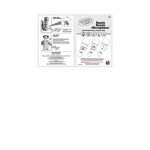
f your Bugsby pen stops working or does not turn on:
• Check your batteries. Make sure the batteries are fresh and
properly installed.
• Insert the tip of a paper clip (or a similar
object without a sharp tip) into the small
hole at the left side of the unit labeled
“Reset.”
• If you are still having problems, visit
our website at www.vtechkids.com for
troubleshooting tips.
2. If after pressing the On/Off button, nothing
happens:
• Check to see that inserted batteries are
aligned correctly.
Reminder:
For best performance, please make sure to turn the unit off before
inserting or removing a cartridge. Otherwise, the unit may malfunction.
If this happens, and the unit does not respond to pressing the On/Off
button, remove the batteries and reinstall them. If the unit still does not
respond, insert the tip of a paper clip into the Reset button.
TECHNICAL SUPPORT
If you have a problem that cannot be solved by using this manual, we
encourage you to visit us online or contact our Consumer Services
Department with any problems and/or suggestions that you might have.
A support representative will be happy to assist you. Before requesting
support, please be ready to provide or include the information below:
• The name of your product or model number (the model number is
typically located on the back or bottom of your product).
• The actual problem you are experiencing.
• The actions you took right before the problem occurred.
Internet: www.vtechkids.com
Phone: 1-800-521-2010 in the U.S. or 1-877-352-8697 in Canada
TECHNICAL SUPPORT
TROUBLESHOOTING
5