1
P12
Using the iBT29
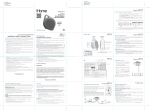
Pairing Your Bluetooth Device
Pairing is the set-up process to introduce your Bluetooth-capable device to the iBT29. Once your device is
paired, the iBT29 can recognize it and you can play your audio through it.
1. Make sure your Bluetooth device is fully charged. Turn on your Bluetooth device and make it “discoverable”
by turning on Bluetooth mode (check in Options or Settings).
2. Press the Power/Alarm Reset Button to turn the unit ON.
3. Press and release the Mode Button as needed until “BLUETOOTH” appears on
the display.
4. Press and hold the Bluetooth Pairing Button for 2 seconds. The iBT29 will beep and
the Bluetooth icon will flash on the display, indicating the iBT29 is in pairing
mode. If light mode is on, the cabinet will flash blue and red.
5. “iHome iBT29” should appear in your device’s Bluetooth menu. If “Not Paired”, “Not Connected” or similar
message appears, select “iHome iBT29” to connect it. If prompted for a passcode, enter “1234” on your
device’s keypad.
For iPhone
iHome iBT29
iHome iBT29
For other
iHome iBT29
iHome iBT29
6. When pairing is successful, the Bluetooth icon
will appear solid, cabinet lights will flash blue two times
(if light is on) and 2 beeps will sound, indicating the iBT29 is ready to play music. There should also be
an indication on your device. If no device is successfully paired within 3 minutes the iBT29 will default to
previous mode. Once the iBT29 is paired to a device, when powered on and in Bluetooth mode, it will
attempt to autolink when the device is within range (about 30 feet).
11