1
Specifications
General Specifications
Input Line Voltage
Switching Interval
Max Output Current
Max Resistive Load
Max Lighting Load
Max Motor Load
Memory Backup
Dimensions
Weight
120VAC (60Hz)
1 minute minimum
15A (resistive load); 8A (lighting load)
1800W (15A x 120VAC)
960W (8A x 120VAC)
1 Hp
One 1.5VDC Type N battery
4x2x2" (104x54x51mm)
5.25 oz. (150g)
Operation
AM
Set the Real-Time Clock
Mo
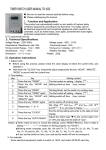
1. Day Set: Hold down the CLOCK button and
press the WEEK button until the correct day
appears at the top of the display.
12:0000
2. Time Set: Hold down the CLOCK button and press the HOUR button until the display
indicates the correct hour. You may have to cycle through the hours twice to obtain the
proper AM or PM (on the left side of the display).
3. Hold down the CLOCK button and press the MIN button until the display indicates the
correct minutes. Seconds will automatically reset to zero.
Set the Power ON/OFF Timers
ON
1. Push the PROG button once. 1 will appear near the lower left corner of the display to
indicate the the first power-on time is ready to be programmed.
2. Press the HOUR and
MIN buttons to enter
your first desired
power-on time.
AM
|ON
Mo TU WE TH FR SA SU
AM
____
AM
3. Press the WEEK button to select
the desired day. These days appear
along the top of the display. If “Mo
Tu We Th Fr Sa Su” all appear on
the display, these days all have the
same power-on time. You can
select “Mo Tu We Th Fr” as a
group, “Sa Su” as a group, or a
single day.
|ON
AM
|ON
12:0000
|ON
AM
Mo TU WE TH FR SA SU
12:0000
AM
WE
AM
2
TU
12:0000
Mo TU WE TH FR
|ON
AM
|ON
12:0000
|ON
SU
12:0000
Mo
|ON
12:0000
AM
|ON
Mo TU WE TH FR SA SU
12:0000
SA SU
12:0000
V1.1 3/04