1
Wireless LAN Access Point Configuration
•
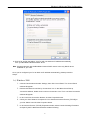
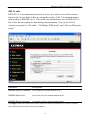
IP Address: Select Specify an IP Address. Specify the IP Address and Subnet Mask
as following example.
9
IP Address: 192.168.2.3 (any IP address within 192.168.2.2~192.168.2.254 is
available, do not setup 192.168.2.1)
9
Subnet Mask: 255.255.255.0
8. Reboot the PC. Your PC will now have the IP Address you specified.
1b) Windows XP
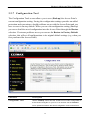
1: Click the Start button and select Settings, then click Network Connections. The Network
Connections window will appear.
2: Double-click Local Area Connection icon. The Local Area Connection window will appear.
3: Check your list of Network Components. You should see Internet Protocol [TCP/IP] on your list.
Select it and click the Properties button.
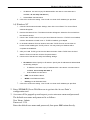
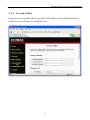
4: In the Internet Protocol (TCP/IP) Properties window, select Obtain an IP address automatically and
Obtain DNS server address automatically as shown on the following screen.
7