1
Sim Traffic
Software Requirements Specification
An-Chun Pai
Jonathan Danaparamita
Lisa Permatasari
Lu Sien Tan
Steven So
CSE 403
Spring 2009
Product Description
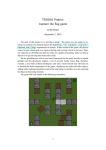
SIM Traffic will be a puzzle game that simulates traffic situations. SIM Traffic will let users
manage traffic by placing traffic lights, stop signs, and various objects in the road map and set
the traffic light timers. SIM Traffic has different levels of difficulties that users have to complete
before they can go to the next level. In order to accomplish the task, the user has to ensure that
the number of cars that wait for too long does not exceed the limit which depends on the level of
difficulties within a given amount of time.
This software is designed for people of all ages and people from all walks of life. In SIM Traffic,
players control the traffic by managing various traffic objects. While a lot of work and thinking
is put into setting up these objects, players will obtain satisfaction once they manage to come out
with a working traffic system. One common approach that players may use to solve harder traffic
scenarios is through a trial and error method. This will keep the players busy but entertained by
trying out new things.
A lot people complain about how traffic signs are laid out, but not many people are aware of the
fact that traffic management is complicated. By going through the game ranging from simple
scenarios to difficult and complex real-world like scenarios, players will realize that real world
traffic management can be even more difficult. Consequently, players may express more respect
towards city planners and traffic engineers.
There are only few traffic planning games. Most of those that are related to road traffic usually
do not focus on simulating or managing traffic. Instead, they are usually casual games which
don’t involve a lot of problem-solving thinking as we would experience in a typical simulation
game. A good example of a typical traffic-related game is Traffic Control, a web-based game.
Players’ only role is to click on the traffic lights to change them from green to red, and vice
versa, in order to keep the traffic flowing. It focuses more on other gameplay elements, such as
user’s reaction skills. Users of SIM Traffic have to take road conditions and traffic conditions
into account to decide the time for traffic lights in each intersection to achieve the goal. This is
much more intellectually challenging than Traffic Control.
Another similar game to SIM Traffic is Traffic Giant. Traffic Giant is a complex game and also
requires problem-solving to create a working public transportation system. The graphics are
really detailed but the UI is not clear to the user. For example, after adding a bus, the user cannot
detect a new bus on the map and will not know what really happens, and the vehicles and
pedestrians sometimes disappear and appear out of nowhere. SIM Traffic is more realistic and
will have an intuitive and easy to understand user interface. Players can focus more on managing
traffic and spend less time trying to find the right buttons to click.
To help users to be oriented with the game, they will be provided with a user manual and they
can try the tutorial – level 0, which will guide them through the basics of the game.
Feature List
Feature List
FEATURE
STATUS
Bird's eye view
BETA
Road condition change as level of difficulty change
BETA
Tutorial level
BETAFeature-Complete
Simulate real traffic
BETA
Different car color represents the car's status
BETAFeature-Comlete
Restart the simulation
BETABETA
Place/remove traffic signs
BETA
Navigate the map with scroll bar
BETA
Display of game status
BETA
Display of traffic sign status
BETA
Mini-map
BETAFINAL
Hot key
FINAL
Save/Load the level
FINAL
View traffic signs status during simulation
FINAL
Navigate the map with hand cursor
FINAL
Navigate the map by using mini-map
FINAL
Pop-up window for traffic light configuration
FINALBETA
Fast-forward
FINAL
Stop Signs
FINAL
Pop-up window for picking various kinds of traffic signs
FINAL
Game over / level transition window
FINAL
Bus route handler
STRETCH
User name for saving
STRETCH
Different type of vehicles
STRETCH
Zoom in / zoom out by using mouse scroll wheel
STRETCH
Map creator
STRETCH
Group Dynamics
Each of our member is assigned to some roles as the following. The reason for choosing each
role is also listed below each assignment.
Feature List
Project Manager – Angela
The project manager will have ultimate responsibility for the overall progress of the project. This
includes making sure the team meets the deadlines and the final product satisfies the
requirements.
Game Designer – Lu Sien
Game designer is a person who designs gameplay and decide the structures of the game. Since
our product is a game, having someone exclusively for designing the gameplay is important.
UI Designer – Jonathan
We need the UI designer because a user-friendly UI design will enhance the players’ experience
with the game. UI plays a crucial role in the software that’s why we want a person to be in
charge of it.
Lead Developer – Steven
The lead developer will oversee the work done by the developers and is also responsible for the
underlying architecture of the software.
Lead Tester - Lisa
We choose to include a lead tester in our team because we need someone to coordinate the
testers such that testing can be performed more efficientlyWe choose to include a lead tester in
our team because we need someone to coordinate the testers such that testing can be performed
more efficiently.
Integrators – Everyone
Programmers – Everyone
Testers – Everyone
The roles will differ for different parts of the projects because we only have five members in our
team and all of us will be programmers, integrators and testers at different stages, and each of
our members is assigned to a specific leading role and takes responsibility for that part of the
project. If a disagreement occurs, we will list all the advantages and the disadvantages, and then
we will make a decision based on those.
Software Toolset
Programming Language
API
PGUor GTK
Bug Tracker
Version Control
IDE
: Python
: PyGame and
: Google Spreadsheet
: SVN
: Eclipse with Python plug-inNone
Schedule
Task Milestone
Paper Prototype
Learn Python
Set up MS Project
Polish Game Design
Polish UI Design
Cars logic/algorithm
Design software structure
Set up SVN/IDE/BugTracker
Design maps for levels
Implement car logic
Implement the levels
Implement the objects
Implement game rules
UI: Frames
UI: Display Info
UI: Object Details
UI: Minimap
Event Handling
Integration
Testing
Beta Release
User Feedback
Improve based on user
feedback
Implement pick sign pop up
window
Implement stop sign
Vehicle intersection logic
Feature-Complete Release
Implement final features
Release candidate
Testing/ Final check / stretch
Final Release
Estimated Date Due
Effort
3 days
Friday, 04/17/09
2 days
Sunday, 04/19/09
1 day
Sunday, 04/19/09
1 day
Monday, 04/20/09
1 day
Monday, 04/20/09
3 days
Thursday, 04/23/09
3 days
Thursday, 04/23/09
1 day
Thursday, 04/23/09
1 day
Friday, 04/24/09
3 days
Monday, 04/27/09
3 days
Monday, 04/27/09
3 days
Thursday, 04/30/09
3 days
Thursday, 04/30/09
1 day
Friday, 05/01/09
1 day
Friday, 05/01/09
2 days
Sunday, 05/03/09
3 days
Monday, 05/04/09
2 days
Wednesday, 05/06/09
3 days
Monday, 05/11/09
3 days
Thursday, 05/14/09
Thursday, 05/14/095/15/09
1 2 day
Friday, 05/15/09 Monday,
05/18/09
2 44 days S
unday, 05/17/09
TuesdayFriday, 05/1922/09
2 days
Thursday, 05/22/09
Personnel/Subgroup
2 days
3 days
1 day
5 7 days
1 day
3 4 days
Lu Sien
Angela
All
All
All
All
Friday, 05/22/09
Friday, 05/22/09
Friday, 05/22/09
Friday, 05/2229/09
Friday, 05/29/09
Monday, 05/25/09 Friday,
05/29/09
Monday, 05/25/09
Wednesday, 06/03/09
All
All
Angela
Lu Sien, Steven, Angela
Jonathan, Lisa
Lu Sien, Steven, Angela
All
Steven, Jonathan, Lisa
Lu Sien, Steven, Angela
Lu Sien, Steven
Lisa, Jonathan, Angela
Angela, Lisa
Lu Sien, Jonathan, Steven
Lu Sien, Angela, Lisa
Jonathan, Steven
Angela, Lu Sien, Jonathan
Steven, Lisa, Lu Sien
Lisa, Angela, Lu Sien
All
All
All
All
All
Lu Sien
All
Schedule
Risks Summary
Risk
Unable to meet
deadlines
Lack of
Chance of
Occurrence
Medium
Medium
Impact
High
High
Steps to Reduce the Risk
• Better schedule
organization
Anticipation
• Reduce the final
features
• Make sure that
the basic features
are completed
• More time to learn about • Use other
knowledge /
experience with
the tools /
languages being
used
Clients request
for more final
features
User unable to
use the software
the tools / languages
Medium
Low
Medium • More communication
with the clients
High
framework /
language that this
more adaptable
• Try to fit in the
request in our
schedule
• More discussion with the
project members
• Have level 0 for tutorial • Provide support
level
contact information
• Written manual
• FAQ
Unable to meet deadline
Being unable to meet the deadline will have the biggest impact for the project team as we will
not be able finish implementing the requirements. It may worsen the performance of the software
significantly and surely affect the overall quality of the software.
Lack of knowledge / experience with the tools / languages being used
Team member’s lacking knowledge of the tools or languages will also have a high impact on the
project. It may reduce the quality of the software and slow the other members down. The worst
case scenario is that we may have to change the framework, the programming language, or any
other tools that we use in the middle of our progress. In that case, we will have to redo the work
that we have done so far and it will most likely lead to the risk of not being able to meet the
deadline.
Clients request for more final features
Since clients’ satisfaction is our highest priority, we intend to try our best to allocate enough time
to implement all extra features that are requested by the clients. This will require us to estimate
the extra time needed to implement the requested features and we may need to reschedule since it
may interfere with our original plan.
User unable to use the software
Not being able to use the software will have a very big impact for the user. However, this case
will rarely occur because there will be a written manual and tutorial for user help.
For risk reduction, getting feedback from users after paper prototype, beta release, and final
release will be the most useful. Paper prototype will provide us with an early feedback, hence
ensures that our UI meets the players' preferences. User feedback after beta release offers
information about possible bugs and what features we might want to modify or add for our final
release. Lastly, user feedback after the final release will again help us in catching bugs and direct
us in designing upcoming extensions for our product.
Use Cases
Use Case (Placing the Traffic Signs)
Goal
User wants to place a traffic sign on an intersection
Primary Actor
User
Scope
Game System
Level
User
Precondition
User is currently in the game
Success End Condition
Traffic sign is placed and timer for traffic light is set
Failure End Condition
Traffic sign is not placed
Trigger
User clicks on an intersection
Main Success Scenario
1. User clicks on the intersection
2. System presents component pick sign window
3. Choose a type of traffic signs to be placed
4. Set the timer, if traffic light is chosen
5. System places the traffic sign on the chosen
intersection along with its pairs (eg traffic
signs will be placed on all intersection cells
in the same intersection block)
Extensions (Error Scenarios) 4a. Timer is not set
4a.1. The intersection will be shaded
4a.2. Assume there is no traffic signs on that
intersection
4b. Insert negative number for the timer
4b.1. System presents a warning message on the game
status display
4b.2. User re-enter the time
Variations (Alternative
1a. User presses a hot key to choose an intersection
Scenarios)
Use Case (Setting the Hotkey)
Goal
Primary Actor
Scope
Level
Precondition
Success End Condition
Failure End Condition
Trigger
Main Success Scenario
Extensions (Error Scenarios)
Variations (Alternative
Scenarios)
Setting up the hot key
User
User Interface
User
User is currently in the game
Hot key is saved
Hot key is not saved
User clicks on an intersection
1. User clicks on a traffic sign
2. User presses CTRL + [F1-F10]
3. This hot key is now mapped to chosen traffic sign
2a. User hasn’t select either an intersection or traffic sign
3a.1. Hot key won’t be saved
2b. The hot key has been used
2b.1. The hot key will be replaced
Use Case (Removing Traffic Sign)
Goal
Primary Actor
Scope
Level
Precondition
Success End Condition
Failure End Condition
Trigger
Main Success Scenario
Extensions (Error Scenarios)
Variations (Alternative
Scenarios)
Removing traffic sign
User
Game System
User
User is currently in the game
Traffic sign is successfully removed
Traffic sign is not removed
User clicks on an intersection
1. User clicks on a traffic signan intersection cell
2. The information of the corresponding traffic sign will
be shown in the component window
3. User clicks on remove button
4. The chosen traffic sign is now removed
1a. User doesn’t click on an intersection
1a.1. Nothing will happen
1b. There’s no traffic sign on the intersection
1b.1. Component window won’t appear
None
Use Case (Changing the Traffic Light’s Timer)
Goal
Changing the timer for traffic light
Primary Actor
User
Scope
Game System
Level
User
Precondition
User is currently in the game
Success End Condition
The changed timer will be saved
Failure End Condition
The timer won’t be changed
Trigger
User clicks on an intersection
Main Success Scenario
1. User clicks on an intersection cell containing traffic light
2. User clicks on configure
3. Traffic light configuration window will appear
2. Traffic light window will appear
43. User inserts change timer for red and green lights for the
chosen traffic light
54. User clicks on the "okay" button
65. Timer for this traffic light is now updated
Extensions (Error Scenarios)
1a. User does not click on a traffic light
1a.1. Nothing will happen, traffic light window won’t
present
3a. User inserts negative number
3a.1. Warning message will appear on the game status
display
3a.2. User retries to insert valid positive number
Variations (Alternative
Scenarios)
4a. User presses "enter"
Our use cases cover the important scenarios of the game software because in order to complete
the task, users need to place the traffic signs and set timer for them. For usability, user can also
remove the traffic signs and use the hotkeys. And all these are included in our use cases.