1
500 Series
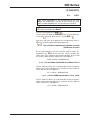
14.1.4. PRINTING PROBLEMS
The following problems and error messages may arise in relation
to the printing of receipts and self-adhesive labels:
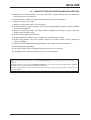
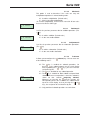
THE QUALITY OF THE PRINTING IS NOT UP TO STANDARD
• Adjust the parameters for contrast in the printer in section.
11.4. PROGRAMMING PRINTING PARAMETERS.
• Wipe the thermal head with a dry cloth.
THE RECEIPT IS NOT FULLY PRINTED
•
Set the parameter END OF RECEIPT LINES (see section
11.4.2.2 END OF RECEIPT LINES)at a value other than
zero.
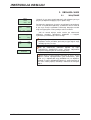
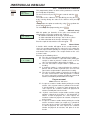
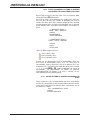
THE LABEL IS NOT PRINTED
•
•
•
•
Register the sales assistants. (See section 4.1
REGISTERING SALES ASSISTANTS)
Check that the selected item is registered.
Check that the labelling machine is correctly set-up. (See
section 11.4 PRINTING PARAMETERS.
Check that the self-adhesive label paper is correctly in place.
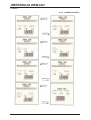
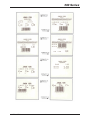
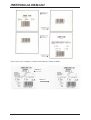
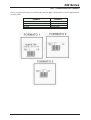
THE LABEL IS NOT PRINTED IN THE REQUIRED FORMAT
• Check the label format and size. (See section
4.1..REGISTERING)
THE FIRST LINE OF THE LABEL DOES NOT CORRESPOND
WITH THE PLU
• Check that the value of the parameter for headings is 2. (See
section 11.4.1.4.HEADING)
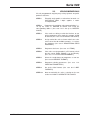
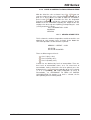
THE EURO FIELD IS EITHER INCORRECT OR FAILS TO
APPEAR
• Check section 5.1.3 CONF. TYPE OF RECEIPT in the
MANUAL.
• Check that the label format incorporates the sections dealing
with the Euro. (See section 9.1.1 PROGRAMMING LABEL
FORMATS).
• Check the current phase of the EURO. (See section 11.1.7
PROGRAMMING EURO)
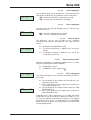
LABEL ERROR
• Replace the reel of self-adhesive labels with a new one.
PAPER ERROR
•Change the thermal paper reel.
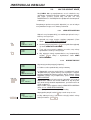
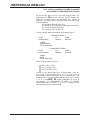
14.1.5. PROBLEMS WITH THE SCREEN AND KEYBOARD
The following problems may arise in relation to the display and the
keyboard:
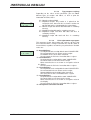
THE SALES ASSISTANTS’ KEYS DO NOT WORK
• Register the sales assistants. (See section 4.1
REGISTERING SALES ASSISTANTS)
• Check that the items used in the operation are all registered.
49-MH000EN04
113