1
SETUP EXAMPLES - “LIVE”
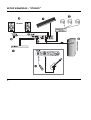
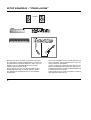
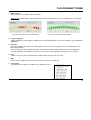
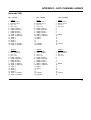
This example illustrates how Konnekt integrates perfectly
in a live setup. The objects in a live setup could be:
•
•
•
•
•
DAW/laptop as source for playing audio-files.
Headphones for undisturbed monitoring using the
OUTPUT level control for separate headphones level.
Microphone for vocals utilizing Konnekt IMPACT™
pre-amps and e.g. the Fabrik C channel strip*.
MIDI keys for additional keyboards and/or program
changes.
Distribution to PA (amp-speakers) using the SOURCE
level control as separate level control.
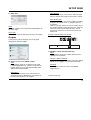
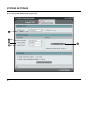
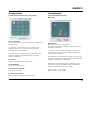
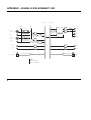
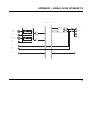
Connect all devices according to the illustration above.
Remember to activate phantom power if you are using a
condenser microphone. Also note that outputs 3/4 in this
setup are used as main outs to PA.
Advantage of this setup
This setup enables you to route different signals to the
headphones and PA system via the DAW. This is useful
for numerous purposes. E.g. for excellent cue monitoring
for DJs as well as individual level control of the two
signals.
* Konnekt 24D only
19