1
Product Overview
WRT 1900AC
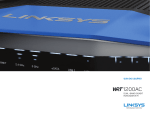
FRONT PANEL INDICATORS
(White) The power LED is solid white while the router is powered on. It will blink when
the router goes through its self-diagnostic mode during every boot-up.
Internet
(White/Amber) The Internet LED is solid white when connected to the Internet. It
blinks white while the router works to establish a connection. A solid amber LED
indicates the connection is down due to configuration issues. Amber blinking
indicates that the connection is down due to hardware issues.
2.4 GHz
(White) The Wireless LED is solid white when one or more clients are connected to
the 2.4 GHz network. If the LED is blinking white, the router is sending or receiving
data over the 2.4 GHz network.
5 GHz
(White) The Wireless LED is solid white when one or more clients are connected to
the 5GHz network. If the LED is blinking white, the router is sending or receiving
data over the 5 GHz network.
eSATA
(White) When off, the USB/eSATA port is off or a USB device is connected. The LED
is solid white when an eSATA device is connected. A blinking white LED indicates
activity through the eSATA port.
Front View
ETHERNET
Primary Indicators
USB 1
(White) When off, the USB /eSATA port is off or an eSATA device is connected. The
LED is solid white when a USB device is connected. A blinking white LED indicates
activity on the port.
USB2 Primary
(White) When off, the USB 3.0 port is off. The LED is solid white when a USB device
is connected. A blinking white indicates activity on the port.
USB2 Secondary
(White) When off, a USB 1.0 or USB 2.0 device is connected. A solid white LED
indicates a USB 3.0 device is connected.
Front Panel
USB 2
USB 2
Primary Indicator Secondary Indicator
WRT 1900AC | Product Overview
ETHERNET
Secondary Indicators
ETHERNET 1 thru 4 (Primary)
(White) These numbered LEDs correspond with the numbered ports on the router’s
back panel. If the white LED is solid, the router is connected to a device through that
port. A flashing white LED indicates network activity over that port.
1