1
LaCie 5big Network
User Manual
Table of Contents
page 2
4.5.5. Disks.................................................................................................................................... 39
4.5.6. Status................................................................................................................................... 41
4.5.7. Maintenance......................................................................................................................... 41
4.5.8. System Log........................................................................................................................... 44
4.5.9. Wake on LAN (WOL)............................................................................................................. 45
4.6. Download...................................................................................................................................... 46
4.7. Backup.......................................................................................................................................... 47
4.8. Browse........................................................................................................................................... 48
4.9. Import (Snapshot)............................................................................................................................ 48
4.10.Multimedia..................................................................................................................................... 49
5. RAID and Disks............................................................................................................ 50
5.1.
5.2.
5.3.
5.4.
5.5.
5.6.
5.7.
Changing the RAID Level................................................................................................................. 50
RAID 0........................................................................................................................................... 51
RAID 5........................................................................................................................................... 52
RAID 5+Spare................................................................................................................................ 53
RAID 6........................................................................................................................................... 54
RAID 10......................................................................................................................................... 55
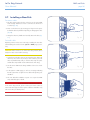
Installing a New Disk....................................................................................................................... 56
6. LED Indicators............................................................................................................. 57
7. Email Notification Triggers.......................................................................................... 58
8. Troubleshooting.......................................................................................................... 59
9. Contacting Customer Support...................................................................................... 61
8.1. LaCie Technical Support Contacts.................................................................................................... 62
10. Warranty Information................................................................................................ 63