1
Changing Favorite Color Modes
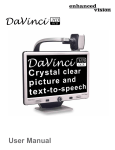
The DaVinci provides 28 selectable Color Select Modes and allows
selecting up to 5 favorites for use. The following directions can be
used to change the favorite color modes on your DaVinci.
1. Press the “[Find]
and
[Mode]”
buttons located on
the DaVinci Front Panel, or
“[Find]
and [Mode Up]”
on the Control Console, to enter
the Menu.
2. Turn the [Zoom Wheel]
clockwise until “Color Mode
Selection” is highlighted
3. Press the [Find]
button to select the
“Color Mode Selection” sub menu.
4. Turn the [Zoom Wheel]
until the desired Color
Select Mode is highlighted.
5. Press the [Find]
color mode.
button to select or deselect the highlighted
6. Once 5 Color Select Modes have been selected no other color
modes can be selected. To choose another Color Select Mode,
deselect one of the 5 Color Modes previously selected.
Using DaVinci
21