1
Contents
Chapter 1 Getting Started
1.1
1.2
1.3
1.4
1.5
1.6
1.7
1.8
1.9
1.10
1.11
1.12
Important Safeguards..........................................................1
Regulatory Notice................................................................2
Package Contents...............................................................3
Before Installation...............................................................4
Unpacking...........................................................................4
Optional Accessories...........................................................4
Peripheral Products.............................................................5
Structure Diagram...............................................................6
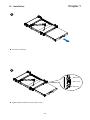
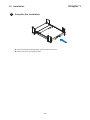
Installation.....................................................................7-12
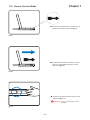
How to Use the Slide........................................................13
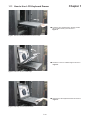
How to Use LCD Keyboard Drawer..................................14
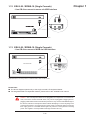
(5LS-20 / (5WS-19 (Single console)
- Use CB-6 to connect to server via USB interface..........................15
1.13 (5LS-20 / (5WS-19 (Single console)
- Use CB-6 to connect to KVM via USB interface............................15
1.14 (5L-20 / (5W-19 (Single console)
- Use CE-6 to connect to server via PS/2 interface.........................16
1.15 (5L-20 / (5W-19 (Single console)
- Use CE-6 to connect to KVM via PS/2 interface..........................16
1.16 (5L-20 / (5W-19 (Single console)
- Use CE-6 to connect to server via USB interface...........................17
1.17 (5L-20 / (5W-19 (Single console)
- Use CE-6 to connect to KVM via USB interface............................17
Chapter 2 Operation
2.1
2.2
On-6creen Display Operation............................................18
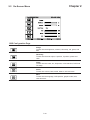
On-6creen Menu...............................................................19
Chapter 3 Standard Specification
3.1
3.2
3.3
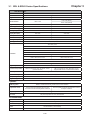
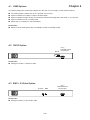
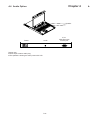
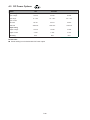
Specifications..............................................................20-21
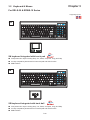
Keyboard & Mouse......................................................22-24
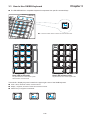
How to Use “N” Keyboard...............................................25