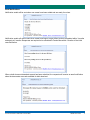
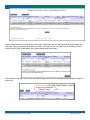
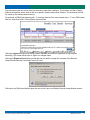
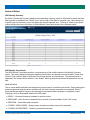
1
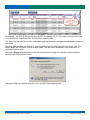
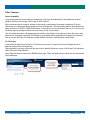
Servicer REAM Deficiency Billing System (SRDBS) User Manual September 2014 V3.0 © 2014 Fannie Mae. Trademarks of Fannie Mae. 9.26.2014 Table of Contents PURPOSE ............................................................................................................................................................................... 3 OBJECTIVES.......................................................................................................................................................................... 3 ACCESSING SRBDS 3.0 ....................................................................................................................................................... 3 Gaining Access to AMN ...................................................................................................................................................... 3 Launching the SRDBS Application ..................................................................................................................................... 3 HOA AND TAX DEFICIENCY ................................................................................................................................................ 4 Process Flow ...................................................................................................................................................................... 4 Monthly Summary ............................................................................................................................................................... 4 Reconciliation Detail Summary ........................................................................................................................................... 5 Case Reconciliation ............................................................................................................................................................ 6 Supporting Documents ....................................................................................................................................................... 7 Response History................................................................................................................................................................ 8 Document Download .......................................................................................................................................................... 8 Processing Case Responses ............................................................................................................................................ 10 Process Flow Diagram ...................................................................................................................................................... 11 SERVICER INDEMNITY BILLINGS ..................................................................................................................................... 12 Servicer Indemnification Monthly Summary ..................................................................................................................... 12 Servicer Indemnification Monthly Case Detail .................................................................................................................. 12 Case status ................................................................................................................................................................... 12 Servicer Indemnification Case Detail ................................................................................................................................ 15 Responding .................................................................................................................................................................. 15 Upload Documents ...................................................................................................................................................... 16 Existing Supporting Documents ................................................................................................................................ 16 Back to Summary......................................................................................................................................................... 16 Download the Indemnification Invoice Template: .................................................................................................... 16 Processing Case Responses ............................................................................................................................................ 16 NOTICE OF DEFECT ........................................................................................................................................................... 17 NOD Monthly Summary .................................................................................................................................................... 17 NOD Monthly Case Details ............................................................................................................................................... 17 Case status ................................................................................................................................................................... 17 NOD Case Details............................................................................................................................................................. 20 Responding .................................................................................................................................................................. 20 Upload Supporting Documents .................................................................................................................................. 20 Existing Support Documents ..................................................................................................................................... 21 Processing Case Responses ............................................................................................................................................ 21 OTHER FEATURES ............................................................................................................................................................. 22 Search Capability .............................................................................................................................................................. 22 Go To Screen.................................................................................................................................................................... 22 GLOSSARY .......................................................................................................................................................................... 23 ADDITIONAL INFORMATION.............................................................................................................................................. 23 Document Change Control Log ........................................................................................................................................ 23 © 2014 Fannie Mae. Trademarks of Fannie Mae. SRDBS User Guide 2 Purpose Fannie Mae notifies servicers of HOA and tax deficiencies paid at REO closing, Notice of Defect in Title, and Servicer Indemnification billing issues. The SRDBS Web application allows servicers to view and respond to these notification and issues at the loan level. Objectives The objectives of this document are to provide users with the necessary information to: access AMN as well as SRDBS 3.0 understand the process/page flow of the SRDBS 3.0 application; understand the fields on the various screens; perform specific functions Accessing SRBDS 3.0 To access SRDBS 3.0, users will first log into Asset Management Network (AMN). A link to SRDBS 3.0 will be available on the AMN home screen. When selected, users must enter an additional set of credentials to be granted access to SRDBS 3.0. Gaining Access to AMN Registration, support and additional information for AMN can be located on the fanniemae.com website at the following link: https://www.fanniemae.com/singlefamily/asset-management-network. Once registered, AMN can be accessed via https://amn.efanniemae.com/AMN/control. Launching the SRDBS Application The link to access the SRDBS application is available on the AMN website. Once access is granted through proper registration, re-authentication will be required when accessing the application to allow only authorized users entry to the site. Both the User ID and Password are case sensitive © 2014 Fannie Mae. Trademarks of Fannie Mae. SRDBS User Guide 3 Once the user is successfully authenticated, the home page will appear. The options listed will depend on the users access. Only the options available to that user will be displayed. For example: if the user is authorized only on HOA and TAX deficiency, only that option will be displayed, Servicer Indemnity Billings and Notice of defects options will not be displayed. HOA and TAX Deficiency Process Flow The SRDBS Application aggregates dispositions by Calendar year and Month. Monthly dispositions and associated case level meta-data will continually be aggregated until monthly REO disposition processing is completed, which is followed by the creation of a new month or Year of data compilation. Yearly data is aggregated on an annual calendar year basis. Cases with deficiencies paid at closing are added each day after disposition occurs. Monthly Summary The Monthly Summary screen is the first screen after selecting HOA and TAX Deficiency from the Select Application page. The Monthly Summary displays amounts by month within the current calendar year. A dropdown box (“Select Year”) is loaded with all prior years containing data. Selecting a year from the dropdown box will reload the Monthly Summary screen and display the selected calendar year. The values in the “Month” column are hyperlinks taking the user to the Detail Summary screen for the selected period. © 2014 Fannie Mae. Trademarks of Fannie Mae. SRDBS User Guide 4 NOTE: As cases within each month are processed, summary totals will update accordingly until the monthly invoice is completed by Fannie Mae Reconciliation Detail Summary The Detail Summary screen is a case summary of the month selected in the Monthly Summary screen. This screen displays all available transactions within the monthly deficiency bill, by type and amount. The selected monthly period is displayed in the screen title for reference. The “Submit” button processes the selected checkboxes on the left side. Upon initial access to monthly summaries, the case level data will auto-filter to only those cases in ‘ready’ status. © 2014 Fannie Mae. Trademarks of Fannie Mae. SRDBS User Guide 5 The on screen details and status are designed to process cases in a workflow environment. Cases entering the system progress through status states until the REO Case has been processed and completed. Each of these statuses has specific functions and accesses to accomplish tasks necessary for the reconciliation. • INITIAL • READY • SUBMITTED • RELOOK • CLOSED SRDBS database has been loaded with Case Reconciliation data values, but lacks supporting documentation. Deficiency document link has been added to SRDBS and case is now Ready for servicer review as case level data values and supporting documentation is available. Servicer has responded to the case deficiency values by entering an amount and response and submitting to Fannie Mae for review. Fannie Mae will approve the response or resubmit back to the servicer for additional review. NOTE: Cases will not progress to Submitted status unless a response has been provided for all deficiency amounts. Fannie Mae is obtaining updated documentation to support the deficiency amount billed. The Case History will store comments regarding any changes made. Reconciliation has been accepted and case is closed. Case Reconciliation The Case Reconciliation Detail screen displays all of the loan level transactional detail for servicer review and response. Servicers have access to review and provide responses on all cases in “READY” status. © 2014 Fannie Mae. Trademarks of Fannie Mae. SRDBS User Guide 6 Approved Amounts are the total delinquent amounts paid on the HUD by Fannie Mae. Deficiency Amounts are the amounts billed to the servicer. This includes all penalties, late fees, interest, and attorney fees charged due to untimely payment. The “Agreed to Pay” field is the field to enter the agreed upon reimbursement amount(s). A Response dropdown selection (“Accept”, “Rebut”, “Settle”) is required once an amount has been entered. If the Response selection is other than “Accept”, a secondary selection is required from the Rebuttal/Settle Reason dropdown box. If it is agreed upon to pay the total amount billed, the selected response must be ‘Accept’ If the total amount billed is not the amount agreed to pay, the selected response must be ‘Settle’ with an additional rebuttal/settle reason selected. If no amount is agreed to pay, the selected response must be ‘Rebut’ with an additional rebuttal/settle reason selected. The entries will be validated and submitted to the Fannie Mae through the “Submit” button. A Response text box is provided on the bottom of the screen to provide free form comments associated with the case and is also utilized to exchange details with Fannie Mae regarding submitted responses. The “Add” button is provided to insert a comment independent of the reconciliation screen. Otherwise, the “Submit” button will include the Response comments in the database update. Once all responses are provided and accepted, the monthly invoices will be locked and in completed status. Once in complete status, Fannie Mae will finalize and approve the invoice and notify you of this completion and approval. Upon receipt of the approval email and finalized invoice, please remit payment to Fannie Mae via Cash Remittance System within 30 days under remittance code 322. Supporting Documents Clicking the “Supporting document(s)” button on the Case Reconciliation screen will display the Supporting documents screen. This screen allows the user to view existing supporting documents and to upload additional supporting documents. © 2014 Fannie Mae. Trademarks of Fannie Mae. SRDBS User Guide 7 Response History Clicking the “View History” button on the Case Reconciliation screen will display the Response History screen. This screen will display all of the comments associated with the case. The response history will house all communication between Fannie Mae and the servicer on a case level basis. Document Download The Document Download screen is only accessible from the “Go to Screen” menu located in the header. This screen will display all of the Document Download requests. The screen will provide access to the downloadable zip file and the REO ID’s contained in the file. Bulk download of documents can be selected from the monthly summary screens. Once submitted, the bulk request will be processed and an email will be sent to the requestor when the documents are available. © 2014 Fannie Mae. Trademarks of Fannie Mae. SRDBS User Guide 8 Email Notifications Notification emails will be sent when new cases have been added and are ready for review. Notification emails will also be sent when cases have begun to age without reviews completed within 3 months and again at 6 months. Responses are required to be submitted to Fannie Mae within 6 months of the initial case notification. When a bulk document download request has been submitted, the requestor will receive an email notification when the documents are made available for bulk download. © 2014 Fannie Mae. Trademarks of Fannie Mae. SRDBS User Guide 9 Processing Case Responses Upon receipt of notification email stating cases are ready for review, user will take the following steps: 1. Log into AMN and SRDBS 2. Select HOA and TAX delinquencies 3. If necessary, select the correct year 4. Select hyperlink for requested month from the homepage to view reconciliation detail by month 5. Select file in ‘ready’ status to load case reconciliation detail NOTE: User may utilize REO Search function in header to locate a specific file. 1. Provide an agree to pay amount and select a response from the drop down menu. a. If it is agreed upon to pay the total amount billed, the selected response must be ‘Accept’ b. If the total amount billed is not the amount agreed to pay, the selected response must be ‘Settle’ with an additional rebuttal/settle reason selected. c. If no amount is agreed to pay, the selected response must be ‘Rebut’ with an additional rebuttal/settle reason selected. d. If Settle or Rebut responses are chosen, user must enter a rebut/settle reason. Available reasons are as follows: i. Insufficient Documentation: Documentation provided does not support the amount requested for reimbursement. ii. Invalid Servicer Charge: Amount or partial amount requested for reimbursement is not a charge the servicer is responsible for maintaining. iii. Previously Paid: The deficiency charged has previously been paid by the servicer, resulting in a duplicate payment or duplicate partial payment. iv. Other (Add Response): If other is selected, user must add a response in the free form text response field. 2. Select submit button. Once both deficiency amounts have a response, file status will change to submitted status. 3. Fannie Mae will validate response and provide a response (acceptor response). Available responses: a. Accept Amounts – Fannie Mae has accepted the amount agreed to pay and case is now finalize and not available for any further changes. b. Resubmit – Fannie Mae has requested the servicer to re-review the case and provide an updated response. Fannie Mae may flag the file for ‘relook’ to provide updated documentation to support the deficiency amount billed, or provide additional clarification in the file history. Servicer will need to review the history notes to view any response from Fannie Mae for clarification when a re-review has been requested. NOTE: If re-submit is chosen and an additional review is requested, the file will change to ‘ready’ status and an email notification will be sent to notify the servicer the case is ready for review. Once all cases within a monthly invoice have been accepted, the monthly status will show as completed and will be read-only. Fannie Mae will finalize the invoice internally and notify the servicer once final approval has been obtained. The servicer then has 30 days from receipt of approval to remit the monthly payment to Fannie Mae. Servicers are to hold off on remitting payment until receipt of final approval via email. © 2014 Fannie Mae. Trademarks of Fannie Mae. SRDBS User Guide 10 Process Flow Diagram © 2014 Fannie Mae. Trademarks of Fannie Mae. SRDBS User Guide 11 Servicer Indemnity Billings Servicer Indemnification Monthly Summary The Monthly Summary screen is the first screen after selecting Servicer Indemnity Billings from the Select Application page. By default, The Monthly Summary displays total outstanding cases and summary of amounts by month for all months for which data has been provided. A dropdown box (“Select Year”) can be used to filter data for a specific year. Upon selection of a specific year, the Summary screen will display the selected calendar year. The values in the “Month” column are hyperlinks taking the user to the Servicer Indemnification Monthly Case Detail screen for the selected period. Servicer Indemnification Monthly Case Detail The Servicer Indemnification Monthly case details screen is a case summary of the month selected in the Monthly Summary screen. This screen displays information regarding Fannie Mae Loan Number, Servicer Number, Parent Corp, Violation, Sub Violation, Date of Notification, No of days opened, Case Status, Summary of Charges and Total Charges. The selected period is displayed in the screen title for reference. The “Submit” button processes the selected checkboxes on the left side. CASE ST AT US The on screen details and status are designed to process cases in a workflow environment. Cases entering the system progress through the various statuses until the Case has been processed and completed. Each of these statuses has specific functions and accesses to accomplish tasks necessary to complete the case. Following is a list of the possible statuses for NOD cases: READY – case is available for servicers with supporting docs RESPONSE – After the case is responded to by servicer REAFFIRM – Fannie Mae adds comments REAFFIRM WITH UPDATE – settlement is being offered REMOVED – The case is marked for removal from external display by FNM internal users CLOSED PARTIAL PAYMENT RECEIVED – analyst enters amount of funds received and marks “Accept the Case” and internal comments added by analyst supporting decision to negotiate © 2014 Fannie Mae. Trademarks of Fannie Mae. SRDBS User Guide 12 Cases can be sorted by clicking on the column titles. Clicking the column title a second time will reverse the sort order. Only one column can be sorted at a time. The user can sort on: FNM Loan #, Servicer #, Parent Servicer name, Date of Notification, No of days opened and Case Status. The numbers at the top of the monthly case details page can be used to navigate between pages of cases for that month. © 2014 Fannie Mae. Trademarks of Fannie Mae. SRDBS User Guide 13 The text boxes under the column titles can be used to enter filter conditions. The Violation and Sub Violation fields have dropdown boxes used to filter on a specific Violation and/or Sub Violation. The text boxes will filter the cases by the starting character string. For example, all FNM Loan# starting with “1” would be returned if the user entered only a “1” in the FNM Loan# filter box, and clicked filter. Clicking Reset clears all filters. Clicking the Agree checkbox and clicking Submit indicates the servicer’s agreement to pay the given amount(s). This screen allows user to “Agree” on multiple cases. Clicking the Export to Excel button provide the user the ability to export the contents of the Servicer Indemnification Monthly Case Detail screen to Excel. Clicking on the FNM Loan Number takes the user to the Case Level Details Servicer Indemnification screen. © 2014 Fannie Mae. Trademarks of Fannie Mae. SRDBS User Guide 14 Servicer Indemnification Case Detail This case details screen displays all of the relevant case data, including: amounts, previous comments, supporting documents and provides entry fields for inputting comments and responding to the request. RESPONDING Agree is selected by default If the servicer agrees to pay the given amount, select the Agree response, add comments (optional) and then click Submit. If the servicer does NOT agree to pay the specified amount select the Disagree response, add comments (required) and then click submit. The revised amount fields are not accessible to servicer users at this time. See the Processing Case Responses section below for complete instructions. © 2014 Fannie Mae. Trademarks of Fannie Mae. SRDBS User Guide 15 UPLO AD DOCUM ENT S Supporting documents can be uploaded by clicking the browse button under Upload Documents the following file types can be uploaded: PDF, DOC, DOCX. EXIST ING SUPPORTING DOCUM ENTS These documents can be viewed by clicking on the document. It will appear as a PDF/DOC icon. BACK TO SUMM ARY This button will return the user to the Monthly Summary screen. DOWNLOAD T HE INDEM NIFICATION INVOICE T EMPL AT E: This button will open the invoice in a Microsoft Word format. Processing Case Responses 1. Log into AMN and SRDBS 2. Select Servicer Indemnification Billings 3. If necessary, select the correct year on the Monthly summary 4. Select the requested month from the Monthly Summary list to view Monthly Case Details. 5. Select file in ‘ready’ status to load case details NOTE: User may utilize REO Search function in header to locate a specific file. 6. Indicate Agree to pay or Disagree by clicking the corresponding radio button. a. If Agree is selected, add comments (optional) and any supporting documents b. If Disagree is selected, add comments (required) and provide any supporting documents. 7. Select submit. The file status will change to submitted. 8. Fannie Mae will validate response and provide a response. Once all cases within a monthly invoice have been accepted, the monthly status will show as completed and will be read-only. © 2014 Fannie Mae. Trademarks of Fannie Mae. SRDBS User Guide 16 Notice of Defect NOD Monthly Summary By default, The Monthly Summary displays total outstanding cases by month for all months for which data has been provided. A dropdown box (“Select Year”) can be used to filter data for a specific year. Upon selection of a specific year, the Summary screen will display the selected calendar year.. Clicking on values in the “Month” column will take the user to the Notice of Defect Monthly Case Detail screen for the selected month. NOD Monthly Case Details The NOD Monthly Case details screen is a case summary of the month selected in the Monthly Summary screen. This screen displays information regarding Fannie Mae Loan Number, Servicer Number, Parent Corp, Violation, Sub Violation, Date of Notification, No of days opened, and Case Status,. The selected period is displayed in the screen title for reference. The “Submit” button processes the selected checkboxes on the left side. CASE ST AT US The on screen details and status are designed to process cases in a workflow environment. Cases entering the system progress through the various statuses until the Case has been processed and completed. Each of these statuses has specific functions and accesses to accomplish tasks necessary to complete the case. Following is a list of the possible statuses for NOD cases: READY – Information becomes available for servicer review. RESPONSE – After the case is responded to by servicer (comments added, Cured / Not Cured) REAFFIRM – Fannie Mae adds comments CLOSED - ISSUE CURED – Analyst enters comment and closes case prior to expiration CLOSED- NO RESPONSE – Closed by system after due date. © 2014 Fannie Mae. Trademarks of Fannie Mae. SRDBS User Guide 17 Cases can be sorted by clicking on the column titles. Clicking the column title a second time will reverse the sort order. Only one column can be sorted at a time. The user can sort on: FNM Loan #, Servicer #, Parent Corp, Date of Notification, No of days opened and Case Status. The text boxes under the column titles can be used to enter filter conditions. The Violation and Sub Violation fields have dropdown boxes used to filter on a specific Violation and/or Sub Violation. The text boxes will filter the cases by the starting character string. © 2014 Fannie Mae. Trademarks of Fannie Mae. SRDBS User Guide 18 For example, , the REO ID filter would return all REO ID’s starting with “A” “if the user had only entered only “A” in the filter box, and clicked filter. Clicking Reset clears all filters. The numbers at the top of the monthly case details page can be used to navigate between pages of cases for that month. Checking Cure checkbox and clicking on submit indicates cases for which the defect has been cured. This screen allows user to perform Cure on multiple cases. The next three checkboxes in this screen are not available to servicer users. Clicking the Export to Excel button provide the user the ability to export the contents of Notice of Defect Monthly Case Detail screen to Excel. Clicking on FNM Loan Number takes the user to the NOD Case details screen. © 2014 Fannie Mae. Trademarks of Fannie Mae. SRDBS User Guide 19 NOD Case Details This case details screen displays all of the relevant case data, including fields for inputting comments, if the case defect has been cured or not, and the ability to upload documents. RESPONDING Click the Cure radio button if the defect has been cured Cure is selected by default. Click the Not Cure radio button if the defect has not been cured and it is not it is not the servicer’s intent to cure the defect add comments explaining why it is not the intent to cure the issue (required) and any supporting documents. NOTE: Only select Not Cure if you do not intent to cure the defect. See the Processing Case Responses section below for complete instructions. UPLO AD SUPPORT ING DOCUM ENTS Users can upload any supporting documents (max 10) for the specific case in PDF, WORD or ZIP formats. To upload documents, click Browse… in the upload documents, navigate to the desired document and double click to attach it to the case To upload more than 5 documents, click More Options. © 2014 Fannie Mae. Trademarks of Fannie Mae. SRDBS User Guide 20 EXIST ING SUPPORT DOCUM ENT S As documents are loaded to support the issue they will be available as a PDF//DOC/DOCX icon. Labeled “Click the icon to view the supporting document” To download a copy of the invoice click on “Download NOD Invoice Template”. Processing Case Responses 1. Log into AMN and SRDBS 2. Select Notice of Defect 3. If necessary, select the correct year on the Monthly summary screen 4. Select hyperlink for requested month from the Monthly Summary list to view Monthly Case Details by month 5. Select file in ‘ready’ status to load case details NOTE: User may utilize Search function to locate a specific file. 6. Indicate if the case has been cured by clicking the corresponding radio button a. If the defect has been cured, add comments and supporting documents to confirm the issue has been cured b. If the defect has not been cured and it is not it is not the servicer’s intent to cure the defect i. Add comments explaining why it is not the intent to cure the issue (required) ii. Add any supporting documents. NOTE: Select Not Cure only if you do not intend to cure the defect. 7. Click the submit button. The case status will change to Submitted. Once all cases within a monthly invoice have been accepted, the monthly status will show as completed and will be read-only. © 2014 Fannie Mae. Trademarks of Fannie Mae. SRDBS User Guide 21 Other Features Search Capability In the upper right hand corner there is a search tool. Cases can be searched by Fannie Mae loan number (default), Servicer loan number, REO Case ID, NSO Case ID. When servicers perform a search, another criteria check is performed at the parent corporation ID level to ensure that only cases belonging to that servicer will be displayed. The case details page will be available only when the case is in READY or REAFFIRM status. If the case is not in an accessible status or if it not found, an OK button pop-up message will allow the user to stay on the current screen. The user will be directed to the appropriate case detail screen based on the page from which the search was performed. For example: HOA and TAX Deficiency case details will be displayed if the search was executed from any of the HOA and TAX deficiency pages (Monthly Summary, Monthly Detail, Case Detail). Go To Screen In the upper left hand corner is the Go To Screen menu function, it allows the users to navigate directly to different screens within the application. Clicking Monthly summary screen will take the users to Monthly Summary screen for HOA and Tax Deficiency, NOD or Servicer Indemnification. Home Page will take the users to the SRDBS home page. There the applications to which the user has access will be displayed. © 2014 Fannie Mae. Trademarks of Fannie Mae. SRDBS User Guide 22 GLOSSARY Here is a list of definitions for acronyms and phrases uses in this document. AMN HOA NOD REAM REO SI SRDBS Asset Management Network Home Owners Association Notice of defects Real Estate Asset Management Real Estate Owner Servicer Indemnification Servicer REAM Deficiency Billing System. Additional Information Document Change Control Log This log is updated each time this document is updated. The log identifies the version number, the date the revisions were completed, a brief description of the changes, and the author. Version # Date Sections / Pages Revised Description Revised by Name and Title 1.0 11/01/2012 ALL Initial Version Alphonse George, Marcia Hale, Trent Morrison 2.0 10/17/2013 All Updated for SRDBS version 2.0 added Servicer Indemnity Billing and Notice of Defect Alphonse George, Patricia Perkins, Mark Brake 3.0 09/05/2014 All Updated all functional sections to include system changes and enhancements Alphonse George, Patricia Perkins, Mark Brake © 2014 Fannie Mae. Trademarks of Fannie Mae. SRDBS User Guide 23