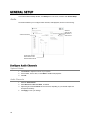
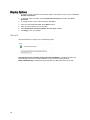
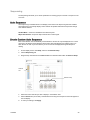
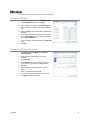
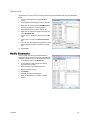
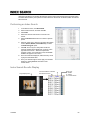
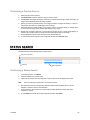
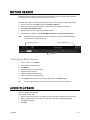
1
Network Video Recorder Version 5.1 Software Manual N-Series www.openeye.net OpenEye® N Series NVR Software Operations Manual (Version 5.1) Manual Edition 32133AC – FEBRUARY 2015 ©2015 OPENEYE All Rights Reserved. No part of this document may be reproduced by any means, electronic or mechanical, for any purpose, except as expressed in the Software License Agreement. OPENEYE shall not be liable for technical or editorial errors or omissions contained herein. The information in this document is subject to change without notice. The information in this publication is provided “as is” without warranty of any kind. The entire risk arising out of the use of this information remains with recipient. In no event shall OPENEYE be liable for any direct, consequential, incidental, special, punitive, or other damages whatsoever (including without limitation, damages for loss of business profits, business interruption or loss of business information), even if OPENEYE has been advised of the possibility of such damages or whether in an action, contract or tort, including negligence. This software and documentation are copyrighted. All other rights, including ownership of the software, are reserved to OPENEYE. OPENEYE, OpenEye, HDDR, and High Definition Digital Recorder are registered trademarks of OPENEYE in the United States and elsewhere; Windows, and Windows XP Embedded are registered trademarks of Microsoft Corporation. All other brand and product names are trademarks or registered trademarks of the respective owners. The following words and symbols mark special messages throughout this guide: Text set off in this manner indicates information that is necessary for proper operation of the product. Text set off in this manner indicates information that may be helpful. Text set off in this manner indicates that failure to follow directions could result in damage to equipment or loss of information. OPENEYE Liberty Lake, WA ● U.S.A. 2 TABLE OF CONTENTS.................................................................................................. 3 NVR BASICS .................................................................................................................. 8 Setting the Time and Date ........................................................................................................................ 8 Accessing the DVR Utility ......................................................................................................................... 8 Exporting Settings ................................................................................................................................ 8 Importing Recorder Settings ................................................................................................................ 9 Display Screen ........................................................................................................................................ 10 CPU Meter .......................................................................................................................................... 10 Live Camera Options.......................................................................................................................... 11 Camera View .......................................................................................................................................... 12 Recording Status Indicator ................................................................................................................. 12 Special Recording .............................................................................................................................. 12 Edit Live View Channels ......................................................................................................................... 13 Screen Division Buttons.......................................................................................................................... 13 Custom Live View Divisions ............................................................................................................... 14 SETUP OPTIONS ......................................................................................................... 15 Setup Overview ...................................................................................................................................... 15 Setup Menu Overview ............................................................................................................................ 15 Network Camera Setup .......................................................................................................................... 16 Connecting a Network Device ............................................................................................................ 16 Connecting Manually...................................................................................................................... 16 Connecting with Find Cameras ...................................................................................................... 17 Naming Camera Channels ............................................................................................................. 17 Assigning Dual Streams ..................................................................................................................... 17 Assigning Audio Channels to a Network Device ................................................................................ 18 Camera Status and Information ......................................................................................................... 19 NVR Registration................................................................................................................................ 20 Locating the System ID .................................................................................................................. 20 Obtaining the License Key ............................................................................................................. 20 Unlocking the Upgrade................................................................................................................... 21 Unlocking Additional Network Devices............................................................................................... 21 PTZ Camera Setup ................................................................................................................................. 22 Enabling an IP PTZ Camera .............................................................................................................. 22 Using the Graphical PTZ Controller ................................................................................................... 23 Motion DETECTION Setup ..................................................................................................................... 24 Create a Motion Area ......................................................................................................................... 24 Enable Sabotage Detection ............................................................................................................... 25 Etc. ..................................................................................................................................................... 25 General Setup ......................................................................................................................................... 26 Audio .................................................................................................................................................. 26 31233AC 3 Configure Audio Channels ............................................................................................................. 26 System Volume .......................................................................................................................... 26 Audio Channels ......................................................................................................................... 26 Voice Warning ................................................................................................................................ 27 Display ................................................................................................................................................ 27 Display Options .............................................................................................................................. 28 General ............................................................................................................................................... 28 Sequencing ........................................................................................................................................ 29 Auto Sequence ............................................................................................................................... 29 Create Custom Auto Sequence ..................................................................................................... 29 POS .................................................................................................................................................... 30 Basic POS Setup ........................................................................................................................... 30 POS Alerts ..................................................................................................................................... 31 Creating a POS Alert ................................................................................................................. 31 Creating a POS Alarm Schedule ............................................................................................... 31 Alarms / Sensor ...................................................................................................................................... 32 Alarms ................................................................................................................................................ 32 Sensors .............................................................................................................................................. 32 Configure Sensors ......................................................................................................................... 32 Activate PTZ Preset ....................................................................................................................... 33 Hybrid Sensor Setup ...................................................................................................................... 34 Relays ................................................................................................................................................ 34 Recording Schedule ............................................................................................................................... 35 Default Schedules .............................................................................................................................. 35 Day of the Week ................................................................................................................................. 36 Creating a Recording Schedule (Example) ........................................................................................ 36 Setting Daytime Motion Detection (Example) ................................................................................ 36 Setting Nighttime Continuous Recording ....................................................................................... 37 Setting Weekend Motion Recording .............................................................................................. 37 Creating a Sensor Schedule (Example) ............................................................................................. 38 Special Day Schedule ........................................................................................................................ 39 Creating/Editing a ‘Special Day’ Schedule..................................................................................... 39 Deleting a ‘Special Day’ Schedule ................................................................................................. 39 Alarm Options ..................................................................................................................................... 40 Setting a Restart Schedule ................................................................................................................ 41 Create System Restart Schedule ................................................................................................... 41 Network Setup ........................................................................................................................................ 42 User Management .................................................................................................................................. 43 Add a New User ............................................................................................................................. 43 User Rank ...................................................................................................................................... 44 Changing the Administrator Password ............................................................................................... 44 Default Administrator Password ..................................................................................................... 44 Storage Management ............................................................................................................................. 45 Status Check / Email .......................................................................................................................... 45 General........................................................................................................................................... 45 Users .............................................................................................................................................. 45 Storage Check ............................................................................................................................... 46 Recording Data Check ................................................................................................................... 46 4 SMART Alert .................................................................................................................................. 47 Alarm Event .................................................................................................................................... 47 ReportStar ...................................................................................................................................... 48 SMART Information ............................................................................................................................ 48 Data Management .............................................................................................................................. 49 Delete Recorded Data.................................................................................................................... 49 File Management ........................................................................................................................... 49 Storage Management..................................................................................................................... 49 System Information ............................................................................................................................ 50 Basic Information ........................................................................................................................... 50 Program Management ................................................................................................................... 51 Setting Up DDNS ....................................................................................................................... 51 Log Files ............................................................................................................................................. 52 Viewing Log Files ........................................................................................................................... 52 Exporting Log Files ........................................................................................................................ 52 Set Up Log Management Options .................................................................................................. 53 Upgrade Information........................................................................................................................... 54 Remote Software Upgrade ............................................................................................................ 54 Local Software Upgrade................................................................................................................. 54 Manual Software Upgrade ............................................................................................................. 55 SEARCH ....................................................................................................................... 56 Search Overview .................................................................................................................................... 56 Play Controls ...................................................................................................................................... 56 Adjust the Brightness of an Image ..................................................................................................... 57 Zooming in on an Image .................................................................................................................... 57 Zooming in on a Portion of an Image ................................................................................................. 57 Open Video from a Saved Location ................................................................................................... 57 Sync.................................................................................................................................................... 57 Clean Image ....................................................................................................................................... 57 Instant Recording .................................................................................................................................... 58 Activate Instant Recording ................................................................................................................. 58 Searching ‘Instant Recorded’ Video ................................................................................................... 58 Performing a Basic Search ..................................................................................................................... 58 Printing an Image.................................................................................................................................... 58 Daylight SavIng Time.............................................................................................................................. 59 Export Image or Video Files ................................................................................................................... 60 Bookmarks ......................................................................................................................................... 61 Modify Bookmarks.......................................................................................................................... 61 Clip Backup ........................................................................................................................................ 62 Single Clip Backup Using Bookmark Data ..................................................................................... 62 Index Search ........................................................................................................................................... 63 Performing an Index Search .............................................................................................................. 63 Index Search Results Display ............................................................................................................ 63 Preview Search ....................................................................................................................................... 64 Performing a Preview Search ............................................................................................................ 65 Status Search ......................................................................................................................................... 65 Performing a Status Search ............................................................................................................... 65 31233AC 5 Object Search ......................................................................................................................................... 66 Performing an Object Search ............................................................................................................. 66 Motion Search ......................................................................................................................................... 67 Performing a Motion Search .............................................................................................................. 67 Audio Playback ....................................................................................................................................... 67 Search in Live ......................................................................................................................................... 68 ADVANCED PTZ SETUP ............................................................................................. 69 General ............................................................................................................................................... 69 PTZ Address Settings .................................................................................................................... 69 PTZ Presets/Tours ............................................................................................................................. 70 Creating a Preset ........................................................................................................................... 70 Viewing a Preset ............................................................................................................................ 70 Accessing PTZ Menus ............................................................................................................................ 70 Controlling a PTZ Camera ...................................................................................................................... 70 Using the Graphical PTZ Controller ................................................................................................... 71 Using the On-Screen Compass ......................................................................................................... 71 Understanding Tours .......................................................................................................................... 72 PTZ Tour Schedule ............................................................................................................................ 72 BACKING UP VIDEO DATA ........................................................................................ 73 Backup Overview .................................................................................................................................... 73 ® Nero Express .................................................................................................................................... 73 General Backup Overview ................................................................................................................. 74 Performing a General Backup ........................................................................................................ 74 Clip Backup Overview ........................................................................................................................ 75 Performing a Clip Backup .............................................................................................................. 75 Scheduled Backup Overview ............................................................................................................. 76 Activating Scheduled Backup ........................................................................................................ 76 Specifying Scheduled Backup Drives ............................................................................................ 76 Performing a Scheduled Backup ................................................................................................... 77 LAN / ISDN / PSTN CONNECTIONS ........................................................................... 78 LAN Overview ......................................................................................................................................... 78 Connecting to a LAN Using TCP/IP ........................................................................................................ 78 Configuring TCP/IP Settings .............................................................................................................. 78 ACTIVE DIRECTORY INTEGRATION ......................................................................... 79 Features .................................................................................................................................................. 79 Installing Active Directory ....................................................................................................................... 79 WEB VIEWER ............................................................................................................... 81 Web Viewer Overview ............................................................................................................................ 81 Configuring the Recorder for Remote Connection ............................................................................. 82 Connecting to a Recorder Using Web Viewer ................................................................................... 82 Closing the Web Viewer ..................................................................................................................... 82 6 INCLUDED SOFTWARE SETUP ................................................................................. 83 MDVR Overview ..................................................................................................................................... 83 Emergency Agent Overview ................................................................................................................... 83 Configuring the Recorder ................................................................................................................... 83 Configuring the Client PC ................................................................................................................... 84 Setup Window .................................................................................................................................... 84 Emergency Agent Window ................................................................................................................. 85 Filter Event List .............................................................................................................................. 85 Add Items to Alarm Confirm List .................................................................................................... 85 Search Alarm Window ........................................................................................................................ 86 View Recorded Video..................................................................................................................... 86 Export Video ................................................................................................................................... 86 Remote Software Overview .................................................................................................................... 87 Remote Software Setup ..................................................................................................................... 88 Installing Remote Software ............................................................................................................ 88 Create a New Remote Connection ................................................................................................ 88 Configuring the Recorder ............................................................................................................... 89 Digital Verifier Overview ......................................................................................................................... 90 Installing the Digital Verifier ................................................................................................................ 90 Using the Digital Verifier ..................................................................................................................... 90 Backup Viewer Overview ........................................................................................................................ 91 Installing Backup Viewer .................................................................................................................... 91 Loading Video from DVD or Hard Drive ............................................................................................. 91 RADIUS Overview .................................................................................................................................. 92 Connecting to a Recorder .................................................................................................................. 92 31233AC 7 1. Exit to Windows by clicking Exit on the Display screen, and then clicking Restart in Windows Mode. 2. Click OK. 3. Click Start ( 4. Click Date and Time, and then click Change Date and Time. 5. Adjust the Date and Time. 6. When finished, click OK, and then click OK again. 7. Close any open windows. 8. Click Start, and then click Shutdown. 9. Select Restart. ), and then click Control Panel. Exporting Settings Exporting settings can help configure multiple recorders quickly or reconfigure a unit that has been reset to factory defaults. Some things must be kept in mind when using this feature. You cannot use this function on: 8 Recorders that are different models. When upgrading from certain software versions. (This feature cannot be used when upgrading from v4.x to v5.x) 1. Exit to Windows by clicking Exit on the Display screen, selecting Restart in Windows Mode, and then clicking OK. 2. Click Start > All Programs > OpenEye > vFormat. 3. Click Export in the System Setting Tool section. 4. Select a location to save the settings file, and then click Save. The DVR Utility will export the settings and automatically close. Importing Recorder Settings 31233AC 1. Exit to Windows by clicking Exit on the Display screen and then clicking Restart in Windows Mode. 2. Click Start > All Programs > OpenEye > vFormat. 3. Click Import in the System Setting Tool section. 4. Select the location of the settings file to import, and then click Open. 5. Click Yes to import the data file. 9 The Display screen appears whenever the recorder starts. Familiarize yourself with the buttons and features on the Display screen, since this is the default screen for your recorder software. Current Date / Time CPU meter Opens: Search PTZ Controller Setup Backup Login Exit Screen Division buttons User Details Connected Users Sensor Status Relay Outputs CPU Meter Use the CPU meter to monitor the system resources of your recorder. 10 GREEN - System configuration OK YELLOW - Caution; evaluate system configuration and consider decreasing system load RED - System configuration has been exceeded which may affect stability; decrease system load or upgrade system with CPU performance package. Live Camera Options Right-click a camera on the Display screen to display these options: Full Screen – Expand the camera window to the full size of the screen. Instant Recording – Begin Instant Recording for the selected camera channel. Search In Live – Rewind or fastforward video from that camera at the present date and time. 360 Setup – Configure settings for a 360 camera. Enable 360 Camera – Enable the use of a 360 camera. e-PTZ – Use the digital PTZ function on a 360 camera View type – Select the view for a 360 camera Mount Type – Select the type of mount that matches the location of your 360 camera. Projection type – Dewarp your 360 camera image in Spherical or Flat view (Panogenics cameras only) Oncam SDK – Select to dewarp video footage from an Oncam 360 IP camera Panamorph SDK – Select to dewarp video footage from an Immervision 360 camera Panogenics SDK – Select to dewarp video footage from an AMG Panogenics 360 camera Note 31233AC 360 Setup, Enable 360 Camera, e-PTZ, View Type, Mount Type, Projection Type, all require a 360 camera to function. If you do not have a 360 camera, ignore these functions. 11 Recording Status I N S T A N T Camera Number and Name Recording Status Indicator The recording status for each camera is displayed in the upper right corner on the Video Display Area. There are three different recording statuses. Recording Displayed when the camera is currently being recorded to the recorder. Motion Detection Displayed when a camera (set up for motion detection) detects motion. Display Displayed when the camera is currently not being recorded to the recorder. Special Recording There are two types of Special Recording. Text is displayed on the camera display area, indicating what type of Special Recording is activated. SENSOR Sensor is displayed when a sensor associated with the camera is activated. INSTANT Instant Recording is a manual activation of the recording for the selected camera. Regardless of the recording method, Instant Recording will start the camera recording and also flag the video for future searches using the Index Search feature. INSTANT is displayed when a user activates the instant recording option. Double right-click the video display to activate and deactivate the Instant Recording option. 12 By default, the recorder displays live video from four IP cameras at one time on the local server. This protects the processor resources for recording data. You can change your settings to allow 16 IP channels to be displayed in the live view. Be aware that displaying 16 channels of live IP video is resource-intensive and may dramatically impact system performance. To enable the recorder to view 16 channels of live video: 1. Click Exit on the Display screen, and then select Restart in Windows Mode. 2. Double-click the Edit Live View Channels icon on the desktop. 3. Click Yes, and then click OK. 4. The live view display will switch to 16 channel mode. To return the recorder to 4 channel mode, repeat steps 2 and 3. 5. Double-click OpenEye Server to restart the recorder software. Note When viewing live video from Network Cameras, only 4CH will display at one time. If more live view channels are required on the local server, see the Edit Live View Channels instructions. 1st Four Cameras View – Displays cameras 1-4 in the Video Display Area. To return to a different Multi-Camera View, select a different Screen Division option from the Screen Division menu. 2nd Four Cameras View – Displays cameras 5-8 in the Video Display Area. To return to a different Multi-Camera View, select a different Screen Division option from the Screen Division menu. 3rd Four Cameras View – Displays cameras 9-12 in the Video Display Area. To return to a different Multi-Camera View, select a different Screen Division option from the Screen Division menu. 4th Four Cameras View – Displays cameras 13-16 in the Video Display Area. To return to a different Multi-Camera View, select a different Screen Division option from the Screen Division menu. 1st Nine Cameras View – Displays cameras 1-9 in the Video Display Area. To return to a different Multi-Camera View, select a different Screen Division option from the Screen Division menu. 2nd Nine Cameras View – Displays cameras 10-18 in the Video Display Area. To return to a different Multi-Camera View, select a different Screen Division option from the Screen Division menu. Full Screen – The Full Screen Option allows you to view the Video Display Area using the entire viewable area on the monitor. When this is selected, no menu options are visible. You can activate the Full Screen Option by clicking on the Full Screen button within the Screen Division menu. You can deactivate Full Screen mode by right clicking on the screen. Auto Sequence – Sequences through the Screen Divisions sets. For example, selecting the 1A and then the Loop button will sequence through 1A, 2A, 3A, 4A and then repeat. 31233AC 13 Custom Live View Divisions Customize your Display screen by changing the order of the cameras. Each screen division can be individually customized but a camera can only be displayed once in each group view. All selected screen divisions will be shown when AutoSequence is enabled on the Display screen. Be sure to clear any screen division you do not want to be displayed during AutoSequence viewing. Create custom live view divisions: 1. On the Display screen, click Setup, and then click General Setup. 2. Click theSequencing tab. 3. Drag and drop cameras from the Channel List to the desired location within the Division Group. Apply button On-screen keyboard Channel List Division Group 14 4. Select the screen intervals you want to display in each division area. 5. Set the Interval time (in seconds). This determines how long each sequence screen will appear on the Live display. 6. To save your settings, click Apply. The Setup options allow you to optimize your recorder by adjusting things like camera names, restart schedules, recording schedules and more. Recording Schedules – Increase the amount of useful recorded video that is saved on the recorder by optimizing the recording schedule. Optimize the type of recording by adding motion detection to this as well, again increasing the amount of useful video. Camera Naming – Name each camera so the location can be easily identified and include any other pertinent information that may be helpful when viewing it on the Video Display Area. Configure Network Cameras – Connect to and configure cameras that are available on the network the recorder is connected to. Apply button On-screen keyboard button Setup Options 31233AC 15 Connect IP cameras to your recorder using a network switch, which is connected to the network port on your recorder. By default, your recorder can display 4 IP camera channels in the Display screen. To change this setting, see the Edit Live View Channels section. Connecting a Network Device 16 1. On the Display screen, click Setup. 2. Click Camera Setup, and then click IP Cameras. 3. Click Manually Add Camera. 4. Select the Vendor and Model of your network device from the Device Type list. 5. Type a Device Name. 6. Type the IP/URL address, Port#, User ID and Password of the device. 7. Click Add. 8. Double-click in the Channel field, and then select the Channel you want to assign this camera to. 9. Click Apply. 1. On the Display screen, click Setup. 2. Click Camera Setup, and then click IP Cameras. 3. Click Find Camera to automatically find all connected Network cameras. 4. Select the check box next to your desired camera. 5. Type the User ID and Password of the device. 6. Click Add Selected. 7. The camera will appear in the Camera Setup tab. 8. Double-click in the Channel field, and then select the Channel you want to assign this camera to. 9. Click Apply. OpenEye recommends assigning a descriptive name to each camera channel for easy identification of where the camera is located. To name your IP camera channels, follow these instructions. 1. On the Display screen, click Setup. 2. Click Camera Setup, and then click IP Cameras. 3. Click the Camera Setup tab. 4. Double-click the Device Name column for the camera you want to name. 5. Type a name for your camera. 6. Click Apply to save the name. Server software allows you to import IP camera configuration settings and apply them to your cameras. You can also export IP camera configuration settings for backup purposes, or so the configuration can be used elsewhere. The configuration settings files are CSV files. To export IP camera configuration settings from Server Software: 1. On the Display screen, click Setup. 2. Click Camera Setup, and then configure your IP camera list as desired. 3. Click Export. 4. Name your .csv file and then click Save. To import IP camera configuration settings to Server Software: 31233AC 1. On the Display screen, click Setup. 2. Click Camera Setup, and then click Import. 3. Identify the .csv file that you want to import, and then click Open. 17 Assigning Dual Streams Dual stream support enables you to take advantage of two different streams from an IP camera. One stream can be high definition forensic video, while the other stream can be a lower resolution for live display. This allows OpenEye RADIUS or Remote Viewer software to display more cameras while utilizing lower bandwidth and less CPU usage. The second stream is used for motion detection in the server, which lightens the processing load for centrally-managed motion detection configurations Dual streaming functions are limited to cameras that support this feature. 1. On the Display screen, click Setup. 2. Click Camera Setup, and then click IP Cameras. 3. Click the Camera Setup tab. 4. Choose which camera you want to configure, and double-click the Record Stream column. 5. Select which Stream you want to assign to be recorded. 6. Double-click the Transmit Stream column and choose the appropriate stream for remote viewing. 7. Click Apply to save your selections. Assigning Audio Channels to a Network Device 18 1. In the Display screen, click Setup. 2. Click IP Cameras. 3. Click the Camera Setup tab. 4. Click the Advanced Camera Setup tab. 5. Select the camera you want to record audio from in the Network Cameras Currently in Use field. 6. Select Record Network Audio. 7. To be able to hear live audio from the recorder, select Enable Network Audio in Live View. 8. Click Apply to save your settings. Camera Status and Information The Camera Status and Information tab displays information for all cameras connected to the OpenEye recorder. 31233AC 1. In the Display screen, click Setup. 2. Click IP Cameras. 3. Click the Camera Configuration tab. 19 NVR Registration Have the following information available before registering the NVR upgrade. Product Serial Number: This may be the Product Serial Number displayed on the product sticker on the left side of the recorder; or the the unique Product Serial Number provided with the purchase of additional channel linceses. System ID: The System ID is a number that is generated by the OpenEye unit. This is a unique code generated using the MAC address of the recorder. 1. On the Display screen, click Setup. 2. Click IP Cameras. 3. Click the License tab. Note 20 Multiple video streams can be recorded from a single device while only consuming a single recording channel license. 1. Open an Internet browser and go to: http://activate.openeye.net/nvr 2. Type the Product Serial Number and System ID. 3. Click Next. 4. Your Unlock Code will appear. Write this code down for use in unlocking your license. Note Both the System ID and the Unlock Code are case sensitive. Note We recommend printing the registration page with the Unlock Code for later reference. 1. Return to Setup > Network Cameras > License. 2. Enter the Unlock Code generated by the OpenEye Registration Site into the License Key box. 3. Click Register. 4. Click OK. 5. Click Apply. 6. Click Exit Setup. Unlocking Additional Network Devices Follow the instructions above for Registration and Upgrade to unlock any additional network devices. 31233AC 21 PTZ cameras can be configured and controlled using the OpenEye recorder software. For instructions on configuring and installing your PTZ camera, refer to the camera manual. Enabling an IP PTZ Camera 22 1. Ensure that you have properly connected your IP PTZ camera to the network. 2. On the Display screen, click Setup. 3. Click IP Cameras, and then click the Advanced Camera Setup tab. 4. Select the IP camera from the Network Cameras Currently in Use list. 5. Select PTZ Camera. 6. Click Apply to save your settings. Using the Graphical PTZ Controller 1. In the Display screen, click Pan/Tilt. 2. Click the viewing area of the PTZ camera you want to control. 3. Use the Arrow buttons to control the direction of the PTZ camera. 4. To select a new camera, click the video display of a different camera on the Display screen display. Note Eight directions are available only for select cameras. Only four of the PTZ Control buttons work for all protocols (UP, DOWN, LEFT, RIGHT). Note The Advanced menu panel on the graphical PTZ controller can be used to set PTZ preset positions (on supported cameras), as well as move to presets up to 254. 5. Arrow buttons Current camera channel To exit the Graphical PTZ Controller, click Pan/Tilt again. Move to preset positions 1-10 Open & close the Advanced Controls panel Open the camera menu Set presets, and move to presets 11-254 31233AC 23 The recorder allows the user to adjust several different Motion Settings and create motion detection areas. Selected camera Camera toggle Pre Alarm recording duration Clear motion area Post alarm motion duration Draw area Post alarm sensor duratoin Apply to all Motion Sensitivity Advanced Noise Filter Create a Motion Area 1. On the Display screen, click Setup. 2. Click Motion Detection. 3. Select a camera from the Select Channel list. 4. Select Detect Detail Motion Area. 5. Click Clear Motion Area. 6. Click Setup Advanced Motion Area. 7. Click a Motion Detection Area shape button. 8. Drag the mouse over the camera image. Note 9. To create a polygon shape, click the mouse at each point and double-click to close the shape. Click OK. 10. Move the sliders to adjust motion sensitivity and the noise filter. 11. Define the pre-alarm and post-alarm recording time for a motion event. Pre Alarm Recording – 0 - 120 Seconds [The number of seconds the recorder records before motion is detected—to ensure any motion occurring between I-frames is captured, set to a value greater than 0] Post Alarm Recording – 0 - 120 Seconds [The number of seconds the recorder records after it stops detecting motion] 24 Enable Sabotage Detection The Camera Sabotage Detection feature will notify users that the field of vision of a camera has been compromised, abruptly changed, or detects significant vibration. To enable Sabotage Detection: 1. In the Motion Detection window, click the Sabotage Detection tab. 2. Select Enable Sabotage Detection. 3. Set the Pixel Change threshold to reduce false alarms. 4. To activate an alarm relay on Sabotage Detection, click Activate Relay, and then select the appropriate relay number. 5. Select the Beep on Detect check box to enablethe recorder to emit an audible beep on Sabotage Detection. 6. Click Apply to save your settings. Etc. Additional motion detection configuration options are found on the Etc. tab. Use this tab to set a camera channel to appear at full screen in the Display screen when a motion or sensor event is detected. You can also set your recorder to enable motion detection even during continuous recording, or play an audio warning when an alarm event is detected. Set a camera channel to be immediately displayed full screen Enable motion detection during continuous recording Enable an audio warning during an alarm event 31233AC 25 To access the General Setup window, click Setup in the Live screen, and then click General Setup. Audio The Audio tab allows you to configure audio channels, audio playback, and set a voice warning. Audio channels list Select an audio for use with alarm or sensor event Control gain and live audio volume for the selected audio channel System Volume 1. Click Volume to adjust the volume of your system. 2. Use the slider, enter a value, or click Mute to disable audio playback. 3. Click OK. Audio Channels 26 1. Select an Audio Chanel. 2. Select Record and Use Live Audio, as desired. 3. Adjust the gain and Live Volume for each channel, depending on your desired output and microphone sensitivity. 4. Click Apply to save your settings. The recorder allows users to play a sound file when either a Motion event or Sensor event occurs. This file can be a custom created sound file that is unique to the application. The selected WAV file is played through speakers attached to the recorder. 1. Click Browse, and then locate your .wav file. 2. Click Play to test the file. 3. Select Activate on Motion, Activate on Sensor Alarm, or Activate on Sabotage Detection to activate this warning whenever that event occurs. 4. Click Apply to save your settings. Display The Display tab allows you to control the on-screen appearance of your recorder, including the resolution and configuration of multiple monitors. Set monitor resolution and the font for the On Screen Display Display motion box Show Sensor / Relay status bars on display screen Enable live decoding Live Afterimage Filter Motion Bounding Box – Select Display Motion Detection Area Box to see a colored boundary highlighting the area motion occurs. Sensor / Relay Status Bars – Select Display Sensor Status Bar or Display Relay Status Bar to see icons when sensors or relays are activated. Live Decoding – Select Enable Key Frame Display for IP Cameras to reduce the processing load by only displaying key frames. 31233AC 27 1. To allow the display resolution to automatically adjust to the resolution of any monitor, select Force Window to Full Screen. 2. To manually select a resolution, clear Force Window to Full Screen, and then click Select Resolution. 3. To change the font of your On Screen Display, click Select. 4. Select your desired Font and Size. Select Bold if desired. 5. When you have selected your font, click OK. 6. Select Hide Network Connectivity Status from Live View if desired. 7. Click Apply to save your settings. General Use the General tab to configure your overall backup options. Automatically Include the Backup Viewer Application with Backup – Disabling this option will require Backup Viewer to be manually installed on a computer before viewing the video. Enable CD/DVD Backup – Disabling this option will allow only USB backup from this recorder. 28 Sequencing The Sequencing tab allows you to set the parameters for viewing groups of screens in sequence in the Live View. Auto Sequencing is available either in the Display screen when Auto Sequencing has been enabled. Auto Sequencing conveniently displays video channels at specified intervals and sequences through each selected channel. Custom Mode – Create non-standard screen division layouts. Skip 0 FPS Channel – Sequence skips cameras with no video signal. Each screen division can be individually customized but a camera can only be displayed once in each group view. All selected screen divisions will be shown when AutoSequence is enabled on the Live View. Be sure to clear any screen division you do not want to be displayed during AutoSequence viewing. 1. On the Display screen click Setup, and then click General Setup. 2. Click theSequencing tab. 3. Drag and drop cameras from the Channel List to the desired location within the Division Group. Channel List Division Group 31233AC 4. Select the screen intervals you want to display in each division area. 5. Set the Interval time (in seconds). This determines how long each sequence screen will appear on the Live display. 6. To save your settings, click Apply. 29 POS The POS tab allows you to integrate your recorder with the Point of Sale (POS) function of Video Analytics software. Note You must have Video Analytics software installed on your recorder to access the POS setup tab. Contact an OpenEye sales representative for more information about video analytics software. Select camera channel Select a POS register for this channel Set display area Setup POS Agent Setup POS Agent Change Normal POS Overlay text font, color, and size Change POS Overlay text font, color, and size on Alert You can display real-time information from POS transactions over live video. To set up this function, you will need to link camera channels to the appropriate POS stations. You can also set the font, size, and color for the overlay during normal POS transactions, and set different text settings for Alert POS transactions. For more information about setting up your POS system, please refer to the manuals for your POS system and your Vidoe Analytics software. 30 1. Select you desired camera channel in the Select Channel list. 2. Select your desired POS station in the POS list. 3. If you want to record POS data over the video, but not display it live, select Do Not Display Data. 4. Set your desired Font, Color, and Font Size in the Normal section, and then click Set Font. 5. Set your desired Font, Color, and Font Size in the Alert section, and then click Set Font. 6. Click Apply to save our changes. 7. Repeat these steps for all camera channels to be associated with POS terminals. To create POS alerts, you will need to set an alert schedule. Creating a POS Alert 1. On the POS Setup screen, click Setup POS Alerts. 2. In the POS Alert List section, click Add. 3. Type a name for your alert in the Alert String field. 4. Select a number to assign to this Alert in the Alert list. 5. Select the Effect you want this alert to enable when triggered. 6. To associate this alert with a specific POS terminal, select Select POS ID, and then select the POS ID from the Unselected List. 7. Click < to add the selected POS IDs to the Selected List. 8. Click OK. Creating a POS Alarm Schedule 31233AC 1. Click Single Selection Mode to enable Multi Selection Mode. 2. Select the days of the week for your alarm schedule. 3. Click Alarm01. 4. In the Alarm01 row, click and drag to select the hours of the day you want to enable the alarm. 5. Click Set. 6. Repeat steps 4 – 5 for each alarm you want to create. 7. When you have finished, click OK. 8. In on the POS tab of the General Settings screen, click Apply to save your settings. 31 Use the Alarms/Sensor menu to configure your alarms, sensors, and relays. To access the Alarms/Sensors Setup screen, click Setup on the Live screen, and then click Alarms/Sensor. Alarms Intensive on Recording – Enable this function to increase the frame rate and resolution for a camera if an alarm or sensor is activated, or if motion is detected. Video Loss Alarm – Determine how the recorder will respond if a camera channel loses video. The recorder can beep, the loss can be added to the System Log, or you can activate an external alarm. Login Failure – Enable this function for the recorder to beep continuously in response to a failed login attempt. Only an authorized login will stop the beeping. Sensors 32 1. Double-click a Sensor Name, and then type an appropriate name for your alarm sensor. 2. Double-click Type, and then select the contact type for this alarm, Normally Open (N0), or Normally Closed (NC). 3. Double-click Relay, and type the time, in seconds, you want to elapse between the detection of the sensor and when the alarm is activated. Use this function to activate a PTZ camera to move to a preset position when a sensor event is detected. 1. Click Sensor / Preset. 2. Select the camera Channel you want to configure. Note 3. Select the appropriate Sensor. 4. Select the appropriate Preset position for the camera to move to when the selected Sensor is activated.. Note 31233AC The camera channel must be a PTZ camera. The preset positions must be configured on your camera. Refer to the camera manual for instructions. 5. Click Set. 6. Select a different Sensor and Preset combination, and then click Set. 7. Repeat for all of your desired sensors. 8. To delete a Sensor-Preset combination, select the combination in the list, and then click Delete. 9. Click OK. 33 This interface is used to link Hard Contact Sensor Inputs from supported Network Devices to the recorder software. 1. Click Setup. 2. Select a camera from the Network Device List. 3. In the Sensor Relay list, double-click DVR Sensor No and then select a sensor to assign to this camera. 4. Double-click DVR Relay No, and then select a relay to assign to this camera. 5. Click Apply. 6. Click Apply again to save your settings. 1. Double-click Relay Name for each relay to assign a name. 2. Click Apply to save your settings. Relays 34 The Recording Schedule window allows you to create different recording schedules based on the day, time, and type of recording desired. This window contains the System Restart options. To access the Recording Schedule window, click Setup in the Live screen, and then click Recording Schedule. Schedule Number – You can create up to 32 separate schedules. Schedules can overlap while still operating independently, creating a very detailed recording schedule. Special Day Recording Schedule – Customize a schedule for a specific day, such as a holiday or weekend. Alarm Options – Specify alarm events that will trigger remote alarm monitor software. Power Off Options – Use this function to specify time frames for turning off and restarting your recorder automatically. Default Schedules These are pre-set schedules. Click Default Schedule 1 or Default Schedule 2 to choose either of the following settings. When you have decided, click Apply to save your settings. Note Default Schedules are not configured for use with sensors or alarms. Default Schedule 1 8 am to 5 pm, Monday through Friday – All cameras set to continuous recording 5 pm to 8 am, Monday through Friday – All cameras set to motion recording 24 hours, Saturday and Sunday – All cameras set to motion recording Default Schdeule 2 31233AC All cameras set to motion recording 7 days a week, 24 hours per day. Camera 1 is associated with sensor input 1 Camera 2 is associated with sensor input 2 Camera 3 associated with sensor input 3 35 Day of the Week Click Single Selection Mode or Multi Selection Mode to switch between modes of scheduling by day of the week. Single Selection Mode – Set your schedule one day at a time by selecting the appropriate day. Multi Selection Mode – Set your schedule for multiple days at once by selecting all the days you want to configure. Creating a Recording Schedule (Example) The following instructions will help you create a simple schedule for cameras 1 through 4. This is designed as a tool to help you understand how to create a schedule. When you understand the process of creating a schedule, create one to suit your specific needs. This example schedule will be configured as follows: 36 MON-FRI (9AM-5:59PM) all 4 cameras will record using MOTION recording. MON-FRI (6PM-8:95AM) all 4 cameras will record using CONTINUOUS recording. SAT-SUN (12AM-11:59PM) all 4 cameras will record using MOTION recording. 1. In the Schedule Number list, select Sch01. 2. Click Single Selection Mode to change to Multi Selection Mode. 3. Select Mon, Tue, Wed, Thu, and Fri. 4. On the Sch01 row, click and drag your mouse to select the hours 9 – 7, and then click Set. 5. Click 1 in the Camera section repeatedly, until a green M (motion) appears. 6. Repeat for 2 – 4 in the Camera section. 7. Click Apply to save. 31233AC 1. In the Schedule Number list, select Sch02. 2. On the Sch02 row, click and drag your mouse to select the hours 0 – 8, and then click Set. 3. On the Sch02 row, click and drag your mouse to select the hours 6 – 11, and then click Set. 4. Click 1 in the Camera section repeatedly, until a red C (continuous) appears. 5. Repeat for 2 – 4 in the Camera section. 6. Click Apply to save. 1. In the Schedule Number list, select Sch03. 2. Clear Mon-Fri, and then select Sun and Sat. 3. On the Sch03 row, click and drag your mouse to select the entire row, and then click Set. 4. Click 1 in the Camera section repeatedly, until a green M (motion) appears. 5. Repeat for 2 – 4 in the Camera section. 6. Click Apply to save. 37 Creating a Sensor Schedule (Example) Sensor inputs can be programmed to instantly trigger recording on one or more camera channels when an alarm event occurs. Note You must first associate the software sensors with the sensors. See the Hybrid Sensor Setup section of this manual for more detail. This schedule example will be configured as follows: 38 SUN-SAT (12AM – 11:59 PM) cameras 1 and 2 will be activated by Sensor 3 and Sensor 4. 1. Select Sch01 in the Schedule Number list. 2. Click the Single Selection Mode button to enable Multi Selection Mode. 3. Select Sun, Mon, Tue, Wed, Thu, Fri, and Sat. 4. In the Sch01 row, click and drag your mouse to select the entire row. 5. Click 1 and 2 in the Camera section repeatedly until a red S (sensor) appears. 6. Click 3 and 4 in the Sensor section. 7. Click Apply to save. Special Day Schedule You can create unique recording schedules for specific days such as holidays or special events. Date Selector (Calendar) Special Day Mode / Normal Day Mode Configured Special Days List 31233AC 1. Click Normal Day Mode to enable the Special Day Mode. 2. Set a recording schedule as desired. For instructions, see the Creating a Recording Schedule (Example) and Creating a Sensor Schedule (Example) sections in this chapter. 3. Select a day by typing the date or clicking the down arrow to select the date from a calendar. 4. Click Save Special Day. 5. The special day will appear as a date in the Special Day Schedule. To edit this schedule, select it, and then and repeat steps 1 and 2. 6. Click save Special Day. When a confirmation message appears, click OK. 7. Click Apply to save your settings. 1. Select a date from the Special Days list. 2. Click Delete Special Day. 39 Alarm Options Use the Alarm Options section to configure the alarm output for specific events. There are two Alarm Options: Sensor Event – Trigger an alarm output based on a sensor Motion Event – Trigger an alarm output based on motion detection Motion can be designated as an alarm event. Often motion does not need to be treated as an Alarm event. For example, during work hours, motion that occurs is expected and should not be treated as an alarm. However, after business hours, any motion that occurs could be treated as an alarm. 1. In the Display screen, click Setup. 2. Click Recording Schedule. 3. In the Alarm Options section, select Sensor Event, Motion Event, or both. 4. Once you have selected an Event option, you can select alarm options. Map Alarm – This enables the Alarm to activate the Map Alarm function on RADIUS monitoring software. Emergency Alarm – Send video to a PC running Emergency Agent software. 5. Set the Transmission Duration (in seconds) for this alarm. 6. Enter up to five Emergency IP of PCs running Emergency Agent software. 7. Select the appropriate Emergency IP addresses. You can only use one IP address at a time. 8. Click Apply to save your settings. Tip 40 See the Emergency Agent chapter for detailed information on setting up the Emergency Agent software. Setting a Restart Schedule The Power Off Options section allows you to define a schedule wherein the recorder automatically restarts according to specified parameters. 1. In the Display screen, click Setup. 2. Click Recording Schedule. 3. Click Power Off Options. 4. Select Enable for each day of the week that a restart is desired. 5. Specify the time of day to schedule the system restart. 6. Select either Restart or Off. Note 31233AC If Off is selected, the recorder will shut down at the specified time but not restart. 7. Click OK. 8. Click Apply to save your settings. 41 Network Setup allows you to adjust network settings such as Ports, and enable Remote Access. View live video via Internet Explorer Remote Client Ports Enable two-way audio between recorder and Remote Client Time Out Value – When attempting to connect to the recorder, if the connection does not succeed during the timeout period (seconds), the connection will be terminated (default: 60). Emergency Port – Connect with the Alarm Monitor software (default port: 2001). Center Port – Connect with the OpenEye remote software (Remote, Radius, MDVR). This port must be specified in the remote software to connect to the recorder (default port: 2000). Note Center Port 1025 is not available. Image Port – Transfers the video to the OpenEye remote software (default port: 2002). Search Port – Transfers search information to the OpenEye remote software (default port: 2003). Note If connecting to the recorder through a firewall, the above ports must be open to incoming and outgoing traffic. Health Check Port – Enable RADIUS to receive information regarding the health of the recorder (default port: 2005). Audio Port – Enable two-way audio (default port: 3002). Transport Setup – Configure the quality and speed of the video sent to remote clients. Keyboard Control – Enable the recorder to work with a Keyboard Joystick Controller for a PTZ camera. Clip Backup – Set the server port for clip backup (default port: 9876). View IP Address – View the IP address of your recorder for use in remote access applications. 42 The User Management screen allows the administrator to create, edit, and delete user accounts. Each user account can be assigned different privileges to limit the usage of the recorder system. Users can be given administrator privileges by enabling all rights, however only the true administrator account can access the User Management screen. Note The Delete User button immediately deletes the user – use cautiously. Log Off Users who are inactive for the designaed time (this settings affects all users). Enable Auto Log Off 1. In the Display screen, click Setup. 2. Click User Management. 3. Click Add User. 4. Type a User Name and Password. 5. Type the password again in the Confirm Password field. 6. Enable appropriate Permissions. 7. Select Camera or Audio channels to hide those channels from the user. 8. Assign a User Rank. Note 9. See the User Rank section for more information. Click Save. 10. Click Apply to save your settings. 31233AC 43 The User Ranking structure allows the option to assign a privilege level to users who access the recorder remotely 1-10. (1 is the highest privilege level). For example: Since only one user is allowed to use the PTZ controls at any one time, a user with a rank of 1 will take precedence over a user with a rank of 2 if both are attempting to use PTZ controls. The User Rank option affects: Setup Access - The recorder software can only have one user accessing Setup at any given time. A user with a higher rank will kick another user out of the Setup menu. Note Changes made by a lower ranked user may NOT save when a higher ranked user kicks the lower ranked user out of the Setup menu. PTZ Control - The recorder software can only have one user using the PTZ controls at any given time. A user with a higher rank will kick another user out of the PTZ controls. 1. Log into your recorder as an Administrator. 2. In the Display screen, click Setup. 3. Click User Management. 4. Select a user from the Select User box,. 5. Set the user’s rank using the User Rank list. 6. Click Update User. 7. Click Apply to save your settings. Changing the Administrator Password 1. Select Administrator in the Select User section. 2. Type a new Password. 3. Type the password again in the Confirm Password field. 4. Click Update User. 5. Click Apply to save your settings. The default administrator login is: User: admin Password: 1234 44 Status Check / Email Use the Status Check/Email tab in Storage Management to configure settings for status checks and email recipients when status checks require attention. This function can keep you apprised of events detected by your system without requiring you to check check the recorder each day. 1. On the Display screen, click Setup. 2. Click Storage Management. 3. Click the Status Check/Email tab. 4. Click the General tab. 5. Select Enable Email Alarm. 6. Enter a From Name and email Address. Note This name and address will appear in the From line of email alert messages. 7. Enter the SMTP information for the email account that will be used to send emails from the recorder. Contact your administrator for this information if necessary. 8. If using a secondary email account select Use Secondary SMTP and complete the SMTP information. 9. Click Test to send a test message to either address. 10. Click Apply to save your settings. 1. On the Display screen, click Setup. 2. Click Storage Management. 3. Click the Status Check/Email tab. 4. Click the Users tab. 5. Select the type of Event to send email on. 6. Enter the User and E-mail Address of a desired recipient. 7. Click Add. 8. Repeat for additional recipients and types of events. Note 9. 31233AC A separate email notification for each type of event must be set up for a single recipient to receive notifications for each type of event. Click Apply to save your settings. 45 46 1. Set up the General and Users tabs first. 2. Click the Storage Check tab. 3. Select Enable. 4. Define the frequency of storage checks (in minutes). 5. Select an additional Alert Option if desired (Beep or Popup Message). 6. Add a Comment that will be seen in the email message if desired. 7. Click Apply to save your settings. 1. Set up the General and Users tabs first. 2. Click the Recording Data Check tab. 3. Select Enable. 4. Define the frequency of data checks (in hours). 5. Select the Action Method (Popup Message Alert, Beep Alert, or Email Alert). 6. Add a Comment that will be seen in the email message if desired. 7. Cick Apply to save your settings. 1. Set up the General and Users tabs first. 2. Click the SMART Alert tab. 3. Select Enable. 4. Define the frequency of SMART status checks (in hours). 5. Select the type of SMART event to trigger an action. 6. If selecting for temperature checks, define the maximum HDD temperature. Note 31233AC OpenEye recommends a temperature threshold of 150° F (65° C) if you choose to use this function. 7. Select an Action Method (Beep Alert, Popup Message Alert, or Email Alert). 8. Add a Comment that will be seen in the email message if desired. 9. Click Apply to save your settings. 1. Set up the General and Users tabs first. 2. Click the Alarm Event tab. 3. Select Enable. 4. Define the frequency to send email alerts (in minutes). 5. Select the Event Type: Motion, Sensor, or No Signal (video loss). 6. Select With Detail Info to receive a still image attachment of the associated camera in the email message. 7. Max Count defines the number of message that will contain detailed data within the frequency time frame. 8. Add a Comment that will be seen in the email message if desired. 9. Click Apply to save your settings. 47 1. Set up the General and Users tabs first. 2. Click the ReportStar tab. 3. Select Use ReportStar. 4. Enter a numeric Security Code if desired (this is an additional security measure to prevent unauthorized users from adding the recorder to their Report Star account). 5. Define the Send Time to designate the time the recorder will send updates to Report Star. 6. Select Send notification to Report Star on alarm events if you want the recorder to report alarm events to Report Star. 7. Type a new MAC Address if necessary. 8. To set a custom time to send updates to ReportStar, select Custom Day/Night, and then select your desired Day and Night times. 9. To send updates to a custom URL, select Send to Custom URL, and then type in the URL. 10. Click Apply to save your settings. Note The Resize Images check box will reduce the size of ReportStar images to conserve bandwidth when checked. To keep ReportStar images at their original resolution, leave the box unchecked. SMART Information The SMART Information tab displays Hard Drive information. 48 Data Management The Data Management tab displays the partition scheme and health status of the Hard Disk Drives in the recorder. Use this tab to troubleshoot a recorder, or verify the amount of Hard Drive storage installed. This function is native to the Windows operating system. For more information about Disk Management, consult a Windows 7 manual. 1. To delete data, select Enable. 2. Select the timeframe of data to delete by selecting the appropriate number of Days you want to retain saved data. 3. Select Delete Data or Hide Data. 4. Click Apply to delete the data. Note 31233AC Deleting data is permanent. It cannot be retrieved. 1. Click View File Info to view all file information. 2. To export file info, click Export, and then browse to your desired location. 3. Click Save. 4. Click Close. 1. Click Disk Management to access the Disk Management function of the Windows operating system. 2. To view this window, close the Setup window, and then click Exit. 3. Select Restart in Windows mode, and then click OK. 4. For instructions regarding Windows Disk Management, please refer to a Windows 7 manual. 49 System Information The Log Management window provides you the options to overwrite log files or schedule log deletion. The Information display allows users to define the site code necessary for connecting to remote software, save comments relative to the recorder, store tech support and contact number information, and see the currently running server software version. Total HDD /Available HDD Space Currently running software version User Entered Comments User-Defined Contact Numbers Site Code – A user-specified unique identification name used by other recorder software to identify the recorder. (Remote, Emergency Agent, RADIUS, Digital Signature Verifier) Contact Information – Attach contact information as a digital signature to exported video. Other Management – Click Program Management to access External Program Management. 50 Setting Up DDNS Dynamic Domain Name System (DDNS) is a service that provides a static address to simplify remote connection to the recorder. This service is most useful for installations where the WAN (public) IP address is dynamic (changes from time to time). Most public IP addresses are dynamic unless a static address has been specifically ordered from the internet service provider. Enable DDNS To enable this functionality of the recorder, follow the steps below: 1. Click Setup on the Display screen and log in as Administrator if prompted. 2. Click System Information. 3. Click Program Management (ETC) and enter the Administrator password when prompted. 4. Click Show (to the right of Dynamic DNS Configuration). 5. Select Enable DDNS. 6. Enter the User Name, Password, and Hostname specified on the DDNS document shipped with your recorder. 7. Click OK, then close the Program Manager window. Note Ensure the recorder has an IP address by setting a static IP address. The Network settings may need to be changed. If you are not sure of the correct values, contact the individual or department responsible for network administration at the site. Set the IP Address The IP address of the recorder is set in Windows; to set the IP address follow the steps below: 1. On the Display screen, click Exit and choose Restart in Windows Mode. 2. Right-click Network and then click Properties. 3. Click Local Area Connection 2 and then click Properties. 4. Select Internet Protocol Version 4, and then click Properties. 5. Select Use the following IP address. 6. Enter values for the IP Address, Subnet Mask, and Default Gateway (these may be specified by the department responsible for network administration). a. IP Address: The first three sets of numbers should match the router’s local IP address and the last set should be a unique number between 1-254. b. Subnet Mask: This should match the router’s setting (commonly 255.255.255.0 for 192.X addresses and 255.0.0.0 for 10.X addresses). c. Default Gateway: This is the router’s internal IP address. Once DDNS is configured, the router the recorder connects to will need to have port forwarding configured. For further instruction on this process, visit http://openeye.net and search for “Port Forwarding.” Once DDNS and port forwarding have been configured, the recorder will be accessible from any remote site by entering the HOSTNAME into the address bar of Internet Explorer or the IP Address field in remote software. 31233AC 51 Log Files Use the Log File tab to view logs for system, event, alarm, and drive check statuses by date. You can also export logs, and manage how the log files are stored. Select log type System Event Alarm Drive Check Enter log management Export log files by date Select date User-Defined Contact Numbers 52 1. In the Live screen, click Setup, and then click System Information. 2. Click the Log Files tab. 3. Click Select Log Type, and then select the type of log you want to see (System, Event, Alarm, or Drive Check). 4. Use the Calendar to select the date you want to review. 5. Scroll through the System Log Files list to view your files. 1. Select a Start Date and an End Date. 2. Click Export Log Data (Text), or Export Log Data (Raw), depending on your needs. 3. Browse to the location you want to save your files, and then click OK. 1. In the Display screen, click Setup. 2. Click System Information, and then click the Log Files tab. 3. Click Log Magement. 4. Select Log File Overwrite Option to enable. 5. Select Overwrite or Do Not Overwrite. 6. If Overwrite is selected: Note 7. 31233AC a. Enter a maximum Log File Size. b. Choose a number of days to keep logs (Delete Log File Older Than). Log files can also be manually deleted. Simply select the log you want to delete on the bottom portion of the window, then click Delete All. Click OK to save the settings and close the window. 53 Upgrade Information The Upgrade Information tab is used to remotely upgrade Server Software. The latest version of Server Software can be downloaded and installed in this tab, or installed from a file located on a connected USB device. Currently installed software version Upgrade Version Information Update Start Upgrade Upgrade File Note 54 Server Software can be upgraded remotely from RADIUS. 1. In RADIUS, right-click on the recorder you wish to upgrade, and then click Device Configuration. 2. In the System Information menu, click the Upgrade Information tab. 3. If a new Upgrade Version is available, it will display. 4. Click the Release Notes button to view the release note for the upgrade. 5. Click the Start Upgrade button. 1. In the System Information menu, click the Upgrade Information tab. 2. If a new Upgrade Version is available, it will display. 3. Click the Release Notes button to view the release note for the upgrade. 4. Click the Start Upgrade button. 31233AC 1. Connect a USB containing the upgrade ZIP file to the recorder. 2. In the Display screen, click Setup. 3. Click System Information, and then click Update Camera Information. 4. Click the Upgrade File Browse button. 5. Select the upgrade file on the connected USB and then click OK. 6. Once the file is seen in the Upgrade File location box, click Start Upgrade. 55 The recorder has several options that allow the user to easily find recorded video. From Motion/Sensor indexing to calendar views highlighting days with recorded video; the recorder is equipped to help you quickly find a specific video or event. This chapter describes how to use the Search features. Current Date/Time Play controls Remove after image Screen division buttons Sync button Camera select buttons Note Calendar button Playback date/time Hour/Minute control bar Audio Channel buttons are only viewable when one camera is selected. Play Controls Rewind Play Back Frame Stop 56 Forward Frame Back Frame Moves video back one frame Rewind Rewinds video Stop Stops video playback Play Plays video Forward Frame Moves video forward one frame Adjust the Brightness of an Image Select an image to adjust by double-clicking on the desired image. Multiple images cannot be adjusted at one time. 1. Move the Bright slide bar to the right or left to adjust the brightness. 2. Reset the Brightness by moving the slider back to the center of the bar. Zooming in on an Image 1. Select an image to adjust by double-clicking on the desired image. Multiple images cannot be adjusted at one time. 2. Move the Zoom slide bar to the right or left to zoom in or out of an image. 3. Reset the Zoom by moving the slider back to its original position on the bar. Zooming in on a Portion of an Image 1. Right-click the area of interest on the image and select Zoom. - or – Double-right-click the image. 2. Repeat to zoom in further. 3. Continue clicking the right mouse button and the image zoom will cycle back to the original size. Open Video from a Saved Location Previously saved video clips or backup files can be searched for content. Find file by date and time or by name. 1. Click Open File to search for the saved file. 2. Select a file from the list of saved clips and backup files or search by start hour. 3. Click OK to open the saved file. Sync The Time Sync option synchronizes a single channel of video to playback in real time. Ordinarily the video may playback slower or faster depending on several factors, including how many IPS recorded and number of cameras playing at the same time. 1. Select a single image to synchronize by double-clicking on an image. 2. Click Sync. The video will now playback in real time. Clean Image The recorder is capable of recording video using one of three different resolutions. When using the 720 x 480 resolution, two fields are mixed. Because of the timing gap between the two fields, according to the standardized image rules, after image might occur to high speed moving images. The OpenEye recorder allows the user to remove this by clicking Clean Image. 31233AC 57 The Instant Recording feature allows users to manually initiate recording on a specific camera, overriding the current schedule. When Instant Recording is activated the recorder flags the clip as an event so Instant Recording instances can be found using the Index Search Instant Recording can be used, for example, when a suspicious object or person is detected and you want to flag that section of video for easy retrieval at a later date. Activate Instant Recording 1. On the Display screen, right-click the camera on which to enable instant recording and choose Instant Recording (or double right-click). An INSTANT label will be placed on the upper right corner of the video. 2. To turn the Instant Recording option off, right-click the camera and choose Instant Recording (or double right-click) Searching ‘Instant Recorded’ Video 1. On the Display screen, click Search. 2. Click Index. 3. Select the Instant Recording option. See the Search chapter for more information. There are several different types of searches that can be performed on the recorder. The most basic involves selecting the date, time, camera, and clicking play. 1. Click Select Date. 2. Select a date on the calendar. 3. Type your desired time, or select a time by clicking the up and down arrows to the right of the time display. 4. Click OK. 5. Select a Camera channel or Channel View. 6. Click Play. Video can be played forward, backward, or frame-by-frame. 1. Search video to locate a video frame you want to print. Note 2. Click Print. A Print Options window will appear. Depending on your printer, there may be several printing options available. Refer to your printer manual for more information. 3. Select your desired Zoom, Scale, and layout options. 4. Select View Title to include camera and recorder information on the printed image. 5. Click Print to print the selected image. Note 58 Only one camera can be selected at a time for this function to work. The message NO DEFAULT PRINTERS INSTALLED will display if no printer is installed. The recorder automatically adjusts for Daylight Saving Time changes. When the hour “jumps forward” no video is lost because an hour is skipped. However when the hour “falls back” there is a duplicated hour that under normal circumstances would be recorded over. The OpenEye recorder actually records both hours and allows the user to select which hour to play if the need arises. To access the ‘lost hour’: 31233AC 1. On the Search screen, click Select Date. 2. Select the date when Daylight Saving time ‘lost’ an hour. The Daylight Saving option appears. 3. To play back the ‘lost hour’, select Daylight Saving, select 02:00 (2AM) for the time. 4. Click OK to confirm the date and begin playing the video using standard search features. 59 Your recorder can export single images in multiple formats, and save video clips in an AVI format. JPG and AVI file formats are the most commonly used formats. Virtually every computer offers some support for these file formats. To export image or video files, only one camera can be selected. Image Images can be exported in JPG, PNG, or BMP formats. The JPG format creates a small file size, but can compromise image quality. The PNG format maintains higher image quality, creates a medium file size. The BMP format produces the highest image quality, but creates a large file size. Use any of these options to export a single image or frame. AVI AVI image data can be stored uncompressed, but it is typically compressed using a Windowssupplied or third party compression and decompression module called a codec. AVI is used to export a video clip. 1. Locate your desired video or frame using the Search screen. Note To save a JPG or AVI file, you can only search one camera channel at a time. 2. Click Save. 3. Select the appropriate Export Type (Image File or AVI File). 4. If you are exporting an Image File, select the type of file you want to export (JPG, PNG, or BMP). Image File a) Select Quality (50-100). When size is not an issue, set the quality to 100. b) To export the file at its original resolution, select Original Size. Use this option only if file size is not an issue. AVI File 60 a) Enter the duration (in seconds) to save. Although suggestions are provided, a selection between 1 and 3600 can be entered manually. b) Select a Compression Codec. Each codec provides different levels of quality, compatibility and file-size. c) Select Quality – 50 – 100. When file size is not an issue, set quality to 100. 5. The digital signature is already entered, but can be changed if required. 6. Click Export. 7. Select a location to save the file, enter a name for the file, and click Save. Bookmarks Use bookmarks to mark a video clip during a search. Export bookmarked data using the Clip Backup feature. 1. Locate your desired video using the Search screen. 2. Stop playback at the beginning of the desired clip. 3. Right-click the video and select BookMark Start. 4. Click the play button to continue playback. 5. Stop playback at the end of the desired clip. 6. Right-click the video at the desired end point and select BookMark End. 7. Type a name to identify the bookmark in the Title field. 8. Type a memo or notes in the More Information box. 9. You may also select additional channels to include video at different locations recorded at the same time. 10. Click Create. You can modify a previously created bookmark to change the start or end time of the clip, add additional comments, change the title, or add additional cameras. 31233AC 1. In the Search screen, click Bookmark. 2. On the calendar, select the date the desired bookmarks were created. 3. Select the desired bookmark from the list. 4. Makeyour desired change. 5. Click Modify. 6. Click OK, and then click OK again. 7. When the modification is complete, close the window. 61 Clip Backup Clip Backup can also be utilized to backup a single camera or multiple channels. The Clip Backup option gives you the ability to choose a backup time frame, choose a specific camera or cameras, add memos, and include the Backup Viewer if needed. 1. In the Search screen, click Save. 2. Click the Clip Backup tab. 3. Select the drive from the file tree to save data to (Hard disk drive, removable drive (USB), CD/DVD drive). 4. Select your desired cameras from the list. 5. Define the Start and End time and date for your backup. 6. Select Include Viewer to include a copy of the proprietary Backup Viewer Software to view the clip on virtually any Windows workstation. 7. Click Add Memo to include additional information. 8. Click Backup to start the backup. Note 1. In the Search screen, click Save. 2. Select the drive from the file tree to save data to. (Hard disk drive, removable drive, CD/DVD drive). 3. Click Use Bookmark Data. 4. On the calendar, select the date the desired bookmarks were created. 5. Select the desired bookmark from the list. Note To include multiple bookmarks in a clip backup, select Multi Backup before selecting the desired bookmarks. 6. Click OK. 7. Select Include Viewer to include a copy of the proprietary Backup Viewer software to view the clip on virtually any Windows workstation. 8. Click Backup to start the backup. Note 62 If backing up to a removable USB device click the Unplug or Eject Hardware button after backup is complete to safely remove the device. If backing up to a removable USB device click the Unplug or Eject Hardware button after backup is complete to safely remove the device. Using the Index Search can greatly decrease the amount of time spent searching through saved video. The Index Search allows you to perform a search based on criteria such as Sensor, Motion and Instant Record events. Performing an Index Search 1. In the Search screen, click Select Date. 2. Select a date and time, and then click OK. 3. Click Index. 4. Select the cameras and sensors to include in the search. 5. Select the Select Time check box to define a specific period. 6. Select an event type to search in the Select Sort Option section (Sensor, Motion, Instant Record), or select the All Event Types option. 7. Click OK. There may be a delay while results are returned. Results will be displayed in a column on the right side of the screen – Each line represents a segment of video. If no results are found, “NO IMAGE FOUND” will appear in the column. 8. Once the results are displayed, double-click any result to play the associated video. 9. Once your desired image is found, apply it to the Main Search by clicking Close at the bottom of the results column. Index Search Results Display Event Recorded on Camera # Image Display Area 31233AC Time Event Occurred Event Type: M – Motion S – Sensor IR – Instant Record 63 Preview Search can be used in a number of circumstances to quickly find an exact moment when an event, such as a theft, occurred. The Preview Search gives a 24 Hour visual overview of a single camera by separating a 24 hour period (1 day) into 24 images, one image for each hour of the day. The search can then be further narrowed down into ten minute increments and one minute increments by selecting one of the images displayed. These example images show how the Preview Search functions. The first screen that appears has 24 images displayed. Each image represents the first second of recorded video in each hour. If there is no image recorded during that period then nothing will be displayed. When an hour is selected (by double clicking on the image), a new screen appears with 6 images. Each of these images represents the first second of video for a 10 minute segment of video within the selected hour. Once a 10 minute segment is selected (by double-clicking on the image) the final screen appears which breaks down that 10 minute segment into 1 minute increments (10 images). 64 Performing a Preview Search 1. Select a single camera channel. 2. Click Select Date, and then select the day you want to search. 3. Click Preview. 24 images will display. If there is no recorded video during a portion of the day, “No Image” will be displayed where the image would be. 4. Refine your search by double-clicking on an image to select it. 6 images will display. To return to the previous 24-image view, double-right-click any image. 5. Refine the search by double-clicking on an image to select it. 10 images display. If needed, return to the previous 6-image view by double-right-clicking on any image. 6. Double-click an image to select the 1-minute segment of video to play. A single image displays. If needed, return to the previous 10-image view by double-right-clicking on the image. 7. Use the Playback controls to play the video of the selected segment. 8. To exit Preview search with the current image still selected, click Preview again. The Status Search option displays video in graph format. Hours 0-23 (24 hours) Cameras Recording Block Performing a Status Search 1. In the Search screen, click Status. 2. Click the calendar icon to select a day. 3. Click on an area of the blue recording block. Only one camera can be displayed at a time. Note 31233AC Each recording block represents a 10 minute time frame. 4. Recorded video from the corresponding camera and time block will display above. Use the Playback controls to view the recorded video. 5. Use the mouse or arrow buttons to scroll through recording blocks and select other video segments, if needed. 6. To exit Status search with the current image still selected, click Status. 65 Object Search is a powerful search utility that is used to search a region on the video for any motion changes. Results are neatly displayed and can be viewed quickly. Performing an Object Search 1. Select a single camera channel. 2. Click the calendar icon to select a date and time to start your search.. 3. Click Object. 4. Click and drag the mouse on the video display to define a motion region area. To resize the area, drag the corners to define your desired size. 5. Click Start Search, the Object Search Filter Information window will open 6. Select an End date/time. 7. Adjust the sensitivity if necessary. 8. Click OK. 9. Select a motion event from the search results list displayed on the right. 10. To start a new object search using the original image, click Reload First Frame. 11. Click Apply to Main Search to display the selected image in the main Search screen and to use the playback controls. 12. To exit Object search without selecting an image, click Cancel. 66 The Motion Search provides a dynamic display of the levels of motion in recorded video. Adjust the level of motion to only play clips of video at or above that level. To enable motion data to be saved for Motion search, ensure that you select the following settings: 1. On the Live screen, click Setup, and then click Motion Detection. 2. Select the camera you want to enable for motion detection in the Select Channel list. 3. Select Detect Detail Motion Area. 4. Repeat steps 2 and 3 for each of your desired cameras. 5. Click the Etc. tab, and then select Enable Motion Detection on Continuous Recording. Note Motion Search is only available for newly recorded video; it is not compatible with video recorded prior to installing version 3.6. Camera Information Motion Tolerance Level Timeline Performing a Motion Search 1. In the Live screen, click Search. 2. Select a single camera channel. 3. Click Motion. 4. Click the calendar icon to select a day. 5. Adjust the motion level line. 6. Adjust the timeline display settings. 7. Click the play button to start playback. 8. To exit Motion search with the current image still selected, click Motion again. Tip You can drag the blue line on the Timeline or motion level box to adjust the time. Audio is played back at 48,000Hz. To play audio with the video: 31233AC 1. Select a single camera channel. The audio channel options will be displayed in the lower right. 2. Select a single audio channel to play. When an audio channel is selected, Sync will be automatically selected. 3. Click Play. 67 The Search in Live feature allows users to review events immediately while monitoring live video. Pause, rewind, and resume live video within seconds of an alarm event or suspicious activity. 68 1. Right-click your desired camera channel, and then click Search In Live (or click the scroll wheel on the mouse). 2. The Search In Live controls will display at the bottom of the image. 3. Use the controls to pause, rewind, move frame-by-frame or resume playing as desired. 4. To exit Search in Live, click the scroll wheel on the mouse in the camera area you have been searching. General The General tab in PTZ Setup allows you to reverse PTZ direction function if necessary, enable the use of Onscreen Compass for PTZ control, set the speed for your camera, and set the camera ID. Reverse PTZ controls Enable Onscreen Compass PTZ status when closing PTZ controls on recorder Adjust Speed Settings PTZ Address Settings Some protocols support software address settings. The RX-Addresses and ID settings are compatible with a particular line of receivers that support 2 ID addresses. The PT Driver Address is associated with the PTZ ID address set on the camera. The addresses must match for the recorder to communicate with the proper PTZ camera. This is especially important when a large number of PTZ cameras are connected to the recorder. Note 31233AC To select a PT Driver Address of 129-256, manually enter the ID in the box. 69 PTZ Presets/Tours A Preset Position is a user-defined location where the camera can be pointed, zoomed-in, and focused. Preset positions can be defined and labeled if the camera supports this. Configure these functions using the Presets/Tours tab. 1. In the Live view, click Setup, then click PTZ Setup. 2. Select the PTZ camera you want to configure in the Select Channel list. 3. Click the Presets/Tours tab. 4. Move the selected camera to your desired position. 5. In the Preset section, select a Preset # (1-10), and then click Set. Note Preset positions can be created using the advanced buttons on the PTZ graphical controller. 1. Double-click on a PTZ camera channel on the Display screen. 2. Click Pan/Tilt to enable the Graphical PTZ Controller. 3. Click your desired Preset number on the controller. Some protocols support the ability to access the Internal PTZ Onscreen menu. Since every PTZ camera is different, the function of these options can vary slightly. Your recorder provides an easy way to access the camera options. For explanations of what those options are, please refer to the user manual for the camera. Note Use the arrow buttons on the PTZ controller to move through the PTZ menu options and/or highlight options. OpenEye recorders provide control for a PAN/TILT/ZOOM camera in two different ways. 70 Use the Graphical PTZ Controller that appears when the PTZ button is clicked on the Display screen. Use the mouse to control the camera directly from the live video display (On-Screen Compass) Using the Graphical PTZ Controller 1. In the Display screen, click Pan/Tilt. 2. Click the viewing area of the PTZ camera you want to control. 3. Use the Arrow buttons to control the direction of the PTZ camera. 4. To select a new camera, click the video display of a different camera on the Display screen display. Note Eight directions are available only for select cameras. Only four of the PTZ Control buttons work for all protocols (UP, DOWN, LEFT, RIGHT). Note The Advanced menu panel on the graphical PTZ controller can be used to set PTZ preset positions (on supported cameras), as well as move to presets up to 254. 5. To exit the Graphical PTZ Controller, click Pan/Tilt again. Arrow buttons Current camera channel Move to preset positions 1-10 Open & close the Advanced Controls panel Open the camera menu Set presets, and move to presets 11-254 Using the On-Screen Compass 1. On the Live screen, click Setup. 2. Click PTZ Setup. 3. Select the Camera Channel of the PTZ camera you want to enable Onscreen Compass control for. 4. In the General tab, select Onscreen Compass. 5. Click Apply. 6. Close the Setup window to return to the Live screen. 7. Click Pan Tilt. 8. Control the PTZ camera by clicking and dragging the mouse on the screen in the desired direction. Note 31233AC A green line will appear to show the direction in which the PTZ camera will move. The shorter the line, the less the PTZ will move. The longer the line, the more the PTZ will travel in the specified direction. 71 Understanding Tours Tour Method – Select a Tour to program. Setting: Start Pos / End Pos – Define a Mimic Tour. The Start Position button begins the recording process. The Stop Position ends it. Privacy Zone – Define an area that the camera will not view to create a Privacy Zone. Pan Swing / Tilt Swing – This option enables the Horizontal (Pan) or Vertical (Tilt) Guard Tours. Travel Speed – The speed between one Preset Position to the next Dwell Time – The length of time (in seconds) that a PTZ Tour displays a Preset Position Run / Stop – Runs the selected Pan or Tilt tour PTZ Tour Schedule Hours 0-23 (24 hours) Days of the week 72 1. In the Live screen, click Setup, and then click PTZ Setup. 2. Select the PTZ camera you want to configure from the Select Channel list. 3. Click Tour Schedule to open the PTZ Tour Schedule window. 4. Click and drag the pointer to select blocks of time (hours 0-24) on the desired days of the week. 5. Click Select. 6. When finished, click OK to save changes and close the window The Backup Center allows you to back up recorded video data from multiple dates and times to one or more locations including the DVD-RW drive, Network Storage Locations, and External Hard Drives. The recorder can easily back up important video data to an internal or external media location. The most commonly used media are CD-Rs, DVD-Rs, External USB or FireWire Hard Drives, and Network Drives. Every recorder comes equipped with a DVD-RW drive, USB port, and Network Adapter. The recorder is capable of performing a backup to multiple CD/DVDs when the file sizes exceed the capacity of a single disk. You may also specify multiple locations for backup, as well as the order. The recorder backs up video data using a proprietary compression format that can only be read by the OpenEye Backup Viewer software. This ensures the integrity of the data. Throughout the backup process, the recorder will continue recording data without interruption. This is the result of the tremendous multiplexing power of the recorder, which allows it to perform virtually all functions without disrupting the recording process. Nero® Express ® ® ® The recorder uses Windows 7 Embedded running Nero Express 9.0 to write data to the DVD-RW Drive. This solution allows the recorder software to read and write data to the DVD-RW Drive without formatting the disk first. Caution Although many features are available within Nero, it is highly recommended that you do NOT use any features other than those necessary for the standard backup of video data as outlined in this section, loss of information or software instability may result. 31233AC 73 General Backup Overview The General Backup screen is used for performing bulk backup of video recorded by all cameras for a selected period, or periods, to a specified storage location. Calendar Select Additional Drive/Folder Display all Hard Drives Define Drive Priority Select Remote Network Location Hour / Minutes Recording data displays in hourly (24 vertical columns) and 10-minute (6 horizontal rows) segments. Green cells indicate time with recorded video. Red cells indicate time selected for backup. Backup Status Displays the size of all video currently selected for backup, the available size of the media currently selected for backup to, and the dates and times of video currently selected for backup. Fixed HDD Display all Hard Drives 74 1. In the Display screen, click Backup. 2. Select a date to back up using the calendar. Dates highlighted in blue contain recorded data. 3. Select the blocks of time to back up using the Hour/Minute grid. Blocks of time with recorded video are highlighted in green. Blocks of time selected for backup are highlighted in red. 4. To select video from another date, click your desired date in the calendar and repeat step 3. 5. Select the backup drive or drives in the Select Backup Media section, or click Network Drive, or Browse. When selecting the CD-ROM drive you must specify the number of CDs to use for backup. 6. Click Backup Order to set the backup order. 7. Select the Include Viewer check box to include the Backup Viewer Application. 8. Click Start Backup to begin the backup process. Clip Backup Overview The Clip Screen is used for backing up video recorded by individual cameras for a selected period of time to a specified storage location 1. On the Display screen, click Backup. 2. Click the Clip tab. 3. Set the Start Time and End Time under Time Setup. 4. Select the cameras to back up in the Channel Selection box. 5. Select the Backup Drive to save the backup video to. 6. Type the Folder Name for the clip files under Clip Name. 7. Select Include Viewer to include the Backup Viewer software. 8. Enter pertinent clip information into the Clip Information section in the Description box. 9. Click Backup Size Check to confirm the file size of the clip backup. 10. Click Backup to begin the backup process. A progress bar will be displayed in the lower right corner of the Display screen. 31233AC 75 Scheduled Backup Overview The Scheduled Backup Screen is used for performing bulk backup of video recorded by all cameras on a regular scheduled basis (1-24 hours). The Scheduled Backup Screen is similar to the General Backup Screen. In order to use the Scheduled Backup feature, you must first activate the function for your Server software. You only need to do this once to enable scheduled backups. 1. On the Live screen, click Exit, and then select Restart in Windows Mode. 2. Click OK. 3. Click Start, and then click vFormat. 4. In the Need for Scheduled Backup area, click Confirm Windows System Password. 5. Type your Windows System ID and Password. Note The default ID is DVR Admin, and the default Password is dvr4321. 6. Click OK. 7. Close the DVR Utility window, and then double-click OpenEye Server to restart your Server software. In order to use the Scheduled Backup feature one or more storage drives or partitions connected to the recorder must be specified as a backup drive. 1. On the Live screen, click Exit and choose Restart in Windows Mode. 2. Double-click Computer. 3. Right-click on the drive to specify as a backup drive for Scheduled Backup and click Rename. Rename the drive to ‘Backup’. Repeat this process for all drives to use for Scheduled Backup. To remove a drive from use for Scheduled Backup, change its name to something other than ‘Backup.’ 4. Restart the application and return to the Schedule tab in the Backup Center window. Note 76 The C: Drive CANNOT be used as a backup location; this is done intentionally to protect the operating system. 1. On the Live screen, click Backup. 2. Click the Schedule tab. 3. Select the blocks of time to back up using the Hour/Minute Grid. Blocks of time with recorded video are highlighted in green. Blocks of time selected for backup are highlighted in red. 4. Set the Backup Time to perform the backup. 5. Set the Repeat Backup(Daily) time to specify the number of hours between backup procedures (between 1 and 24 hours). 6. Select the Backup Drive to save the backup video in the Select Backup Media section, or click Network Drive. To save to a local drive or partition you must first rename the location “BACKUP.” Note 31233AC For instructions regarding naming drives or partitions, see the Specifying Scheduled Backup Drives section. 7. Select Overwrite on Disk Full to overwrite previous backup files when the disk is full. 8. Click Save Backup Setting to save the current backup setting and return to the Live screen. 77 You can connect your recorder to a Local Area Network (LAN) and using the Windows® 7 Embedded operating system. This allows you to configure LAN connections no matter what type of LAN you want to use. A LAN is a group of computers and other devices dispersed over a relatively limited area and connected by a communications link that allows one device to interact with any other on the network. Using Microsoft® Windows® 7 Embedded when using a LAN provides a high level of security. Windows 7 Embedded is based on the Microsoft Windows platform, which boasts one of the most reliable and secure operating system in the world. Running the recorder on a secure network is important to prevent unwanted users from gaining access to confidential information. Unwanted users can compromise the integrity of the confidential data being stored and viewed, and in extreme circumstances can cause irreparable damage to the network. Since connecting the recorder to a network can be extremely complex depending on the network, this OpenEye recorder manual will cover only the basics. We recommend consulting the Vendor or IT Administrator before attempting to create or connect to a LAN. The networking options of the recorder can be created and modified via the standard networking options available on Windows 7 Embedded. The recorder comes equipped with a 10/100/1000 Network Interface Card (NIC). This card uses a standard RJ-45 connector, and should be connected using CAT6 Ethernet cable to achieve optimal communication speeds. Configuring TCP/IP Settings 1. On the Display screen, click Exit and select Restart in Windows Mode. 2. Right-click Network on the desktop and select Properties. 3. Click Local Area Connection. 4. Click Properties. 5. Select Internet Protocol Version 4 (TCP/IPv4), then click Properties. 6. Select Use the Following IP Address option. Enter the IP Address and Subnet mask appropriate for the network. It is recommended to contact the Network Administrator for appropriate IP settings. Example: Note 78 a. Common IP addresses are 192.168.0.25 or 10.0.0.25 b. Common Subnet masks are 255.255.255.0 or 255.0.0.0 In order to connect to the recorder through a remote LAN connection, a static IP address must be assigned. If the network assigns the IP address automatically (DHCP), contact the Network Administrator for help assigning a static IP address. 7. If the network requires you to specify the DNS information, enter it now by selecting the appropriate DNS options. 8. When finished configuring the TCP/IP settings click OK to close the Internet Protocol (TCP/IP) Properties window. 9. Click Close and then Close again to close both Local Area Connection Properties windows. These instructions are for Active Directory Integration with Server Software version 3.6.36 and above. The recorder does not need to be joined to the domain. The recorder will query the Active Directory server for accounts and authorization levels. The recorder creates groups within Active Directory for each of the permissions on the recorder. Simply join a domain user to these groups to provide access to that function in the recorder. Recorder access within Active Directory is based on the Site Code within the recorder software. This allows an administrator to group recorders with the same Site Code. Remote and Multi-Site management software works with Active Directory logins. Required Items Name of Active Directory server. Account in Active Directory server that has Domain Admin rights. This user will be used initially to create the Organization Units (OUs) and Groups within Active Directory. 1. Verify that the recorder is connected to a network that has a valid Active Directory server. Ensure that the TCP/IP settings are configured correctly for DNS resolution and gateway if needed. Check to verify that you can ping the Active Directory server without issues. 2. Set up DVR Site Code to be used for Active Directory authorization. The default will be 100-000. This site code can be used to group recorders together within Active Directory. 3. Log in to the recorder using the local recorder administrator account (non-Active Directory). b. Click Setup, and then click System Information. Change the Site Code as required. Log on to the recorder server with the domain account with administrator privileges (see above required items). If successful, the recorder will log the administrator user on without any error messages. You may log off the recorder once this is completed without errors. Note 31233AC a. If you encounter an error please verify that the above required items are correct. 79 4. Go to the Active Directory Users and Computers application. You should now see an OU called DVR with an OU inside of it named the same as the Site Code above (example 100-000). 5. You can now add users within Active Directory to the groups the recorder has created. When a user belongs to a group he or she will have access (or be denied access in the case of Audio or Camera channels) to that permission on any recorders with that site code. Group Description DVR_BACKUP_100-000 Backup access to DVRs with site code 100-000 DVR_HIDE_AUDIO_0XX_100-000 Hides audio channel XX for site code 100-000 DVR_HIDE_CAMERA_0XX_100-000 Hides camera XX for DVRs - site code 100-000 DVR_INSTANT_100-000 Instant recording access to DVR DVR_PTZ_100-000 PTZ access to DVRs - site code 100-000 DVR_PTZEX_100-000 Access to advanced PTZ control DVR_RELAYOUT_100-000 Access to toggle relays from live view DVR_SEARCH_100-000 Access to search on DVRs - site code 100-000 DVR_SETUP_100-000 Access to setup on DVRs - site code 100-000 DVR_SHUTDOWN_100-000 Grants the ability to shut down the DVR server Note 6. 80 The above site codes may be different depending on what site code the recorder server had when it was logged into Active Directory. You can now log in to the recorder server using any of the Active Directory users who belong to one of the above groups. The recorder allows you to access video using Microsoft® Internet Explorer® 7+. Highlights: View Live Video from most computers Username and Password protected Easy to use graphical interface Basics: 75 users can access the Web Viewer simultaneously (if network bandwidth allows). The Web Viewer is an easy, secure way to view live video from virtually any computer with an internet connection using Microsoft Internet Explorer. In order to log in to the recorder server, a user account must be made for the user. This ensures that only authorized personnel are allowed to log in. In addition, each user can be assigned different privileges that allow them or deny them access to different cameras. For example: a user can be granted access to only view cameras 4, 8 and 16. Screen division buttons Enable/disable camera display 31233AC Activate commands 81 Configuring the Recorder for Remote Connection 1. In the Display screen, click Setup. 2. Click Network Setup. 3. Select Enable Web Viewer. Note 4. Click Apply. Note 5. If you are using a Firewall, it may be necessary to adjust the port settings on both the recorder and the Firewall. Contact your Network Administrator for more information. If no additional user accounts have been created, the administrator account will be the only account that can connect to the recorder remotely. The recorder server is now ready to receive incoming connections from Remote Software, RADIUS, MDVR, or the Web Viewer. Connecting to a Recorder Using Web Viewer 1. Open Microsoft Internet Explorer. 2. Type the IP address of the recorder into the Address Bar. 3. When attempting this for the first time on a workstation a prompt will ask you to accept an ActiveX installation. Select Yes. Note If you receive a message saying Internet Explorer® security settings do not allow you to download ActiveX components then you will need to adjust the browser security settings. One way to do this is to add the IP address of the recorder to the trusted sites list inside Internet Explorer® settings. Contact your System Administrator for additional help with adjusting Internet Explorer settings. 4. When the Web Viewer finishes loading, click Connect. 5. Type the Username and Password of an authorized user. 6. The cameras will display. Closing the Web Viewer To exit the Web Viewer close Internet Explorer. 82 OpenEye MDVR software, available for iPhone, iPad, and Android devices, allows you to access your OpenEye recorder from almost anywhere on your mobile device. MDVR gives you the ability to view live video from your cameras using a simple interface. For a list of supported models, installation instructions and download links, visit openeye.net. The Emergency Agent software is a utility that streams video across a Local Area Network to a Client PC when an alarm is detected on the recorder. The streaming video can be stopped, played forward and backward, in slow motion or regular speed. The utility is loaded at startup and placed in the taskbar. It constantly monitors for a signal from the recorder. When an alarm signal is detected the Emergency Agent Image Viewer window opens and starts playing the video from the camera associated to the alarm. Configuring the Recorder To enable the Emergency Agent on the recorder follow these steps: 1. In the Display screen, click Setup. 2. Click Recording Schedule. 3. In the Alarm Options section, select Sensor Event, Motion Event, or both. 4. Select Emergency Alarm. 5. Set the Transmission Duration (in seconds) for this alarm. 6. Type up to five Emergency IP of PCs running Emergency Agent software. 7. Select the appropriate Emergency IP addresses. You can only use one IP address at a time. 8. Click Apply to save your settings. Note 31233AC The Emergency Agent uses one port to transfer the data through the network (the Emergency Port). The port can be adjusted inside the Network menu if necessary. It is recommended that the default setting should be used unless the port must be changed. 83 Configuring the Client PC All configurations take place in the Emergency Agent window on the Client PC. For descriptions and locations of the buttons and features of the Emergency Agent window, refer to the Emergency Agent Window section. 1. Open the Emergency Agent window on the Client PC - Start >All Programs > OpenEye > Emergency Agent > Emergency Agent. 2. Right-click in the DVR list and select New. Enter the DVR Code, DVR Name, and IP Address of the recorder. 3. Click the Options menu and select Setup. 4. Confirm that the Network Port in the Setup window is set to the same number as the Emergency Port in Network Settings on the recorder. If the numbers are different adjust the Network Port on the client PC to match the recorder. 5. Click OK. 6. Restart the Client PC. Setup Window Network Port Indicates the port which the Emergency Agent uses to listen for incoming events. This number should be changed to the same number as is set in the Emergency Port in Network Settings on the recorder. Save Directory Sets the location that recorded video footage is saved to. Notice Options Configuration settings for activating an audible indicator or popup window when the Emergency Agent receives an event. 84 Emergency Agent Window Video Display Thumbnails DVR List Event Level Event Type Event List Edit Memo Save Memo Level Buttons 1. Select a recorder from the DVR List in the Filter Options section. 2. Select the Date to include. 3. Select the type of Events to include. 4. Select the event levels (Review, Dismiss, Critical, Default). 5. Click the On button to display filtered event listings. 1. On the Option menu, click Setup. 2. Type the desired text in the box below the Alarm Confirmation List. Note 31233AC Memo Text Box The items in the Alarm Confirmation List will be available on a list under Status Setting on the main Emergency Agent screen. 3. Click Add. 4. Click OK to save changes and close the window. 85 Search Alarm Window Video Display Play Controls Go to Next Event Alarm Event Information Go to Previous Event Export Quality It may be necessary to reduce the overall size of an AVI file; for example, to email to someone. AVI file sizes can be reduced by reducing the image quality. However, reducing the image quality causes the AVI video to appear more pixilated. When size is not an issue, setting quality to 100 is highly recommended. Digital Signature Adds a digital signature to the exported JPG image for use with the Digital Signature Verifier to verify integrity of exported images and prevent tampering. 86 1. Double-click an event listing to open the Search Alarm window. 2. Use the play controls to locate the desired video. 3. Select the Continue Playing check box to watch all recorded events. When cleared, playback stops at the end of the alarm event. 4. Select the Same Camera check box to watch all events recorded by a single camera. 5. Click Apply after making any changes. 1. Double-click an event listing to open the Search Alarm window. 2. Use the play controls to locate the desired video. 3. Click Rewind to return to the beginning or desired spot in the video. 4. Click Stop. 5. Select the Export Option – JPG or AVI. 6. Select the Digital Signature check box to embed a digital signature in a JPG file. 7. Reduce Export Quality only if necessary to reduce the size of the AVI file. 8. Click Export. The recorder was specifically designed to be fully operated and maintained remotely. It connects using the standard TCP/IP protocol thorough connection types such as DSL, Cable Mode, T1, ISDN, LAN, and more. The OpenEye Remote software allows you to view live video, search through archived video, export images and video clips and have virtually full Setup control. OpenEye Remote Software is Microsoft® Windows XP®, Windows Vista®, and Windows 7® compatible. Highlights: Search archived video View live video Export images and video clips Control relay outputs Setup administration Basics: The recorder can have up to 10 simultaneous remote connections. Each user can perform functions on the recorder and will not affect the other users. The only exceptions to this are accessing Setup and controlling a PTZ camera. Only one user is allowed to access setup or control a PTZ camera at any given time. The pictures per second passed to the Remote Client vary greatly depending on the connection type and speed. In order to log in to the recorder server, a user account must be made for the user. This ensures that only authorized personnel are allowed to log in. In addition, each user can be assigned different privileges that allow them or deny them access to different functions. For example: a user can be denied Searching and Setup privileges and only granted access to view cameras 4, 8 and 16. It is highly recommended that users not be granted Setup privileges since this can pose a security risk. Only properly authorized Administrators should have access to Setup. The Remote software operates virtually the same way as the recorder itself. The appearance matches the recorder almost identically; however, there are a few minor differences. Some search features are not available (such as the Index and Object Searches) as well as some Setup options. 31233AC 87 Remote Software Setup 1. On the client workstation, insert the OpenEye Software CD into the CD-ROM. The CD should play automatically. 2. When prompted, select the Install Remote Software option. Follow the installation instructions carefully. 3. When the software finishes installing, close any open installation windows. DVR Site List Import/Export saved configurations Selected Site Information 88 1. Click Start > Programs > OpenEye > Remote > OpenEye Remote Center. The OpenEye Remote Software opens and the Local Connection window opens. 2. Click New to open the Site Info window. 3. Select the Site Type and enter a Site Name. The Site Name will be the name displayed inside the connection box to help identify the unit. 4. Enter the IP Address of the recorder. 5. Enter the Center Port. This setting is specified in the server software. 6. Click OK. 7. Click on the newly created connection and enter the login username and password (case sensitive). 8. Click Connect. In order to access the recorder remotely, the recorder must be set up to allow remote connections. Time Out Value Specifies a value (in seconds) to wait for a signal from the OpenEye Remote Client. If a signal is not received by that time, the connection is dropped. Center Port Used to transfer the connection data. Image Port Used to transfer the image data. Search Port Used to transfer the search data. 31233AC 89 JPG images and AVI video files that are exported from the Digital Video Recorder are automatically embedded with a digital signature. Digital Signatures are a way to verify the authenticity of the images to ensure that they have not been tampered with or edited in any way. Included on the Software Installation DVD supplied with the recorder is the Digital Signature Verification program. This program can be installed on any computer and loads an image in question. Installing the Digital Verifier 1. Insert the Software Installation CD into the CD-ROM. (Do not install on the recorder.) 2. Select the Digital Verifier option to begin installation. 3. When the Welcome screen appears, click Next. 4. When the Setup Complete window appears click Finish. Installation is complete. Using the Digital Verifier 1. Open the Digital Verification program by selecting Start > Programs > OpenEye > Digital Verifier > Digital Signature Verifier. 2. Click the Browse button to load the JPG image. 3. Enter the Site Code of the recorder that the image was originally extracted from. (The Site Code is specified in the Information Setup menu) 4. Click Verify to continue or Close to close the window without verifying. If the image has not been tampered with, a blue square will appear around the image with the message “Original image file.” 90 If the image has been tampered with, a red square will appear around the image with the message “Entire image changed or wrong SITE CODE.” The Backup Viewer allows you to play back the exported video in its proprietary format. Video saved in this format is extremely difficult to tamper with and therefore is the ideal solution for situations involving law enforcement and legal matters. This video cannot be read by any other viewer. The Backup Viewer operates similar to the Search portion of the recorder software. For detailed explanations of these functions, refer to the chapter on Search Options in this manual. Installing Backup Viewer Note If you selected Include Backup Viewer when exporting your backup, the Backup Viewer software will load automatically. 1. Insert the Software Installation DVD into the DVD-ROM. (Do not install on the recorder.) 2. Select the Backup Viewer option to begin installation. When the Welcome screen opens, click Next. 3. Read the License Agreement and select the appropriate radio button to accept the terms of the license agreement. Click Next. 4. Select Yes to install the POS component or select No for a basic install. Click Next. Note The POS component is only necessary when connecting to a server running the POS Upgrade. 5. When the Choose Destination Location window opens click Next. This will install Backup Viewer in the default destination folder. 6. Select the shortcuts to install, or clear all boxes for no shortcuts. Click Next. 7. When the InstallShield Wizard Complete window appears, click Finish. Setup is now complete. Loading Video from DVD or Hard Drive 1. Open the Backup Viewer program: Start > Programs > OpenEye > Backup Viewer > Backup Viewer. 2. Click Open. The Total Backup Search window will open. For DVD-ROM data, select the appropriate DVD-ROM drive letter from the Backup Media box. For hard drive data, select either an attached hard drive from the Backup Media box or select the Open Folder icon to browse to a specific directory. Note 31233AC Once selected, available video data will be displayed in the Choose Start Hour field. 3. Click on the desired time to select it. 4. Click OK. The video will now load into the Backup Viewer. 91 RADIUS software is Network DVR Management Software; a powerful utility that allows 100 or more recorders to be controlled using one computer. This software allows you to view live video, search saved video, edit and configure setup on each recorder, and import maps of buildings and other locations. The RADIUS software was specifically designed as an enterprise software solution. Highlights: View Live Video on most computers Username and Password protected Easy to use graphical interface Basics: In order to log in to the recorder server, a user account must be made for each user. This ensures that only authorized personnel are allowed to log in. In addition, each user can be assigned different privileges that allow them or deny them access to different functions. Connecting to a Recorder Refer to the Setup section of the RADIUS Manual for information on using the RADIUS Software. The RADIUS Manual can be found on the OpenEye Software CD or at http://www.openeye.net. 92 www.openeye.net 1-888-542-1103 © 2015 OpenEye All rights reserved. No part of this publication may be reproduced by any means without written permission from OpenEye. The information in this publication is believed to be accurate in all respects. However, OpenEye cannot assume responsibility for any consequences resulting from the use thereof. The information contained herein is subject to change without notice. Revisions or new editions to this publication may be issued to incorporate such changes. 31233AC 93