1
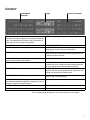
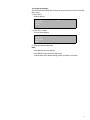
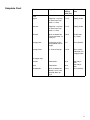
Display Symbols
á
ã
2
å
Cooking Mode Symbol - Shows the cooking
elements that are active for the mode that is
selected. The symbol will also display a fan if
the convection fan is utilized in the selected
mode.
Fast Preheat Symbol - Is displayed when
Fast Preheat is active.
Door Locking Indicator - Symbol is displayed
during and after the self-clean mode when the
door is locked. DO NOT attempt to open the
door while the lock symbol is present.
!
Cook Time Symbol - Used in conjunction with
Cook Time mode. Shows the amount of time
that the oven mode will run before turning off
automatically.
Stop Time Symbol - Used when delaying the
start of a timed oven mode. Shows the time of
day that the oven mode will automatically end.
Preheat Monitor - Shows the progress of the
preheat process. When all of the five bars are
lit, preheat is complete. Some modes start with
all bars lit.
Probe Symbol - Appears when a probe is detected.
Before Using the
Oven for the
First Time
14
?
•
Oven must be properly installed by a qualified technician before use.
•
Remove all packing materials from inside and outside the oven.
•
While cool, wipe with a clean, damp cloth and dry.
•
There may be a slight odor during first uses; this is normal and will disappear.
•
Optimum cooking results depend on proper cookware being used.
•
Read and understand all safety precautions and Use and Care Manual information prior to operating.