1
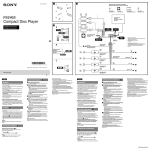
(BROWSE) button page 14, 15 To enter the Quick-BrowZer™ mode (CD/USB); list the station (Pandora® via USB). PTY (Program Type)/CAT (Category)*2 button page 9, 24 To select PTY in RDS. Note If the unit is turned off and the display disappears, the unit cannot be operated with the remote commander unless on the unit is pressed, or a disc is inserted to activate the unit first. Number buttons Radio: To receive stored stations (press); store stations (press and hold). CD/USB: /: ALBUM / (during MP3/ WMA/AAC playback) To skip an album (press); skip albums continuously (press and hold). : (Repeat)*3 page 15 : SHUF page 15 : PAUSE To pause playback. Press again to resume playback. Pandora® via USB: /: Thumbs down ()/up () (press and hold for 1 second) page 14 : PAUSE To pause playback. Press again to resume playback. DSPL (Display)/SCRL (Scroll) button page 9, 10, 11, 12, 14, 25 To change display items (press); scroll a display item (press and hold). AUX input jack page 24 *1 If a SiriusXM Connect tuner is connected: when is pressed, the connected device (“SIRIUSXM”) will appear on the display. Press to select the desired SiriusXM Connect tuner band. *2 When the SiriusXM Connect tuner is connected. *3 This button has a tactile dot. 7