1
Child lock
Functional description
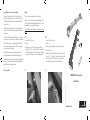
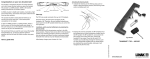
Enable Child lock
1. Remove 1 battery and wait 15 seconds
2. Press both buttons on second row and keep the keys pressed
3. Mount the battery at the same time (the keys are pressed)
4. The child lock function is now enabled
2.
3.
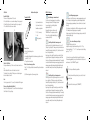
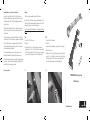
Transmitter HB20:
Up – down head motor
Up – down foot motor
Simultaneous up/down
1 / 2 / (3) – memory
S - store
Massage mode
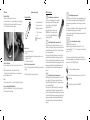
Unlock of Child lock
Press up and down keys of the 2nd row at the same time for one
sec.
When the blue LED turns on the handset is unlocked.
The handset is not unlocked If the keys are not released again
before the blue led turns off.
Lock
If no keys are pressed for 10 seconds, the handset will lock again.
Factory settings (disabled childlock)
Dismount 1 battery and wait 15 seconds. Mount the battery and
the HB is back to factory setting.
How to store
• Drive to the desired position
• Push “S”
• Immediately afterwards the desired memory position must be
pushed (1, 2 or (3))
• The position is now stored
Drive to stored memory position
Push (1, 2 or (3)) keep the button down until the position has been
reached.
(3) HB for massage has only 2 memory postions.
HB20 for Massage:
Enter/exit massage command mode
Sets the control in massage mode for controlling
the massage functions (LED flashing) or returns
to normal mode for controlling the bed
adjustment (LED off).
Pressing this key has no influence on the
TWINDRIVE unit. If no keys are pressed for
10 min. the control will automatically go to
normal mode (LED off).
Controlling the backrest massage motor
Short key press turns the backrest massage motor on or off
(Left key on, right key off). Turning on a motor, which has been
turned off by turning the intensity to off, starts the motor with
lowest configured intensity.
Keep key pressed to adjust the intensity up or down (Left key
up, right key down). Keeping the down key pressed will turn
the motor off when going below minimal intensity. The intensity
can be controlled when running in a massage program, but the
massage program will be temporarily halted and both motors
are run with currently chosen intensity until up/down-key is
released.
Controlling the leg rest massage motor
Short key press turns the leg rest massage motor on or off (Left
key on, right key off). Turning on a motor, which has been
turned off by turning the intensity to off, starts the motor with
lowest configured intensity.
Keep key pressed to adjust the intensity up or down (Left key
up, right key down). Keeping the down key pressed will turn
the motor off when going below minimal intensity. The intensity
can be controlled when running in a massage program, but the
massage program will be temporarily halted and both motors
are run with currently chosen intensity until up/down-key is
released.
Controlling massage program
Short key press on left key turns on a massage program (wave, pulse
etc.) or changes to next program if a program is already activated.
Starting a massage program always turns on both motors at current
intensity.
Short key press on right key turns off both massage motors no matter
if it is running in a massage program, or separately.
Keep key pressed to adjust the motor change speed up or down (Left
key down, right key up)
Store and recall massage settings.
2 massage settings can be stored.
Adjust the massage to the preferred settings. Pres the “S” key
followed by either key “1” or “2”. To recall a previous stored setting
press key “1” or “2”.
You have chosen a quality and technical product of high value.
This mounting guideline gives you the information on the use and
maintenance of the TWINDRIVE® product.
This is only an additional user guideline
Should you have further questions, please contact the bed
manufacturer
Is only valid for the motor part (TWINDRIVE®)