1
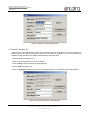
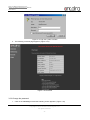
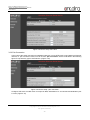
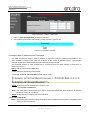
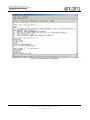
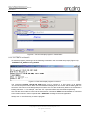
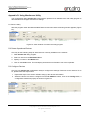
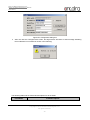
User’s Manual Version 1.3 Serial to Ethernet Device Server STE-501C 3.3.3 Network Setup Click on the “Networking” link and the following screen appears. Fill in IP information under TCP/IP field. Alternatively, one can do the configuration by clicking on DHCP to obtain auto IP address, gateway and subnet mask information. Enable SNMP by checking “Enable”, fill in network identification information under SNMP field and click on the “Save Configuration” button to save the changes, please notice that the setting will not become effective until one restart STE-501C.( Figure 3.20) Figure 3.20 Network setup 3.3.4 Configure STE-501C as TCP Server one can configure STE-501C as transparent mode by default (Figure 3.21) Click on the “COM1” link and the following screen appears. Configure STE-501C as TCP server Input local listening port “4660” 1. If one want to enable IP filter: Check “IP filter” Input source IP in the “Source IP“ Copyright © 2013 Antaira Technologies, LLC All rights reserved. 23