1
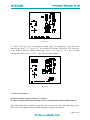
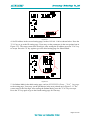
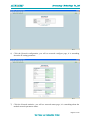
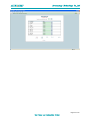
Figure 5-23
4) Set Baud Rate in the second setting page ,such as 38400.The module can support the baud
rate such as 9600,19200,38400,76800。Press the "V/A" key to go to the setting page.,Users
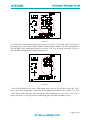
may set the parameters pointed out in Figure 5-24。After setting the BACnet MS/TP Baud rate,
press the "V/A" key to accept. Press the "P" key to go to the third setting page for the MAX
INFO FRAM.
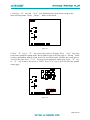
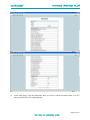
Figure 5-24
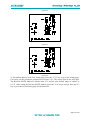
5) Set MAX INFO FRAM in the third setting page,such as 1。The BACnet MS/TP MAX
INFO FRAM default value is 1, and the user defined range of MAX INFO FRAM is 1~255.
Users may set the parameters pointed out in Figure 5-25。 After setting the BACnet MS/TP
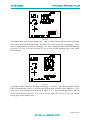
MAX INFO FRAM, press the "V/A" key to accept. Press the "P" key to go to the fourth
setting page for the module reset.
Page 16 of 23