1
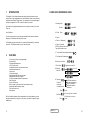
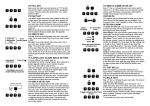
5. Tamper Alarm activated sounding internal audible
alarm. Panel unset / Day mode.
Enter user code to clear internal audible alarm.
Re-enter user code to clear TAMPER LED.
Now try setting the system. If the system
goes straight into an alarm condition contact
the engineer.
3
FUNCTIONAL DESCRIPTION
3.1
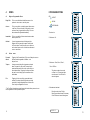
Operating Modes
Day Mode
This is the state of the panel when unset (not armed). Fire, Personal
Attack and Tamper inputs, however remain active 24hours aday.(These
are referred to as 24 hour zones). Day mode is identified by the green
day LED on the front of the panel.
Set Modes
When the panel is set (armed) an activation of any Access, Immediate or
24 hour zone will cause an alarm condition. When an alarm is generated
the internal and external sounders will operate for the length of time
programmed and the tone of the internal sounder will be two notes
repeated rapidly. The strobe lamp will also be activated and will
continue to operate until the panel is reset.
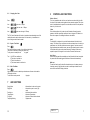
6. Mains Failure. Panel unset / Day mode.
Supply LED off indicating no mains supply to
panel.
Check that there is mains supply else where on
the premises. If no supply in premises wait
for mains power to return.If there is mains
supply to the system contact the engineer.
Fullset / Partset
At the time of setting the control panel, any one of three set modes
can be selected. i.e
Full set :
Whole system armed; nobody on premises.
Part set 1:
Upstairs off, Downstairs armed.
Part set 2:
Upstairs armed, Downstairs off.
The above are purely examples. The Engineer has the ability at
the programming stage to configure all the circuits to the
customer's exact requirements.
3.2
7. Panel Waiting for Further Commands.
Day LED will flash if you have started a
function but not finished the sequence.
Enter
12
Entry / Exit Mode
Entry
When the panel is set and an Entry / Exit zone is triggered the
Entry / Exit timer will begin to count down. During this period
an Entry / Exit tone (single repeated bleep) will be produced by
the internal sounder and any zones which are programmed as
Access zones will be ignored. If the user code is entered before
the end of the count down period the panel will return to ‘day’
mode. If the timer is allowed to elapse before the user code is
entered the panel will go into an alarm state. In this case the
system needs to be 'Unset'
Exit
With the panel in ‘day’ mode, if either the user code or an Easy-set
key sequence is entered the Entry / Exit timer will begin. If all the
Immediate zones are clear, then the Entry / Exit tone will be
heard. Leave the protected area by the predetermined Entry / Exitroute.
As you trigger Access zones the tone will change
temporarily to a repeated low tone. When all the zones are clear,
the Entry / Exit tone will continue again until the end of the
time-out period. The panel will then be set.
to terminate.
RINS 011 -2
5