1
Table of Contents
Table of Contents . . . . . . . . . . . . . . . . . . . . . . . . . . . . . . . . . . . . . . . . . . . . . . . . . . . . . . . . . . . . . . .
iii
..................................................................
1
.............................................................
1
...................................................................
2
..........................................
3
.........................................................................
3
2.2 Folder Structure . . . . . . . . . . . . . . . . . . . . . . . . . . . . . . . . . . . . . . . . . . . . . . . . . . . . . . . . . . . . . . . . . .
4
............................................................................
4
......................................................................
4
...............................................................
4
.........................................................................
4
Scenes . . . . . . . . . . . . . . . . . . . . . . . . . . . . . . . . . . . . . . . . . . . . . . . . . . . . . . . . . . . . . . . . . . . . . . . . . .
5
Scripts . . . . . . . . . . . . . . . . . . . . . . . . . . . . . . . . . . . . . . . . . . . . . . . . . . . . . . . . . . . . . . . . . . . . . . . . . .
5
.........................................................................
5
.....................................................................
5
............................................................................
5
..................................................................
6
...........................................................................
6
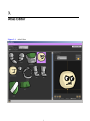
Atlas Editor
................................................................
7
3.1 Overview
.......................................................................
8
..................................................................
8
.............................................................................
9
1.
Overview
1.1 System Requirements
1.2 Compatibility
2.
Setting Up The Unity3D Environment
2.1 Import
Demo
Animations
Atlas Base Textures
Atlases
Sounds
Documentation
Editor
Playmaker Scripts
Plugins
3.
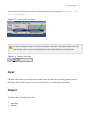
3.2 Create an Atlas
Input