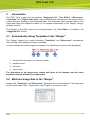
1
DFS Tools 12.0
4
"Line Editor"
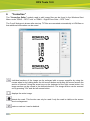
The "Line Editor" module used to edit image files can be found in the Windows Start Menu
under "ESKO – DFS Tools" or "ESKO – Digital Flexo Suite – DFS Tools".
The "Load" dialogue is shown after start-up. TIF files are converted automatically to LEN files so
that additional information can be saved.
Individual sections of the image can be enlarged with a square magnifier by using the
mouse wheel or by holding down the left mouse button and pulling the mouse across the
section of interest. Using the arrow keys on the keyboard or the right mouse button, the
image section can be moved in the desired direction. The image section can be zoomed
out by pressing "Ctrl" and the left mouse button.
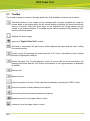
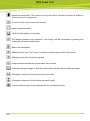
displays the entire image.
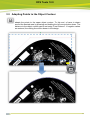
activates the setting of lines using the left mouse button.
activates the contour recognition feature using the left mouse button.
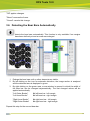
automatically creates a rectangle around the objects in the visible area.
21