1
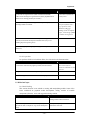
Appendices
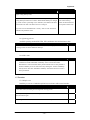
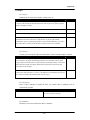
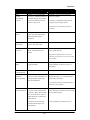
Possibilities
Remarks
atoms loaded in the library, the concerning atoms lose all
their behaviour and attributes. If, after that, the model is
opened with the necessary atoms in the library, the
concerning atoms are still completely empty.
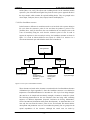
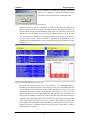
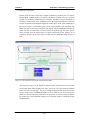
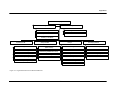
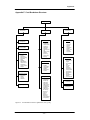
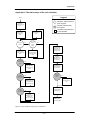
Hierarchical tree structure of the model (and library).
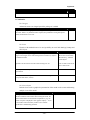
Wish: possible to select more atoms at once
Additional atoms can be loaded into the library one for one. in order to load them into the library.
Incontrol ED: Multiple atoms can be joined
in one atom and then saved and loaded. E.g.
all the ED BAXSIM atoms can be loaded
together.
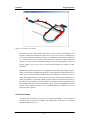
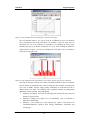
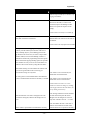
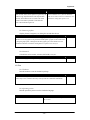
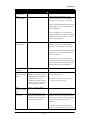
Selection of more than one atom in the model layout view
is only possible by using the “Atom Manipulator” atom.
Wish: possibility to select (e.g. by mouse in
combination with Ctrl-key) more than one
atom (e.g. in order to move them)
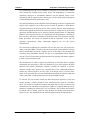
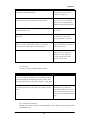
Graphical oriented. The routing through the model is given
by connecting the atoms with channels, which increases the
building speed of small models. When the model gets more
complex, zooming in is required in order to distinguish the
different channels. This is a limitation, especially when the
atoms that have to be connected are distant. Keeping the
overview of the model’s atoms with the “view channels”
option on is hard.
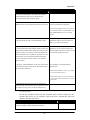
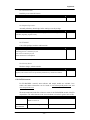
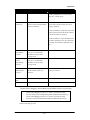
Wish: possibility to change the way the
channels are lay down in the model layout
(make it flexible connectors in order to create
a conveniently arranged overview)
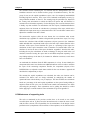
By using the “Atom Manipulator” atom, parts of the model
can be selected in order to hide the involved channels. But
this activity takes much time.
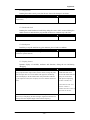
Wish: possibility to develop models in
different layers.
Incontrol ED: Containers can be very useful
to create sub models (layers).
Incontrol ED: Atoms can also be connected
by selecting the atom and channel to connect
to from a list.
By default the dimensions of the atoms as displayed are
used in the logic. This connection can be switched of in the
pop up menu of every atom (“Use physical dimension”).
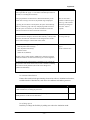
I.4.2 Input of data
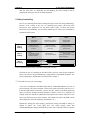
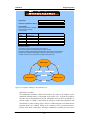
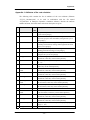
Provide the simulation model with data. Important issues include reading from file,
variables that need to be set, interactive input with menus, automatically read from
database, checking input values.
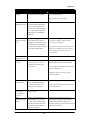
Possibilities
Remarks
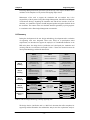
After (and during) building a model, the reset function makes it possible to
check the consistence of the model before running it.
- 176 -