1
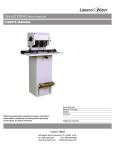
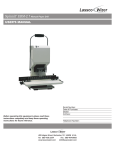
Spinnit FMMH-2.1C Hydraulic Paper Drill - Designed for Cancelling Decks of Playing Cards
R
USER’S MANUAL
Before operating this equipment, please read these
instructions completely and keep these operating
instructions for future reference.
Serial Number:
Date of Purchase:
Dealer:
Address:
Telephone Number:
485 Hague Street, Rochester, NY 14606 U.S.A.
Tel: 585-436-1934
Fax: 585-464-8665
www.lasscowizer.com
[email protected]
Table Of Contents
1 - Introduction
1.1
1.2
Your New FMMH-2.1C Paper Drill....... Page 01
Shipping Damage Inspection............... Page 01
2 - Safety
2.1
2.2
2.3
Safety Instructions................................ Page 02
Warning Labels..................................... Page 03
Grounding Instructions......................... Page 04
3 - Setting Up Your Machine
3.1
3.2
3.3
3.4
3.5
3.6
3.7
3.8
Loose Items Inventory.......................... Page 05
Accessories Warning............................ Page 05
Uncrating and Removing From the
Pallet.................................................... Page 06
Leveling The Machine.......................... Page 06
Adding the Oil....................................... Page 07
Installing and Positioning the Drill
Strips.................................................... Page 08
Attaching the Chip Bag........................ Page 08
Electrical Instructions........................... Page 08
4 - Operation
4.1
4.2
4.3
4.4
4.5
4.6
Protective Guard.................................. Page 09
Drill Bit Removal and Installation......... Page 09
Leveling the Drill Bits............................ Page 10
Card Cage............................................ Page 11
Drilling Procedures............................... Page 11
Tips on Drilling...................................... Page 12
1 - Introduction
1.1 - Your New FMMH-2.1C Paper Drill
Thank you for your purchase of the Spinnit FMMH-2.1C
Paper Drill.
R
We ask that you take a moment to fill in the serial
number and other information on the front cover of the
manual. Please keep this manual as a reference for
future use.
For parts and service, please contact the Lassco-Wizer
Dealer from whom you purchased the machine. If you
require assistance in locating a Lassco-Wizer Dealer
please contact our customer service department at 585436-1934. Please have the model of your machine and
the serial number when you call.
If you wish to write to us, send correspondence to:
Lassco-Wizer
Attn: Customer Service
485 Hague Street
Rochester, NY 14606
1.2 - Shipping Damage Inspection
Remove the machine from the carton and inspect for
any shipping damage. If any damage is present, report
the damage to the carrier immediately; failure to do so
may void any warranties.
5 - Maintenance
5.1
5.2
5.3
5.4
Safety.................................................... Page 12
Annual Lubrication................................ Page 12
Inspecting the Flex Drive...................... Page 13
Changing the Hydraulic Oil.................. Page 14
6 - Trouble Shooting Guide
6.1
Determining the Cause and Correction
to Certain Problems.............................. Page 16
7 - Parts Diagrams
7.1
7.2
7.3
7.4
7.5
Side View............................................. Page 17
Head Assembly.................................... Page 18
Spindle and Chuck Assembly............... Page 19
Rear View............................................. Page 20
Parts List.............................................. Page 21
Page 01
2 - Safety
2.1 - Safety Instructions
All operators must read and understand the Users
Manual including all safety instructions before using this
equipment. Failure to fully understand the safety
instructions can result in personal injury. If after reading the
manual you are still uncertain about use, please
contact the dealer from whom you purchased the
machine for assistance. If you need contact information for
a Service Technician nearest you please call
585-436-1934.
SAFETY OF THIS EQUIPMENT IS THE RESPONSIBILITY
OF THE USER(S).
Please read and follow all warning labels on your machine.
WEAR PROPER APPAREL. Do not wear loose
clothing , gloves, neckties, rings, bracelets, or other jewelry
which may get caught in moving parts. Non slip footwear
is recommended. Wear protective hair covering to contain
long hair.
Keep hands clear while operating machine.
ALWAYS USE SAFETY GLASSES. Also use face or dust
mask if drilling operation is dusty. Everyday eyeglasses only
have impact resistant lenses, they are NOT safety glasses.
KEEP GUARDS IN PLACE and in working order.
Always disconnect the power before servicing this machine.
Service should only be performed by a QUALIFIED TECHNICIAN.
Always turn the machine to off mode and wait for the drills
to stop spinning before installing or removing drill bits. Keep
hands away from drills when operating. PLEASE NOTE
THAT THE DRILL BITS MAY BE HOT AFTER USE. PROCEDE WITH CAUTION WHEN CHANGING THE DRILL
BITS.
DON’T USE IN DANGEROUS ENVIRONMENT. Don’t use
this machine in damp or wet locations, or expose it to rain.
Keep work area well lighted.
THIS MACHINE IS DESIGNED FOR ONE PERSON OPERATION. Never operate the machine with more than one
person.
KEEP CHILDREN AWAY. All visitors should be kept a safe
distance from the work area.
MAKE WORKSHOP KID-PROOF with padlocks or master
switches.
DON’T FORCE MACHINE. It will do the job better and safer
at the rate for which it was designed.
USE RIGHT MACHINE. Don’t force tool or attachment to
do a job for which it was not designed.
MAINTAIN MACHINE WITH CARE. Keep tools sharp and
clean for best and safest performance. Follow instructions
for lubricating and changing accessories.
REMOVE ADJUSTING KEYS AND WRENCHES. Form
habit of checking to see that keys and adjusting wrenches
are removed from machine before turning it on.
KEEP WORK AREA CLEAN. Cluttered areas and benches
invite accidents.
DISCONNECT MACHINE before servicing; when changing
accessories, such as drill bits, drill blocks, and the like.
REDUCE THE RISK OF UNINTENTIONAL STARTING.
Make sure the power switch is in the off position before
plugging in.
USE RECOMMENDED ACCESSORIES. Consult the user’s manual for recommended accessories. The use of improper accessories may cause risk of injury to persons.
NEVER STAND ON MACHINE. Serious injury could occur
if the machine is tipped.
DON’T OVERREACH. Keep proper footing and balance at
all times.
CHECK DAMAGED PARTS. Before further use of the machine, a guard or other part that is damaged should be carefully checked to determine that it will operate properly and
perform its intended function--check for alignment of moving
parts, binding of moving parts, breakage of parts, mounting, and any other conditions that may affect its operation.
A guard or other part that is damaged should be properly
repair or replaced.
NEVER LEAVE MACHINE RUNNING UNATTENDED.
TURN POWER OFF. Don’t leave machine until it comes to
a complete stop.
Page 02
2 - Safety
2.2 - Warning Labels
WARNING: DO NOT EXPOSE TO
RAIN OR USE IN DAMP LOCATIONS.
Page 03
2.3 - Grounding Instructions
Diagram 2-10
METAL SCREW
GROUNDING
PIN
COVER OF GROUNDED
OUTLET BOX
In the event of a malfunction or breakdown, grounding provides a path of least resistance for electric current to reduce the risk of electric shock. This tool is equipped with an electric cord having an equipment-grounding conductor and a grounding plug. The plug must be plugged into a matching outlet that is properly installed and grounded
in accordance with all local codes and ordinances.
DO NOT MODIFY THE PLUG PROVIDED. If it will not fit the outlet, have the proper outlet installed by a QUALIFIED ELECTRICIAN.
Improper connection of the equipment-grounding conductor can result in a risk of electric shock. The conductor
with insulation having an outer surface that is green with or without yellow stripes is the equipment-grounding conductor. If repair or replacement of the electric cord or plug is necessary, do not connect the equipment-grounding
conductor to a live terminal. Check with a QUALIFIED ELECTRICIAN or service personnel if the grounding instructions are not completely understood, or if in doubt as to whether the tool is properly grounded. Use only 3-wire
extension cords that have 3-prong grounding plugs and 3-pole receptacles that accept the machine’s plug.
This machine is intended for use on a circuit that has an outlet that looks like the one illustrated in diagram 2-10.
The machine has a grounding plug that looks like the plug illustrated in diagram 2-10. Make sure the machine is
connected to an outlet having the same configuration as the plug. No adapter is available or should be used with
this machine. If the machine must be reconnected for use on a different type of electric circuit, the reconnection
should be made by qualified service personnel; and after reconnection, the tool should comply with all local codes
and ordinances.
Page 04
3 - Setting Up Your Machine
3.1 - Loose Items Inventory
Please remove and inspect the following items:
FMM6-651A: Master Chip
Chute (1)
(this item may be installed)
FMM6-652A: Chip Bag
Assembly (1)
5/16” Hollow Drill Bits (2)
(these items may be installed)
SPIN-EZE: Drill Bit
Lubricant (1)
MS-1: Drill Sharpener (1)
EBM-32: Chuck Release Key (1)
HEX-18: Hex Wrench
1/8” (1)
CC-2: Chip Clearer (1)
FMM9-957A: Spindle
Rotation Tool (1)
HEX-732-T: Hex Wrench
7/32” T Style (1)
HL3G06: Drill Strips (3)
EBM-41: Sharpening
Stone (1)
DRILL-EASE: Drill Bit Lubricant (1)
HL3HY: Hydraulic
Oil (1)
HG07: Plastic
Funnel (1)
3.2 - Accessories Warning
USE RECOMMENDED ACCESSORIES. Only use accessories approved by a Lassco-Wizer. The use of improper accessories may cause risk of injury to persons.
Page 05
3 - Setting Up Your Machine
3.3 - Uncrating and Removing From the Pallet
3.3.1
Remove the wooden framing around the outside box.
3.3.2
Remove the box up and over the machine.
3.3.3
Remove the four (4) 5/16” bolts which are securing the machine to
the pallet: access through the rear of the machine using a 5/16”
wrench (not provided) as shown in diagram 3-10. Discard the four
(4) 5/16” bolts.
3.3.4
Diagram 3-10
Remove the FMMH-2.1C from the pallet carefully “stepping” it off
the edge. DO NOT drop the machine. DO NOT lift by the table.
Two people may be needed to remove the machine from the pallet safely.
5/16” Bolts
5/16” Bolts
Wooden Pallet
3.4 - Leveling The Machine
3.4.1
Set the machine down in its desired location and determine if the
machine is level, making sure that it does NOT rock in any direction. If it does, determine which Leveling Feet need to be adjusted
and whether they need to be adjusted up or down.
3.4.2
If adjustment is needed, start by loosening the four (4) nuts which
are accessed through the rear of the machine.
3.4.3
Next adjust the four (4) Leveling Feet by screwing them clockwise
to raise them or counter-clockwise to lower. After each adjustment set the machine down completely to verify that the machine
no longer rocks. Continue adjustment as needed until the machine sits securely in place. Tighten the four (4) nuts down to
secure the position of the Leveling Feet.
Diagram 3-20
Nut
Leveling Feet
Base of the Machine
Page 06
3 - Setting Up Your Machine
3.5 - Adding the Oil
3.5.1
Remove the back cover by unscrewing the eight (8) hex screws that hold it in place.
3.5.2
Remove the Cap on the Oil Tank.
3.5.3
Insert the Plastic Funnel, included with the machine, into the Oil Tank and, using the new batch of Hydrol HL Oil
(HL3HY) included with the machine, fill the tank with 1-1/2 gallons or until the Oil Tank is approximately 3/4 filled with
oil.
3.5.4
Replace the Cap making sure it is sealed securly.
3.5.5
Replace the Back Cover by securing the eight (8) hex screws that hold it in place.
3.5.6
After adding the oil it will be necessary to work the air out of the system. This is done by turning the power to the
Hydraulic Motor on and activating the foot pedal to raise and lower the table. Air in the hydraulic lines may make the
table motion irratic. Continue raising and lowering the table until the machine responds in the usual way indicating
the all the air has been bled out of the hydraulic lines.
Diagram 3-25
Hydrol HL (included)
Funnel (included)
Oil Tank
Page 07
3 - Setting Up Your Machine
3.6 - Installing and Positioning the Drill Strips
3.6.1
Slide the Drill Strip(s) (HL3G06) into the slot located on the Table Assembly as shown in diagram 3-40. Position the
Drill Strip(s) under the Card Cage so that they are directly beneath the Drill Bits when the Table rises. It is recommended that the drill strips be rotated and changed regularly as they wear. For additional information on Drill Strips
see section 4.5 and section 4.6.
Diagram 3-40
Card Cage
Metal Tray
Table Assembly
Drill Strip
Drill Strip
3.7 - Attaching the Chip Bag
3.7.1
Attach the Chip Bag (FMM6-652A) to the machine by stretching
the mouth of the bag over the Master Chip Chute and hooking
the aluminum bar onto the bracket located on the top flat portion
of the master chip chute as shown. Please note that you must
empty this bag as needed to avoid clogging.
Diagram 3-50
Chip Bag Bracket
Master Chip Chute
Chip Bag
3.8 - Electrical Instructions
3.8.1
3.8.2
Your FMMH-2.1C comes with an electrical cord containing the
plug to fit into standard grounded 115V outlets. This machine has
a combined full load draw of 18.8 Amps and requires a 20 Amp
Circuit.
Diagram 3-60
Rocker Switch
(Drill Motor)
Rocker Switch
(Table Motor)
Making sure that nothing is interfering with the drill bits, plug the
cord set into a grounded 115V outlet. To turn the Drill Motor on,
face the machine and press the Rocker Switch on the left-hand
side labeled “Drill Motor.” To turn the Table Motor on, face the machine and press the Rocker Switch on the right-hand side labeled
“Table Motor.”
Page 08
4 - Operation
4.1 - Protective Guard
4.1.1
Your FMMH-2.1C comes with a protective guard installed. DO
NOT operate this machine without the guard in place.
4.1.2
Please note that when you are performing certain operations such
as removing and installing drill bits, you will need to move the
guard out of the way. Making sure the power to the machine is
disconnected or locked-out, push the guard up and hold in place
while performing necessary operations or maintenance. The protective guard should not be removed during operation.
Diagram 4-10
4.2 - Drill Bit Removal and Installation
CAUTION: DRILL BITS MAY BE HOT AFTER USE. ALLOW DRILL BITS TO COOL
DOWN BEFORE TOUCHING.
BEFORE REMOVING OR INSTALLING THE DRILL BITS, DISCONNECT OR
LOCK-OUT THE POWER SUPPLY TO THE DRILL MOTOR.
4.2.1
We recommend using a piece of card stock on the Table when
leveling the drill bit to avoid drilling into the drill strip. This will
lengthen the life of your drill bits and keep them sharper.
4.2.2
Remove the hole guard which is attached to the chuck. This is
done by grasping the tab and sliding the guard off.
4.2.3
Using the Chuck Release Key (EBM-32), insert the tapered end
facing down into the chuck hole. In a clockwise motion turn the
Chuck Release Key 45 degrees. The drill bit will slide out of the
chuck. It is recommended that you hold onto the drill bit so that it
does not drop out of the chuck damaging the tip.
4.2.4
To install a drill bit, grasp the drill bit, and being careful to keep it
straight, press it up into the chuck.
4.2.5
Seat the drill bit by using a stack of scrap paper. Set the scrap on
the table. Lower the table lift speed by turning the Table Adjustment Knob (see section 4.9). Step on the foot pedal slowly raising the table toward the Drill Bit. Put light pressure on the hollow
Drill Bit seating it firmly in place.
4.2.6
4.2.7
Remove the scrap paper and turn the machine on to check the
concentricity of the bit. If the bit is not concentric, remove it and
repeat steps 4.2.2 through 4.2.5 until it is concentric.
Diagram 4-20
Chuck Release Key
Tab
Chuck
Hole Guard
Drill Bit
Diagram 4-30
Chuck
Hole Guard
When the drill bit is correctly installed replace the hole guard back
onto the chuck to protect debris from clogging the chuck.
Drill Bit
Page 09
4 - Operation
4.3 - Leveling the Drill Bits
BEFORE LEVELING THE DRILL BITS,
MAKE SURE THAT THE DRILL MOTOR
SWITCH IS IN THE OFF POSITION.
4.3.1
We recommend using a piece of card stock on the Table when
leveling the drill bits to avoid drilling into the drill strip. This will
lengthen the life of your drill bits and keep them sharper.
4.3.2
Remove one (1) of the two (2) Access Guard Screws using
the 1/8” Hex Wrench (HEX-18). Swing the Access Guard as
shown in diagram 4-40 to gain access to the motor shaft.
4.3.3
Insert the Spindle Rotation Tool (FMM9-957A) into the end of
the motor shaft through the opening in the top of the machine
shroud until the notch in the Spindle Rotation Tool fits into the
keyway securely.
4.3.4
Swing the access cover located on the front of the heads to
one side allowing access to the spindle and chuck.
4.3.5
Turn the Spindle Rotation Tool by hand until the Insert Retainer
Screw can be seen in the opening.
4.3.6
Turn the rocker switch labelled Table Motor on. Stepping on
the foot pedal, raise the table so that it meets the bottom of the
pressure foot assembly. By keeping the foot pedal activated
during steps 4.3.7 through 4.3.8 the table will stay in the full
upright postion.
4.3.7
Using the 7/32” Hex Wrench (HEX-732-T), loosen the insert
retainer screw approximately one half turn (loosening too
much may cause the insert retainer screw to come out completely). Retighten the insert retainer screw until it is snug but
not tight; this will allow you to raise or lower the chuck without
too much play. Hold onto the Spindle Rotation Tool to prevent the belts from turning. Lower the height of the Chuck by
turning it counter-clockwise. Raise the height of the Chuck by
turning it clockwise.
4.3.8
When the drill bit is just touching the drill strip, re-tighten the
insert retainer screw. This may require you to turn the Spindle
Rotation Tool until the Insert Retainer Screw is again accessable through the opening.
4.3.9
Lower the table
4.3.10 Repeat steps 4.3.3 through 4.3.9 on the remaing Drill Bits so
that they are all level with each other.
Diagram 4-40
1/8” Hex Wrench
Access Guard Screw
Access Guard
Diagram 4-50
Spindle Rotation Tool
Access Cover
Diagram 4-60
Diagram 4-70
4.3.11 REMOVE THE SPINDLE ROTATION TOOL FROM THE MOTOR SHAFT. Leaving this attached can cause injury to the
user as it can fly out of the machine upon startup.
4.3.12 Replace all the Access covers and Access Guards so that they
cover the motor shaft opening and the retainer screw openings.
7/32 Hex Wrench
Insert Retainer
Screw
Chuck
Card Stock
Table
Page 10
4 - Operation
4.4 - Card Cage
4.4.1
The Card Cage is designed to hold six (6)
decks of playing cards at a time (three (3)
decks high and two (2) decks wide). Pull out
the Card Cage Drawer as shown in diagram
4-60; insert six decks of cards as shown and
close the Card Cage Drawer. Proceed with
drilling. After cards have been drilled, remove
card decks.
Diagram 4-60
Playing Cards
Card Cage
3 decks high
2 decks wide
Card Cage Drawer
4.5 - Drilling Procedures
4.5.1
After all your adjustments are made as desired, position the Table
in its primary position. Set the product to be drilled on the table
and make sure it is secure using the Paper Side Stops. To drill,
step down on the Foot Pedal and hold, raising the Table up to
meet the drill bits. Make sure the Table rises fully allowing the drill
bits to drill through the product. When the drill bits have penetrated through the entire stack of product, release the Foot Pedal,
which alows the table to return to its lowered position.
4.5.2
It is important you do not drill too slow or too fast. If you drill too
slow you can burn the paper leaving undesired marks. If you drill
too fast, the drill bits will act more like a punch and they will break.
4.5.3
If your Table rises too slow: increase the speed of your Table rise
by turning the Table Adjustment Knob, located just under the Table on the front of the machine, counterclockwise.
4.5.4
If your Table rises too fast: decrease the speed of your Table rise
by turning the Table Adjustment Knob clockwise.
4.5.5
Different product requires different speeds. It is always recommended to drill through a test stack of the product until the operator is confident of the required speed.
Diagram 4-100
Table Adjustment
Knob
Foot Pedal
Page 11
4 - Operation
4.6 - Tips on Drilling
4.6.1
Use a sharp drill bit at all times... Using the MS-1 drill bit sharpener, sharpen your drill bits regularly. Apply light pressure when sharpening. Too much pressure may cause flaring of the tip. (Once a drill bit has a flared tip, it becomes
defective.)
4.6.2
Sharpening Stone... Use to debur the outside cutting edge of the drill bits for better performance.
4.6.3
Lubricate drill bits occasionally... Use Drill-Ease or Spin-Eze. While the drill is running, simply touch the Drill-Ease
stick to the drill bit or brush on the Spin-Eze. Drill through scrap to remove any excess. This will allow for a smoother
cut.
4.6.4
Drill Strips...When drilling, a drill bit must stop slightly above the drill strip. Replace worn out drill strips regularly to
ensure proper drilling.
5 - Maintenance
5.1 - Safety
ALWAYS DISCONNECT THE POWER BEFORE PERFORMING THE FOLLOWING
MAINTENANCE ON THIS MACHINE. MAINTENANCE SHOULD ONLY BE PERFORMED BY A QUALIFIED TECHNICIAN.
KEEP HANDS CLEAR WHILE PERFORMING MAINTENANCE ON THIS MACHINE.
MOVING PARTS CAN CRUSH AND CUT.
5.2 - Annual Lubrication
5.2.7
Making sure the machine is unplugged and after disconnecting
the electrical wiring to the Switch on the shroud, remove the
shroud by lifting straight up to clear the drive mechanism making
sure the Traverse Locks are disengaged.
Diagram 5-40
Belt
Belt
Page 12
5 - Maintenance
5.3 - Inspecting the Flex Drive
5.3.1
5.3.2
Inspecting the Flex Drive on your FMMH-2.1C should be done
at least once every 12 months; however, it may be necessary to
check this more often if problems with the rotation of the spindles
is noticed. Belt shavings are normal for new adjusted belts, but
contact a service technician if it becomes excessive.
Diagram 5-40
Idler Pulley
Straight
Edge
Inspect the Belts for wear and the proper tension. The tension
should be adjusted to an approximate 1/2” gap between a straight
edge placed from the outside edge of the Idler Pulley to the outside edge of the Outside Pulley with the pulleys located one behind the other. Depress the belt halfway between the two pulleys
and measure the distance between the straight edge and the belt
depression.
Belt
1/2”
Outside
Pulley
Belt Tension
5.3.3
The belts can be adjusted by loosening the Lock Nut on the Belt
Adjustment Screw located on the front portion of the Flex Drive
Pivot Assembly and turning the screw clockwise to tighten the belt
and counterclockwise to loosen the belt. After the belt has been
properly adjusted, re-tighten the Lock Nut.
Diagram 5-50
Flex Drive
Pivot Assembly
Flex Drive
Pivot Assembly
Belt Adjustment Screw
5.3.4
Visually check the Flex Drive Pivot Assembly for unusual wear.
Check the Pivot Assembly bolts and tighten if necessary.
5.3.5
Be sure the wiring is clear of all moving components and is properly attached when replacing the Shroud.
Flex Drive
Pivot Assembly
Diagram 5-60
Flex Drive
Pivot Assembly
Page 13
5 - Maintenance
5.4 - Changing the Hydraulic Oil
5.4.1
When using Lassco Wizer Hydrol HL, the Hydraulic Oil should be changed every 2100 Machine Hours. Machine
Hours are defined as the period of time that the Table Motor is turned on and pumping oil, regardless of being operated or not (Even when not drilling, the Table Motor is pumping oil continuously).
5.4.2
If an equivalent oil (other than Hydrol HL) is used, this maintenance schedule may vary, depending on the manufacturer’s specifications. Some hydraulic oils break down when their temperature exceeds 120 F (48.9 C). Hydrol HL
will maintain its consistency until it reaches 210 F (98.9 C)
5.4.3
Access the Oil Tank by removing the eight (8) hex screws on the rear of the machine which hold the Back Cover in
position. Remove the back cover.
5.4.4
To drain the Hydraulic Oil: Remove the Cap by twisting it counterclockwise. Drain the Hydraulic Oil using either a
pump system to pump the oil out of the machine, or use a syphon system to drain out the oil. It is important to remove
as much of the oil as possible.
5.4.5
Discard the used hydraulic oil making sure to follow all local regulations when disposing.
Diagram 5-70
Back Cover
Hex
Screw
Cap
Use Oil
Oil Tank
Page 14
5 - Maintenance
5.4 - Changing the Hydraulic Oil
5.4.6
Insert the included Plastic Funnel into the Oil Tank and, using a new batch of Hydrol HL Oil (HL3HY) or an equivalent
brand, fill the tank with 1-1/2 gallons or until the Oil Tank is approximately 3/4 filled with oil.
5.4.7
Replace the Cap making sure it is sealed securley.
5.4.8
Replace the Back Cover by securing the eight (8) hex screws that hold it in place.
5.4.9
After changing the oil it will be necessary to work the air out of the system. This is done by turning the power to the
Hydraulic Motor on and activating the foot pedal to raise and lower the table. Air in the hydraulic lines may make the
table motion irratic. Continue raising and lowering the table until the machine responds in the usual way indicating all
the air has been bled out of the hydraulic lines.
Diagram 5-80
Hydrol HL (recommended)
Funnel (included)
Oil Tank
Page 15
6 - Trouble Shooting Guide
6.1 - Determining the Cause and Correction to Certain Problems
Problem
Drill bit not concentric.
Drill bit not drilling.
Cause
Foreign material in chuck or in
drill plug.
Inspect and clean.
Drill bit is bent.
Replace drill bit.
Drill bit not seated in chuck
properly.
Re-insert drill bit correctly.
See Operating Instructions.
Chuck is not tight to spindle.
Tighten set screw.
Drill bit plugged.
Remove and clear chips. Check
for other foreign matter.
Drill bit dull.
Sharpen drill bit.
Note:
Uncommon metallic sounds
from under the shroud.
Machine vibrates, wobbles,
resonates, etc.
The drill bit(s) are drilling into
the drill strip or they are not
drilling through the bottom
sheet of the product you are
drilling.
The drill bit(s) do not rotate
when the motor is turned on.
Correction
In extreme conditions, the drill chuck and/or chip chute may
be plugged. Remove the drill bit, loosen the chip chute,
pull down, and clean. See Operating Instructions
The Drive Pulley is loose.
Adjust the Drive Pulley to the
proper height and tighten or
replace the Set Screw.
The Needle Bearings on the Idler
Pulley(s) are not lubricated.
Lubricate the Needle Bearings as
needed.
The machine is not level on the
floor.
Use the leveling feet to make the
machine level on the floor. See
Setting Up Your Machine.
The machine is located directly
on a concrete floor.
Place a rubber mat or carpet
under the machine.
Drill bit(s) are not concentric.
Re-install drill bit(s) until they are
concentric. See Operating
Instructions.
Drill bit(s) are not adjusted
properly to the card stock/card
stock not used.
Adjust your drill bit(s) per Operating Instructions.
The Chuck(s) were not tightened
after adjustment.
Re-adjust and tighten.
A Drive Belt is broken on the
Flexible Drive System.
Replace the broken belt. See
Maintenance.
A Drive Belt is loose on the
Flexible Drive System.
Tighten the loose belt. See
Maintenance.
An Insert Retainer Screw is
hitting the inside of the Chuck
Housing.
Adjust the Chuck and tighten the
Insert Retainer Screw.
Page 16
7 - Parts Diagrams
7.1 - Side View
Page 17
7 - Parts Diagrams
7.2 - Head Assembly
Page 18
7 - Parts Diagrams
7.3 - Spindle and Chuck Assembly
Page 19
7 - Parts Diagrams
7.4 - Rear View
Page 20
7 - Parts Diagrams
7.5 - Parts List
FMM9-9534: 3/4 HP MOTOR (1)
FM5-5006: ROCKER SWITCH (2)
FMM9-9513: DRIVE BELT (2)
FM-90/FM-91: OUTER/INNER GUARD BRACKET (1/1)
N/A
FM-93: PROTECTIVE GUARD (1)
FMM9-9506: IDLER PULLEY (2)
FMH-4000C: TABLE ASMB (1)
FMM9-9517: SHROUD LOCKING KNOB (2)
FMH-3117: SAFETY APRON (1)
FMM8-8502: TRAVERSE ROD (2)
FMH-3001C: TOP DIE SHOE (1)
FMM8-8500: END PLATE LEFT (1)
FMH-3118: DIE PIN (2)
FMM8-8501: END PLATE RIGHT (1)
FMH-3119C: SUPPORT PLATE (1)
FMM9-9505: PULLEY (6)
FMH-20011: NEEDLE VALVE (1)
FMM5-5506: HOUSING (2)
FM-83: 12 AMP TIME DELAY FUSE (1)FM-82: 8 AMP
FMM5-5513: SPINDLE (2)
TIME DELAY FUSE (1)
FMM9-9500: RIGHT PIVOT CHANNEL (1)
FMH-5008: CORD SET (1)
FMM9-9502: LEFT PIVOT CHANNEL (1)
FMP2-2015: FOOT PEDAL GUARD (1)
FMM5-5503: BEARING NUT (2)
FMH-100: FOOT PEDAL (1)
FMH-5514: CHUCK (2)
50-59: ADJUSTMENT FOOT (4)
FMH-5515: INSERT (2)
FMM5-5501: TOP BEARING (2)
FMH-5517: INSERT SCREW (2)
FMM5-5502: BOTTOM BEARING (2)
FM5-5011: CHUCK RELEASE HOLD GUARD (2)
FMM9-9514: PULLEY BUSHING (4)
FMM5-5512: ACCESS COVER (2)
FM3-3007: PIN HOUSING (2)
FMH-C2A: CARD CAGE (1)
FMM6-650A: CHIP CHUTE ASMB (2)
FMM5-5511: CAM BLOCK FOLLOWER (2)
FMH-2X: HYDRAULIC ASMB (1) W/HOSES (3)
5/16” HOLLOW DRILL BIT (2)
FMH-3126: HYDRAULIC CYLINDER (1)
FMMS9-952A: SHROUD ASMB (1)
HL3H28: MALE ELBOW (2)
FM-95: ACCESS GUARD (1)
HL3H26: FITTED ELBOW (2)
FMH-1050: SWITCH GUARD (1)
FMM9-9535: WIRE HARNESS (1)
Page 21