1
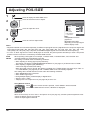
Adjusting POS./SIZE
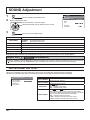
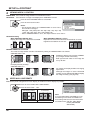
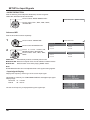
CLAMP POSITION (During Component/PC input signal)
Adjusts the clamp position when black parts of the image have no detail due to underexposure or are
tinged with green.
Optimum value for Clamp Position adjustment
When black parts have no detail due to underexposure (blackout)
Value that causes least blackout is the optimum.
When black parts are tinged with green
Value that cancels the greenishness without causing blackout is the optimum.
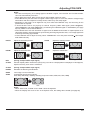
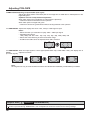
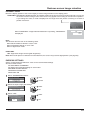
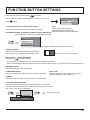
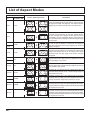
1:1 PIXEL MODE Adjusts the display size when 1125i, 1125p or 1250i signal is input.
Notes:
• Select ON when you would like to replay 1920 × 1080 input signal.
• Applicable input signal;
1125 (1080) / 50i · 60i · 24sF · 24p · 25p · 30p · 50p · 60p, 1250 (1080) / 50i
• Select OFF when ickering is shown around the image.
• H-SIZE and V-SIZE cannot be adjusted when ON is selected.
OFF
ON
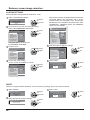
1:1 PIXEL MODE When the input signal is a 2k1k signal (2048×1080 / 24p, 2048×1080 / 24sF), the display size is
(2k1k)
adjusted as follows.
(For 2k1k signals)
OFF
ON (LEFT)
ON (CENTER)
ON (RIGHT)
Note:
2k1k signals can only be received when the Dual Link HD-SDI Terminal Board (TY-FB11DHD) is installed.
Helpful Hint (
/
NORMALIZE
Normalization)
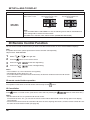
While the POS./SIZE display is active, if either the N button on the remote control is pressed at any time or the ACTION
( ) button is pressed during “NORMALIZE”, then all adjustment values are returned to the factory settings.
28



















![Menú [IMAGEN]](http://vs1.manualzilla.com/store/data/006216960_1-bccdabf5a3bbabe1e4d01f36515ff647-150x150.png)