1
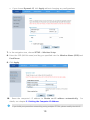
1. Press and hold the PAIR button on the newly added PT530 for 1 second, and then
release it.
2. Within 2 minutes, press and hold the PAIR button on either the PT530 or the PT500 in
the existing powerline network, and then release it.
3. Check the indicators' status on the PT530. When the PLC indicator on the newly added
PT530 turns to steady on from blinking status, it indicates that the PT530 is connected to
the network.
4. If you have more PT530s need to join this network, please repeat the above operation.
3.2 Connecting Cables
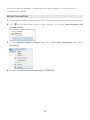
Before you install the PT530, please first make sure that your PC can successfully access the
Internet via the Router. Then connect the powerline devices following the instructions below.
Bridge Mode
The PT530's default working mode is bridge. If you already have a router, you can choose
this scenario, and then the PT530 will access the Internet through the router.
10