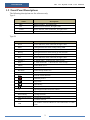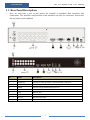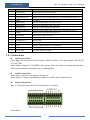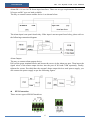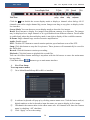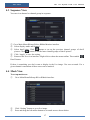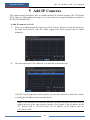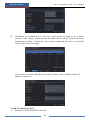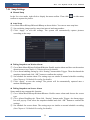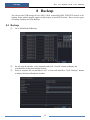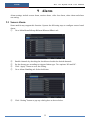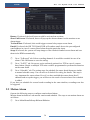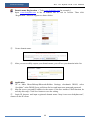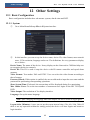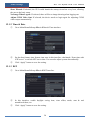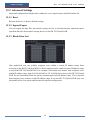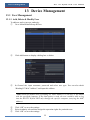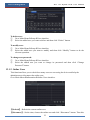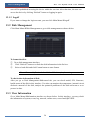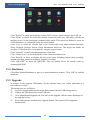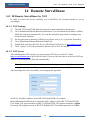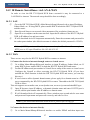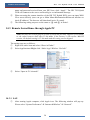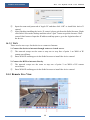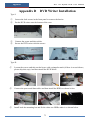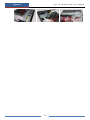
1
User Manual Yongh Please read this manual carefully for correct use of the product and preserve it for reference purposes Notes Please read this user manual carefully to ensure that you can use the device correctly and safely. There may be several technically incorrect places or printing errors in this manual. The updates will be added into the new version of this manual. The contents of this manual are subject to change without notice. This device should be operated only from the type of power source indicated on the marking label. The voltage of the power must be verified before using the same. Kindly remove the cables from the power source if the device is not to be used for a long period of time. Do not install this device near any heat sources such as radiators, heat registers, stoves or other devices that produce heat. Do not install this device near water. Clean only with a dry cloth. Do not block any ventilation openings and ensure proper ventilation around the machine. Do not power off the device at normal recording condition. This machine is for indoor use only. Do not expose the machine in rain or moist environment. In case any solid or liquid get inside the machine’s case, please turn off the device immediately and get it checked by a qualified technician. Do not try to repair the device by yourself without technical aid or approval. When this product is in use, the relevant contents of Microsoft, Apple and Google will be involved in. The pictures and screenshots in this manual are only used to explain the usage of our product. The ownerships of trademarks, logos and other intellectual properties related to Microsoft, Apple and Google shall belong to the above-mentioned companies. This manual is suitable for many models. All examples and pictures used in the manual are from one of the models for reference purpose. HD TVI Hybrid DVR User Manual Contents Contents 1 Introduction ................................................................................................................... 1 1.1 Features............................................................................................................................ 1 1.2 Front Panel Descriptions .................................................................................................. 2 1.3 Rear Panel Descriptions ................................................................................................... 3 1.4 Connections ..................................................................................................................... 5 2 Basic Operation ............................................................................................................. 8 2.1 Startup and Shutdown ...................................................................................................... 8 2.1.1 Startup ....................................................................................................................... 8 2.1.2 Shutdown .................................................................................................................. 8 2.2 Remote Controller ........................................................................................................... 8 2.3 Using a Mouse ............................................................................................................... 11 2.4 Using the Soft Keyboard................................................................................................ 11 2.5 Common Buttons ........................................................................................................... 12 3 Wizard Setup ............................................................................................................... 13 4 Live View...................................................................................................................... 15 4.1 Login ............................................................................................................................. 15 4.2 Live View ...................................................................................................................... 15 4.3 Sequence View............................................................................................................... 17 4.4 Mask View ..................................................................................................................... 17 5 Add IP Cameras .......................................................................................................... 19 6 Record .......................................................................................................................... 22 6.1 Record Settings .............................................................................................................. 22 6.2 Manual Record .............................................................................................................. 24 6.3 Schedule Recording ....................................................................................................... 24 6.4 Motion Based Recording ............................................................................................... 25 6.5 Sensor Based Recording ................................................................................................ 26 7 Playback ....................................................................................................................... 28 7.1 Playback ........................................................................................................................ 28 7.2 Playback by Time Search ............................................................................................... 29 7.3 Playback by Event Search .............................................................................................. 29 7.4 Playback by File Search ................................................................................................. 30 7.5 Snap Setting and Playback by Picture Search ................................................................ 30 7.5.1 Snap Settings .......................................................................................................... 31 7.5.2 Playback by Picture Search ..................................................................................... 32 8 Backup ......................................................................................................................... 33 8.1 Backup ........................................................................................................................... 33 8.2 Clip Backup ................................................................................................................... 34 9 Alarm ........................................................................................................................... 35 9.1 Sensor Alarm ................................................................................................................. 35 Contents HD TVI Hybrid DVR User Manual 9.2 Motion Alarm ................................................................................................................ 36 9.3 Video Loss Alarm .......................................................................................................... 38 9.4 Other Alarm ................................................................................................................... 38 9.5 Alarm Out ...................................................................................................................... 39 9.6 Manual Alarm ................................................................................................................ 39 10 P.T.Z ............................................................................................................................. 40 11 Network Settings ......................................................................................................... 44 11.1 Network ....................................................................................................................... 44 11.2 Sub Stream ................................................................................................................... 45 11.3 Email ............................................................................................................................ 45 11.4 Server ........................................................................................................................... 45 11.5 NAT ............................................................................................................................. 46 11.6 Other Settings .............................................................................................................. 46 12 Other Settings .............................................................................................................. 49 12.1 Basic Configuration ..................................................................................................... 49 12.1.1 System .................................................................................................................. 49 12.1.2 Time & Date ......................................................................................................... 50 12.1.3 DST....................................................................................................................... 50 12.2 Advanced Settings ....................................................................................................... 51 12.2.1 Reset ..................................................................................................................... 51 12.2.2 Import/Export ....................................................................................................... 51 12.2.3 Block/Allow List................................................................................................... 51 13 Device Management .................................................................................................... 52 13.1 User Management ........................................................................................................ 52 13.1.1 Add, Delete & Modify User .................................................................................. 52 13.1.2 Online Users ......................................................................................................... 53 13.1.3 Logoff ................................................................................................................... 54 13.2 Disk Management ........................................................................................................ 54 13.3 View Information ......................................................................................................... 54 13.4 Shutdown ..................................................................................................................... 55 13.5 Upgrade ....................................................................................................................... 55 14 Remote Surveillance .................................................................................................... 56 14.1 IE Remote Surveillance by NAT .................................................................................. 56 14.1.1 NAT Settings ......................................................................................................... 56 14.1.2 NAT Access .......................................................................................................... 56 14.2 IE Remote Surveillance via LAN & WAN .................................................................. 57 14.2.1 LAN ...................................................................................................................... 57 14.2.2 WAN ..................................................................................................................... 57 14.3 Remote Surveillance through Apple PC ...................................................................... 58 14.3.1 LAN ...................................................................................................................... 58 14.3.2 WAN ..................................................................................................................... 60 14.4 Remote Live View ....................................................................................................... 60 14.5 Remote Playback & Backup ........................................................................................ 62 14.6 Remote System Configuration ..................................................................................... 66 14.7 Tools ............................................................................................................................ 66 Contents HD TVI Hybrid DVR User Manual 14.8 Remote Management ................................................................................................... 66 Appendix A FAQ ................................................................................................................. 67 Appendix B Calculate Recording Capacity ...................................................................... 71 Appendix C Compatible Devices ....................................................................................... 72 Appendix D DVD Writer Installation ............................................................................... 73 HD TVI Hybrid DVR User Manual Introduction 1 Introduction 1.1 Features Live Surveillance Support VGA/HDMI output Support (HD-TVI signal) 1080P/720P, (analog signal) 960H/D1 video inputs Supports channel security by hiding live display Support channel security by hiding live display Display the local record state and basic information Support USB to make full control Compression Format Standard H.264 compression with low bit rate and better image quality Storage Support to install the SATA HDD with high capacity (up to 3 TB) Backup Support USB 2.0 devices to backup Support saving recorded files with AVI standard format to a remote computer through internet Record and Playback Record modes: Manual, Schedule, Motion detection and Sensor alarm recording Support recycle after HDD full Resolution, frame rate and picture quality are adjustable Support remote playback in Network Client through LAN or internet Security Customize user right: log search, system setup, two way audio, file management, disk management, remote login, live view, manual record, and playback Support event log recording and checking, events unlimited Network Support TCP/IP, DHCP, PPPoE, DDNS protocol Support IE browser to do remote view Support NAT Access and QRCODE Scanning Support dual stream. Network stream is adjustable independently to fit the network bandwidth and environment Support picture snap in remote live Support remote time and event search, and channel playback Support remote full menu setup Support mobile surveillance by phones with iPhone & Android OS Support CMS/NVMS to manage multi devices on internet 1 HD TVI Hybrid DVR User Manual Introduction 1.2 Front Panel Descriptions The following descriptions are for reference only. Type I: Name Descriptions REC When recording, the light is blue Net When access to network , the light is blue Power Power indicator, when connection , the light is blue Fn Switch the resolution of the VGA/HDMI output Type II: Name Descriptions Power Power Indicator, when connected, the light is blue HDD The light turns blue when reading/writing HDD Net The light turns blue when it is able to access the network Backup The light turns blue when backing up files and data Play The light turns blue when playing video REC Power Indicator, when connected, the light is blue AUDIO /+ 1. Adjust audio 2. Increase the value in setup P.T.Z / - 1. Enter PTZ mode 2. Decrease the value in setup MENU Enter Menu in live INFO Check the information of the device BACKUP Enter backup mode in live SEARCH Enter search mode in live Exit Exit the current interface Manually record Play/Pause Rewind key Fast forward 1-9 Input digital number and select camera 0/-- Input number 0, the number above 10 Direction Key Change direction Multi-Screen Switch Change the screen mode Enter Confirm selection USB To connect external USB device like USB mouse or USB flash 2 HD TVI Hybrid DVR User Manual Introduction 1.3 Rear Panel Descriptions Here we only take a part of real panels for example to introduce their interfaces and connections. The interfaces and locations of the interfaces are only for references. Please take the real object as the standard. No. Name Descriptions 1 AUDIO OUT Audio output; connect to sound box 2 AUDIO IN Connect to audio input device, like microphone, pickup, etc 3 HD TVI VIDEO IN (HD-TVI signal) 1080P/720P, (analog signal) 960H/D1 video inputs 4 HDMI Connect to high definition display device 5 VGA Connect to monitor Audio input 6 LAN Network port 7 USB Connect USB storage device or USB mouse 8 DC12V DC12V power input 9 RS485 Connect to keyboard or speed dome. A is TX+; B is TX- 3 HD TVI Hybrid DVR User Manual Introduction No. Name 1 HD TVI VIDEO IN (HD-TVI signal) 1080P/720P, (analog signal) 960H/D1 video inputs Descriptions 2 AUDIO OUT Audio output; connect to sound box 3 MIC IN Connect to microphone for two-way talk 4 USB Connect USB storage device or USB mouse 5 VGA Connect to monitor 6 AUDIO IN Audio input; connect to audio input device, like microphone, pickup, etc 7 HDMI Connect to high definition display device 8 LAN Network port 9 E-SATA Connect to external SATA storage device 10 ALARM IN Alarm input; connect to sensor 11 ALARM OUT Alarm output 12 GND Grounding 13 RS485 (P/Z) Connect to speed dome. Y is TX+; Z is TX- 14 RS485(K/B) Connect to keyboard. A is TX+; B is TX- 15 Power Switch Turn on/off the power 16 Power Input AC100V~240V power input 4 HD TVI Hybrid DVR User Manual Introduction No. Name Descriptions 1 AUDIO OUT Audio output; connect to sound box 2 MIC IN Connect to microphone for two-way talk 3 AUDIO IN (1-16) Audio input; connect to audio input device, like microphone, pickup, etc 4 GND Grounding 5 RS485 (P/Z) Connect to speed dome. Y is TX+; Z is TX- 6 RS485(K/B) Connect to keyboard. A is TX+; B is TX- 7 E-SATA(1-2) Connect to external SATA storage device 8 HD TVI VIDEIO IN (HD-TVI signal) 1080P/720P, (analog signal) 960H/D1 video inputs 9 HDMI Connect to high definition display device 10 ALARM IN Alarm input; connect to sensor 11 VGA Connect to monitor 12 ALARM OUT Alarm output 13 LAN Network port 14 USB Connect USB storage device or USB mouse 15 Power Switch Turn on/off the power 16 Power Input AC100V~240V power input 1.4 Connections Video Connections Video Input: The interfaces of video inputs are BNC interfaces. The input signal is PAL/NTSC (1.0Vp-P,75Ω). Video Output: Supports VGA/HDMI video output. You can connect to monitor through these video output interfaces simultaneously or independently. Audio Connections Audio Input: Connect to microphone, pickup, etc. Audio Output: Connect to headphone, sound box or other audio output devices. Alarm Connections Take 16 CH alarm inputs and 4 CH alarm output for example. Alarm Input: 5 HD TVI Hybrid DVR User Manual Introduction Alarm IN 1~16 are 16 CH alarm input interfaces. There are no type requirements for sensors. NO type and NC type are both available. The way to connect sensor and the device is as shown below: The alarm input is an open/closed relay. If the input is not an open/closed relay, please refer to the following connection diagram: Alarm Output: The way to connect alarm output device: Pull out the green terminal blocks and loosen the screws in the alarm out port. Then insert the signal wires of the alarm output devices into the port of NO and COM separately. Finally, tighten the screws. Provided that the external alarm output devices need power supply, you can connect the power supply as per the following figures. PTZ Connection There are two types of RS485 interfaces: (Type 1) (Type 2) 6 HD TVI Hybrid DVR User Manual Introduction Type 1: The P/Z interfaces are used to connect speed dome. K/B interfaces are used to connect keyboard. Type 2: The RS485 interfaces are not only used to connect speed dome but also to connect keyboard. The way to connect speed dome to the HD TVI Hybrid DVR: Type 1: Disconnect pluggable block from the RS-485 terminal block and then loosen the fixed screws from the pluggable block, insert signal cables into Y and Z port separately (Y is TX+; Z is TX-) and tighten the fixed screws. Next, connect pluggable block back into terminal block. Finally, connect the video cable of the speed dome to the video input interface of the HD TVI Hybrid DVR. Type 2: Disconnect pluggable block from the RS-485 terminal block and then loosen the fixed screws from the pluggable block, insert signal cables into A and B port separately (A is TX+; B is TX-) and tighten the fixed screws. Next, connect pluggable block back into terminal block. Finally, connect the video cable of the speed dome to the video input interface of the HD TVI Hybrid DVR. 7 HD TVI Hybrid DVR User Manual Basic Operation 2 Basic Operation 2.1 Startup and Shutdown Please make sure all the connections are done properly before you power on the unit. Proper startup and shutdown are crucial to expending the life of your device. 2.1.1 Startup ① ② ③ Connect with the power. The device will boot and the power LED would turn blue. A WIZARD window will pop up and show some information about time zone, time setup, network configuration, record configuration and disk management. You can set up here and refer to the concrete setup steps from the corresponding chapters. If users don’t want to setup Wizard, please click Exit button to exit. Note: Press and hold ESC/Exit/FN key to switch the resolution of the VGA/HDMI output. 2.1.2 Shutdown You can power off the device by using remote controller, keyboard or mouse. By remote controller: ① Press Power button. This will take you to a Shut down window. The unit will power off after a while by clicking OK button. ② Disconnect the power. By keyboard and mouse: ① Click Main MenuShutdown to pop up the Shutdown window. The unit will power off after a while by clicking OK button. ② Disconnect the power. 2.2 Remote Controller ① ② ③ ④ It uses two AAA size batteries. Open the battery cover of the remote controller. Place batteries. Please take care the polarity (+ and -). Replace the battery cover. Key points to check in case the remote doesn’t work. 1. Check batteries polarity. 2. Check the remaining charge in the batteries. 3. Check IR controller sensor for any masking. 4. Check the ID of the remote with respect to the HD TVI Hybrid DVR. If it still doesn’t work, please change a new remote controller to try, or contact your dealers. 8 HD TVI Hybrid DVR User Manual Basic Operation There are two kinds of remote controller. The interface of remote controller is shown as below. Button Function Power Button Switch off—to stop the device Record Button To start recording -/-- /0-9 Input number or choose camera Fn1 Button Unavailable temporarily Multi Button To choose multi screen display mode Next Button To switch the live image SEQ To enter into auto dwell mode Audio To enable audio output in live mode Switch To switch the video output Direction button To move cursor in setup or pan/title PTZ Enter Button To confirm the choice or setup Menu Button To go to menu Exit Button To exit the current interface Focus/IRIS/Zoom/PTZ To control PTZ camera Preset Button To enter into preset setting in PTZ mode Cruise Button To go to cruise setting in PTZ mode Track Button To go to track setting in PTZ mode Wiper Button To enable wiper function in PTZ mode Light Button To enable light function in PTZ mode Clear Button To return to the previous interface Fn2 Button Unavailable temporarily Info Button Get information about the device. To control playback.Play/Pause/Stop/ Previous Section/ Next Section/Backward/ Forward Snap Button To take snapshots manually Search Button To go to search mode Cut Button To set the start/end time for backup Backup Button To go to backup mode Zoom Button To zoom in the images PIP Button To go to picture in picture setting mode * You shall press P.T.Z button to enter PTZ setting mode, choose a channel and press P.T.Z button again to hide the P.T.Z control panel. Then you can press preset, cruise, track, wiper or light button to enable the relevant function. 9 HD TVI Hybrid DVR User Manual Basic Operation Button Function REC Record manually Search To enter search mode MEUN To enter menu Exit To exit the current interface ENTER To confirm the choice or setup Direction button To move cursor in setup ZOOM To zoom in PIP To set picture in picture To control playback. Play/ Pause/ Stop/ Previous Section/Next Section/Backward/ Forward Multi To choose multi screen display mode Next To switch between single picture and picture group SEQ To go to auto dwell mode Get information about the device like firmware version, INFO HDD information Entering password by remote controller If you want to enter “123456” by IR remote controller, you shall follow the following steps. ① Move the cursor to password box and then press “Enter” button on the remote controller to pop up a little soft keyboard. ② ③ Move the cursor to “1” on the little soft keyboard and then press “Enter” button on the remote controller. Next, input “2”, “3”, “4”, “5”, “6” separately like that. Move the cursor to “Enter” button on the little soft keyboard and then press “Enter” button on the remote controller. Controlling Multiple Devices by remote controller The default device ID of the HD TVI Hybrid DVR is 0. It’s not necessary to reset the device ID when a remote is to be used to control a single device. However when controlling multiple devices with multiple remote controllers, you would need to configure the device ID, please refer to below steps: ① Activate remote controller to control the device: Turn the IR sensor of the remote controller towards the IR receiver on the front panel, press the number key 8 twice on the 10 HD TVI Hybrid DVR User Manual Basic Operation remote, input device ID of the HD TVI Hybrid DVR to be controlled (Range from: 0-65535; the default device ID is 0) and press ENTER to confirm. ② You can check the device ID of a HD TVI Hybrid DVR from SetupBasicSystem interface. You can also set multiple devices with the same device ID, however this can cause interference if the devices are kept close to each other. 2.3 Using a Mouse During live: ① Double-click on any camera window to see the full screen. Double-click again to return to the previous screen. ② Right click to reveal the control menu on the screen. Right click again to hide the menu. In Configuration: ① Click to enter a particular option. Right click to cancel the option or return to the previous menu. ② In order to input a value in a particular screen, move cursor to the input box and click. ③ It supports mouse drag. Take setting up motion detection area for example: Click customized, hold down the left button and drag to set motion detection area. In Playback: Click to choose the options. Right click to return to live mode. In Backup: Click to choose the options. Right click to return to previous picture. * Mouse is the default tool for all operations unless an exception as indicated. 2.4 Using the Soft Keyboard 1~0:Digital number. Enter: Confirm to enter. Backspace: Delete the previous letter. 11 HD TVI Hybrid DVR User Manual Basic Operation Shift: Switch between lower case and upper case. ESC: Exit. 2.5 Common Buttons 【Default】 :Restore the settings to the factory default setting. 【Apply】 :Apply and save the settings. 【Copy】 :Copy button. Click this button to copy the settings of one channel to other channels quickly. 12 HD TVI Hybrid DVR User Manual Wizard Setup 3 Wizard Setup The wizard will start once the device has loaded, which will guide you through some important settings of your device. You can follow its instructions to set. However, you can skip this wizard by clicking “Exit” button and then go to the setup interface to do detailed setup. To set up the wizard, follow the steps as below: ① Set device name, language, data format, time format, time zone, system date, etc. Then click “Next” button to continue. ② Set network. Please set the network according to the actual network situation. Then click “Next” button to continue. ③ Set the disk management. You can format the HDDs and set their properties. Then click “Next” button to continue. 13 HD TVI Hybrid DVR User Manual Wizard Setup ④ Click “Next” button to complete the wizard setup. 14 HD TVI Hybrid DVR User Manual Live View 4 Live View 4.1 Login You can login or log off the HD TVI Hybrid DVR system. Once logged off the user cannot do any other operation except changing the multi-screen display. The default username is “admin” and the default password is “123456”. Please input the default username and password for the first time to log in. 4.2 Live View Symbol Meaning Symbol Meaning Green Manual record Red Sensor Alarm record Yellow Motion detection record Blue Schedule record Click right mouse or press ESC button on the front panel and then the control bar will display at the bottom of the screen. 15 HD TVI Hybrid DVR User Manual Live View Click the icon beside the screen display mode to display a channel select dialog. 6/8/13 channels can realize single channel big screen. Images can drag to any place to display in the live interface. Screen Mode: You can choose a screen display mode to show the live images. Dwell: Dwell means to display live images from different cameras in a sequence. The images may be displayed as a single channel or in a grid fashion from different cameras. Dwell mode is enabled only when the chosen display mode is not able to display all the available cameras. E-Zoom: Single channel large screen electronic amplification. Audio: Enable sound. PTZ: Click the PTZ button to control rotation position, speed and auto scan of the PTZ. Snap: Click this button to snap the live pictures. These pictures will automatically be saved in the SATA disk. Record: Click this button to start/stop recording. Playback: Click this button to playback the record files. You can click Move button and drag it anywhere with the left mouse to move the main menu bar anywhere. Click Main Menu button to go to main menu interface. Live View Setup To set up camera name: ① Go to Main MenuSetupLiveLive interface. ② ③ ④ A software keyboard will pop up by clicking camera name area. Click the letters and (or) digital numbers on the keyboard to input the name you want to display in live image. Checkmark the camera name in the show name area. All channels will show the camera name by checking “All” checkbox. Click “Apply” to save the setting. 16 HD TVI Hybrid DVR User Manual Live View 4.3 Sequence View You can view channel or channel group in sequence. ① Go to Main MenuSetupLiveMain Monitor interface. ② Select display mode and channel. ③ Select dwell time. Click button to set up the previous channel groups of dwell picture. Click button to set the latter channel groups of dwell picture. ④ Click “Apply” to save the setting. ⑤ Return to the live view interface. Right click to show the menu toolbar. Then enable Dwell button. If there is something you don’t want to display in the live image. You can set mask. For a given channel a maximum of three areas can be masked. 4.4 Mask View To set up mask area: ① Go to Main MenuSetupLiveMask interface. ② ③ Click “Setting” button to go to live image. Press and drag the left mouse button to set mask area as shown below. 17 HD TVI Hybrid DVR User Manual Live View ④ ⑤ Right click to exit the mask setting interface. Click “Apply” button to save the setting. Set up Mask Area To delete mask area: ① Click “Setting” button in the mask interface. ② Select a certain masked area and double click to delete that masked area. ③ Then click “Apply” button to save the setting. 18 HD TVI Hybrid DVR User Manual Add IP Cameras 5 Add IP Cameras This chapter mainly introduces how to connect multiple IP cameras through HD TVI Hybrid DVR. Once you finish adding IP cameras, you can see the live images through the monitor of the HD TVI Hybrid DVR. To add IP cameras via LAN: ① Please go to Main MenuIP Camera tab. Click “Search” button to search the devices in the same local network. (The IPC which supports the Onvif protocol may be added manually.) ② Go to the search tab. Click “Refresh” to refresh the searched devices. If the IPC is not in the same local network, you can select the device and click “Setup” to modify the IP address of the searched device. Note: If the network of IP cameras and HD TVI Hybrid DVR are in LAN, their IP address must be in the same network segment. For example: If the IP address of HD TVI Hybrid DVR is 192.168.011.007, the IP address of IP camera must be 192.168.011.XXX. 19 HD TVI Hybrid DVR User Manual Add IP Cameras ③ Checkmark the searched devices and click “OK” button to return to the previous interface. Click “Apply” button and then the added devices will be listed in the device management interface. “Connected” status means connecting the device successfully and you will see the live image. You may also select the added device and click “Setup” button to modify channel, IP address of the device. To add IP cameras via WAN: ① Please go to Main MenuIP Camera tab. 20 HD TVI Hybrid DVR User Manual Add IP Cameras ② Click “Add” button to pop up a window as shown below. You need to check “Enable” box, select channel and manufacturer and manually input IP address, server port, username and password of this device. Note: If the HD TVI Hybrid DVR and the IP cameras you want to add are in WAN, the IP address of the IP camera input here must be WAN IP. 21 HD TVI Hybrid DVR User Manual Record 6 Record Before recording, please format your disk first. Go to Main MenuDisk Management to access disk management settings. In this interface, you can format your disk. 6.1 Record Settings Go to Main MenuSetupRecordEnable to do record settings. ① Enable record and audio. Then click “Apply” to save the settings. ② Set record stream. Go to Record Bitrate tab to set record birate as shown below. 22 HD TVI Hybrid DVR User Manual Record Set up rate, resolution, quality, encode and max bit stream according to the actual situation. Then apply the settings. Resolution: The higher the resolution is, the clearer the image is. FPS: The higher the frame rate is, the more fluency the video is. However, more storage room will be taken up. Encode: Including CBR and VBR. CBR means that no matter how changeable the video resources are, the compression bitrate keeps constant. This will not only facilitate the image quality better in a constant bitrate but also help to calculate the capacity of the recording. VBR means that the compression bitrate can be adjustable according to the change of the video resources. This will help you save much storage room. Image Quality: When VBR is selected, you need to choose image quality. The higher the image quality you choose, the more bitrate will be required. Average Bitrate: When VBR is selected, you need to choose image quality. ③ Set expiration time, pre-alarm time and post-alarm time. Expiration Time: Set the expiration time for recorded video. If the set date is overdue, the recorded files will be deleted automatically. Pre-alarm Time: Set the time in seconds to record before the actual recording begins. Post-alarm Time: Set the time in seconds to record after the actual recording has finished. ④ Set stamp. Go to Stamp tab. In this tab, you can enable or disable the camera name and the time stamp on the video and choose a position for the stamp on the screen. 23 HD TVI Hybrid DVR User Manual Record Checkmark camera name and time stamp. Click “Setting” button to set the position of the stamp. You can drag the camera name and time stamp at random positions. Refer to below figures: Before drag After drag ⑤ Set recycle record. Go to Recycle Record tab. In this tab, it allows to recycle the HDD space once it is full. If enabled, the system will automatically delete the old records and recycle the space if it is completely utilized. 6.2 Manual Record A menu toolbar will display by right clicking in the live view mode. Then click start recording. button to 6.3 Schedule Recording The system allows defining schedule for normal recording for seven days of a week, 24 hours of a day. Every row denotes an hourly timeline for a day. Click the grid to do relevant setup. A highlighted area denotes selected timeline. Operate the following steps to set schedule: ① Go to Main MenuSetupSchedule interface. ② Select channel and click button to add a certain day schedule. Click button to delete the selected schedule. If you want to apply the schedule setting of a certain channel to other or all channels, you need to select channel and click “Copy” button. 24 HD TVI Hybrid DVR User Manual Record You can also set week schedule by double clicking in the gridding area. This will take you to see a dialog box as below. ① ② Select a day and click “Add” button to schedule start time and end time. Then click to save. Select other days and add schedule or copy settings from one schedule to the others under the Apply Settings To item. 6.4 Motion Based Recording Motion based recording means that the camera will be triggered to record when there is a motion event detected. The setting steps are as follows. ① Go to Main MenuSetupScheduleMotion tab. Choose channel to set schedule for motion based recording. The setting steps are similar to normal schedule recording (See Chapter 6.3 Schedule Recording for details). ② Go to Main MenuSetupAlarmMotion interface. Enable motion alarm and set the motion detection area (See Chapter 9.2 Motion Alarm for details). ③ Go to alarm handling setting by click “Setting” button under Trigger. Then go to “To Record” tab. You can select the recording channel and click “OK” button to confirm the settings. 25 HD TVI Hybrid DVR User Manual Record ④ Set schedule for motion alarm. The setting steps are similar to normal schedule recording (See Chapter 6.3 Schedule Recording for details). Note: The timelines of these two schedules (schedule for motion based recording and schedule for motion alarm) must match, otherwise you will not get the record in some time). 6.5 Sensor Based Recording Some models may support this function. ① Set schedule for sensor based recording. Go to Main MenuSetupScheduleSensor. Select channel and then set the schedule. The settings steps of schedule for sensor based recording are similar to normal schedule recording (See Chapter 6.3 Schedule Recording for details). ② Go to Main MenuSetupAlarmSensor to see the following figure. Enable sensor alarm and choose the sensor type. ③ Go to Alarm Handling tab. Then click “Setting” button under Trigger. An alarm trigger box will pop up. Select “To Record” tab to choose the recording channel and click “OK” button to confirm the settings. 26 HD TVI Hybrid DVR User Manual Record ④ Set schedule for sensor alarm. The setting steps are similar to normal schedule recording (See Chapter 6.3 Schedule Recording for details). Note: The timelines of these two schedules (schedule for sensor based recording and schedule for sensor alarm) must match; otherwise you will not get the record in some time). 27 HD TVI Hybrid DVR User Manual Playback 7 Playback You can playback the record by time, picture, event, file and bookmark search. 7.1 Playback Right click the mouse in the live view mode to pop up the menu toolbar. Then click the little triangle button beside button to set the playback time (eg. 5 minutes). Then click button to play the record from the past 5 minutes in the live view mode. 【Previous/next section】 :Select the previous section or the next section to play the previous recording file or the next recording file. 【FF/Rewind】: Forward /rewind the record. 【Pause/play】: Pause/play the record. 【Stop】: Stop the record. 【Audio】: Click to enable audio. Click again to disable audio. 【Frame】: Click “Pause” button in single channel display mode and then click this button top play the record frame by frame. 【Screen mode】 :Click this button to choose the screen display mode. 【Cut】: After you choose the playback time, click “Cut” to start clipping the record and click again to complete the clipping. 【Backup】: Insert storage device into the device and then click this button here to see the 28 HD TVI Hybrid DVR User Manual Playback clipped record files in a box. Then click “Start” to back up the record files into the storage device (see Chapter 8 Backup for more details). 【Exit】: Exit the current interface. 【Move tool】: Click and hold this button. Then drag the mouse to move this toolbar. 7.2 Playback by Time Search ① Go to Main MenuSearchTime Search. ② Select date and channels on the right hand side and press the “Search” button. A date with highlighted borderline indicates presence of data. Set the start time by clicking a particular grid or by entering the specific value in the start time field. ③ ④ Select the channel display mode and click Play playback toolbar to control the playback. button to play record. Use the 7.3 Playback by Event Search ① ② ③ ④ ⑤ Go to Main MenuSearchEvent Search button. Select date and channels on the right hand side. A data with highlighted borderline indicates presence of data. Checkmark Motion, Sensor or All accordingly. Click “Search” button to display the searched event information in the event list box. Double check a certain record file to playback. 29 HD TVI Hybrid DVR User Manual Playback 7.4 Playback by File Search ① Go to Main MenuSearchFile Management interface. ② Select date and channels. The date with highlighted borderline indicates presence of data. Click “Search” button to display the searched files in the file list box. Use “All” button to lock/unlock or delete all files in the file management column. Double click an unlocked item to play. ③ ④ ⑤ Lock: Select a file and click “Lock” button to lock this file, after that, that file will not be deleted or covered. Unlock: Select a locked file and click “Lock” button to unlock this file. Delete: Select an unlocked file and click “Delete” button to delete this file. 7.5 Snap Setting and Playback by Picture Search You need to capture pictures first and then play back by picture search. 30 HD TVI Hybrid DVR User Manual Playback 7.5.1 Snap Settings Manual Snap In the live view mode, right click to dispaly the menu toolbar. Then click toolbar to capture the picture. on this menu Auto Snap Go to Main MenuSetupRecordSnap as shown below. You can set auto snap here. ① Set resolution, image quality, snap time interval and snap number. ② Click “Apply” to save the settings. The system will automatically capture pictures according to the setup. Taking Snapshots on Motion Alarm ① Go to Main MenuSetupAlarmMotion. Enable motion alarm and then set the motion detection area (see Chapter 9.2 Motion Alarm for details). ② Go to alarm handling setting by click “Setting” button under Trigger. Then checkmark the snapshot channel and click “OK” button to confirm the settings. ③ Set schedule for motion alarm. The setting steps are similar to normal schedule recording (See Chapter 6.3 Schedule Recording for details). ④ Click “Apply” to save the settings. The picture will be automatically captured once a motion alarm happens. Taking Snapshots on Sensor Alarm Some models may support this function. ① Go to Main MenuSetupAlarmSensor. Enable sensor alarm and choose the sensor type. ② Go to Alarm Handling tab. Then click “Setting” button under Trigger. An alarm trigger box will pop up. Then select the snapshot channel and click “OK” button to confirm the settings. ③ Set schedule for sensor alarm. The setting steps are similar to normal schedule recording (See Chapter 6.3 Schedule Recording for details). 31 HD TVI Hybrid DVR User Manual Playback ④ Click “Apply” to save the settings. The picture will be automatically captured once a sensor alarm happens. 7.5.2 Playback by Picture Search ① ② ③ ④ Go to Main MenuSearchImage tab. Select data and channels on the right hand side. Press “Search” button to search for a recorded image. Once an alarm image has been identified, the user can double click the image to play recording. 32 HD TVI Hybrid DVR User Manual Backup 8 Backup You can use the USB storage device (like U-disk, removable HDD, USB DVD writer) to do backup. Some models maybe support to back up by in-built DVD writer. There are two types of backup--Backup and Clip Backup. 8.1 Backup ① Go to Main MenuBackup. ② Set the start & end time, select channels and click “Search” button to display the searched data in the data backup list box. Select a required file or checkmark “All” to select all data files. Click “Backup” button to display backup information window. ③ 33 HD TVI Hybrid DVR User Manual Backup ④ In the backup information interface, you can check the relevant information of backup files, such as, storage type, save file type, etc. Then click “Start” button to start backup. Note: If the backup files are saved in DVR format, please check backup player. Only this player can play these files in DVR format. If the backup files are saved in AVI format, you can play these files with common media player. 8.2 Clip Backup You can cut the record file and do backup in the playback interface. The setting steps of clip backup are as below: ① Insert USB storage device into the device. ② In the playback mode, click button to set the start time. Then click this button again to set the end time. ③ Click button to see a backup window as shown in the above-mentioned figure. Select the storage type and save file type. Then click “Start” button to start backup. 34 HD TVI Hybrid DVR User Manual Alarm 9 Alarm Alarm settings include sensor alarm, motion alarm, video loss alarm, other alarm and alarm out setting. 9.1 Sensor Alarm Some models may support this function. Operate the following steps to configure sensor based alarm: ① Go to Main MenuSetupAlarmSensorBasic tab. ② ③ ④ ⑤ Enable channels by checking the checkboxes beside the desired channels. Set the alarm type according to triggered alarm type. Two options: NO and NC. Click “Apply” button to save the setting. Go to Alarm Handling tab. Select hold time. ⑥ Click “Setting” button to pop up a dialog box as shown below. 35 HD TVI Hybrid DVR User Manual Alarm Buzzer: If selected, the local buzzer would be activated on an alarm. Show Full Screen: If selected, there will pop up the chosen channel on the monitor on an alarm trigger. To Alarm Out: If selected, this would trigger external relay output on an alarm. Email: If selected, the HD TVI Hybrid DVR will send an email alert to the preconfigured email address in case of a sensor based alarm from the particular input. Snap: If selected, the system will snap images of the checked channels on an alarm and save them in the HDD automatically. Go to “To Record” tab. Select recording channels. It would be recorded in case of an alarm. Click OK button to save the setting. ⑧ Go to “To PTZ” tab. Set preset, cruise and track options for a PTZ in case of a sensor based alarm. Single or multiple PTZ units could be programmed to perform this function on the same alarm. ⑨ Go to “Schedule” tab. The setting steps for schedule for sensor based alarm are similar to normal schedule setup. You can refer to Schedule Recording for details. This step is very important for sensor alarm. Even if you have enabled the sensor alarm for all channels and set up the trigger, you will not see the result of sensor alarm if no schedule is added. If you have set schedule for sensor based recording in the same timeline, recordings can also be triggered. ⑦ 9.2 Motion Alarm Operate the following steps to configure motion based alarm: Motion alarm includes two sub menus: motion and schedule. The steps to set motion alarm are as follows: ① Go to Main MenuSetupAlarmMotion. 36 HD TVI Hybrid DVR User Manual Alarm ② ③ ④ ⑤ Enable motion alarm, set alarm hold time which refers to the time till which the system will wait for further detection of motion. e.g. If the holding time is set to 10 seconds, once the system detects a motion, it will go to alarm but would not detect any other motion alarm (specific to channel) until 10 seconds. If there is other motion detected during this period it is considered it as continuous movement, otherwise it will be considered as a single motion. The setup steps of motion trigger are similar to “Alarm Handling” (See Sensor Alarm Handling setting for more details). After clicking Area button, a dialog box will pop up as below. In the Area interface, you can drag slide bar to set the sensitivity value (1-8). The higher the value is the more sensitive it is to motion. Since the sensitivity is influenced by color and time (day or night), you can adjust its value according to the practical conditions. Left click the grid and drag to delete area. Click icon to set the whole area as detection area. Click icon to clear the set detection area. Click icon to test the sensitivity as per the local conditions. Once motion is sensed, it displays a figure icon. Click icon to save the setting. Click icon to exit the current interface. Note: Prior to setting motion detection field it is recommended that you click icon to clear the existing field and set afresh. 37 HD TVI Hybrid DVR User Manual Alarm ⑥ ⑦ ⑧ Select “All” to set the same settings for all channels. Click “Apply” button to save the setting. Go to Schedule tab. The setting steps for schedule for motion based alarm are similar to normal schedule setup (see Chapter 6.3 Schedule Recording for more details). 9.3 Video Loss Alarm This device can be set up to detect video loss. The setting steps are as follows: ① Go to Main MenuSetupAlarmVideo Loss. ② The setup steps of video loss trigger are similar to “Alarm Handling” (See Sensor Alarm Handling setting for more details). 9.4 Other Alarm This tab gives a choice to configure alarm for Disk Full, IP Conflict, the Disconnect event, Disk Attenuation or Disk Lost. ① Go to Main MenuSetupAlarmOther Alarm. ② ③ ④ Use the dropdown menu and select the event or the alarm. Check the required trigger options. If the selected event is “Disk Full”, then use the drop down box for “Disk Shortage Alarm” to choose a threshold value for remaining HDD space. If the threshold value is reached, the system will trigger the Disk Full Alarm. Click “Apply” to save the setting. 38 HD TVI Hybrid DVR User Manual Alarm 9.5 Alarm Out To set up alarm out: ① Go to Main MenuSetupAlarmAlarm Out. ② ③ Input relay name and select hold time. Go to Schedule tab. The setting steps for schedule for alarm out are similar to normal schedule setup (see Chapter 6.3 Schedule Recording for details). To set up buzzer: ① Go to Main MenuSetupAlarmAlarm OutBuzzer. ② Checkmark Buzzer and set buzzer alarm hold time. This would trigger the buzzer when the system is on an alarm. Note: The alarm out and buzzer must be enabled in prior and their schedules must cover the schedule of other alarm types, like sensor/motion alarm, so that the triggered alarm out and buzzer can take effect on an alarm. 9.6 Manual Alarm Some models may support this function. Go to Main MenuManual Alarm as shown below. Choose alarm out and click “Alarm” button to trigger alarm manually. Click “Clear” button to clear the alarm. 39 HD TVI Hybrid DVR User Manual P.T.Z 10 P.T.Z Before you control the speed dome, please make sure the speed dome is well connected to the device. P.T.Z configuration includes two submenus: serial port and advanced. Serial port settings are as follows: ① Go to Main MenuSetupP.T.ZSerial Port interface. ② Select “Enable” and set up the value of address, baud rate and protocol according to the settings of the speed dome. ③ Select “All” to set the same settings for all channels. 【Address】: The address of the PTZ device. 【Baud rate】: Baud rate of the PTZ device. Range form: 110, 300, 600, 1200, 2400, 4800, 9600, 19200, 34800, 57600, 115200, 230400, 460800, 921600. 【Protocol】: Communication protocol of the PTZ device. Range from: NULL, PELCOP, PELCOD, LILIN, MINKING, NEON, STAR, VIDO, DSCP, VISCA, SAMSUNG, RM110, HY, N-control. 【Simulative Cruise】: If enabled, no matter whether the PTZ device supports cruise or not, the presets will cruise. Advanced settings include preset setting, cruise setting and track setting. Go to Main MenuSetupP.T.ZAdvanced. 40 HD TVI Hybrid DVR User Manual P.T.Z To set up preset: ① In the Advanced interface, click preset “Setting” button to see a dialog box. ② ③ ④ In the preset setting tab, enable preset, set the preset name and then click preset “Setting” button. Control the dome by rotating up, up left, down, right down, left, left down, right and up right and adjust the rotate speed and the value of zoom, focus and iris of the dome. Select the serial number of the preset point. Click and click button to enable the PTZ wiper button to enable the PTZ light. Note: PTZ must support wiper and light button and these two buttons are just available when selecting PELCOP or PELCOD. ⑤ Click Save button to save the setting. Click ⑥ view this bar again. Click icon to exit the current interface. Return to the Advanced-Preset Setting interface and click OK button to save the setting. icon to hide the tool bar. Right click to To set up cruise: ① In the Advanced interface, click cruise Setting button to see a window as shown below. 41 HD TVI Hybrid DVR User Manual P.T.Z ② ③ Click Add button to add cruise line in the list box (8 cruise lines can be added at most). Select a cruise line and click Setup button to see a dialog box as below. ④ Click Add icon to set the speed and time of preset point. Select a preset point and then click Delete icon to delete that preset point. Click Modify icon to modify the setting of a preset point. User can click those icons to adjust the position of preset point. Click Preview button to preview the cruise line. Click OK button to save the setting. To set up track: ① In the Advanced interface, click track “Setting” button to see a dialog box as below. ② Control the dome by rotating up, up left, down, right down, left, left down, right and up right and adjust the rotate speed and the value of zoom, focus and iris of the dome. ③ Click Start Record button to record the move track of PTZ. Click it again to stop record. ④ Click Start track button to play recorded track. Click this button again to stop playing. ⑤ Click icon to exit the current interface. Then click “Apply” to save the setting. 42 HD TVI Hybrid DVR User Manual P.T.Z 43 Network Settings HD TVI Hybrid DVR User Manual 11 Network Settings Network Settings includes six submenus: network, sub stream, Email, server, NAT and other settings. Network settings must be configured if the device is used for monitoring over network. 11.1 Network To set up network: ① Go to Main MenuSetupNetworkNetwork tab. ② ③ ④ Set HTTP port. The default HTTP port is 80. If the value is changed, you shall add the port number when typing IP address in IE address blank. E.g. If HTTP port is set to 82 and IP address is http://192.168.11.61, you should input http://192.168.0.61:82 into IE browser. Set server port. The default server port is 6036. Connect internet. There are three ways to connect internet. If you have a DHCP server running and would like your device to automatically obtain an IP address and other network settings, check the checkbox beside “Obtain an IP address automatically”. Then the device will distribute IP address, subnet mask, and gateway IP and DNS server. If you want to configure your own settings, disable “Obtain an IP address automatically” item and input the IP address, subnet mask, gateway IP and DNS server. If you connect internet through PPPoE, disable “Obtain an IP address automatically” item and check PPPoE checkbox and then enter username and password. Once the setup is completed, your device will automatically dial up into your network. ⑤ Test the effectiveness of the network by clicking “Test” button after you set up the network. If the network is well connected, please click “Apply” button to save the setting. ⑥ 44 Network Settings HD TVI Hybrid DVR User Manual 11.2 Sub Stream To set up sub stream: ① Go to Main MenuSetupNetworkSub Stream interface. ② Select fps, resolution, quality, encode and max bit rate. ③ Select “All” to set the same settings for all channels. 11.3 Email To set up Email: ① Go to Main MenuSetupNetworkEmail interface. ② Set SMTP Server and port. SMTP Server/Port: The name and port number of SMTP server. You can set up SSL check (such as Gmail) according to actual needs. ③ Set sender’s address and password. ④ Set receiver’s email address and click “Test” button to test the validity of the mailbox. Attaching image: If selected, the system will attach images when sending emails. 11.4 Server This function is mainly used for connecting ECMS/NVMS. The setting steps are as follows: ① In the server interface, select “Enable” as shown below. 45 Network Settings ② ③ ④ HD TVI Hybrid DVR User Manual Check the IP address and port of the transfer media server in the ECMS/NVMS. The default server port for auto report is 2009. If it is modified, please go to the transfer media interface to check. Enable the auto report in the ECMS when adding a new device. Then self-define device ID and input the remaining information of the device in the ECMS/NVMS. Input the above-mentioned server IP, server port and device ID in the server interface. Then click “Apply” button to save the setting. Now, the ECMS/NVMS system will automatically connect this device. 11.5 NAT ① ② ③ Go to Main MenuSetupNetworkNAT interface. Enable NAT and input the NAT Server (The default NAT Server is www.autonat.com). Click “Apply” to save the settings. 11.6 Other Settings If your device is set to use PPPoE as its default network connection, you may set up DDNS to be used in connection. The setting steps are as follows: ① Enable DDNS server and then select the DDNS server type. ② Enter user name, password and host domain name of the registered website. ③ Click “Test” button to test the effectiveness of the relevant information. 46 Network Settings ④ HD TVI Hybrid DVR User Manual Click “Apply” button to save the setting. Note: The domain name selected by user is a banding domain name of the HD TVI Hybrid DVR. User should logon the website provided by the server supplier to register a user name and password and then apply for a domain name online. After the successful application, user can access the device from the IE client by inputting that domain name. You can also quickly register the domain name in this interface. ① Set the IP address manually in the network tab and then click “Other Settings” tab. ② Check “DDNS”. ③ Select “www.autoddns.com” in DDNS Type column as shown above. ④ Enter the host name at random, like 123. ⑤ Click “Register” to register the domain name. When the successful prompt pops up, it means you are successfully registering your domain name. UPnP settings: You can use UPnP function to enable the fast connection of the device to WAN via router without port mapping. Before setting UPnP, please configure the correct local IP address, subnet mask, gateway and DNS according to the router. Make sure the HTTP port and data port are correctly set. Make sure the router supports UPnP function. Please enable UPnP both in the HD TVI Hybrid DVR and the router. 47 Network Settings HD TVI Hybrid DVR User Manual Domain name Registration (Take www.dvrdydns.com for example) ① Input www.dvrdydns.com in the IE address bar to visit its website. Then click “Registration” button to register as shown below. ② Create domain name. ③ After you successfully request your domain name, you will see your domain in the list. Application Go to Main MenuSetupNetworkOther Settings, checkmark DDNS, select “dvrdydns” at the DDNS Sever pull down list box and input user name and password. ② Map the server port and IP address in the router (if the user enables UPnP function, he can skip this step). Click Save button to save the setting. ③ Login IE browser and input registered domain name “http://www.xxx.dvrdydns.com”, connect to the IE client. ① 48 HD TVI Hybrid DVR User Manual Other Settings 12 Other Settings 12.1 Basic Configuration Basic configuration includes three sub menus: system, date & time and DST. 12.1.1 System ① Go to Main MenuSetupBasicSystem interface. ② In this interface you can set up the device name, device ID, video format, max network users, VGA resolution, language and so on. The definitions for every parameters display are as below: Device Name: The name of the device. It may display on the client end or CMS that help user to recognize the device remotely. Device ID: This ID is used to map the device with IR remote controller and speed dome cameras. Video Format: Two modes: PAL and NTSC. User can select the video format according to that of camera. Password Check: If this option is enabled, the user would need to input the user name and the password for performing corresponding operations. Show System Time: If selected, the current time will be displayed during live monitoring. Max Online Users: To set the max number of concurrent user logins in the HD TVI Hybrid DVR. Video Output: The resolution of live display interface. Language: Set up the menu language. Note: After changing the language and video output, the device needs to login again. Logout After (Minutes): A user can set up the screen interval time (30s, 60s, 180s, 300s). If there is no any operation within the setting period, the device will auto logout and return to login interface. 49 HD TVI Hybrid DVR User Manual Other Settings Show Wizard: If selected, the GUI would launch the startup wizard on every boot, allowing the user to do basic setup. No Image When Logout: If selected, there will be no image showing when logging out. Adjust CVBS Video Out: If selected, the device needs to login again for adjusting CVBS video output automatically. 12.1.2 Time & Date ① Go to Main MenuSetupBasicDate & Time interface. ② Set the date format, time format, time zone in this interface; checkmark “Sync time with NTP server” to refresh NTP server date. You can also adjust system date manually. Click “Apply” button to save the setting. ③ 12.1.3 DST ① Go to Main MenuSetupBasicDST interface. ② In this interface, enable daylight saving time, time offset, mode, start & end month/week/date, etc. Click “Apply” button to save the setting. ③ 50 HD TVI Hybrid DVR User Manual Other Settings 12.2 Advanced Settings Advanced configuration includes three submenus: reset, import/export and block/allow list. 12.2.1 Reset Restore the device to factory default settings. 12.2.2 Import/Export You can export the data files into mobile storage devices as backup function, and then import specified data files from mobile storage device to the HD TVI Hybrid DVR. 12.2.3 Block/Allow List Here authorized user can prohibit computer users within a certain IP address range from accessing to the HD TVI Hybrid DVR or allow computer users within a certain IP address range to access the HD TVI Hybrid DVR. For example, if an admin user doesn’t want computer users within IP address range from 192.168.000.002 to 192.168.000.004 to access the HD TVI Hybrid DVR, he can checkmark Block list option, and then input such IP address range. If it is required that computer users within a certain IP address range access the HD TVI Hybrid DVR, they can checkmark Allow List option and then do the required configuration. 51 HD TVI Hybrid DVR User Manual Device Management 13 Device Management 13.1 User Management 13.1.1 Add, Delete & Modify User To add user and set up user authority: ① Go to Main MenuSetupUsers. ② Click Add button to display a dialog box as below. ③ In General tab, input username, password and select user type. You can also check “Binding PC MAC Address” and input this address. Note: When the default value of binding PC MAC Address is 0, the user is not bound with the specified computer. If the bind option is used, the user would be able to log into the HD TVI Hybrid DVR only through the specific computer (carrying the MAC address). ④ ⑤ ⑥ Click “OK” to save the settings. Select Authority tab and then assign the operation rights for particular user. Click “OK” to save the settings. 52 HD TVI Hybrid DVR User Manual Device Management To delete user: ① Go to Main MenuSetupUsers interface. ② Select the added user you want to delete and then click “Delete” button. To modify user: ① Go to Main MenuSetupUsers interface. ② Select the added user you want to modify and then click “Modify” button to do the relevant operation. To change user password: ① Go to Main MenuSetupUsers interface. ② Select the added user you want to change its password and then click “Change Password” button. 13.1.2 Online Users This function allows you to check how many users are accessing the device and help the administrator to disconnect the online user. Go to Main MenuInformationOnline Users interface. 【Refresh】: Refresh the current online user. 【Disconnect】: Set the time, choose the online user and click “Disconnect” button. Then this 53 HD TVI Hybrid DVR User Manual Device Management user will be prohibited accessing the device within the set time. After that time, the user can access the device by clicking “Refresh” button or logging in again. 13.1.3 Logoff If you want to change the login account, you can click Main MenuLogoff. 13.2 Disk Management Click Main MenuDisk Management to go to disk management as shown below. To format the disk: ① Go to disk management interface. ② Click “Refresh” button to refresh the disk information in the list box. ③ Select a hard disk and click Format button to start format. Note: All recorded files in the hard disk will be lost after formatting. To check other information of disk: After you go to Disk ManagementAdvanced tab, you can check model, S/N, firmware, health status of the disk in this interface. You also can monitor the temperature, internal circuit, dielectric material of the disk, analysis the potential problems of the disk and warn so as to protect its data. 13.3 View Information Go to Main MenuInformation interface as shown below. In this interface, you may check the information of system, event, log, network, online users, record and QRCODE. 54 HD TVI Hybrid DVR User Manual Device Management Click “System” to check the hardware version, MCU version, kernel version, device ID, etc. Click “Event” to search for events like motion, sensor and video loss. The utility provides an interface to have a date based and a channel based search. This report can further be saved on a USB flash drive as an html file using the export button. Click “Log” to search for relevant logs as per set date and event which include Operation, Setup, Playback, Backup, Search, Check Information and Error. This report can further be saved on a USB flash drive as an html file using the export button. Click “Network” to check relevant parameters of network. Click “Online Users” to check the details of the connected online users. Click “Record” to check resolution, ftp and record status including sensor alarm recording, motion recording, manual recording or schedule recording. Click “QRCODE” to check the QRCODE. You can quickly access the mobile client by scanning QRCODE. 13.4 Shutdown Click Main MenuShutdown to pop up a system shutdown window. Click “OK” to confirm shutdown. 13.5 Upgrade At present, it only supports USB update. Get the software from your vendor when there is a new software version. The setting steps are as follows: ① Copy the upgrade software which gets from vendor into the USB storage device. ② Connect the USB flash drive to the USB port. ③ Go to Main MenuUpgrade tab. You will see the upgrade software name displaying in the upgrade list box. ④ Select that software and then click Upgrade button. The system will be upgraded automatically. 55 HD TVI Hybrid DVR User Manual Remote Surveillance 14 Remote Surveillance 14.1 IE Remote Surveillance by NAT In order to access the device remotely over LAN/WAN, the network should be set up accordingly. 14.1.1 NAT Settings ① ② ③ ④ ⑤ ⑥ The HD TVI Hybrid DVR shall be powered on and connected to the network. Go to Main MenuSetupNetworkNetwork. You can obtain the IP address, Subnet Mask and Gateway automatically. You can also manually input them according to the actual network situation. Set the preferred or alternative DNS Server (Please refer to 5.6.1 Network for details). Go to Main MenuSetupNetworkNAT tab. Enable NAT and input the NAT Server (The default NAT Server is www.autonat.com). Click “Apply” to save the parameters (Please refer to NAT for details). 14.1.2 NAT Access After finishing the NAT settings, you can enter the NAT Server on the PC. (Input http://www.autonat.com to go to the IE client.) If you are the first time to access the NAT, the network will download the ActiveX automatically. Note: If you cannot download and install ActiveX, please refer to FAQ Q8. After installing ActiveX successfully, it will pop up the login box: Serial No: The MAC address of the HD TVI Hybrid DVR (Go to Main MenuInformationNetwork to check the MAC address of the HD TVI Hybrid DVR). User Name: The login username of HD TVI Hybrid DVR. The default username is admin. Password: The login password of HD TVI Hybrid DVR. The default password is 123456. 56 HD TVI Hybrid DVR User Manual Remote Surveillance 14.2 IE Remote Surveillance via LAN & WAN In order to view the HD TVI Hybrid DVR from a network it may be connected to a LAN/WAN or internet. The network setup should be done accordingly. 14.2.1 LAN ① ② ③ ④ Go to the HD TVI Hybrid DVR’s Main MenuSetupNetwork tab to input IP address, Subnet Mask, etc. If using DHCP, please enable DHCP in both the HD TVI Hybrid DVR and the router. Enter Record Setup to set network video parameters like resolution, frame rate etc. Open IE on a computer on the same network. Input the IP address of the HD TVI Hybrid DVR in IE address bar and press enter. IE will download ActiveX component automatically. Enter the username and password in the subsequent window (the default username is admin; the default password is 123456). Notice: If HTTP port is not 80, add the port number after IP address. For example, set HTTP port as 82, input IP address like 192.168.0.25:82. 14.2.2 WAN There are two ways for the HD TVI Hybrid DVR to connect to internet. 1. Connect the device to internet through router or virtual server. ① Go to Main MenuSetupNetwork interface to input IP address, Subnet Mask, etc. If using DHCP, please enable DHCP in both the HD TVI Hybrid DVR and router. ② Forward IP address and port number in Virtual Server setup of the router or virtual server. Configure the firewall to allow accessing the HD TVI Hybrid DVR. (If you have enabled the UPnP function in both the HD TVI Hybrid DVR and router, you can skip this step.) ③ If users want to utilize dynamic domain name, please apply for a domain name in a DNS server supported by the HD TVI Hybrid DVR or router. Then add to the HD TVI Hybrid DVR or router. This unit supports www.meibu.com, www.dyndns.com, www.no-ip.com and mintDNS type. ④ Open IE browser, input IP address, or dynamic domain name and enter. If HTTP port is not 80, add the port number after IP address or domain name. ⑤ IE will download ActiveX automatically. Then a window pops up and asks for user name and password. Input name and password correctly, and enter to view. Note: If you cannot download and install ActiveX, please refer to FAQ Q8. 2. Connect the device to internet directly. ① Go to Main MenuSetupNetwork interface to enable PPPoE and then input user 57 HD TVI Hybrid DVR User Manual Remote Surveillance ② ③ name and password received from your ISP. Next, click “Apply”. The HD TVI Hybrid DVR will connect to the server and would give a confirmation message. When accessing the remote interface of the HD TVI Hybrid DVR, user can input WAN IP to access directly (user can go to Main MenuInformationNetwork interface to check IP address). The browser will download Active X control. The following setting steps are as the same as ④ and ⑤ in Point 1. 14.3 Remote Surveillance through Apple PC Note: Because the current plug-in version of client end just only supports 32-bit mode, so the safari browser shall start 32-bit mode. If the browser is the earlier MACOS version, the default setting is 32-bit mode and the setting can be skipped. The setting steps are as follows: ① Right click safari icon and select “Show in Finder”. ② Select ApplicationsRight click “Safari. App”Select “Get Info”. ③ Select “Open in 32- bit mode”. 14.3.1 LAN ① After starting Apple computer, click Apple icon. The following window will pop up. Please select “System Preferences” “Internet &Wireless” “Network”. 58 HD TVI Hybrid DVR User Manual Remote Surveillance ② Go to Network interface and then click “Ethernet Connected” to check the internet connection of Apple PC. ③ After acquiring the IP address, Subnet Mask and so on, please go to Main MenuSetupNetwork interface to manually input IP address, Subnet Mask and Gateway according to the configuration of PC. The network segment should be the same as the PC. If using DHCP, please enable DHCP in the HD TVI Hybrid DVR and router. After the above information is completed, you can enter LAN IP and HTTP port in the Safari browser. For example: input http://192.168.1.100:81(here 192.168.1.100 is LAN IP of HD TVI Hybrid DVR, 81 is the http port of the device), and click “ ” button. Then the browser will download Active X control as shown below: ④ ⑤ Click icon and then select the Active X control, the welcome interface will be shown. Click “Continue” “Install” button, the following window will pop up: 59 HD TVI Hybrid DVR User Manual Remote Surveillance ⑥ ⑦ Input the name and password of Apple PC and then click “OK” to install this Active X control. After finishing installing the Active X control, please quit from the Safari browser. Right click Safari icon on the desktop and then select “Quit” button to quit the browser. Then restart Safari browser. Input the IP address and http port to go to the login interface of the device. 14.3.2 WAN There are also two ways for the device to connect to Internet. 1. Connect the device to internet through router or virtual server. ① ② The network setups are the same as step one to step four of point 1 on WAN of IE remote surveillance. Enter WAN IP and http port in the Safari browser to install the Active control. 2. Connect the DVR to internet directly. ① ② The network setups are the same as step one of point 2 on WAN of IE remote surveillance. Enter WAN IP and http port in the Safari browser to install the Active control. 14.4 Remote Live View 60 HD TVI Hybrid DVR User Manual Remote Surveillance Symbol and function definitions: 1 Channel indicator 2 Screen display mode 3 Audio 4 Start recording 5 Snapping picture 6 Bidirectional talk 7 Start IE record 8 Playback 9 Master/sub stream status 10 P.T.Z control Note: Click button to start recording. The record file will be saved in user’s PC. Screen display mode: Click the icon beside the screen display mode to select channels. Snap pictures: Click “Snap” icon to automatically capture pictures and save those pictures in the computer. You can set up the save path for those picture in the Remote Preview interfaceConfiguration Local configuration. PTZ control Please connect speed dome to the device via RS485 firstly, make sure the protocol of the speed dome is supported by the device and set the relative parameters manually. User can control the dome up, down, right, left or stop rotating on Control Center, adjust rotation speed, Iris and zoom, focus on the dome, and set the presets, etc. Buttons Description to rotate the dome upwards. up-left. to rotate the dome diagonally to rotate the dome diagonally up-right dome downwards rotate the dome diagonally down-right left to rotate the to rotate the dome diagonally down-left to rotate the dome towards right to to rotate the dome towards to stop rotating the dome. Drag the scroll bar to adjust rotating speed of the dome. 'Iris' button. Click dome. Click button near 'Iris' button to increase light of the button near 'Iris' button to decrease light of the dome. 'Zoom' button. Click button near 'Zoom' button to zoom in the locale picture of this camera. Click button near 'Zoom' button to zoom out the locale picture of this camera. 'Focus' button. Click Click button near 'Focus' button to have long focus. button near 'Focus' button to have short focus. Go to the Preset 61 HD TVI Hybrid DVR User Manual Remote Surveillance Select and do auto cruise Track Auto scan Wiper button Light button Click the right mouse on the live interface. This will take you to a pull-down menu. Stream: This device supports master stream and sub stream. Master stream has higher frame rate, max 25FPS(PAL)/30 FPS(NTSC)for every channel, but it needs higher network bandwidth simultaneously. Sub stream has low frame rate, max 6FPS (PAL)/7FPS(NTSC)for every channel, it requires low network bandwidth. Therefore, you can select the stream according to your bandwidth. All to master/sub stream: Set all channel to master stream or sub stream. Enable audio: Enable or disenable audio Full screen: In full screen status, the live preview picture will display with full screen and the tool bar will be hid. Double click left mouse or click right mouse to return. Zoom in: Single channel large screen electronic amplification. Click the channel which needs to be zoomed. Right click to select zoom in button to zoom in the image. Double click or right click to exit. 14.5 Remote Playback & Backup Remote Playback Click button to go to record playback interface. Select the record date and channels and double-click the file name in the record file list box. Then you can play that file and preview the picture. 62 HD TVI Hybrid DVR User Manual Remote Surveillance This device supports remote time search, event search and file management. By Time Search: Go to SearchTime Search. The highlight date in the area ② indicates recorded data. Select the date in area ② and record channels in area ③. Click “Search” button. The record data will be displayed in the data information list box. Set the data playing time and display mode in the area ① as required. Click “Play” button to playback. Click the relevant buttons in the interface for operation, like FF, pause, change channel mode, etc. 63 HD TVI Hybrid DVR User Manual Remote Surveillance By Event Search: Go to SearchEvent Search interface. Click the highlighted date and select record channels. Checkmark the event type: motion and sensor. Click “Search” button. Double-click certain item to play. File Management: Go to SearchFile Management interface. 64 HD TVI Hybrid DVR User Manual Remote Surveillance Select highlighted date and channels. Click “Search” button to search the recorded files. Lock: Select certain file item in the file list box and then click “Lock” button to lock this file that ca not be deleted or overlaid. Unlock: Select a locked file and then click “Unlock” button to unlock this file. Delete: Select an unlock file and then click “Delete” button to delete this file from file list. Remote Backup Click Backup button to go to backup interface. ① ② Select channels, set the start and end time and then click “search’ button to display the file information in the file list box. Select backup files and click “Browse” button to set the save path. Then click “Backup” button to start backup. The backup files will be saved on user’s PC. 65 HD TVI Hybrid DVR User Manual Remote Surveillance 14.6 Remote System Configuration You can do remote setup of the device which includes functions like basic configuration, live configuration, record configuration, schedule configuration, alarm configuration, network configuration, PTZ configuration and user configuration. You should select an option from the menu list on the left and then set up the relative parameters. Only one user can do configuration setup at a given point of time. Click Config tab to go to the below interface: The sub menu list and the options in every menu are similar to that of the HD TVI Hybrid DVR. 14.7 Tools Click on the tool’s tab to access the Disk Management tool. Here you can view the status of the hard drive(s), view/change the read write properties and format the hard drive(s). 14.8 Remote Management The Info interface provides a web based interface to access the general information pertaining to the settings of the device. The interface includes five submenus: System, Event, Log, Network and Online users. 66 HD TVI Hybrid DVR User Manual Appendix Appendix A FAQ Q1. Why does the HD TVI Hybrid DVR start abnormally even after connecting to the power? a. The power adapter could have gone bad. Please change a new power adapter. b. The power from the adapter may be not enough for operating the HD TVI Hybrid DVR. Please use the power adapter supplied along with the HD TVI Hybrid DVR. c. It could be a hardware problem. Q2. There is live image display without menu, why? a. Check whether the monitor is connected to the main video out. The monitor might be connected to VGA/HDMI port. Long press Exit/ESC key to toggle the resolution of the output modes. Q3. The HD TVI Hybrid DVR LED turns on, however there is no output. Why? a. The power from the adapter may be not enough for operating the HD TVI Hybrid DVR. Please use the power adaptor supplied along with the HD TVI Hybrid DVR. b. It could be a wiring issue. Please check the connection for the same. c. Check the monitor settings. Q4. Why are no images displayed on few or all the channels of the HD TVI Hybrid DVR? a. It could be a wiring issue. Please check the cable and the ports of the cameras. b. The problem can also be related to cameras. Please check the same. c. Please make sure that you have added and enabled the cameras. Q5. Why can’t I find the HDD? a. The power from the adapter may be not enough for operating the HD TVI Hybrid DVR. Please use the power adaptor supplied along with the HD TVI Hybrid DVR. b. It could be a wiring issue. Please check the power and data cables of the HDD. c. The HDD could have gone bad. Change a new one. Q6. The system cannot record, why? a. Make sure the HDD was formatted prior to use. b. Maybe the user hasn’t enabled the record function or has done incorrect setup. Please refer to Record Configuration for more details. c. Maybe HDD is full and thus the HD TVI Hybrid DVR is not able to record. Check HDD information from Disk management and if required, please enable the recycle function. d. Check the attributes of the HDD. It might be set to read only mode. e. The HDD could have gone bad. Please change another one. Q7. Mouse does not work. How can I do? 67 HD TVI Hybrid DVR User Manual Appendix a. The mouse should be connected to the USB port at the rear side. b. After connecting the mouse, allow the HD TVI Hybrid DVR to detect the mouse for seconds. If not detected, try restarting the HD TVI Hybrid DVR. c. The mouse may be incompatible or faulty. Please change a mouse. Q8. ActiveX control cannot be downloaded. How can I do? a. IE browser blocks ActiveX control. Please do setup as per the steps mentioned below. ① Open IE browser. Click ToolsInternet Options. ② Select Security------Custom Level….Refer to Fig 8-1. ③ Enable all the sub options under “ActiveX controls and plug-ins”. Refer to Fig 8-2. ④ Then click “OK” to finish setup. b. Other plug-ins or anti-virus may block ActiveX. Please disable or do the required settings. Fig 8-1 Fig 8-2 Q9: HD TVI Hybrid DVR displays “please wait…”all the time. Why and How can I do? a.HDD power cable and data cable may not be well connected. Please check the connections for HDD. b. It is also possible that the HD TVI Hybrid DVR was forced to stop because HDD has a bad sector and it may have caused the system to halt. Check with a good known HDD or try formatting the existing HDD. Q10: How to input password and numbers in the interface? 68 HD TVI Hybrid DVR User Manual Appendix Click the password or the input box to pop up a small keyboard. Please select characters to be input (the initial password is 123456), or you can use the digital keys on the front panel, or the digital keys on the remote controller. Q11: A hard disk is being identified as a new device however it was being used with another HD TVI Hybrid DVR of same model. Should it be formatted prior to use? It is possible to migrate an HDD from one HD TVI Hybrid DVR to another provided that the HD TVI Hybrid DVRs are of the same model and that the HDD being migrated would be used as the sole disk in the new HD TVI Hybrid DVR. However in cases where the new HD TVI Hybrid DVR already contains a HDD, the migrated disk being installed would have to be formatted. In general migrating disks from one HD TVI Hybrid DVR to another is not recommended. Q12: What is the minimum configuration required for remote monitoring? PC Module CPU Motherboard HDD RAM VGA OS DirectX Parameters Intel Celeron 2.4G Intel 845 80G 512M NVIDIA GeForce MX440/FX5200 ATIRADEON 7500/X300 Windows 2000(SP4 above) /Windows XP(SP2 above) /VISTA 9.0 Q13: How to handle the situation that the codec Control is blocked when downloading in the VISTA or Win7 system? This problem can be fixed in two ways: a. Go to Control PanelUser Account and Family Safety User Account Control (refer to Fig 13-1); click Turn User Account on or off. Cancel Use User Account Control (UAC) to help protect your computer. b. Right click IE browser (refer to Fig 13-2), select Run as administrator to run browser. Fig 13-1 Fig 13-2 69 HD TVI Hybrid DVR User Manual Appendix Q14. How to play the backup file? a. Insert your USB device where the backup files are saved in the USB port of PC. If your files are saved in HD TVI Hybrid DVR format, you must have already downloaded the backup player box before doing backup. Then double click to open your USB disk to find b. your backup files and backup player. Double click icon to install backup player. After you install it, open this player and click “Open Path” button to open your backup file. Next, click play button to play the backup file. Double click the image and then right click to enable audio. If you save your backup files in AVI format, you can directly open your file by using the media player which supports this format. 70 HD TVI Hybrid DVR User Manual Appendix Appendix B Calculate Recording Capacity You can calculate the size of hard disk according to the storage time and HD TVI Hybrid DVR recording settings. The formula is as follows in full frame rate condition. Used space per hour (MB/h) = Bitrate (kbps) ÷8 × 3600 ÷1024. The below are the details at different settings. Resolution 1080P Frame Rate Record Bit Rate (kbps) Used Space(MB/h) 15fps (NTSC)/ 12(PLA) 12M 10M 8M 6M 4M 2M 2700 2250 1800 1350 900 450 The calculation format is: Total Recording capacity = Used space per hour (MB/h) (coverage rate of hard disk) × recording time (hour) × channel numbers For instance, one customer sets resolution to 1080P, frame rate to 15fps, bitrate to 4M and enables total 4 channels. He wants the unit to record continuously in a month. Below is the calculation: Total Recoding capacity = 450 (mb/h) × 24(hours/day) × 30(days) × 4 (channels) = 1296000 (MB) ≈ 1266 (GB) Therefore, customers need to install one SATA HDD with 1.5TB to record for one month. 71 HD TVI Hybrid DVR User Manual Appendix Appendix C Compatible Devices Compatible USB drive after test Brand SSK Netac Kingston Aigo Smatter vider SanDisk Capacity 2GB 4GB 2GB/4GB/8GB/16GB/32GB 2GB 1GB 4GB/8GB/16GB/32GB Compatible SATA CD/DVD writers after test Brand TECLAST BENQ LITEON LITEON SAMSUNG Model GH22NP20/TL-22XD DW220S-0K4 DH—20A6S01C DH-20A4P02C TS-H653B Compatible HDD list Brand Seagate Barracuda Seagate SV35.3 Seagate Pipeline HD.2 Maxtor Diamondmax HITACHI Deskstar Western Digital Samsung HD161HJ Capacity 80GB/160GB/250GB/320GB/1.5TB/2TB/3TB 1TB 500GB 160GB 80GB/160GB 160GB/250GB/320GB/1.5TB/2TB/3TB 160GB 72 HD TVI Hybrid DVR User Manual Appendix Appendix D DVD Writer Installation Type I: ① ② Loosen the lock screws in the front panel to remove the barrier. Put the DVD writer onto the bottom of the case. ③ ④ Connect the power and data cables. Secure the DVD writer with the screws. Type II: ① Loosen the screws and take out the brace with a triangular mark (if there is no such brace, please skip this step). And then install the DVD Writer. ② Connect the power and data cables and then install the HDDs as shown below. ③ Install back the mounting bar and fix the other two HDDs under it as shown below. 73 HD TVI Hybrid DVR User Manual Appendix 74 450011000656 A0