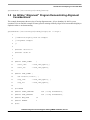
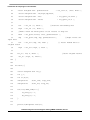
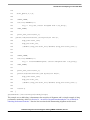
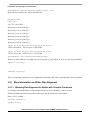
1
Using the Performance Monitors for Performance Gathering
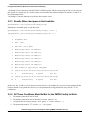
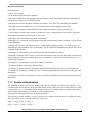
The node number can be determined from the /proc/devices file. After the insmod pmon26.ko, look at the
/dev/devices files, find the entry for PMON, and the node number will be displayed. Then enter the mknod
command. It may be necessary to remove the current /dev/mknod entry if it does not correspond to the /proc/devices
id number as listed.
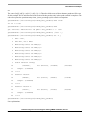
for example.
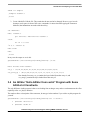
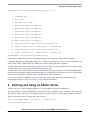
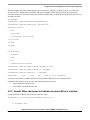
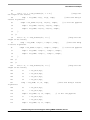
root@debian:~/ppctools/pmon# insmod pmon26.ko
root@debian:~/ppctools/pmon# cat /proc/devices
Character devices:
1 mem
4 /dev/vc/0
... intervening lines removed
171 ieee1394
180 usb
254 pmon
Block devices:
1 ramdisk
3 ide0
8 sd
....remaining lines removed
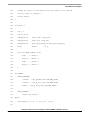
root@debian:~/ppctools/pmon# mknod /dev/pmon c 254 0
root@debian:~/ppctools/pmon# chmod 777 /dev/pmon
root@debian:~/ppctools/pmon# ls -l /dev/pmon
crwxrwxrwx
1 root
root
254,
0 Jul 12 16:28 /dev/pmon
As can be seen from this example /proc/devices shows that the PMON device is assiged to id 254.
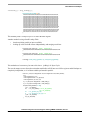
Further, for this example, align, to work, these conditions must also be met
1. align.c and pmon.c must be built
2. The resultant executable must be run.
5.2.5 Results When /dev/pmon is Available and pmon26.ko is Installed
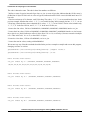
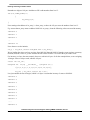
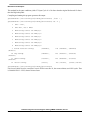
Now that all these conditions have been met, lets run it again.
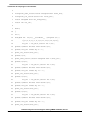
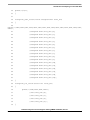
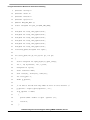
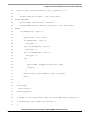
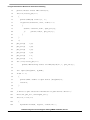
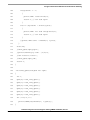
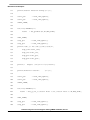
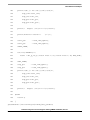
guest@debian:~/fae-training-04/library/align$ cat -n j
1
2
Alignment Test
Software Analysis on Genesi Pegasos II Using PMON and AltiVec, Rev. 0.1
Freescale Semiconductor
PRELIMINARY—SUBJECT TO CHANGE WITHOUT NOTICE
33