1
GPS-aware applications, tap Start / Settings / System / GPS and
select the following tabs:
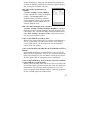
Access: The GPS Intermediate Driver allows multiple
applications to access the GPS receiver (disabled by default).
To enable the GPS Intermediate Driver, select the check box.
Hardware: COM2 is the hardware port dedicated for the built-in
GPS. Verify that COM2 is selected. The internal GPS
communicates at 9600 baud by default. If it has been modified
by a third party program, adjust to match the receiver baud rate.
Programs: Programs that use GPS need to know which port to
use to access GPS data. Ensure that the COM port on the GPSaware application is set to the same port as shown in the
Programs tab of the GPS applet. The programs port must be a
different port than the hardware port. NOTE: Some GPS-aware
applications may not communicate over GPD ports.
If you are unable to connect to the GPS using the default GPS
settings, you can restore it to factory default settings by performing
a shutdown. See Power key features on page 11.
Working with the Wireless WAN
Depending upon the configuration of your unit, it may have the
additional wireless wide area network (WWAN) feature. After
purchasing a data connection plan from your local GSM cellular
provider, you can communicate from field to office, send e-mail
messages and send text messages.
NOTE: When browsing the internet using the cellular connection,
you must turn off the WLAN (802.11) or the Nomad will default to
the WLAN to browse.
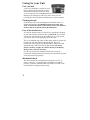
CAUTION:
• DO NOT use your Nomad while driving a moving vehicle.
• DO NOT remove the WWAN antenna unless directed by
support personnel.
• Use care that the WWAN antenna does not catch on
items – It can break.
• When you are on a plane, in a medical facility or at a gas
station where wireless communication devices are not allowed,
go to Wireless Manager to TURN OFF all wireless
communications. Simply turning the Power key off does not
turn off these communications.
19