1
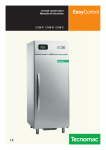
Blast Chillers
Instruction manual
E5 E10 E15 E15.2 E20 T20 T24 T30 T40 T50
EasyChill
ChillRapid
SurRapid
Gentile Cliente,
La ringraziamo per aver preferito uno dei
nostri prodotti, frutto di lunga esperienza
e di una continua ricerca per un prodotto
superiore in termini di affidabilità,
prestazioni e sicurezza.
In questo manuale troverà tutte le
informazioni ed i consigli per poter
utilizzare il suo prodotto nel massimo
della sicurezza ed efficienza.
Dear Customer,
We would like to thank you for having
chosen our products, the result of long
experience and continuous research for a
superior product in terms of reliability,
performance and safety.
This manual will supply all of the
information and advice for the efficient
use of your product in complete safety.
Cher Client,
Nous vous remercions d’avoir choisi notre
produit, fruit d’une longue expérience et
d’une recherche permanente d’un produit
supérieur en termes de fiabilité, de
prestations et de sécurité.
Dans ce manuel vous trouverez toutes les
informations et les conseils pour pouvoir
utiliser votre produit avec une sécurité et
une efficacité optimales.
Sehr geehrter Kunde!
Wir danken Ihnen für Ihre Wahl eines
unserer Produkte, welches das Ergebnis
einer langen Erfahrung und stetiger
Forschungsarbeit ist. Dank dieser konnte
ein Produkt entwickelt werden, das ein
hohes Maß an Verlässlichkeit,
Leistungsfähigkeit und Sicherheit bietet.
In diesem Handbuch finden Sie sämtliche
Informationen und Ratschläge, damit Sie
das Produkt mit maximaler Sicherheit und
Effizienz nutzen können.
Estimado cliente:
Le agradecemos por elegir nuestros
productos, fruto de la gran experiencia y
de la investigación constante para
obtener un producto superior en
términos de fiabilidad, rendimientos y
seguridad.
En este manual, encontrará todos los
datos y consejos para poder utilizar el
producto en sus máximos niveles de
seguridad y eficiencia.
PUSH-BUTTONS
q
on /off (STAnD BY)
w
Soft blast chilling cycle (+3 °C)
CONTROL PANEL
HARD
e
hard blast chilling cycle (+3°C)
r
Blast freezing cycle (-18°C)
t
End cycle by time / probe (temperature)
tA
Probe chilling indicator led
tB
Timed chilling indicator led
y
Cycle start / stop
u
Increase value
i
Decrease value
o
Recipe programs (chilling cycles)
a
hACCP and printer (optional)
+ 3°
Sterilization by uv-C lamp (optional)
d
Defrosting / forced ventilation
f
Chilling / freezing cycle indicator led
g
Storage indicator led
h
Time display
j
Temperature display
-18°
START
STOP
C°
HACCP
s
+ 3°
UV
PROGRAM
AIR
Specifications for some models:
(MOD. q)
Model E5/14
(MOD. w)
Models E5 - E10 - E15 - E15.2
(MOD. r)
Models E10 - E15 - E15.2 - E20 - T20 - T20-C
T20-R- T30 - T24-C - T40 - T40-C - T40-R - T50
(MOD. t)
Models T20 - T20-C - T20-R- T30 - T24-C
T40 - T40-C - T40-R - T50
71503788/0 - REv.03 - 06/2011
BLAST ChILLER ISTRuCTIon C-2003
PREFACE
CAUTION
• Read the manual carefully, making reference to it for machine operation. Keep
the manual in a safe place where it can be
accessed by all authorised operators (installers, operators and service personnel).
• The machine has been constructed in
compliance with the directives 73/23/CEE
(low-voltage), 89/336/CEE (electromagnetic compatibility) and 98/37/CE (machines;
for certain models only).
• Installation must be performed in compliance with national and Local Standards,
by professionally qualified staff and according to the manufacturer's instructions.
• Any contractual and extra-contractual liability of the manufacturer is excluded due
to damage caused by errors during installation and use and, however, failure to
comply with the national and Local Standards in force and the instructions supplied by the manufacturer.
THE FOLLOWING OPERATIONS
AND THOSE HIGHLIGHTED
BY THIS SYMBOL MUST NOT BE
PERFORMED BY THE APPLIANCE USER
English
• This manual is an integral part of the product, providing all the information required to ensure correct installation,
operation and maintenance of the machine.
In particular:
• Make sure that the supplied or specified
components are used.
• Before performing any cleaning or maintenance operation, disconnect the appliance from the electric power supply
mains by operating on the system switch
and/or the product switch.
• In the event of faults and/or bad functioning, deactivate the appliance and do not
attempt any repairs or direct intervention.
•
Electrical connections
•
Water connections
•
Installation
•
Testing
•
Repairing machine components
•
Disassembly of the appliance
and/or its components
•
Adjustments and calibration
•
Cleaning the appliance and maintenance of:
- Electrical parts,
- Electronic parts,
- Mechanical parts,
- Refrigeration system parts
THE TEXT WITH THIS SYMBOL
IS OF PARTICULAR IMPORTANCE
OR POTENTIAL DANGER SIGNALS
i
BLAST ChILLER ISTRuCTIon C-2003
NOTA clarifies the current operations
71503788/0 - REv.03 - 06/2011
INDEX
Pag.
1.
GENERAL DOCUMENTATION
1.1 General information . . . . . . . . . . . . . . . . . . . . . . . . . . 2
1.2 installation . . . . . . . . . . . . . . . . . . . . . . . . . . . . . . . . . . . . . 2
1.3 transPort anD hanDlinG . . . . . . . . . . . . . . . . . . . . . 2
1.4 UnPackinG . . . . . . . . . . . . . . . . . . . . . . . . . . . . . . . . . . . . . . . 2
1.5 General safety reGUlations . . . . . . . . . . . . . . . . . 2
2.
INSTALLATION
2.1 Data Plate information . . . . . . . . . . . . . . . . . . . . . . . . 3
2.2 remarks / malfUnction’s claims . . . . . . . . . . . . . .3
2.3 PositioninG . . . . . . . . . . . . . . . . . . . . . . . . . . . . . . . . . . . . . . 3
2.4 ambient temPeratUre anD air circUlation . . 3
2.5 electrical connections . . . . . . . . . . . . . . . . . . . . . . . 3
2.5.1 connecting the appliance to the power supply . . . . .3
2.6 refriGeration comPonent connections
remote assemblies . . . . . . . . . . . . . . . . . . . . . . . . . . . . . . 4
2.7 conDensate DrainaGe connection . . . . . . . . . . 4
2.8 information for installation technician . . 4
2.9 safety anD control systems . . . . . . . . . . . . . . . . . 4
2.10 DisPosal of waste electronic
anD electrical eqUiPment . . . . . . . . . . . . . . . . . . . . 4
3.
ADVICE TO ENSURE EFFICIENT APPLIANCE OPERATION
3.1 shUt-Down ProceDUres . . . . . . . . . . . . . . . . . . . . . . . 5
3.2 oPeratinG tiPs . . . . . . . . . . . . . . . . . . . . . . . . . . . . . . . . . . 5
3.2.1 Pre-cooling . . . . . . . . . . . . . . . . . . . . . . . . . . . . . . . . . . . . . . . . 5
3.2.2 loading the appliance . . . . . . . . . . . . . . . . . . . . . . . . . . . . . 5
4.
PROGRAMMING AND OPERATING INSTRUCTIONS
4.1 DelayeD start of comPressor
DUrinG first startinG . . . . . . . . . . . . . . . . . . . . . . . . . . .6
4.2 startinG UP the aPPliance . . . . . . . . . . . . . . . . . . . . . . 6
4.3 soft blast chillinG by temPeratUre . . . . . . . . . . . 6
4.4 soft timeD blast chillinG . . . . . . . . . . . . . . . . . . . . . . . 7
4.5 harD blast chillinG featUres . . . . . . . . . . . . . . . . . . 7
4.6 harD blast chillinG by temPeratUre . . . . . . . . . . . 7
4.7 harD timeD blast chillinG . . . . . . . . . . . . . . . . . . . . . . 8
4.8 blast freeZinG by temPeratUre . . . . . . . . . . . . . . . . . 8
4.9 timeD blast freeZinG . . . . . . . . . . . . . . . . . . . . . . . . . . . . 8
06/2011
Description
Pag.
5
APPLIANCE FUNCTIONS
5.1 Date anD time settinGs . . . . . . . . . . . . . . . . . . . . . . . . . 9
5.2 ice cream sUrface harDeninG . . . . . . . . . . . . . . . . . 9
5.3 mUtinG the beePer anD alarm reset . . . . . . . . . . 9
5.4 ProGram storaGe . . . . . . . . . . . . . . . . . . . . . . . . . . . . . . . 9
5.5 DisPlayinG the three latest haccP alarms . . . 9
5.6 PrintinG oUt storeD Data . . . . . . . . . . . . . . . . . . . . . . 9
5.7 forceD Ventilation fUnction . . . . . . . . . . . . . . . . . . 9
5.8 manUal DefrostinG . . . . . . . . . . . . . . . . . . . . . . . . . . . . . 9
5.9 aUtomatic Defrost cycles . . . . . . . . . . . . . . . . . . . . 10
5.10 UV-c lamP fUnction . . . . . . . . . . . . . . . . . . . . . . . . . . . 10
5.11 User entry to ProGramminG Data . . . . . . . . . . . . 10
5.11.1 User parameter settings . . . . . . . . . . . . . . . . . . . . . . . . . . 10
5.12 Printer (oPtional) . . . . . . . . . . . . . . . . . . . . . . . . . . . . . . 11
6.
ALARM MANAGEMENT, BUZZER
6.1 storaGe of Data/errors . . . . . . . . . . . . . . . . . . . . . . 12
6.2 the software controls the followinG
alarms . . . . . . . . . . . . . . . . . . . . . . . . . . . . . . . . . . . . . . . . . . . . . . . 12
6.2.1 information on alarms . . . . . . . . . . . . . . . . . . . . . . . . . . . . 14
6.2.2 list of other operating faults not indicated . . . . . . . . 14
7.
MAINTENANCE AND CLEANING
7.1 General safety reGUlations . . . . . . . . . . . . . . . . . . 15
7.2 leaninG the conDenser . . . . . . . . . . . . . . . . . . . . . . . . 15
7.3 cleaninG the cell . . . . . . . . . . . . . . . . . . . . . . . . . . . . . 15
7.4 eXternal cleaninG anD maintenance . . . . . . . . 16
7.5 Defrost water DrainaGe . . . . . . . . . . . . . . . . . . . . . . .16
7.6 PerioDic cleaninG of the
air conDenser filter . . . . . . . . . . . . . . . . . . . . . . . . . . . 16
blast chiller istrUction c-2003
1
English
Description
English
1. GENERAL DOCUMENTATION
1.1 GENERAL INFORMATION
• this manual is an integral part of the product, providing all
the information required to ensure correct installation, operation and maintenance of the machine.
• read the manual carefully, making reference to it for machine
operation. keep the manual in a safe place where it can be
accessed by all authorised operators (installers, operators and
service personnel).
the machine has been constructed in compliance with the
directives 73/23/cee (low-voltage), 89/336/cee (electromagnetic compatibility) and 98/37/ce (machines; for certain
models only).
• the machine has been designed for professional applications
only and should only be operated by qualified personnel.
• the machine must only be used for the purposes for which
it was designed, i.e. for chilling and freezing food products.
the machine must not be used for products requiring constant temperature control and recording, such as:
- heat-sensitive chemicals,
- medicines or
- blood products.
• the manufacturer declines all responsibility for any damage
caused by incorrect or unreasonable machine use, such as:
- improper use by untrained persons;
- technical modifications or operations not suited to specific
models;
- use of non-original or non-specific spare parts;
- failure to follow the instructions given in this manual.
• this appliance is not intended for use by persons -including
children- with reduced physical, sensory or mental capabilities, or lack of experience and knowledge, unless they have
been fiven superfision or instruction concerning use of the
appliance by a person responsible for their safeti. children
should be supervised to ensure that they do not play with
appliance.
1.4 UNPACKING
• remove all cardboard, wood or other materials from the
wood base on which the machine is set. lift the machine/components with suitable means (e.g. lift truck), remove the wood base, then position the machine /
components in the allocated site.
• once all packing material has been removed, check that the
machine has not been damaged in any way.
• remove the protective PVc film on the stainless steel panels
from all internal and external surfaces.
Always wear protective gloves when handling packing
material and the wood base.
i
1.2 INSTALLATION
• the machine must be installed by a specialised technician
authorised by and in compliance with the instructions given
in this manual.
in the event that the machine is fitted with a remote condenser unit, the installation technician is responsible for
checking all connections in compliance with the instructions
given by for plant and machine installation.
1.3 TRANSPORT AND HANDLING
• to load or unload the machine and/or components
from/onto the means of transport, use a lift truck or fork lift
equipped with forks that are at least half the length of the
machine housing; use a crane if the machine is fitted with
eye bolts. select the lifting equipment suited to the weight
and overall dimensions of the packaged machine/components.
• when handling the machine/ components, apply all precautions to prevent damage, in compliance with the information given on the packaging material
2
Nota: Dispose of packing materials in compliance with disposal regulations applied in the country where the machine is to
be installed. Never dispose of materials in the environment. (see
section 2.9).
1.5 GENERAL SAFETY REGULATIONS
failure to observe the recommendations made by the present manual will be at the entire responsibility of the machine user. the main safety regulations are as follows:
• do not touch the machine with moist or wet hands or feet;
• never operate the machine while barefoot;
• do not insert screwdrivers, cooking utensils or any other
object between the guards and moving parts;
• before performing cleaning or routine maintenance operations, disconnect the machine from the power supply at
the master switch and the main knife switch (if present);
• never pull on the power cable to disconnect the machine
from the power supply.
blast chiller istrUction c-2003
06/2011
2. INSTALLATION
THESE OPERATIONS MUST BE
PERFORMED BY A CERTIFIED
INSTALLATION TECHNICIAN ONLY
2.1 DATA PLATE INFORMATION
• check that the data specified on the plate correspond to the
characteristics of the power supply (V, kw, hz, no. phases and
power available).
• the dataplate with appliance specifications is located at the
rear exterior of the machine and/or on the electrical boards.
the set-up of individual
Machine model
AX8 Serial ØØØ 1Ø3 Ø3213
units and the installation of
38Ø-4ØØ/3N
~ 5Ø Hz 1Ø
A 3ØØØ
W
condensers are subject to
kg CLASS T
R4Ø4 A
2.2
IP 21
W
W
11
the fire-safety regulations of
W
the country in which the
machine is installed; seek all
necessary advice from the
local fire-fighting authorities.
bear in mind that the intervention of safety valves or plug
fuses in the refrigerating circuit will lead to the immediate
discharge of refrigerant into the environment.
2.2 REMARKS / MALFUNCTION’S CLAIMS
in case of machine malfunctioning and claim on blast chillers delivered in the following way :
• Assembled (MOD. w)
we ask you to indicate to the dealer / service: machine
model, machine code number and apparatus serial number.
these information are written on the registration label, installed on the back of machine and inside the door.
• Disassembled (MOD. t)
we ask you to indicate to the dealer / service: machine
model, machine code number and apparatus serial number.
these information are written on the registration label, installed on top of the control panel.
2.3 POSITIONING
• the machine must be installed and commissioned in complete compliance with safety regulations, procedures and
standing laws.
• the installation technician bears the responsibility of ensuring compliance with fire safety requirements; seek all necessary advice from the local fire-fighting authorities.
• Position the machine in the allocated site.
• adjust the machine feet until the appliance is perfectly level.
in the case of particularly heavy equipment, use appropriate
lifting means (fig. a - cap. 1.3).
• if the appliance is not perfectly level, correct operation and
condensate flow-off will not be assured.
06/2011
Avoid
direct exposure to sunlight;
closed sites with high temperatures and poor air circulation;
installing the machine near sources of heat.
English
•
•
•
2.4 AMBIENT TEMPERATURE AND AIR CIRCULATION
for air-cooled appliances, the maximum ambient temperature for operation is 32°c. correct operation cannot be guaranteed at higher temperatures.
the machine may operate safely to a maximum temperature
of 38°c.
remote condensing units must be installed in special rooms
or outdoors, protected against direct sunlight by a shelter or
roof structure (at the cost of the purchaser).
sufficient air circulation must be guaranteed at all times.
2.5 ELECTRICAL CONNECTIONS
a dedicated thermal-magnetic circuit breaker compliant
with established regulations must be installed on the appliance power line.
• connected electrical cables must correspond to the technical data (as specified on electrical drawings provided by the
installation technician).
connect the earthing conductor to an efficient earthing system.
The manufacturer declines all liability and guarantee obligations in the event of injury to persons or damage to
equipment and objects due to incorrect installation and/or
failure to comply with standing installation regulations.
2.5.1 Connecting the appliance to the power supply
in the event of damage to the power supply cable on the appliance, have the cable replaced only by a qualified electrician to avoid any risk of personal injury
blast chiller istrUction c-2003
3
English
2.6 REFRIGERATION COMPONENT CONNECTIONS
REMOTE ASSEMBLIES
appliance power lines are sized for installation distances of
up to 10 metres. for greater distances, seek advice from.
2.7 CONDENSATE DRAINAGE CONNECTION (MOD. t)
fit a condensate/wash water drainage hose with a minimum
diameter of 1” (“Geberit” or similar type).
Provide a waste pipe with a
trap with a diameter of at least 1
1/2” at floor level.
2.8 INFORMATION FOR THE INSTALLATION TECHNICIAN
before starting up the machine, check that it has been correctly installed and commissioned (test report).
1. check that there are no gas leaks from weldings or joints
made during installation works.
2. check that the pipes connecting the condenser to the remote condensing unit have been well insulated.
3. check all wiring connections.
4. check electrical input.
5. check the standard pressure in the refrigerant system.
6. check the water connections and efficiency of the pressure
switch valve during operation, as well as the flow of condensing water (in water-cooled units).
7. Perform at least one blast freezing cycle (to the set temperature) and one manual defrosting cycle.
in the event that the appliance or the remote condensing
unit have not been transported in a vertical position (e.g. on
the back) or have been overturned during installation works,
allow at least 4 hours before starting up the equipment.
• inform the customer of the exact purpose of the appliance,
with specific reference to the use and requirements of the
customer.
The appliance must be installed and put into service by a
technician authorised.
4
2.9 SAFETY AND CONTROL SYSTEMS
• Door microswitch:
shuts down fan operation in the cell when the door is opened.
• General fuses:
protect the power circuit against short circuiting and overloads.
• Compressor heat relay:
intervenes in the event of overloads or operating faults.
• Safety pressure switch:
intervenes in the event of excessive pressure in the refrigerant circuit.
• Plug fuses:
intervene in the event of overpressure or operating fault in
the safety pressure switch (see above).
• Chamber temperature control:
operated by the electronic board by means of a probe inside
the cell.
• Temperature control end defrost cycle:
controlled by the electronic board by means of the probe in
the evaporator.
2.10 DISPOSAL OF WASTE ELECTRONIC AND ELECTRICAL
EQUIPMENT (WEEE) (only Mod. w)
Fulfilling Directives 2002/95/CE, 2002/96/CE and
2003/108/CE on the disposal of waste electronic and electrical equipment.
the crossed out wheeled bin symbol indicates the
product must be collected separately from other
waste when it has become redundant. Differentiated collection of this equipment is arranged and
handled by themanufacturer.
consequently, the user who is wanting to dispose of this
equipment must contact the manufacturer and follow the
method the latter has adopted to allow separate collection
of the redundant equipment.
appropriate differentiated collection for the subsequent recycling, treatment and eco-friendly disposal of the dismantled equipment prevents possible negative effects on the
environment and health and facilitates the recycling of materials used in manufacturing the equipment.
administrative sanctions foreseen by the regulations in force
shall be applied for any abusive disposal of the product by
the holder.
blast chiller istrUction c-2003
06/2011
3.1 SHUT-DOWN PROCEDURES
in the event of emergency, shut down the appliance by switching off power at the main panel, by means of the knife
switch or by removing the plug from the power socket.
d) Position the core probe at the centre of the largest product
or food item; make sure that the tip of the probe does not
protrude or touch the tray.
the probe must be cleaned and sanitised before each new
cycle (operation) to prevent inadvertent contamination.
3.2 OPERATING TIPS
before starting up the appliance, clean the inside of the cell
thoroughly.
3.2.1 Pre-cooling
before using the appliance for the first time, or after a prolonged period of disuse, pre-cool the cell by running an
empty cycle until the set operating temperature has been
reached.
to ensure optimal performance without any alteration to
food quality:
• arrange food products in such a way as to favour the circulation of cold air throughout the cell;
• open the door as little as possible.
e) avoid covering the trays and/or containers with insulating
covers or film. the more the product is insulated, the more
time is required for chilling or freezing.
trays must be packaged when the product has been chilled,
before being placed in storage.
3.2.2 Loading the appliance
a) ensure that foods to be chilled and/or frozen are separate
and do not have a thickness greater than 50-80 mm. Do not
load the appliance beyond the quantity recommended by
the manufacturer.
b) ensure that there is sufficient clearance between trays to enable free air circulation.
if the appliance is not completely full, distribute the trays and
foods evenly throughout the available space.
0.5 - 2cm.
c) Position trays inside the tray compartment as far as they will
go, as close as possible to the evaporator.
06/2011
blast chiller istrUction c-2003
5
English
3. ADVICE TO ENSURE EFFICIENT APPLIANCE OPERATION
4. PROGRAMMING AND OPERATING INSTRUCTIONS
English
IN THE EVENT OF MALFUNCTION,
SEEK THE ASSISTANCE OF A
CERTIFIED TECHNICIAN
•
Hard blast chilling (+3°c)
this process is designed to cool food products with a thickness greater than 2-3 cm. Variable air temperatures are used
to accelerate penetration of cold into the product.
•
Blast freezing (-18°c)
this function freezes the product completely to a temperature of -18°c in less than 4 hours. the rapidity of the process
prevents formation of macrocrystals essential to ensure that
the product retains its original consistency and quality when
thawed for consumption.
•
Automatic conservation
at the end of each cycle (chilling or freezing), the appliance
will automatically switch to the required storage temperature.
4.1 DELAYED START OF COMPRESSOR DURING FIRST
STARTING (only for MOD. r)
Pre-heating function of compressor sump.
when the board is reached by mins tension, a 2-hour preheating phase starts and the display shows some blinking
dashes“---”. During this phase the machine cannot be started.
i
Nota: The delayed start takes place only if the machine is given
power by its dedicated magnetothermic switch.
•
it is therefore advisable that, after first starting, the machineis
started or stopped by using the control panel pushbutton.
this way, the compressor pre-heating function is guaranteed,
and the machine starting takes place in a direct way.
initial pre-heating is necessary in order to safeguard the compressor’s life. only if strictly necessary (and under the customer’s responsability) it is possible to by-pass countdown
by pressing the pushbutton“printer/haccP”for about 5 seconds.
•
This function is not activated if machine stops/starts operating due to lack of power during working cicle.
4.2 STARTING UP THE APPLIANCE
when the appliance is powered up, it can be:
• ON displays 1% and j and left leD ta on push-button
t on, leD q off.
• OFF-STAND-BY leD on push-button q on.
to switch from one status to another, press push-button q.
whenever the appliance switches from STAND-BY status to
ON, a self-test is carried out: all leDs and displays are
switched on, push-buttons are checked, then the installed
software version is displayed.
Operation
the main work cycles (chilling/freezing) performed by the
appliance:
•
6
Soft blast chilling (+3°c)
Pre-cooked food is rapidly chilled (90’) to a temperature of
+3°c, thus preventing proliferation of bacteria and preventing dehydration of the cooked food due to evaporation.
food can thus be stored perfectly for 5 to 7 days without altering its original qualities.
•
•
two different end-cycle modes are available for each cycle:
By temperature - the cycle ends when the probe reaches
the required temperature.
Timed - cycle length is pre-set.
work cycles and modes can only be selected when the appliance is ON (LED on push -button y off).
4.3 SOFT BLAST CHILLING BY TEMPERATURE
(pre-cooked, hot foods).
• to select this cycle, press push-button w (relative leD lights
up), then press push-button t to select the temperature
mode (leD t a on).
• insert the core probe into the core of the product to be
chilled.
• start up the cycle by pressing push-button y. leD ta and
those relative to the push-buttons pressed illuminate
throughout the cycle, while leDs 1# flash.
• Display h indicates the maximum blast chilling time (starting temperature to end of the blast chilling temperature factory setting - 90 minutes).
• the temperature measured by the core probe is shown by
display j.
• the instrument timer starts the countdown of the maximum
blast chilling time as soon as the temperature measured by
the core probe falls below the temperature of +65°c (the dot
at the bottom right of display h flashes).
• During the blast chilling cycle, the air temperature is around
0° c.
this function is designed to guarantee uniform cooling of
the product, preventing frost formation on the surfaces. During the blast chilling cycle, the compressor may therefore
stop and restart, depending on the reading of the cell temperature probe.
• the blast chilling phase ends only when the core probe (inserted in the product core) indicates that the set blast chilling temperature (+3°c) has been reached as signalled by an
intermittent beep for a minute. During the beep, leDs f
and g flash.
Display j indicates the temperature inside the cell, while
display 1% shows blast chilling time reset to zero.
blast chiller istrUction c-2003
06/2011
if at the end of the maximum blast chilling interval the core
probe continues to display a temperature higher than the
value for the end of blast chilling, the displays will indicate
an alarm for excessively long chilling (all 14) alternating with
the temperature and time; at the same time, the alarm beep
will be activated.
the blast chilling cycle continues until the end chilling temperature has been reached; display h counts back the minutes remaining until the end of the cycle.
i
Nota: press push-button i to mute the alarm; press push-button again to clear the alarm display.
•
at the end of the chilling cycle, the appliance automatically
switches to the set storage temperature for an indefinite interval (like a standard storage appliance).
i
Nota: LEDs f switch off while LEDs g light up.
•
the cell temperature is constantly shown on display j; during this cycle, defrost cycles are performed at regular intervals with duration set as required (parameter programming
reserved for installation technician). the factory setting for
positive storage temperature is +2°c.
Press push-button y to set the appliance to stoP status
(relative leD switches off ), ready for a new cycle.
to modify the final blast chilling temperature, consult the
user programming instructions.
•
•
4.4 SOFT TIMED BLAST CHILLING
• Press push-button w (relative leD lights up), then press
push-button t to select the timer mode (leD tb on). Display h shows the maximum chilling time (set by default to
90 minutes).
to modify this time, press push-buttons u and i (time in
minutes).
• Press push-button y to start the appliance. leD tb and
push-button leDs remain on and leDs f flash throughout
the cycle.
• internal cell temperature is shown on display j.
• when the maximum chilling time has counted back to 0, the
chilling cycle is completed and the appliance automatically
switches to the set positive storage temperature for an indefinite interval.
• leDs illuminate and the beep is activated when the cycle is
finished (as in the chilling cycle by temperature). the same
applies for the positive storage function.
Press push-button y to set the appliance to stoP status
(relative leD switches off ), ready for a new cycle.
4.5 HARD BLAST CHILLING FEATURES
when the harD function is used, chilling takes place in two
stages:
• an initial “hard” stage when the air temperature is brought
down to below 0°c in order to accelerate chilling;
• a second “soft”stage, involving air temperatures around 0°c.
4.6 HARD BLAST CHILLING BY TEMPERATURE
• Press push-button e (relative leD lights up), then press
push-button t to select the temperature mode (leD ta
on). insert the core probe into the core of the product to be
chilled.
• start up the cycle by pressing push-button y. leD ta and
those relative to the push-buttons pressed illuminate
throughout the cycle, while leDs f flash.
• Display h indicates the maximum blast chilling time (starting temperature to end of the blast chilling temperature factory setting - 90 minutes).
• the temperature measured by the core probe is shown by
display j.
• the instrument timer starts the countdown of the maximum
blast chilling time as soon as the temperature measured by
the core probe falls below the temperature of +65°c (the dot
at the bottom right of display h flashes).
• once the cycle has been started, the appliance operates initially with an air temperature below 0°c (leD on push-button
e flashes), then with temperatures around 0°c (leD on
push-button e on).
i
Nota: the first stage of the cycle is completed when the core
probe detects a temperature of +20°C in the product core.
•
the blast chilling phase ends only when the core probe (inserted in the product core) indicates that the set blast chilling temperature (+3°c) has been reached as signalled by an
intermittent beep for a minute. During the beep, leDs f
and g flash.
Display j indicates the temperature inside the cell, while
display h shows blast chilling time reset to zero.
the alarm (all 14) and conservation functions cut in with
relative indicators in the same way as for timed soft blast
chilling.
Press push-button y to set the appliance to stoP status
(relative leD switches off ), ready for a new cycle.
•
•
Use the storage function sparingly. After chilling, food
products should be placed in storage cabinets.
06/2011
blast chiller istrUction c-2003
7
English
•
HARD blast chilling affords a considerable reduction in
working time, and is particularly suited to foodstuffs with a
high fat content, for large pieces or for packaged products.
English
•
soft chilling is recommended for delicate and finely chopped
products, such as vegetables, mousses, etc..
4.7 HARD TIMED BLAST CHILLING
• to select this cycle, press push-button e (relative leD lights
up), then press push-button t to select the “timed” mode
(leD tb on). Display h shows the maximum chilling time
(set by default to 90 minutes).
to modify this time, press push-buttons u and i (time in
minutes).
• to set the time of the first negative temperature stage, press
push-button e for five seconds, then wait for display h to
show the flashing value.
the time setting (in minutes) can be modified by means of
push-buttons u and i.
Press push-button e again to return to standard display.
• start up the cycle by pressing push-button y. leD tb and
push-button leDs remain on and leDs f flash throughout
the cycle.
• internal cell temperature is shown on display j.
• once the cycle has been started, the appliance operates initially with an air temperature
below 0°c (leD on push-button e flashes), then with temperatures around 0°c (leD on push-button e on). for example: harD timed chilling cycle 90 minutes. first stage of
40 minutes with negative air temperature. second cycle
stage of 50 minutes with air temperature around 0°c.
•
when the maximum chilling time has counted back to 0, the
chilling cycle is completed and the appliance automatically
switches to the set positive storage temperature for an indefinite interval.
• leDs illuminate and the beep is activated when the cycle is
finished (as in the temperature chilling cycle). the same applies for the storage function.
• Press push-button y to set the appliance to stoP status
(relative leD switches off ), ready for a new cycle.
8
4.8 BLAST FREEZING BY TEMPERATURE
• to select this cycle, press push-button r (relative leD lights
up), then press push-button t to select the temperature
mode (leD ta on). insert the core probe into the core of
the product to be chilled.
• start up the cycle by pressing push-button y. leD ta and
those relative to the push-buttons pressed illuminate
throughout the cycle, while leDs f flash.
• the appliance proceeds to operate in the same way as that
described for the positive chilling cycle. During this cycle the
compressor operates in continuous mode to enable the appliance to reach the cycle end temperature in the shortest
time possible (default temperature at product core is set at 18°c). maximum freezing time is 240 minutes.
• the alarm (all 14) for excessively-long freezing and conservation functions cut in with relative indicators in the same
way as for timed soft blast chilling. the factory setting for
negative storage temperature is -25°c.
• leDs illuminate and the beep is activated when the cycle is
finished (as in the soft chilling cycle by temperature). the
same applies for the storage function.
Press push-button y to set the appliance to stoP status
(relative leD switches off ), ready for a new cycle.
4.9 TIMED BLAST FREEZING
• Press push-button r (relative leD lights up), then press
push-button t to select the timer mode (leD tb on). Display h shows the maximum chilling time (set by default to
240 minutes).
to modify this time, press push-buttons u and i (time in
minutes).
• start up the cycle by pressing push-button y. leD tb and
push-button leDs remain on and leDs f flash throughout
the cycle.
internal cell temperature is shown on display j.
• when the maximum chilling time has counted back to 0, the
cycle is completed and the appliance automatically switches
to the set negative storage temperature for an indefinite interval.
leDs illuminate and the beep is activated when the cycle is
finished (as in the freezing cycle by temperature). the same
applies for the storage function. the factory setting for negative storage temperature is -25°c.
• Press push-button y to set the appliance to stoP status
(relative leD switches off ), ready for a new cycle.
blast chiller istrUction c-2003
06/2011
5.1 DATE AND TIME SETTINGS t
• set the machine to ON q.
• Press and hold down push-button 5 t for more than five
seconds to access the date and time setting function. Display
j indicates in sequence the abbreviations hr (hours), mn
(minutes), da (day), mo (month) and yr (year), while display
h shows their respective settings. to scroll the abbreviations, press push-button 5 t.
• to modify the settings, use push-buttons u and i.
5.2 ICE CREAM SURFACE HARDENING y
• set the machine to ON q.
• Press and hold down push-button y for more than five seconds to access the surface hardening function (push-button
leD flashes). the compressor is switched on; display h
shows the default cycle time. set the cycle time (in minutes)
by means of push-buttons u and i.
• open the cell door, place the product inside, then shut the
door to start the cycle. all leDs remain off, with the exception
of the start leD. when the cycle time has elapsed, an acoustic signal is given. the appliance remains on, ready for another ice cream hardening cycle. open the cell door, remove
the hardened product, replace it, then shut the door. the machine will perform another hardening cycle for the time set
for the previous one. every time the door is opened and closed after a cycle, the time is reset.
• to exit the function, press push-button 6 y.
•
RECALLING A STORED PROGRAM
when the appliance is ON q, press push-button o briefly;
display j will show program P1. Use push-buttons u and
i to select the required program. start up the cycle by pressing push-button y.
5.5 DISPLAYING THE THREE LATEST HACCP ALARMS a
• set the machine to ON q.
• Press and hold down push-button a for more than five seconds (relative leD illuminates) to enter the alarm display
function (date, hour and minute, alarm type and maximum
temperature detected).
• every time the haccP push-button is pressed, the stored
data are displayed. EXAMPLE:
ALL 11
ADDITIONAL FUNCTIONS
5.3 MUTING THE BEEPER AND ALARM RESET i
• Press push-button i to mute the alarm beeper.
• alarms are reset :
- by pressing push-button i when the beeper is off;
- automatically if alarm conditions are removed;
• see also section 6 (alarm management).
5.4 PROGRAM STORAGE o
• the programming function is used for cycles for processing
products with the same characteristics. Up to 99 programs
can be stored. select the type of chilling process (soft, hard,
timed freezing or by temperature), then press and hold
push-button o until display j shows the abbreviation P1
(push-button o leD flashes).
• Use push-buttons u and i to set the number of the program on display j.
• start up the cycle by pressing push-button y.
• when the cycle has been completed, the appliance automatically switches to the set storage temperature for an indefinite time.
• Press push-button y to set the appliance to stoP status (relative leD switches off ), ready for a new cycle.
06/2011
Display h
--12
29
6
8
03
end
13
21
6
8
03
24
Display j
str (start)
hr hour
min minutes
day days
mon month
yr year
end
hr
min
day
mon
yr
maximum temperature
detected inside the cell
5.6 PRINTING OUT STORED DATA a
• with the appliance in STAND-BY status, press and hold down
push-button a for more than five seconds to print out the
latest work cycle.
• with the appliance in STAND-BY status, press push-button
a once to print out haccP data). when the appliance is
operating and the printer is on, the current cycle will be printed out.
5.7 FORCED VENTILATION FUNCTION
• to activate this function when the appliance is ON q, press
push-button d for more than five seconds. the fan will continue to operate even when the cell door is open.
• During forced ventilation, display j will show “AIR”.
5.8 MANUAL DEFROSTING
• to activate this function when the appliance is ON q press
push-button d (relative leD illuminates).
• if conditions allow it (the temperature detected by the evaporator probe must be lower than the set point in the program parameters), the appliance will perform a defrost cycle.
Display j will show “dEF”.
• to immediately stop a defrost cycle, press push-button d.
blast chiller istrUction c-2003
9
English
5. APPLIANCE FUNCTIONS
English
5.9 AUTOMATIC DEFROST CYCLES
(not available for MOD. q)
• the appliance automatically performs defrost cycles during
storage. three defrost cycles are performed during a 24-hour
period(once every 8 hours).
• the appliance automatically restarts once the defrost cycle
has been completed.
5.10 UV-C LAMP FUNCTION
• Use this function to sterilize the interior of the cell.
• when the appliance is ON q, press push-button s (relative
leD illuminates). the UV-c lamp switches on and sterilizes
the interior for a default time of 30 minutes. to interrupt the
sterilization cycle, press push-button s or open the cell
door. when the door is closed again, the lamp will remain off.
5.11 USER ENTRY TO PROGRAMMING DATA
• access for programming configuration parameters is only
permitted when the appliance is ON q and there is no data
memory error active.
• Press and hold down push-buttons u and i at the same
time for more than five seconds; the computer will give access to the programming function. Display j displays Pa,
while display h will show the relative value.
• Use push-button t to select parameter display (leD ta illuminated), or display 16 with settings (leD t illuminated).
• Use push-buttons u and i to scroll the list of parameters
(if leD ta is illuminated) or to modify the settings (if leD
tb is illuminated).
• the computer automatically exits the programming function
after approximately 40’.
5.11.1 User parameter settings
Parameter
Pa PassworD
/ = PROBE PARAMETERS
/1 cell probe calibration
/2 evaporate probe calibration
/3 core probe calibration
/8 temperature scale (0=fahrenheit 1=celsius)
c = CHILLING / FREEZING
c0 cell probe differential
c1 Duration of timed chilling and max. duration for chilling by temperature
c2 chilling end set point (core probe)
c3 Positive storage set point (cell probe)
Duration of timed freezing and max. duration of freezing by temperature
c4 (when c4=0, key and freezing function to -18°c are disabled.
for chilling units only.)
c5 freezing end set point (core probe)
c6 negative storage set point (cell probe)
c8 Positive and negative chilling duration countdown start temperature
ca core probe readout (readout only)
set point for soft blast chilling (cell probe) and during second stage
cb
of harD blast chilling
ha rD chilling set point (temperature transition harD ->soft of core probe)
cf cell set point during first stage of harD blast chilling (core probe)
d = DEFROST
d0 Defrosting interval (0 = no defrost)
da Defrost probe readout (readout only)
U = INPUTS + VARIOUS
u5 Duration of UV lamp activation (if u5=0, UV key is disabled)
ua Print interval (when ua=0, haccP key is disabled)
10
blast chiller istrUction c-2003
Min.
-99
Max.
+99
Unit/meas.
number
DEF
-19
-10
-10
-10
0
+10
+10
+10
1
°c
°c
°c
flag
0
0
0
1
1
0
-55
-55
15
400
+99
+99
°c
min
°c
°c
+3
90
3
2
0
400
min
240
-55
-55
-55
---
+99
+99
+99
---
°c
°c
°c
°c
-55
+99
°c
-55
-55
+99
+99
°c 2
°c
-18
-25
+65
---5
cd
0
-20
0
---
99
---
hours
°c
8h
---
0
0
99
99
min
min
0
20
06/2011
•
if you have to feed the paper by hand press
•
if you have to change the roll of paper:
- turn the instrument off
English
5.12 PRINTER (OPTIONAL)
• if you have to turn the instrument on/off press
- Press
for opening the panel at the front of the instrument
- slip the roll of paper into the lower side of the roller
- Press
as long as the roller drags the roll of paper
- Put the roll of paper into its box
- close the panel at the front of the instrument
•
if you have to execute the print test
- switch off the power supply of the instrument
- Press
.
- switch on the power supply of the instrument
•
signals: on/off led
- if it is lighted, the instrument will be in on mode
06/2011
blast chiller istrUction c-2003
11
English
6 ALARM MANAGEMENT, BUZZER
6.1 STORAGE OF DATA/ERRORS
the appliance electronic controller is equipped with a system
of acoustic and visual signals to indicate the intervention of
safety devices. the table below gives a list of the alarms
shown on the panel display
Beeper:
activated (3 seconds, then a pause of 30 seconds)
until the mute button is pressed.
Display:
alternates message “all 03” with standard display
Reset:
automatically resets only when probe reading has
returned to normal.
ALL 04
Optional probe alarm
(disabled if no probe is connected)
ALL 05
Input SW2 (door microswitch alarm)
Cause:
input active for more than 5 minutes with appliance in start status.
Door open (close door) microswitch fault (replace
the microswitch)
6.2 THE SOFTWARE CONTROLS THE FOLLOWING ALARMS
ALL 01
Evaporator probe alarm
Cause:
exit from operating range (-50°c / +100°c) for over
30 seconds.
Probe is defective (rePlace Probe).
Beeper:
activated (3 seconds, then a pause of 30 seconds)
until the mute button is pressed.
Display:
alternates message “all 01” with standard display
Beeper:
activated (3 seconds, then a pause of 30 seconds)
until the mute button is pressed.
Reset:
automatically resets only when probe reading has
returned to normal.
Display:
alternates message “all 05” with standard display
ALL 02
Core probe alarm
Reset:
Cause:
exit from operating range (-50°c / +100°c) for
more than 30 seconds during current chilling cycle
by temperature.
Press the mute push-button (with beeper off ).
automatically resets if input value returns to normal alternatively, switch off the panel then turn it
back on (stand-by).
ALL 06
Effect:
interruption of current chilling cycle by temperature and automatic start-up of timed chilling cycle.
chilling by temperature push-button disabled.
Probe is defective (rePlace Probe).
Input SW1 alarm
(Press. max for all models)
(Thermal-magnetic switch for MOD. r)
(Oil diff. pressure switch for MOD. t)
Cause:
input active for more than 5 seconds
Beeper:
activated (3 seconds, then a pause of 30 seconds)
until the mute button is pressed.
Effect:
sets the appliance to stoP.
reset the max. pressure switch, thermal-magnetic
switch or differential pressure switch.
Beeper:
activated (3 seconds, then a pause of 30 seconds)
until the mute button is pressed.
Display:
alternates message “all 06” with standard display
Reset:
Press the mute push-button (with beeper off ) with
no alarm cause displayed
Display:
alternates message “all 02” with standard display
Alarm relay: not activated.
Reset:
Press the mute push-button (with beeper off ).
resets automatically if probe value returns to normal, but cycle remains in timed mode. alternatively, switch off the panel then turn it back on
(stand-by).
ALL 03
Cell probe alarm
Cause:
exit from operating range (-50°c / +100°c) for over
30 seconds.
Probe is defective (rePlace Probe).
Effect:
any current chilling cycle is interrupted.
if a storage phase is in progress, the compressor
and the fan set to stand-by status.
when the appliance is in stop status, press start to
set the compressor and fan to stand by.
12
blast chiller istrUction c-2003
06/2011
Input SW4 alarm (ALL 07)
(Automatic reset min. idrostat pressure switch
for all water cooled models)
(Automatic reset min. pressure switch only for
MOD. t)
Cause:
input active for more than five seconds when appliance in start mode
the alarm is disabled for approx. two minutes at
each compressor start-up. the alarm is disabled
during “pump-down”.
if the alarm persists, contact serVice.
Effect:
appliance sets to stoP.
start/stop and Defrost push-buttons are disabled.
Beeper:
activated (3 seconds, then a pause of 30 seconds)
until the mute button is pressed.
Display:
alternates message “all 07” with standard display
Reset:
Press the mute push-button (with beeper off ).
alternatively, switch off the panel then turn it back
on (stand-by).
ALL 08
Input SW3 alarm
(Kriwan compressor automatic reset only for
MOD. r).
ALL 10
Input Ht2 alarm
(Input in voltage 2 ... fuses only for MOD. r)
in the water-cooled c.U. version, if the hydrostat
should intervene due to the lack of water, the machine stops and “all 10” appears on the display.
the machine re-starts automatically when the water
supply returns.
ALL 11
Excessive temperature alarm
Cause:
(only during storage) cell probe constantly detects
a temperature greater than the sum of positive or
negative storage set points with relative alarm
delta.
ALL 12
Blackout alarm
Cause:
(only during storage) after the return of power the
cell probe detects a temperature greater than the
sum of positive or negative storage set points with
relative alarm delta.
this alarm is disregarded if the storage probe is already in alarm status.
ALL 13
Compressor preventive maintenance alarm
Cause:
compressor operating time is a whole multiple of
hours set under password.
ALL 14
Temperature not reached in set time alarm
Cause:
input active for more than five seconds at least
three times when appliance is in start mode
Cause:
Effect:
compressor shuts down and resumes operation
when input value returns to normal.
the appliance sets to stoP at third alarm.
blast chilling by temperature has lasted longer
than the time set for timeout
Effect:
store the alarm in haccP memory
chilling cycle continues.
activated (3 seconds, then a pause of 30 seconds)
until the mute button is pressed.
Beeper:
activated (3 seconds, then a pause of 30 seconds)
until the mute button is pressed.
Display:
alternates message “all 14” with standard display
Beeper:
Display/Led: alternates message “all 08” with standard display
Reset:
Press the mute push-button (with beeper off ).
alternatively, switch off the panel then turn it back
on (stand-by).
Alarm relay: not activated.
Reset:
ALL 09
06/2011
Input Ht1 alarm
(Input in voltage 1 ... fuses only for MOD. t)
blast chiller istrUction c-2003
Press the mute push-button (with beeper off ).
alternatively, switch off the panel then turn it back
on (stand-by).
13
English
ALL 07
English
ALL 15
Keyboard/membrane alarm
Cause:
a pressed push-button has been detected when
panel is switched on.
Effect:
all keys are disabled.
all relays are disabled. all inputs are disregarded.
the leD indicator of the pressed button flashes.
Beeper:
activated (3 seconds, then a pause of 30 seconds)
until the mute button is pressed.
Display:
alternates message “all 15” with standard display
Reset:
switch off the panel then turn it back on (standby).
Note:
the appliance cannot be used until this alarm has
been removed.
6.2.1 Information on alarms:
• During alarms, the beeper is activated and the display shows
the message “all xx”.
• the alarm message is alternated on the display even when
the beeper has been silenced, until the alarm has been cleared.
• alarm relays remain activated as long as the alarm is displayed.
• in the case that more than one alarm has been activated,
each one is alternately displayed.
• when the beeper is activated, the operator can silence it by
pressing the relative push-button, after which the alarm can
be cleared, by pressing the beeper reset button again.
• Power failures will not erase current alarms.
6.2.2 List of other operating faults not indicated:
FAULT
CAUSE
compressor does not operate 1 - overload switch has cut in
2 - Power failure
SOLUTION
1 - seek assistance from a service technician
2 - check connection to power lines
fans do not rotate
1 - check connection to power lines
2 - seek assistance from a service technician
to replace fan
3 - seek assistance from a service technician
to replace condenser
4 - seek assistance from a service technician to
replace fuse
1 - Power failure
2 - fan fault
3 - condenser fault
4 - Protective fuse faulty
14
electronic panel does
not switch on
1 - Power failure
2 - Protective fuses broken
1 - check connection to power lines
2 - seek assistance from a service technician to
replace fuses
compressor operates but
does not cool cell
1 - shortage of refrigerant gas
2 - solenoid valve fault
3 - condenser is soiled
1 - seek assistance from a service technician
2 - seek assistance from a service technician
3 - clean the condenser (see par. 4.2)
blast chiller istrUction c-2003
06/2011
7 MAINTENANCE AND CLEANING
the information and instructions given in this section address all persons operating the appliance: the user, the maintenance technician and non-specialised personnel.
Ensure that the electrical power to the system has been disconnected before carrying out any cleaning or maintenance work on the appliance.
7.1 GENERAL SAFETY REGULATIONS
• recall the following regulations to ensure that all cleaning
and routine maintenance operations are conducted safely.
- do not touch the machine with moist or wet hands or feet;
- never operate the machine while barefoot; - do not insert
screwdrivers, cooking utensils or any other object between
the guards and moving parts.
• before performing cleaning or routine maintenance operations, disconnect the machine from the power supply at the
master switch and by pulling out the plug;
• never pull on the power cable to disconnect the machine
from the power supply.
• removal of guards and safety devices for the purposes of
routine maintenance is strictly prohibited. the manufacturer
declines all responsibility for accidents causedby failure to
observe the above regulation.
• before starting up the appliance, clean the inside of the cell
thoroughly, as described in par. 7.3.
7.2 LEANING THE CONDENSER
• to ensure correct and efficient air condenser operation, it
must be kept clean to allow free circulation of air. this operation should be performed at least once a month. Use a
non-metal brush to remove all dust and debris from the condenser blades.
• Use a vacuum cleaner to prevent the dust removed from
being dispersed in the surrounding area. to remove greasy
deposits, use a brush dipped in alcohol.
7.3 CLEANING THE CELL
• to guarantee hygiene and ensure the quality of processed
foods, clean the interior of the cell frequently, according to
the type of food stored.
• weekly cleaning is recommended.
• the cell interior and components can be cleaned with a soft
cloth or sponge.
•
clean with water and non-abrasive neutral detergents. rinse
with a damp cloth or sponge, or with a gentle jet of water
(no stronger than mains pressure). Do not use pointed or
abrasive instruments to scrape appliance surfaces.
Never use abrasive fluids, solvents or thinners.
i
Nota: Always wear protective gloves while cleaning.
7.4 EXTERNAL CLEANING AND MAINTENANCE
• for the cleaning of the unit cabinet use a soft cloth with a
mild detergent solution specific for stainless steel.
Never use pointed
or abrasive
instruments
to scrape
appliance surfaces
Perform this
operation only after the appliance has been shut down
06/2011
blast chiller istrUction c-2003
15
English
The condenser has sharp edges. Always
wear protective gloves, goggles and masks
when carrying out the above operations.
THESE OPERATIONS MUST BE
PERFORMED BY A CERTIFIED
INSTALLATION TECHNICIAN ONLY
•
How to access the evaporator for cleaning
it is possible to gain access to the inside part of the evaporator, to perform the cleaning of the same:
fig. 1
fig . 2
7.5 DEFROST WATER DRAINAGE
• the system is prearranged for automatic and manual defrosting, as necessary.
• make sure that the water from the evaporator drains out into
the collecting tray, and that the drain tube is not clogged.
English
7.5 PERIODIC CLEANING OF THE AIR CONDENSER FILTER
(only for MOD. e)
• Press with a screwdriwer on both sides of front panel (see
drawing). take and clean the filter.
• Put the filter in the original position.
• Push with the hands and close the panel.
fig . 3
fig . 4
3
1
•
•
•
•
removing the screws located on the front fan panel and
opening it to the right side, or removing the panel.
Periodically, provide to clean the evaporator, using nebulized hot water at low pressure, and addressing the water
throw on the evaporator battery.
finished the cleaning, provide to dry the evaporator using
air pressure in order to desiccate and remove the residues of
presence of water . after that refit the fan panel in proper position.
to carefully clean with a cloth the surfaces adjacent to the
evaporator and provide to reassemble the frontal fans panel.
1
2
Before starting the machine pls verify to have removed
the equipments used in precedence for the cleaning.
16
blast chiller istrUction c-2003
06/2011
71503788/0 - REV.03 - 06/2011 - Istruzione Abbattitori
Castel Mac SpA si riserva il diritto di apportare modifiche sia tecniche che estetiche senza preavviso. Castel Mac reserves the right to change models and specifications without prior notice.
Via del Lavoro, 9 - C.P. 172 - 31033 Castelfranco Veneto (TV) - ITALY - EU
Tel. +39 0423 738451 - Fax +39 0423 722811 - [email protected] - www.tecnomac.eu