1
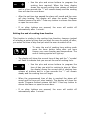
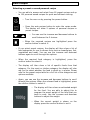
o After the weight has been set the display will show a summary of
your recipe selection with the food type, weight, shelf level and
time on the display. The “:” symbol will flash to indicate that you
can alter the cooking time shown.
o Use the plus and minus buttons to alter the cooking
time.
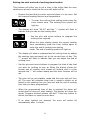
o When the correct cooking time is shown on the display,
press the start button and cooking will begin
immediately. The oven will automatically set the ideal
temperature and cooking function based on the
information you have provided.
o IMPORTANT: If you make a mistake when choosing
from the recipe menus or if you want to change the
settings at any time, press the stop button and the current
recipe will be cancelled. You can then start from the beginning of
the auto-recipes procedure.
o Some recipes use pre-heating so the dish should only be added
when the oven has reached the set temperature and the display
shows “Pre-heating finished put in the dish”.
o When cooking is complete the alarm will sound and the display
will show “Program finished remove the dish”. Press any button
to silence the alarm or open the oven door.
o
If you have made any changes to the preset or saved recipe the
display will show “Do you want to save recipe? Yes/No” You can
then decide if you want to save the recipe. If so, please refer to
the ‘Saving a personal recipe’ section.
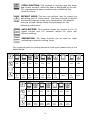
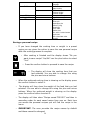
Preset recipe table
Food type
Bread/Pizza First
Meat
Additional options
Whole
In pieces
23
Recipes
Loaf
Sandwich loaf
Grape bread
Pizza margherita
Focaccia with onions
Stuffed roast veal
Rare roast beef
Medium roast beef
Well done roast beef
Braised cooking
Stuffed pork roast
Pork shank
Leg of lamb
Spring lamb
Stew
Meat on skewers