1
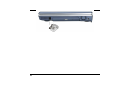
Inserting a PCMCIA Card
The computer will emit a medium tone followed by a high tone when a PC card is inserted.
When you eject a card, the computer will emit a high tone followed by a medium tone. You
can insert and remove a PC card whether the computer is turned On or Off.
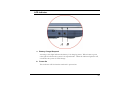
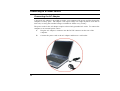
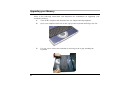
Follow these instructions to insert a PCMCIA card:
1.
Hold the PCMCIA card with the arrow side up and the connector side toward the
socket.
2.
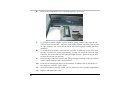
Align the card connectors with the socket and carefully slide into the socket until it
locks into place. The system will beep once to indicate that it has detected the PC
card.
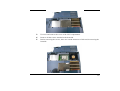
To remove a PC card push the eject button, the button will pop-out, push the button again to
eject the PCMCIA.
When inserting a Type II PC card, make sure the connector is inserted in the socket. Before
ejecting a PC card, ensure that it is not being accessed by the System.
For example, if the message “Write protect error writing Drive x” is displayed, the user has
to change the write protect switch setting on the memory card. To change the switch setting,
(a) eject the card, (b) change the switch setting, and (c) re-insert the card.
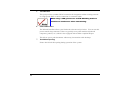
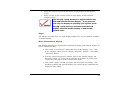
Always disconnect all telephone lines from the wall outlet before servicing or disassembling
this equipment.
To reduce the risk of fire, use only No. 26 AWG or larger
telecommunication line cord.
Power Saving Modes
This section contains information on the Notebook’s power system, including the AC
Adapter, the battery system, recharging the battery, and tips for conserving battery power.
The power system is comprised of two parts, the AC Adapter and the battery system. The
AC Adapter converts AC power from a wall outlet to the DC power required by the computer.
50