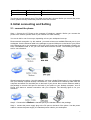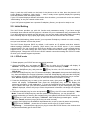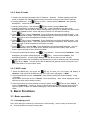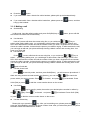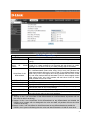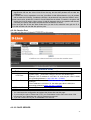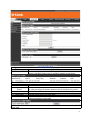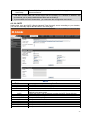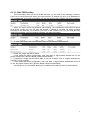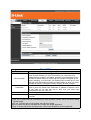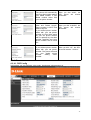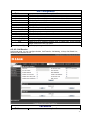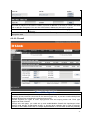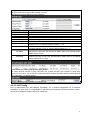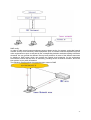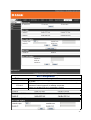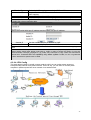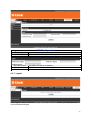
1
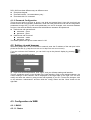
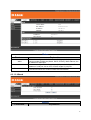
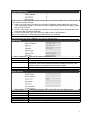
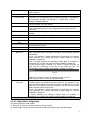
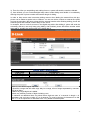
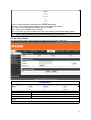
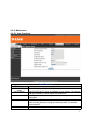
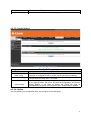
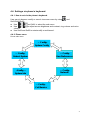
VoIP Phone DPH-150S User Manual Safety Notices Please read the following safety notices before installing or using this phone. They are crucial for the safe and reliable operation of the device. Please use the external power supply that is included in the package. Other power supplies may cause damage to the phone, affect the behavior or induce noise. Before using the external power supply in the package, please check with home power voltage. Inaccurate power voltage may cause fire and damage. Please do not damage the power cord. If power cord or plug is impaired, do not use it, it may cause fire or electric shock. The plug-socket combination must be accessible at all times because it serves as the main disconnecting device. Do not drop, knock or shake it. Rough handling can break internal circuit boards. Do not install the device in places where there is direct sunlight. Also do not put the device on carpets or cushions. It may cause fire or breakdown. Avoid exposure the phone to high temperature, below 0℃ or high humidity. Avoid wetting the unit with any liquid. Do not attempt to open it. Non-expert handling of the device could damage it. Consult your authorized dealer for help, or else it may cause fire, electric shock and breakdown. Do not use harsh chemicals, cleaning solvents, or strong detergents to clean it. Wipe it with a soft cloth that has been slightly dampened in a mild soap and water solution. When lightning, do not touch power plug or phone line, it may cause an electric shock. Do not install this phone in an ill-ventilated place. You are in a situation that could cause bodily injury. Before you work on any equipment, be aware of the hazards involved with electrical circuitry and be familiar with standard practices for preventing accidents. 2 Table of Content 1. Introducing DPH-150S VoIP Phone 1.1. Thank you for your purchasing DPH-150S Thank you for your purchasing DPH-150S, DPH-150S is a full-feature telephone that provides voice communication over the same data network that your computer uses. This phone functions not only much like a traditional phone, allowing to place and receive calls, and enjoy other features that traditional phone has, but also it own many data services features which you could not expect from a traditional telephone. This guide will help you easily use the various features and services available on your phone. 3 1.2. Delivery Content Please check whether the delivery contains the following parts: The base unit with display and keypad The handset The handset cable The power supply The Ethernet cable 1.3. Keypad The numeric keypad with the keys 0 to 9, *, and # is used to enter Digits and letters, additionally, the following keys are available: Key mapping: Key Key name Function Description Menu In idle state , press the MENU key to call up the menu. Phone Book In idle mode, press the Phone Book key to check the record list and add new records and revise the record. Press this key again will return to idle mode. 4 Callers R/send Speaker In idle/pickup/calling mode, press the Callers key to Check the Income/Outgoing/Missed calls records. Press this key again will return to idle mode In the hook off /hands-free mode, use the key to dial the last call number; use this key to make a quick dial as soon as you select your desired number in phone book or callers. In the idle state, use the key to browse the outgoing call log. Enter into hands-free mode. LED LED blinks to remind user new voicemail. Soft1 Soft2 Soft3 Use the Softkey to realize the various functions, like SMS/SDial/Memo/Enter/Next/Del/Save/Quit/Dial/E dit/Redial/EDial, etc. UP/DOWN IP can be viewed through the down key , If the Menu, you can browse menus using this button can also adjust the volume and other settings Hold mute MWI Conf Transfer RLS Temporarily hold the active call during the talking; press the key again to unhold the call. (3.1.5Calling Hold). In the idle state, press this key to enable the DND, press the key again to disable the DND. Press this key in calling mode, you can hear the other side, and the other side can not hear you Use this key to read old or new message. User can replace it with other functions, like pickup key, record key, etc. When a two-way call, press this button to enter the tripartite meeting.(please refer to 3.1.6.-call transfer for more details). Use the key to realize blind transfer or attended transfer .(please refer to 3.1.4.-call transfer for more details). In the call state, can use this key to end the call and other operations and return to the call mode; in the Menu menu, use this key to return to standby mode. NOTE: In the course of the dialogue machine configuration, do not press the Release key, because the press Release key, the phone will return to the standby mode, but just did not save the configuration will be abandoned. 1.4. Port for connecting POWER Power switch Select ON/OFF 5 DC LAN WAN Power port Network port Network port Output: 5V/1.0A Connect it to PC Connect it to Network The phone has two Network ports: The WAN port and the LAN port. Before you connect the power source, please carefully read Safety Notices of this user manual. 2.Initial connecting and Setting 2.1. connect the phone Step 1: Connect the IP Phone to the corporate IP telephony network. Before you connect the phone to the network, please check if your network can work normally. You can do this in one of two ways, depending on how your workspace is set up. Direct network connection—by this method, you need at least one available Ethernet port in your workspace. Use the Ethernet cable in the package to connect WAN port on the back of your phone to the Ethernet port in your workspace. Since this VoIP Phone has router functionality, whether you have a broadband router or not, you can make direct network connect. The following two figures are for your reference. Shared network connection—Use this method if you have a single Ethernet port in your workspace with your desktop computer already connected to it. First, disconnect the Ethernet cable from the computer and attach it to the WAN port on the back of your phone. Next, use the Ethernet cable in the package to connect LAN port on the back of your phone to your desktop computer. Your IP Phone now shares a network connection with your computer. The following figure is for your reference. Step 2: Connect the handset to the handset port by the handset cable in the package. Step 3: connect the power supply plug to the DC port on the back of the phone. Use the power cable to connect the power supply to a standard power outlet in your workspace. 6 Step 4: push the on/off switch on the back of the phone to the on side, then the phone’s LCD screen displays “Initializing…Wait LogOn…”. Later, a ready screen typically displays the greeting word and the date, time and softkey name. If your LCD screen displays different information from the above, you need refer to the next section “Initial setting” to set your network online mode. If your VoIP phone registers into corporate IP telephony Server, your phone is ready to use. 2.2. Initial Setting This VoIP Phone provides you with rich function and parameters setting. If you have enough knowledge about network and SIP protocol, it is better for you to understand many parameters. But if you know little about network and SIP protocol, you can also easily make initial setting according to the following steps to enjoy rapidly high quality voice and low cost from this VoIP Phone. Before make initial setting, please check if your corporate IP telephony network can work normally, and you have finished “connect the phone”. This VoIP Phone Supports DHCP by default. It will receive an IP address and other networkrelated settings (Netmask, IP gateway, DNS server) from the DHCP server. If your network supports DHCP, you can connect this VoIP Phone directly to the network. If your network doesn’t support DHCP, you need change this VoIP Phone’s network connection setting. According to the following steps, change this VoIP Phone’s DHCP network connection setting into PPPoE or static IP which your network supports at present. 2.2.1. PPPoE mode 1. Please prepare your PPPoE account name and password 2. Press the MENU key, and press the key for twice, the LCD screen will display “3 Network”. Then press the Soft2(Enter) key, the LCD screen will display “1 WAN”. 3. Press the Soft2(Enter) key, and press the key for twice, the LCD screen will display “3 PPPoE Set”. 4. Press the Soft2(Enter) key, the LCD screen will display “1 Account”, then press the Soft2(Enter) key, there will display the account information; Press the Soft2(Edit) key and press the Soft1(Del) key to delete and input your PPPOE account number then press the Soft2(Save) key to confirm. With “Saved” displayed, screen will jump to show the account information currently. 5. Press the Soft3(Quit) key to return to the previous menu, then press the key, the LCD screen will display “2 Password”.Then press the Soft2(Enter) key, there will display the password information (it will replaced by *). Press the Soft2(Edit) key and press the Soft1(Del) key to delete and input your PPPoE’s password and confirm it by the Soft2(Save) key, With “Saved” displayed, screen will jump to show the password information currently(it will replaced by *). 6. Press the Soft3(Quit) key for twice and press the key, the LCD screen will display “1 Net Mode”. Press the Soft2(Enter) key and then press the soft2(Edit) key, you can choose the network mode what you want by the navigation key. Now please choose the PPPoE mode by the key, the LCD screen will display “<>PPPoE”, With Soft2(Save) pressed again,screen will show “Saved” and then jump to show the net mode currently. 7. pressing Soft3 (Quit) four times/MENU key/Release key to quit to stand-by status and pressing to shows “PPPoE”,phone tries to connect server to get IP. If there is shown “Negotiating…”, it shows that the phone is trying to access the PPPoE Server, else it shows that the phone has already get IP with PPPoE. 7 2.2.2. Static IP mode 1. Prepare the network’s parameters first. IP Address,Netmask, Default Gateway and DNS server IP address are needed. Please contact the service provider or technician of network. 2. Pressing MENU key,and key for twice,screen shows“3 Network”, then pressing Soft2(Enter),screen will show “1 WAN”. 3. Pressing Soft2 (Enter),then pressing key, screen shows“2 Static Set”. 4. Pressing Soft2(Enter) to make screen show“1 IP”,press Soft2(Enter) and then press Soft2(Edit) again, and Soft1(Del) to delete old parameter. Input your IP address and press Soft2 (Save). After “Saved” shown, screen will jump to show the IP information currently. 5. Press key to show “2 Netmask”. Press Soft2(Enter) and press Soft2(Edit) again,and then use Soft1(Del) to delete. Input your Netmask and press Soft2 (Save). After “Saved” shown, screen will jump to show the Netmask information currently. 6. Press key to show “3 Gateway”. Press Soft2(Enter) and press Soft2(Edit) again,and then use Soft1(Del)to delete,Input your gateway and press Soft2(Save). After “Saved” shown, screen will jump to show the gateway information currentlly. 7. Press key to show“4 DNS”. Press Soft2(Enter) and press Soft2(Edit) again,and use Soft1(Del) to delete. Input your DNS server address and press Soft2 (Save). After “Saved” shown, screen will jump to show DNS information. 8. Press twice Soft3 (Quit) quitting. With key pressed,screen shows“1 Net Mode”. Press Soft2(Enter) and press Soft2(Edit) again, and key,screen shows“<>Static”; with Soft2(Save) pressed,screen shows “Saved” and then shows the net mode currently. 9. pressing Soft3 (Quit) four times/MENU key/Release key to quit to stand-by status and pressing to show “Static”. If screen shows the IP address and gateway which are set just now, it shows that Static IP mode is taken effect. 2.2.3. DHCP mode 1. Press the MENU key, and press the key for twice, the LCD screen will display “3 Network”. Then press the Soft2(Enter) key, the LCD screen will display “1 WAN”. 2. Press Soft2 (Enter) to show “1 Net Mode”. After pressing Soft(Enter) and Soft2(Edit),using navigation key to select until screen shows “<>DHCP”. Press Soft2(Save),With “saved” displayed, screen will jump to show the net mode currently. 3. Press Soft3 (Quit) four times quitting to stand-by status. Press key to show “DHCP”,if there is “Negotiating…”shown on screen, it shows that phone is keep trying to search DHCP server or get IP; If there is IP address displayed, it shows that DHCP mode has been taken effect. 3. Basic Functions 3.1. Basic operation 3.1.1. Accepting a call DPH-150S will ring to indicate you when there is call incoming,below is ways to answer call: Pick up handset to accept incoming calls. 8 Press the button If you need switch from a hands-free call to handset, please pick up the handset directly. If you need switch from a handset call to hands-free, please press the hang up the handset. button, and then 3.1.2. Making a call Quick-dialing In idle mode, input the called number, and press Soft3(Dial) key or the call and use hands-free automatically. button, phone will dial Use handset Hook off (screen will show the current using line, or you could use key to select), after getting dialing tone, you could begin to dial number. After finishing it, press # and DPH-150S will send the number and call the number. When you hear a ringback tone and screen shows the callee’s number, it shows that the person you called is ringing. If callee answers the call, you can begin to talk and your phone will keep showing callee’s number and counting time. Just hang up to finish talk. Use hands-free Press (screen will show the currnet using line, or you could use key to select), after getting dialing tone, you could begin to dial number. After finishing it, press # and DPH-150S will send the number and call the number. When you hear a ringback tone and screen shows the callee’s number, it shows that the person you called is ringing. If callee answers the call, you can begin to talk and your phone will keep showing callee’s number and counting time. Press again to finish talk. Use the phone book press in stand-by mode, and then press Soft2(Enter),you will access to phonebook. If there are many persons records stored in the directory, you can use person which you want to contact. Press Soft2 (Dial) or press to forward,and press to search the to backward. Press to dial the current number shown on the screen. Use Callers Press the the key, Press or press key in stand-by mode, then select your desired phone number in callers by to forward,and press to backward. Press Soft2 (Dial) to dial the current number shown on the screen. Use the R/send key Please pick up or press the key. After you hear dialing tone, please press the key or press the Soft3(Redial) to dial the last phone number. Note: after you reboot the phone, the phone will delete callers and Redial will be invalid. 9 Multi-line calls DPH-150S supports 2 SIP lines max,that is user could use 2 SIP accounts to register and make calls. System will use SIP 1 as default line to call. User can use the to select the line to call. There are most two calls at the same time. Screen will display the incoming call number when user is keep talking. You can press the Soft1 (Answer) to accept it, and hold the first one (if you want to use this function, you need enable Call Waiting of the phone first). Use Soft1 (Switch) to switch the two calls to talk. User can also use Soft1 (Conf) to make the second call when there is just an active call. 3.1.3. Ending a call Hangs up by handset onhook. Hangs up by press when in hands-free. Hangs up a call in call waiting state. When there are two calls,user might use Soft1(Switch)to switch to the call you want to hang up first. Then press # or press Soft3(Close) key to finish talk, and phone will switch to the other call automatically. Note:it is no use to press # to finish talk, if there is only one current call. 3.1.4. Transferring a call Blind Transfer During talk, press ,and then dial the number that you want to transfer to, and press #. Phone will transfer the current call to the third party. After finishing transfer, the call you talk to will be hanged up. User can not select SIP line when phone transfers call. Attended Transfer During talk, press and input the number that you want to transfer to and press Soft2 (Send). After that third party answers, then press to complete the transfer. (You need enable call waiting and call transfer first). If there are two calls, you can just talk to one, and keep hold to the other one. The one who is keep hold can not speak to you or hear from you. In this status, user can press * or Soft2 (Conf) to make calls mode in conference mode. If user wants to stop conference, user can press Soft1 (Split). (User must enable call waiting and three way call first). Note: the server that user uses must support RFC3515 or it might not be used. Alert Transfer During talk, press firstly, then press Soft2(Send) after inputting the number that you want to transfer. You are waiting for connection, now, press Soft2(Transf) and the transfer will be done. (To use this feature, you need enable call waiting and call transfer first) 3.1.5. Calling Hold During talking, user could press to hold the current call. Press again to unhold the call or switch the call active. This feature is also available in 3-way conference call. 3.1.6. 3-way conference call User can press Soft1 (Conf) to dial the line2 (press Soft1(Answer) to answer the call directly if this call is from line2)during talking with line1. After line2 connect, user can press Soft2 (Conf) or * to enter into conference mode. To back to line1 from conference, please press Soft1 (Split); to end the call, please press Soft3 (End). 10 3.1.7. Switchboard Operator feature User can press Soft1 (Conf) to dial the line2(press Soft1(Answer) to answer the call directly if this call is from line2) during talking with line1. After line2 connect, user can press Soft1 (Switch) to select which line you prefer to transfer, then press transfer and press to input the number you want to again to do the transfer. 3.1.8. Call records DPH-150S supports 100 items of missed call, 100 items of incoming call, and 100 items of outgoing call. If the records are full, the newest will replace the oldest. If phone’s power cut or reboot, call records will be discarded. Missed call Press , and screen displays “Missed Call”. Press Soft2 (Enter), phone will show the number and time of missed call. User can also use to browse the missed call records, or press Soft2 (Detail) to check the details of this record, then press Soft2 (Dial) again to change the current number. Pressing Soft2(Dial) will call this number directly if user don’t modify the number. If there is no missed call, screen will show “List Is Empty”. Incoming call Press and switch the menu to “Incoming Call” by pressing . Press Soft2 (Enter), phone will show the number of incoming call. User can also use to browse the incoming call records; or press Soft2 (Detail) to check the details of this record, then press Soft2 (Dial) again to change the current number. Pressing Soft2 (Dial) will call this number directly if user don’t modify the number. If there is no incoming call,screen will show “List Is Empty”. Outgoing call Press , and use to select to “Outgoing Call”. Press Soft2 (Enter), phone will show the number and time of dialed call. User can also use to browse the dialed call records; or press Soft2 (Detail) to check the details of this record, then press Soft2 (Dial) again to change the current number. Pressing Soft2 (Dial) will call this number directly if user don’t modify the number. If there is no dialed call, screen will show “List Is Empty”. User can also press check “Outgoing Call”. to 3.2. The high-level operation This VoIP Phone provides more advanced functions after setting at the permission scope of SIP server. 3.2.1. SMS function Send message The followings list several methods to send message: 1.Press soft1(SMS) in standby, then press Soft1(new) key. After inputting SMS content, press Soft2(send)key to input callee’s number, next, press Soft2 again to send SMS. 2. Press soft1(SMS) in standby, then press soft1(new) key. After inputting SMS content, press soft2(send) key, then pbook key to select your number to send SMS. 3. After inputting SMS content, user can press soft2(send) key, then input “ #” and “the callee’s IP 11 address”to send SMS. Browse Message and reply message When there’s new message, phone will ring and remind by a small envelope on top of the screen, then press soft1 ( SMS ) , and Soft2(Enter) key to browse current new message. when there are more new messages come in, user can choose by using up and down keys, then press Soft2(Enter) key to check the sender’s number and message content, next, press Soft2(Reply)key and input message content, finally, press Soft2(Send) again to reply this message. Note: while user browses the message numbers, new messages will be marked by “new”; when user edits message, press # key that to switch input method, e.g. ABC (uppercase English input), abc (lowercase English input), 123(digit input), Korean (Korean input(if your phone’s firmware version supports Korean). PY,( if your phone’s firmware version supports Chinese) 3.2.2. Memo function Press soft3 ( Memo) key in standby, then Soft1(ADD) key, at this time, user can configure the future date time in terms of Time format, next, press down key to input the memo content, also can press # to switch input method, down key again to enter into reminder ring tone and down key at the third time to enter into ring mode. You can press right or left key to select your reminder ring tone after you enter into reminder ring tone, and select your ring mode by pressing right or left key after entering into ring mode. There are two ring modes, ring and text. Ring is reminder you by ring tone, text only show memo content without ring tone reminder. Finally, press soft2( save) key to save your memo. Note: if there is memo notice when your phone is in call/off-hook/hands-free status, phone does not reminder by ring tone, only shows memo content in screen. 3.2.3. SpeedDial function User can pre-defined numbers in these keys(numeric key 0-9). Hook off, press the defined numeric key, then input “#”. Your pre-defined numbers will send out. 3.2.4. Realize Secondary Dial by Dialing for only one time When you make secondary dial in off-hook/hands-free or standby pre-input mode, press button to postpone input, and screen display will show ^. one stands for 2 seconds. For example, you input 123^45, the phone will send DTMF( 45) 2 seconds after the phone call 123. 123^^^45 will make phone send DTMF(45) at 6 seconds interval 3.2.5. Phonebook prefix function At standby mode, press phonebook button, user can not only select his needed number to call out but also he can add prefix to numbers, then call out. It is convenient for user add prefix numbers that PBX need. 3.2.6. Function key If function key is set as SIP Line key, user can select which lines will be used to make call when dialing or make a 2nd dialing by this function key. Note that only the key which is registered is available to be select to call. This function key can be configured as “Key Event”, namely set as F_MWI. It can set relative keys as Voice mail key, can check new and old voice mail; also can be set other function keys like the following table: Field Name F_PBOOK F_REDIAL F_A_TRANSFER or F_B_TRANSFER F_PICKUP F_JOIN F_AUTOREDIAL Explanation Like the phonebook key. Like the redial key. Like the transfer key. Pickup function Joincall function. Auto redial function. 12 F_UNAUTOREDIA L F_DND F_MWI F_CFWD F_CALLERS F_MEMO F_REC Cancel redial function. Do not disturb function. MWI(message waiting indication) function. Call forward function. Like the Callers key. Like the Memo key. Record function (record on server). User can implement BLF/PRESENCE/MWI/SPEED DIAL features by Memory Key. /b Busy Lamp Field: Based on Asterisk, it can be used to check the status (Idle,ring,busy) of the pointed phones. It is helpful to operator to know the status of the phone which he will switch to. User can configure the BLF like: 300 is rogatory number, @1 means SIP1, of course, user can configure as @2(SIP2); if don’t use this, simply says 300/b, it will use SIP1 as default. /b means use BLF feature. When this configuration enable, the phone will subscribe the status of pointed phone each 60s: LED off means Idled, LED flash means ring and LED on means busy. /m MWI (Message waiting indication), means the number of this key is the number of voicemail User can configure MWI function according to the above chart: 8000 is mailbox number, @1 is using SIP1, user also can configure @2(SIP2),the rest lines can be deduced by analogy, if no use, is 8000/m,it will pass the SIP1 line in default,/m means MIW function is using. If there’s new voicemail, LED will blink and shows new message, after receiving, server will send current mail info to phone, after receiving new MWI order, LED will respond, if LED light is off, it means no new voicemail. /p Presence, means phone can check the status of other phone that has relevant numbers. User can configures presence function according to the above chart: 500 is number that search caller, @1 is using SIP1, user also can configure @2(SIP2),the rest lines can be deduced by analogy, if no use, is 500/p, it will pass the SIP1 line in default, /p means presence function is using. At this moment, press this button, it can show the correponding phone’s status (on, off, fail,) which LED don’t remind. /f speed dial, user configure it as same time as above attribute, after configuring, phone will implement above function in priority, then considering to perform speed dial /i PUSH TO TALK, user presses this button in standby, the phone can call other phone and the other phone will auto answer. User can configure PUSH TO TALK according to the chart: 700 is number of callee. After configuring, the phone can call 700 and make 700 auto answer by pressing this button. 3.2.7. Call pickup Call pickup is implemented by simulating pickup function of PBX. it’s that, when A calls B, B rings but no answer, at this moment, C can hook off and input an appointed prefix plus B’s number, pick up A’s call and talk with A. The following chart shows how to configure an appointed prefix in dial peer to have call pick up function. 13 *1* means appointed prefix code. After making the above configuration, C can dial *1* plus B’phone number to pick up A’s call. User can set prefix in random, in the case of no affecting current dialing rules. 3.2.8. join call When B is calling C, A can join in the existing call by inputing an appointed prefix numbers plus B or C number, if B or C also supports join call The following chart shows how to configure an appointed prefix in dialpeer to have join call function. *2* means appointed prefix code. After making the above configuration, A can dial *2* plus B or C number to join B and C’s call, . User can set prefix in random, in the case of no affecting current dialing rules. 3.2.9. redial/unredial If B is in busy line when A calls B, A will get notice: busy, please hang up. If A want to connect B as soon as B is in idle, he can use redial function at the moment and he can dials an appointed prefix number plus B’s number to realize redial function. What is redial function? A can’t not build a call with B when B is in busy ,then A will subscribe B’s calling mode at 60 second intervals. once B is available, A will get reminder of rings to hook off, while A hooks off, A will call B automatically. If at this time A is occupied temporarily and unwilling to contact B, A also can cancel the redial function by dialing an appointed prefix plus B’s number before making the redial function. *3* is appointed prefix code. After making the above configuration, A can dial *3* plus B’phone number to make the redial function. *4* is appointed prefix code. After configuration, A can dial *4* to cancel redial function. User can set prefix in random, in the case of no affecting current dialing rules. 3.2.10. click to dial When user A browses in an appointed Web page, user A can click to call user B via a link (this link to user B), then user A’s phone will ring, after A hooks off, the phone will dial to B. 4. Setting 4.1. Introduction of configuration 4.1.1. Ways to configure 14 DPH-150S has three different ways to different users. Use phone keypad. Use web browser(recommendatory way). Use telnet with CLI command. 4.1.2. Password Configuration There are two levels to access to phone: root level and general level. User with root level can browse and set all configuration parameters, while user with general level can set all configuration parameters except SIP (1-2) that some parameters can not be changed, such as server address and port. User will has different access level with different username and password. Default user with general level: username:guest password:guest Default user with root level: username:admin password:admin The default password of phone screen menu is 123. 4.2. Setting via web browser When this phone and PC are connected to network, enter the IP address of the wan port in this phone as the URL (e.g. http://xxx.xxx.xxx.xxx/ or http://xxx.xxx.xxx.xxx:xxxx/). If you do not know the IP address, you can look it up on the phone’s display by pressing button . The login page is as below picture ※ :Input username and password, click “logon”, and you will enter setting web interface. There is a selection menu on the left side of the web interface. Click on the desired submenu; the current settings of this submenu will be displayed in the larger field on the right. You can now modify and store the values by using mouse and keyboard of your PC. To save the changes, click on the submenu “maintenance” and then click the “config” button and the “Save” button on the right field. 4.3. Configuration via WEB 4.3.1. BASIC 4.3.1.1. Status 15 Status Field name WAN LAN Phone Number Explanation Shows the configuration information on WAN port, including the connect mode of WAN port (Static, DHCP, PPPoE), MAC address, the IP address of WAN port . Shows the configuration information on LAN port, including the IP address of LAN port, ON or OFF of DHCP mode of LAN port. Shows the phone numbers provided by the SIP LINE 1-2 servers. The last line shows the version number and issued date. 4.3.1.2. Wizard Wizard Field Name Explanation 16 Please select the proper network mode according to the network condition. DPH-150S provide three different network settings: Static: If your ISP server provides you the static IP address, please select this mode, then finish Static Mode setting. If you don’t know about parameters of Static Mode setting, please ask your ISP for them. DHCP: In this mode, you will get the information from the DHCP server automatically; need not to input this information artificially. PPPoE: In this mode, your must input your ADSL account and password. You can also refer to 2.2. Initial Setting to speed setting your network. Choose Static IP MODE,click【NEXT】can config the network and SIP(default SIP1)easily, also can browse them too. Click【BACK】can return to the last page. Static IP Address Netmask Gateway DNS Domain Primary DNS Alter DNS Display Name Server Address Server Port User Name Password Phone Number Enable Register Input the IP address distributed to you. Input the Netmask distributed to you. Input the Gateway address distributed to you. Set DNS domain postfix. When the domain which you inputted can not be parsed, phone will automatically add this domain to the end of the domain which you inputted before and parse it again. Input your primary DNS server address. Input your standby DNS server address. If user set the display name, callee will show this display name. Input your SIP server address. Set your SIP server port. Input your SIP register account name. Input your SIP register password. Input the phone number assigned by your VOIP service provider. Start to register or not by selecting it or not. 17 Display detailed information that you manual config. Choose DHCP MODE,click【NEXT】to config simple SIP(default SIP1). You can browse it too. Click【BACK】to return to the last page. Like Static IP MODE。 Choose PPPoE MODE,click【NEXT】to config the PPPoE account/password and SIP(default SIP1). You can browse it too. Click【BACK】to return to the last page. Like Static IP MODE。 PPPoE Server It will be provided by ISP. Username Input your ADSL account. Password Input your ADSL password. Notice: Click【Finish】button after finish your setting, IP Phone will save the setting automatically and reboot. After reboot, you can dial by the SIP account. 4.3.1.3. Call Log You can look up all the outgoing calls through this page. Call Log Field name Start Time Last Time Called Number explanation Display the start time of the outgoing call Display the conversation time of the outgoing call. Display the account/protocol/line of the outgoing call. 18 4.3.1.4. MMI SET MMI SET Field name explanation Language Set Set the language of phone, English is default. The greeting message will display on lcd when phone is idle. It can support 16 chars. the default chars are VOIP PHONE. Greeting Message 4.3.2. Network 4.3.2.1. WAN Config 19 WAN Config Field Name Active IP Current Netmask MAC Address Current Gateway Get MAC Time explanation The current IP address of the phone. The current Netmask address. The current MAC address of the phone. The current Gateway IP address. Shows the time of getting MAC address Please select the proper network mode according to the network condition. DPH-150S provide three different network settings: Static: If your ISP server provides you the static IP address, please select this mode, then finish Static Mode setting. If you don’t know about parameters of Static Mode setting, please ask your ISP for them. DHCP: In this mode, you will get the information from the DHCP server automatically; need not to input this information artificially. PPPoE: In this mode, your must input your ADSL account and password. You can also refer to 2.2. Initial Setting to speed setting your network. Obtain DNS server Using the DHCP mode to get the DNS address. If disable, it will using automatically the DNS address in the Static mode, the default is enable. If you use static mode, you need set it. IP Address Input the IP address distributed to you. Netmask Input the Netmask distributed to you. Gateway Input the Gateway address distributed to you. Set DNS domain postfix. When the domain which you inputted can not DNS Domain be parsed, phone will automatically add this domain to the end of the domain which you inputted before and parse it again. Primary DNS Input your primary DNS server address. Alter DNS Input your standby DNS server address. If you uses PPPoE mode, you need to make the above setting. PPPoE Server It will be provided by ISP. Username Input your ADSL account. 20 Password Input your ADSL password. Notice: 1)Click “Apply” button after finishe your setting, IP Phone will save the setting automatically and new setting will take effect. 2)If you modify IP address, the web will not response by the old IP address. Your need input new IP address in the address column to logon in the phone. 3)If networks ID which is distributed by DHCP server is same as network ID which is used by LAN of system, phone will use the DHCP IP to set WAN, and modify LAN’s networks ID(for example, system will change LAN IP from 192.168.10.1 to 192.168.11.1) when phone uses DHCP client to get IP in startup; if phone uses DHCP client to get IP in running status and network ID is also same as LAN’s, phone will refuse to accept the IP to configure WAN. 4.3.2.2. LAN Config LAN Config Field name explanation LAN IP Netmask Specify LAN static IP. Specify LAN Netmask. Select the DHCP server of LAN port or not. After user modify the LAN DHCP Service IP address, phone will amend and adjust the DHCP Lease Table and save the result amended automatically according to the IP address and Netmask. You need restart the phone and the DHCP server setting will take effect. NAT Select NAT or not. Select Bridge Mode or not: If you select Bridge Mode, the phone will Bridge Mode no longer set IP address for LAN physical port,LAN and WAN will join in the same network.. Click “Apply”, the phone will reboot. Notice: If you choose the bridge mode, the LAN configuration will be disabled. 4.3.2.3. Qos Config The VOIP phone support 802.1Q/P protocol and DiffServ configuration. VLAN functionality can use different VLAN IDs by setting signal/voice VLAN and data VLAN. The VLAN application of this phone is very flexible. 21 In chart 1, there is a layer 2 switch without setting VLAN. Any broadcast frame will be transmitted to the other ports except the send port. For example, a broadcast information is sent out from port 1 then transmitted to port 2,3and 4. In chart 2, red and blue indicate two different VLANs in the switch, and port 1 and port 2 belong to red VLAN, port 3 and port 4 belong to blue VLAN. If a broadcast frame is sent out from port 1, switch will transmit it to port 2, the other port in the red VLAN and not transmit it to port3 and port 4 in blue VLAN. By this means, VLAN divide the broadcast domain via restricting the range of broadcast frame transmition. Note: chart 2 use red and blue to identify the different VLAN, but in practice, VLAN uses different VLAN IDs to identify. 22 QoS Configuration Field name explanation VLAN Enable Before select it to enable VLAN, you need enable Bridge mode in LAN config. Enable VLAN ID check by selecting it. After enable VLAN ID check, if VLAN ID of a data package is not the same with the phone’s or a data package do not have VLAN ID, the data package will be discarded. After enable VLAN, system will set packets with different type of VLAN ID. Undifferentiated means after using VLAN, both VoIP packets and other data packets will use the voice VLAN ID; tag differentiated means after using VLAN, VoIP(signal and voice) packets will add voice VLAN ID, and other data packets will add data VLAN ID; data untaged means after using VLAN, only VoIP packets will add voice VLAN ID. Other data packets will not use VLAN. Select it or not to Enable or disable DiffServ. Set DiffServ value, the common value is 0x00. Specify 802.1P Priority of voice/signal data package. Set 802.1p of data VLAN. Non-VoIP data (such as http, telnet, ping etc) will use this value to set VLAN package. Set VLAN ID of voice/signal data package. Set 802.1q of data VLAN ID. Non-VoIP data (such as http, telnet, ping etc) will use this value to set VLAN package. VLAN Enable ID Check Voice/Data VLAN differentiated DiffServ Enable DiffServ Value Voice 802.1P Priority Data 802.1P Priority Voice VLAN ID Data VLAN ID NOTICE: 1)Startup VLAN, if set Voice/Data VLAN differentiated as Undifferentiated, all packets will use the Voice VLAN ID as the tag. 2) Startup VLAN, if set Voice/Data VLAN differentiated as tag differentiated and disable the DiffServ, then system will not distinguish the voice and data, all packets will use the Voice VLAN ID as the tag. 3) Startup VLAN, if set Voice/Data VLAN differentiated as tag differentiated and enable the DiffServ, then system will distinguish the voice and data and add the VLAN ID each other. 23 4) Startup VLAN, if set Voice/Data VLAN differentiated as data untaged, then the packet of the signal/voice will use the Voice VLAN ID as the tag, but the data packets will not take the VLAN tag. 5) If Disable the VLAN, regardless to set the Voice/Data VLAN differentiated or not, all packets will not take the VLAN tag; If enable the DiffServ, all packets will only take the DiffServ value. 6) user need notice, enable the VLAN ID Check Enable that is default, If enable it, the phone will match the VLAN ID strictly. When others' VLAN ID dismatch with us, the packets will discard. Contrarily, the phone will accept the packets with the distinct VLAN ID. 7) You must gain the IP with the Static mode when you set VLAN, otherwise can't gain the IP in the VLAN and also can not dial with point to point. 4.3.2.4. Service Port You can set the port of telnet/HTTP/RTP by this page. SERVICE PORT Field name HTTP Port Telnet Port explanation set web browse port, the default is 80 port , if you want to enhance system safety,you'd better change it into non-80 standard port; Example: The IP address is 192.168.1.70. and the port value is 8090, the accessing address is http://192.168.1.70:8090 Set Telnet Port, the default is 23. You can change the value into others. Example: The IP address is 192.168.1.70. the telnet port value is 8023, the accessing address is telnet 192.168.1.70 8023 Set the RTP Initial Port. It is dynamic allocation. Set the maximum quantity of RTP Port, the default is 200. RTP Initial Port RTP Port Quantity Notice: 1)You need save the configuration and reboot the phone after set this page. 2)If you modify the port of Telnet and HTTP, you would better set the value more than 1024 because the port value less than 1024 is system port reserved. 3)if you set 0 for the HTTP port, it will disable HTTP service. 4.3.2.5. DHCP SERVER 24 DHCP SERVER Field name explanation DHCP Leased Table IP-MAC mapping table. If the LAN port of the phone connects to a device, this table will show the IP and MAC address of this device. Shows the DHCP Lease Table, the unit of Lease time is Minute. Lease Table Name Specify the name of the lease table Start IP Set the start IP address of the lease table Set the end IP address of the lease table, the network device connected to LAN port will get IP address between Start IP and End IP by DHCP. End IP Netmask Set the Netmask of the lease table Gateway Set the Gateway of the lease table Lease Time Set the Lease Time of the lease table DNS Set the default DNS server IP of the lease table; Click the Add button to submit and add this lease table Select name of lease table, click the Delete button will delete the selected lease table from DHCP lease table. 25 Select DNS Relay, the default is enable. Click the Apply button to DNS Relay become effective. Notice: 1 ) The size of lease table can not be larger than the quantity of C network IP address. We recommend you to use the default lease table and not modify it. 2)If you modifies the DHCP lease table, you need save the configuration and reboot. 4.3.2.6. SNTP Setting time zone and SNTP (Simple Network Time Protocol) server according to your location, you can also manually adjust date and time in this web page. SNTP Field name Server Time Zone Time Out 12 Hours Systems SNTP Enable Daylight Time shift(minutes) Month Week Day Hour Minute explanation Set SNTP Server IP address. Select the Time zone according to your location. Set the time out, the default is 60 seconds. Swich the time mechanism between 12 hours and 24 hours. Default is 24 hours mode Select the SNTP, and click Apply to make the SNTP Times effective. Enable daylight saving time Setup the variety length Setup stat and end month Setup start and end week Setup start and end day Setup start and end hours Setup start and end minutes 26 Notice: You need specify the above all items. 4.3.3. VOIP 4.3.3.1. SIP Config Set your SIP server in the following interface. 27 SIP Config Field name explanation Choose line to set info about SIP, there are 2 lines to choose. You can switch by【Load】 button. Register Status Shows if the phone has been registered the SIP server or not; or so, show Unapplied; Server Name Set the server name. Server Address Input your SIP server address. Server Port Set your SIP server port. Account Name Input your SIP register account name. Password Input your SIP register password. Phone Number Input the phone number assigned by your VoIP service provider. Phone will not register if there is no phone number configured. Display Name Set the display name. Set proxy server IP address(Usually, Register SIP Server configuration is the same as Proxy SIP Server. But if your VoIP service Proxy Server Address provider give different configurations between Register SIP Server and Proxy SIP Server, you need make different settings.) Proxy Server Port Set your Proxy SIP server port. Proxy Username Input your Proxy SIP server account. Proxy Password Input your Proxy SIP server password. Set the sip domain if needed, otherwise this VoIP phone will use the Domain Realm Register server address as sip domain automatically. (Usually it is same with registered server and proxy server IP address). Enable Register Start to register or not by selecting it or not. Set expire time of SIP server register, default is 60 seconds. If the Register Expire Time register time of the server requested is longer or shorter than the expire time set, the phone will change automatically the time into the time recommended by the server, and register again. NAT Keep Alive Interval Set examining interval of the server, default is 60 seconds User Agent Set the user agent if have, the default is VoIP Phone 1.0 Signal Key Set the key for signal encryption Media Key Set the key for RTP encryption Local port Set sip port of each line Ring type Set ring type of each line Hot line Number Set Hot line number of each line. Transfer Expire Time The phone send bye and end the call as soon as hang up. Enable Subscribe Enable Subscribe. Enable Keep Enable/Disable Keep Authentication. Authentication Enable/Disable keeps NAT of SIP alive. NAT Keep Alive If some server refuse to register with too short interval time, and has no packets sending to device in private network to keep NAT alive, user could set this function ON. It need set the keep alive interval time less than the NAT server’s. Enable Via rport Enable/Disable system to support RFC3581. Via rport is special way to realize SIP NAT. Enable PRACK Enable or disable SIP PRACK function, suggest use the default config. Long Contact Set more parameters in contact field; connection with SEM server Enable URI Convert Convert # to %23 when send the URI. Dial Without Register Set call out by proxy without registration; Ban Anonymous Call Set to ban Anonymous Call; Select call forward mode, the default is Off 28 Forward Type Forward Phone Number Server Type DTMF Mode RFC Protocol Edition Transport Protocol RFC Privacy Edition Subscribe Expire Time Enable DNS SRV Click to Talk Signal Encode RTP Encode Enable Session Timer Answer With Single Codec Auto TCP Enable Strict Proxy Enable GRUU Enable Displayname Quote Off:Close down calling forward Busy:If the phone is busy, incoming calls will be forwarded to the appointed phone. No answer : If there is no answer, incoming calls will be forwarded to the appointed phone. Always : Incoming calls will be forwarded to the appoint phone directly. The phone will Prompt the incoming while doing forward. Appoint your forward phone number. Select the special type of server which is encrypted, or has some unique requirements or call flows. Select DTMF sending mode, there are three modes: DTMF_RELAY DTMF_RFC2833 DTMF_SIP_INFO Different VoIP Service providers may provide different modes. Select SIP protocol version to adapt for the SIP server which uses the same version as you select. For example, if the server is CISCO5300, you need to change to RFC2543, else phone may not cancel call normally. System uses RFC3261 as default. Set transport protocols, TCP or UDP; Set Anonymous call out safely; Support RFC3323and RFC3325; Set the interval of Subscribe. Support DNS looking up with _sip.udp mode Set click to Talk ( need practical software support). Enable/Disable Signal Encrypt. Enable/Disable RTP Encrypt. Set Enable/Disable Session Timer, whether support RFC4028.It will refresh the SIP sessions. Enable/Disable the function when call is incoming, phone replies SIP message with just one codec which phone supports. Set to use automatically TCP protocol to guarantee usability of transport as message is above 1300 byte Support the special SIP server-when phone recieves the patckets sent from server, phone will use the source IP address, not the address in via field. Set to support GRUU Set to make quotation mark to displayname as the phone sends out signal, in order to be compatible with server. 4.3.3.2. STUN Config In this web page, you can config SIP STUN. STUN: By STUN server, the phone in private network could know the type of NAT and the NAT mapping IP and port of SIP. The phone might register itself to SIP server with global IP and port to realize the device both calling and being called in private network. 29 STUN Field name explanation STUN NAT Transverse Shows STUN NAT Transverse estimation, true means STUN can penetrate NAT, while False means not. Set your SIP STUN Server IP address Set your SIP STUN Server Port Set STUN Effective Time. If NAT server finds that a NAT mapping is idle after time out, it will release the mapping and the system need send a STUN packet to keep the mapping effective and alive. Set the SIP port. STUN Server Addr STUN Server Port STUN Effect Time Local SIP Port Choose line to set info about SIP, There are 2 lines to choose. You can switch by 【Load】 button. Use Stun Enable/Disable SIP STUN. Notice: SIP STUN is used to realize SIP penetration to NAT. If your phone configures STUN Server IP and Port (default is 3478), and enable SIP Stun, you can use the ordinary SIP Server to realize penetration to NAT. 30 4.3.3.3. DIAL PEER setting This functionality offers you more flexible dial rule, you can refer to the following content to know how to use this dial rule. When you want to dial an IP address, the entry of IP addresses is very cumbersome, but by this functionality, you can set number 156 to replace 192.168.1.119 here. When you want to dial a long distance call to Beijing, you need dial an area code 010 before local phone number, but you can also dial number 1 instead of 010 after we make a setting according to this dial rule. For example, you want to dial 01062213123, but you need dial only 162213123 to realize your long distance call after you make this setting. To save the memory and avoid abundant input of user,add the follow fuctions: 1、x Match any single digit that is dialed. If user makes the above configuration, after user dials 11 digit numbers started with 13, the phone will send out 0 plus the dialed numbers automatically. 2 、 [] Specifies a range that will match digit. It may be a range, a list of ranges separated by commas, or a list of digits. If user makes the above configuration, after user dials 11 digit numbers started with from 135 to 139, the phone will send out 0 plus the dialed numbers automatically. Use this phone you can realize dialing out via different lines without switch in web interface. 31 DIAL PEER Field name explanation There are two types of matching conditions: one is full matching, the other is prefix matching. In the Full matching, you need input your desired phone number in this blank, and then you need dial the phone number to realize calling to what the phone number is mapped. In the Phone number prefix matching, you need input your desired prefix number and T; then dial the prefix and a phone number to realize calling to what your prefix number is mapped. The prefix number supports at most 30 digits Set Destination address. This is optional config item. If you want to set Destination peer to peer call, please input destination IP address or domain name. If you want to use this dial rule in SIP2 line, you need input 255.255.255.255 or 0.0.0.2 in it. Port Set the Signal port, the default is 5060 for SIP. Alias Set alias. This is optional config item. If you don’t set Alias, it will show no alias. Note: There are four types of aliases. 1) add: xxx, it means that you need dial xxx in front of phone number, which will reduce dialing number length. 2) all: xxx, it means that xxx will replace some phone number. 3) del: It means that phone will delete the number with length appointed. 4) Rep: It means that phone will replace the number with length and number appointed. 32 You can refer to the following examples of different alias application to know more how to use different aliases and this dial rule. Call Mode Select differenct signal protocol, SIP Suffix Set suffix, this is optional config item. It will show no suffix if you don’t set it. Delete Length Set delete length. This is optional config item. For example: if the delete length is 3, the phone will delete the first 3 digits then send out the rest digits. You can refer to examples of different alias application to know how to set delete length. Introduction of how to set up dial-peer to implement switch between multi- SIP lines 9T mapping: If you have registered a SIP1 server and set dial-peer according to the above table,all calls will be sent via SIP1 server when you press the numeric key “9” in front of dialing destination phone numbers. 8T mapping: If you have registered a Private SIP2 server and set dial-peer according to the above table,all calls will be sent via SIP2 server when you press the numeric key “8” in front of dialing destination phone numbers. Examples of different alias application Set by web explanation example You need set phone number, Destination, Alias and Delete Length. Phone number is XXXT, Destination is 255.255.255.255 and Alias is del. This means any phone No. that starts with your set phone number will be sent via SIP2 line after the first several digits of your dialed phone number are deleted according to delete length. If you dial “93333”, the SIP2 server will receive “3333” This setting will realize speed dial function, after you dialing the numeric key “2”, the number after all will be sent out. When you dial “2”, the SIP1 server will receive 33334444 33 The phone will automatically send out alias number adding your dialed number, if your dialed number starts with your set phone number. You need set Phone Number, Alias and Delete Length. Phone number is XXXT and Alias is Rep:xxx If your dialed phone number starts with your set phone number, the first digits same as your set phone number will be replaced by the alias number specified and New phone number will be send out. If your dialed phone number starts with your set phone number. The phone will send out your dialed phone number adding suffix number. When you dial “8309“, the SIP1 server will receive “07558309” When you dial “0106228”, the SIP1 server will receive “86106228” When you dial “147”, the SIP1 server will receive “1470011” 4.3.4. Phone 4.3.4.1. DSP Config In this page, you can configure voice codec, input/output volume and so on. 34 DSP Configuration Field name explanation First Codec Second Codec Third Codec Forth Codec Fifth Codec Input Volume Handfree Volume G729 Payload Length Handdown Time Output Volume Ring Volume G722 Timestamps G723 Bit Rate Default Ring Type Signal Standard VAD The fist preferential DSP codec: G.711A/u, G.723, G.729 The second preferential DSP codec: G.711A/u, G.723, G.729 The third preferential DSP codec: G.711A/u, G.723, G.729 The forth preferential DSP codec: G.711A/u, G.723, G.729 The fifth preferential DSP codec: G.711A/u, G.723, G.729 Specify Input (MIC) Volume grade. Specify Handfree Volume grade Set G729 Payload Length Specify the least reflection time of Handdown, the default is 200ms. Specify Output (receiver) Volume grade. Specify Ring Volume grade 160/20ms or 320/20ms is available 5.3kb/s or 6.3kb/s is available Set up the ring by default Select Signal Standard. Select it or not to enable or disable VAD. If enable VAD, G729 Payload length could not be set over 20ms. Set the payload type of DTMF 2833, the default is 101. Dtmf Payload Type 4.3.4.2. Call Service In this web page, you can configure Hotline, Call Transfer, Call Waiting, 3 Ways Call, Black List, white list Limit List and so on. Call Service Field name explanation 35 Hotline Enable Call Transfer Specify Hotline number. If you set the number, you can not dial any other numbers. Specify No Answer Time Set Prefix in peer to peer IP call. For example: what you want to dial is 192.168.1.119, If you define P2P IP Prefix as 192.168.1., you dial only #119 to reach 192.168.1.119. Default is “.”. If there is no “.” Set, it means to disable dialing IP. Set Remote Record number. Via dialing this number, you can hear all voice records in your VoIP server. Select NO Disturb, the phone will reject any incoming call, the callers will be reminded by busy, but any outgoing call from the phone will work well. If you select Ban Outgoing to enable it, and you can not dial out any number. Enable Call Transfer by selecting it. Enable Call Waiting Enable Call Waiting by selecting it. No Answer Time P2P IP Prefix Remote Record No Do Not Disturb Ban Outgoing Enable Three Way Call Accept Any Call Auto Answer Use Record Server Black List Enable Three Way Call If select it, the phone will accept the call even if the called number is not belong to the phone. If select it, the phone will auto answer when there is an incoming call. Select it or not to Enable or disable Use Record Server. Set Add/Delete Black list. If user does not want to answer some phone calls, add these phone numbers to the Black List, and these calls will be rejected. x and . are wildcard. x means matching any single digit. for example, 4xxx expresses any number with prefix 4 which length is 4 will be forbidden to dialed out DOT (.) means matching any arbitrary number digit. for example, 6. expresses any number with prefix 6 will be forbidden to dialed out. if user wants to allow a number or a series of number incoming, he may add the number(s) to the list as the white list rule. the configuration rule is -number, for example, -123456, or -1234xx Means any incoming number is forbidden except for 4119 Note: End with DOT (.) when set up the white list Set Add/Delete Limit List. Please input the prefix of those phone Limit List numbers which you forbid the phone to dial out. For example, if you want to forbid those phones of 001 as prefix to be dialed out, you need input 001 in the blank of limit list, and then you can not dial out any phone number whose prefix is 001. x and . are wildcard. x means matching any single digit. for example, 4xxx expresses any number with prefix 4 which length is 4 will be forbidden to dialed out . means matching any arbitrary number digit. for example, 6. expresses any number with prefix 6 will be forbidden to dialed out. Notice: Black List and Limit List can record at most10 items respectively. 4.3.4.3. Digital Map Configuration This phone supports 4 dial modes: 1). End with “#”: dial your desired number, and then press #. 2). Fixed Length: the phone will intersect the number according to your specified length. 36 3). Time Out: After you stop dialing and waiting time out, system will send the number collected. 4). User defined: you can customize digital map rules to make dialing more flexible. It is realized by defining the prefix of phone number and number length of dialing. In order to keep some users' secondary dialing manner when dialing the external line with pbx, phone can be added a special rule to realize it. so user can dial a number as external line prefix and get the secondary dial tone to keep dial the external number. after finishing dialing, phone will send the prefix and external number totaly to ther server. for example, there is a rule 9,xxxxxxxx in the digital map table. after dialing 9, phone will send the secondary dial tone, user may keep going dialing. after finished, phone will call the number which starts with 9, actually the number sent out is 9-digit with 9. Digital Map Configuration Field name End with "#" Fixed Length Time out explanation Set Enable/Disable the phone ended with “#” dial. Specify the Fixed Length of phone ending with. Set the timeout of the last dial digit. The call will be sent after timeout. Below is user-defined digital map rule: [] Specifies a range that will match digit. May be a range, a list of ranges separated by commas, or a list of digits. x Match any single digit that is dialed. . Match any arbitrary number of digits including none. Tn Indicates an additional time out period before digits are sent of n seconds in length. n is mandatory and can have a value of 0 to 9 seconds. Tn must be the last 2 characters of a dial plan. If Tn is not specified it is assumed to be T0 by default on all dial plans. 37 [1-8]xxx: Cause extensions 1000-8999 to be dialed immediately 9xxxxxxx: Cause 8 digit numbers started with 9 to be dialed immediately 911: Cause 911 to be dialed immediately after it is entered. 99T4: Cause 99 to be dialed after 4 seconds. 9911x.T4:Cause any number started with 9911 to be dialed 4 seconds after dialing ceases. Notice: End with “#”, Fixed Length, Time out and Digital Map Table can be used simultaneously, System will stop dialing and send number according to your set rules. 4.3.4.4. Phone Book You can input the name, phone number and select ring type for each name here. Phone Book Field name explanation Shows the detail of current phonebook. Shows the name corresponding to the phone number Name Number Shows the phone number Ring Type Shows the ring type of the incoming call. Click “Modify” to change the selected information and click the “Delete” to delete the selected record. Notice: the maximum capability of the phonebook is 500 items 38 4.3.5. Maintenance 4.3.5.1. Auto Provision Auto Provision Field name Current Config Version Server Address Username Password Config File Name Config Encrypt Key Protocol Type explanation Show the current config file’s version. Set FTP/TFTP/HTTP server IP address for auto update. The address can be IP address or Domain name with subdirectory. Set FTP server Username. System will use anonymous if username keep blank. Set FTP server Password. Set configuration file’s name which need to update. System will use MAC as config file name if config file name keep blank. For example, 000102030405.。 Input the Encrypt Key, if the configuration file is encrypted. Select the Protocol type FTP、TFTP or HTTP. 39 Update Interval Time Update Mode Enable DHCP Option 66 Set update interval time, unit is hour. Different update modes: 1. Disable: means no update 2. Update after reboot: means update after reboot. 3. Update at time interval: means periodic update. Enable the DHCP Option 66 to set the TFTP server address from the DHCP server. 4.3.5.2. Syslog Config Syslog is a protocol which is used to record the log messages with client/server mechanism. Syslog server receives the messages from clients, and classifies them based on priority and type. Then these messages will be written into log by some rules which administrator can configure. This is a better way for log management. 8 levels in debug information: Level 0---emergency: This is highest default debug info level. You system can not work. Level 1---alert: Your system has deadly problem. Level 2---critical: Your system has serious problem. Level 3---error: The error will affect your system working. Level 4---warning: There are some potential dangers. But your system can work. Level 5---notice: Your system works well in special condition, but you need to check its working environment and parameter. Level 6---info: the daily debugging info. Level 7---debug: the lowest debug info. Professional debugging info from R&D person. At present, the lowest level of debug information send to Syslog is info, debug level only can be displayed on telnet. Syslog Configuration Field name Server IP Server Port MGR Log Level explanation Set Syslog server IP address. Set Syslog server port. Set the level of MGR log. 40 SIP Log Level Enable Syslog Set the level of SIP log. Select it or not to enable or disable syslog. 4.3.5.3. Config Setting Config Setting Field name Save Config Backup Config Clear Config explanation you can save all changes of configurations. Click the Save button, all changes of configuration will be saved, and be effective immediately. . Right clicks on “Right click here…” and select “Save Target As….” then you will save the config file in .txt format user can restore factory default configuration and reboot the phone. If you login as Admin, the phone will reset all configurations and restore factory default; if you login as Guest, the phone will reset all configurations except for VoIP accounts (SIP1-2) and version number. 4.3.5.4. Update You can update your configuration with your config file in this web page. 41 Update Field name explanation Click the browse button, find out the config file saved before or provided by manufacturer, download it to the phone directly, press Web Update “Update” to save. You can also update downloaded update file, logo picture, ring, mmiset file by web. Server Set the FTP/TFTP server address for download/upload. The address can be IP address or Domain name with subdirectory. Username Set the FTP server Username for download/upload. Password Set the FTP server password for download/upload. File name Set the name of update file or config file. The default name is the MAC of the phone, such as 000102030405. Notice: You can modify the exported config file. And you can also download config file which includes several modules that need to be imported. For example, you can download a config file just keep with SIP module. After reboot, other modules of system still use previous setting and are not lost. Action type that system want to execute: 1. Application update: download system update file Type 2. Config file export: Upload the config file to FTP/TFTP server, name and save it. 3. Config fie import: Download the config file to phone from FTP/TFTP server. The configuration will be effective after the phone is reset. Protocol Select FTP/TFTP server 4.3.5.5. Account Config You can add or delete user account, change the authority of each user account in this web page 42 Account Configuration Field name Keyboard Password explanation Set the password for entering the setting menu of the phone by the phone ‘s key board. The password is digit. This table shows the current user existed. User Name Set account user name. User Level Set user level, Root user has the right to modify configuration, General can only read. Password Set the password. Confirm Confirm the password. Select the account and click the Modify to modify the selected account, and click the Delete to delete the selected account. General user only can add the user whose level is General. 4.3.5.6. Reboot 43 If you modified some configurations which need the phone’s reboot to be effective, you need click the Reboot, then the phone will reboot immediately. Notice: Before reboot, you need confirm that you have saved all configurations.. 4.3.6. Security 4.3.6.1. MMI Filter MMI Filter User could make some device own IP, which is pre-specified, access to the MMI of the phone to config and manage the phone. Field name explanation 44 MMI Fileter IP Table list: Add or delete the IP address segments that access to the phone. Set initial IP address in the Start IP column, Set end IP address in the End IP column, and click Add to add this IP segment. You can also click Delete to delete the selected IP segment. MMI Filter Select it or not to enable or disable MMI Filter. Click Apply to make it effective. Notice: Do not set your visiting IP outside the MMI filter range, otherwise, you can not logon through the web. 4.3.6.2. Firewall Firewall Configuration In this web interface, you can set up firewall to prevent unauthorized Internet users from accessing private networks connected to the Internet (input rule), or prevent unauthorized private network devices from accessing the Internet (output rule). Firewall supports two types of rules: input_access rule and output_access rule. Each type supports at most 10 items. Through this web page, you could set up and enable/disable firewall with input/output rules. System could prevent unauthorized access, or access other networks set in rules for security. Firewall, is also called access list, is a simple implementation of a Cisco-like access list (firewall). 45 It supports two access lists: one for filtering input packets, and the other for filtering output packets. Each kind of list could be added 10 items. We will give you an instance for your reference. Field name In_access enable out_access enable Input/Output Deny/Permit Protocol Type Port Range Src Addr explanation Select it to Enable in_ access rule Select it to Enable out_ access rule Specify current adding rule by selecting input rule or output rule. Specify current adding rule by selecting Deny rule or Permit rule. Filter protocol type. You can select TCP, UDP, ICMP, or IP. Set the filter Port range Set source address. It can be single IP address, network address, complete address 0.0.0.0, or network address similar to *.*.*.0 Set the destination address. It can be IP address, network address, Des Addr complete address 0.0.0.0, or network address similar to *.*.*.* Set the source address’ mask. For example, 255.255.255.255 means Src Mask just point to one host; 255.255.255.0 means point to a network which network ID is C type. Set the destination address’ mask. For example, 255.255.255.255 Des Mask means just point to one host; 255.255.255.0 means point to a network which network ID is C type. Click the Add button if you want to add a new output rule. Then enable out_access, and click the Apply button. So when devices execute to ping 192.168.1.118, system will deny the request to send icmp request to 192.168.1.118 for the out_access rule. But if devices ping other devices which network ID is 192.168.1.0, it will be normal. Click the Delete button to delete the selected rule. 4.3.6.3. NAT Config NAT is abbreviated from Net Address Translation; it’s a protocol responsible for IP address translation. In other word, it is responsible for transforming IP and port of private network to public, also is the IP address mapping which we usually say. 46 DMZ config: In order to make some intranet equipments support better service for extranet, and make internal network security more effectively, these equipments open to extranet need be separated from the other equipments not open to extranet by the corresponding isolation method according to different demands. We can provide the different security level protection in terms of the different resources by building a DMZ region which can provide the network level protection for the equipments environment, reduce the risk which is caused by providing service to distrust customer, and is the best position to put public information The following chart describes the network access control of DMZ 47 NAT Configuration Field name explanation IPSec ALG It is an encryption technology. Select it to enable IPSec ALG, the default is enable FTP is a service of connection layer which can transform intranet IP into extranet IP when intranet IP is sending out packet. Select it to enable FTP ALG, the default is enable Select it enable PPTP ALG, the default is enable FTP ALG PPTP ALG Shows the NAT TCP mapping table Shows the NAT UDP mapping table 48 Transfer Type Inside IP Select the NAT mapping protocol style, TCP or UDP Set the IP address of device which is connected to LAN interface to do NAT mapping. Inside Port Set the LAN port of the NAT mapping Outside Port Set the WAN port of the NAT mapping Notice: After finish setting, click the Add button to add new mapping table; click the Delete button to delete the selected mapping table. Shows the outside WAN port IP address and the inside LAN port IP address. Outside IP Set the outside Wan port IP address of DMZ. Inside IP Set the inside LAN port IP address of DMZ Click the Add button to add new table; click the Delete button to delete the selected mapping table. Notice: 10M/100M adaptive means the network card, and other equipment physical consultations speed, testing speed under bridge mode near to 100M, in order to ensure the quality of voice and communications real-time performance, we made some sacrifices of NAT under the transmission performance. Transmit with full capability only when system is idle , so can not guarantee that the transmission speed reach to 100M. 4.3.6.4. VPN Config This web page provides us a safe connect mode by which we can make remote access to enterprise inner network from public network. That is to say, you can set it to connect public networks in different areas into inner network via a special tunnel. 49 VPN Configuration Field name VPN IP Enable VPN VPN Server Addr VPN User Name VPN Password explanation Shows the current VPN IP address Select it or not to enable or disable VPN; Set VPN L2TP Server IP address Set User Name access to VPN L2TP Server Set Password access to VPN L2TP Server 4.3.7. Logout Click Logout,and you will exit web page. If you want to enter it next time, you need input user name and password again. 50 4.4. Settings via phone’s keyboard. 4.4.1. How to set via the phone’s keyboard. User can do browse, modify or cancel via screen menu by using Soft1/Soft2/Soft3. Use , and and Soft1 to select the sub-menu. Use to adjust screen brightness and contrast, ring volume and voice volume. Use Soft2 and Soft3 to enter/modify or exit/cancel. 4.4.2. Phone menu Phone main menu: -- Config-System Config -- Config-- -- Config-- Reboot System User Preferences --C onfig -- -- Config-Network System Info -- Config-Call Service 51 5. Appendix 5.1. Specification 5.1.1. Device specification Item Adapter(Input/Output) WAN Port LAN Power Consumption LCD size Operation Temperature Relative Humidity Main Chipset SDRAM Flash Size(W x H x D) Weight this VoIP Phone Input:100-240VAC 50-60Hz Output:DC 5V/1A 10/100Base- T RJ-45 for LAN 10/100Base- T RJ-45 for PC Idle:1.5W/Active:1.8W 74 x 28mm dot-matrix LCD 0~40℃ 10~65% BCM 1190 16Mbits 4Mbits 11.6×8×3 in.(295×205×75mm) 2.07lb.(0.94kg) 5.1.2. Voice Features Support 2 lines SIP, SIP 2.0 (RFC3261) Codec:G.711A/u,G.723 high/low, G.729 Echo cancellation: Support G.168 and hand-free can support 96ms Support VAD,CNG NAT transverse: support STUN Supports full duplex. SIP support SIP domain,SIP authentication(none,basic, MD5),DNS name of server, peer to peer SIP support 2 SIP lines. Can connect to SIP1 and SIP2 server at the same time DTMF:SIP info,DTMF Relay,RFC2833 SIP application: support Call forward/ transfer/ holding/ waiting / 3 way talking/ paging and intercom/pickup/join call/redial/unredial/push to talk/click to dial/call park Call control features: Flexible dial map, support hotline, empty calling no. reject server, black list for reject, authenticated call, no disturb, caller ID and so on. Support phonebook 500 records, incoming calls / outgoing calls / missing calls. Each supports 100 records support conference call and record on server Could dial use private server automatically when public server unregistered while private server is resgistered successfully Phonebook supports VCard standard Support 12/24 time format. 12/24 hours time display Support daylight saving time Support path, gruu Support SIP Privacy. Support 9 kind of ring type 5.1.3. Network Features WAN/LAN: support Bridge and Router mode. Support basic NAT and NAPT Support PPPoE for xDSL 52 support VLAN Support NAT penetration, and Stun penetration Support DMZ Support VPN( L2TP) Support DHCP get IP on WAN port Support DHCP distribute IP on LAN port Qos supports Diffserv. support network tools: contain ping,trace route,telnet client 5.1.4. Maintenance and Management The phone supports post mode, can update firmware by post mode. Supports different levels of administration. Support Boot Monitor Can upgrade firmware through boot monitor access with different authority support auto provisioning(upgrade firmware or configuration file) Can config through Web, Keypad, Telnet Can upgrade firmware and configuration file through HTTP, FTP, TFTP Support syslog 5.2. Digit-character map table Button Character Button Character 1@ 7PQRSpqrs 2ABCabc 8TUVtuv 3DEFdef 9WXYZwxy z 4GHIghi . 5JKLjkl 0 6MNOmno # 53