1
Contents
4-3 Cleaning Using the Cleaning Kit.......................................................................................... 59
When the Cleaning Kit Becomes Necessary.......................................................................................................................59
How to Perform Cleaning..........................................................................................................................................................59
4-4 Replacing Consumable Parts.............................................................................................. 64
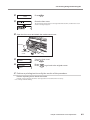
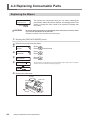
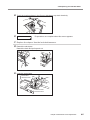
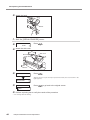
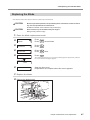
Replacing the Wipers..................................................................................................................................................................64
Replacing the Blade.....................................................................................................................................................................67
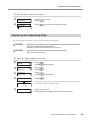
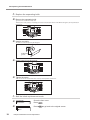
Replacing the Separating Knife...............................................................................................................................................69
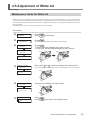
4-5 Adjustment of White Ink....................................................................................................... 71
Maintenance Tasks for White Ink.............................................................................................................................................71
4-6 When Not in Use for a Prolonged Period............................................................................. 72
Keep Performing Maintenance...............................................................................................................................................72
Alarm Feature................................................................................................................................................................................72
Important Note on Draining Ink ............................................................................................................................................72
4-7 When Moving the Unit . ....................................................................................................... 73
Procedures from Preparing to Move Through Reinstalling . ........................................................................................73
Chapter 5 Feature Reference........................................................................................................... 75
5-1 Pausing or Canceling Output............................................................................................... 76
Canceling Output Before It Finishes......................................................................................................................................76
5-2 Setting the Print-start Position ............................................................................................ 77
Setting the Print-start Position................................................................................................................................................77
5-3 Accommodating Various Kinds of Media.............................................................................. 78
Using Transparent Media...........................................................................................................................................................78
Preventing Media from Coming Loose.................................................................................................................................78
Speeding Up Printing for Narrow Media..............................................................................................................................79
Preventing Soiling of the Media and Dot Drop-out During Printing........................................................................80
Printing Media That Warps Easily . .........................................................................................................................................80
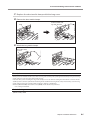
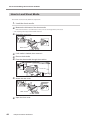
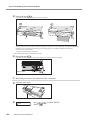
How to Load Sheet Media.........................................................................................................................................................82
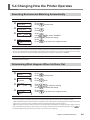
5-4 Changing How the Printer Operates ................................................................................................ 85
Executing Environment Matching Automatically ...........................................................................................................85
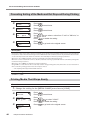
Determining What Happens When Ink Runs Out.............................................................................................................85
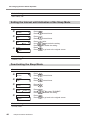
Setting the Interval until Activation of the Sleep Mode.................................................................................................86
Deactivating the Sleep Mode..................................................................................................................................................86
Changing the Menu Language and the Units of Measurement ................................................................................87
Returning All Settings to Their Initial Values......................................................................................................................87
5-5 Optimizing Printing to Match Media Thickness.................................................................... 88
Adjusting Head Height to Match Media Thickness..........................................................................................................88
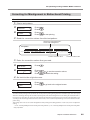
Correcting for Misalignment in Bidirectional Printing....................................................................................................89
Correcting for Misalignment in Bidirectional Printing More Precisely......................................................................90
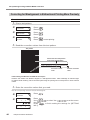
Performing Feed Correction to Alleviate Horizontal Bands and the Like................................................................92
Performing Distance Correction During Cutting . ...........................................................................................................93
5-6 Making Various Adjustments for Cutting ............................................................................. 95
Making the Cutting Conditions Set on the Machine Take Precedence.....................................................................95
Fine-tuning the Cutting Conditions .....................................................................................................................................95
Adjusting the Cutting-in Amount .........................................................................................................................................96
Adjusting for When Cutting the Printed Surface..............................................................................................................97
Preventing Pulling of the Media with Undue Force When Performing Cutting Only . .......................................99
Correcting Misalignment of the Printing and Cutting Positions . ........................................................................... 100
5-7 Performing Printing and Cutting Separately....................................................................... 102
To Perform Printing and Cutting Separately.................................................................................................................... 102
Printing with Crop Marks........................................................................................................................................................ 102
Aligning Automatically and Cutting................................................................................................................................... 103
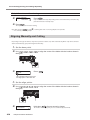
Aligning Manually and Cutting............................................................................................................................................ 104
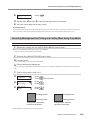
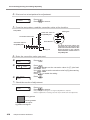
Correcting Misalignment for Printing and Cutting When Using Crop Marks .................................................... 105
5-8 Gloss Ink Features and Printing Methods.......................................................................... 108
Features of Gloss Ink................................................................................................................................................................. 108
Methods of Printing Using Gloss Ink.................................................................................................................................. 108
5-9 White Ink Features and Printing Methods.......................................................................... 109
2
Features of White Ink................................................................................................................................................................ 109
Methods of Printing Using White Ink................................................................................................................................. 109