1
ECE 477
Digital Systems Senior Design Project
Rev 8/09
Setting Up Your DHS System:
Placement:
1. Strategically place the two RSUs near possible entryways and fire hazards. Make sure
they are in the interior of the building and not in enclosed areas.
2. Hang the two RSUs approximately 3/4 of the way up on the wall, facing directly towards
the area of interest. It should be close to an electrical outlet.
Once all units are plugged in, press the reset button on the back of each device.
3. The CMS needs to be located near a place of common entry. Again, it is also necessary to
place it by an electrical outlet. It also requires an Ethernet connection. Be careful! The
CMS does NOT have monitoring sensors. You need an RSU placed in the same room.
Software Registration and Setup:
1. On your computer please type the following web address into an Internet browser.
<www.digijockhomesecurity.com>
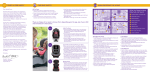
2. Click on the “Register” button. (Figure 1)
Figure 1
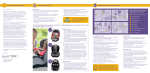
3. Fill in the requested information. (Figure 2)
4. Once you have filled out the required information
on the Registration page, click Register and re-enter
your information to login to view data.
5. To verify your information, click on the User
Information tab. Here you can change and update
your information and passwords at any point in
time. Updates occur instantaneously. (Figure 3)
Figure 2
Figure 3
Figure 3