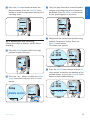
1
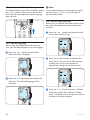
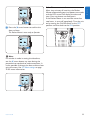
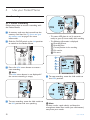
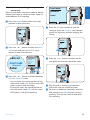
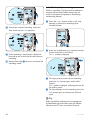
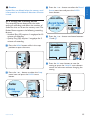
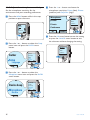
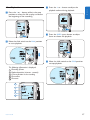
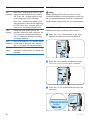
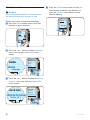
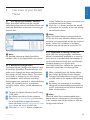
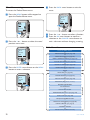
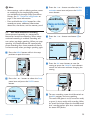
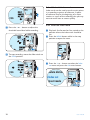
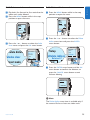
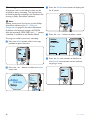
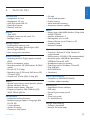
5.2 Menu settings To access the Pocket Memo menu: 4 Press the BACK smart button to exit the menu. 1 Press the MENU button while stopped to open the Pocket Memo menu. Delete dictation Index set Insert mode Author BACK 0:00 #2 ENTER DPM 9380.DSS NEW 2 Press the + or – button to select the next/ previous menu item. 5 Press the + or – button to select a function. 6 Press the OK smart button to confirm a selection or the CANCEL smart button to exit a sub-menu without changing a setting. 5.2.1 Menu list Delete dictation Index set Author DELETE DICTATION (see page 18) INDEX SET/CLEAR (see page 24) INSERT / OVERWRITE MODE (see page 13) AUTHOR (KEYWORD) (see page 26) DELETE ALL INDICES (see page 25) DELETE SECTION (see page 19) SETUP LANGUAGE (see page 10) RECORD FORMAT (see page 15) VOICE ACTIVATION (see page 23) BACKLIGHT (OFF / 8 Sec. / 20 Sec.) RECORD LAMP ON/OFF LCD CONTRAST DEVICE BEEP ON/OFF MICROPHONE SENSITIVITY (see page 16) DATE & TIME (see page 10) USB QUICK CHARGE ON /OFF DELETE ALL DICTATIONS (see page 20) FORMAT MEMORY (see page 9) PLAYBACK VOLUME DEVICE FONT (MODERN/CLASSIC) ENTER 3 Press the ENTER smart button or the MENU button to enter a submenu. MAIN MENU BACK Press the MENU button Insert mode Index set Insert mode ENTER Author BACK Delete dictation SETUP MENU 22 User manual