1
Mounting the Display
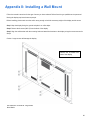
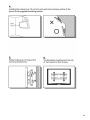
You can mount the display on a wall.
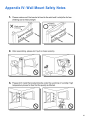
If you do decide to wall-mount the display, ensure that the wall-mount bracket is installed according to the instructions
included with it. The wall must be capable of supporting a redundant weight factor three (3) times the weight of the display,
or be reinforced.
We recommend that this be done by a custom installation specialist.
NOTE
Use only the approved wall-mount kit designed for your display.
Connections to the Display
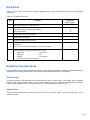
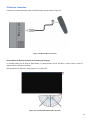
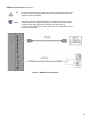
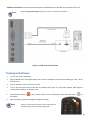
Proceed as follows to connect the display to your video sources, external controller(s) – if present – and AC power.
When connecting your equipment:
•
Turn off all equipment before making any connections.
•
Use the correct signal cables for each source.
•
For best performance and to minimise cable clutter, use high-quality cables that are only as long as necessary to
connect two devices. (Don't use a 7m cable when a 1.8m cable will suffice.)
•
Ensure that the cables are securely connected. Tighten the thumbscrews on connectors that have them.
24