1
Chapter 4 Managing Administrators
Creating Administrator Accounts
Creating Administrator Accounts
Issuer Administrators are responsible for creating the Administrator (CSR) accounts and
other Issuer Administrators for each Issuer.
Global Administrators are responsible for creating other Global Administrators. Master
Administrators can also create Global Administrators. The following sections provide
instructions on creating different type of administrator accounts:
NOTE:
Depending on your Issuer Administrator privileges configuration, some of
these tasks may require dual control. See “Dual Control” on page 41 for
information on this concept.
Creating Administrators and Issuer
Administrators
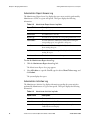
When you create an Administrator account, you define a User ID and temporary
password for the Administrator. You can also adjust the default Administrator privileges
for the particular Administrator.
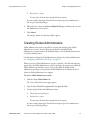
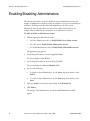
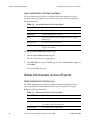
To create CSR or Issuer Administrator accounts:
1.
Click one of the following links:
•
For CSR accounts, choose the Create Administrator link.
•
For Issuer Administrator accounts, choose the Create Issuer Administrator
link.
The appropriate page appears.
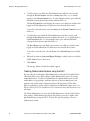
2.
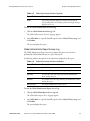
Select the applicable Issuer, type the desired User ID and password in the applicable
fields.
NOTE:
The User ID must be a single character string. In other words, do not put a
space in between words. Incorrect: M Smith. Correct: MSmith.
3.
You can specify whether the Administrator must:
a.
52
Change Password at first login
TransFort Issuer Software Operations Manual • March 2008
AT060-004DC-64000