1
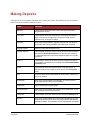
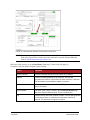
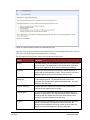
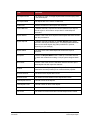
Field
Item Status
Definition
•
•
•
•
•
•
•
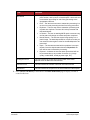
Deposited – The item has processed through CAR/LAR, the
proof function, and is part of a closed deposit. It has been sent
to transaction processing for end-of-day processing at the
designated cutoff time.
Error – The item has been sent to transaction processing, but
an error occurred preventing the item from being processed.
Duplicate – The item was sent to transaction processing and
rejected as a duplicate. The item will not be processed with
this batch/deposit.
In Review – The item is awaiting MICR repair or amount entry,
and its status will change once those steps are completed.
Needs Rescan – The item has a poor image quality or is a
partial image. The batch/deposit will be re-opened so that you
can rescan this item again in order for the batch/deposit to be
processed.
Open – The item was scanned with no problems in an open
deposit. Once the deposit status becomes Deposited, the
item will be sent to transaction processing.
Rejected – Indicates the item has been rejected and will not
be processed due to any number of reasons (e.g. image
quality, invalid MICR, invalid payment origin, etc.).
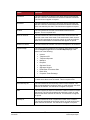
Routing/Account #
This field contains the routing and transit number of the check
captured when the MICR line was scanned.
Scanned Count
This field contains the number of times an item was scanned.
Sequence #
This field contains the sequence of the check within the batch/deposit.
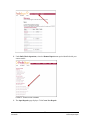
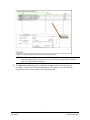
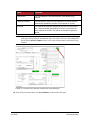
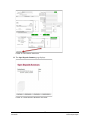
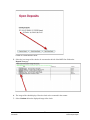
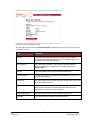
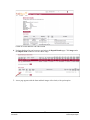
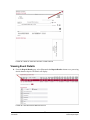
5. Select Show Event History at the bottom of the Batch Item Details page to display a record of
events for this item.
Remote Deposit Capture
User Manual
34
© 1999-2013 Jack Henry & Associates, Inc.®
Remote Deposit Capture