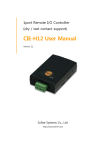
1
Serial↔WLAN Converter CSW-H85K User Manual Version 2.0 Sollae Systems Co., Ltd. http://www.ezTCP.com CSW-H85K User Manual Ver. 2.0 This symbol, found on your product or on its packaging, indicates that this product should not be treated as household waste when you wish to dispose of it. Instead, it should be handed over to an applicable collection point for the recycling of electrical and electronic equipment. By ensuring this product is disposed of correctly, you will help prevent potential negative consequences to the environment and human health, which could otherwise be caused by inappropriate disposal of this product. The recycling of materials will help to conserve natural resources. For more detailed information about the recycling of this product, please contact your local city office, household waste disposal service or the retail store where you purchased this product. ※ This equipment obtained certification by using 1.5M serial cable. ※ L'antenne de ce boîtier devra être placée à une distance minimale de 2 m de toute personne et animal. -1- http://www.ezTCP.com CSW-H85K User Manual Ver. 2.0 Contents 1 Overview ..................................................................................................................................- 6 - 1.1 Overview ................................................................................................................................................................ - 6 1.2 Features .................................................................................................................................................................. - 6 1.3 Application Examples ....................................................................................................................................... - 7 1.4 Components ......................................................................................................................................................... - 8 1.5 Specification ......................................................................................................................................................... - 9 1.5.1 Hardware ...................................................................................................................................................... - 9 1.5.2 Software ........................................................................................................................................................ - 9 1.6 Dimensions ........................................................................................................................................................ - 10 1.7 Interface .............................................................................................................................................................. - 11 1.7.1 Panel Layout ............................................................................................................................................. - 11 1.7.2 Wireless LAN Interface ........................................................................................................................ - 11 1.7.3 Serial Interface ........................................................................................................................................ - 11 1.7.4 Power ........................................................................................................................................................... - 13 1.8 ETC. ........................................................................................................................................................................ - 14 1.8.1 LED indicators.......................................................................................................................................... - 14 1.8.2 Function button ...................................................................................................................................... - 15 1.8.3 Function Switch ...................................................................................................................................... - 15 2 Installation and Test ............................................................................................................ - 16 - 2.1 WLAN Overview .............................................................................................................................................. - 16 2.1.1 WLAN mode: Infrastructure .............................................................................................................. - 16 2.1.2 WLAN mode: Ad-hoc .......................................................................................................................... - 17 2.1.3 WLAN mode: Soft AP .......................................................................................................................... - 18 2.1.4 Key terms ................................................................................................................................................... - 19 2.1.5 Authentication and Security ............................................................................................................. - 19 2.2 Installation .......................................................................................................................................................... - 20 2.2.1 Making Wireless LAN link ................................................................................................................. - 20 2.2.2 Setting Network Area .......................................................................................................................... - 23 2.3 Simple Test ......................................................................................................................................................... - 25 3 Configuration ....................................................................................................................... - 28 - 3.1 Configuration with ezManager ................................................................................................................. - 28 3.1.1 Configuration via Serial ...................................................................................................................... - 28 3.1.2 Configuration via WLAN .................................................................................................................... - 29 3.2 AT command ..................................................................................................................................................... - 30 -2- http://www.ezTCP.com CSW-H85K User Manual Ver. 2.0 3.3 WEB Configuration ......................................................................................................................................... - 31 4 Operation Modes ................................................................................................................ - 33 - 4.1 What is the Operation Mode? .................................................................................................................. - 33 4.2 Changing modes ............................................................................................................................................. - 33 4.3 Comparison with each mode .................................................................................................................... - 34 4.4 Normal mode ................................................................................................................................................... - 34 4.4.1 WLAN mode ............................................................................................................................................ - 34 4.4.2 Communication mode......................................................................................................................... - 35 4.5 Serial Configuration mode ......................................................................................................................... - 36 4.5.1 Configuring Parameters ...................................................................................................................... - 36 4.5.2 Revoking Serurity Options................................................................................................................. - 36 4.5.3 Background Soft AP ............................................................................................................................. - 36 4.6 ISP mode............................................................................................................................................................. - 36 4.6.1 Upgrading Firmware............................................................................................................................. - 36 5 Communication Modes ...................................................................................................... - 37 - 5.1 TCP Server .......................................................................................................................................................... - 37 5.1.1 Key parameters ....................................................................................................................................... - 37 5.1.2 Examples .................................................................................................................................................... - 38 5.2 TCP Client ........................................................................................................................................................... - 41 5.2.1 Key parameters ....................................................................................................................................... - 41 5.2.2 Examples .................................................................................................................................................... - 42 5.3 AT Command .................................................................................................................................................... - 45 5.3.1 Key parameters ....................................................................................................................................... - 45 5.3.2 Examples .................................................................................................................................................... - 46 5.4 UDP ....................................................................................................................................................................... - 49 5.4.1 Key parameters ....................................................................................................................................... - 49 5.4.2 Examples .................................................................................................................................................... - 50 6 System Management .......................................................................................................... - 52 - 6.1 Upgrading Firmware ...................................................................................................................................... - 52 6.1.1 Firmware .................................................................................................................................................... - 52 6.1.2 Processes ................................................................................................................................................... - 52 6.2 Status Monitoring ........................................................................................................................................... - 54 6.2.1 TELNET ........................................................................................................................................................ - 54 6.2.2 Status Window of ezManager ......................................................................................................... - 56 7 Additional Functions ........................................................................................................... - 60 - -3- http://www.ezTCP.com CSW-H85K User Manual Ver. 2.0 7.1 Security ................................................................................................................................................................ - 60 7.1.1 Access Restriction (ezTCP Firewall) ................................................................................................ - 60 7.1.2 Setting Password .................................................................................................................................... - 60 7.1.3 Using WEP ................................................................................................................................................ - 61 7.1.4 Using WPA-PSK ...................................................................................................................................... - 61 7.1.5 Using WPA-Enterprise.......................................................................................................................... - 62 7.1.6 Advanced Settings ................................................................................................................................ - 63 7.2 Option Tab Functions .................................................................................................................................... - 64 7.2.1 Notify Ipv4 Change .............................................................................................................................. - 64 7.2.2 Sending MAC Address ........................................................................................................................ - 65 7.3 Serial Port Tab Functions ............................................................................................................................. - 66 7.3.1 TELNET COM port Control Option (RFC 2217) - ①.............................................................. - 66 7.3.2 Disable TCP Transmission Delay - ② ........................................................................................... - 66 7.3.3 Data Frame Interval - ③ .................................................................................................................... - 67 7.3.4 Separator - ④.......................................................................................................................................... - 67 7.3.5 TCP Server / Client mode - ⑤ ........................................................................................................ - 67 7.4 Additional Functions...................................................................................................................................... - 68 7.4.1 Wireless RSSI(Received Signal Strengh Indication) function ............................................. - 68 7.4.2 Factory Reset ........................................................................................................................................... - 69 8 Checklist in Trouble............................................................................................................. - 70 - 8.1 Searching problem with ezManager ...................................................................................................... - 70 8.2 Connection Problem over TCP/IP ............................................................................................................ - 71 8.3 Data Communication Problem on the Serial Port .......................................................................... - 72 9 Related Materials ................................................................................................................. - 73 - 9.1 Documents ......................................................................................................................................................... - 73 9.2 Applications for a Smart Phone ............................................................................................................... - 73 10 Technical Support and Warranty ...................................................................................... - 74 - 10.1 Technical Support ........................................................................................................................................... - 74 10.2 Warranty .............................................................................................................................................................. - 74 10.2.1 Refund ......................................................................................................................................................... - 74 10.2.2 Free Repair Services ............................................................................................................................. - 74 10.2.3 Charged Repair Services..................................................................................................................... - 74 11 Precaution and Exemption from Liability ....................................................................... - 75 - 11.1 Precaution........................................................................................................................................................... - 75 11.2 Exemption from Liability .............................................................................................................................. - 76 - -4- http://www.ezTCP.com CSW-H85K User Manual Ver. 2.0 11.2.1 English version ........................................................................................................................................ - 76 11.2.2 French version ......................................................................................................................................... - 77 12 Revision History ................................................................................................................... - 79 - -5- http://www.ezTCP.com CSW-H85K User Manual Ver. 2.0 1 Overview 1.1 Overview Including PCs, almost all communication devices communicate over a serial interface. Serial communication is the standard protocol that transmits and receives data in a bit order. It is broadly used in the world due to its simple process whilst it has disadvantages such as distance limitation and high installation/maintenance cost. CSW-H85K is a converter enabling serial devices to support TCP/IP communication through wireless LAN. It carries out the converting process with TCP/IP protocol, so that facilitate remote control and monitoring system. 1.2 Features connect serial devices to IEEE 802.11b/g wireless LAN IPv4/IPv6 dual stack Soft AP mode: support WEP and simple DHCP server various WLAN securities: WPA-PSK, WPA-Enterprise(EAP-TLS/TTLS, PEAP) Wireless RSSI(Received Signal Strength Indication) mode RS232/RS422/RS485 interface SMA connector for an external antenna stable embedded TCP/IP stack easy configuration program (ezManager / web configuration) -6- http://www.ezTCP.com CSW-H85K User Manual Ver. 2.0 1.3 Application Examples 1:1 network with a PC Figure 1-1 1:1 network with a PC 1:1 network with a PC through an AP Figure 1-2 1:1 network with a PC through an AP Internet connection with a xDSL/cable modem Figure 1-3 Internet connection with an xDSL/cable modem -7- http://www.ezTCP.com CSW-H85K User Manual Ver. 2.0 1.4 Components CSW-H85K’s body 2dBi dipole antenna CD, including utilities and documents (optional) DC 5V power adapter (optional) RS232 cable (optional) -8- http://www.ezTCP.com CSW-H85K User Manual Ver. 2.0 1.5 Specification 1.5.1 Hardware Power Input Voltage DC 5V (±0.5V) Current typically 260mA Dimension 88.5㎜ x 57㎜ x 23㎜ (without an antenna) Weight About 64g (without an antenna) Serial Interface 1 x RS232/422/485 (Baud Rate: 300bps ~ 230,400bps) 2dBi external antenna (IEEE 802.11b/g) WLAN with SMA connector Temperature Operating: -10 ~ 70℃ / Storage: -40 ~ 85℃ Approval KC, CE RoHS RoHS Compliant Table 1-1 hardware specification 1.5.2 Software IPv4/Ipv6 dual stack, TCP, UDP, IP, ICMP, ARP, TELNET, DHCP, Protocol DNS lookup, DDNS, Telnet COM Port Control Option(RFC2217), WEP, WPA-PSK, WPA-Enterprise (EAP-TLS/TTLS, PEAP) Normal For Normal Data Communication ISP For Upgrading F/W Serial Configuration For Configuration via Serial or WLAN(Soft AP) TCP Server TCP Passive Connection Communication TCP Client TCP Active Connection mode AT Command TCP Passive / Active Connection UDP UDP Major ezManager Configuration Utility for MS Windows Utilities ezVSP Serial to TCP/IP Virtual driver for MS Windows Operation mode Table 1-2 software specification -9- http://www.ezTCP.com CSW-H85K User Manual Ver. 2.0 1.6 Dimensions Figure 1-4 dimensions Dimensions may vary according to a method of measurement. - 10 - http://www.ezTCP.com CSW-H85K User Manual Ver. 2.0 1.7 Interface 1.7.1 Panel Layout Figure 1-5 panel layout 1.7.2 Wireless LAN Interface CSW-H85K is embedded with a wireless LAN module. An SMA connector is interfaced for an external antenna. 1.7.3 Serial Interface CSW-H85K has D-SUB 9 pin male connector for connecting serial devices. Figure 1-6 D-SUB 9 pin male connector - 11 - http://www.ezTCP.com CSW-H85K User Manual Ver. 2.0 Pin Assignment in RS232 Number Name Description level type Etc. 1 DCD Data Carrier Detect RS232 IN N/C 2 RXD Receive Data RS232 IN required 3 TXD Transmit Data RS232 OUT required 4 DTR RS232 OUT optional 5 GND Ground Ground - required 6 DSR Data Set Ready RS232 IN optional 7 RTS Request To Send RS232 OUT optional 8 CTS Clear To Send RS232 IN optional 9 RI Ring Indicator RS232 IN N/C Data Terminal Ready (always output active signal) Table 1-3 pin assignment in RS232 N/C: Not Connected Pin Assignment in RS422 Number Name Description level type Etc. 9 TX + Transmit Data + RS422 OUT required 1 TX - Transmit Data - RS422 OUT required 4 RX + Receive Data + RS422 IN required 3 RX - Receive Data - RS422 IN required 5 GND Ground - - required Table 1-4 pin assignment in RS422 Pin Assignment in RS485 Number Name Description level type Etc. 9 TRX + Data + RS485 IN/OUT required 1 TRX - Data - RS485 IN/OUT required 5 GND Ground - - required Table 1-5 pin assignment in RS485 - 12 - http://www.ezTCP.com CSW-H85K User Manual Ver. 2.0 Serial Port Parameters Parameter Value Number 1 Type RS232 / RS422 / RS485 Baud rate 300 ~ 230,400 [bps] Parity NONE / EVEN / ODD / MARK / SPACE Data bit 8/7/6/5 Stop bit 1/2 Flow control NONE / RTS/CTS Table 1-6 serial port parameters Note that the duration of [Stop bit] will be not 2 bits but 1.5 bits, if you set [Data bit] to 5. 1.7.4 Power CSW-H85K requires DC5V power supply whose specification is as follows: Figure 1-7 power connector - 13 - http://www.ezTCP.com CSW-H85K User Manual Ver. 2.0 1.8 ETC. 1.8.1 LED indicators There are 5 LED indicators on the top panel operating as follows: Mode Name Color Status Description Common PWR Red On Supplying the power RXD Yellow Blinks Receiving data from the WLAN TXD Green Blinks Sending data to the WLAN Blinks in every Normal mode ISP mode Serial Configuration mode second STS Yellow Obtaining an IP address Blinks 4 times at Without obtaining an IP address once by DHCP On Establishing TCP connection Blinks Not connecting to the WLAN On Connecting to the WLAN Off Operating in ISP mode LINK Green STS Yellow STS Yellow LINK Green Blinks Operating in Serial Configuration RXD Yellow simultaneously mode TXD Green Table 1-7 LED indicators Refer to the 7.4.1 for LED operations of Wireless RSSI function. - 14 - http://www.ezTCP.com CSW-H85K User Manual Ver. 2.0 1.8.2 Function button There is a function button on the side. Pressing this button changes the operation mode to Serial Configuration mode. Figure 1-8 function button 1.8.3 Function Switch You can change the operation mode to Serial Configuration mode or make CSW-H85K operate in Wireless RSSI mode by clicking this switch. Mode Setting Normal mode Normal mode (Wireless RSSI) Serial Configuration mode Table 1-8 use of function switch - 15 - http://www.ezTCP.com CSW-H85K User Manual Ver. 2.0 2 Installation and Test 2.1 WLAN Overview CSW-H85K supports IEEE802.11b/g. IEEE802.11 standard that is called Wi-Fi has two network topologies, Infrastructure and Ad-hoc mode. For security, CSW-H85K supports WEP, WPA-PSK and WPA2-PSK. 2.1.1 WLAN mode: Infrastructure In this mode, every wireless LAN station communicates through an Access Point (AP) so that all stations can be connected to Ethernet, because AP is able to interface witch both wireless LAN and wired LAN (Ethernet). Figure 2-1 infrastructure mode Select [Infrastructure] on [Wireless LAN] tab of ezManager. Figure 2-2 setting of Infrastructure You can download ezManager on our website. - 16 - http://www.ezTCP.com CSW-H85K User Manual Ver. 2.0 2.1.2 WLAN mode: Ad-hoc Wireless LAN stations communicate each other without an AP in this mode. Therefore, you can easily make this network. It is suitable for the situation when there is no wired LAN requirement on a small-scale network. Usually, it is called peer-to-peer mode. Figure 2-3 Ad-hoc mode Select [Ad-hoc] on [Wireless LAN] tab of ezManager. Figure 2-4 setting of Ad-hoc - 17 - http://www.ezTCP.com CSW-H85K User Manual Ver. 2.0 2.1.3 WLAN mode: Soft AP Soft AP(Software embedded Access Point) is a mode that a wireless client can act as an AP through software embedded AP functions. Using this mode, a wireless client allows communicate with not only laptops and smartphone but also devices which don’t have Adhoc function. CSW-H85K supports Soft AP function. While operating in this function, it has 10.1.0.1 as its IP address and assigns an IP address of 10.X.X.X to each of clients. (A simple DHCP server) Figure 2-5 Soft AP mode Although this function is automatically operated in Serial Configuration mode, you can set manually on [Wireless LAN] tab of ezManager like the figure below. Figure 2-6 setting of Soft AP You can download ezManager application for a smart phone on our website. - 18 - http://www.ezTCP.com CSW-H85K User Manual Ver. 2.0 2.1.4 Key terms SSID(Service Set Identifier) It is a name to identify the particular wireless LAN. So every single station should have the same SSID to communicate in the network. In the case of infrastructure mode, you have to set the same SSID with the AP to CSW-H85K. Otherwise, it will not communicate at all. The maximum length of this parameter is 31 bytes and the default is “sollae”. Channel Wireless LAN stations communicate through the ISM (Industrial, Scientific, and Medical) band which has the range of frequencies around 2.4GHz. IEEE 802.11 specification divides this band into 14 channels in every 5MHz. If you install more than one wireless network in the same area, the channels should be apart more than 4 channels to avoid interferences. 2.1.5 Authentication and Security Authentication A wireless LAN station should get authentication from the AP in the infrastructure network. There are two methods for the authentication and those are Open System and Shared Key. WEP (Wired Equivalent Privacy) The WEP is a secure protocol for wireless LAN. You need to set 64 bit or 128 bit key. You can use both hexadecimal and ASCII code for this. WPA (Wi-Fi Protected Access) WPA is a security standard for users of devices equipped with Wi-Fi wireless connection. It is an improvement on and is expected to replace the original Wi-Fi security standard, Wired Equivalent Privacy (WEP). There are two modes about the user authentication in WPA security. One is Enterprise which has an authentication server and the other is PSK (Pre-Shared Key) which does not have any servers. WPA2 To final security of Wireless LAN, IEEE 802.11i which is a standard about Wireless LAN has suggested the Counter Mode with Cipher Block Changing Message Authentication Code Protocol (CCMP) for replacing the TKIP. CCMP uses Advanced Encryption Standard (AES). WPA 2 adopts AES. WPA 2 has also both Enterprise and PSK mode. - 19 - http://www.ezTCP.com CSW-H85K User Manual Ver. 2.0 2.2 Installation Before testing CSW-H85K, make sure that a connection between your PC and CSW-H85K is established via Serial and wireless LAN. This section is an example which is based on Infrastructure mode. Figure 2-7 WLAN and RS232 connection with a laptop 2.2.1 Making Wireless LAN link When you connect an AP or wireless LAN adapter to your PC, Wireless LAN link is not automatically established. Therefore, its parameters should be set on CSW-H85K beforehand. Setting by Serial ① Supplying Power Supply power of CSW-H85K. ② Changing to Serial Configuration mode Press the function button or place the function switch to SET. ③ Reading environmental parameters Open a COM port of [Serial] tab on ezManager and press [Read] button. Figure 2-8 reading environmental parameters - 20 - http://www.ezTCP.com CSW-H85K User Manual Ver. 2.0 ④ Configuring Wireless LAN Parameters Set the same SSID and security options on the [Wireless LAN] tab. Figure 2-9 an example for setting WLAN parameters Setting by Soft AP In case that you cannot use serial port, Soft AP function allow you to set those parameters as follows; ① Supplying Power ② Entering Serial Configuration mode Soft AP is automatically activated when products are under Serial Configuration mode. - 21 - http://www.ezTCP.com CSW-H85K User Manual Ver. 2.0 ③ Connecting to Wi-Fi using Soft AP Connect laptop or smartphone to Wi-Fi network made by product's Soft AP function. The SSID is "cfg_MAC Address". (e.g. cfg_0030f9000001) Figure 2-10 Connecting to Wi-Fi using Soft AP ④ Connecting to Web Configuration Page Run a web browser and connect to 10.1.0.1. Set proper WLAN parameters on the page. Figure 2-11 Connecting to Web Configuration Page - 22 - http://www.ezTCP.com CSW-H85K User Manual Ver. 2.0 2.2.2 Setting Network Area This procedure should be followed to make CSW-H85K and your PC located on the same network for a TCP connection. PC settings Add or change the IP address of the network adapter on your PC like following. Click [Windows Control Panel] >> [Network Connections] and [Properties of the Network Adapter]. Then, you can see the properties of [Internet Protocol (TCP/IP)]. Press the [Advanced] button and add an IP Address like the figure below. Figure 2-12 setting PC - 23 - http://www.ezTCP.com CSW-H85K User Manual Ver. 2.0 CSW-H85K settings ezManager comes with CSW-H85K as a configuration tool. This software is easy to use and does not need installation since it operates on MS Windows. . Search CSWH85K via serial or WLAN and set all the values of parameters except for LAN parameters to the factory default. Name Default values Local IP Address 10.1.0.1 Subnet Mask 255.0.0.0 Ipv6 Disabled Serial Type RS232 Baud Rate 19,200bps Parity NONE Serial Port Data Bits 8 (COM1) Stop Bit 1 Flow Control NONE Communication mode TCP Server Local Port 1470 Topology Infrastructure SSID sollae Security Settings Disabled TELNET Enabled IP Address Search Enabled Network WLAN Option Table 2-1 default values of major parameters - 24 - http://www.ezTCP.com CSW-H85K User Manual Ver. 2.0 2.3 Simple Test If you press the [Simple Test] button, the test program will be shown on your screen. Connecting to the CSW-H85K via LAN Figure 2-13 settings for TCP connection ⑤ Select [TCP Client]. ⑥ Input correct IP address and port number of CSW-H85K. ③ Click the [Connect] button. (In the case of TCP Server, it will be the [Listen] button.) Opening RS232 Port Figure 2-14 opening COM Port ⑦ Select COM port where CSW-H85K is being connected. ⑧ Make sure that all the parameters are the same with CSW-H85K. ⑨ Press the [Open] button. - 25 - http://www.ezTCP.com CSW-H85K User Manual Ver. 2.0 Confirm the TCP Connection and COM port status Figure 2-15 TCP connection message ⑦ Check the message if the TCP connection has been established well. Figure 2-16 COM Port open message ⑧ Check the message if the COM port has been opened. - 26 - http://www.ezTCP.com CSW-H85K User Manual Ver. 2.0 Data transmission test Figure 2-17 successful data transmission ⑨ Click [Send data] on the LAN side. ⑩ Check the data from ⑨ has been shown. Figure 2-18 WLAN → RS232 ⑪ Press [Send data] on the RS232 side. ⑫ Check the data from ⑪ has been received. Figure 2-19 RS232 → WLAN - 27 - http://www.ezTCP.com CSW-H85K User Manual Ver. 2.0 3 Configuration 3.1 Configuration with ezManager 3.1.1 Configuration via Serial Requirements Make sure the connection between your PC and CSW-H85K using RS232 cross cable. To use this, CSW-H85K has to be operating in the Serial Configuration mode. Note that the function switch should be placed at the middle (RUN) to operate in Normal mode after finishing the settings. Procedures Figure 3-1 configuration via serial - 28 - http://www.ezTCP.com CSW-H85K User Manual Ver. 2.0 3.1.2 Configuration via WLAN If CSW-H85K is connected with your PC on wireless LAN, you can search and configure CSW-H85K with [MAC Address] and [IP Address] tab on ezManager. Requirements CSW-H85K has to be connected to PC on the same network. Connect it to wireless network, using Ad-hoc, Infrastructure or Soft AP mode. Procedures Figure 3-2 configuration via network - 29 - http://www.ezTCP.com CSW-H85K User Manual Ver. 2.0 3.2 AT command In the AT command mode, you can change some parameters through the serial port. Requirements Make sure the connection between your PC and CSW-H85K using RS232 cross cable. To use this mode, CSW-H85K has to be set to [AT command] mode on ezManager. Figure 3-3 setting the communication mode to the AT command Procedures Figure 3-4 configuration procedures with AT commands Available settings Items IP Address TCP connection Available parameters Local IP Address, DHCP, Subnet Mask, Gateway IP Address and etc. Local Port, Peer Address (IP Address or Host name), and etc. WLAN Topology, SSID, WEP, WPA-PSK, WPA2-PSK and etc. Option ESC code sending option, timeout and etc. Table 3-1 available settings by AT command - 30 - http://www.ezTCP.com CSW-H85K User Manual Ver. 2.0 3.3 WEB Configuration Use a WEB browser for configuration. Requirements Product should be operated in Serial Configuration mode, activating background Soft AP function. A WEB browser and Wireless LAN adaptor are required on your PC. Procedures Figure 3-5 WEB configuration WEB Configuration Page Figure 3-6 WEB configuration page - 31 - http://www.ezTCP.com CSW-H85K User Manual Ver. 2.0 Available settings Items Network TCP connection Option etc. Available parameters IP Setting (Static / DHCP), IP Address, Subnet Mask and Gateway WLAN Topology, Channel, SSID and Security Settings Comment and Admin Password Reboot Table 3-2 available settings by WEB configuration - 32 - http://www.ezTCP.com CSW-H85K User Manual Ver. 2.0 4 4.1 Operation Modes What is the Operation Mode? Each of three operation modes is defined for specific purpose as follows: Normal mode This mode is for normal data communication and there are 4 different connection modes. Configuring parameters is also available in this mode. Serial Configuration mode This mode is for configuring environmental parameters through the serial port. Background Soft AP function is automatically activated in this mode. ISP mode This mode is only for changing firmware. 4.2 Changing modes Figure 4-1 diagram for changing modes ① Place the function switch on “SET” or push the function button less than 1 second. ② Reset or input “g 0” command. ③ Transfer a firmware by ezManager. - 33 - http://www.ezTCP.com CSW-H85K User Manual Ver. 2.0 4.3 Comparison with each mode The table below shows comparison of each mode in serial port operation. Name Serial port Serial type Normal configured value RS232 / RS422 / RS485 Serial Configuration 115,200/N/8/1 RS232 ISP 115,200/N/8/1 RS232 Table 4-1 comparison of each mode 4.4 Normal mode 4.4.1 WLAN mode CSW-H85K supports three types of WLAN mode. WLAN mode Ad-hoc Infrastructure Soft AP Description WLAN is composed to only stations without an AP WLAN is composed to an AP and clients AP acts both an AP and a client. Table 4-2 comparison of WLAN mode 1 Required and available values for each WLAN mode are as follows: WLAN mode Channel SSID WEP WPA Ad-hoc required required optional not available Infrastructure not available required optional optional Soft AP required required optional not available Table 4-3 comparison of WLAN mode 2 Soft AP is automatically activated on the background when CSW-H85K is in Serial Configuration mode with SSID of “cfg_[MAC Address]” format. - 34 - http://www.ezTCP.com CSW-H85K User Manual Ver. 2.0 4.4.2 Communication mode In normal mode, there are four types of connection to communicate with a remote host. Mode Description TCP Server Wait connection request from TCP clients (Passive Connection) TCP Client Send connection request to a TCP server (Active Connection) AT Command UDP Control connections by AC commands (Active / Passive Connection) Communicate in block units without connection Table 4-4 comparison of communication mode Requirements about Mode Protocol Connection Modifying S/W of serial Serial configuration Topology devices TCP Server TCP Client TCP AT Command UDP UDP Passive N/A N/A 1:1 Active N/A N/A 1:1 Both Required Available 1:1 - N/A N/A N:M Table 4-5 comparison of communication mode N/A: Not Applicable or Not Available. - 35 - http://www.ezTCP.com CSW-H85K User Manual Ver. 2.0 4.5 Serial Configuration mode 4.5.1 Configuring Parameters This is a mode for setting environmental parameters through the serial port. If you cannot use the WLAN, this mode is only way to configure the parameters. Click the [Read] button on the [Serial] tab on ezManager after entering this mode. Refer to the [Serial Management Protocol] document on our website for details. 4.5.2 Revoking Serurity Options CSW-H85K offers strong for security like filtering with password or MAC and IP addresses. In the Serial Configuration mode, you can revoke all of these options. When you forget the password, enter this mode to change or delete it. 4.5.3 Background Soft AP CSW-H85K activates Soft AP function in background while operating under Serial Configuration mode. 4.6 ISP mode 4.6.1 Upgrading Firmware ISP mode is for upgrading firmware. Upgrading Firmware is implemented by ezManager. For more details about this, please refer to the clause 6.1. - 36 - http://www.ezTCP.com CSW-H85K User Manual Ver. 2.0 5 Communication Modes 5.1 TCP Server In this mode, CSW-H85K listens to a TCP connection request from remote hosts. Once a host tries connecting to CSW-H85K, it accepts a connection. After the connection is established, CSW-H85K converts the raw data from the serial port to TCP/IP data and sends it to the network and vice versa. 5.1.1 Key parameters Local Port This is a server’s port number which is used in the TCP connection. Event Byte With setting event bytes, you can handle the serial data of the serial buffer before a TCP connection is established. Value 0 Otherwise (512 or under) Description CSW-H85K does not send the data CSW-H85K sends the data right after a connection is established. 512 or under bytes are strongly recommended. Table 5-1 Event Byte Timeout If there is no transmission data for amount of the time the connection would be terminated. Notify IP Change This function is for notifying information about changed IP addresses to a management server. Not only can the TCP/UDP protocol be used, but Dynamic Domain Name Service (DDNS). Access restriction You can block TCP connections from unauthorized hosts by using this option. Both IP and MAC address are available. - 37 - http://www.ezTCP.com CSW-H85K User Manual Ver. 2.0 5.1.2 Examples A situation that [Event Byte] is set to 0. Figure 5-1 time chart Time States ~ CSW-H85K listens to connection requests ① Remote host sends a connection request (SYN) segment ~ Processes of the connection ② The connection is established ~ Data communication is implemented on both sides Table 5-2 states of each point Look at the blue arrow. The data “123” from the serial port has been sent before establishing a connection. In this case, the data would not be sent because of the [Event Byte] is set to 0. - 38 - http://www.ezTCP.com CSW-H85K User Manual Ver. 2.0 A situation that [Event Byte] is set to 1 Figure 5-2 time chart Time States ~ CSW-H85K listens connection requests ① Remote host sends connection request (SYN) segment ~ Processes of the connection ② The connection is established ~ Data communication is implemented on both sides Table 5-3 states of each point As you can see, the data “123” has been sent right after establishing a connection because the value of [Event Byte] had been set to 1. - 39 - http://www.ezTCP.com CSW-H85K User Manual Ver. 2.0 A situation that [Timeout] is set to 5 Figure 5-3 time chart Time States ~ Data communication on both sides ① The last segment arrives at the CSW-H85K ~ No data communication for 5 seconds ② CSW-H85K sends disconnection request (FIN) to a remote host ~ Processes of the disconnection ③ The connection is terminated ~ CSW-H85K listens connection requests Table 5-4 states of each point - 40 - http://www.ezTCP.com CSW-H85K User Manual Ver. 2.0 5.2 TCP Client In this mode, CSW-H85K sends request segments to a TCP server with information of [Peer Address] and [Peer Port]. Once a host is listening, the connection will be established. After then, CSW-H85K converts the raw data from the serial port to TCP/IP data and sends them to the network and vice versa. 5.2.1 Key parameters Peer Address This item is an address of TCP server. Peer Port [Peer Port] is a port number of TCP server. Event Byte This item can decide the point of time to send the connection request parameter. Value 0 Otherwise (512 or under) The point of time to send request segment right after CSW-H85K boots up right after the bytes set to [Event Byte] have been received from the serial port Setting to less than 512 bytes is strongly recommended. Table 5-5 the operation of Event Byte 1 In addition, you can handle the serial data before a TCP connection is established with this parameter. Value 0 Otherwise (512 or under) Description CSW-H85K does not send the data CSW-H85K sends the data right after a connection is established. Setting to less than 512 bytes is strongly recommended. Table 5-6 the operation of Event Byte 2 Timeout If there is no data transmission for amount of the time the connection would be terminated. TCP Server This check option enables you to get to the TCP Server / Client mode. In this mode, CSW-H85K can be operated as a TCP server or client without changing its settings. DNS IP Address [DNS IP Address] is needed when you use a host name instead of an IP address. - 41 - http://www.ezTCP.com CSW-H85K User Manual Ver. 2.0 5.2.2 Examples A situation that [Event Byte] is set to 0 Figure 5-4 time chart Time ~ ① States Power is not supplied yet. CSW-H85K sends a connection request segment right after it boots up. ~ processes of TCP connection ② The connection is established. ~ data communication on both sides Table 5-7 states of each point Look at the blue arrow. The data “123” from the serial port was sent before establishing a connection. In this case, the data would not be sent because of the [Event Byte] is set to 0. - 42 - http://www.ezTCP.com CSW-H85K User Manual Ver. 2.0 A situation that [Event Byte] is set to 5 Figure 5-5 time chart Time ~ ① States CSW-H85K receives data from its serial port. CSW-H85K sends a connection request segment right after receiving 5 bytes. ~ processes of the TCP connection ② The connection is established. ~ The data “1234567” is transmitted to the remote host. Table 5-8 states of each point As you can see, CSW-H85K has sent a request segment right after the size of the serial data has been 5 bytes. Even though they arrived before the connection, the data “123”, “45” and “67” was transmitted to the remote host because the [Event Byte] is set to 5. - 43 - http://www.ezTCP.com CSW-H85K User Manual Ver. 2.0 Activation of [TCP Server] option Figure 5-6 time chart Time States ~ CSW-H85K listens to connection requests ① The connection has been established ~ CSW-H85K is online and processes of the disconnection ② The connection is terminated ~ Both sides are offline ③ Sends TCP connection request segment Table 5-9 states of each point The TCP Server / Client mode can be useful option by using [Event Byte] and [Timeout]. Note that only one TCP connection can be established at the same time, so users should consider setting [Timeout] properly. - 44 - http://www.ezTCP.com CSW-H85K User Manual Ver. 2.0 5.3 AT Command In AT command mode, you can control CSW-H85K with AT commands like a controlling modem. Active and passive TCP connections are available while UDP is not. And you are allowed to configure some environmental parameters with extended commands. 5.3.1 Key parameters The configuration should be implemented via the serial port. Commands Description Examples +PLIP Local IP Address at+plip=10.1.0.1<CR> +PLP Local Port at+plp=1470<CR> +PRIP Peer IP Address at+prip=10.1.0.2<CR> +PRP Peer Port at+prp=1470<CR> +PDC DHCP at+pdc=1<CR> +PTO Timeout at+pto=10<CR> +WCCT WLAN Topology at+wcct=1<CR> +WSSID SSID at+wssid=”sollae”<CR> Store setting at+pwp<CR> +PWP Table 5-10 some of extended AT commands for configuration Related items with an IP address and Local Port Local port can be set as well as IP address related parameters like IP address, Subnet Mask and Gateway IP address. Peer Address / Peer Port An IP address and local port of a remote host are can be set. Type of assigning IP address: Manual, DHCP Not only is manual setting available, but automatic assigning protocol (DHCP). WLAN parameters WLAN Topology, SSID and antenna can be configured by the above commands. Others Some of options including [Timeout] can be configured in this mode. Refer to the [AT Command mode] document on our website for details. - 45 - http://www.ezTCP.com CSW-H85K User Manual Ver. 2.0 5.3.2 Examples TCP Server – setting parameters and passive connection Figure 5-7 time chart Time States ~ configuring parameters with AT commands ① ATA command has arrived. ~ CSW-H85K listens to TCP connection requests. ② A remote host sends SYN segment to CSW-H85K. ~ processes of TCP connection ③ TCP connection is established. ~ CSW-H85K sends “CONNECT” message to the serial port. Table 5-11 states of each point Some of the response messages from the serial port of CSW-H85K are omitted on above figure. - 46 - http://www.ezTCP.com CSW-H85K User Manual Ver. 2.0 TCP Client – setting parameters and active connection Figure 5-8 time chart Time States ~ configuring parameters with AT commands ① CSW-H85K sends TCP connection request with the ATD command. ~ processes of TCP connection ② TCP connection is established. ~ CSW-H85K sends “CONNECT” message to the serial port. Table 5-12 states of each point - 47 - http://www.ezTCP.com CSW-H85K User Manual Ver. 2.0 Termination of online status – entering the AT command mode Figure 5-9 time chart Time States ~ TCP connection is on-line. ① The mode is changed to “command mode” after receiving “+++”. ~ command mode (TCP connection is off-line) ② CSW-H85K sends FIN segment right after the “ATH” arrives. ~ processes of TCP disconnection ③ TCP connection is terminated ~ CSW-H85K sends “NO CARRIER” with disconnection. Table 5-13 states of each point CSW-H85K changes the mode to AT command, when receiving “+++”. In this state, the communication with remote host is unavailable because CSW-H85K processes only AT commands. Whenever you want to go back to on-line state, just give “ATO” command. - 48 - http://www.ezTCP.com CSW-H85K User Manual Ver. 2.0 5.4 UDP UDP has no connection processes. In this mode, data is sent in block units. Therefore, data that comes through CSW-H85K’s serial port is collected in block units to send it elsewhere. 5.4.1 Key parameters Block Size [Block Size] is to set the time to gather data in one block. Its unit is byte. If the data in configured size of the [Block Size] comes into the serial port, CSW-H85K will send them as one block to the network. The maximum value could be 1460 bytes. Data Frame [Data Frame] means the time for gathering data to make one block. Its unit is 10ms. If there is no data from the serial devices during the [Data Frame] time, CSW-H85K sends and receives data in the buffer as one block to the network. Once one of the two parameters, [Block Size] and [Data Frame], is sufficient, UDP packet block will be transmitted. Dynamic update of Peer host If you set the value of [Peer Address] and [Peer Port] to 0, [dynamic update of peer host] function is activated. By using this function, CSW-H85K can communicate to multiple hosts without additional setting. - 49 - http://www.ezTCP.com CSW-H85K User Manual Ver. 2.0 5.4.2 Examples Block Size: 5 bytes / Data Frame: 1sec Figure 5-10 time chart Time States ~ CSW-H85K receives data from the serial port ① CSW-H85K sends 5 bytes as one block based on the [Block Size]. ~ Serial device sends data “678”. ② The data “678” arrives. ~ CSW-H85K sends data from the remote host to the serial device ③ 1 second ~ CSW-H85K sends data “678” as one block based on the [Data Frame]. Table 5-14 states of each point - 50 - http://www.ezTCP.com CSW-H85K User Manual Ver. 2.0 Dynamic Update of Peer host This is a function that CSW-H85K automatically sets its peer host with information of the last packet received from network. The source address of the packet is set to the peer host. Parameters Values Peer Address 0 (None) Peer Port 0 Table 5-15 setting for [dynamic update of peer host] function Figure 5-11 time chart Time States ~ Sending any UDP data to the network is impossible. ① UDP data arrives from Remote Host 2. ~ Send UDP data to Remote Host 2. ② UDP data arrives from Remote Host 1. ~ Send UDP data to Remote Host 1. ③ UDP data arrives from Remote Host 2. ~ Send UDP data to Remote Host 2. Table 5-16 states of each point The data “ABC”, “DE” and “FGH” are ones that come from the serial port of CSWH85K in the above figure. - 51 - http://www.ezTCP.com CSW-H85K User Manual Ver. 2.0 6 System Management 6.1 Upgrading Firmware 6.1.1 Firmware Firmware is a type of software to operate CSW-H85K. If there are needs for adding functions or fixing bugs, the firmware can be modified and released. That is why we always recommend using the latest firmware. 6.1.2 Processes Downloading the latest firmware Download the latest firmware file uploaded at our website. Connecting the serial ports Connect the serial port of CSW-H85K to the PC’s COM port with RS232 cross cable. Run Change F/W / HTML program for sending the F/W file Run the program on ezManager and click the [Change F/W / HTML] button. Figure 6-1 running Change F/W / HTML program for sending F/W file ① Press the [Open] button after selecting the COM port. ② Click the [Advanced Menu] check box. ③ Press the [Change F/W / HTML] button. ④ Check the [Change Firmware] radio button. ⑤ Press the [Open Firmware / HTML] button and choose the firmware file. - 52 - http://www.ezTCP.com CSW-H85K User Manual Ver. 2.0 Checking firmware file and Sending Figure 6-2 sending firmware file ① Check if the name and path of the firmware file are correct. ② Click the [Send] button. ③ Restart request will be shown. After rebooting, the program will send the file automatically. ④ Confirm the completion message. - 53 - http://www.ezTCP.com CSW-H85K User Manual Ver. 2.0 6.2 Status Monitoring 6.2.1 TELNET When the [TELNET] option is activated, you can remotely log in to CSW-H85K. If a password is set, you should input the password. After then, messages from CSW-H85K will appear like the following figure. Figure 6-3 log in to CSW-H85K via TELNET The following commands help you check states of CSW-H85K Command Option Description Usage net Ipv4 Network Status lsh>st net net6 Ipv6 Network Status lsh>st net6 sio Serial Port Status lsh>st sio uptime System Uptime lsh>st uptime sd [OP1][OP2] Serial data Dumping lsh>sd 1 100 sc [OP1][OP2] Session Close lsh>sc com1 close st Table 6-1 commands for checking states st net This command is displays current Ipv4 network states of all sessions. Figure 6-4 “st net” command st net6 This command displays current Ipv6 network states of all sessions. Figure 6-5 “st net6” command - 54 - http://www.ezTCP.com CSW-H85K User Manual Ver. 2.0 st sio This command is displays the number of bytes of the serial port. Figure 6-6 “st sio” command st uptime This command displays system uptime since CSW-H85K has booted up. Figure 6-7 “st uptime” command sd “sd” command is used when users close a session. [OP1] means the number of COM port, and [OP2] means period of capturing and printing messages with 10ms unit. Figure 6-8 “sd” command sc This command disconnects one of the current sessions. Input session name to [OP1] and “close” command to [OP2]. Figure 6-9 “sc” command You can download TCP Client application for a smart phone on our website. - 55 - http://www.ezTCP.com CSW-H85K User Manual Ver. 2.0 6.2.2 Status Window of ezManager Status of CSW-H85K can be monitored by the [Status] button on ezManager. By using the [Refresh Every 1 Second] option in the window, the status will be automatically updated in every second. Figure 6-10 status window of ezManager FIRMWARE VERSION The name of model and the version of firmware are displayed here. SYSTEM UPTIME Amount of operating time since CSW-H85K has booted up is displayed. IP4 NETWORK INFORMATION All information about related items with the Ipv4 Address is shown here. - 56 - http://www.ezTCP.com CSW-H85K User Manual Ver. 2.0 IP6 NETWORK INFORMATION All information about related items with the Ipv6 Address is shown here. This item will be shown only when Ipv6 is enabled. TCP STATE TCP status of each port is shown in this section. Message Description LISTEN The session is waiting for TCP connection. CLOSE TCP connection is closed. SYN_SENT ESTABLISHED N/A The session is sending “SYN” segment to a TCP server. TCP connection is established. in UDP mode Table 6-2 TCP STATE Amount of data Amount of data in each buffer is displayed. The unit is byte. Buffer Description sio_rx The number of data which is received from the COM port net_tx The number of data which is sent to the remote host net_rx The number of data which is received from the remote host sio_tx The number of data which is sent to the COM port Table 6-3 SERIAL STATUS - 57 - http://www.ezTCP.com CSW-H85K User Manual Ver. 2.0 ARP Table / ND Cache Table This part shows ARP table on CSW-H85K. When TCP connection is established or UDP data communication is performed, the information of IP and MAC address is automatically registered in the table. This information lasts for 1 minute so when 50 seconds has passed, CSW-H85K starts broadcasting the ARP packet in every second. If there is no response until the time is 0, the information is removed. Otherwise, the time is updated 60 seconds again. In Ipv6 case, it shows ND cache table. User can check by the ND cache messages. The messages are as follows. State Description This means the device is standing by after it sends the INCOMPLETE request message, Neighbor Solicitation, to MAC and link local address of an opponent in the initial communication. This means the device has information about the opponent REACHABLE after it sends Neighbor Solicitation, and receives Neighbor Advertisement. STALE The device will change into STALE state after some time later reaching REACHABLE. The device will change into DELAY state if there is no DELAY response to Neighbor Solicitation. In this case, CSW-H85K will not be able to communicate with the device. CSW-H85K will resend the request message to the device in PROBE DELAY state. CSW-H85K will keep sending Neighbor Solicitation until it replies. Table 6-4 5 states of ND cache table Wi-Fi Status Status of Wireless LAN Channel is displayed. Item Channel Link Speed RSSI RSNA Description Current channel (Frequency band) Maximum data rate of the link (Unit: Mbps) Received Signal Strength Indication (Unit: dBm) Current authentication algorithm (WEP, TKIP, CCPM) Table 6-5 Wi-Fi status - 58 - http://www.ezTCP.com CSW-H85K User Manual Ver. 2.0 TCP/IP Connection The same information with [TCP STATE] is displayed with an IP address and port number. A difference from [TCP STATE] is whether you can terminate TCP connection or not. When right click on a session, a small window will be popped up. Password This text box is activated when CSW-H85K has a password. If you want to close TCP connection on [TCP/IP Connection] list, input the password first. Refresh Every 1 Second. If this option is checked, ezManager sends queries in every second. IP Address Conflict Detection By clicking this button, you can find devices which have the same IP address to yours on the network. Figure 6-11 no confliction of IP addresses Figure 6-12 confliction of IP addresses - 59 - http://www.ezTCP.com CSW-H85K User Manual Ver. 2.0 7 Additional Functions 7.1 Security 7.1.1 Access Restriction (ezTCP Firewall) On the [Option] tab of ezManager, you can set access restriction function with MAC and IP address. Allowed MAC Address If this option has a valid value, the device which has the MAC address is only permitted to access. Allowed IP Address This is for qualifying hosts with IP address or range of IP addresses. The range is defined by multiplying [IP address] and [Network Mask] in bit unit. Examples for Ipv4 IP Address Network Mask Allowed IP Address Range 10.1.0.1 255.0.0.0 10.1.0.1 ∼ 10.255.255.254 10.1.0.1 255.255.255.0 10.1.0.1 ∼ 10.1.0.254 192.168.1.4 255.255.255.255 192.168.1.4 Table 7-1 examples of defining allowed Ipv4 range Apply to ezManager [Apply to ezManager] is for applying above two restrictions to ezManager functions like [Search], [Read], [Write] and etc. Examples for Ipv6 Ipv6 Address Prefix Allowed IP Address Range 2001:DB8::100 64 2001:DB8::1 ~ 2001:DB8::FFFF:FFFF:FFFF:FFFF 2001:DB8::100 128 2001:DB8::100 Table 7-2 examples of defining allowed Ipv6 range 7.1.2 Setting Password A password can be used for protecting CSW-H85K from TELNET login or changing environmental parameters by hosts which are not qualified. The maximum length is 8 bytes of alphabet or number. - 60 - http://www.ezTCP.com CSW-H85K User Manual Ver. 2.0 7.1.3 Using WEP AP settings Set parameters such as authentication mode(open / shared) and key length(64 / 128) on your AP. If you do not know how to set AP’s parameters, refer to the manual or ask the manufacturer. CSW-H85K settings Input WEP Key, which is set on the AP, in [Shared Key] text box of [Security Settings] section on [WLAN] tab of ezManager. Figure 7-1 Shared Key settings Type WEP64(64bits) WEP128(128bits) Digit Example ASCII 5 abcde Hexadecimal 10 6162636465 ASCII 13 0123456789abc Hexadecimal 26 30313233343536373839616263 Table 7-3 WEP key settings 7.1.4 Using WPA-PSK AP settings Set the WPA-PSK or WPA2-PSK and related parameters on your AP. If you do not know how to set AP’s parameters, refer to the manual or ask the manufacturer. CSW-H85K settings Input WPA-PSK Key, which is set on the AP, in [Shared Key] text box of [Security Settings] section on [WLAN] tab of ezManager. (See the Figure 7-1 Shared Key settings) The length of Key for WPA-PSK should be 8 ~ 63 characters. - 61 - http://www.ezTCP.com CSW-H85K User Manual Ver. 2.0 7.1.5 Using WPA-Enterprise Configuration of the Access Point Set the WPA-Enterprise for authentication and radius server to communicate. If you do not know how to set AP’s parameters, refer to the manual or ask the manufacturer. CSW-H85K supports EAP-TLS / TTLS and PEAP. Configuration of the product Select one of authentication protocols on 802.1X item in the Security Settings. Protocol required configurations EAP-TLS ID of radius server account, client certificate EAP-TTLS ID and passphrase of radius server account PEAP ID and passphrase of radius server account Table 7-4 802.1X item How to use EAP-TLS In the case of EAP-TLS, a certificate is needed to save by ezManager. The procedures are as follows: ① Configure the ID of radius server account ② Check the [Advanced Menu] option and click the [Certificate] button Figure 7-2 Certificate button ③ Save the client certificate made by radius server Figure 7-3 saving client certification ③ Input password for the certificate ④ Check the information of the certificate - 62 - http://www.ezTCP.com CSW-H85K User Manual Ver. 2.0 7.1.6 Advanced Settings You can configure advanced settings for WLAN with this button. We recommend using the default values if you do not have any problem with it. Figure 7-4 Advanced Settings PHY Mode You have three options for PHY mode and those are [802.11], [802.11b] and [802.11b/g] mode. Short Preamble Under good condition of WLAN environment, you can expect a slight improvement by enabling this option. Otherwise, you had batter to disable this option. Short Slot Using this option, you can expect some improvement in WLAN performances. If you are in bad condition of WLAN environment, you had batter to disable this option. CTS Protection Using this option, you can expect some improvement in WLAN performances under WLAN environment that both 802.11b and 11g devices are. - 63 - http://www.ezTCP.com CSW-H85K User Manual Ver. 2.0 7.2 Option Tab Functions 7.2.1 Notify Ipv4 Change CSW-H85K can be a TCP server even though its Ipv4 address is automatically assigned. Using [Notify IP Change] function, CSW-H85K sends its IP address to the specific server. It is offered in 3 types of services, DDNS, TCP and UDP. Dynamic Domain Name Service (DDNS) CSW-H85K supports DDNS service offered by DynDNS. Therefore, you have to make an account and create host names at the DynDNS website before you use. All about service usage of an account could be changed according to the policy of DynDNS. DynDNS website: http://dyn.com/dns/ Figure 7-5 setting DDNS ① Select the [DDNS(dyndns.org)]. ② 40,320 is a fixed value. ③ Input the ID of DDNS account. ④ Input the password of the account. ⑤ Input a host name which you create on your account. TCP/UDP In case you have your own server and want to manage the information about changed IP addresses, you are allowed to use TCP/UDP. Not only can you set the [Interval], but also use both ASCII and hexadecimal in [Data Type]. Refer to the [IP Change Notification] document on our website for details. - 64 - http://www.ezTCP.com CSW-H85K User Manual Ver. 2.0 7.2.2 Sending MAC Address [Sending MAC Address] is a function that the CSW-H85K sends its MAC address to the remote host right after a connection. By using this function, a server can identify multiple devices with the information. Figure 7-6 setting of Sending MAC Address function ① Click the [Option] tab. ② Check the [Send MAC Address] option. Refer to the [Sending MAC Address Function] document on our website for details. - 65 - http://www.ezTCP.com CSW-H85K User Manual Ver. 2.0 7.3 Serial Port Tab Functions Figure 7-7 setting of TELNET COM Port Control option 7.3.1 TELNET COM port Control Option (RFC 2217) - ① This option is for sending and receiving serial port states between two devices. You can send and receive control signals such as RTS/CTS when the states are changed. Refer to the [TELNET COM Port Control Option] document on our website for details. 7.3.2 Disable TCP Transmission Delay - ② If you use this option, CSW-H85K sends the data from the serial port to WLAN as quickly as possible. - 66 - http://www.ezTCP.com CSW-H85K User Manual Ver. 2.0 7.3.3 Data Frame Interval - ③ Before sending data from the serial port to WLAN, CSW-H85K gathers data in the buffer. If there is no data during the time configured in the [Data Frame Interval], it will send data to the network. In case the value is set to 0, data will be sent immediately. The unit is 10ms and this is operated more accurately by checking [Disable TCP Transmission Delay] option. Setting this value to over 11 is recommended. 7.3.4 Separator - ④ Using this function, you can control the length of network packets by specific characters. separator options Length select the length between 0 ~ 4 bytes Transmit Separators without additional bytes Operation Transmit Separators + 1 byte Transmit Separators + 2 bytes Table 7-5 separator 7.3.5 TCP Server / Client mode - ⑤ This mode is available on TCP client mode only. In this mode, you do not need to change the mode for switching active or passive TCP connection. Note that the [Event Byte] option should be set to more than 1. Refer to the [TCP Server/Client mode] document on our website for details. - 67 - http://www.ezTCP.com CSW-H85K User Manual Ver. 2.0 7.4 Additional Functions 7.4.1 Wireless RSSI(Received Signal Strengh Indication) function CSW-H85K indicates 4 levels of Received Signal Strength Indication (RSSI), measured from product side by LEDs. Using Wireless RSSI function Establishing a wireless network, locate the function switch to the right side (RUN). Figure 7-8 setting of Wireless RSSI function Using this function, CSW-H85K indicates the RSSI by using 4 LED indicators which are listed on the table below. Division TXD RXD LINK STS RSSI < -70dBm OFF OFF OFF ON -70dBm ≤ RSSI < -60dBm OFF OFF ON ON -60dBm ≤ RSSI < -50dBm OFF ON ON ON -50dBm ≤ RSSI ON ON ON ON Table 7-6 4 states of Wireless RSSI function Higher values of RSSI represent higher qualities of the wireless signal. - 68 - http://www.ezTCP.com CSW-H85K User Manual Ver. 2.0 7.4.2 Factory Reset It is a function physically initializes all the setting. You can save a setting to user-defined ENV region and use it as default values by the factory reset. However, if you do not use the region, Factory Reset uses a factory default by manufacturer as its default values. Using Factory Reset ① Move the function switch to the left(SET). Figure 7-9 setting of Serial Configuration mode ② Push the function button over 5 seconds. ③ Factory Reset will be automatically implemented to default values. ④ Move the function switch to the middle(RUN). ⑤ Reboot. Setting custom default values ① Change the mode to Serial Configuration ② Save custom default values by ezManager or serial configuration commands ③ Input the command below b <SPACE> 3c5a <CR> ④ After step ③, current values in the SRAM is saved in user-defined ENV region and the values will be always used for Factory Reset. - 69 - http://www.ezTCP.com CSW-H85K User Manual Ver. 2.0 8 Checklist in Trouble When you are in trouble with CSW-H85K, make sure all the following first. 8.1 Searching problem with ezManager Confirming configuration utility CSW-H85K should be configured by ezManager. Stopping Firewall operation A firewall on personal computer or network can block broadcast packets. Stop all the firewalls before searching CSW-H85K. Most of vaccine applications have firewall functions so it can cause some trouble to search CSW-H85K. Stop these programs before searching. Stable supply of the power Check if the power is supplied continually. Connection with the wireless network Check if the wireless link is established. After confirming that the status of LINK LED is ON, check the list of wireless LAN devices on the management page of the AP. After booting up, it may take some time (a few seconds) to establish a wireless link according to the network condition. Connection with the network Make sure that the network connection between the PC and AP. In this step, we recommend you to connect the AP with your PC directly or in the same network hub. Checking options of restriction In case that access restriction is activated, the communication with ezManager would be impossible. When you are in this situation, make CSW-H85K operate in the Serial Configuration mode to revoke the restriction. - 70 - http://www.ezTCP.com CSW-H85K User Manual Ver. 2.0 8.2 Connection Problem over TCP/IP Connection with the wireless network Check if the wireless link is fine. Checking parameters related with TCP/IP When CSW-H85K has a private IP address, an IP address of a PC and CSW-H85K needs to be on the same network. Check if the IP address and local port number are correct. In the case of a fixed IP address related items such as subnet mask, gateway IP address and DNS IP address should be configured. TCP Server side TCP Client side Local IP Address, Local Port, Subnet Local IP Address, Peer Address, Peer Port, Mask, Gateway IP Address, DNS IP Subnet Mask, Gateway IP Address, DNS IP Address, DDNS option, and etc. Address, and etc. Table 8-1 major parameters related with TCP/IP PING Test Confirm the connection over the network by PING test. If the CSW-H85K does not send any reply from the request, check the network environment. Network Firewall In the case of networks which need strong security, the access may be denied by their firewall. Under this circumstance, consult the network administrator to release ports which will be used. (Ex: TCP 1470, UDP 50005) Operation Mode TCP connection will not be established when CSW-H85K is operating in the ISP or Serial Configuration mode. Communication Mode To make TCP connection, both a server and client should exist. If there are only servers or clients, TCP connection cannot be established. ezTCP Firewall When you set the ezTCP firewall with MAC and IP address, all hosts cannot be reachable except for the hosts have the allowed MAC and IP address. Inactivate the option or check the setting is correct for allowing specific hosts to access. - 71 - http://www.ezTCP.com CSW-H85K User Manual Ver. 2.0 Checking the TCP status Basically, TCP is a protocol connected one to one. Because of this, if a device is TCP on-line state, other requests are denied. If you are in this situation, check the network status by connecting on TELNET or using ezManager. 8.3 Data Communication Problem on the Serial Port Connection of Pins Check if the each connection of pins is right. Refer to the chapter 1.7.3 to find out the pin assignment. In the case of using a cable, you should choose the right type of cable which is suitable for the device. You must connect the Ground pin to your device when using RS422 or RS485 as well as RS232. Setting parameters Check if all the serial port parameters like Baud Rate, Data bit, Stop bit and Parity are properly set. Please contact us if you have any questions about above steps or our products. - 72 - http://www.ezTCP.com CSW-H85K User Manual Ver. 2.0 9 9.1 Related Materials Documents You can find each document on our web site or included CD in your package. Datasheet CE certificate Declaration of RoHS Compliance 9.2 Applications for a Smart Phone ezManager(for iOS) ezManager(for Android) TCP Client(for Android) - 73 - http://www.ezTCP.com CSW-H85K User Manual Ver. 2.0 10 Technical Support and Warranty 10.1 Technical Support If you have any question regarding operation of the product, visit Customer Support FAQ corner and the message board on Sollae Systems’ web site or send us an email at the following address: E-mail: [email protected] Website Address for Customer Support: http://www.eztcp.com/en/support/ 10.2 Warranty 10.2.1 Refund Upon the customer’s request to refund the product within two weeks after purchase, Sollae Systems will refund the product. 10.2.2 Free Repair Services For product failures occurring within 2 years after purchase, Sollae Systems provides free repair services or exchange the product. However, if the product failure is due to user’s fault, repair service fees will be charged or the product will be replaced at user’s expense. 10.2.3 Charged Repair Services For product failures occurring after the warranty period (2 years) or resulting from user’s fault, repair service fees will be charged and the product will be replaced at user’s expense. - 74 - http://www.ezTCP.com CSW-H85K User Manual Ver. 2.0 11 Precaution and Exemption from Liability 11.1 Precaution Sollae Systems is not responsible for product failures occurring due to user ’s alternation of the product. Specifications of the product are subject to change without prior notice for performance improvement. Sollae Systems does not guarantee successful operation of the product if the product was used under conditions deviating from the product specifications. Reverse engineering of firmware and applications provided by Sollae Systems is prohibited. Use of firmware and applications provided by Sollae Systems for purposes other than those for which they were designed is prohibited. Do not use the product in an extremely cold or hot place or in a place where vibration is severe. Do not use the product in an environment in which humidity is high or a lot of oil exists. Do not use the product where there is caustic or combustible gas. Sollae Systems does not guarantee normal operation of the product under the conditions a lot of noise exists. Do not use the product for a purpose that requires exceptional quality and reliability relating to user’s injuries or accidents – aerospace, aviation, health care, nuclear power, transportation, and safety purposes. Sollae Systems is not responsible for any accident or damage occurring while using the product. - 75 - http://www.ezTCP.com CSW-H85K User Manual Ver. 2.0 11.2 Exemption from Liability 11.2.1 English version In no event shall Sollae Systems Co., Ltd. and its distributors be liable for any damages whatsoever (including, without limitation, damages for loss of profit, operating cost for commercial interruption, loss of information, or any other financial loss) from the use or inability to use the CSW-H85K even if Sollae Systems Co., Ltd. or its distributors have been informed of such damages. The CSW-H85K is not designed and not authorized for use in military applications, in nuclear applications, in airport applications or for use in applications involving explosives, or in medical applications, or for use in security alarm, or for use in a fire alarm, or in applications involving elevators, or in embedded applications in vehicles such as but not limited to cars, planes, trucks, boats, aircraft, helicopters, etc.. In the same way, the CSW-H85K is not designed, or intended, or authorized to test, develop, or be built into applications where failure could create a dangerous situation that may result in financial losses, damage to property, personal injury, or the death of people or animals. If you use the CSW-H85K voluntarily or involuntarily for such unauthorized applications, you agree to subtract Sollae Systems Co., Ltd. and its distributors from all liability for any claim for compensation. Sollae Systems Co., Ltd. and its distributors entire liability and your exclusive remedy shall be Sollae Systems Co., Ltd. and its distributors option for the return of the price paid for, or repair, or replacement of the CSW-H85K. Sollae Systems Co., Ltd. and its distributors disclaim all other warranties, either expressed or implied, including, but not limited to, the implied warranties of merchantability and fitness for a particular purpose, with respect to the CSW-H85K including accompanying written material, hardware and firmware. - 76 - http://www.ezTCP.com CSW-H85K User Manual Ver. 2.0 11.2.2 French version Documentation La documentation du boîtier CSW-H85K est conçue avec la plus grande attention. Tous les efforts ont été mis en œuvre pour éviter les anomalies. Toutefois, nous ne pouvons garantir que cette documentation soit à 100% exempt de toute erreur. Les informations présentes dans cette documentation sont données à titre indicatif. Les caractéristiques techniques peuvent changer à tout moment sans aucun préavis dans le but d'améliorer la qualité et les possibilités des produits. Copyright et appellations commerciales Toutes les marques, les procédés, les références et les appellations commerciales des produits cités dans la documentation appartiennent à leur propriétaire et Fabricant respectif. Conditions d’utilisations et limite de responsabilité En aucun cas Sollae Systems Co., Ltd. ou un de ses distributeurs ne pourra être tenu responsable de dommages quels qu'ils soient (intégrant, mais sans limitation, les dommages pour perte de bénéfice commercial, interruption d'exploitation commerciale, perte d’informations et de données à caractère commercial ou de toute autre perte financière) provenant de l'utilisation ou de l'incapacité à pouvoir utiliser le boîtier CSWH85K, même si Sollae Systems Co., Ltd. ou un de ses distributeurs a été informé de la possibilité de tels dommages. Le boîtier CSW-H85K est exclusivement prévu pour un usage en intérieur, dans un environnement sec, tempéré (+10 °C à +40°C) et non poussiéreux. Le boîtier CSW-H85K n’est pas prévu, ni autorisé pour être utilisé en extérieur, ni de façon embarquée dans des engins mobiles de quelque nature que ce soit (voiture, camion, train, avion, etc…), ni en milieu explosif, ni dans des enceintes nucléaires, ni dans des ascenseurs, ni dans des aéroports, ni dans des enceintes hospitaliers, ni pour des applications à caractère médical, ni dans des dispositifs de détection et d’alerte anti-intrusion, ni dans des dispositifs de détection et d’alerte anti-incendie, ni dans des dispositifs d’alarme GTC, ni pour des applications militaires. De même, le boîtier CSW-H85K n’est pas conçu, ni destiné, ni autorisé pour expérimenter, développer ou être intégré au sein d’applications dans lesquelles une défaillance de celui-ci pourrait créer une situation dangereuse pouvant entraîner des pertes financières, des - 77 - http://www.ezTCP.com CSW-H85K User Manual Ver. 2.0 dégâts matériel, des blessures corporelles ou la mort de personnes ou d’animaux. Si vous utilisez le boîtier CSW-H85K volontairement ou involontairement pour de telles applications non autorisées, vous vous engagez à soustraire Sollae Systems Co., Ltd. et ses distributeurs de toute responsabilité et de toute demande de dédommagement. En cas de litige, l'entière responsabilité de Sollae Systems Co., Ltd. et de ses distributeurs vis-à-vis de votre recours durant la période de garantie se limitera exclusivement selon le choix de Sollae Systems Co., Ltd. et de ses distributeurs au remboursement de votre produit ou de sa réparation ou de son échange. Sollae Systems Co., Ltd. et ses distributeurs démentent toutes autres garanties, exprimées ou implicites. Tous les boîtiers CSW-H85K sont testés avant expédition. Toute utilisation en dehors des spécifications et limites indiquées dans cette documentation ainsi que les court-circuit, les chocs, les utilisations non autorisées, pourront affecter la fiabilité, créer des dysfonctionnements et/ou la destruction du boîtier CSW-H85K sans que la responsabilité de Sollae Systems Co., Ltd. et de ses distributeurs ne puissent être mise en cause, ni que le boîtier CSW-H85K puisse être échangé au titre de la garantie. Rappel sur l’évacuation des équipements électroniques usagés Le symbole de la poubelle barré présent sur le boîtier CSW-H85K indique que vous ne pouvez pas vous débarrasser de ce dernier de la même façon que vos déchets courants. Au contraire, vous êtes responsable de en l’évacuation du boîtier CSW-H85K lorsqu’il arrive fin de vie (ou qu’il est hors d’usage) et à cet effet, vous êtes tenu de le remettre à un point de collecte agréé pour le recyclage des équipements électriques et électroniques usagés. Le tri, l’évacuation et le recyclage séparés de vos équipements usagés permettent de préserver les ressources naturelles et de s’assurer que ces équipements sont recyclés dans le respect de la santé humaine et de l’environnement. Pour plus d’informations sur les lieux de collecte des équipements électroniques usagés, contacter votre mairie ou votre service local de traitement des déchets. - 78 - http://www.ezTCP.com CSW-H85K User Manual Ver. 2.0 12 Revision History Date Version Description Author 2012.06.04 1.0 ○ Initial release Roy Lee 2012.08.21 1.1 ○ Change the Product’s Name (CSW-H85 > CSW-H85K) Roy Lee ○ Add Ipv6 related contents ○ Add descriptions of Soft AP function ○ Add descriptions of WPA-Enterprise ○ Modify descriptions about WEP, WPA-PSK ○ Modify descriptions of Components ○ Change position of caption “Table” ○ Correct some errors and expressions 2012.08.21 1.2 ○ Correct some errors Roy Lee 2012.09.26 1.3 ○ Modify descriptions of 4.2. Changing modes Roy Lee ○ Modify descriptions of Factory Reset function ○ Correct some errors and expressions 2012.10.25 1.4 ○ Add a clause about serial port parameters Roy Lee ○ Add description of WEB configuration ○ Modify configuration of WEP and WPA-PSK ○ Modify some document styles ○ Correct some errors and expressions 2013.02.26 1.6 ○ Modify description of Soft AP function Roy Lee ○ Add an example of TCP Server / Client mode ○ Add a description about test condition for certificate. ○ Add descriptions of ND cache table ○ Add a figure of IP address confliction ○ Modify descriptions of RS422/485 pin assignment ○ Add a description about connecting ground pins ○ Add a notification about mobile applications ○ Update some figures ○ Correct some errors and expressions 2013.05.16 1.7 ○ Add a contents about sd command in TELNET Roy Lee ○ Modify descriptions of setting WEP key ○ Add Related Materials chapter ○ Add Exemption from Liability chapter ○ Correct some errors and expressions 2013.12.18 1.8 ○ Correct some errors and expressions - 79 - Roy Lee http://www.ezTCP.com CSW-H85K User Manual Ver. 2.0 2014.02.27 1.9 ○ Correct some errors and expressions Roy Lee 2014.06.23 2.0 ○ Improve description of 2.2.1 (using Soft AP method) Roy LEE - 80 - http://www.ezTCP.com