1
[email protected]
[email protected]
5-2 Datalogger
a. Start the datalogger
Press the " Logger button ( 3-2, Fig. 1 ) > 2 seconds
continuously, until the Display show the indicator "
DATALOGGER ", release the " Logger Button " ( 3-2, Fig.
1 ), then the measuring data along the time information
will be saved into the memory circuit.
Remark :
* How to set the sampling time, refer to Chapter 7-3,
page 12.
* How to set the beeper sound is enable, refer to
Chapter 7-4, page 12.
c.. Finish the Datalogger
During execute the Datalogger function ( Display show the
" Datalogger " indicator ), press the " Logger button " ( 3-2,
Fig. 1 ) > 2 seconds continuously, until the Display
indicator " DATALOGGER " is disappeared, release the
" Logger Button " will finish the Datalogger function.
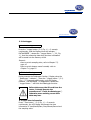
Before take away the SD card from the
meter, it should execute the
procedures of " Finish the Datalogger ",
otherwise some existing recent save
data may loss.
5-3 Check time information
Press " Time button " ( 3-3, Fig. 1 ) > 2 seconds
continuously, the LCD display will present the time
information of Year/Month/Date, Hour/Minute/Second and
the sampling value.