1
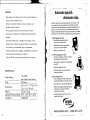
( Instal! the Optional NiCad Battery ) C Troubleshooting ) L Using the key, unlock the cover and remove the NiCad battery. 2. Insert the battery connector into the compartment connector. Number Code Explanation 3. Replace the cover and lock with key. E.03 Cannot print. The printer head motor or the sensor does not operate properly. E·04 (1) Cannot print. The printer motor or home position sensor is not malfunctioning. ffi- ..... f E·05 The card is not inserted in the Time Stamp 1'\)= properly. c.)= (2) ~- 01 "'= -...1= 0)= c.o= ffi [cA. !-1jiQr£] --= '--.. Replacing the battery incorrectly may cause risk of explosion. Replace only with the same or equivalent battery type recommended by Icon Time Systems. Dispose of used batteries according to the manufacturer's instructions. 19 20