1
12 Maintenance
Normally, the inverter needs no maintenance or calibration. Regularly inspect the
inverter and the cables for visible damage. Disconnect the inverter from all power
sources before cleaning. Clean the enclosure and display with a soft cloth. Ensure
the heat sink at the rear of the inverter is not covered.
12.1 Cleaning the contacts of the DC switch
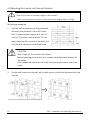
Clean the contacts of the DC-switch once per year. Perform cleaning by cycling the
switch to “1” and “0” positions 5 times. The DC-switch is located at the lower left of
the enclosure.
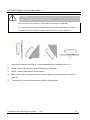
12.2 Cleaning the heat sink
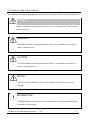
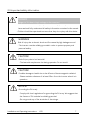
CAUTION!
Risk injury due to hot heat sink!
•The heat sink may exceed 70°C during operation. Do not touch the heat sink during
operation.
•Wait approx. 30 minutes before cleaning until the heat sink has cooled down.
Clean the heat sink with compressed air or a soft brush. Do not use aggressive
chemicals, cleaning solvents or strong detergents.
To guarantee proper functioning and a long service life, ensure that sufficient air
circulates around the heat sink.
13 Recycling and disposal
Both the inverter and its transport packaging are predominantly made from
recyclable raw materials.
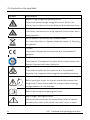
Do not dispose of the defective inverter and its accessories in the household waste.
Ensure that the defective inverter, its accessories and transport packaging are
disposed of properly.
Installation and Operating Instructions
V02
55