1
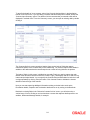
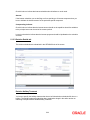
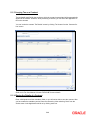
At the time of saving the record, the system triggers the Derivative Schedule Confirmation
(DCON) event for the selected schedules on the relevant Derivatives contract. You can view this
event at the contract level by invoking the ‘Contract Input’ screen and clicking on the events
button.
After the confirmation is saved, the contract status becomes unauthorized. On authorization of
the confirmation, through the ‘Confirmation’ screen, the contract status is also updated to
‘Authorized’.
After you authorize the record (the ‘A’ option appears checked), you are not allowed to make
any modifications in the ‘Schedule Confirmation’ screen pertaining to a confirmed schedule. If the
counter-party confirms another schedule, later on, the above process must be repeated for the
relevant schedule.
5.4 Reassigning a Contract to another User
A contract can be deleted only by the user who entered it. If a contract has to be deleted and the
user who input the same is not available to do it, you can reassign the contract to another user so
that the other user can delete it. Typically, this situation may arise during EOD operations, when a
contract that is not authorized has to be deleted and the user who input it has left office for the
day.
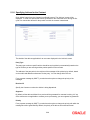
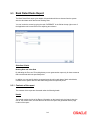
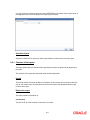
You can invoke the ‘Derivatives Contract Reassign’ screen by typing ‘DVDTREAS’ in the field at
the top right corner of the Application tool bar and clicking on the adjoining arrow button.
To reassign a contract to another user, the following steps are required:
5-55