1
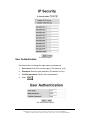
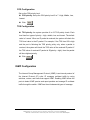
IP Security interface
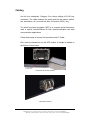
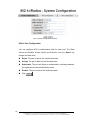
User Authentication
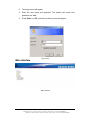
Use this function to change the login name and password.
1.
User name: Enter the new user name (The default is ‘root’).
2.
Password: Enter the new password (The default is ‘root’).
3.
Confirm password: Confirm the new password.
4.
Click
Apply
User Authentication interface
Manual Documentation Number: EIR610-3SFP-T_0708M
B&B Electronics Mfg Co Inc – 707 Dayton Rd - PO Box 1040 - Ottawa IL 61350 - Ph 815-433-5100 - Fax 815-433-5104 – www.bb-elec.com
B&B Electronics – Westlink Commercial Park – Oranmore, Galway, Ireland – Ph +353 91-792444 – Fax +353 91-792445 – www.bb-europe.com
61